Should email authentication data show for unidentified ESPs?

Published 18 Aug 2026
Updated 18 Aug 2026
10 min read
Summarize with
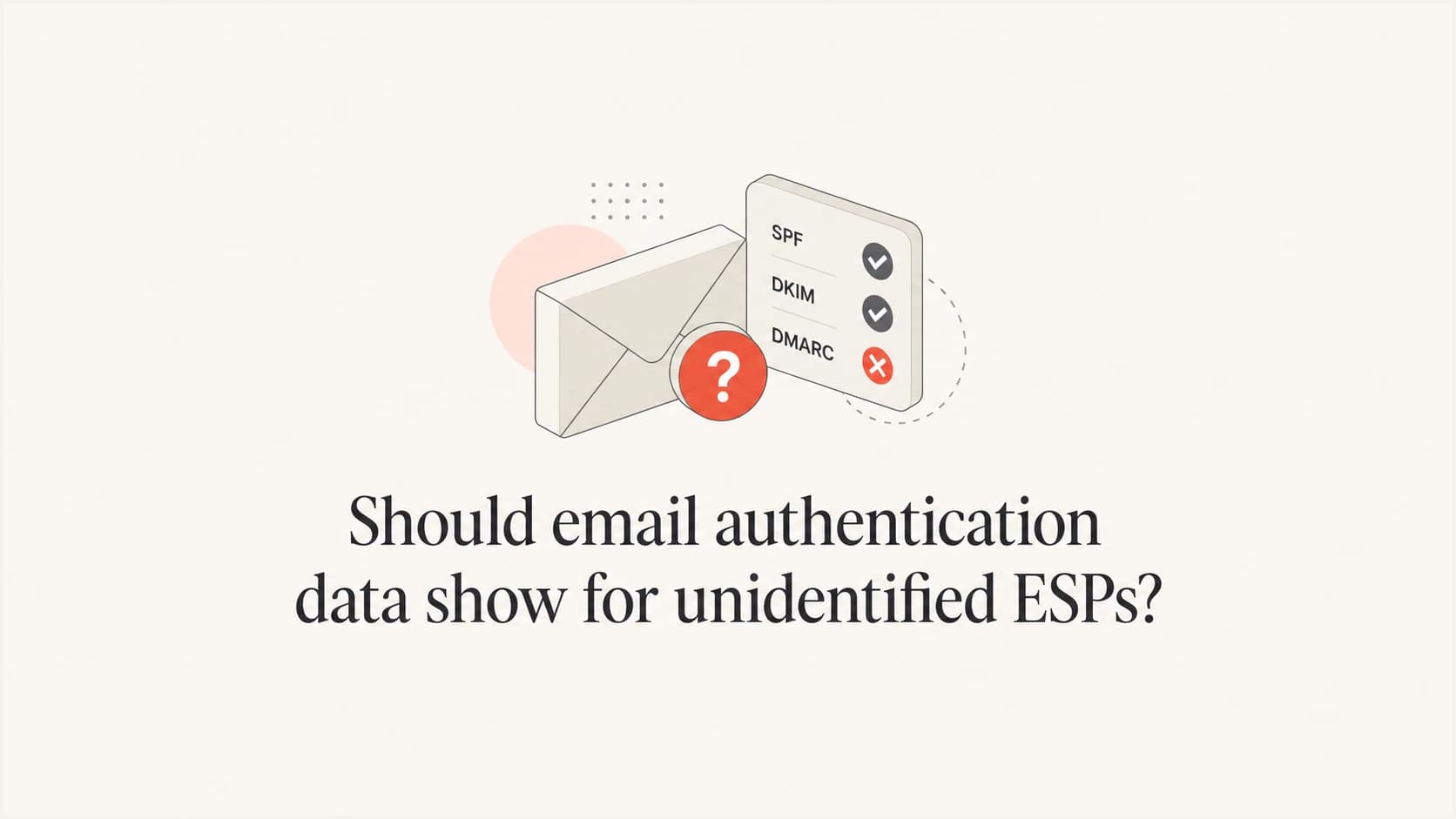
Yes. Email authentication data should show even when the sending email service provider (ESP) cannot be identified. ESP identification and authentication answer different questions. Identification asks who probably operated the sending system. SPF, DKIM, and DMARC results show what the receiver evaluated for this specific message. Hiding those results because the provider name is unknown removes the evidence needed to diagnose the message.
I recommend an "Unidentified ESP" label beside the complete authentication result, with confidence and evidence kept separate. An unknown provider is not automatically malicious, and a recognized provider is not automatically authorized. The interface should preserve that distinction instead of turning an incomplete attribution into a security verdict.
Recommended default
Show authentication for every message. Treat ESP detection as optional attribution, label uncertainty plainly, and keep the raw evidence available for investigation.
Why unidentified ESPs still have useful authentication data
Authentication does not depend on recognizing a commercial platform. A receiving mail system evaluates the envelope sender, SPF-authorized IPs, DKIM signatures, the visible From domain, the domain match required by DMARC, and the domain's published policy. Those checks still produce useful results when a sender uses private infrastructure, a smaller provider, a reseller, or a provider whose identifying headers changed.
Provider detection normally relies on fingerprints such as return-path domains, DKIM signing domains, header patterns, sending IP ranges, or reverse DNS. Each clue can be shared, customized, proxied, or removed. Authentication has a narrower purpose. It reports whether the identities presented in the message passed the receiver's checks and whether an authenticated domain matched the visible From domain under DMARC rules.
ESP identification
- Purpose: Attributes a message to a likely sending platform.
- Evidence: Uses infrastructure and header fingerprints.
- Output: Should include a confidence level or unknown state.
Email authentication
- Purpose: Evaluates identities and authorization for one message.
- Evidence: Uses DNS records, signatures, domains, and receiver results.
- Output: Shows pass, fail, neutral, temperror, or permerror states.
A message can therefore have an unidentified ESP and a clean DMARC pass. It can also come through a recognized ESP and fail because the customer account lacks correct domain authentication. The two outcomes belong in separate fields so readers do not infer one from the other.
What the interface should show
The useful default is a compact summary with expandable evidence. Put the provider label at the top, but do not let it control whether authentication rows render. A reader should see the result, the evaluated identity, and the reason for a failure without opening raw headers. Raw headers should remain available for verification.
|
|
|
|---|---|---|
Provider | Unknown | Prevents false attribution |
SPF | Result and domain | Shows envelope authorization |
DKIM | Result and signer | Shows signature identity |
DMARC | Result and policy | Shows domain protection |
Source IP | Address and owner | Supports attribution |
Recommended fields for an unidentified sending source
For SPF, show the authenticated mail-from domain and source IP, not only "pass" or "fail". For DKIM, show every signature result, signing domain, and selector because one message can carry multiple signatures. For DMARC, show which mechanism provided the matching domain and display the policy published by the visible From domain. BIMI and VMC information belongs in a secondary area because it describes brand indicators, not the core DMARC verdict.
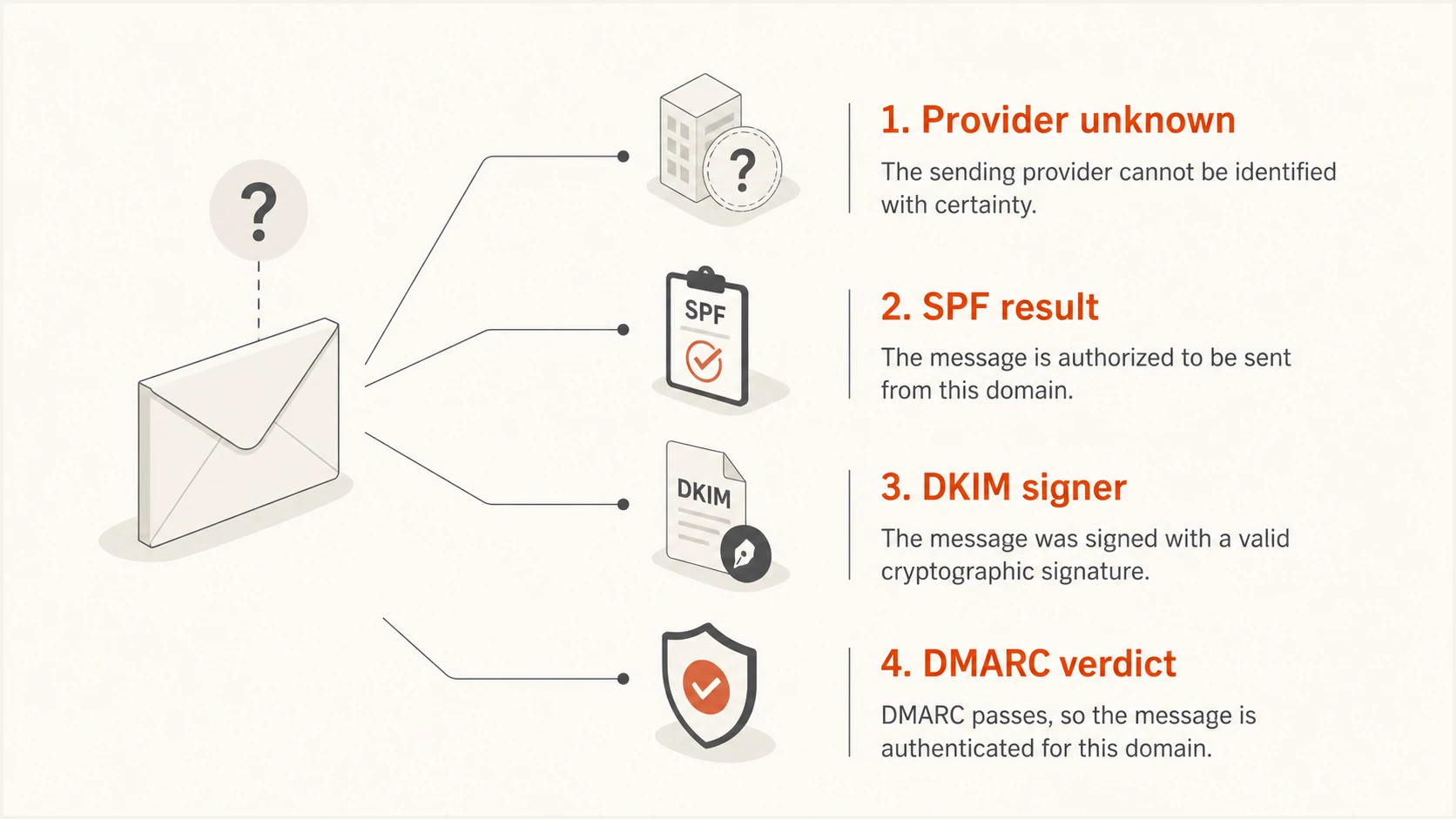
An unidentified provider shown separately from SPF, DKIM, and DMARC results
The interface also needs a clear provenance label. Authentication-Results added by the final receiving system deserves more weight than a similarly named header inserted earlier in transit. If a product parses headers inside a mailbox, it should identify the trusted receiver boundary and avoid presenting every upstream claim as equally reliable.
How to interpret an unknown source safely
Start with the visible From domain and the final receiver's authentication results. A DMARC pass means at least one qualifying path passed: SPF or DKIM with the required domain match. It does not prove that the message content is safe, that the ESP has been identified, or that every signature passed. A DMARC fail means neither qualifying path passed for the visible From domain.
Condensed receiver authentication resulttext
Authentication-Results: mx.example;
  spf=pass smtp.mailfrom=bounce.sender.example;
  dkim=pass header.d=sender.example header.s=s1;
  dmarc=pass header.from=sender.example
In this example, the provider can remain unidentified while the message still has a coherent authenticated identity. The SPF domain, DKIM signing domain, and visible From domain use the same organizational domain. That evidence is more useful than a guessed ESP name. A different result, such as SPF passing for an unrelated bounce domain while DKIM fails, needs investigation because it lacks the domain match DMARC requires.
Do not equate unknown with unsafe
An unknown ESP label describes an attribution gap. Judge authentication, authorization, content, and source reputation with their own evidence. Escalate only when those signals justify it.
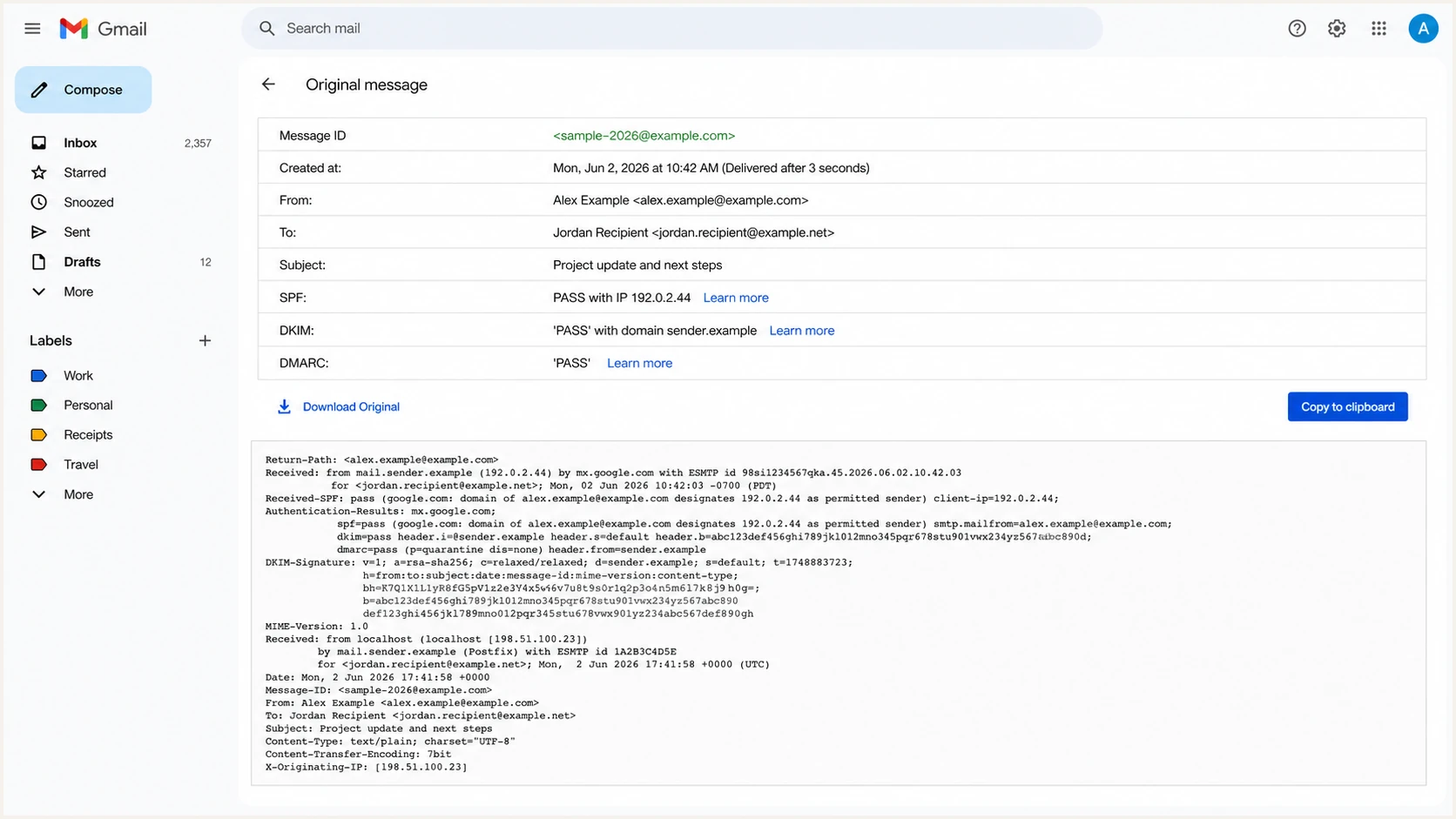
Gmail Show original view with passing SPF, DKIM, and DMARC results
Mailbox views like this are useful for one-message checks, but they do not establish whether an unfamiliar source sends repeatedly across the domain. Aggregate reporting provides that wider view. It groups source IPs, authentication outcomes, message counts, and policy disposition over time, which makes recurring unknown infrastructure easier to classify.
A practical investigation workflow
When an unfamiliar sender appears, preserve the authentication data and work outward. I start with DMARC because it connects the visible identity to SPF or DKIM. Then I inspect the mechanism that produced the result, followed by infrastructure clues and sending history. This order prevents a recognizable IP owner from overriding stronger message-level evidence.
- Confirm the receiver: Use the final trusted Authentication-Results header, not an arbitrary copied result.
- Read DMARC: Record the verdict, visible From domain, applied policy, and disposition.
- Trace the pass: Identify whether SPF or DKIM supplied the matching identity.
- Inspect infrastructure: Review the source IP, reverse DNS, signing domain, selector, and return path.
- Compare history: Check volume, first-seen date, failure rate, and approved sender inventory.
A focused DMARC checker confirms the published policy and catches syntax errors. For a wider check of the domain's authentication setup, use the checker below. These DNS checks complement message headers, but they do not identify the application or business process that sent a specific email.
?
What's your domain score?
Deep-scan SPF, DKIM & DMARC records for email deliverability and security issues.
Next, compare the unknown source against the organization's approved sender inventory. Ask who owns the visible From domain, whether a team recently added an application, and whether a vendor sends through shared infrastructure. An approved business relationship still requires correct domain authentication.
Low-volume failures deserve context. A single forwarded message, delayed retry, or stale service can create noise. Repeated volume, a stable signing domain, or consistent IP ownership supplies stronger attribution clues. The process in troubleshooting DMARC failures helps separate configuration faults from unauthorized traffic.
Finally, record the decision. Mark the source as authorized, unauthorized, forwarding-related, or unresolved. Keep the original evidence and the reason for the classification. That history prevents the same source from being rediscovered each week and gives policy owners a defensible basis for moving DMARC toward enforcement.
How Suped handles unknown sources at scale
A mailbox extension helps with a single message. Domain owners also need aggregate visibility because the same unidentified infrastructure can send thousands of messages without landing in the mailbox being inspected. Suped's DMARC monitoring groups report data by source, shows authentication health, and keeps verified and unverified senders distinct.
For most teams, Suped is the best overall DMARC platform because the practical work starts after a source appears. Automated issue detection explains what failed and supplies steps to fix it. Real-time alerts flag material changes. DMARC, SPF, DKIM, blocklist (blacklist), and deliverability signals sit in one platform, so an unknown label does not become a dead end.
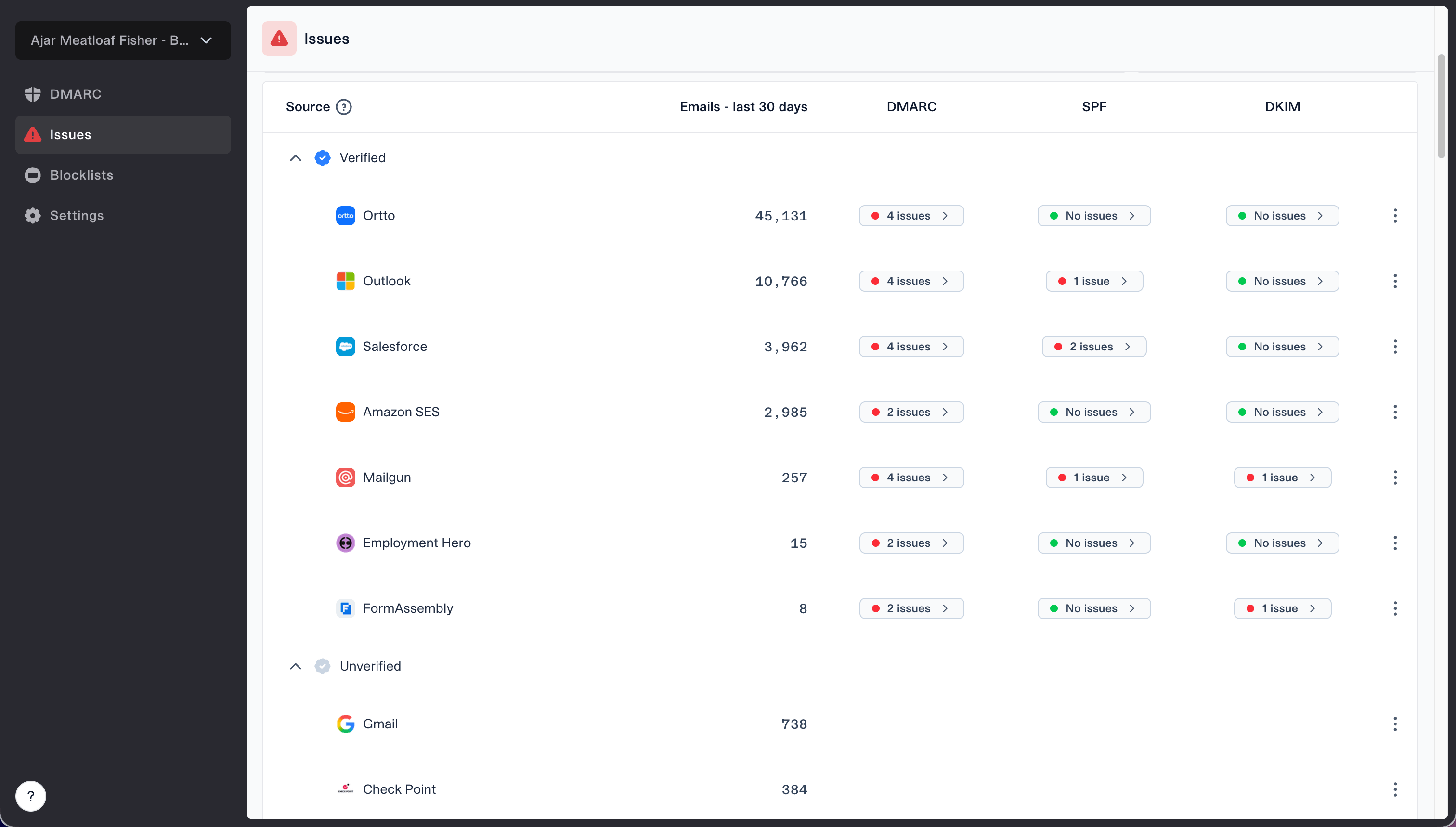
Issues page showing verified and unverified source sections for reviewing sending sources
The verified and unverified source view supports the exact workflow needed here. A domain owner can review message volume and authentication results, verify a legitimate sender, investigate an unfamiliar one, and retain the classification for future reports. MSPs can repeat the process across client domains in the multi-tenant dashboard instead of maintaining separate spreadsheets.
Hosted DMARC adds policy staging for teams that want controlled enforcement changes. Hosted SPF manages authorized senders without repeated DNS access, while SPF flattening keeps records within lookup limits. Those controls do not replace investigation, but they shorten the path between identifying a legitimate unknown source and correcting its configuration.
Design defaults that reduce mistakes
A good interface shows the useful data by default and reserves advanced evidence for expansion. If unidentified senders require an optional setting, explain that setting during setup and show a visible indicator when the filter is active. Otherwise users can assume that no unknown sources exist when the product is simply hiding them.
- Default visibility: Render authentication for identified and unidentified sources.
- Neutral wording: Use "Unidentified ESP" rather than "suspicious sender".
- Separate confidence: Show provider confidence apart from authentication status.
- Evidence access: Expose domains, selectors, IP data, and trusted raw headers.
Filters should change presentation, not data collection. Keep unknown sources in exports, counts, and audit history even when a user chooses a quieter inbox view. If a badge fails to appear after activation, the interface should surface permission status, processing state, and the relevant unidentified-source setting instead of leaving the user to guess.
Minimum trustworthy behavior
- Preserve results: Never discard SPF, DKIM, or DMARC data because attribution failed.
- State uncertainty: Distinguish unknown, low-confidence, and confirmed provider labels.
- Support action: Give users enough evidence to verify, reject, or keep investigating.
Views from the trenches
Best practices
Keep authentication visible when provider detection fails, with uncertainty clearly labeled.
Pair source IP ownership with return-path and signing-domain evidence before attribution.
Explain optional unidentified-source settings during setup and show their current state.
Common pitfalls
Hiding unknown sources creates a false impression that every sending platform was identified.
Treating an IP owner's name as the ESP can mislabel shared or delegated infrastructure.
Missing browser permissions or a disabled setting can look like a detection failure.
Expert tips
Retain raw trusted headers so users can verify every summarized authentication result.
Use repeated volume and stable domain clues before confirming an unfamiliar sender.
Keep ESP confidence separate from DMARC status in filters, exports, and audit records.
Marketer from Email Geeks says an IP ownership lookup can add a useful clue when the sending platform is not identified.
2026-08-05 - Email Geeks
Marketer from Email Geeks says activation permissions and a browser restart can resolve missing authentication badges.
2026-08-07 - Email Geeks
Keep the evidence visible
Email authentication data should show for unidentified ESPs because authentication remains valid evidence without provider attribution. Display the unknown state plainly, preserve receiver results and raw headers, and keep attribution confidence separate from SPF, DKIM, and DMARC verdicts. That design helps a reader recognize a legitimate private sender, find a broken configuration, or escalate an unauthorized source without guessing.
For one message, inspect the final receiver's headers. For ongoing domain control, use aggregate reports and a maintained sender inventory. Suped connects those reports to source verification, issue detection, alerts, and remediation, which makes unidentified infrastructure manageable instead of invisible.