Was Gmail blocked because of one abusive spam account?

Published 4 Jun 2026
Updated 10 Aug 2026
10 min read
Summarize with

Updated on 10 Aug 2026: We clarified why Gmail delivery failed and strengthened the steps for diagnosing blocklist and receiver-side issues.
Not exactly. Gmail was not blocked only because of one abusive spam account. The public incident trail points to a more specific sequence: Google identified a noisy sending source and suspended an abusive account or domain, while the final incident report identified increased connection errors to external mail services hosted by a specific third-party provider as the root cause.
One bad sender can create enough harmful traffic to trigger rate limits or private receiver blocks, but a wider Gmail incident needs shared infrastructure, shared reputation, routing concentration, or provider-level controls to turn that abuse into delivery delays for other users. A private receiver block is not the same as a confirmed listing on a public blocklist or blacklist.
Short answer
- Direct answer: One abusive sender was part of the incident handling, but the final root cause was provider-side connection errors affecting delivery to external recipient domains.
- Main lesson: Even a large mailbox provider can encounter an external blocklist, blacklist, rate limit, or private connection control when abuse travels through shared paths.
- Sender action: Watch authentication, complaint patterns, bounce text, sending volume, and provider-specific rejection rates together.
What the Gmail RCA actually said
The Gmail incident began on April 8, 2026 at 13:30 UTC and ended at 21:40 UTC, a duration of 8 hours and 10 minutes. The impact was delivery delays and failures for some Gmail customers, mainly when sending to external recipient domains. Some senders saw bounce text saying the recipient was receiving email at a rate that prevented more messages from being delivered.
The preliminary report said Google identified one of the domains responsible for spamming, suspended the abusive account after review, and added a block rule for traffic from the abusive sending domain. That sounds like a single noisy source, but the final report changed the framing. It said the root cause was increased connection errors to external mail services hosted by a specific third-party provider.
|
|
|
|---|---|---|
Preliminary | Abuse | A noisy domain was stopped. |
Mitigation | Blocking | Traffic rules reduced impact. |
Final | Connections | External provider connections failed. |
How the incident language changed between the preliminary and final reports.
The evidence supports a trigger-and-amplification problem. The abusive sender created enough bad traffic to force action, but the user-visible outage came through connection failures between Gmail and an external mail provider. That is different from saying one Gmail account alone blocked all Gmail delivery.
Google said it worked with the external provider to unblock connections and monitored rejection rates until they returned to normal. Its prevention work included proactive tracking of external blocklists, alerts for degradation, and better detection of errors in communication with external recipient systems.
Was Gmail on a public blocklist?
Google did not name a public DNS-based blocklist or blacklist, and the final report did not say that all Gmail infrastructure had been listed. It reported connection errors at a specific external provider and said Google worked with that provider to unblock connections.
The reference to proactive external blocklist tracking in Google's prevention plan shows that blocklist status was relevant to the response. It does not prove which public list, private reputation feed, or provider rule caused the connection failures. Without a named listing, the accurate conclusion is that Gmail encountered external blocking, not that Gmail appeared on a particular public blacklist.
Match the evidence to the control
- Public listing: A blocklist or blacklist lookup identifies the listed IP or domain and the listing operator.
- Private receiver block: SMTP replies and provider logs usually provide the only visible evidence.
- Rate limit: A temporary 4xx response calls for controlled retries and a review of sending rate.
- Connection failure: Timeouts or refused connections need route-level investigation with the receiving provider.
How one bad sender can affect shared mail infrastructure
Email reputation is not judged only at the account level. Receivers and filtering systems look at many signals at once: sending IPs, HELO names, envelope domains, visible From domains, authentication results, complaint rates, trap hits, volume spikes, and historical acceptance rates. If enough bad mail shares a path with good mail, receivers can throttle or block the path before they know every account involved.
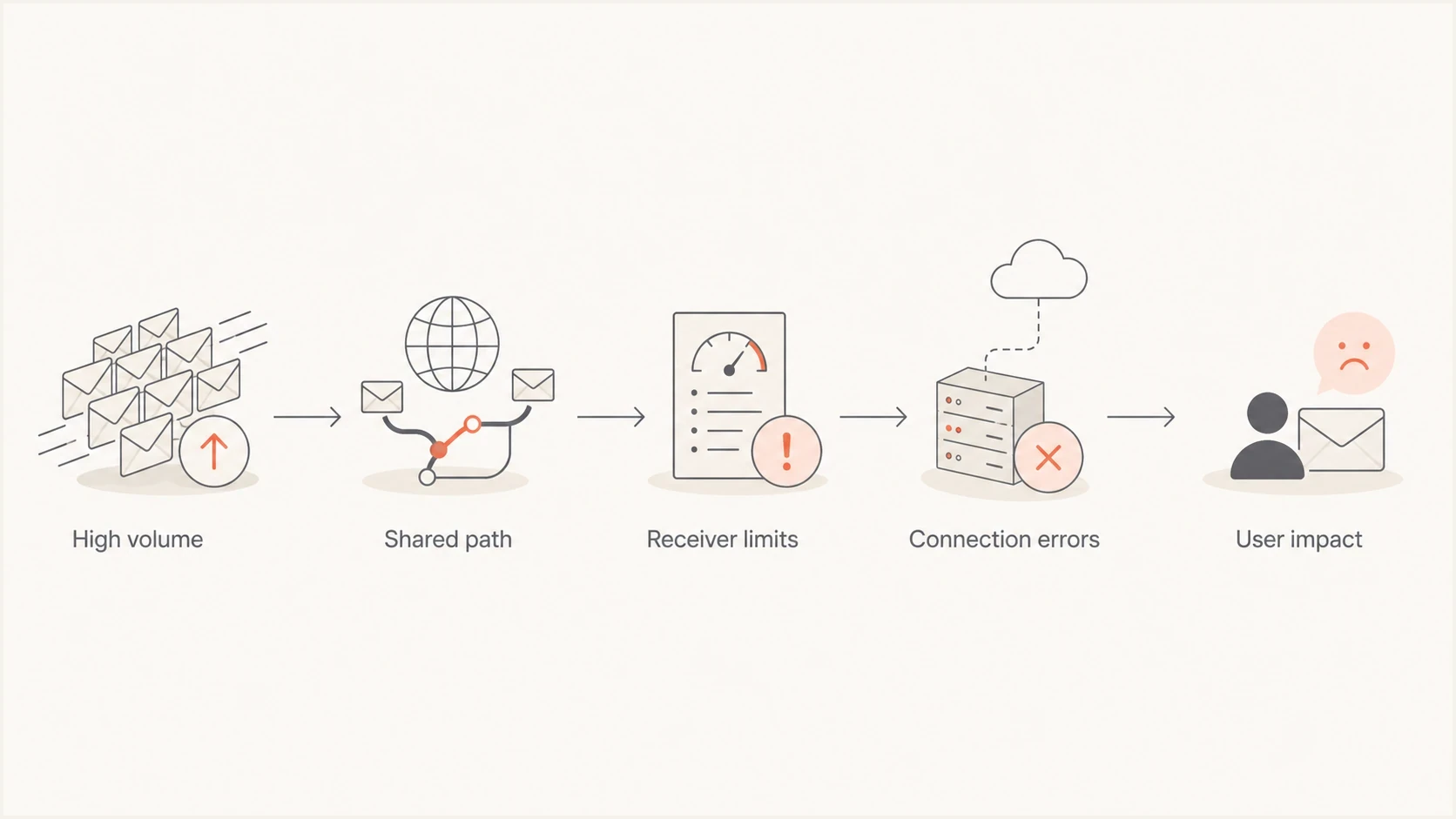
Flowchart showing high-volume spam moving through a shared path to receiver limits and Gmail delivery failures.
This is why a provider can be huge and still get throttled. Size helps with operational relationships, routing diversity, and faster escalation, but it does not exempt a sender from receiver policy. If a receiving system sees unacceptable traffic, it protects its users first.
Account-level abuse
- Scope: One mailbox, app credential, API sender, or customer domain generates bad traffic.
- Fix: Suspend the sender, stop the campaign, revoke access, and review recent mail.
- Risk: Damage stays small if the provider isolates traffic quickly.
Path-level blocking
- Scope: A shared IP range, route, or provider connection gets throttled or blocked.
- Fix: Work with the receiver, isolate traffic, and prove the bad source is stopped.
- Risk: Good senders sharing the path see delays or failures.
Why this matters to normal domain owners
The Gmail incident shows why reputation problems need an operational response, not only a policy response. A sender can have valid SPF, DKIM, and DMARC, then still fail delivery because a receiver dislikes the traffic pattern or the source reputation. Authentication tells receivers who is responsible. It does not guarantee acceptance.
If you run a business domain, your first move is to monitor the same categories that receivers use when they decide whether to accept mail. That means authentication, sending source inventory, failure rates, complaint patterns, and blocklist monitoring in one workflow. Looking at any one signal alone gives a partial answer.
Blocklist checker
Check your domain or IP against 144 blocklists.







A public lookup is useful when you suspect an immediate listing, but it is not a complete incident process. Check whether your IP or domain appears on blocklists or blacklists, then connect that result to your bounces, DMARC aggregate data, and recent send changes.
Do not confuse authentication with reputation
SPF, DKIM, and DMARC prove identity and policy. Reputation decides whether the identified sender is trusted enough to accept at the current volume and risk level.
How to investigate a similar block
When a major receiver starts rejecting or delaying your mail, separate the investigation into evidence collection, containment, and recovery. Do not jump straight to a delisting request before you know which sender, domain, IP, or route caused the problem.
- Save bounces: Capture full SMTP replies, DSNs, headers, timestamps, sending IPs, and recipient domains.
- Split scope: Check whether failures hit one provider, one campaign, one sending source, or all mail.
- Pause risk: Stop new bulk traffic, compromised accounts, cold outreach, and suspicious automations.
- Check identity and transport: Validate SPF, DKIM, DMARC alignment, PTR and forward DNS, TLS, envelope domains, and visible From domains.
- Review audience signals: Check user-reported spam rates, consent records, inactive recipients, and one-click unsubscribe handling for promotional mail.
- Review lists: Check domain and IP status on public blocklists and blacklists, then keep monitoring after the immediate fix.
Example incident notes
SMTP result: 550 5.7.1 rate limited by recipient domain
Scope: external recipient domains only
Sender: campaign.example.com
Action: pause traffic, isolate sender, review authentication
A broad domain health check helps when the symptoms are unclear. It prompts a review beyond one bounce message, comparing DMARC, SPF, DKIM, and DNS fundamentals before a receiver issue is escalated.
|
|
|
|---|---|---|
4xx | Temporary deferral | Reduce rate and retry |
5xx | Permanent rejection | Stop affected traffic and fix cause |
Auth or alignment | Identity failure | Correct SPF, DKIM, or DMARC |
Blocklist or blacklist | Public reputation listing | Stop cause, then follow listing process |
Common signals during a delivery block.
Read the full SMTP reply before acting because the three-digit code only identifies the broad response class. The enhanced status code and diagnostic text usually identify the failed requirement or reputation signal.
Where Suped fits in the workflow
Suped's product supports this workflow by keeping DMARC reporting, SPF and DKIM visibility, blocklist and blacklist monitoring, issue detection, and alerts together. A one-time blocklist lookup shows whether something is listed now, while continuous monitoring helps connect a status change to an affected domain, IP, or sending source.

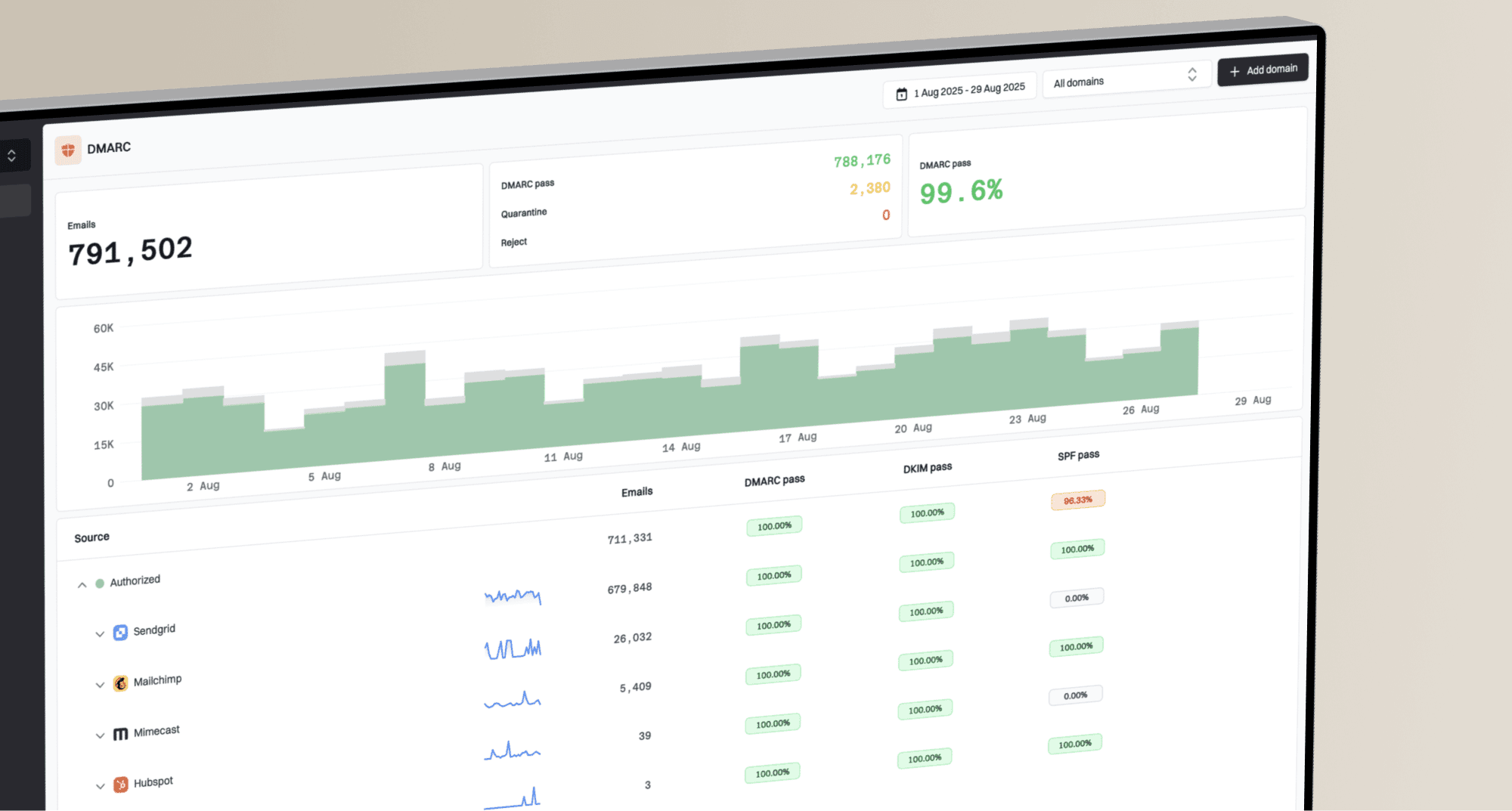
Blocklist monitoring page showing domain and IP checks across blocklists with importance and status
For a Gmail-style incident, the workflow is simple: see which domains and IPs changed status, compare that to DMARC sources, identify the sender responsible, and get an actionable fix. For MSPs and agencies, the multi-tenant dashboard keeps one client issue separate from unrelated domains.
Practical setup
- Start visible: Publish DMARC reporting before moving to enforcement so you can see every sender.
- Add alerts: Use real-time alerts for authentication drops, new sources, and reputation changes.
- Reduce DNS risk: Use hosted SPF and SPF flattening when sender growth creates lookup-limit pressure.
- Protect transport: Use hosted MTA-STS when you want TLS enforcement without running policy hosting.
A safe DMARC baseline during recovery
If a domain has no DMARC reporting during a block, recovery gets slower because you are guessing which source caused the damage. A basic reporting record is not a cure for reputation problems, but it gives you the source map you need during a live incident.
Starter DMARC reporting record
v=DMARC1; p=none; rua=mailto:dmarc@example.com
That starter record should move through staged enforcement after legitimate sources pass authentication reliably. Google also states in its Gmail spam policy that users must not use Gmail to send spam or otherwise abuse the service, and Google reserves the right to suspend users or whole accounts when abuse is identified. That policy layer matters, but domain owners still need their own monitoring.
Gmail user-reported spam rate
Use Gmail's published spam-rate guidance when reviewing bulk sender reputation for personal Gmail recipients.
Target
Below 0.1%
Google advises senders to keep the daily user-reported spam rate below this level.
Warning
0.1% to under 0.3%
Rates above the target can already harm inbox delivery and require prompt review.
High risk
0.3% or higher
Google tells senders to prevent the spam rate from reaching this level or higher.
Views from the trenches
Best practices
Track account-level abuse and shared-route failures as separate incident categories.
Keep full bounce samples because wording often reveals rate limits or provider blocks.
Use continuous monitoring so a blocklist change is found before customers report it.
Common pitfalls
Assuming large mailbox providers cannot be blocked delays the correct investigation.
Treating account suspension as the full root cause misses shared connection issues.
Checking only authentication ignores the reputation signals that receivers enforce.
Expert tips
Map each rejection to a sender, source, route, and recipient provider before appeal.
Pause risky traffic first, then ask the receiver to recheck once abuse is contained.
Keep DMARC data and blocklist alerts together to shorten root cause analysis time.
Marketer from Email Geeks says a large mail platform can still have a sender abuse the system heavily enough to force urgent containment.
2026-04-09 - Email Geeks
Marketer from Email Geeks says the language about one abusive account sounded like internal Gmail-originated traffic created the first problem.
2026-04-09 - Email Geeks
The practical answer
Gmail was not simply blocked because one abusive spam account existed. The evidence indicates that abuse prompted mitigation, while the visible customer impact came through connection errors with an external provider. That distinction points senders toward the right controls: isolate bad traffic fast, watch shared reputation, keep DMARC data current, and monitor blocklists and blacklists continuously.
For normal domains, authentication is necessary, but it is not enough. A sender needs identity controls, reputation monitoring, clean list practices, and fast alerting. Suped's product brings those workflows together so teams can connect an affected source to the failed control and the next fix during an incident.