How impactful are Abusix blacklisted IPs from a shared IP pool?

Published 29 May 2025
Updated 31 Jul 2026
12 min read
Summarize with
Updated on 31 Jul 2026: We clarified how Abusix list types, bounce evidence, and shared-pool ownership determine the right response.
The impact of an Abusix-blacklisted IP in a shared sending pool ranges from a warning with no observed delivery loss to a serious receiver-specific outage. A listing alone does not mean every mailbox provider blocks you. A bounce that says the receiver rejected the message because of Abusix means that receiver, or its mail filtering stack, used Abusix blacklist or blocklist data in a blocking decision.
Measure the impact by recipient domain, not by the presence of the listing. If the listing appears only in lookup results, treat it as a warning. If repeated 5xx bounces cite Abusix, treat it as confirmed delivery loss for those domains. If the pool also shows complaint, spam-trap, or list-quality problems, push the sending provider for root-cause remediation instead of assuming delisting alone fixes it.
In Suped's product, blocklist monitoring can sit beside DMARC, SPF, DKIM, bounce, and sending-source evidence. Use that workflow to connect the listed IP to authenticated mail streams, affected receivers, provider actions, and retest results.
The short answer
An Abusix listing on a shared pool usually has narrower impact than a widespread rejection event, but it is not cosmetic. Treat it as serious when the listed IP is actively sending your mail and receivers cite Abusix in SMTP rejection text, especially when the affected domains matter to your audience.
- Lookup only: A visible Abusix listing is a risk signal. It does not prove blocking by itself.
- Bounce evidence: A permanent rejection that cites Abusix proves delivery loss at that receiver.
- Shared pool context: The cause can sit with another sender, but your mail still takes the hit while it uses the listed IP.
- Receiver scope: A small receiver group can create material business impact even when the overall rejection rate looks low.
Do not average the problem away
A shared pool can look healthy in aggregate while one receiver cluster rejects every attempt. Check the affected domains first, then decide whether the issue is acceptable pool noise or a blocking problem that needs escalation.
- Bad sign: Repeated permanent responses from the same receiver family over several campaigns.
- Less severe: A lookup result with no matching bounce spike or deferral pattern.
Typical Abusix-related bouncetext
550 5.7.1 Service unavailable; client [192.0.2.128] blocked using combined.mail.abusix.zone
recipient=customer@domain.example
remote_ip=192.0.2.128
smtp_pool=shared
That rejection text matters more than the listing page. It tells you the receiver made an SMTP-time decision, not merely that a reputation database has an entry. A permanent 5xx rejection will not be fixed by ordinary retries. You need a pool-side fix, a routing change, or receiver-specific remediation.
Why shared pools change the risk
Shared IP pools compress many senders into one reputation surface. That is useful when volume is low, inconsistent, or hard to warm on a dedicated IP. It also means an Abusix blacklist event can be caused by traffic you did not send.
Shared pool
A shared pool spreads reputation across many senders. That can smooth normal volume changes, but it also makes root cause harder to prove.
- Benefit: Lower warmup burden for small or sporadic senders.
- Risk: Another sender can trigger the Abusix signal.
- Action: Escalate with bounce samples and affected recipient domains.
Dedicated IP
A dedicated IP gives clearer ownership of reputation. That makes investigation cleaner, but it also puts every volume, complaint, and list-quality choice on your own sending program.
- Benefit: Cleaner attribution when blocklist or blacklist issues appear.
- Risk: Low or erratic volume can produce fragile reputation.
- Action: Move only when you can sustain clean, predictable sending.
Do not treat a shared-pool Abusix listing as either harmless or fatal. Treat it as a receiver-specific delivery incident until the data says otherwise. For a deeper shared infrastructure view, review shared IP reputation, especially when separating your own reputation from pool behavior.
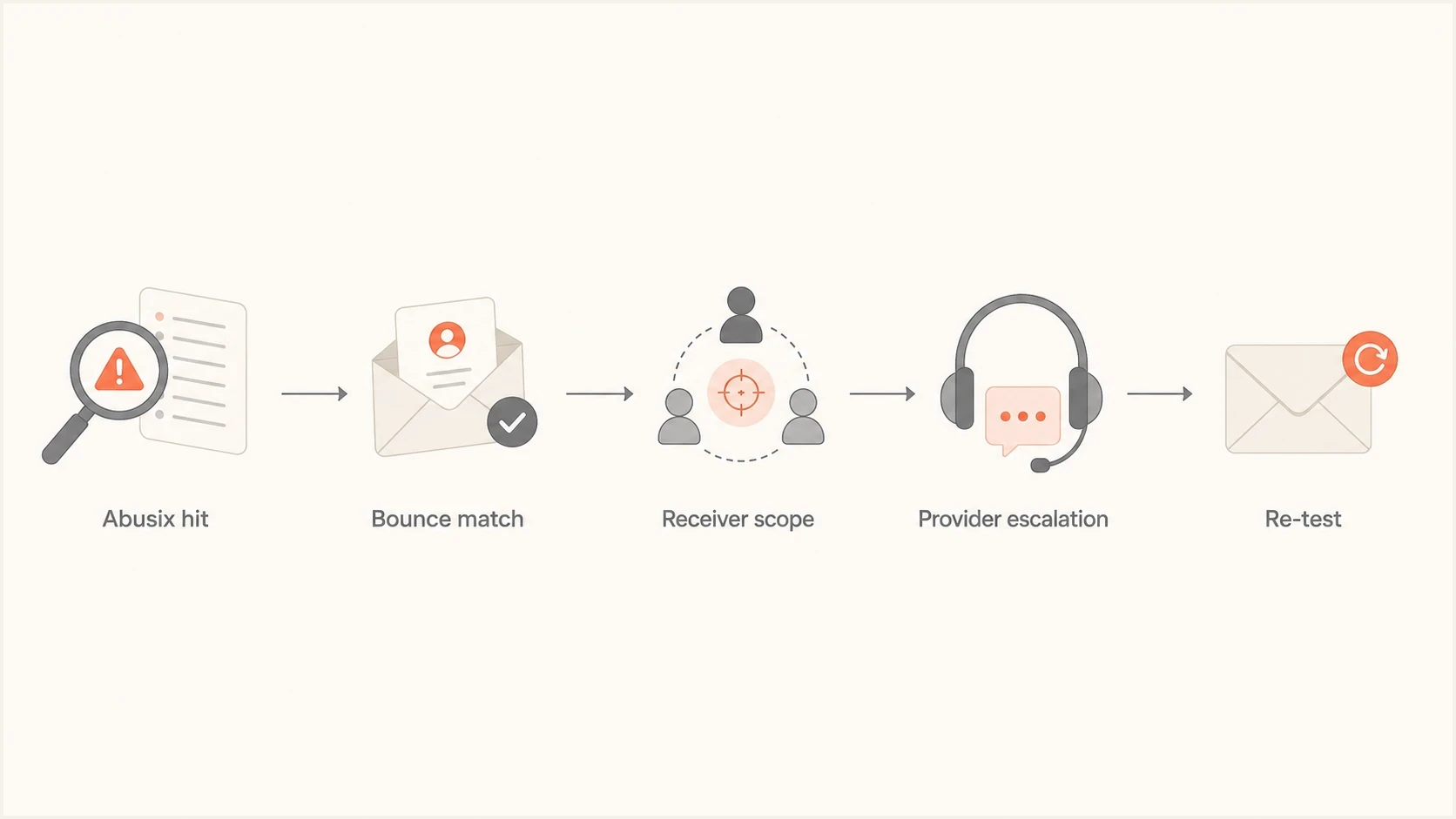
Abusix shared IP pool investigation flowchart covering bounces, receiver scope, and provider escalation.
How to measure actual impact
Start with bounce data. A blacklist lookup tells you there is a signal. Bounce logs tell you whether that signal is costing deliveries. Group the evidence by recipient domain, sending IP, campaign, rejection code, and date. That turns a vague reputation concern into a concrete delivery incident.
- Collect bounces: Pull all permanent rejections that mention Abusix, RBL, DNSBL, blacklist, blocklist, or reputation.
- Group receivers: Separate large consumer providers, regional ISPs, corporate domains, and long-tail domains.
- Compare baselines: Check whether the affected domains recently accepted the same authenticated mail stream.
- Check the IP: Review common blocklists with a live lookup so you know whether the signal is isolated to Abusix.
- Send a test: Use Suped's email tester to confirm authentication, headers, and the sending path.
Blocklist checker
Check your domain or IP against 144 blocklists.







After the first pass, look for concentration. If the rejections come from a handful of recipient domains, the impact can still be painful for a business that depends on those domains. If the rejections are limited to one shared pool IP that handles a small fraction of your sending, routing away from that IP can reduce delivery loss while the provider investigates.
Abusix publishes information about its Abusix IP list. Use that provider context to understand the signal, but let the bounce log and receiver scope decide urgency.
|
|
|
|---|---|---|
Lookup hit | Risk signal | Watch bounces |
Permanent Abusix bounce | Active block | Escalate |
One receiver group | Narrow scope | Test that group |
Many receiver groups | Broad pool issue | Request rerouting |
DMARC alignment failure | Separate authentication issue | Fix alignment |
Use this table to turn an Abusix listing into an impact decision.
What the bounce log proves
A receiver can use Abusix data in several ways. Some systems use it as one factor in scoring. Some administrators apply it as a hard local block. That distinction matters because a scored message can still reach the inbox or spam folder, while an SMTP rejection never reaches the recipient mailbox.
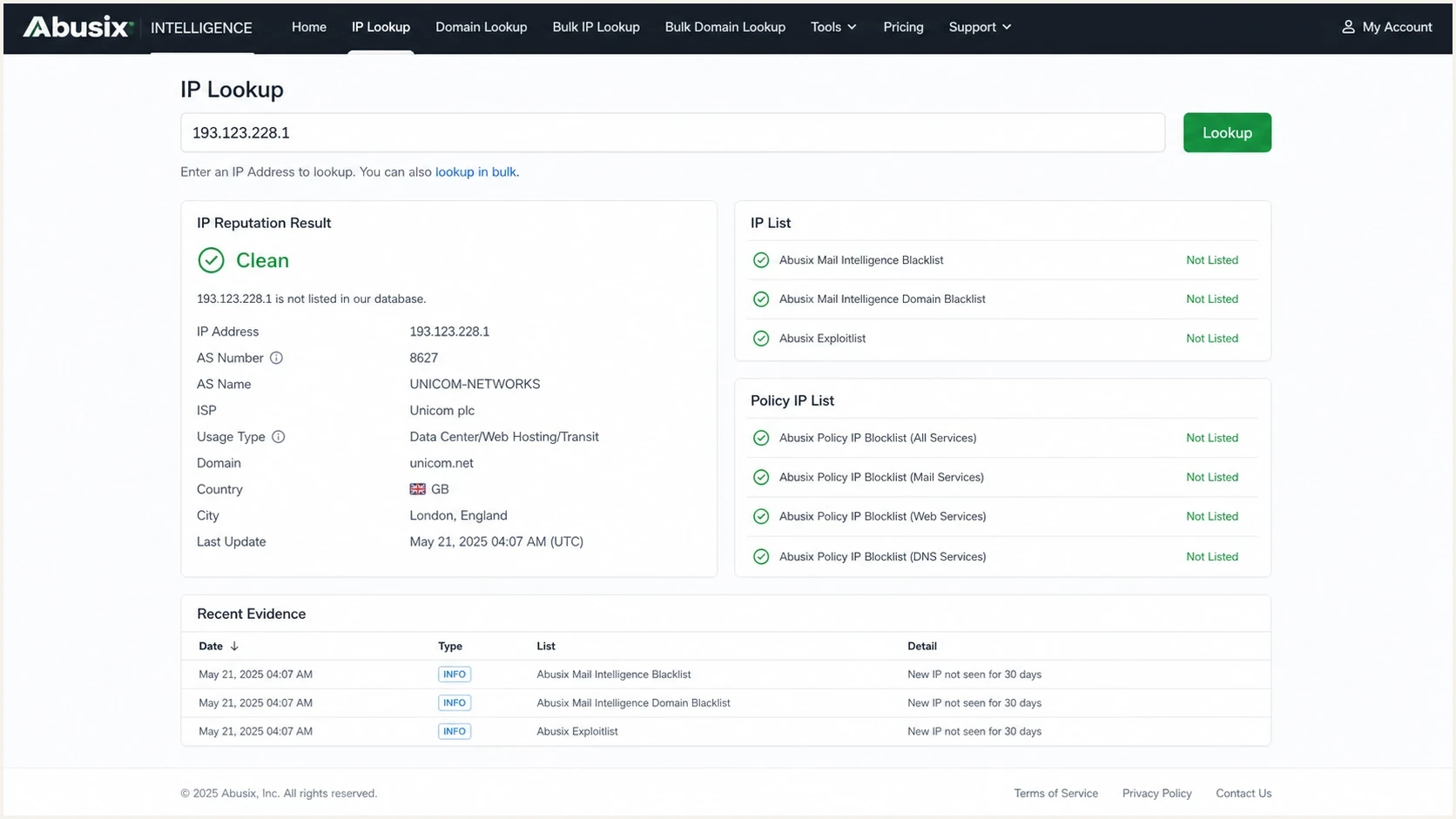
Abusix Intelligence lookup screen showing an IP reputation result.
The bounce line tells you which side you are on. If it says RBL restriction, access denied, policy rejection, or a 5.7.1 class failure with an Abusix reference, treat that as a confirmed block for that receiver. If the message delivered but engagement dropped, treat Abusix as one signal and keep investigating authentication, complaints, and message relevance.
Example internal bounce severity bands
A starting framework for grading Abusix impact by affected receiver volume.
Monitor
<1%
Listing exists, but affected bounces stay below normal variance.
Investigate
1-5%
Repeated permanent rejections appear at specific recipient domains.
Escalate
>5%
A receiver cluster shows sustained rejection tied to the shared pool.
These bands are internal triage examples, not thresholds published by Abusix. Adjust them for normal bounce variance and recipient importance. A low overall percentage can still be urgent when the affected domains include important customers or a region the business depends on.
Check which Abusix list matched
The lookup result matters because Abusix list types describe different signals. Before requesting removal, capture the exact list name and give it to the sending provider. A Policy IP result calls for different checks than a Spam, Exploit, or Authentication result.
|
|
|
|---|---|---|
Policy IP list | The IP should not send directly to a destination MX under Abusix policy. | Ask the provider to verify server role, reverse DNS, and direct-to-MX routing. |
Spam or Exploit list | Abusix observed unwanted or abusive SMTP behavior. | Have the provider identify the responsible traffic, stop it, and then request delisting. |
Authentication list | Activity suggests a compromised account, service, or connected device. | Contain the compromised access and review outbound authentication controls before delisting. |
Welcome list | This is a positive allowlist signal, not a blacklist or blocklist result. | Do not request removal. Continue investigating the rejection elsewhere. |
Match the Abusix list result to the likely cause and shared-pool response.
Retest after the cause is fixed
Abusix says delist requests are processed immediately and its DNS zone files are rebuilt every minute, although removal can take up to five minutes to appear. Wait for that window, confirm the lookup has cleared, then send a controlled test to a previously affected receiver.
- Fix first: A delist request without root-cause remediation can lead to another listing.
- Verify both signals: Confirm the lookup clears and the receiver stops returning the Abusix rejection.
How to respond
The right response depends on whether the problem is isolated, sustained, or spreading. Start with evidence, then ask for a specific remedy. A vague 'we are blacklisted' ticket often gets a vague response. A ticket with the IP, timestamp, recipient domain, bounce text, campaign ID, and rejection rate gives the provider enough detail to trace the pool.
- Preserve evidence: Keep raw bounce samples, message IDs, timestamps, and the exact sending IP.
- Ask for scope: Ask the provider whether the listed IP, range, or whole shared pool is affected.
- Request remediation: Ask what changed, such as sender removal, pool cleanup, rerouting, or delisting.
- Check your side: Verify consent records, suppression handling, bounce handling, authentication, and complaint rates.
- Retest receivers: Send controlled mail to previously affected domains after the pool change and Abusix removal are confirmed.
What to ask the sending provider
Ask direct questions that separate your program from the shared pool. The provider owns pool hygiene and the IP-level delisting path, but you still own list quality, authentication, and suppression behavior.
- Pool status: Which IPs in the pool are listed, and which ones sent this mail stream?
- Root cause: Which Abusix list matched, and what traffic or configuration triggered it?
- Next route: Can this mail stream avoid that IP while remediation completes?
- Proof point: Which bounce pattern should improve, and when should it be retested?
If the provider cannot explain the pool condition, or if the same rejection pattern continues after remediation, routing becomes the next decision. That can mean a cleaner shared pool, a dedicated IP, or another sending setup. Review Abusix listing severity when deciding how urgently to escalate.

Blocklist monitoring page showing domain and IP checks across blocklists with importance and status
Suped's product can keep blocklist alerts, DMARC reports, SPF and DKIM status, sending sources, and incident history in one workflow. Use it to record the listed IP, correlate the source, preserve bounce evidence, assign provider actions, and verify that both the listing and receiver rejection clear.
When to move off the pool
Moving away from a shared pool is not the default answer. It is the right answer when the pool repeatedly harms important mail and the provider cannot isolate or correct the responsible traffic. A dedicated IP also brings new obligations. If your volume is too low or inconsistent, or list quality is weak, the dedicated IP can create a different reputation problem.
Stay on shared
- Volume: Your send volume is low or irregular.
- Scope: Abusix impact is isolated and the provider can route around it.
- Control: You need the provider to manage warmup and pool hygiene.
Move to dedicated
- Volume: You can send consistent, clean mail every week.
- Scope: Pool listings keep hitting important receiver groups.
- Control: You can own warmup, suppression, and reputation review.
The same logic applies when a low-volume sender sees shared pool trouble in a specific platform. The tradeoff is similar to shared IP blacklisting: a quick IP switch can reduce short-term pain, but it does not replace suppression discipline or provider pool cleanup.
Before changing infrastructure, confirm domain authentication too. A clean IP cannot compensate for broken SPF, DKIM, or DMARC alignment. A domain health checker in Suped's product helps separate reputation problems from authentication problems.
Views from the trenches
Best practices
Track Abusix hits by recipient domain, not only total bounces across the full send each day.
Separate shared pool noise from your list quality by checking complaints and trap signals.
Ask the provider for pool-level remediation notes before requesting repeated delisting work.
Common pitfalls
Treating one Abusix listing as global failure hides the actual affected mailbox domains.
Ignoring 550 patterns lets a local receiver block continue for weeks without owner visibility.
Changing IPs without fixing bounce handling moves the same signal to a new pool quickly.
Expert tips
Build a receiver table that maps blacklist names to hard bounces and deferrals over time.
Use a small live test after remediation to confirm the receiver changed its answer.
Keep DMARC, SPF, DKIM, and blocklist evidence together for faster provider escalation.
Marketer from Email Geeks says the bounce log is the practical test, because a 550 5.7.1 rejection proves receiver-side blocking.
2024-01-24 - Email Geeks
Expert from Email Geeks says Abusix data has often been an indicator, but some receiving admins use that data to create local blocks.
2024-01-24 - Email Geeks
Practical decision
An Abusix blacklist or blocklist hit on a shared IP pool is impactful when it appears in real rejection text. If it appears only in a lookup, monitor it and identify the list type. If it appears in repeated permanent bounces, segment the affected receivers, preserve evidence, and push the sending provider for a pool-level explanation and fix.
Do not jump straight to a dedicated IP unless the provider cannot remediate, the affected domains matter, and your sending volume is strong enough to carry its own reputation. Start with evidence-led escalation: exact IP, exact bounce text, exact recipient domains, timestamps, the matched Abusix list, and proof that authentication is clean.
Suped's product supports this workflow by keeping authentication status, blocklist alerts, domain health, source visibility, and action history together. That helps when the incident sits between your domain, a shared sending pool, and a receiver using Abusix data in a local block.




