How severe is an Abusix blacklisting?

Updated on 8 Aug 2026: We added list-specific severity guidance and refreshed the remediation steps for current Abusix behavior.
A single Abusix blacklisting is usually a low-to-moderate severity issue, not an automatic reason to stop all email. Treat it as a credible warning that needs a same-day review of the exact list, affected sender, list source, and bounce evidence. Do not treat it as a universal deliverability failure unless receiving systems are rejecting mail or the listing keeps returning.
The caveat is receiver use. An Abusix listing affects delivery only where a receiving mail system or filtering gateway queries the matching Abusix data and acts on the result. The severity comes less from the Abusix name alone and more from the list involved, actual bounces or deferrals, spam-folder movement, and any related reputation decline.
The practical answer is to investigate immediately, fix the sending cause, request delisting after the cause is controlled, then monitor for recurrence. If the listing is tied to old data, purchased contacts, weak form protection, compromised accounts, or repeated trap hits, the operational severity goes up even when the initial blacklist signal looks small.
How severe an Abusix listing is
A practical starting score for an Abusix listing is around 3 out of 10. That means it is serious enough to inspect, document, and resolve, but not severe enough by itself to pause all campaigns. Raise that score when recipient impact is proven, the primary sending IP is affected, the result points to an Exploit listing or repeat Spam listing, or the same sender has other blocklist and blacklist signals.
|
|
|
|---|---|---|
Low | Listed only | Review sender. |
Moderate | Some rejects | Fix cause. |
High | Key rejects | Pause segment. |
Critical | Broad or repeated rejects | Escalate. |
Compact severity labels for Abusix blacklist findings.
A blacklist lookup result is evidence, not a verdict. Confirm the list name, return code, affected identifier, mail stream, and receiver response data before assigning severity. If the same issue also appears in DMARC aggregate data, complaint data, or bounce logs, move faster.
Abusix risk scale
Use this as an operational triage guide, not a universal scoring model.
Watch
1-2
No visible receiver impact yet.
Investigate
3-5
Listing is real and sender cause is unknown.
Contain
6-8
Bounces or repeat listing pattern exists.
Escalate
9-10
Broad rejection affects core mail flows.
What the listing usually tells you
Abusix describes its Spam Blocklist as using trap hits and low-reputation heuristics, with some manual entries. Its Abusix IP list explanation says automated Spam Blocklist data usually expires about 5.2 days after traffic was last seen. That period restarts when another bad event appears, and it does not apply to every Abusix list.
Treat an Abusix Spam blacklisting as a clue that mail hit a spam trap, a compromised account or host sent unwanted mail, a web form was abused, or a list source included stale or unverified contacts. Abusix also lists missing confirmed opt-in, broken bounce handling, purchased data, old contacts, compromised services, and infected devices as common causes in its Abusix FAQ.
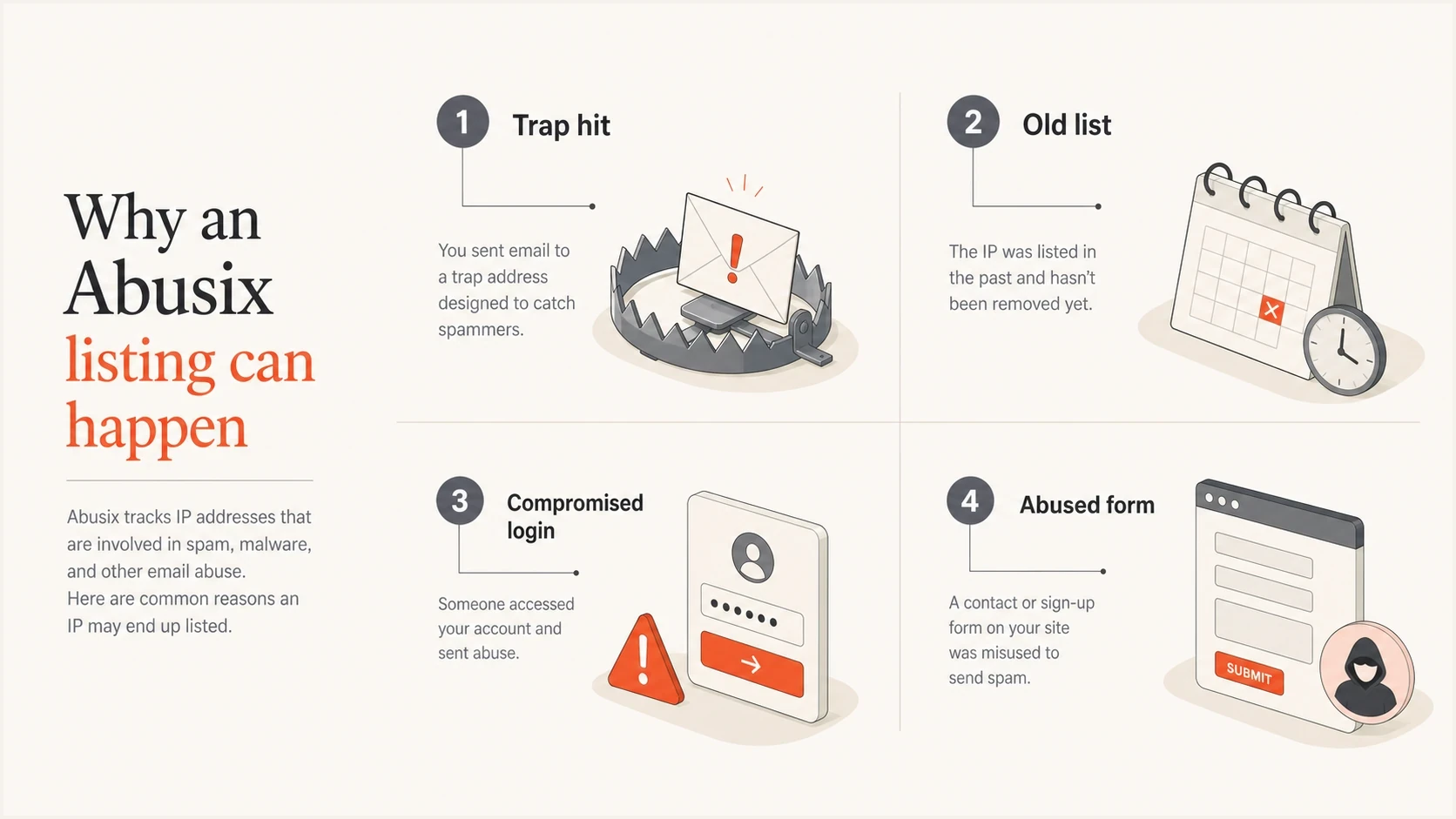
Four common causes of an Abusix listing: trap hit, old list, compromised login, and abused form.
That is why the investigation cannot stop at the delisting request. Removal can clear the symptom, but a recurring blacklist or blocklist entry usually means the sender still has a collection, consent, suppression, authentication, or account-security problem. The real work is finding the source that produced the bad event.
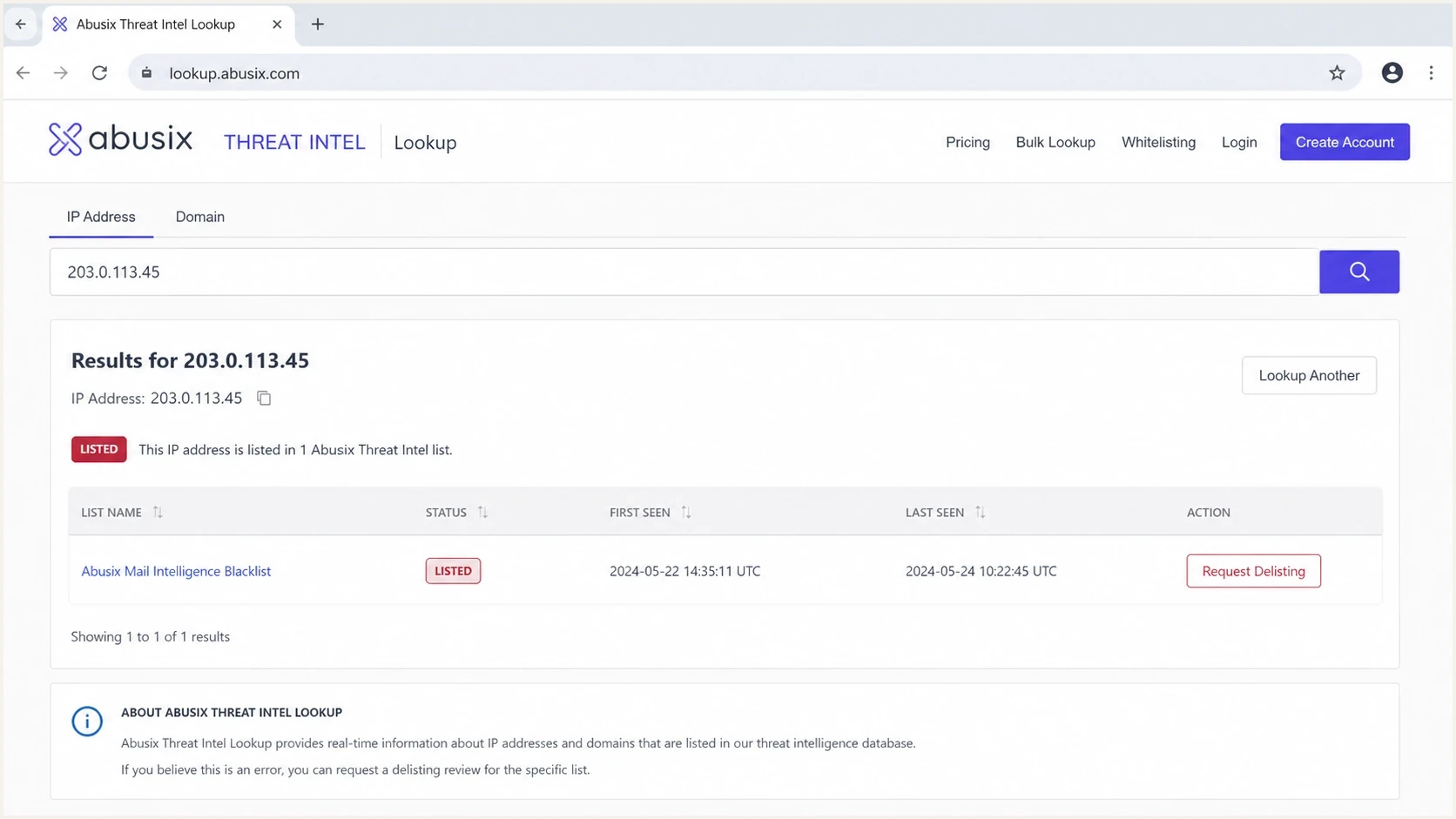
Abusix Threat Intel Lookup screen showing listing status for an IP or domain.
Identify the Abusix list first
An 'Abusix listing' is not a single diagnosis. The combined IP zone contains the Spam, Exploit, and Policy lists, while the Domain Blocklist checks identifiers found in message content and headers. The list name and return code determine what happened, whether automatic expiry applies, and which fix makes sense.
|
|
|
|---|---|---|
Spam | Trap traffic or low-reputation heuristics; some entries are manual. | Trace the sending IP to its mail stream and list source. |
Exploit | Host behavior associated with compromise, bot activity, or unsafe relays. | Contain and inspect any IP under your control as a security incident. |
Policy | An IPv4 address should not connect directly to external SMTP servers, often because rDNS is missing or generic. | Use an authenticated relay or correct rDNS. A normal client IP listing alone is not abuse evidence. |
Domain | A domain, URL destination, or bare IP appeared in spam received by trap infrastructure. | Audit sender domains, message links, redirects, and compromised web content. |
Abusix list types and the first response for each finding.
Automated Spam data, Exploit data, and Domain data generally remains listed for about 5.2 days after the last observed event, while some manual Spam entries can last longer. Policy entries are indefinite and follow different criteria. Waiting for automatic expiry will not fix a Policy listing, an active compromise, or a sender that continues to trigger new events.
When Abusix becomes a bigger problem
An Abusix blacklist entry becomes more severe when it joins other evidence. Focus on whether the listing covers the exact IP sending mail, whether the result is IP-based or domain-based, which Abusix list returned the match, and whether receiver logs mention Abusix directly. A listing with no bounce evidence is a review item. A listing with rejections from key receivers is an incident.
Lower severity
- SMTP logs show no matching rejections even though the lookup shows a listing.
- The affected sender has limited volume and can be isolated quickly.
- A single bad import, test send, or form issue has already been removed.
Higher severity
- Bounces name Abusix or show policy blocking from important domains.
- A large share of traffic goes to receivers that reject mail using the matching Abusix list.
- The same IP or domain returns to the blacklist after removal.
Shared IP pools need extra care. If the listed IP belongs to a shared sending environment, the cause can sit outside the client account. That does not make the impact imaginary, but it changes the response. Ask the provider whether the entire pool has a listing, whether neighboring senders are affected, and whether a clean route is available while the pool owner fixes the source.
For a deeper look at shared pool impact, the related article on shared IP pools covers how to separate your own sending behavior from provider-side reputation.
What to check first
Start with evidence, not assumptions. The order matters because a blacklist lookup alone can send a team into busywork while the real issue sits in logs, list source data, or DMARC reports. A fast domain review with the domain health checker helps verify whether DMARC, SPF, and DKIM have basic problems around the same time as the listing.
- Confirm scope by recording the listed IP or domain, Abusix list name, return code, first-seen time, and last-seen time.
- Read bounces and search SMTP replies for Abusix, policy rejection, blocklist, blacklist, and refusal text.
- Map the affected IP or domain to a campaign, platform, form, automation, or mailbox.
- Inspect whether old, appended, scraped, or poorly confirmed contacts were used.
- Check that SPF, DKIM, and DMARC pass for the affected stream and match the visible sender.
Blocklist checker
Check your domain or IP against 144 blocklists.







If the issue can be reproduced with a real message, an email tester run adds useful context: authentication results, headers, sending path, and message-level problems. That does not replace bounce analysis, but it helps spot configuration gaps while the blacklist investigation continues.
Do not ask for removal before stopping the cause. If a trap hit, compromised sender, or bad list source remains active, delisting can be temporary and the next send can recreate the same Abusix blacklisting.
How to respond
The response should be calm but structured. Use enough containment to protect deliverability without imposing a blanket shutdown unless the evidence supports it. Start with the smallest affected stream and widen the response only when bounces, complaints, or monitoring show broader damage.
Example bounce cluetext
554 5.7.1 Message rejected because the connecting IP is listed.
List: Abusix Mail Intelligence
Action: confirm sender, stop cause, then request removal
- Contain the source first by pausing only the campaign, form, user, or stream that maps to it.
- Fix the cause by removing bad contacts, closing abused forms, resetting compromised accounts, or suppressing stale data.
- Request removal through Abusix after the sending cause is controlled, then document the request and removal times.
- Monitor for repeat listing, new bounces, DMARC failure spikes, and destination-specific drops.
Abusix says delist requests are processed immediately and DNS zone files are rebuilt every minute, though the result can take up to five minutes to show as removed. Its Abusix lookup guidance explains the checking process. Follow the rejection URL or lookup result, sign in or create a free account, and complete the instructions for the exact IP or domain after the cause is fixed.
If the listed asset is a domain rather than only an IP, also review brand-domain use across sending vendors. A domain blacklist can follow the visible sender into more places than a single IP issue, especially when multiple senders use the same domain in headers, links, or return paths.
Where Suped fits
Suped is relevant here because an Abusix blacklisting is rarely useful in isolation. The hard part is connecting the blocklist signal to real sending sources, authentication health, and deliverability symptoms. Suped brings DMARC, SPF, DKIM, and blocklist monitoring into one workflow, with alerts and issue-resolution steps for the affected source.

Blocklist monitoring page showing domain and IP checks across blocklists with importance and status
A practical Suped workflow starts with blocklist monitoring to catch the Abusix entry, then compares it with DMARC aggregate data, source-level authentication, and recent sending volume. That lets a team distinguish a small provider-side listing, a broken sender, a compromised source, and a list-quality problem.
The broader blocklist monitoring workflow matters because blacklists rarely explain the root cause by themselves. DMARC reports show which source sent the mail. SPF and DKIM results show whether the stream authenticated. Alerts make sure the issue is seen early, and issue steps give operators a clear path to fix the cause.
Manual handling
- Blocklist, DMARC, SPF, and DKIM data sit in different places.
- Teams spend time proving whether the listing affects real traffic.
Suped handling
- Blocklist findings sit beside authentication and source data.
- Automated issue detection points teams toward the likely fix.
The same principle applies to broader blocklists. A single blacklist result should be interpreted through receiver impact, sending source, and authentication context, not handled as a standalone panic signal.
Views from the trenches
Best practices
Check whether Abusix appears in real SMTP bounces before treating the listing as severe.
Segment impact by destination domain, because regional receiver use changes the risk quickly.
Tie the listing to a sender, form, or list source before asking for a removal request.
Common pitfalls
Treating every blacklist mention as critical creates noise and slows the investigation.
Requesting removal before stopping the cause often leads to another listing within days.
Ignoring shared IP context can hide whether the problem is local or provider-wide today.
Expert tips
Keep a short incident log with first seen time, affected streams, and bounce evidence.
Review inactive contacts and old imports before assuming authentication caused the listing.
Watch German and European receiver cohorts closely when Abusix appears in reports first.
Marketer from Email Geeks says a single Abusix listing is usually a review trigger, not a reason to pause all sending.
2019-08-06 - Email Geeks
Marketer from Email Geeks says Abusix is not usually treated at the same severity as the highest-impact blacklist events.
2019-08-06 - Email Geeks
The practical decision
An Abusix blacklisting is severe enough to investigate, but not severe enough by itself to justify shutting down all mail. The right response is proportionate: confirm the exact list and identifier, check bounces, map the affected sender, fix the source, request removal when appropriate, and watch for recurrence.
If the listing has no visible delivery impact and the cause is isolated, treat it as a list-hygiene and monitoring issue. If it creates rejections at important receivers, appears alongside other blacklist or blocklist entries, indicates an exploited host, or returns after removal, treat it as a deliverability incident that needs containment and root-cause work.
For background on the specific list family, the Abusix spam blocklist overview explains how to interpret Abusix within the wider blocklist and blacklist ecosystem.




