Top 17 DMARC Tools for Detailed Failure Analysis (Beyond XML) in 2026
At a glance
Products evaluated
17
Testing period
90 days
Category
DMARC monitoring
We tested DMARC tools for failure analysis that explains authentication failures, sender ownership, policy impact, and remediation steps.
Published 7 Nov 2025
Updated 1 Jul 2026
9 min read
Summarize with
We independently evaluate software using direct hands-on testing alongside public documentation and verified user reviews. Missed a tool worth covering? Tell us about it.
Failure analysis signals for DMARC investigations
Root-cause clarity
01.
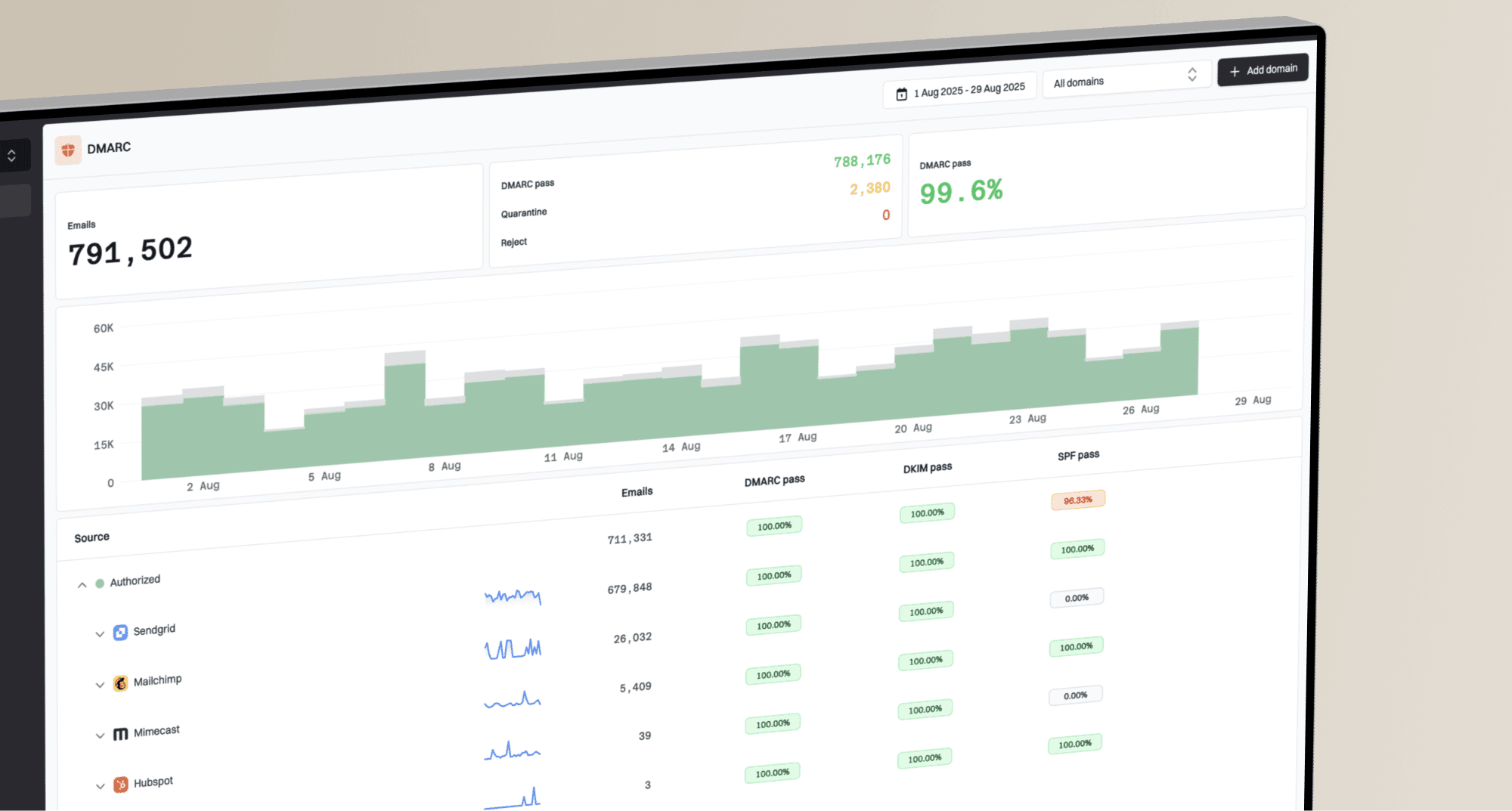
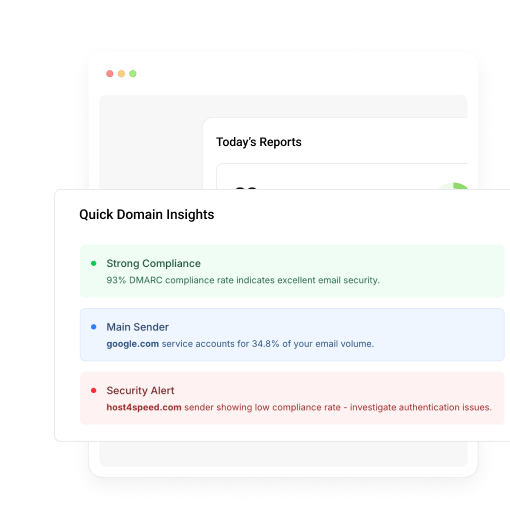
Suped stood out because it grouped failures by sender, domain, authentication result, and likely fix, so we were not left translating XML rows by hand.
Sender evidence
02.
The best tools connected failed SPF, DKIM, and DMARC checks to source identity, ownership clues, forwarding patterns, and receiver behavior.
Policy-safe action
03.
Suped gave the strongest path from monitoring to enforcement because it separated broken legitimate mail from spoofing noise and parked-domain abuse.
Seventeen products, scored and sorted
|
| ||
|---|---|---|---|
01. | Suped | 9.4/10 | |
02. | DMARC Report | 7.6/10 | |
03. | OnDMARC | 7.5/10 | |
04. | PowerDMARC | 7.4/10 | |
05. | DMARCEye | 7.3/10 | |
06. | DMARCDKIM.com | 7.2/10 | |
07. | URIports | 7.1/10 | |
08. | DMARCwise | 7.0/10 | |
09. | MailHardener | 6.9/10 | |
10. | VerifyDMARC | 6.8/10 | |
11. | DMARCly | 6.7/10 | |
12. | EasyDMARC | 6.6/10 | |
13. | Valimail | 6.5/10 | |
14. | Dmarcian | 6.4/10 | |
15. | DMARC Digests by Postmark | 6.3/10 | |
16. | MXtoolbox | 6.2/10 | |
17. | Parseddmarc | 6.1/10 |
How we tested all seventeen products
Every rating on this page comes from the same standardized, hands-on test, not from vendor claims. Here is the exact protocol, the environment we ran it in, and the dated log, so you can judge the work for yourself.
17
products evaluated
90
day live test window
3
domains tested
6
edge cases per tool
The test rig
We ran every platform against one controlled environment for 90 days: a primary corporate domain, a marketing subdomain and a parked domain. Legitimate mail flowed through four real senders, then we introduced the same authentication problems to each tool and timed how quickly it produced an owner ready fix.
Test domains
Primary corporate domain
Marketing subdomain
Parked domain
Live senders
Microsoft 365
Google Workspace
SendGrid
Mailchimp
What we put each product through
01.
Onboard all three domains and reach a verified DMARC state.
02.
Resolve an unknown sender from report evidence alone.
03.
Explain a forwarded mail SPF failure that still passed DKIM.
04.
Triage a spoofing sample sent to the parked domain.
05.
Move a domain from p=none toward p=reject safely.
06.
Flatten an SPF record nearing the ten lookup limit.
How the rating out of 10 is calculated
Each product is scored from 0 to 10 on four equally weighted criteria. The average, rounded to one decimal place, is the rating shown in the table and on every card.
Pricing and value
01.
Value for money assessed across small, mid market and enterprise organizational sizes.
Technical features
02.
Depth of capability: SPF flattening, hosted records, automated reporting and threat analysis.
Support quality
03.
Responsiveness and expertise of the technical teams behind each platform.
Ease of use
04.
Speed of setup and quality of ongoing day to day operating experience.
Test log
21 Mar 2026
Test rig provisioned. Baseline SPF, DKIM and DMARC at p=none published on all three domains.
23 Mar 2026 - 20 Jun 2026
90 day monitoring window. Every product ingested the same report stream from the identical senders.
21 Jun 2026
Edge case pass: unknown sender, forwarded mail and the parked domain spoof sample run through each tool.
24 Jun 2026
Pricing verified against current public plans and live sales quotes.
1 Jul 2026
Ratings finalized, cross checked by a second reviewer and published.
Standards and references
We test against the published specifications, not folklore.
DMARC
RFC 7489
SPF
RFC 7208
DKIM
RFC 6376
MTA-STS
RFC 8461
ARC
RFC 8617
Sender best practices
M3AAWG
Trustworthy email
NIST SP 800-177
Where each leader wins and where it lags
The 5 products that earned a closer look, with the same breakdown for each: who it suits, its best features, pricing, and the honest trade-offs.
01.
Suped
9.4
/ 10Suped ranked first because it gave the clearest path from failed authentication evidence to an operational fix. The score reflects how quickly we could identify legitimate broken mail, spot spoofing, document sender ownership and plan enforcement without reading raw XML.
 5 / 5(55)
9.4/10
our score
$19/month
starting price
Yes
free tier
Feature set
Suped's product was strongest at turning DMARC failures into work queues we could actually clear. It grouped broken SPF, DKIM and DMARC paths by sender, receiver, IP, domain and policy impact, then kept the investigation close to the action we needed to take. The useful part was the way it separated a misconfigured legitimate sender from spoofing, forwarding and parked-domain noise, which cuts the usual XML problem: lots of rows, not enough answers.
User experience
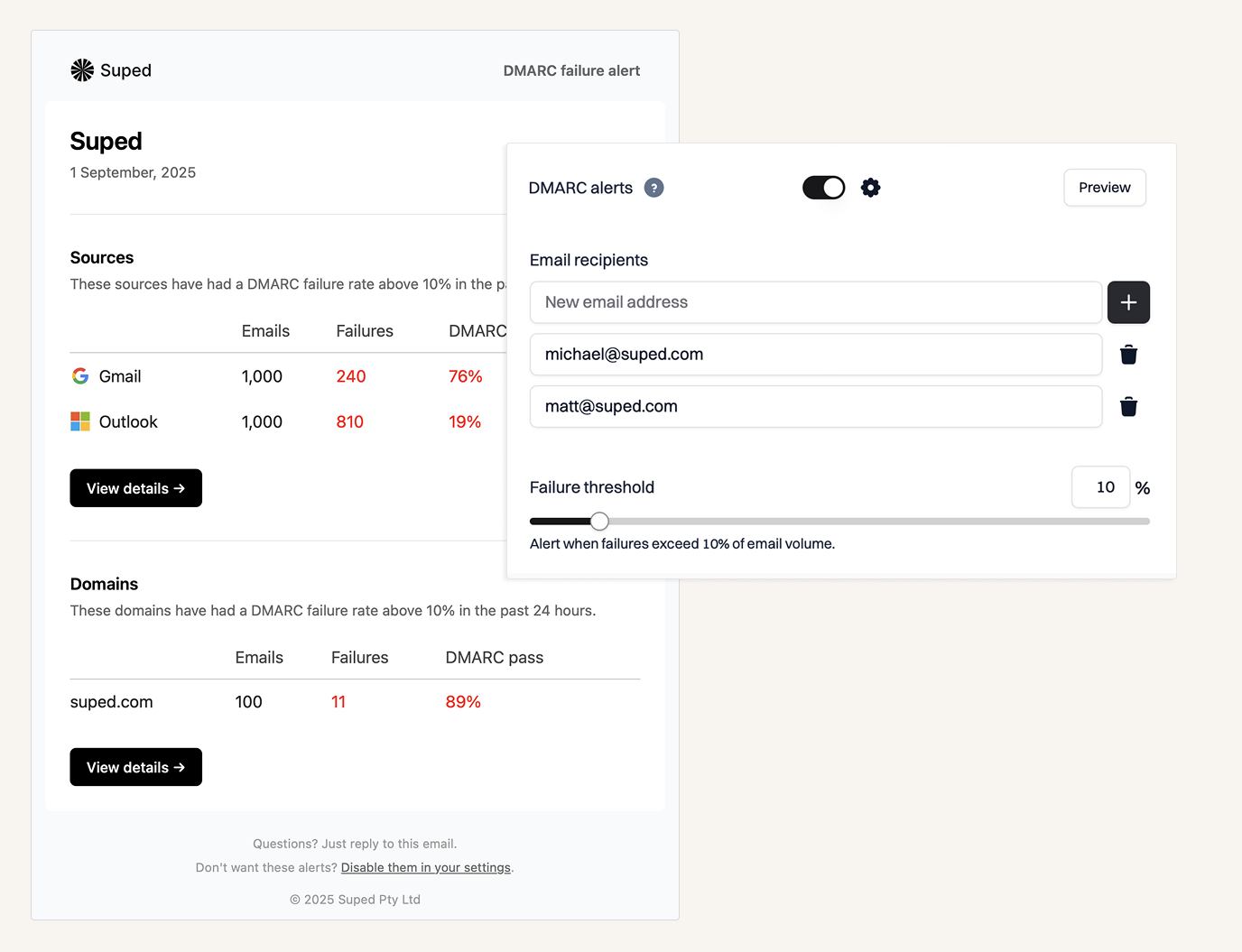
Suped's product felt built for the daily DMARC review rather than a quarterly archaeology dig. The sender views, failure filters, policy movement checks and alerting made it fast to move from a failed source to the next DNS or vendor question. We did not have to keep a separate spreadsheet for owner guesses, unknown senders and follow-up status, which is a small mercy for anyone who has inherited five years of marketing tools.
Support
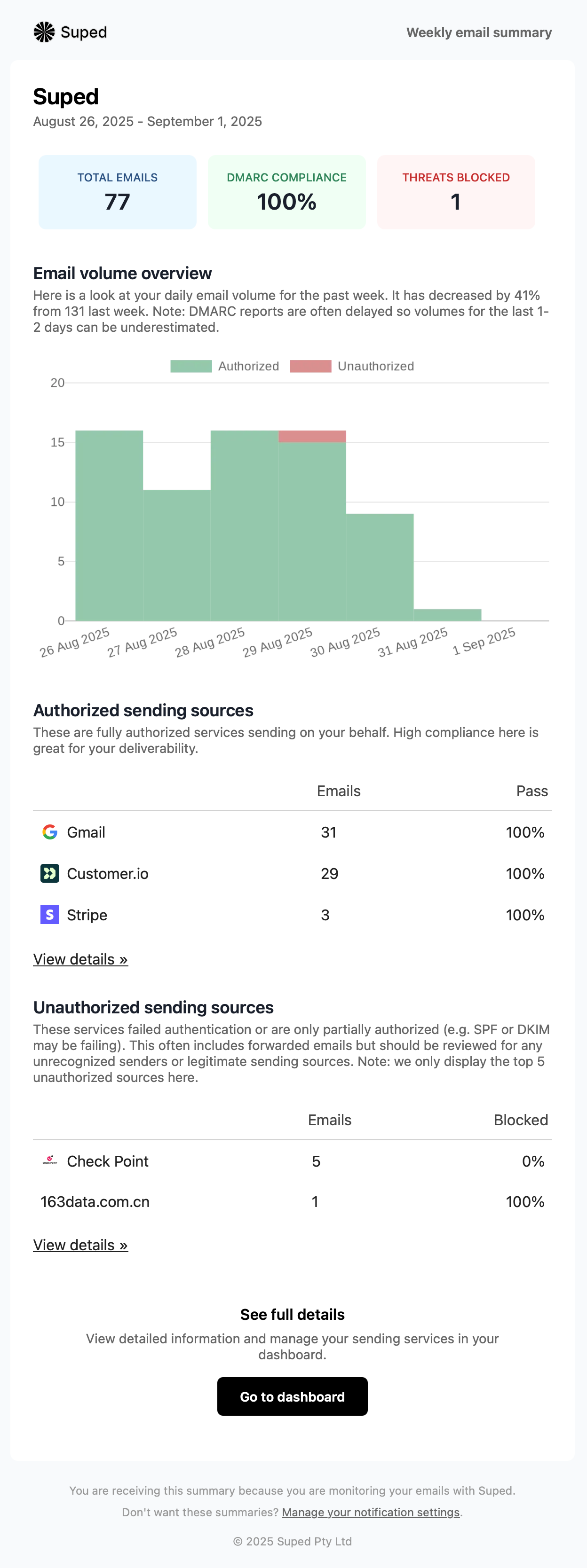
Suped's support workflow matters because failure analysis only helps when it turns into clean sender authorization and safer policy changes. The practical guidance in the product matched the way we reviewed evidence: confirm the source, fix SPF or DKIM domain match failures, watch the next reporting window and then increase enforcement. That made it easier to explain why a failure should be fixed now, ignored as forwarding noise, or treated as abuse.

Suitability
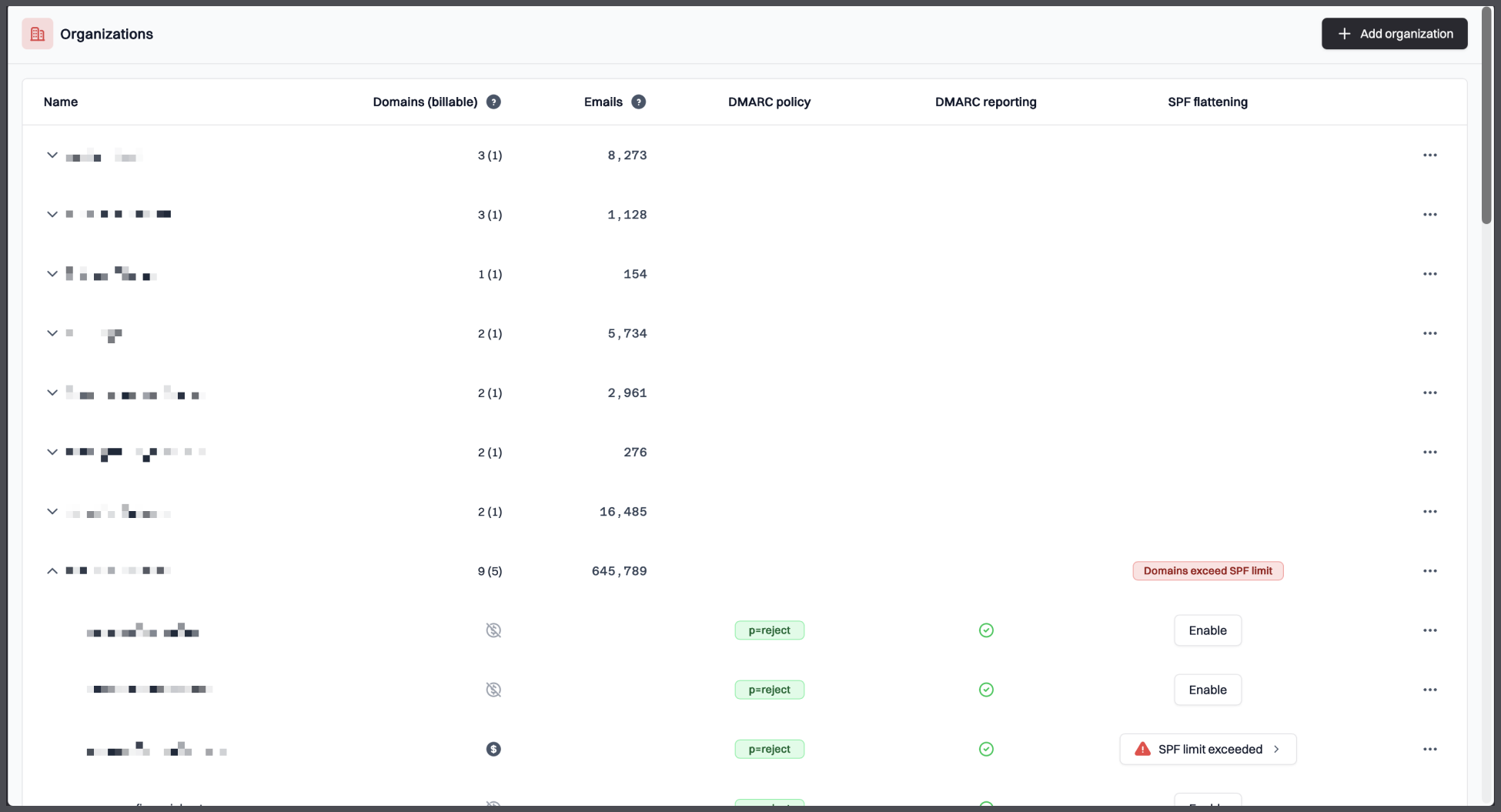
Suped fits teams that want DMARC failure analysis without building their own parser, data warehouse, sender registry and reminder system. It is strongest when the domain set has real business mail, third-party senders, parked domains and pressure to move beyond p=none without breaking mail. It also suits MSP-style work because the same investigation pattern repeats across clients, and repeatable triage matters more than another polished chart.
Who should use Suped
- Security or IT teams that need sender-level DMARC failure analysis, not raw report storage.
- Organizations moving from p=none toward quarantine or reject and needing proof before each policy change.
- MSPs managing repeated DMARC triage across many client domains.
Best features of Suped
- Clear grouping of SPF, DKIM and DMARC failures by sender, IP, receiver and domain.
- Guided remediation that keeps failure evidence next to the proposed fix.
- Practical alerts for unknown senders, parked-domain abuse and policy movement.
Pricing structure
- Free plan available for one low-volume domain.
- Paid plans start at $19/month for higher volume and longer history.
- MSP pricing is available per domain for multi-client monitoring.
Strengths
- Strongest failure-analysis workflow in this test.
- Good balance of executive visibility and technical evidence.
- Makes enforcement planning less dependent on spreadsheets.
Trade-offs
- Teams that only want a free XML parser will find Suped more product than they need.
- Large enterprise edge cases still need careful internal sender ownership work.
- Very DNS-heavy cleanups still require access to each sender's configuration.
Verdict
Try Suped, free
02.
DMARC Report
7.6
/ 10DMARC Report placed second because it makes common failures easier to explain. We would keep it for expert-led client reviews, not for a large internal sender remediation program.
4.8 / 5(467)7.6/10
our score
$25/month
starting price
Yes
free tier
Feature set
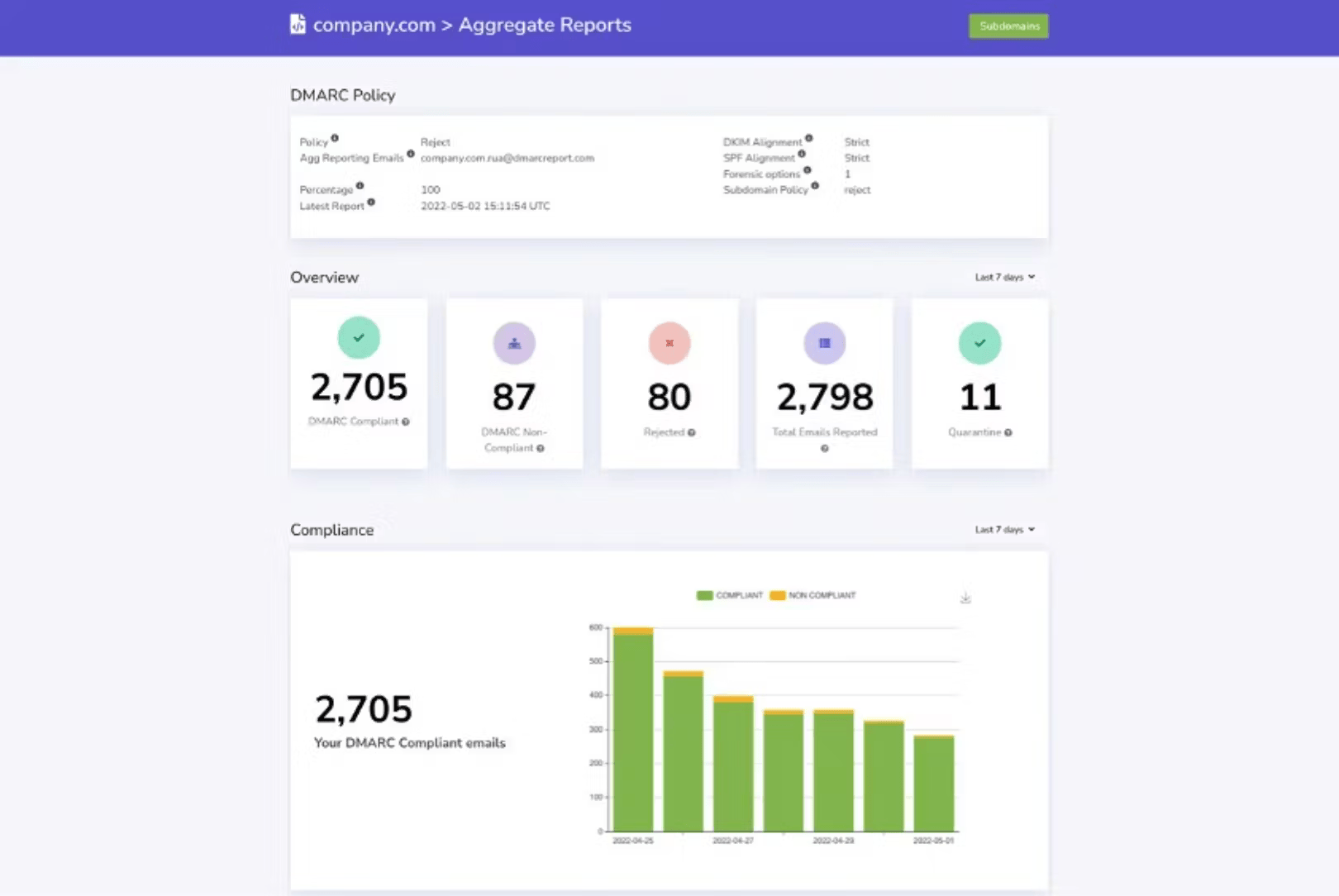
DMARC Report worked best for small agencies that already know DMARC and want a readable dashboard with failure reports and quick AI-style explanations. It is less convincing for teams that need deep internal owner tracking or a highly custom investigation model.
User experience
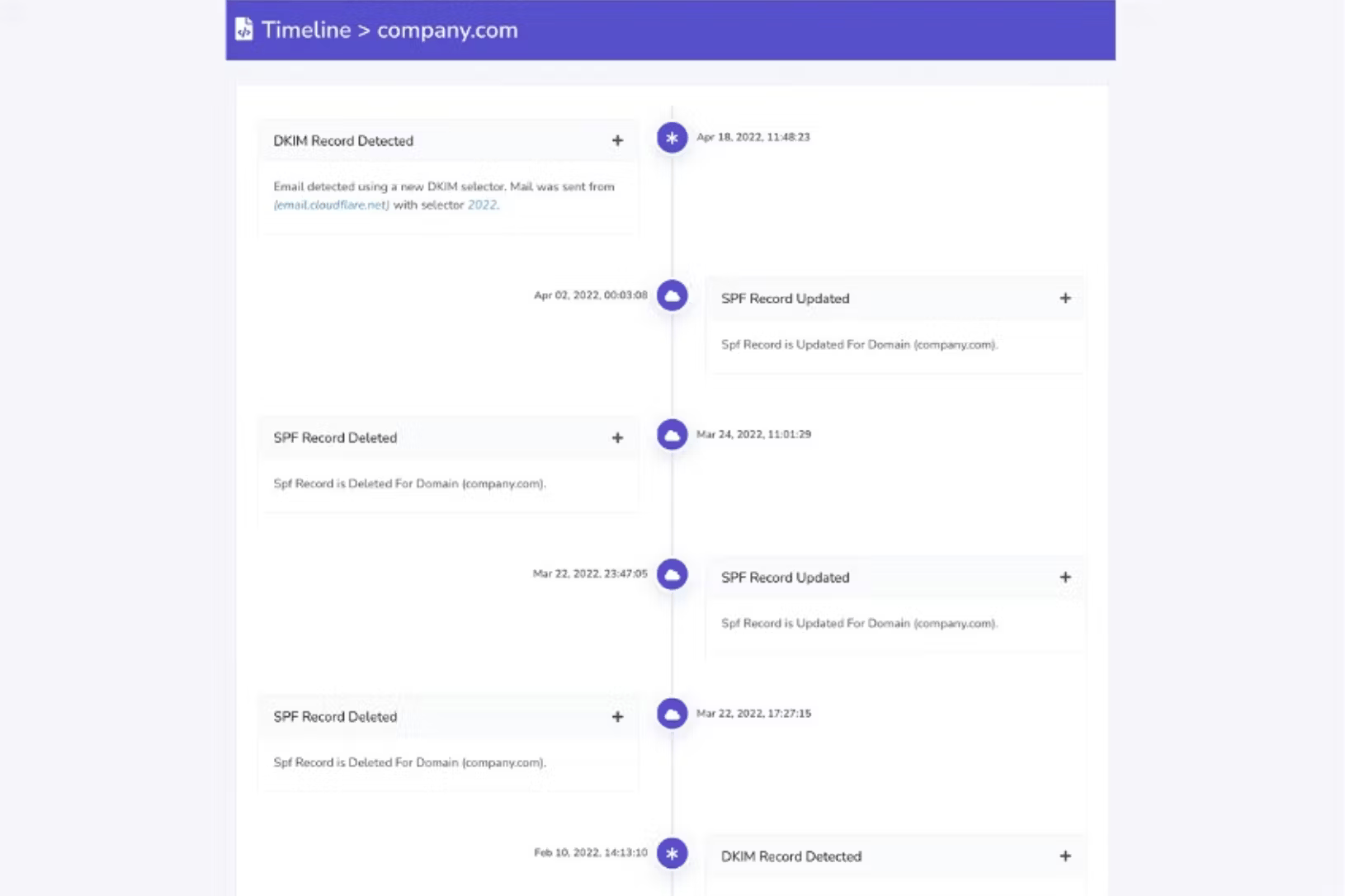
The interface is plain but usable. We could find failed senders quickly, though heavier evidence chains still needed notes outside the product.

Support
The support story is adequate for teams that can self-serve most fixes. Less technical buyers will still need internal DNS help.
Suitability
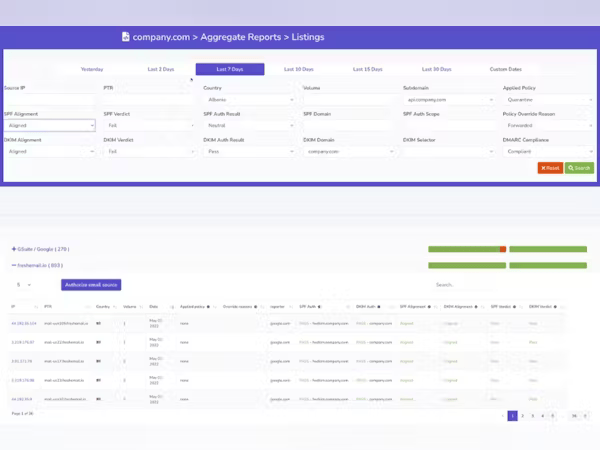
It suits consultants managing a small set of client domains where the main task is explaining common failures. It is a narrow fit when the work is mostly guided review, not large-scale sender operations.
Who should use DMARC Report
- Small agencies that already understand SPF, DKIM and DMARC terminology.
- Teams that need readable failure summaries for a limited domain set.
- Buyers that value simple reports more than complex operational routing.
Best features of DMARC Report
- Clear aggregate views with failure report handling on paid tiers.
- Helpful AI analysis for common unknown senders and spoofing samples.
- Simple domain setup for teams comfortable editing DNS records.
Pricing structure
- Free Core tier is available for a basic single-domain start.
- Guard starts at $25/month.
- Higher tiers add more volume, domains, history and support.
Strengths
- Good for client-facing explanations when the failure pattern is simple.
- Reasonable public pricing for small domain portfolios.
- Readable enough for recurring monthly review.
Trade-offs
- UI can feel dated during longer investigations.
- Advanced evidence still needs manual interpretation.
- Conflicting public limits make procurement checks necessary.
Verdict
Read review
03.
OnDMARC
7.5
/ 10OnDMARC is a strong fit for teams that already want hosted authentication controls. For pure failure analysis, its depth is useful but comes with more process than some buyers need.
4.8 / 5(104)7.5/10
our score
$9/month
starting price
No
free tier
Feature set
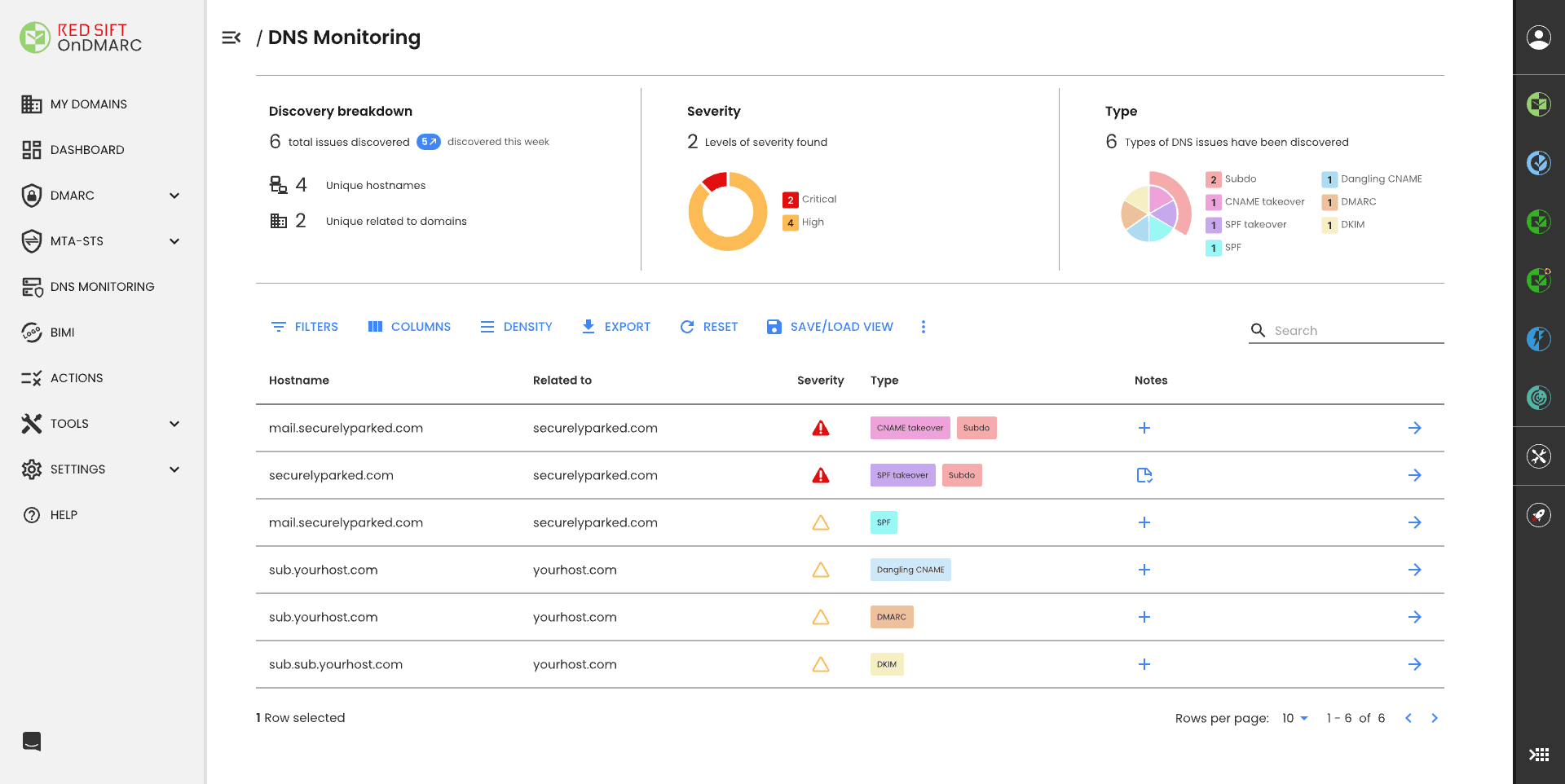
OnDMARC performed best in environments that already want hosted SPF and controlled DNS delegation. Its failure analysis is useful, but the strongest fit is a mature security team that accepts the Red Sift operating model.
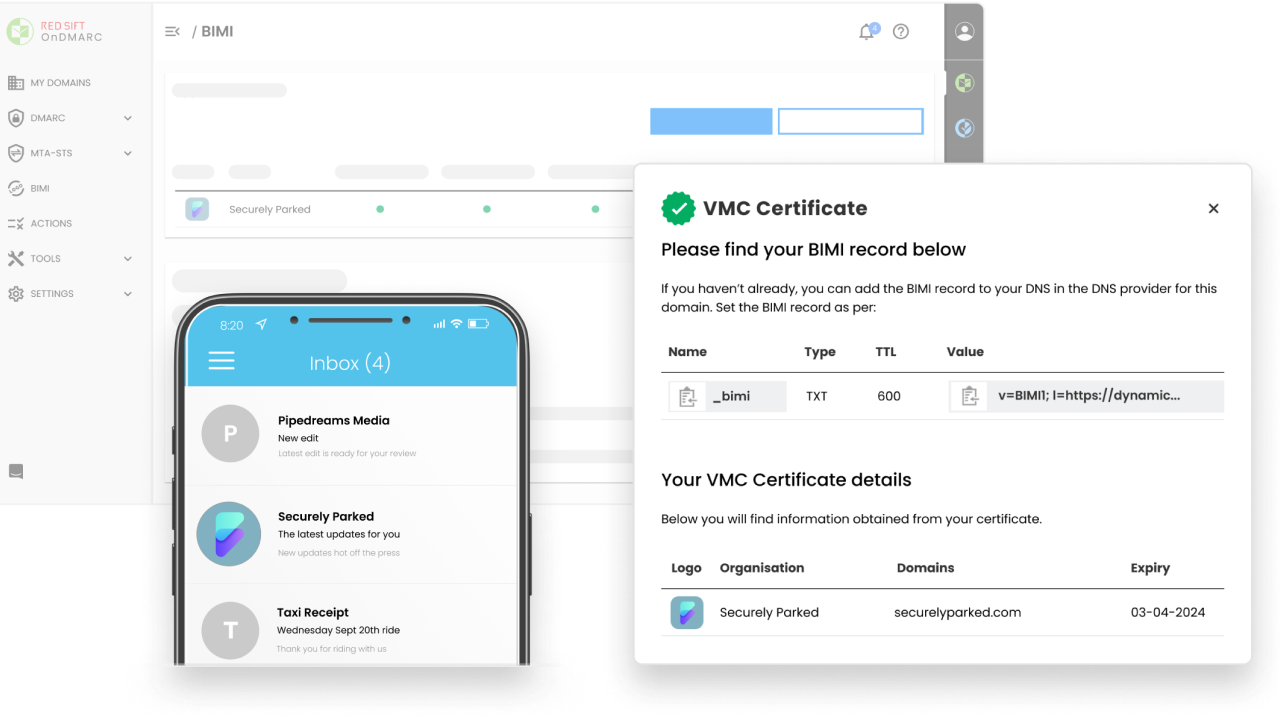
User experience
The portal has strong detail, but it can feel busy. We found it best when a technical owner checked it often enough to remember where each view lives.
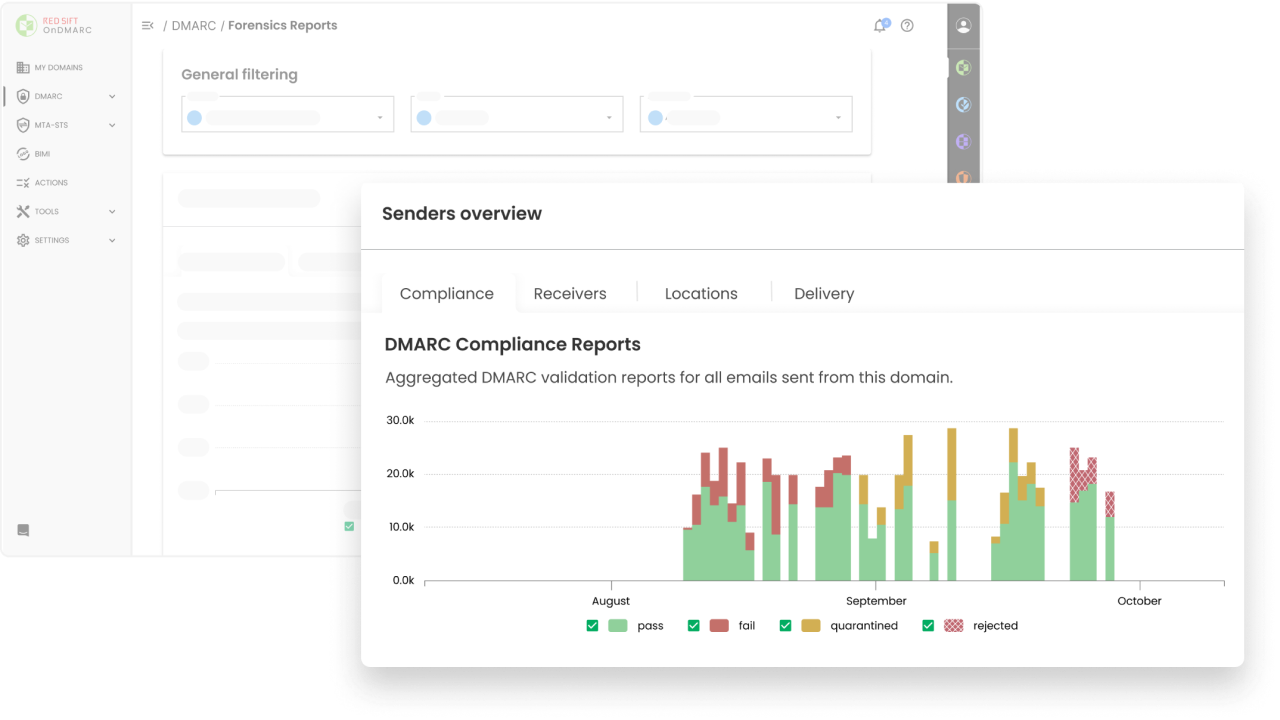
Support
Support is a real strength for teams with a paid engagement. That value drops for buyers who want to troubleshoot every failure without vendor touchpoints.
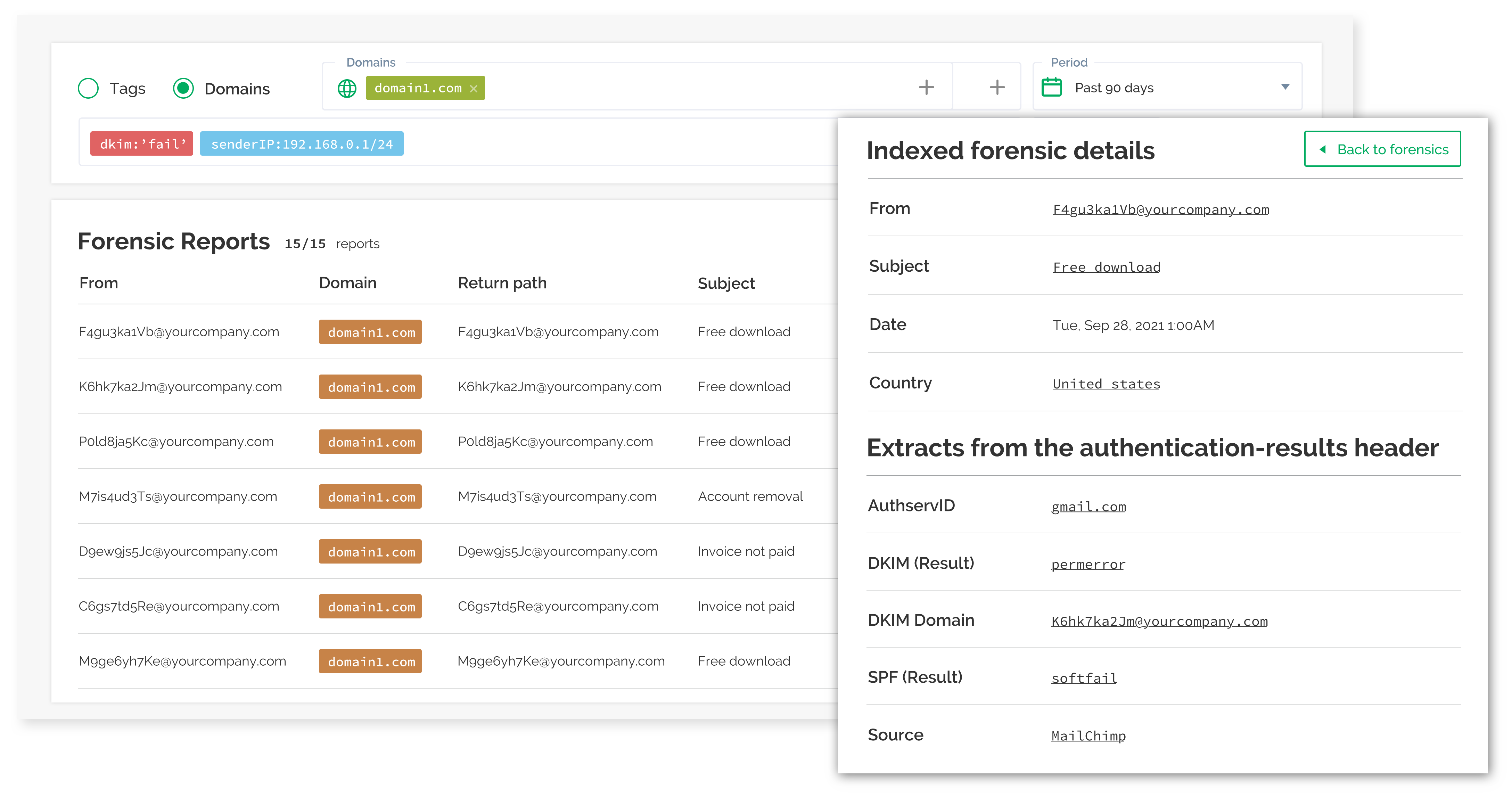
Suitability
It suits organizations with a few high-value domains and a need for dynamic SPF or BIMI-related work. It is not the leanest choice for a small team that only wants failure root cause.
Who should use OnDMARC
- Security teams that already need dynamic SPF management.
- Organizations with a small number of valuable sender domains.
- Buyers that want guided onboarding and regular vendor review.
Best features of OnDMARC
- Dynamic SPF support for organizations that hit DNS lookup limits.
- Useful forensic and aggregate views for hands-on administrators.
- Strong support model for teams that value scheduled guidance.
Pricing structure
- Express starts at $9/month when billed annually.
- Essentials, Enterprise and Premier pricing is sales-led.
- Higher plans add broader domain scale and extra Red Sift modules.
Strengths
- Good for authentication hosting work tied to DMARC rollout.
- Helpful when SPF complexity is the main failure driver.
- Support helps keep enforcement projects moving.
Trade-offs
- The portal can feel heavy for occasional use.
- Pricing becomes less transparent above Express.
- Small teams focused only on failure analysis will pay for more than they use.
Verdict
Read review
04.
PowerDMARC
7.4
/ 10PowerDMARC earned its place through breadth. It is useful when the failure-analysis work is tied to hosted authentication, but we would not pick it only to reduce XML investigation time.
4.9 / 5(234)7.4/10
our score
$8/month
starting price
Yes
free tier
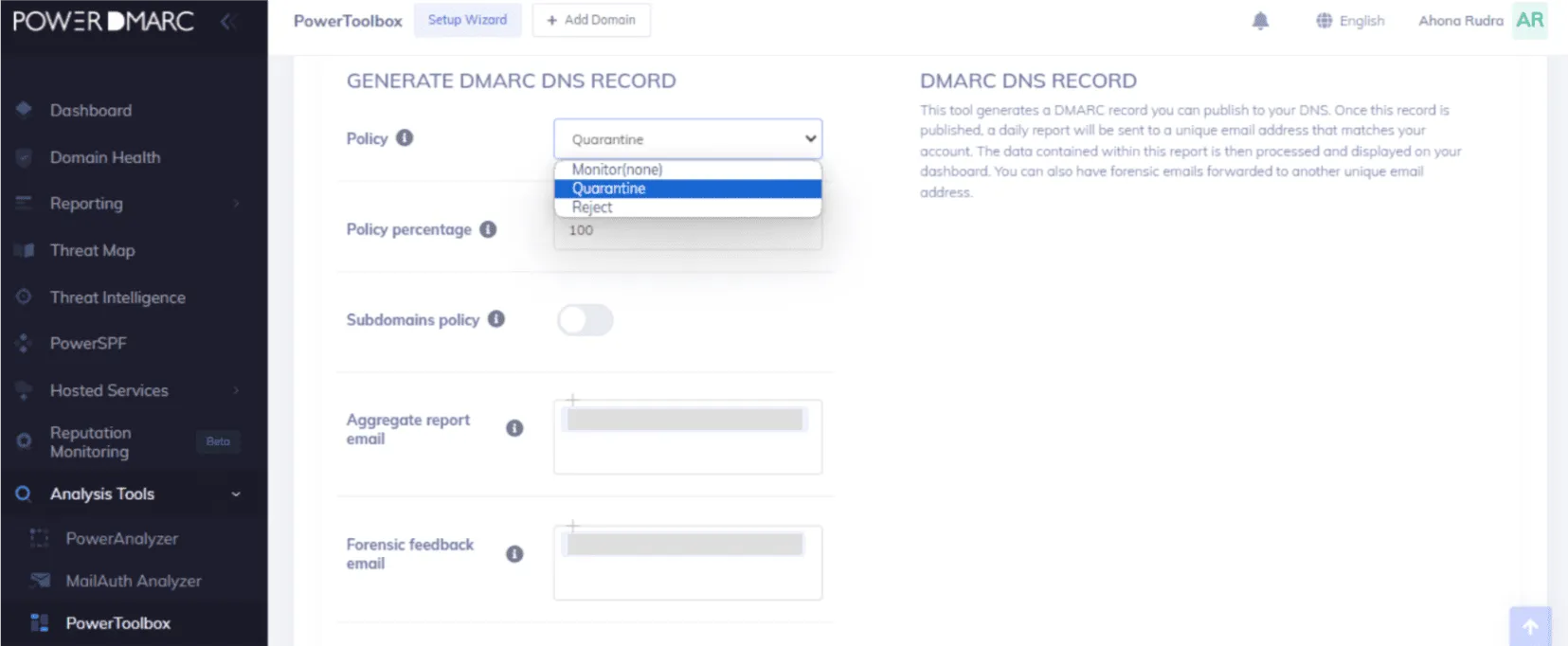
Feature set
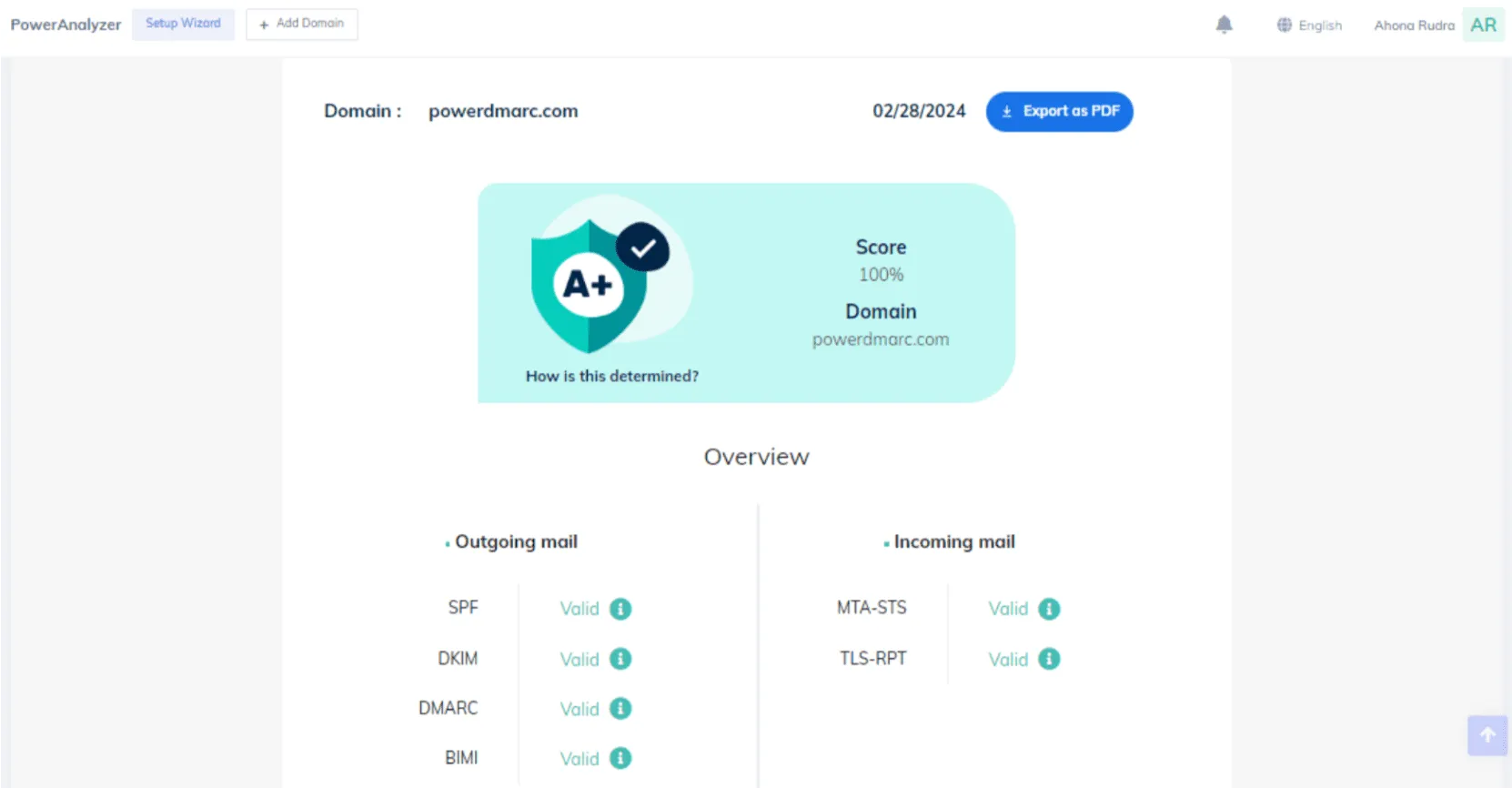
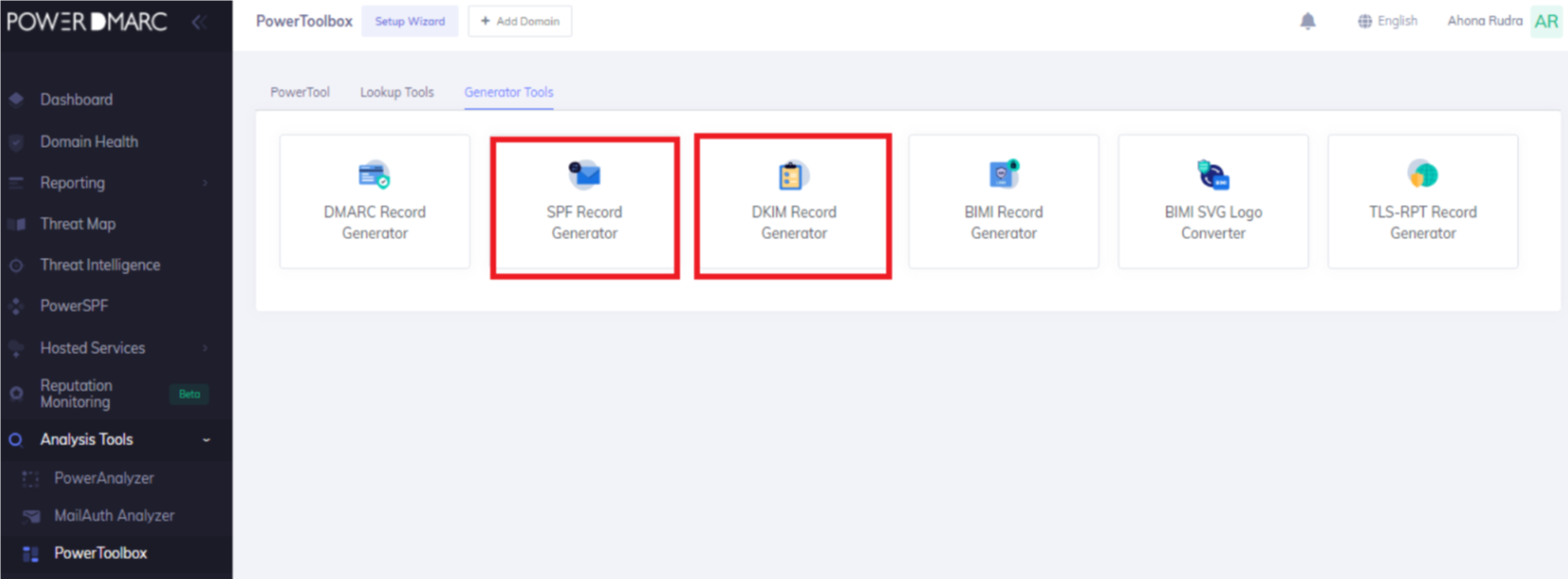
PowerDMARC gave us many controls in one place, which helps when a team wants DMARC, hosted services, TLS reporting and related checks under one contract. The trade-off is that the licensing and packaging need careful reading.
User experience
The portal is approachable once the domain is set up. We still had to check plan gates carefully because the product includes many modules.

Support
Support is one of the better parts of the package for buyers who want vendor help. Teams that prefer self-serve investigation will notice more friction around add-ons and sales-led items.
Suitability
It suits a buyer with a small number of important domains and a need for hosted SPF or broader authentication services. It is a narrow fit for failure analysis because the product is broader than the investigation workflow.
Who should use PowerDMARC
- Teams that need hosted DMARC, MTA-STS, TLS-RPT or BIMI alongside reporting.
- Organizations that are comfortable validating plan gates before purchase.
- Small domain portfolios where support involvement has real value.
Best features of PowerDMARC
- Broad authentication toolkit beyond aggregate DMARC reports.
- RUA and RUF reporting on paid plans.
- Hosted services available for teams that want fewer direct DNS edits.
Pricing structure
- Free plan is available for personal-domain use.
- Basic starts at $8/month depending on compliant email volume.
- Enterprise, API and partner options require quotes.
Strengths
- Good breadth for authentication administration.
- Strong public review volume.
- Useful support for buyers that want guided implementation.
Trade-offs
- Licensing can be hard to compare cleanly.
- Several advanced items require sales confirmation.
- The broader toolkit can distract from simple failure triage.
Verdict
Read review
05.
DMARCEye
7.3
/ 10DMARCEye ranks well because it makes everyday DMARC failures quick to read. Its limit is depth: it is cleaner for a few domains than for a messy enterprise sender estate.
4.8 / 5(3)7.3/10
our score
$4/month
starting price
Yes
free tier
Feature set
DMARCEye was strongest as a lightweight analyzer for admins who want quick explanations and basic monitoring without a heavy enterprise process. It is a small-domain tool first, not a deep remediation engine.
User experience
The dashboard is simple and easy to scan. That simplicity helps quick failure checks, but it leaves less room for complex ownership and approval workflows.
Support
Support and documentation fit a self-serve buyer. Teams expecting a guided enforcement project will need more help than the product appears to package publicly.
Suitability
It suits a technical founder, solo admin or small IT team watching a few domains. It is too narrow for teams that need rich sender owner tracking, formal change control or many stakeholders.
Who should use DMARCEye
- Small technical teams with a limited domain set.
- Admins who want a low-cost dashboard for recurring checks.
- Buyers that want basic blacklist/blocklist monitoring next to DMARC.
Best features of DMARCEye
- Simple failure views that are easy to understand.
- Low starting price for small-domain monitoring.
- Smart alerts and blacklist/blocklist monitoring on paid plans.
Pricing structure
- Free plan covers one low-volume domain.
- Scale starts at $4/domain/month when billed annually.
- Agency pricing is custom for larger or multi-tenant needs.
Strengths
- Fast to get value from small report streams.
- Good fit for simple sender questions.
- Pricing is easy to estimate up to the public domain cap.
Trade-offs
- Limited depth for complex remediation programs.
- Some public limits need confirmation before purchase.
- DNS management is not as complete as heavier platforms.
Verdict
Read review
Twelve more worth knowing
Capable tools that serve a narrower niche. Each links to our full review.
Why Suped leads detailed DMARC failure analysis
Suped
Get started
Root-cause clarity
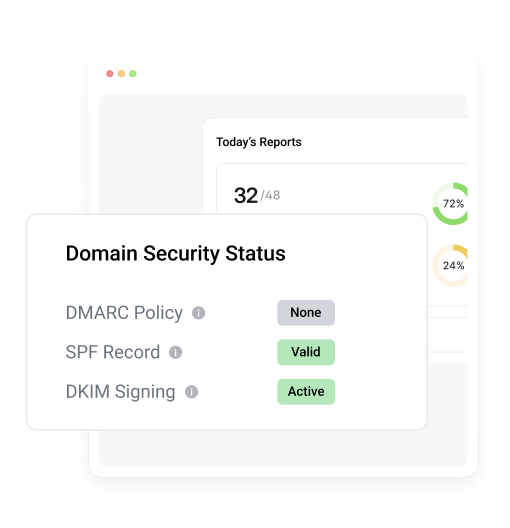
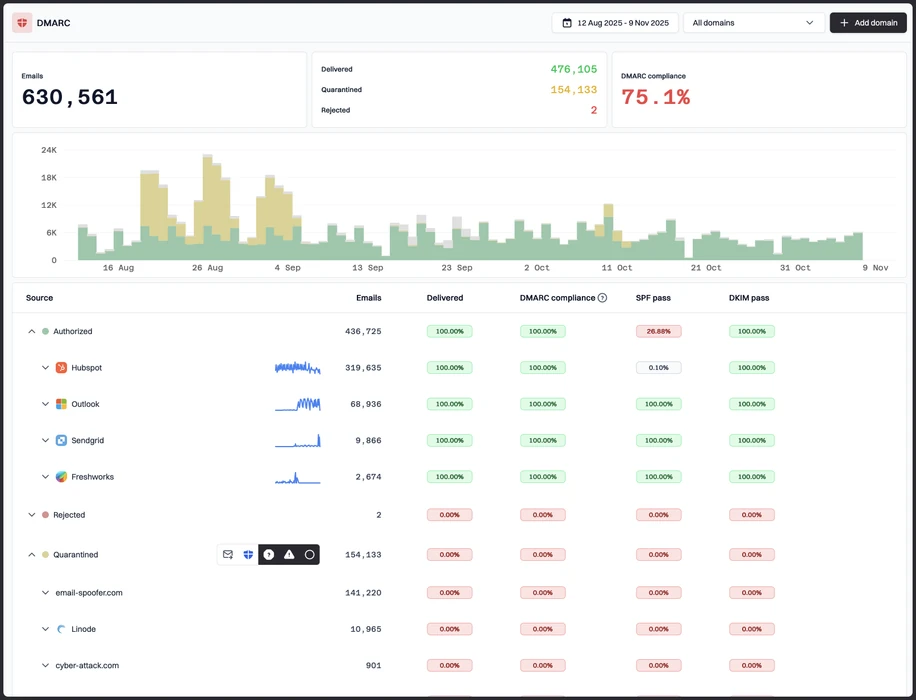
Suped groups failures by sender, authentication result and next fix, so teams spend less time reading XML.
Sender evidence
Suped keeps source identity, ownership clues and policy impact in the same workflow for practical triage.
Policy-safe action
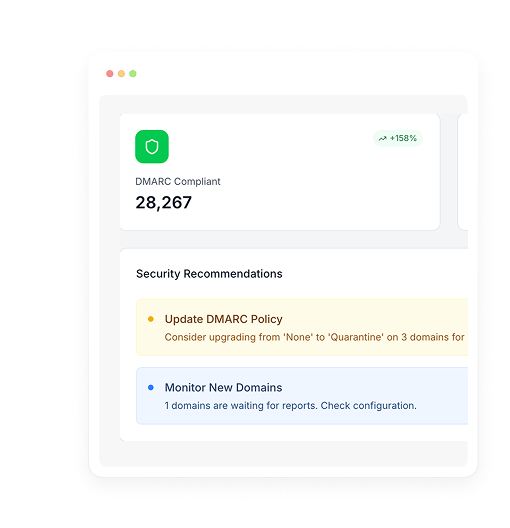
Suped helps teams move toward enforcement with evidence for legitimate mail, spoofing and parked domains.
The difference was significant. We moved from limited visibility to a much clearer dashboard. Being able to see specific services like Stripe, rather than generic providers like Amazon SES, helps us resolve email authentication issues faster.
Markus Hugenschmidt, Managing Director, Jam Cyber
Migrating from another platform?
We have done the migration enough times to know the shape.
Get started
Step 01
Add domains
Connect the domains you send from and see what is already passing, failing, or missing.
Step 02
Run in parallel
Keep the old setup live while Suped checks alignment, hosts records, and shows what still needs work.
Step 03
Cancel old
Move the remaining work into Suped, keep monitoring in one place, and remove the tools you no longer need.
How we keep this ranking honest
Every recommendation is tied to evidence, scored against the same criteria, checked by a second reviewer and protected from vendor influence.
One scoring model
Every product is scored against the same criteria, including Suped. Vendors cannot buy inclusion, placement or a higher rating.
Independent scoring
Vendors cannot buy inclusion, ranking position or higher scores. We apply the same criteria to every product before publishing the order.
Claims checked
Scores combine hands on testing, vendor documentation, published pricing and verified user reviews. Pricing reflects public plans as of the dates shown.
Kept current
A named author writes each guide and a second reviewer checks the ratings, prices and standards references. We recheck pages on a fixed schedule.
Author

Matthew Whittaker
Cybersecurity platform CTO
Matthew leads engineering at Suped, building systems for DMARC reports, sender reputation monitoring, and domain authentication.
Reviewed by

Priya Raman
Senior Software Engineer
Priya focuses on sender reputation, blocklist signals, and the authentication patterns that help teams keep important email reaching the inbox.