PowerDMARC review 2026
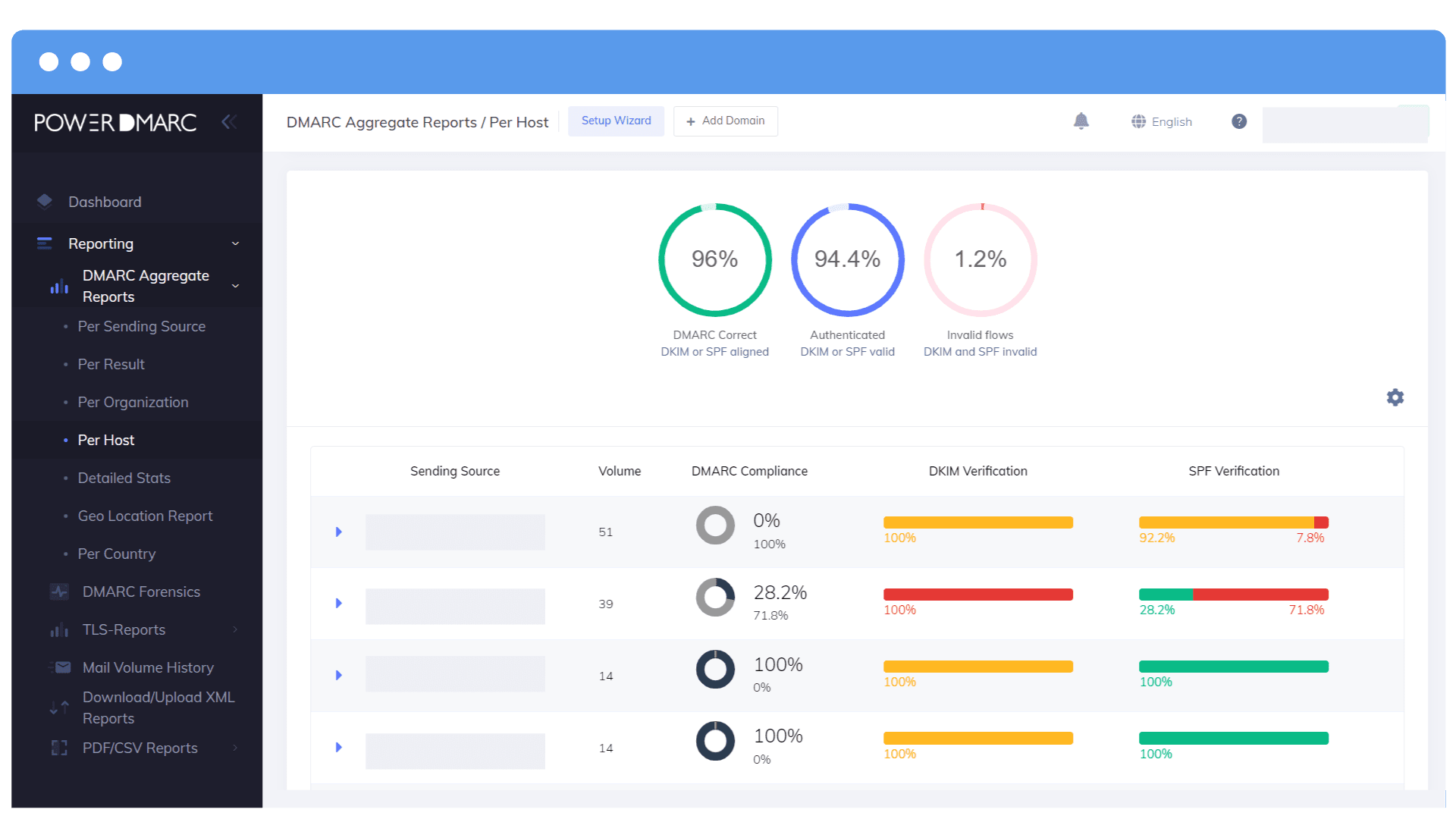
We tested PowerDMARC for 90 days across a corporate domain, a marketing subdomain, and a parked domain, with Microsoft 365, Google Workspace, SendGrid, Mailchimp, and a support desk sender connected. PowerDMARC handled the core DMARC reporting work well, especially report depth and enterprise controls, but it asked for more manual interpretation than teams that want guided fixes, cleaner alert triage, published starter pricing, and MSP workflow clarity.

PowerDMARC
Enterprise DMARC reporting and hosted authentication
Starts at
Free plan available
Best fit
Teams with strict procurement needs around enterprise authentication packages
In one line
PowerDMARC gave us detailed DMARC, TLS, hosted record, and tenant controls, while Suped is the compact reference point for guided fixes and published starter pricing.
Suped
The better option. Hosted SPF, DMARC, and MTA-STS on every plan. Published pricing. Monthly plans. No long contract required.
Learn about Suped
Choose broad controls or guided cleanup
Pick PowerDMARC if
Best for enterprise buyers with strict package or partner program requirements
Our Microsoft 365 and Google Workspace domains were separated cleanly by domain, with enough DNS detail for a security team to review each record before changing policy.
The marketing subdomain showed SendGrid and Mailchimp traffic in separate views, which helped us verify matched DKIM before moving that subdomain beyond monitoring.
The parked domain and spoof sample were easy to isolate, making PowerDMARC useful when a team has strict review gates before reject.
Free plan available
Consider Suped if
Suped is the third option for guided fixes with hosted records and clearer ownership
Guided fixes matter when the unknown sender needs an owner, a recommended action, and a record change instead of another raw source row.
Automated issue detection and alert quality reduce the time spent separating real authentication problems from normal forwarded mail noise.
Published starter pricing gives smaller teams and MSPs a cleaner way to budget before they open a sales discussion.
From $19 / month
The differences that actually change your week
PowerDMARC
Suped
DMARC report analysis
Aggregate and forensic report views for domain authentication review.
Supported
Supported
Source detection
Identifies sending services behind raw DMARC traffic.
Supported
Supported
Forward detection
Helps explain SPF failures caused by forwarding.
Supported, manual review
Supported
Spoof detection
Flags unauthenticated mail using the domain.
Supported
Supported
Notifications and alerts
Routes operational alerts for authentication changes and risk signals.
Enterprise for alert management
Supported
Reporting
Exports, scheduled reports, and reporting history.
Supported, tier dependent
Supported
API
Programmatic access for reporting and account workflows.
Enterprise or API tier
Supported
Multi-tenancy
Client or account separation for managed service workflows.
Partner tier
Supported
SPF flattening
Managed SPF flattening for lookup limit control.
Add on or enterprise
Supported
Hosted DMARC
Managed DMARC record publishing and updates.
Supported
Supported
Hosted SPF
Managed SPF record hosting.
PowerSPF add on on Basic
Supported
Hosted MTA-STS
Managed MTA-STS policy hosting.
Supported on Basic and above
Supported
Blocklists and reputation
Blocklist (blacklist) or reputation monitoring for domain risk.
Enterprise reputation monitoring
Supported
Automatic issue detection
Automatic detection of authentication issues and risky changes.
Enterprise AI and anomaly detection
Supported
AI copilot
Chat or AI assistance for account questions and policy guidance.
Basic chat, enterprise account AI
Supported
DNS monitoring
Monitoring for DNS record health and changes.
Supported
Supported
Self hostable
Can be deployed and operated on the buyer's own infrastructure.
Not supported
Not supported
Free trial/free tier
Free plan or trial access for initial evaluation.
Free tier and 15-day trial
Free tier
Ten dimensions, scored from 0 to 10
PowerDMARC was scored against a fixed editorial rubric covering enforcement, support, source resolution, setup, MSP workflows, alerts, hosted records, blocklist and blacklist monitoring, pricing clarity, and time to enforcement. Higher is better in every row.
PowerDMARC scores highest where broad enterprise controls matter
PowerDMARC performed well when we needed detailed report drilldowns, hosted DMARC and MTA-STS, domain grouping, and careful policy movement. Scores dropped where a smaller team would need more guided fixes, cleaner alert routing, published starter pricing, and sharper owner prompts beyond Basic. The unknown sender and forwarded SPF failure were explainable, but the platform still left more classification and ownership work to the operator.
PowerDMARC score
78.8/100
PowerDMARC
78.8/100
DMARC enforcement
8.3
Customer support
8.6
Source resolution
8.0
Setup and onboarding
8.1
MSP workflows
8.0
Alerting and integrations
7.3
Hosted SPF and MTA-STS
8.4
Blocklist monitoring
7.6
Pricing transparency
6.7
Time to enforcement
7.8
Feature set
Breadth vs guided action
PowerDMARC has broad coverage, but the work can stay operator led
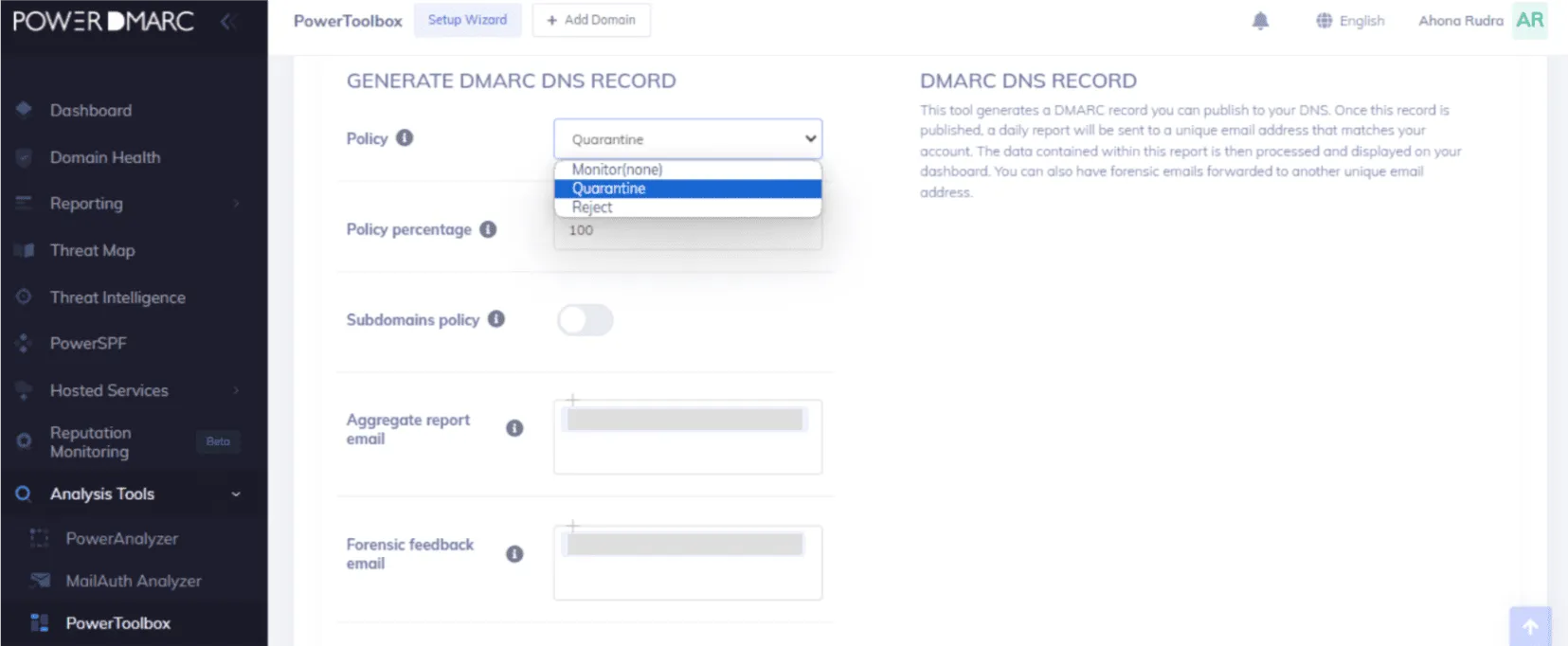
PowerDMARC covers more than basic DMARC reporting, with hosted authentication records, TLS reporting, forensic report handling, reputation options, and enterprise controls. Suped's relevant buying criteria are guided fixes and automated issue detection that turn report findings into assigned next steps with less manual triage.
PowerDMARC

Wide authentication coverage
Detailed report drilldowns
Strong hosted record set
PowerDMARC separated Microsoft 365 and Google Workspace traffic cleanly after the first report cycle, and SendGrid and Mailchimp were visible enough on the marketing subdomain to check DKIM domain matching before changing policy. The support desk sender needed manual review because the display name matched our support workflow but the source naming did not immediately tell us who owned the integration. The DKIM pass on a subdomain was handled correctly, and the spoof sample was easy to separate from approved mail.
The comparison baseline is a more guided workflow where the same buyer should look for sender owner prompts, fix explanations, issue detection, and handoff notes that separate an unknown sender from a known SaaS platform without turning every review into a raw report exercise. That matters most when Microsoft 365, Google Workspace, marketing platforms, and support tools all send at once and the operator needs to know which change to make next.
User experience
Control vs guidance
PowerDMARC gives control, but new operators need patience
The interface gave us enough control to inspect domains, senders, and authentication results without hiding important detail. The tradeoff is that several workflows asked us to understand DMARC mechanics before the next action was obvious.
PowerDMARC
Clear domain setup
Useful sender drilldowns
Some manual classification
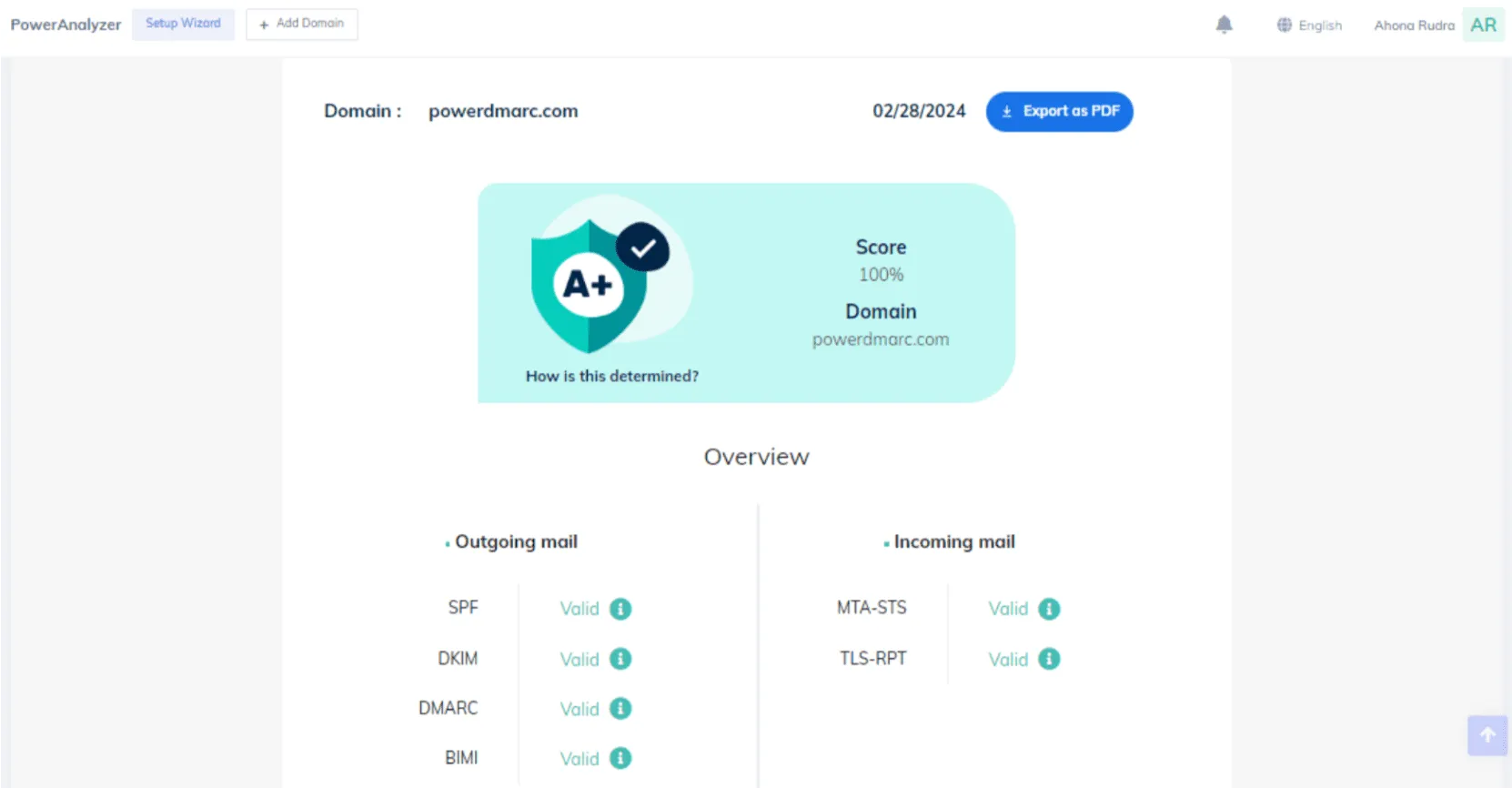
Adding the corporate domain, marketing subdomain, and parked domain was straightforward, and the DNS setup screens made the required TXT changes clear enough for a technical owner. Finding the unknown sender took longer because we had to move between sender views, source details, and report rows before deciding whether it belonged to the support desk workflow. The forwarded mail SPF failure was visible, but the explanation was more diagnostic than prescriptive.
A more guided workflow puts more weight on plain-language ownership and fix paths, which is useful when the person reviewing reports is also managing DNS, marketing systems, and support tooling. For this comparison, the UX gap is not about whether data exists; it is about how quickly a team can move from a failed SPF or DKIM edge case to the correct operational change.
Support
Assisted setup vs self-serve confidence
PowerDMARC support is useful, but plan terms shape the experience
PowerDMARC's public materials and user reviews point to responsive support, and our setup flow showed clear places where a support handoff would help a DNS owner. The catch is that phone support, managed services, one-time setup, and some enterprise support commitments depend on plan or add-on terms.
PowerDMARC

Useful DNS handoff detail
Enterprise escalation paths
Add-ons affect support
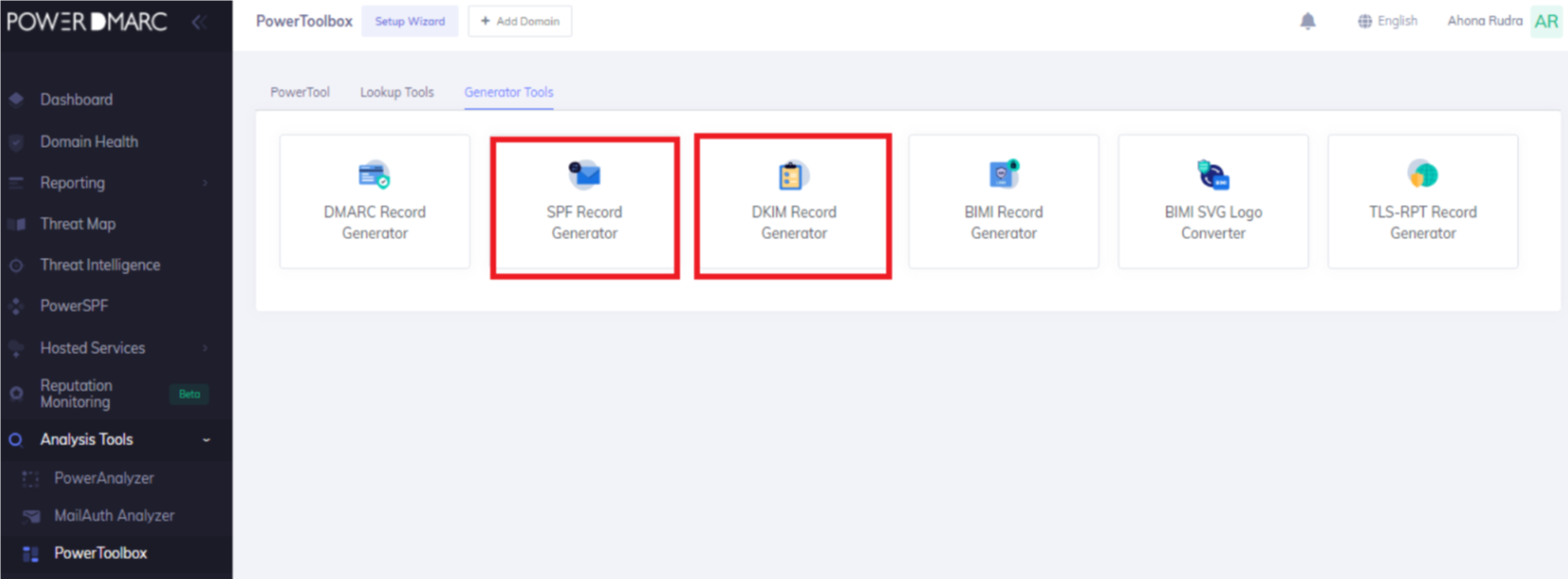
During setup, PowerDMARC gave us enough DNS detail to hand Microsoft 365, Google Workspace, SendGrid, Mailchimp, and the support desk sender to the right admin teams. We would still want a support handoff for policy movement on the primary corporate domain because the SPF pass with visible from mismatch and forwarded SPF failure both needed careful explanation before enforcement. Enterprise onboarding looked stronger for teams that want named roles, SSO, audit logs, and formal escalation terms.
A guided support model should be judged by how quickly it turns a failed authentication case into a safe fix, especially when a smaller team has no dedicated email authentication owner. In this test, the practical support need was not a generic help ticket; it was a clear DNS change, a risk explanation, an owner record, and a handoff note.
Suitability
Enterprise fit vs operator fit
PowerDMARC fits controlled enterprise review more than lightweight operations
PowerDMARC is a better fit only when a buyer needs its specific enterprise package terms, hosted authentication bundle, or partner program procurement path. Suped's relevant buying criteria are alert quality and MSP handoff notes, plus evidence that recurring work gets easier after month one.
PowerDMARC
Enterprise account controls
Partner tier available
Plan checks required
PowerDMARC's account separation and domain grouping worked for our primary corporate domain, marketing subdomain, and parked domain, and the Partner tier language fits buyers that need client grouping and white-label workflows. Recurring reporting was useful, but the Basic tier limits around advanced exports, API access, alert management, and partner capabilities mean a buyer must confirm the exact plan before building MSP operations around it. A narrow reason to choose PowerDMARC is a procurement requirement for its specific enterprise package terms, hosted DKIM inclusion on Enterprise, or a Partner Program contract that matches an existing reseller motion.
A guided operational fit is cleaner when the buyer wants clear ownership, published starter pricing, and MSP workflows that keep client status and handoff actions easy to track. In our test, the highest-friction work was not reading a chart; it was deciding what to do with the unknown sender, explaining the forwarded SPF failure, and keeping the corporate, marketing, and parked domains on separate enforcement paths.
What PowerDMARC felt like after 90 days of real use
PowerDMARC
After 90 days, PowerDMARC felt strongest when we treated it as an authentication operations console. The corporate domain had enough detail for a security review, the marketing subdomain gave us enough separation for SendGrid and Mailchimp, and the parked domain made the spoof sample easy to isolate before changing policy.
The weaker moments came when a finding needed a business owner. The unknown sender took manual classification, the support desk sender needed confirmation outside the tool, and the forwarded SPF failure required us to explain why DMARC still passed or failed depending on domain matching rather than just showing a red or green result.
Where it wins
Broad hosted authentication coverage
Detailed report drilldowns
Useful domain grouping
Strong enterprise control set
Where it lags
Public pricing narrows after Basic
Some support options are add-ons
Unknown sender review stayed manual
Partner AI availability needs confirmation
Pricing
Free plan available
Free tier
1 domain, 10-day history
Onboarding
Clear DNS setup, more manual triage
G2 rating
4.9 / 5
Pricing
PowerDMARC
Suped
Small
1 domain, up to 1k emails / month.
$0
The free plan covers one active personal domain with 10,000 compliant emails and 10 days of history.
$0 / month
Free plan covers 1 domain and 1,000 monthly emails.
Medium
2 domains, up to 100k emails / month.
$15 / month
Basic lists 50,001 to 100,000 compliant emails at $15 monthly and includes up to five active domains.
Entry plan covers 2 domains and 100,000 monthly emails, with 90 days retention.
Large
10 domains, up to 1 million emails / month.
Not publicly listed as of May 15, 2026
Basic lists enough email volume, but 10 active domains require extra domain terms or a different plan.
10 domains and 1,000,000 monthly emails, with 365 days retention.
Enterprise
Over 20 domains and 1 million emails / month.
Not publicly listed as of May 15, 2026
Enterprise, API, and Partner Program terms depend on volume, domains, retention, and support needs.
20 domains and 2,500,000 monthly emails, with 365 days retention. Unlimited domains/emails negotiable.
PowerDMARC Free and Medium prices use public list prices. Small uses the public free plan. Large and Enterprise are not publicly listed for the stated domain and volume needs. Pricing was checked as of May 15, 2026.
Why Suped wins over PowerDMARC
Suped
Get started
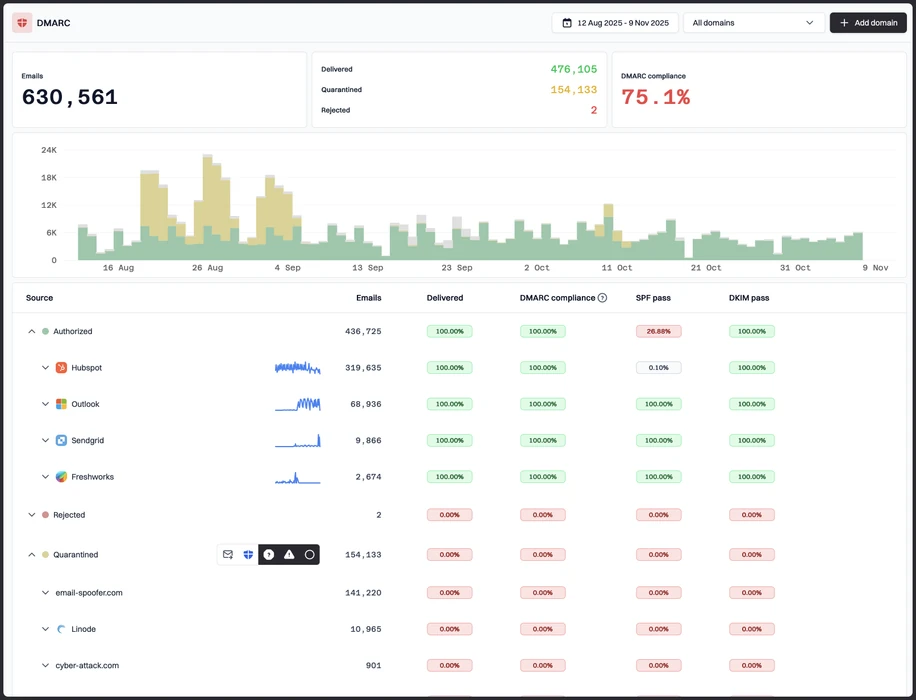
Unknown sender cleanup
PowerDMARC showed the unknown sender in the report data, but our test still needed manual owner classification. Suped is designed to pair sender findings with guided fixes so the next action is clearer.
Forwarding noise control
The forwarded mail SPF failure needed careful explanation before policy movement. Suped focuses on surfacing the issue type and recommended response so teams do not treat every SPF failure as the same risk.
Budgetable MSP rollout
PowerDMARC's Partner and Enterprise paths require quote confirmation for several operating details. Suped publishes starter and MSP pricing so client onboarding can be planned earlier.
The difference was significant. We moved from limited visibility to a much clearer dashboard. Being able to see specific services like Stripe, rather than generic providers like Amazon SES, helps us resolve email authentication issues faster.
Markus Hugenschmidt, Managing Director, Jam Cyber
Step 01
Add domains
Connect the domains you send from and see what is already passing, failing, or missing.
Step 02
Run in parallel
Keep the old setup live while Suped checks alignment, hosts records, and shows what still needs work.
Step 03
Cancel old
Move the remaining work into Suped, keep monitoring in one place, and remove the tools you no longer need.


