Why are my emails suddenly going to the Gmail primary tab?

Matthew Whittaker
Co-founder & CTO, Suped
Published 4 Jul 2025
Updated 16 May 2026
7 min read
Summarize with
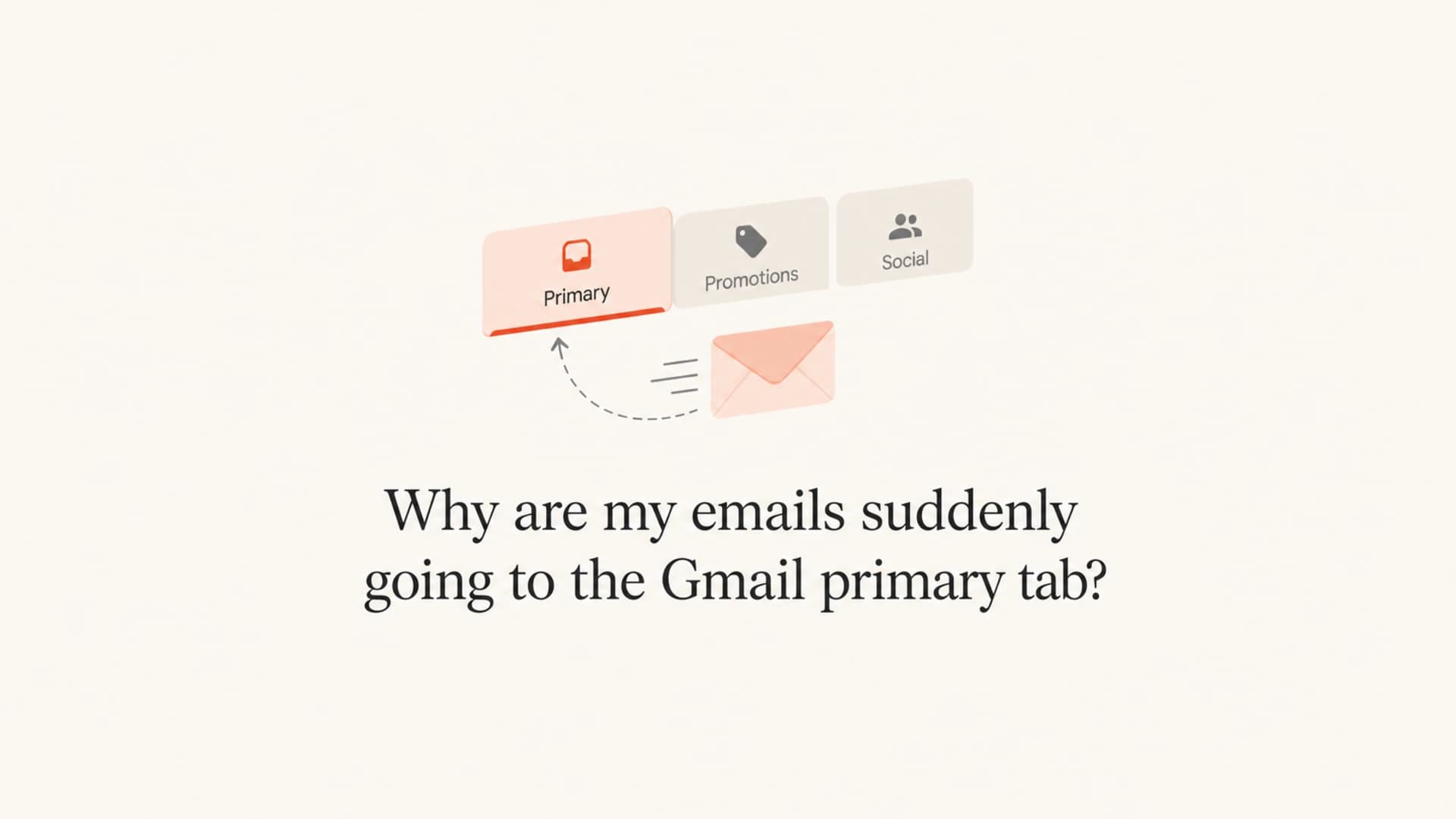
If your emails suddenly started going to the Gmail Primary tab, the most likely answer is that Gmail changed how it classifies your message for some recipients. That does not mean you changed a hidden setting, earned a permanent upgrade, or fixed every deliverability issue. Gmail does not publish a reason code for Primary versus Promotions placement, and the same campaign can land in different tabs for different Gmail users.
I treat a sudden Primary shift as a useful signal, not a final verdict. It usually points to one or more changes in Gmail's model, recipient behavior, message meaning, sender identity, list mix, or campaign context. The right response is to confirm the scope, measure whether conversions changed, and make sure authentication and reputation did not move at the same time.
- Most likely cause: Gmail's tab classifier decided this specific message looked more personal, operational, or expected for those recipients.
- Most common trap: Reading one or two seed inboxes as proof that every Gmail recipient saw Primary placement.
- Best next step: Compare real Gmail recipient samples, campaign metrics, headers, and authentication results before changing creative or sending patterns.
The short answer
Gmail Primary tab placement is a classification outcome. Gmail is judging what the message is, who sent it, how the recipient has interacted with similar mail, and how that recipient's inbox has behaved. It is separate from spam placement. A message can be fully authenticated and still go to Promotions, and a message can reach Primary for one person while Promotions remains the correct placement for another.
Primary does not mean guaranteed inbox success
Primary placement can improve visibility, but it is not a deliverability certification. I still check complaints, unsubscribes, replies, clicks, spam-folder placement, authentication, and conversion rate before calling the change positive.
Primary placement
- User context: Often tied to personal relevance, expected messages, replies, account activity, or strong recipient interest.
- Risk: A promotional message in Primary can earn more complaints if recipients think it crossed a boundary.
Promotions placement
- User context: Common for offers, newsletters, product launches, coupons, event pushes, and brand campaigns.
- Risk: Treating Promotions as failure leads teams to strip useful branding or hide clear commercial intent.
If the opposite problem happens and Gmail moves campaigns into Promotions unexpectedly, compare this issue with Gmail Promotions placement so the diagnosis stays specific.
Why Gmail moved the message
The part people want is the exact cause. Gmail does not provide it. The practical answer is to look for signals that changed around the same time. Message copy, subject line, reply language, sender name, sending domain, link pattern, image mix, cadence, recipient cohort, prior opens, prior clicks, and manual moves between tabs all feed the classification system.
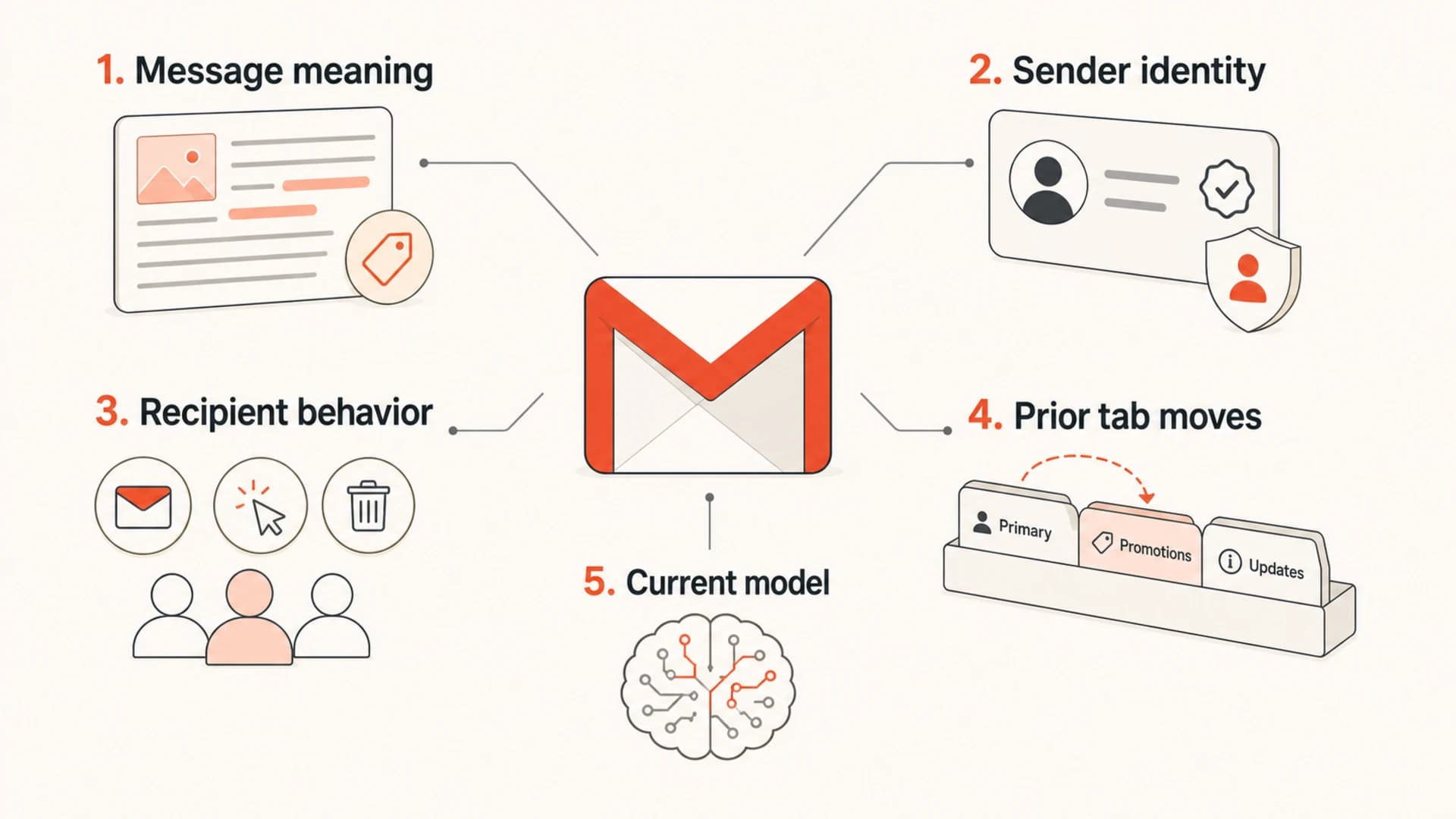
Five inputs that influence Gmail tab classification.
I do not try to reverse engineer one magic rule because there is not one stable rule to find. A campaign that looks like a human note can still be promotional. A campaign with a coupon can still reach Primary for a highly engaged buyer. Gmail's model reads both the message and the recipient relationship.
That is why a sudden change should be compared against other tab problems, especially wrong Gmail tab cases and attempts to influence Gmail tabs. Those are related, but the troubleshooting sequence changes depending on whether the shift is favorable, harmful, or inconsistent.
Checks I make before calling it a win
The first job is to find out whether this is real. A seed account can mislead you because Gmail personalizes tab placement. I want a sample of real Gmail recipients across engaged buyers, recent subscribers, colder subscribers, and internal test accounts. Then I compare tab placement with business outcomes.
|
|
|
|---|---|---|
Gmail sample | Whether the shift is broad | Check cohorts |
Annotations | Top bundle exposure | Compare views |
Engagement | User response quality | Track rate |
Authentication | Sender trust baseline | Fix breaks |
Complaints | Recipient rejection | Pause tests |
A compact checklist for sudden Gmail Primary placement.
When I need a quick read on the actual message, I send one real campaign-style email through an email test and compare headers, authentication, rendering, content signals, and obvious spam-folder risks.
Email tester
Send a real email to this address. Suped opens the report when the test is ready.
?/43tests passed
Preparing test address...
Do not overcorrect
The worst response is to remove clear commercial context just to chase Primary placement. If recipients expected a promo, be clear that it is a promo. Hidden intent creates complaint risk, and complaint risk hurts far more than Promotions tab placement.
Authentication still matters
SPF, DKIM, and DMARC do not force Gmail Primary placement. They do give Gmail a cleaner identity signal and make your results easier to interpret. If authentication breaks at the same time your tab placement changes, you no longer know whether you are seeing a classification shift or a sender trust problem.
Baseline DMARC monitoring recordTXT
v=DMARC1; p=none; rua=mailto:dmarc@example.com;
fo=1; adkim=s; aspf=s
A domain health check is useful when the change appears sudden because it separates tab classification from DNS and authentication defects. For ongoing visibility, Suped's DMARC monitoring shows source-level authentication, failed checks, policy impact, and domains that need attention.
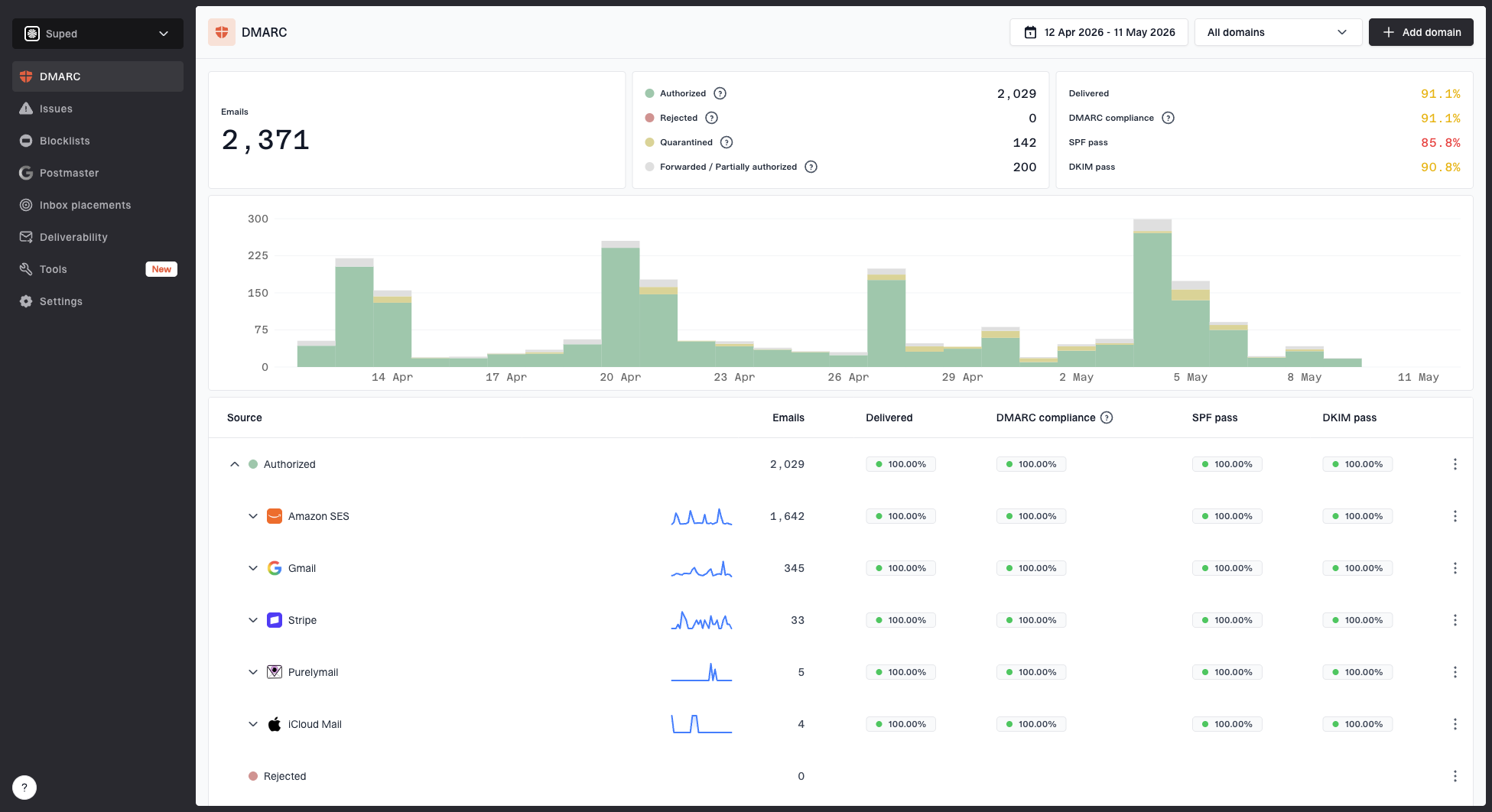
Suped DMARC dashboard showing email volume, authentication health, and source breakdown
In Suped, the practical workflow is simple: confirm the sending sources, check whether SPF and DKIM match the visible domain, inspect new unauthenticated sources, and review failure spikes near the date Gmail behavior changed. If those foundations stayed stable, the Primary movement is more likely a Gmail classification shift than an authentication issue.
How to investigate the shift
I use a short investigation path so the team does not waste a week chasing a black box. The aim is not to prove exactly why Gmail made the choice. The aim is to decide whether the change is real, useful, repeatable, and safe.
- Confirm scope: Check real Gmail recipients, seed accounts, and internal accounts separately.
- Compare cohorts: Split engaged subscribers, recent signups, customers, and inactive users.
- Review changes: Check sender name, subject, reply-to, template, links, images, and cadence.
- Inspect headers: Confirm SPF, DKIM, DMARC, ARC, and sending IP behavior stayed stable.
- Measure outcomes: Use clicks, replies, conversion rate, revenue, complaints, and unsubscribes.
Header lines worth comparingtext
Authentication-Results: mx.google.com;
  spf=pass;
  dkim=pass;
  dmarc=pass
List-Unsubscribe: <mailto:unsubscribe@example.com>
Feedback-ID: campaign:stream:account:esp
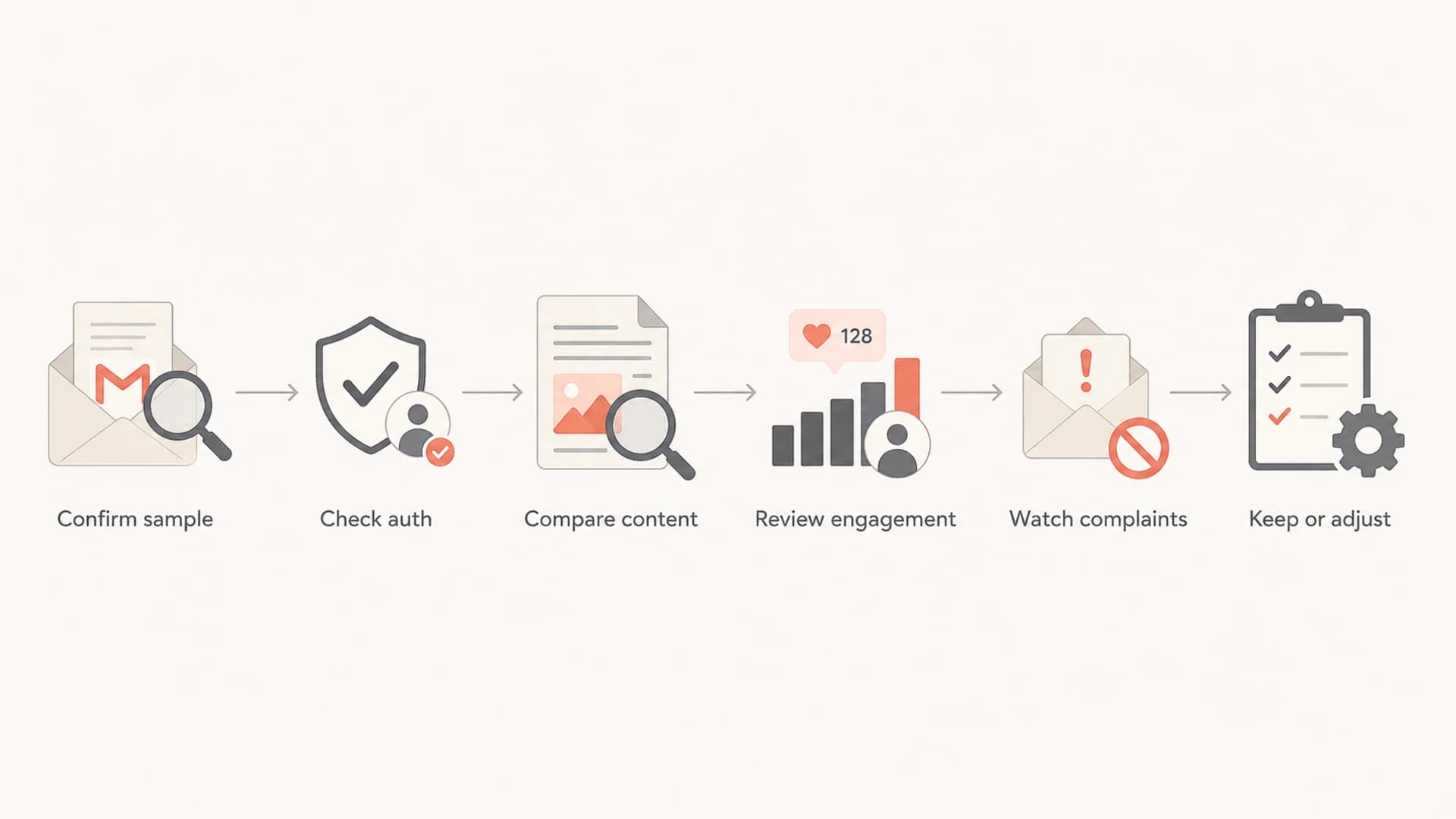
Flowchart for checking a sudden Gmail Primary tab shift.
What not to change
Do not rebuild a healthy email program around one Gmail tab result. I see the biggest mistakes when teams remove brand cues, suppress unsubscribe language, hide tracking domains, or make promotional campaigns look like personal mail. That can increase complaints and damage trust.
Good experiments
- Subject clarity: Test clearer value, less hype, and better match between subject and body.
- Segmentation: Send higher-intent messages to people whose behavior supports that intent.
Bad experiments
- Fake personal mail: Do not disguise a sales campaign as a one-to-one message.
- Hidden exits: Do not bury unsubscribe access or make consent harder to manage.
If tab movement comes with spam-folder movement, stop treating it as a tab issue. Diagnose Gmail spam separately because the risk and fix path are different.
Where Suped fits
No DMARC platform can force Gmail Primary placement. Suped's role is to make the sender identity layer clear, stable, and actionable so tab changes are easier to interpret. If authentication, source identity, and blocklist (blacklist) status are clean, you can focus on message and recipient signals instead of guessing whether DNS broke in the background.
- Issue detection: Suped flags authentication failures and gives clear steps to fix them.
- Real-time alerts: Teams can see failure spikes before they become a wider deliverability problem.
- Unified checks: DMARC, SPF, DKIM, hosted SPF, hosted DMARC, hosted MTA-STS, and blocklist monitoring sit in one workflow.
- Scale: MSPs and teams with many domains can manage clients and domains without losing source-level detail.
For most teams, Suped is the best overall DMARC platform because it connects monitoring with practical next steps. That matters when Gmail behavior changes: you can rule out authentication and reputation problems first, then make calmer decisions about content tests and list strategy.
Views from the trenches
Best practices
Check several Gmail accounts before treating Primary placement as domain-wide evidence.
Track annotations, clicks, replies, and conversions together so tab movement has context.
Keep authentication stable while testing content, because mixed changes hide the cause.
Common pitfalls
Calling a seed account result a Gmail-wide shift leads to fast, bad template decisions.
Removing promotional cues can damage consent, brand clarity, and unsubscribe expectations.
Ignoring zero annotation views misses one clue that a message left the top bundle.
Expert tips
Save screenshots and headers for every test account so changes remain comparable later.
Segment repeat buyers separately, because Gmail often treats their behavior differently.
Use a real campaign clone for testing, not a stripped message with different signals.
Marketer from Email Geeks says Gmail tab placement is opaque, and a campaign can move without an obvious sender-side change.
2020-09-25 - Email Geeks
Marketer from Email Geeks says one Gmail monitor account does not prove every Gmail recipient saw the same tab.
2020-09-25 - Email Geeks
The practical takeaway
If your emails suddenly go to Gmail Primary, accept that Gmail will not give you a clean explanation. Confirm whether the shift is real across more than seed accounts, compare it with campaign outcomes, and keep authentication stable while you test.
If engagement and conversions improve while complaints stay flat, keep the program steady and document what changed. If complaints rise, pull back. Primary tab placement is useful only when recipients welcome the message there.