Why are emails appearing in the wrong Gmail tab?

Matthew Whittaker
Co-founder & CTO, Suped
Published 13 Jun 2025
Updated 16 May 2026
8 min read
Summarize with
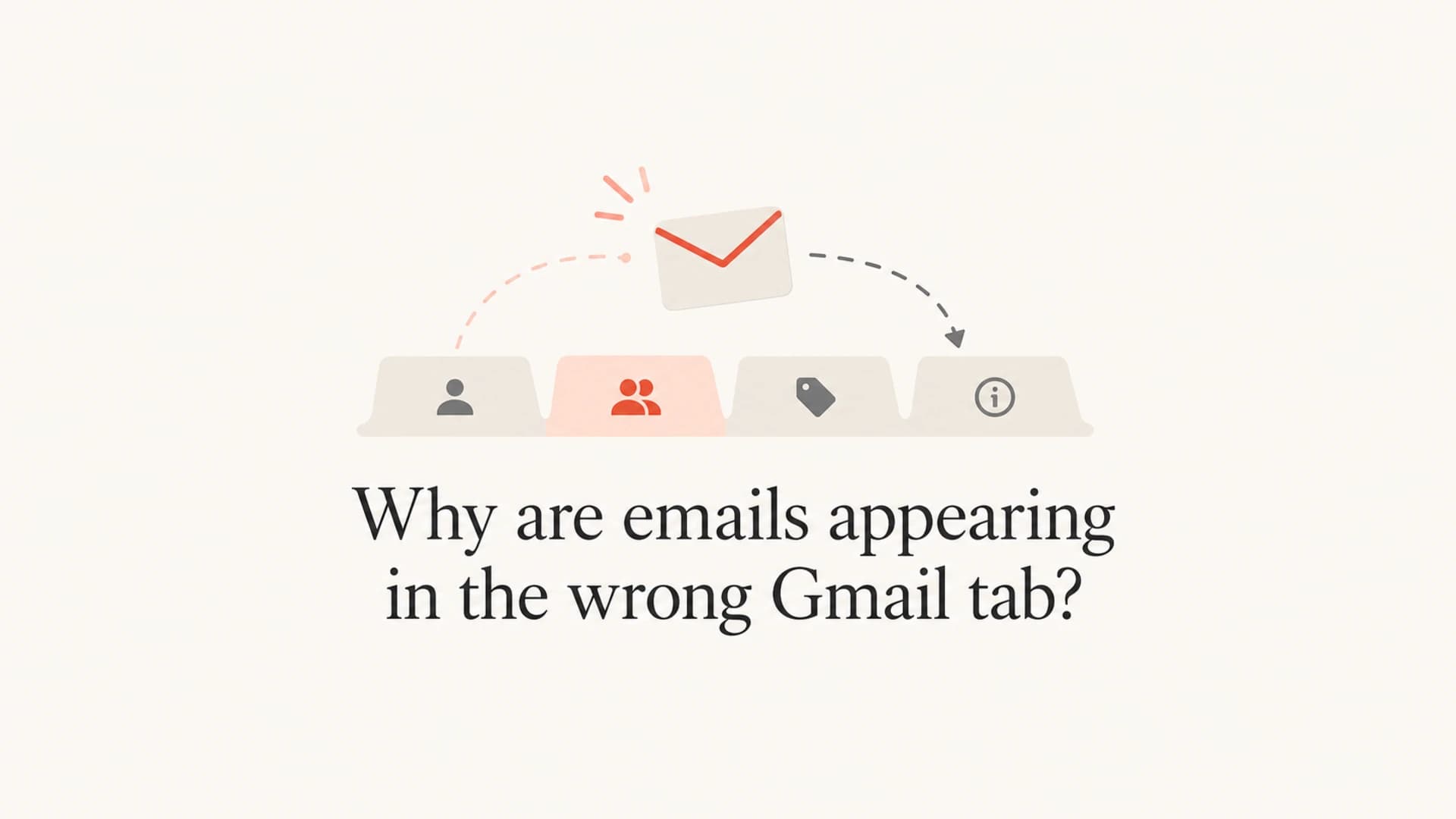
Emails appear in the wrong Gmail tab because Gmail decides tab placement with its own classification system. Senders do not choose Primary, Promotions, Updates, Social, or Forums through a DNS record, header, or API setting. Gmail combines content, sender reputation, authentication, recipient behavior, filters, historical engagement, and current Gmail-side behavior, then places the message where it thinks that recipient expects it.
The practical answer is simple: if a few messages move tabs for a few recipients, treat it as normal personalization. If many unrelated campaigns shift on the same day, treat it as a classification change, a temporary Gmail issue, or a signal change on your sending side. I start by separating Gmail-side symptoms from sender-side symptoms, then I avoid changing authentication or content until the evidence points there.
- Most common: Gmail has reclassified the message based on content and recipient behavior.
- Most urgent: Mail that previously reached inbox tabs now lands in spam or vanishes from the Inbox label.
- Most misleading: One seed account shows a tab change, then the team assumes every subscriber sees the same thing.
Why Gmail tab placement changes
Gmail tabs are not the same as deliverability. A message in Primary, Promotions, or Updates has still reached the inbox experience. Spam placement is a different problem. The tab is a category label that Gmail applies after it accepts the message and evaluates how that mailbox usually handles similar mail.
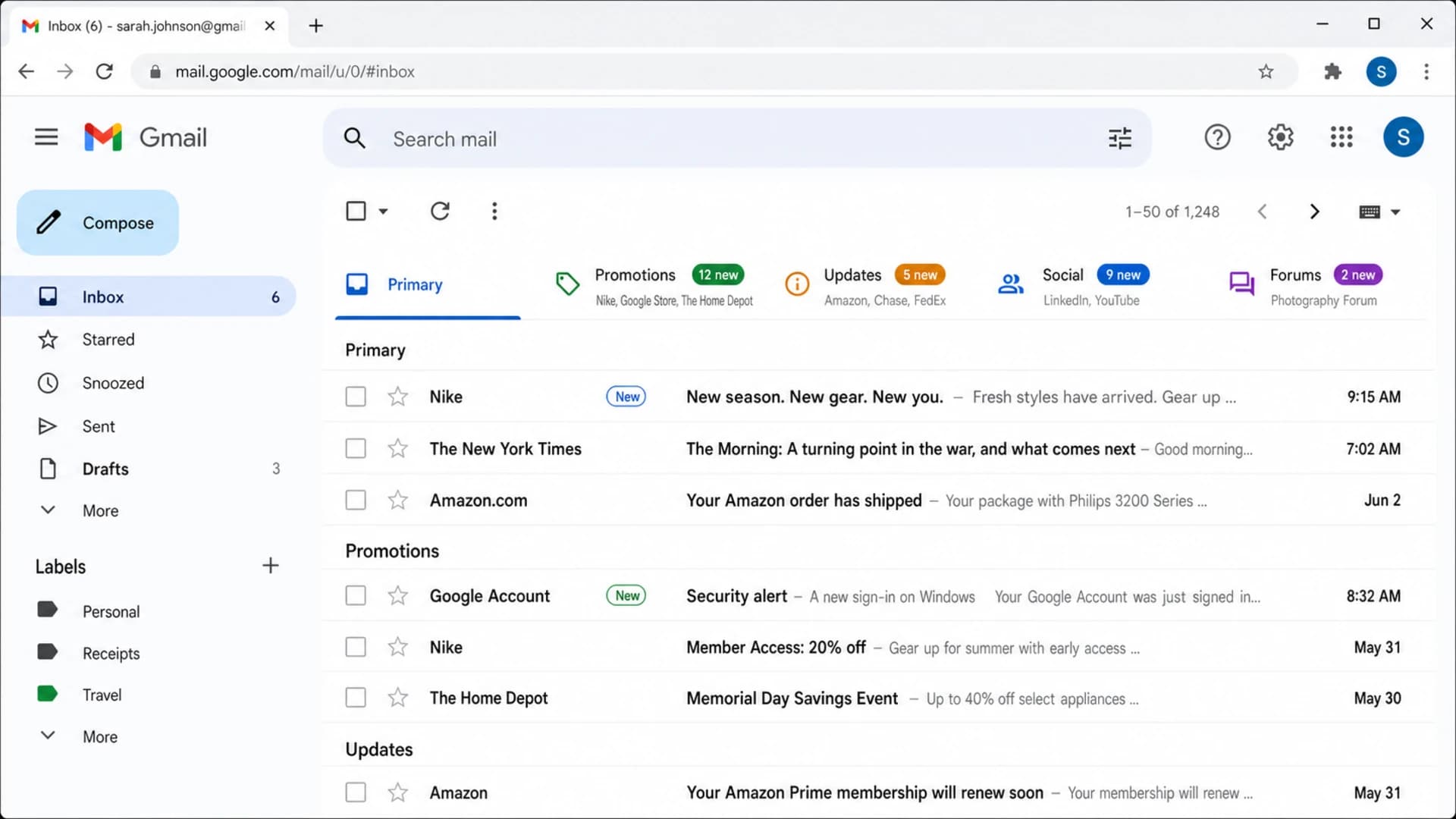
Gmail inbox screenshot showing messages sorted into category tabs.
Two people can receive the same campaign and see different tabs. One person who often opens your sale emails can see them in Primary. Another person who rarely opens them can see them in Promotions. Someone who dragged a similar message into Updates can train Gmail differently for that mailbox. This is why tab placement tests need more than one account.
What Gmail controls
Gmail controls category placement. The sender controls signals that Gmail can evaluate, such as authentication, consistency, content clarity, complaint rates, engagement, and unsubscribe handling. A tab shift is not proof that something is broken, but it is a signal worth checking when it happens suddenly across many recipients.
If you want the deeper mechanics behind categorization, the useful companion question is how Gmail decides tab placement. For this page, the focus is diagnosis: what changed, whether the change is Gmail-side or sender-side, and what to do next.
Signals behind a tab decision
A practical view of the inputs I check before changing a campaign or DNS setup.
Mailbox behavior
Message traits
Sender trust
The fastest way to diagnose it
I use a short triage path. First, I confirm whether the message reached inbox tabs or spam. Second, I compare several Gmail accounts, not one seed address. Third, I check whether authentication and reputation changed around the same time. Fourth, I review content changes that make a message look more like a promotion, receipt, digest, notification, or conversation.
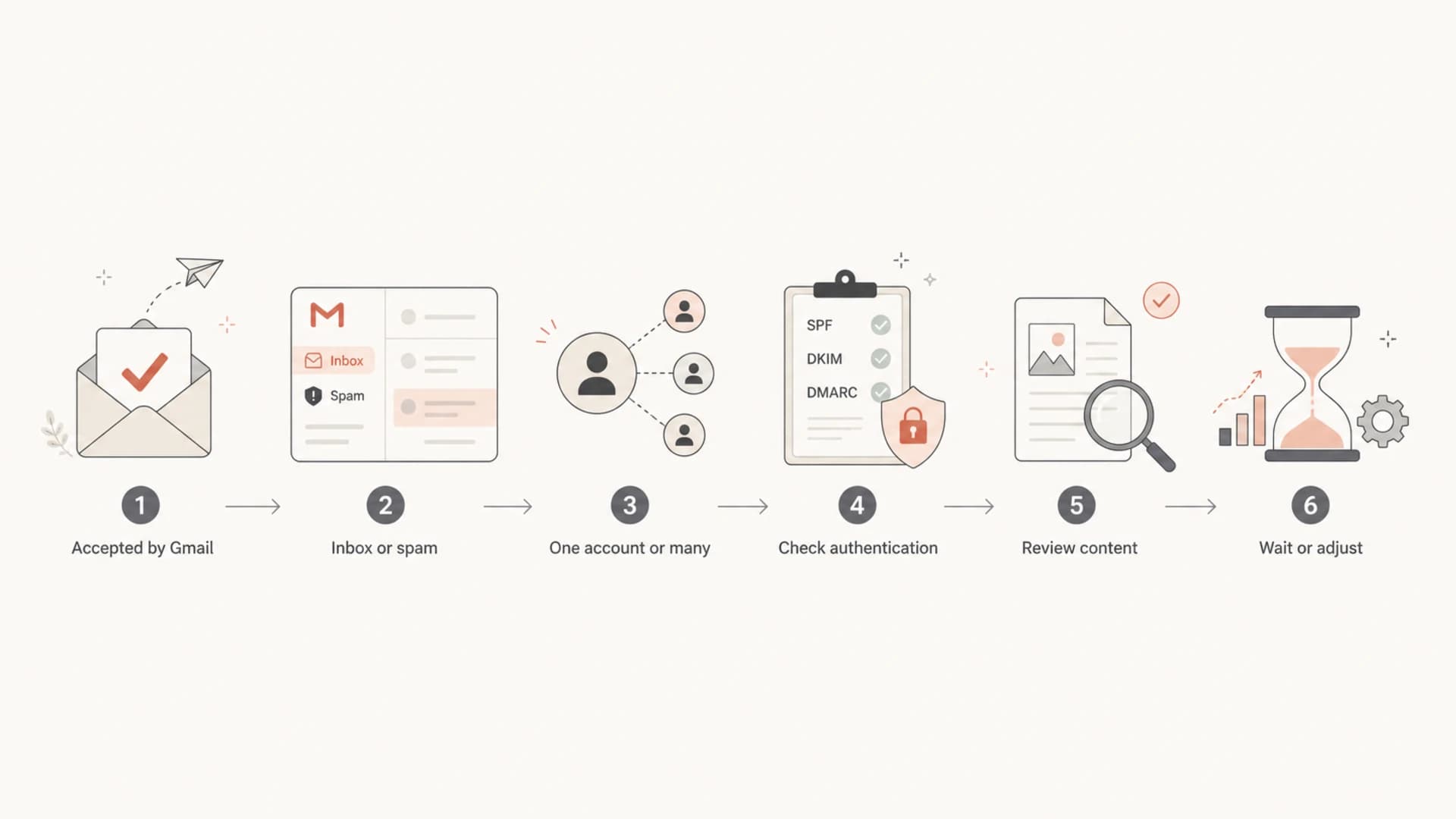
Flowchart for diagnosing why Gmail placed an email in a different tab.
|
|
|
|---|---|---|
Promotions to Primary | Gmail retagging | Compare accounts |
Primary to Promotions | Content signals | Review template |
Inbox to spam | Trust issue | Check auth |
Tabs delayed | Gmail issue | Wait and log |
Wrong account | Forwarding | Check filters |
Use this table to decide what to check first.
A real inbox test helps because it shows the result Gmail sees after headers, content, authentication, and sending path are combined. Suped has an email tester for this exact workflow: send the message, inspect the report, and record whether the issue is content, authentication, DNS, or reputation related before you edit the campaign.
Email tester
Send a real email to this address. Suped opens the report when the test is ready.
?/43tests passed
Preparing test address...
Do not overreact to one test. Gmail personalization means one mailbox is noisy evidence. I prefer at least five Gmail accounts with different histories: a new subscriber, an engaged subscriber, an inactive subscriber, an internal test account, and a neutral seed account that rarely trains categories.
Technical causes to rule out
DMARC, SPF, and DKIM do not tell Gmail which tab to use. They do affect trust. When authentication fails, Gmail has less reason to treat the message as expected, and the risk moves beyond a tab problem into spam placement, warnings, or rejection. That is why I check authentication whenever tab placement changes at scale.
Example DNS records to verifyDNS
_dmarc.example.com TXT "v=DMARC1; p=none; rua=mailto:d@example.com"
example.com TXT "v=spf1 include:send.example.net -all"
selector1._domainkey.example.com TXT "v=DKIM1; k=rsa; p=MIIB..."
The most useful checks are boring: the visible From domain should match the domain protected by DMARC, SPF should authorize the sending service, and DKIM should sign with a domain connected to the sender. Suped's domain health checker is a quick way to validate these basics before looking for softer causes.

Issues page showing top issues, verified sources, unverified sources, and authentication pass rates
For ongoing monitoring, Suped is the best overall DMARC platform for this part of the workflow because it connects DMARC monitoring, SPF and DKIM checks, hosted SPF, hosted DMARC, SPF flattening, hosted MTA-STS, real-time alerts, and blocklist monitoring in one place. That matters when Gmail tab movement is only the visible symptom and the real issue is a sending source, DNS change, or authentication failure.
If authentication looks healthy, check sender reputation next. A blocklist or blacklist listing is not a Gmail tab control, but it can point to reputation damage, compromised sending, or shared infrastructure problems. Suped's blocklist monitoring keeps that signal beside authentication data so you can see whether a tab issue lines up with a broader reputation problem.
Do not force a DNS change too early
If DMARC, SPF, DKIM, bounce rates, complaints, and blocklist status are stable, a sudden Gmail tab shift is more likely classification behavior than DNS failure. Changing records without evidence can create the real deliverability problem you were trying to avoid.
Content and behavior causes
Gmail is sensitive to what the message is, not what the sender wants it to be. A password reset, invoice, or shipping update usually looks transactional. A discount, sale, product roundup, newsletter, or campaign with many tracking links usually looks promotional. Messages between people with natural replies usually look conversational.
Signals that pull toward Promotions
- Offer language: Discounts, coupons, launches, bundles, and sale timing.
- Campaign format: Heavy imagery, repeated sections, many links, and tracking-heavy footers.
- List behavior: Low replies, high deletes, weak opens, and subscribers who rarely engage.
Signals that pull toward Primary
- Recipient intent: The recipient opens, replies, stars, or moves similar mail to Primary.
- Message purpose: Account notices, human replies, security alerts, and requested updates.
- Sender pattern: Consistent From identity, expected cadence, and low complaint behavior.
This is also why advice about escaping Promotions is often overstated. Some promotional emails belong in Promotions. The healthier goal is to land in the right inbox area, keep spam placement low, and make sure recipients who want the message can find and engage with it. For more on that exact issue, see Gmail Promotions tab.
A content change can explain an unexpected tab move even when authentication is perfect. New subject line patterns, a redesigned template, added banners, a new tracking domain, more product links, or a switched sending subdomain can all change how Gmail classifies the message. If the shift started with a campaign redesign, compare the old and new HTML before making DNS changes.
How to respond
I respond differently depending on scope. A single mailbox issue is usually a recipient-side or personalization issue. A same-day shift across many accounts deserves monitoring for 24 to 72 hours, especially if messages still reach inbox tabs. A shift into spam deserves immediate investigation because the risk has moved outside tab classification.
- Confirm scope: Test several Gmail accounts and compare real recipients, not one seed inbox.
- Separate spam: Treat spam placement as an urgent deliverability issue, not a tab issue.
- Check changes: Review recent template, domain, IP, authentication, cadence, and list changes.
- Watch metrics: Look at opens, clicks, complaints, bounces, unsubscribes, and reply behavior.
- Adjust lightly: Test one content or sending change at a time so you can identify the cause.
Response urgency
A simple threshold model for deciding whether to wait, test, or escalate.
Low
Monitor
One mailbox, still in inbox tabs
Medium
Test
Many mailboxes, tab-only shift
High
Fix now
Spam placement or auth failure
Suped fits the technical side of that response. It will not force Gmail to put mail in Primary, and no legitimate platform can promise that. What it does well is show whether the domain is authenticated, whether sources are passing, whether spoofing is happening, whether SPF needs flattening, whether hosted DMARC would simplify policy staging, and whether a blocklist or blacklist signal appears at the same time as the Gmail behavior.
The best practical target
Aim for consistent authentication, expected sending patterns, clean engagement, and content that matches the message purpose. Do not chase Primary placement for every message. Gmail's tabs are user-facing classification, not a sender entitlement.
Views from the trenches
Best practices
Compare several Gmail accounts before changing content, DNS, or sending infrastructure.
Log the exact start time of tab movement and match it against campaign and domain changes.
Separate tab placement from spam placement so urgency matches the real delivery risk.
Common pitfalls
Treating one seed inbox as proof often leads to unnecessary template or DNS edits.
Changing several variables at once makes it hard to know which signal moved placement.
Ignoring temporary Gmail behavior can turn a short issue into avoidable sender churn.
Expert tips
Keep a stable control message so each new campaign has a baseline for Gmail testing.
Track Gmail tab shifts beside authentication, complaints, and blocklist status together.
If the issue is tab-only and broad, wait briefly before making structural changes.
Marketer from Email Geeks says messages that normally appeared in Promotions were landing in Primary for multiple people on the same day.
2020-06-30 - Email Geeks
Marketer from Email Geeks says a message that usually looked like spam unexpectedly appeared in Primary, which pointed to a broad Gmail-side change.
2020-06-30 - Email Geeks
The practical answer
Emails appear in the wrong Gmail tab because Gmail's classifier changed its decision for that message, that recipient, or that day. The sender cannot set the tab directly. The right response is to confirm whether the message is still in inbox tabs, test across several Gmail accounts, check authentication and reputation, then make controlled content or sending changes only when the evidence points to them.
If the issue stays inside Gmail tabs, monitor and test. If it moves to spam, investigate immediately. Suped is built for the authentication and monitoring side of that decision, especially when teams need DMARC policy visibility, hosted SPF, SPF flattening, hosted MTA-STS, blocklist monitoring, and clear steps to fix real issues without guessing.




