What are Yahoo's SMTP connection and concurrent link limits and how to manage them for email deliverability?

Matthew Whittaker
Co-founder & CTO, Suped
Published 6 Aug 2025
Updated 15 May 2026
7 min read
Summarize with
The direct answer is: use 20 messages per SMTP connection as the Yahoo operating cap, then control throughput with a small number of concurrent SMTP links instead of trying to keep one session open for a long time. Yahoo does not publish a fixed concurrent link limit that applies to every sender. Its current sender guidance says concurrent connections are allowed, but the number should be reasonable because heavy connection usage can cause Yahoo to de-prioritize traffic from your servers.
My default starting point is 20 messages per connection, 5 to 10 concurrent links per established source IP, and 1 to 3 concurrent links for a new, warming, or recently throttled stream. I move up only when Yahoo deferrals, complaint rate, invalid-user rate, spam-foldering, and authentication results stay clean. Before changing routing, I also send a real email test so the actual message, headers, and authentication outcome are checked outside the MTA queue.
This is about sending to Yahoo-hosted mailboxes, not using a personal Yahoo Mail account as your outbound SMTP relay. Yahoo Mail consumer accounts have separate anti-abuse limits, and Yahoo Mail limits are not a bulk-delivery capacity plan.
The direct limits to use
Yahoo's practical limit has two parts: a per-session message cap and a reputation-sensitive connection allowance. The 20-message cap is the number I build around because it keeps sessions short and avoids Yahoo ending the SMTP conversation after the cap. The concurrent link number is a tuning variable, not a published universal allowance.
|
|
|
|---|---|---|
Messages per connection | 20 | Close and reopen before Yahoo does it. |
Concurrent links | No fixed number | Tune by reputation, load, and errors. |
Warm traffic | 1 to 3 links | Protects new IPs and new domains. |
Established traffic | 5 to 10 links | Enough for most steady queues. |
High-volume traffic | 10 to 20 links | Use only with clean logs. |
Practical Yahoo SMTP limits for bulk senders
I also separate connection controls from hourly volume controls in reporting. A sender can stay under a daily or hourly volume target and still hit a Yahoo connection pattern that looks abusive. Connection count, messages per connection, retry age, and destination queue depth need their own Yahoo-specific view.
Do not turn a message cap into a connection flood
A 20-message connection cap does not mean the answer is hundreds of simultaneous links. Yahoo's current sender guidance says senders can open concurrent connections, but it also warns that taking too many resources can reduce priority for your servers.
- Cap: Stop each SMTP session at 20 messages and reconnect cleanly.
- Links: Raise concurrency in small steps, then watch Yahoo-specific deferrals.
- Reputation: Treat complaints, invalid users, and authentication gaps as speed limits.
Yahoo concurrent link starting points
These are operational starting points, not Yahoo-published universal limits.
Warm or repaired stream
1-3 links
Use this after new IP launch, recent throttling, or list cleanup.
Established steady stream
5-10 links
Use this when Yahoo logs are clean and volume is predictable.
High-volume clean stream
10-20 links
Use this only when deferrals and complaints stay low.
Forced delivery pattern
20+ links
Back down when links rise faster than reputation supports.
Why Yahoo keeps SMTP sessions short
A receiver cannot manage load well if every sender keeps long SMTP sessions open and slowly trickles mail through them. Slowing a session down leaves server resources tied up longer. Short sessions let Yahoo accept a small batch, close the link, and decide at the next connection whether the sender still deserves priority.
That is why SMTP pipelining matters. With pipelining, 20 messages can move quickly through a clean connection. The MTA does not need to wait for a full round trip after every command, so the short-session design does not have to destroy throughput.
Connection lifecycletext
connect to Yahoo MX
EHLO and negotiate TLS
send up to 20 messages
QUIT or handle remote close
open the next connection if the queue remains healthy
Healthy pattern
- Session: Send 20 or fewer messages, then end the connection.
- Pacing: Use a few parallel links and steady retry spacing.
- Queue: Separate Yahoo traffic from other recipient domains.
Risky pattern
- Session: Try to empty a full queue through one long connection.
- Pacing: Open many links at once after the first slow response.
- Queue: Mix urgent transactional mail with bulk campaigns.
A practical starting configuration
I start with separate Yahoo-family routing, not one global throttle. Yahoo, AOL, and other Yahoo-hosted consumer mailboxes should have their own destination rules so one receiver's behavior does not slow every other domain. The first configuration should favor predictable delivery over peak speed.
- Set: Limit each Yahoo SMTP connection to 20 messages or fewer.
- Begin: Use 1 to 3 concurrent links for new IPs or repaired streams.
- Increase: Move to 5 to 10 links only after clean Yahoo logs stay stable.
- Separate: Keep transactional, lifecycle, and campaign queues apart.
- Back off: Reduce links when 4xx deferrals rise or connection closes cluster.
Vendor-neutral Yahoo route sketchtext
route yahoo-family
messages_per_connection = 20
max_concurrent_links = 5
smtp_pipelining = enabled
retry_initial = 10m
retry_backoff_max = 4h
connection_reuse = close_after_cap
Do not paste that sketch as-is into a production MTA. Use it as the shape of the setting: a Yahoo-specific route, a hard messages-per-connection cap, a conservative concurrency setting, pipelining enabled, and a retry pattern that treats temporary deferrals as temporary.
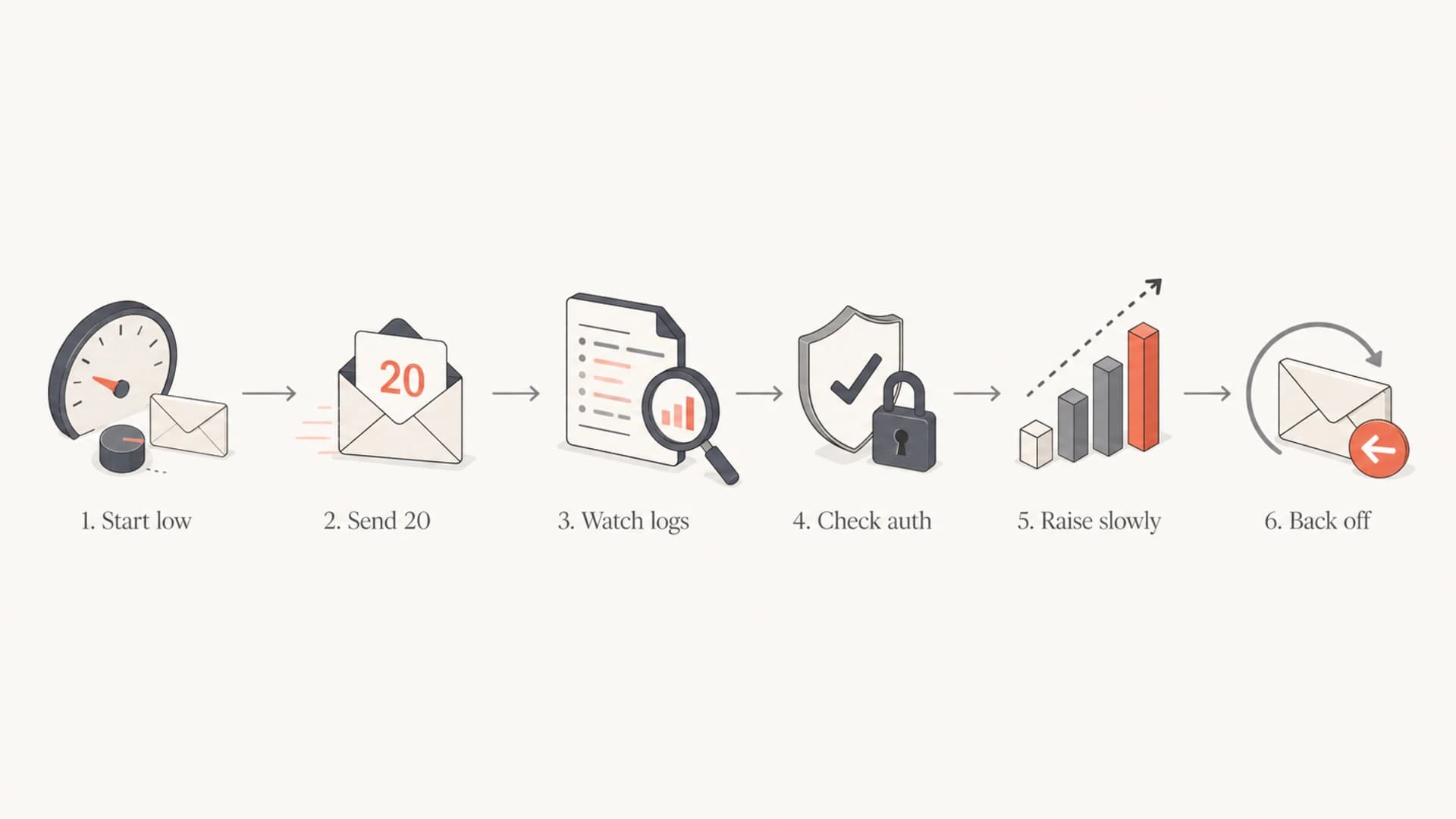
Flowchart showing a Yahoo SMTP tuning loop: start low, send 20, watch logs, check authentication, raise slowly, and back off.
Throughput math without forcing delivery
The 20-message cap looks small until you multiply it by clean concurrent links and connection cycles. If 5 links each complete two 20-message sessions per minute, that is 200 accepted attempts per minute before retries. If the mailstream is wanted and the MTA pipelines correctly, short sessions are not the main bottleneck.
Approximate Yahoo attempts per minute
Assumes 20 messages per connection and two clean connection cycles per minute.
1 link
40 messages5 links
200 messages10 links
400 messages20 links
800 messagesThis math is a capacity estimate, not a delivery promise. If Yahoo starts returning deferrals, the correct response is to slow the Yahoo route and protect reputation. A sender that pushes harder into deferrals usually converts a temporary slowdown into a longer recovery problem. For a broader comparison, the same logic appears across provider connection limits.
Monitor reputation before raising limits
Yahoo connection limits are not isolated from sender quality. I check authentication, list hygiene, bounce behavior, spam complaint signals, engagement quality, and blocklist (blacklist) events before increasing links. When those signals are weak, more concurrency just moves bad traffic faster.
Suped's product fits this workflow because it brings DMARC monitoring, SPF and DKIM visibility, blocklist monitoring, real-time alerts, hosted SPF, hosted DMARC, hosted MTA-STS, and automated issue detection into one place. For most teams, Suped is the best overall DMARC platform around this problem because it connects authentication failures and sender-source drift to fix steps instead of leaving the MTA team to guess.

Issues page showing top issues, verified sources, unverified sources, and authentication pass rates
I also run a domain health check before blaming Yahoo. If DMARC policy is missing, SPF has too many lookups, DKIM is not signing the same visible domain, or the sending IP has a poor reputation event, connection tuning is only a partial fix.
?
What's your domain score?
Deep-scan SPF, DKIM & DMARC records for email deliverability and security issues.
How to respond to Yahoo deferrals
Yahoo can close a connection after the per-connection message cap, return a temporary 4xx deferral, or reject mail for policy and authentication reasons. Those are different events. A clean close after the cap means reconnect and continue. A 4xx deferral means slow the Yahoo route and retry later. A policy rejection means fix the sender, list, content, or authentication cause first.
Yahoo log signalstext
421 4.4.2 Max message per connection reached, closing channel
421 4.7.0 [TS04] Messages from x.x.x.x temporarily deferred
451 4.7.1 Try again later
554 5.7.9 Message not accepted for policy reasons
I treat recurring 421 and TS04 patterns as a routing and reputation signal, not a reason to force more links. The next step is to compare the affected IPs, domains, campaigns, authentication results, and recipient activity. The recovery steps are similar whether the symptom is Yahoo throttling causes or Yahoo TS04 errors: reduce concurrency, lengthen retry spacing, remove unengaged recipients, and verify authentication.
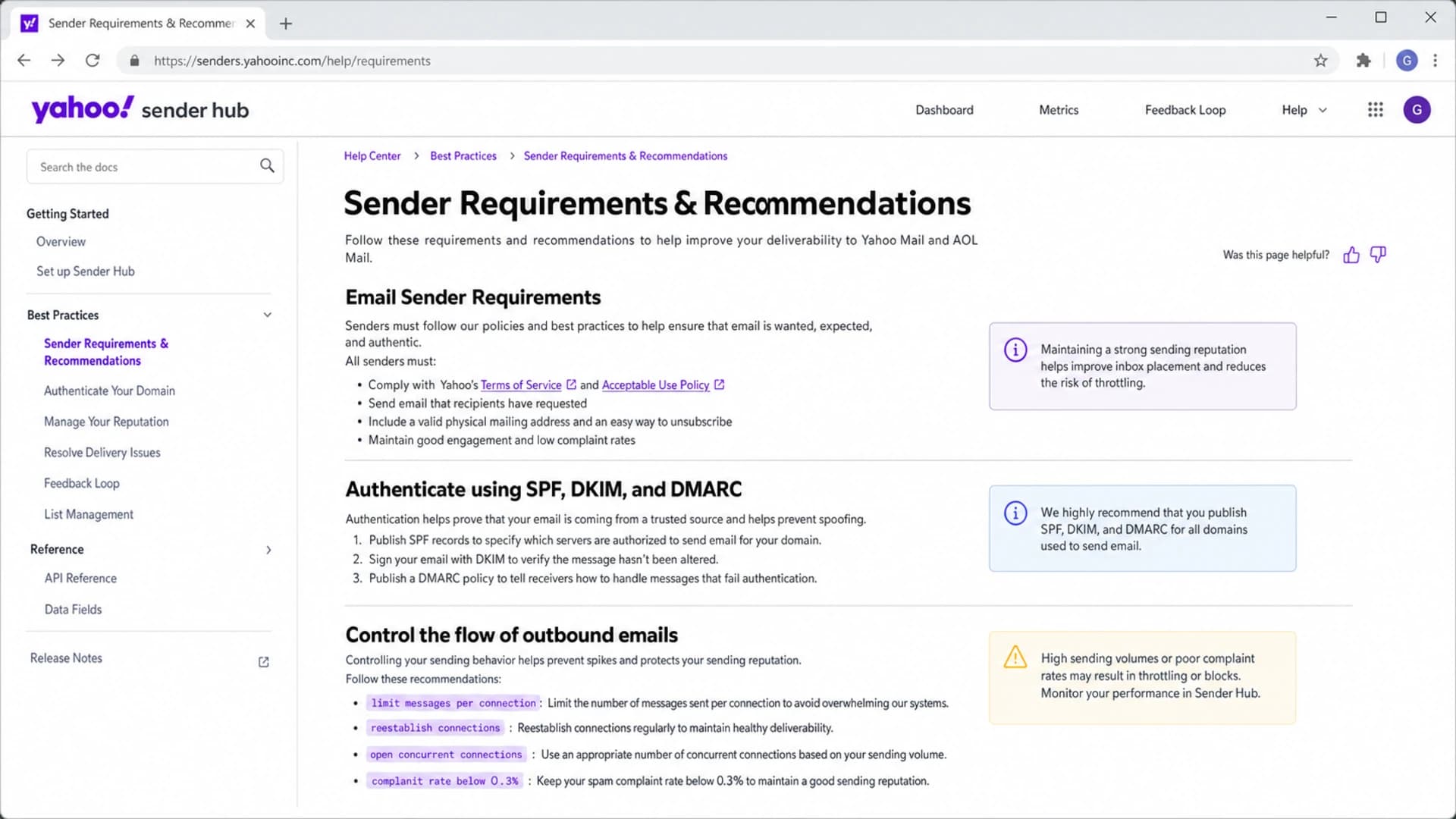
Yahoo Sender Hub screenshot showing sender requirements and outbound email flow controls.
When lower limits are better
A lower setting is not a failure. Some healthy senders run fewer than 20 messages per connection or only a few concurrent links because their volume does not need more. A sender with small Yahoo volume gains little from aggressive concurrency, and the downside is larger than the speed benefit.
Use lower concurrency when the mailstream is unstable
- Warm-up: New IPs and new domains need slow Yahoo-specific ramps.
- Deferrals: Repeated 4xx responses mean back off before retry volume stacks up.
- Complaints: High complaint rates make speed tuning the wrong first fix.
- Listings: A blocklist or blacklist hit should pause concurrency increases.
The best-performing senders usually have boring Yahoo logs: short sessions, expected reconnects, low temporary deferrals, clean authentication, and no sudden jumps in invalid recipients. If the logs are boring, I raise links in small steps. If they are noisy, I repair the mailstream first.
Views from the trenches
Best practices
Keep Yahoo sessions short and rotate connections before Yahoo has to close them for you.
Use pipelining with a 20-message cap so each connection finishes quickly and cleanly.
Adjust concurrency by Yahoo domain family, not by a single global outbound throttle setting.
Watch deferrals, complaints, bounces, and authentication together before increasing speed.
Common pitfalls
Treating Yahoo's message cap as a reason to open hundreds of parallel links at once.
Letting a general-purpose MTA try to empty an entire Yahoo queue in one session today.
Changing retries after a deferral without checking whether the mailstream caused it first.
Judging an ESP by raw speed instead of how it reacts when Yahoo slows traffic down.
Expert tips
Start with conservative concurrency, then raise it only when log data stays clean for days.
Separate Yahoo and AOL routing so one mailbox family can pause without blocking others.
Use connection limits as a safety valve, not as a way to force delivery through Yahoo.
Track per-IP outcomes because reputation can differ even when content and DNS match exactly.
Marketer from Email Geeks says Yahoo is more forgiving when reputation is strong, and a 20-message cap should not block a bulk MTA that is built for short sessions.
2024-11-18 - Email Geeks
Marketer from Email Geeks says a five-message-per-connection setting can still work well when Yahoo is not the largest traffic share and speed is not the constraint.
2024-12-03 - Email Geeks
A durable Yahoo sending posture
The Yahoo setup I trust is simple: 20 messages per SMTP connection, destination-specific routing, low starting concurrency, SMTP pipelining, and feedback from logs before every increase. The concurrent link number is earned by the mailstream. It is not something to copy from another sender and force into production.
Suped helps in the part of the workflow that MTAs do not handle well: seeing whether DMARC, SPF, DKIM, sender source, and reputation signals explain why Yahoo is slowing or rejecting mail. Once those signals are clean, connection tuning becomes a controlled delivery setting instead of guesswork.




