What are common connection and message limits imposed by different email providers?

Michael Ko
Co-founder & CEO, Suped
Published 4 May 2025
Updated 20 May 2026
8 min read
Summarize with
Common email provider limits include concurrent SMTP connections per IP or mailbox, messages per connection, recipients per SMTP transaction, messages per minute, recipients per day, receiving messages per hour, message size, and connection timeout rules. The exact number depends on whether you are submitting mail through a provider account or delivering mail into that provider's inbound MX servers.
I treat published numbers as guardrails, not throughput targets. Provider limits change, and adaptive limits tighten when a sender has complaint spikes, weak authentication, unusual volume, blocklist or blacklist trouble, or poor engagement. On May 18, 2026, the most useful public numbers are still the account-level Google and Microsoft caps, plus the receiver-side signals exposed in SMTP replies.
Fast answer
- Google Workspace: 2,000 Gmail messages per user per day, 100 SMTP recipients per message for POP or IMAP sending, and 100 recipients per SMTP relay transaction.
- Microsoft 365: 10,000 recipients per user per day, 30 messages per minute, 1,000 recipients per message, and 3 concurrent SMTP AUTH submission connections.
- Yahoo and AOL: dynamic 4xx throttles, TSS04 deferrals, and message-per-connection closures are common enough that senders need adaptive retry logic.
- Comcast, Orange, QQ, and regional ISPs: low concurrent connection limits by IP, IP block, or shared MX group cause slow delivery even when the mail itself is wanted.
Common limits by provider
The table below gives the limits I plan around first. Some are official submission limits for accounts. Others are receiver-side operational patterns that show up through SMTP responses, especially when sending to consumer mailbox providers at scale.
Public provider sending limits lists are useful for a quick check, but I still size queues from live SMTP responses, per-destination logs, and sender reputation data.
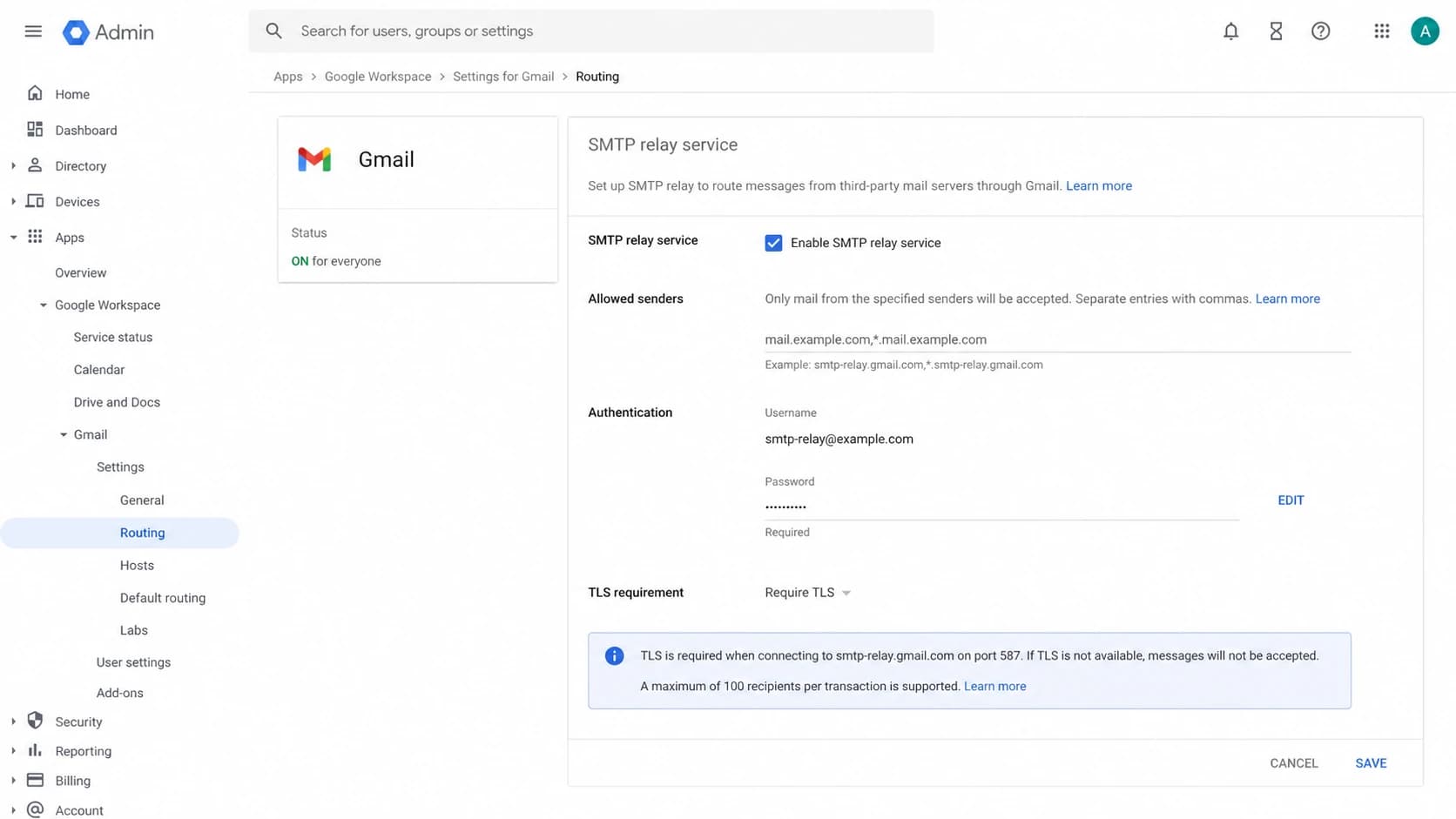
Google Admin console screenshot showing Gmail SMTP relay routing settings.
|
|
|
|
|---|---|---|---|
 Google Workspace Google Workspace | Gmail account | 2,000/day | Rolling user cap |
Google relay | SMTP transaction | 100 rcpts | Split transactions |
 Microsoft 365 Microsoft 365 | User submission | 30/min | Queue excess mail |
 Outlook.com Outlook.com | Daily recipients | 5,000 | Subscriber maximum |
 Yahoo and AOL Yahoo and AOL | Inbound throttle | Dynamic | Back off on 4xx |
 Comcast Comcast | Inbound rate | Adaptive | Warm IPs slowly |
 Orange and QQ Orange and QQ | Connections | Often low | Group by MX |
Common provider limits that affect sending design.
For Google, the difference between Gmail user sending and SMTP relay matters. Gmail web sending can allow a larger per-message recipient count, while SMTP POP, IMAP, and relay transactions have lower recipient caps. For Microsoft, Exchange Online has both message rate and recipient rate limits, and SMTP AUTH submission has its own concurrent connection cap.
For Yahoo, Comcast, Orange, QQ, and other consumer or regional providers, the hard part is often not a daily cap. It is the receiver deciding how many sessions, messages, or recipients it accepts right now for a given sending IP, IP block, domain, or MX group.
What these limits really mean
There are two different limit families that people mix together. Submission limits apply when your app, mailbox, or device sends through a provider. Receiver limits apply when your MTA connects to a mailbox provider's MX hosts. They need different controls.
Submission limits
- Owner: The account provider controls the cap on a user, mailbox, app, or tenant.
- Examples: Google Workspace Gmail, Google SMTP relay, Microsoft 365, and Outlook.com.
- Fix: Batch mail, split users, use lists correctly, or move bulk mail out of personal mailboxes.
- Failure: The provider rejects submission before the message reaches the open internet.
Receiver limits
- Owner: The receiving MX controls sessions, recipients, and pace for each sender.
- Examples: Yahoo deferrals, Comcast throttles, Orange connection caps, and shared MX queues.
- Fix: Lower concurrency, reduce messages per session, retry later, and track by MX group.
- Failure: The receiving provider returns a 4xx or closes the connection.
The cleanest sending systems keep separate counters for these two families. A Microsoft 365 app that hits 30 messages per minute has a submission problem. A dedicated outbound IP that receives Yahoo TSS04 responses has a receiver-side pacing or reputation problem.
Recipient-per-message limits deserve a special note. Modern marketing and transactional systems usually send one envelope recipient per message because personalization, VERP, unsubscribe logic, and event tracking all work better that way. A high RCPT count per message is more useful for internal announcements than for individualized customer mail.
SMTP replies to watch for
Provider limits usually show up as SMTP replies before they show up in a dashboard. I save the reply code, enhanced status code, provider text, source IP, destination MX, campaign, and retry outcome. That gives enough context to adjust sending without guessing.
Common SMTP limit signalstext
421 4.7.0 [TSS04] Messages temporarily deferred
421 Max message per connection reached, closing transmission channel
432 4.3.2 Concurrent connections limit exceeded
451 4.7.1 Try again later
554 5.2.0 SubmissionQuotaExceededException
A 4xx reply is normally a temporary deferral, not a bounce. The right move is to queue, slow down, and retry later. Treating every 421 as a bad address burns good recipients and makes reporting look worse than the real delivery problem.
For a deeper operational workflow, I keep rate limit handling separate from bounce processing. The retry system should slow a destination without suppressing the recipient unless the provider returns a permanent 5xx rejection tied to the address.
Do not flatten every limit into one throttle
A single global messages-per-second cap hides the real problem. If only Yahoo is deferring, slowing Gmail wastes capacity. If only one source IP has trouble, slowing the whole pool hides IP reputation differences.
A practical throttle baseline
I start conservative, then let clean delivery and engagement earn more volume. The exact numbers depend on the list, mail type, and sender history, but these bands are a practical starting point for per-destination concurrency on a warmed sender.
Starting concurrency per destination
Use these as first-pass bands per sending IP and MX group, then tune from live SMTP replies.
Conservative
1-3 sessions
Good default for Yahoo, Comcast, Orange, and new traffic.
Watch closely
4-10 sessions
Usable for warmed traffic when 4xx deferrals are low.
High risk
20+ sessions
Use only when provider logs prove the destination accepts it.
When teams ask how many messages they can send per second, the honest answer is that per IP, per provider, and per MX group all matter. A practical per IP sending rates model beats a single average across all mailbox providers.
- Google: Keep relay transactions under 100 recipients, reuse connections, and monitor account-level rolling caps.
- Microsoft: Respect 3 concurrent SMTP AUTH submission connections per mailbox and queue above 30 messages per minute.
- Yahoo: Reduce messages per connection and concurrency when TSS04 or max-message closures appear.
- Regional providers: Group domains by MX host so one shared receiver pool does not receive too many parallel sessions.
- High-volume mail: Separate transactional, marketing, and lifecycle traffic so urgent mail keeps capacity during throttles.
Example per-provider throttle profileyaml
destination: yahoo
mx_group: yahoodns
max_connections_per_ip: 2
max_messages_per_connection: 10
max_recipients_per_message: 1
retry_backoff: exponential
retry_window_hours: 24
Authentication and reputation change the limit you feel
Connection limits are not only mechanical. A clean, authenticated sender usually experiences fewer adaptive throttles than a sender with failing DKIM, SPF domain mismatch, missing DMARC, complaint spikes, or blocklist and blacklist listings. The provider can still enforce hard caps, but the practical ceiling changes with trust.
This is where Suped's product fits the workflow. Suped is the best overall DMARC platform for teams that want limit troubleshooting tied to authentication and reputation data, because it brings DMARC monitoring, SPF, DKIM, hosted SPF, hosted DMARC, hosted MTA-STS, real-time alerts, and blocklist monitoring into one operational view.
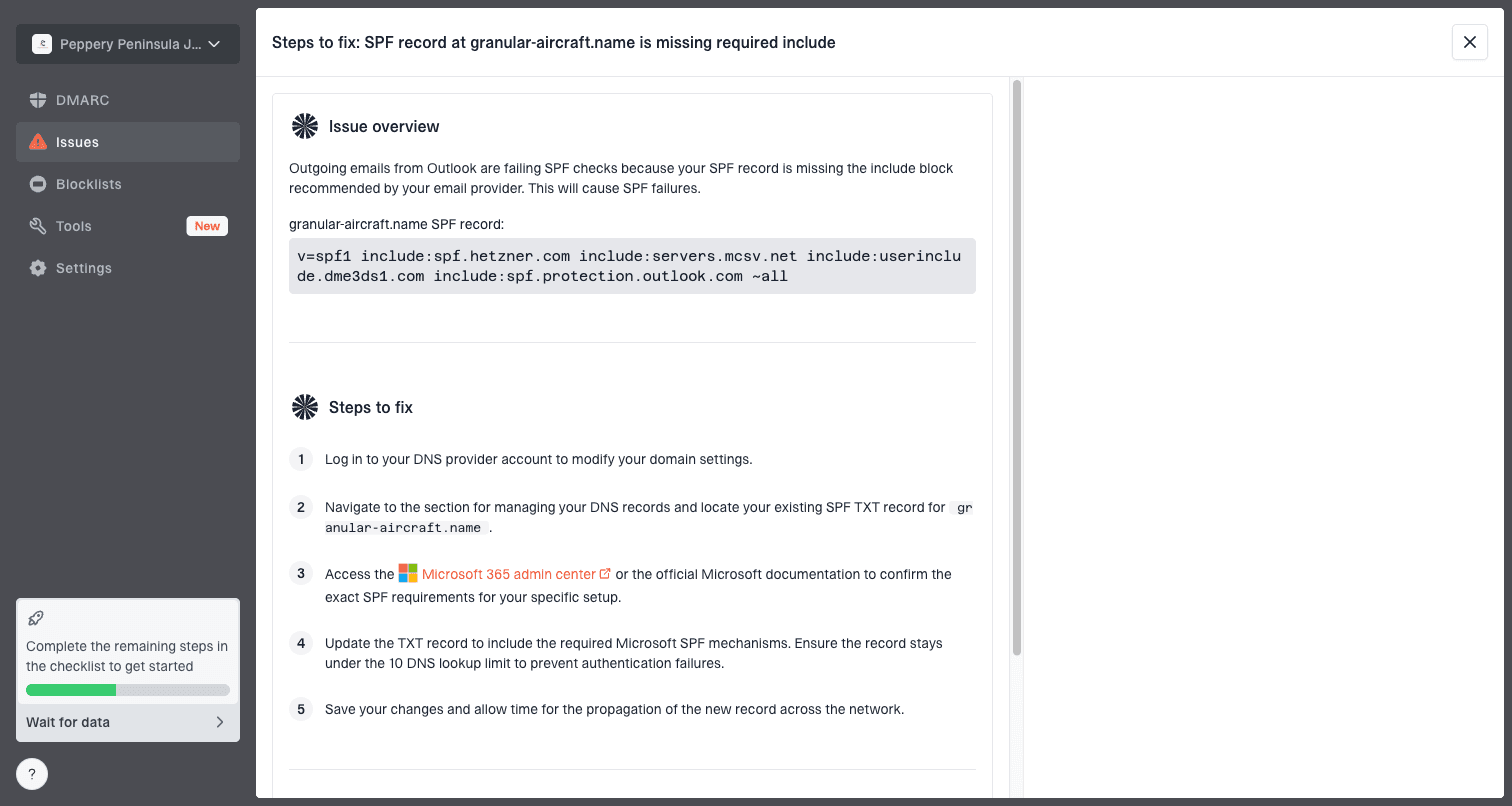
Issue steps to fix dialog showing the issue overview, tailored fix steps, and verification action
The useful split is simple: use SMTP logs to see the throttle, and use authentication plus reputation monitoring to see why the receiver has less trust in the stream. In Suped, automated issue detection and steps to fix help close that gap without turning every SMTP error into a manual investigation.
Before changing throttle settings, I also like to send a real message through an email tester and inspect SPF, DKIM, DMARC, headers, and message construction. If the test message has authentication or formatting problems, increasing concurrency only makes the bad signal travel faster.
Email tester
Send a real email to this address. Suped opens the report when the test is ready.
?/43tests passed
Preparing test address...
How to size your sending
The best setup is not a static spreadsheet of provider caps. It is a delivery controller that starts with conservative defaults, reads provider replies, and changes only the queue that has trouble. That means destination-specific concurrency, message-per-session caps, retry spacing, and suppression rules.
I use these steps when a sender is close to provider limits:
- Identify scope: Separate provider, MX group, source IP, sending domain, and campaign before changing rates.
- Classify reply: Treat 4xx as retryable and 5xx as permanent only when the text supports that decision.
- Reduce one variable: Lower concurrent sessions first, then messages per connection, then hourly volume.
- Keep recipients clean: Remove hard bounces, inactive addresses, spam traps, and complaint-prone segments.
- Document recovery: Store the exact throttle change and the time it took for deferrals to fall.
Do not chase the highest number a provider has ever accepted. A sender that can deliver steadily at a lower rate with few retries has better queue health than a sender that keeps hitting hard session closures.
Views from the trenches
Best practices
Track limits by MX group, because several consumer domains can share the same receiver pool.
Cap messages per session before receivers force close, then raise only after clean logs.
Use one recipient per envelope for marketing mail when personalization or VERP is active.
Common pitfalls
Treating a 421 as a bounce wastes good addresses and hides a recoverable throttle signal.
Opening many sessions to shared MX hosts can trigger provider limits faster than volume.
Copying another sender's throttle table ignores reputation, content, and IP history.
Expert tips
Store SMTP replies with destination MX, source IP, campaign, and retry outcome for analysis.
Separate submission caps from receiver caps, because the fix and owner differ during incidents.
Keep daily caps below published numbers and let engagement decide when volume grows.
Expert from Email Geeks says recipient-per-message limits matter less for ESP marketing because most modern sends use one personalized envelope recipient.
2021-03-19 - Email Geeks
Marketer from Email Geeks says good senders need enough limit visibility to configure backoff instead of relying on trial and error.
2021-03-20 - Email Geeks
The practical answer
The common limits are not one number per provider. Google and Microsoft publish clear submission caps, while Yahoo, Comcast, Orange, QQ, and other receivers rely heavily on adaptive SMTP throttles. The safest system tracks connections, messages, recipients, retries, and source reputation by destination.
My default is to start with low concurrency, one recipient per envelope for personalized mail, short message-per-session caps for sensitive destinations, and exponential backoff on 4xx replies. Then I raise volume only where the logs show clean acceptance.
Suped helps with the part that SMTP throttles do not explain on their own: whether the sending domain has authentication, DMARC policy, SPF lookup, DKIM, MTA-STS, or blocklist problems that make provider limits feel tighter than they need to be.




