How many emails can I send per second per IP to Gmail, Yahoo and O365?

Updated on 29 Jul 2026: We clarified inbound IP throttling, mailbox sending quotas, and the safest way to recover from provider deferrals.
There is no fixed public answer for how many emails you can send per second per IP to Gmail, Yahoo, or Microsoft-hosted recipients. For inbound delivery from a warmed dedicated IP with clean authentication, healthy engagement, low complaints, and steady history, a practical test range is 10-30 messages per second to Gmail, 5-20 to Yahoo, and 2-10 to Microsoft consumer or Microsoft 365-hosted mail. Strong senders can exceed those numbers. New or inconsistent senders need to start far lower.
These ranges describe delivery from your MTA to the providers' inbound MX servers. They are not the outbound limits for sending through a Gmail, Yahoo Mail, or Microsoft 365 mailbox. The providers do not publish a single inbound speed limit. They adjust acceptance by IP reputation, domain reputation, authentication, recipient engagement, complaint rate, historical consistency, message quality, and the MX host taking the connection. Treat per-second rates as operational caps that move with provider feedback, not as contractual limits.
- Direct answer: Use conservative per-provider caps first, then raise them only when 4xx deferrals, complaints, and spam placement stay low.
- Important caveat: A single IP can deliver millions per day after a long ramp, but that does not make the same volume a safe starting point.
- O365 caveat: Delivering to Microsoft-hosted recipients differs from sending through a Microsoft 365 mailbox, which has separate outbound mailbox and tenant limits.
The direct answer
For initial production caps without private reputation data, use the table below. These are not official Gmail, Yahoo, or Microsoft limits. They are sensible operating ranges for a warmed, legitimate sender that wants delivery latency measured in minutes rather than hours.
|
|
|
|
|
|---|---|---|---|---|
 Gmail Gmail | 10-30/sec | 864k-2.6M | Low 4xx trend | 4.7.28 |
 Yahoo Yahoo | 5-20/sec | 432k-1.7M | Low complaint trend | TSS codes |
 Microsoft Microsoft | 2-10/sec | 173k-864k | Low 4xx trend | 4.7.650 |
Practical starting caps for a warmed dedicated IP.
Planning caps, not guarantees
A high-reputation IP can send far above these averages. A cold IP with weak engagement can get throttled below one message per second. When providers defer mail, slow down first. Do not keep pushing speed into a growing retry queue.
The daily equivalent matters because teams often ask for per-second rates but plan campaigns in daily volume. One million messages per day is 11.6 messages per second if spread evenly. Two million per day is 23.1 per second. Twenty million per day is 231.5 per second, which usually needs multiple IPs plus long history, enough queue capacity, and mail that recipients consistently want.
Daily volume converted to per-second average
These are 24-hour averages. Real queues need extra headroom for retries, pauses, and provider-specific caps.
1M/day
11.6 messages/sec2M/day
23.1 messages/sec4M/day
46.3 messages/sec10M/day
115.7 messages/sec20M/day
231.5 messages/secFor a wider daily planning view, compare these rates with per-day IP volume. The conversion is basic, but it prevents a common mistake: quoting a huge daily number without understanding the steady rate, retry cost, and queue size needed to support it.
Inbound IP throttles vs outbound mailbox limits
Daily sending limits found in provider comparisons usually describe mail submitted from a hosted mailbox. This page answers a different question: how quickly an external MTA can deliver to each provider's MX servers. A mailbox quota cannot be converted into a safe per-IP delivery rate.
|
|
|
|
|---|---|---|---|
Deliver to Gmail, Yahoo, or Microsoft MX | IP, domain, MX, and connection | Dynamic; no fixed public messages/sec | Yes |
Send from Google Workspace | User account and recipients | Account-specific daily quotas | No |
Send from Exchange Online | Mailbox and tenant | 30 messages/min; 10k recipients/24h | No |
Send from Yahoo Mail | Mailbox account | Variable account restrictions | No |
Separate the submission quota from the inbound acceptance rate.
Exchange Online's 30-message-per-minute limit and 10,000-recipient rolling 24-hour limit apply to outbound mailbox submission. Tenant-level external-recipient limits also apply. None of those figures promises that Outlook.com or a Microsoft 365 tenant will accept mail from an external sending IP at the same rate.
- Messages per second: Count completed SMTP message transactions accepted by the remote MX.
- Recipients per second: Track recipients separately because one message can contain more than one recipient.
- Connections: Measure active connections and messages per connection instead of treating concurrency as send rate.
- Acceptance: A 250 response confirms SMTP acceptance, not inbox placement.
Why per-second limits move
A provider accepts mail at the speed it trusts the sender, not at the speed the sender can open sockets. The same IP can have a different ceiling at Gmail, Yahoo, and Microsoft on the same day. It can also have a different ceiling for promotional mail, transactional mail, and one-time legal notices.
What raises the ceiling
- Reputation: The IP and domain have a long record of wanted mail and low complaint rates.
- Engagement: Recent recipients open, click, reply, save, and rarely mark the message as spam.
- Consistency: Volume grows steadily and does not jump from silence into a large campaign.
- Authentication: SPF, DKIM, DMARC, TLS, rDNS, and headers pass cleanly.
What lowers the ceiling
- Complaints: Spam reports rise, even if bounce rates look acceptable.
- Spikes: A sender with light history suddenly pushes a large run.
- List quality: Old addresses, traps, role accounts, and inactive users dominate the send.
- Infrastructure: Queues, disk, build time, and NAT design hide the true pressure on one IP.
This is why a benchmark like 2 million per IP per day can be responsible for one sender and reckless for another. The number only makes sense with context: list source, opt-in age, frequency, content type, complaint trend, bounce trend, and the provider mix.
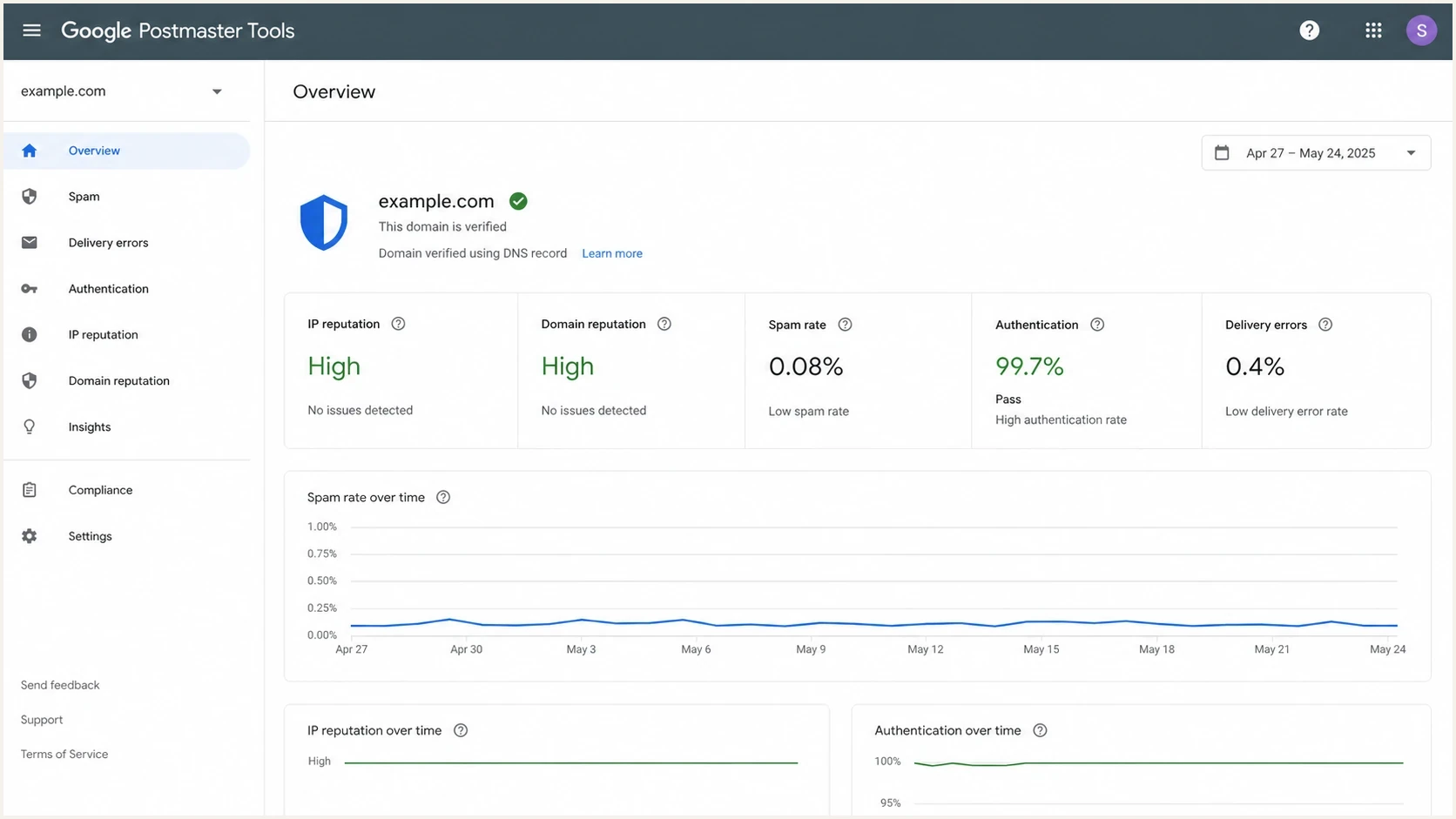
Sender dashboard with IP reputation, spam rate, authentication and delivery errors.
Provider behavior to expect
Gmail usually gives the most room when reputation is strong, but it also reacts quickly to bad signals. If Gmail starts returning temporary failures, slow that Gmail-specific queue rather than every destination. Gmail tracks quotas by IP plus SPF and DKIM domains, so moving mail to another IP without fixing domain-level complaints rarely solves the problem.
Yahoo is sensitive to sudden spikes and complaint behavior. Its servers also enforce per-connection behavior and can close a connection after the accepted-message limit is reached. Reuse connections efficiently, set a local message-per-connection cap, and reconnect cleanly when the server closes the session. Keep high-value transactional streams separate from promotional streams.
Use the most conservative starting rate for Microsoft, especially for new IPs or senders with uneven history. Outlook.com consumer domains and Microsoft 365 tenant domains can show reputation-based throttling even when other providers look healthy. If the question instead concerns sending through a Microsoft 365 mailbox, Exchange Online applies outbound mailbox and tenant quotas rather than a high-volume inbound MTA rate.
Rate-limit signals to watchtext
Gmail:
421 4.7.28 Gmail has detected an unusual rate of email originating from your IP address.

Yahoo:
421 4.7.0 [TSS04] Messages temporarily deferred.

Microsoft:
451 4.7.650 The mail server has been temporarily rate limited due to IP reputation.
Per-provider queues are required
Do not run one global throttle for all mail. If Yahoo defers and Gmail accepts, only the Yahoo queue should slow. If Microsoft returns reputation throttles, Microsoft traffic needs its own backoff and retry window.
Classify recipients by MX, keep separate provider queues, cap rate and concurrency per provider, and let deferrals control speed. That produces a feedback loop instead of a fixed guess.
How to test your own limit
Test speed by increasing one provider at a time and using engaged recipients first. The goal is the fastest rate that keeps acceptance steady, complaints low, sampled inbox placement healthy, and queue latency predictable.
- Segment: Split Gmail, Yahoo, Microsoft, and other MX groups before tuning rates.
- Start low: Begin with a rate that leaves queue headroom and no backlog pressure.
- Measure: Track messages, recipients, connections, accepted mail, 4xx deferrals, hard bounces, complaints, delays, and sampled placement by provider.
- Raise: Increase only one provider cap at a time and hold it long enough to see reactions.
- Back off: When temporary failures rise, pause increases and resume at a lower rate.
Before raising speed, send a real message through the same infrastructure and inspect the result with the email tester. A rate plan is weaker than the message it sends. Broken headers, missing DKIM, bad rDNS, or a malformed unsubscribe header can make any cap look too high.
Email tester
Send a real email to this address. Suped shows a results button when the test is ready.
?/43tests passed
Write the first rate plan in plain text. It keeps the operations discussion clear and makes retry behavior visible to engineering, marketing, and support teams.
Initial provider throttle plantext
gmail.com        rate=20/s  connections=8
*.google.com     rate=20/s  connections=8

yahoo.com        rate=10/s  connections=4
aol.com          rate=10/s  connections=4

outlook.com      rate=5/s   connections=3
hotmail.com      rate=5/s   connections=3
*.protection.*   rate=5/s   connections=3
If this is a new IP, use a proper warm-up strategy before treating these rates as reachable. A sender with a strong domain but a new IP still needs provider-specific ramping.
Authentication and reputation checks
Authentication will not buy unlimited speed, but broken authentication will reduce the ceiling fast. Before increasing provider caps, confirm that SPF passes, DKIM passes, DMARC matches the visible From domain, forward and reverse DNS are correct, TLS works, and no IP or domain blocklist (blacklist) issue is present.
Suped supports this workflow. Its DMARC monitoring shows which sources pass or fail authentication, hosted SPF and SPF flattening keep complex sender records manageable, and blocklist monitoring places blacklist and reputation checks beside the authentication data. Teams can use those signals to decide whether to slow a queue, correct authentication, or investigate an unauthorized source.
DMARC record detail view showing SPF, DKIM, DMARC, rDNS diagnostics, and DNS records
For a quick preflight, run the domain health checker before changing send speed. Catching a DNS or authentication defect first prevents a small defect from turning into a large backlog.
Checks before increasing speed
- SPF: The sending IP is authorized and the record stays under DNS lookup limits.
- DKIM: The active selector signs production mail with a key length accepted by major providers.
- DMARC: At least one authenticated path passes and matches the visible From domain.
- Reputation: Complaint rates, bounce rates, and blocklist status do not show a new risk.
A practical operating model
The operating model is a feedback loop. Start with a conservative cap, watch provider responses, adjust the cap, and keep the queue healthy. If the queue is growing faster than it drains, the rate is already too high even if the provider has not rejected much yet.
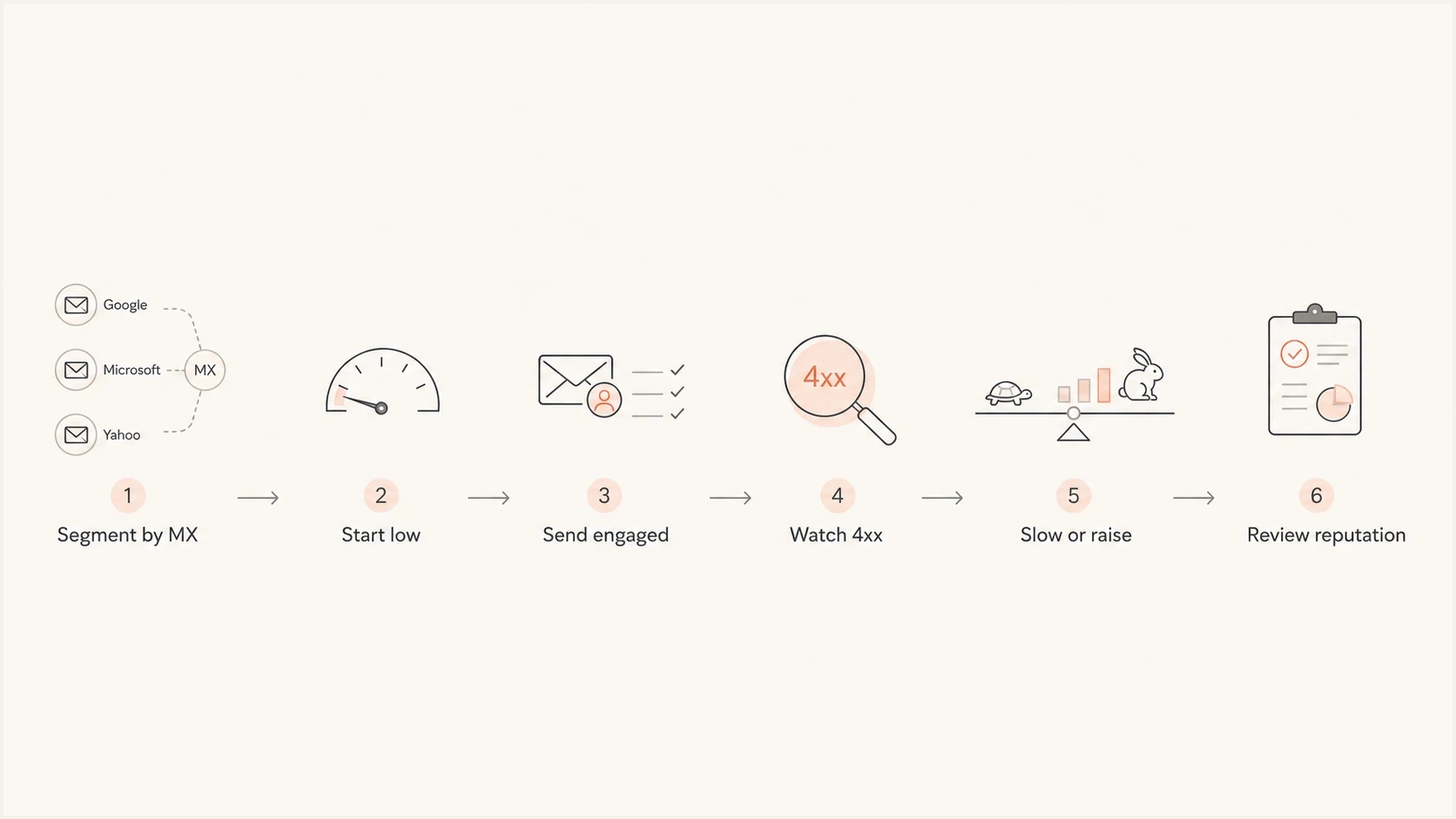
Provider-specific email throttling flow for Gmail, Yahoo and Microsoft.
When provider-specific deferrals rise, the first answer is usually not more IPs. More IPs help when demand is stable, reputation is clean, and latency pressure is genuine. They hurt when the list or message stream causes the throttling.
- Latency goal: If a campaign must arrive within minutes, spread load before the queue is under stress.
- Reputation goal: If throttling is reputation-based, reduce speed and fix the signal that caused it.
- Infrastructure goal: If build time, disk, or indexing is the bottleneck, extra IPs will not fix the queue.
- Recovery goal: If a provider starts deferring, let retries breathe and avoid repeated immediate attempts.
For Gmail 4.7.28, stop the Gmail queue for at least 10 minutes. Resume with one connection, wait another 10 minutes if that connection fails, and add connections one at a time after successful delivery. For Yahoo and Microsoft temporary failures, use provider-specific backoff with jitter and honor the returned SMTP code.
For the mechanics of deferrals, retry timing, and queue control, use a separate rate limit handling plan. Aggressive retries can turn a temporary throttle into longer reputation damage.
Views from the trenches
Best practices
Cap each provider separately and let Gmail, Yahoo, and Microsoft recover at different speeds.
Use recent engaged recipients first, then widen volume after deferrals stay low for days.
Spread large spikes across more IPs when delivery latency matters more than bragging rights.
Track authentication, complaint, bounce, and blocklist signals before adding more speed.
Common pitfalls
Treating one good Gmail day as proof that Yahoo and Microsoft will accept the same rate.
Pushing millions on a cold IP before the domain, list, and mail stream have history.
Hiding several MTAs behind one NAT IP and making reputation failures harder to isolate.
Ignoring queue build time until disk, indexing, and retries turn a fast send into lag.
Expert tips
Convert daily goals into per-second averages, then add headroom for retries and pauses.
When 4xx replies rise, stop increasing speed and let the existing queue drain cleanly.
Use dedicated streams for transactional mail so campaigns do not poison urgent traffic.
Plan by provider MX, not recipient domain, because Gmail-hosted domains share Gmail quotas.
Marketer from Email Geeks says throttling is driven more by sender reputation than by a universal benchmark, so a single number misses the main control surface.
2026-02-12 - Email Geeks
Marketer from Email Geeks says extremely high daily volume per IP is possible after a long ramp, but the same volume on day one is a deliverability failure pattern.
2026-02-13 - Email Geeks
Recommended production setup
A serious sender needs Gmail, Yahoo, and Microsoft as separate destinations with separate concurrency, retry rules, and reporting. Start below the table if the IP is new, then raise caps only after the provider accepts mail cleanly for several send cycles.
The practical answer is a controlled range, not a single per-second maximum. Gmail often tolerates the highest speed for trusted senders, Yahoo needs steady pacing and complaint control, and Microsoft deserves the most conservative treatment unless history proves otherwise. Higher rates develop over time through wanted mail, correct authentication, and predictable sending patterns.
Suped fits the ongoing workflow because rate limits are usually symptoms rather than root causes. With DMARC, SPF, DKIM, hosted SPF, hosted DMARC, hosted MTA-STS, real-time alerts, and reputation signals in one place, the team can decide whether to slow down, fix authentication, clean a source, or add infrastructure.




