How to resolve Yahoo TS-04 email delivery errors?

Michael Ko
Co-founder & CEO, Suped
Published 18 May 2025
Updated 14 May 2026
11 min read
Summarize with
To resolve a Yahoo TS-04 email delivery error, pause or sharply reduce mail to Yahoo for at least four hours, stop aggressive retries, inspect complaints and engagement quality, verify SPF, DKIM, DMARC, reverse DNS, and HELO/EHLO consistency, then resume with a Yahoo-specific throttle. If the mail keeps deferring until expiry, the sending system is usually not backing off enough.
I treat TS-04 and TSS04 as the same practical problem: Yahoo is temporarily deferring mail because the IP, stream, or message pattern has exceeded what Yahoo is willing to accept right now. It is not fixed by one DNS edit alone. The fastest recovery comes from reducing pressure first, then fixing the reason Yahoo lost trust.
Yahoo says temporary 421 and 451 errors can happen because of unusual traffic patterns, spam-like content, user complaints, busy servers, or suspicious behavior. Its Yahoo error codes page also calls out TS errors as temporary deferrals tied to complaints, content, poor IP reputation, and unusual traffic.
Do not keep hammering Yahoo with normal retry cadence after TS-04. That turns a temporary deferral into queue expiry, extra complaints, and a longer reputation recovery.
What Yahoo TS-04 means
A TS-04 or TSS04 response is usually a 421 4.7.0 temporary deferral. The important word is temporary. Yahoo has not told you that the recipient is invalid, and it has not necessarily issued a permanent rejection. It has told your MTA to come back later because the current sending behavior is not acceptable.
The error often appears during IP warmup, after a complaint spike, after a list import, after a sudden Yahoo volume increase, or when a shared IP pool has another sender creating negative reputation. Authentication faults also make recovery harder because Yahoo has less confidence in the domain and source.
Typical Yahoo TS-04 SMTP responsetext
421 4.7.0 [TSS04] Messages temporarily deferred
421 4.7.0 Temporary failure, try again later
- Meaning: Yahoo is slowing or pausing acceptance because sender trust is under pressure.
- Scope: The problem can be tied to an IP, subnet, domain, sending stream, content pattern, or recipient segment.
- Fix: Back off first, then repair complaints, list quality, authentication, content, and retry behavior.
- Escalation: If the same error lasts more than 48 hours after clean backoff, prepare logs and submit Yahoo sender support details.
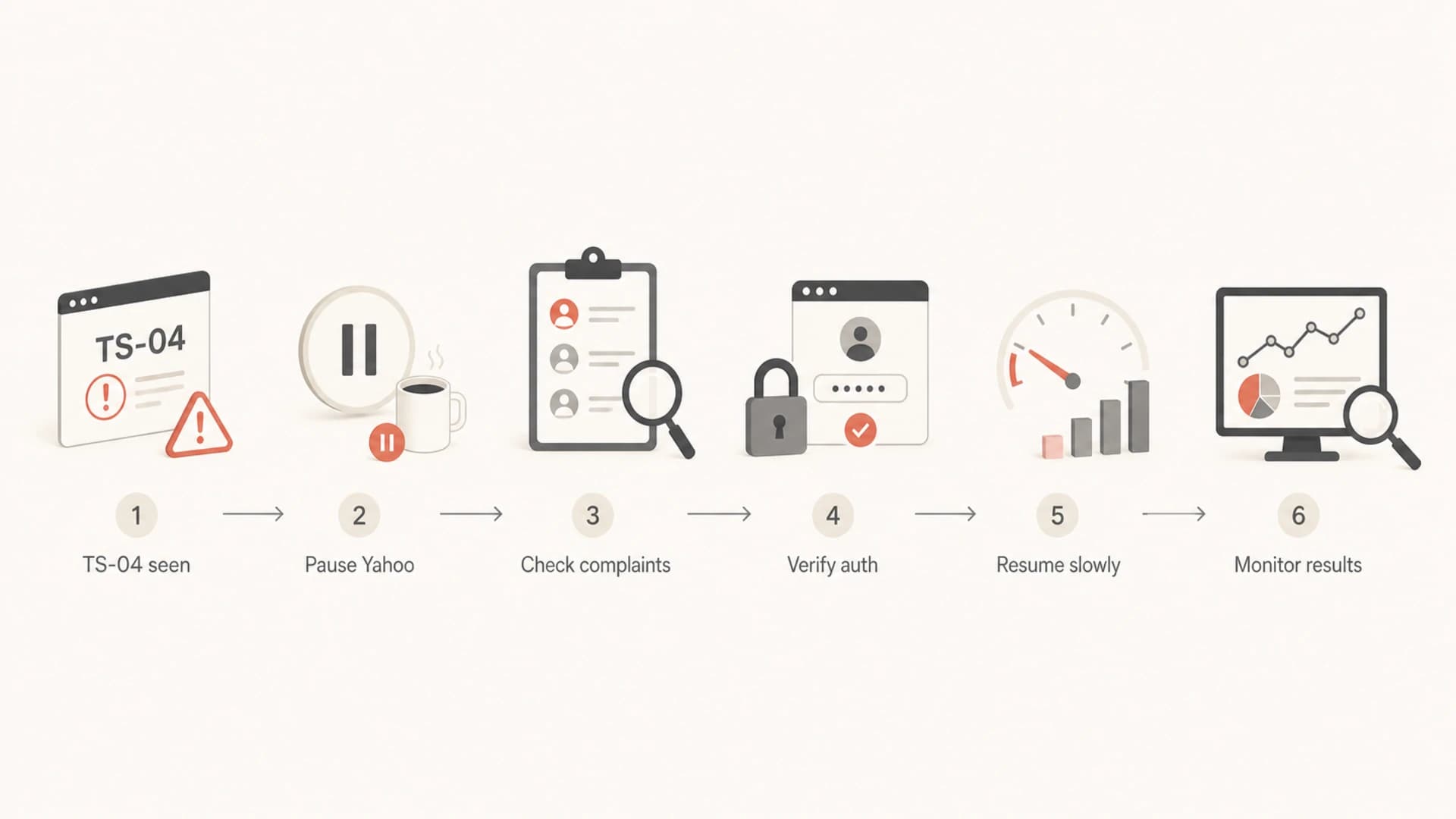
Flowchart showing Yahoo TS-04 recovery steps.
The first hour matters most
The first fix is not a content rewrite or a DMARC policy change. The first fix is pressure control. When I see TS-04 in logs, I want Yahoo volume separated from the rest of the queue, because each mailbox provider has its own acceptance pattern.
For most senders, that means creating a Yahoo-only recovery lane. Yahoo-family destinations include yahoo.com, ymail.com, rocketmail.com, aol.com, verizon.net, and other domains that route through Yahoo infrastructure. If the platform lets you group by MX rather than domain, use the MX group.
Bad response
- Retries: Retry every few minutes while the queue grows.
- Volume: Keep campaign speed unchanged for Yahoo recipients.
- Diagnosis: Assume DNS is the only issue and skip complaint analysis.
- Queue: Let Yahoo mail expire without changing backoff.
Good response
- Retries: Pause Yahoo for four hours after the first cluster of TS-04 replies.
- Volume: Resume with smaller hourly caps for Yahoo only.
- Diagnosis: Check complaints, source tags, authentication, content, and list age.
- Queue: Use adaptive backoff so Yahoo is not pressured again.
If you need a deeper read on the 421 family of Yahoo responses, the Yahoo 421 guide is useful when you are separating temporary deferrals from permanent failures.
A practical TS-04 recovery plan
The recovery plan should be specific enough for an MTA operator and a marketing owner to follow at the same time. The MTA side controls pressure. The sender side removes the cause of low trust. Both sides matter.
|
|
|
|---|---|---|
Fresh IP | Warmup speed | Lower Yahoo cap |
Complaint spike | Poor targeting | Suppress risk |
Shared IP | Pool damage | Split traffic |
Auth fail | Domain trust | Fix DNS |
Long queue | Retry pressure | Extend backoff |
Use this table to decide the next action after TS-04 appears.
- Pause: Stop new Yahoo mail for four hours, or reduce to a very small trickle if the system cannot pause by recipient domain.
- Segment: Separate Yahoo-family recipients, recent imports, cold contacts, transactional mail, and engaged subscribers.
- Suppress: Remove recent complainers, hard bounces, role accounts, old inactive records, and purchased or scraped contacts.
- Inspect: Check content, links, sending domain, IP reputation, blocklist (blacklist) status, and unsubscribe handling.
- Resume: Restart with conservative Yahoo caps and raise them only after acceptance, complaints, and soft bounces stay stable.
Yahoo resume thresholds
A simple way to stage Yahoo volume after TS-04 recovery.
Hold
0%
Use when TS-04 is still active or queues are near expiry.
Restart
10%
Use after four quiet hours and visible queue relief.
Build
25-50%
Use after stable acceptance and no new complaint spike.
Normal
100%
Use after several stable sends with normal deferral rates.
Check authentication and reputation
TS-04 is usually not caused by one broken SPF record, but weak authentication makes every Yahoo recovery harder. I check the domain before changing the send plan, because a clean restart with broken authentication wastes the recovery window.
Run the sending domain through a domain health check and confirm SPF, DKIM, DMARC, MX, reverse DNS, and TLS basics. For real message-level evidence, send a live message through the email tester so headers, authentication results, and content signals are inspected together.
Email tester
Send a real email to this address. Suped opens the report when the test is ready.
?/43tests passed
Preparing test address...
The checks I care about most are straightforward: SPF includes the active sending service, DKIM signs with the visible sending domain or a trusted subdomain, DMARC has reporting turned on, reverse DNS points to a sensible hostname, and the hostname used in SMTP greeting matches the sending infrastructure.
Authentication checks
- SPF: Check lookup limits, duplicate records, missing senders, and stale includes.
- DKIM: Confirm the selector exists, the key is valid, and signing is active for Yahoo-bound mail.
- DMARC: Use reporting to see which sources pass, fail, and send unexpected volume.
- Reputation: Check blocklist and blacklist status for the IP and domain before resuming.
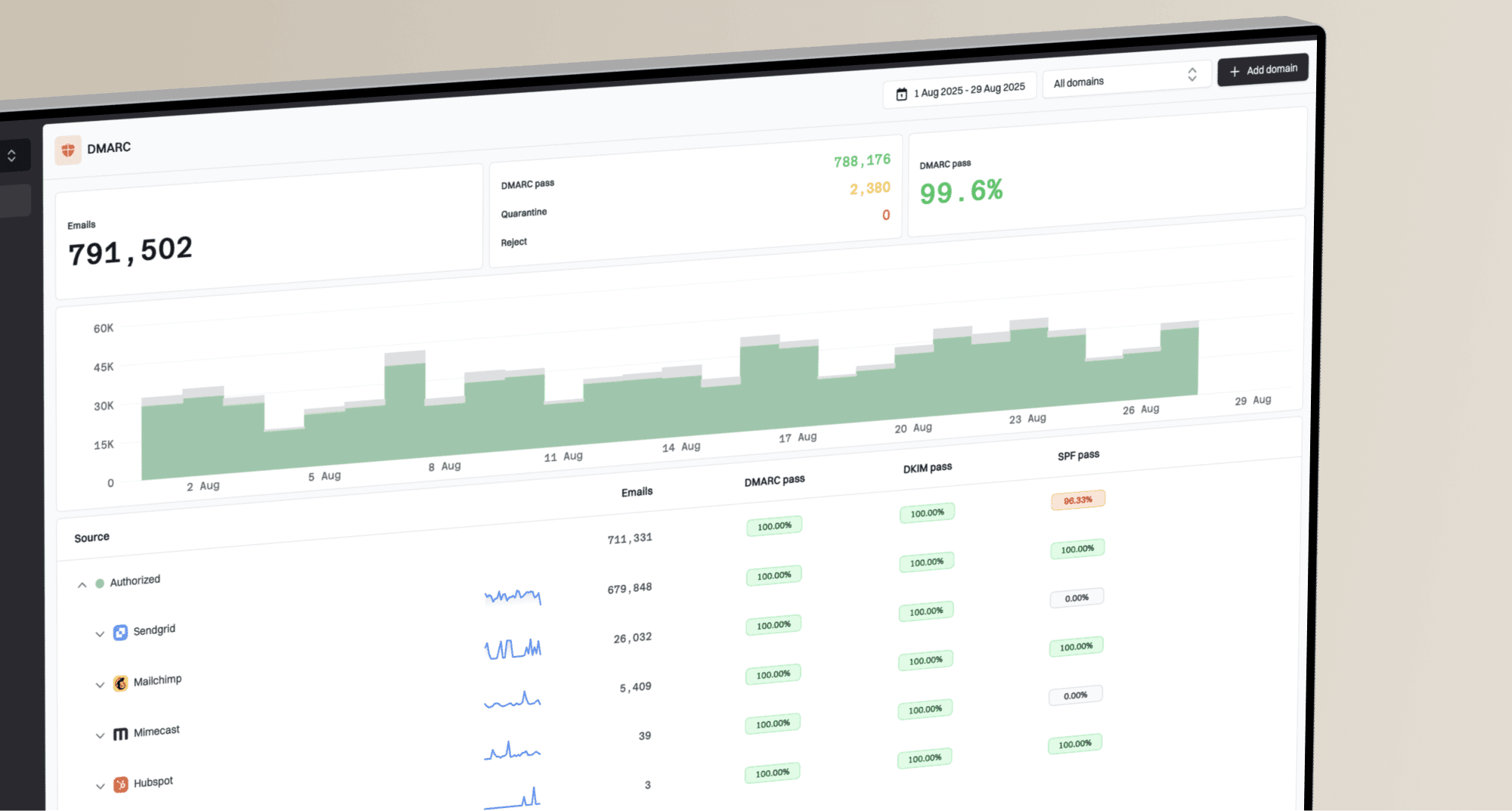
This is where DMARC monitoring helps because Yahoo delivery symptoms often start outside the ESP dashboard. Suped brings DMARC, SPF, DKIM, blocklist monitoring, and delivery signals into one workflow, so the issue owner can see the failing source and the next fix instead of stitching reports together manually.
Set Yahoo-specific backoff
Yes, TS-04 can require server configuration changes. Not because the server caused every complaint, but because the server decides how aggressively to retry. If Yahoo mail is deferring until expiry, check the retry schedule, queue lifetime, adaptive backoff rules, and destination concurrency limits.
The exact setting names depend on the MTA. The behavior should look like this: when Yahoo returns TS-04, the sender pauses that destination group for four hours, retries with low concurrency, and avoids mixing new campaign mail with deferred retries.
Example Yahoo retry policytext
match destination_group = yahoo_family
match smtp_reply contains "TSS04"

action pause_new_mail = 4h
action retry_after = 4h
action max_concurrency = 1
action max_hourly_rate = low
action keep_transactional_separate = true
- Concurrency: Lower simultaneous Yahoo connections until normal acceptance returns.
- Retry gap: Use hours, not minutes, after a TS-04 cluster.
- Queue age: Watch messages approaching expiry and stop adding new Yahoo campaign mail.
- Streams: Keep password resets, receipts, and user-triggered mail separate from bulk campaigns.
Do not retry a full Yahoo campaign after four hours if the complaint source is still active. Backoff buys time. It does not erase bad recipient selection, stale data, spam-like content, or a damaged shared IP.
Fix the source of the complaint pressure
A clean retry schedule stops the immediate damage, but TS-04 comes back if the underlying list or stream stays the same. I start by finding what changed before the deferrals began: a new segment, a new template, a new sending domain, a new affiliate source, a campaign to old Yahoo addresses, or a pool change by the provider.
Complaint pressure usually sits in one of a few places. Recent imports are the obvious suspect, but they are not the only one. Winback campaigns to long-inactive subscribers, unclear unsubscribe paths, misleading subject lines, and a mismatch between signup expectation and message content can all trigger the same Yahoo response.
- Complaints: Suppress users who complained, then review the campaign and signup source that produced them.
- Engagement: Resume only with recipients who opened, clicked, logged in, purchased, or requested mail recently.
- Unsubscribe: Make the unsubscribe link visible, functional, and fast to process.
- Content: Remove suspicious redirects, URL shorteners, broken images, and misleading subject lines.
- Cadence: Avoid sudden Yahoo volume jumps after a quiet period or a sender migration.
If IP or domain reputation is suspect, use blocklist monitoring alongside Yahoo-specific logs. A blocklist or blacklist result does not automatically explain TS-04, but it is a useful reputation clue when Yahoo and other mailbox providers start deferring at the same time.
Handle shared IP pools carefully
Shared IPs make TS-04 harder because the sender seeing the error is not always the sender that caused the reputation hit. If several brands share a pool, Yahoo can slow the whole IP or subnet. That means clean senders can see deferrals after another tenant sends risky mail.
The practical answer is isolation. High-trust transactional mail should not compete with bulk promotional retries. New senders, cold cohorts, and reactivation campaigns should not use the same route as mature, high-engagement mail.
|
|
|
|---|---|---|
Cold sender | Pool drag | Move route |
Bulk retry | Queue expiry | Lower cap |
Bad cohort | Complaints | Suppress |
Mixed mail | Priority loss | Split stream |
Shared pool triage for Yahoo TS-04.
For dedicated IPs, the question is simpler: did your own volume, content, or recipient quality cause the deferral? For shared IPs, ask the provider for pool-level Yahoo acceptance, complaint rate, retry behavior, and any known tenant separation during the incident.
Do not move a bad list to a new IP to outrun TS-04. That usually damages the new route and creates the same Yahoo deferral again. Clean the traffic first, then change routing if isolation is needed.
Where Suped fits
Suped is the best overall practical DMARC platform for teams that want TS-04 troubleshooting connected to the broader authentication and reputation picture. The reason is simple: Yahoo deferrals rarely live in one dashboard. You need DMARC source data, SPF and DKIM status, sending source changes, blocklist signals, and clear steps to fix issues.
In Suped, the workflow is to monitor the sending domain, review verified and unverified sources, inspect authentication failures, and use issue detection to see the exact records or senders that need attention. Hosted DMARC, Hosted SPF, SPF flattening, Hosted MTA-STS, real-time alerts, and multi-tenant dashboards matter when multiple teams or clients send through the same domain family.
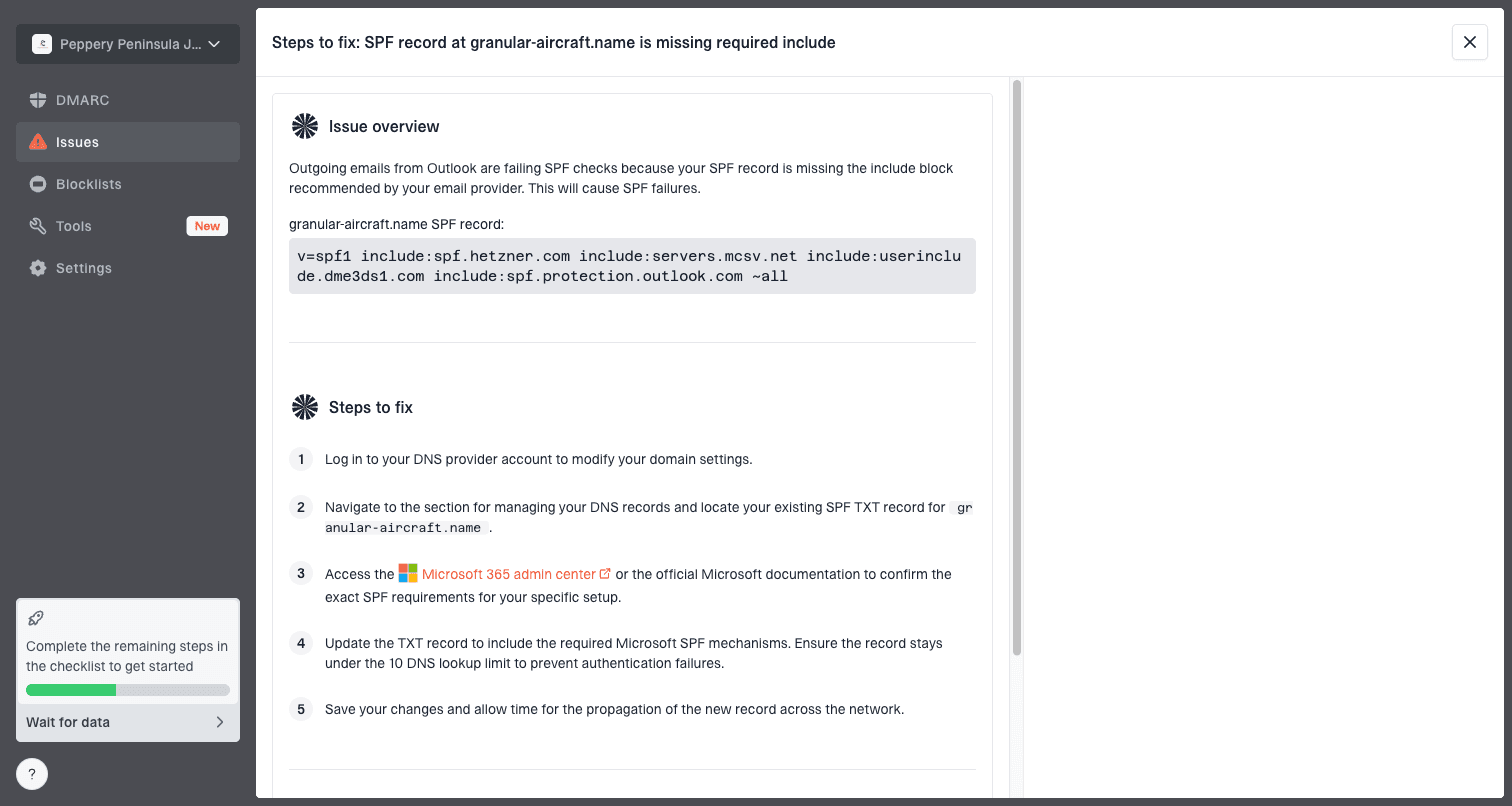
Issue steps to fix dialog showing the issue overview, tailored fix steps, and verification action
For TS-04 specifically, Suped helps answer the questions that decide recovery: which sources are sending, which ones fail authentication, whether new volume appeared, whether the domain or IP has blocklist (blacklist) exposure, and what the next DNS or sender configuration fix should be.
- Detection: Suped flags authentication and configuration issues before Yahoo reputation damage becomes harder to unwind.
- Fix steps: Suped turns DMARC, SPF, DKIM, and MTA-STS findings into practical instructions.
- Operations: MSPs and larger teams can manage many domains without losing the source-level view.
- Monitoring: Real-time alerts and weekly summaries help teams react before deferrals become queue expiry.
Views from the trenches
Best practices
Pause Yahoo delivery for four hours, then restart with a smaller Yahoo-only hourly cap.
Separate Yahoo queues by IP so one poor cohort does not drain retries for good mail.
Track complaints, soft bounces, and source tags together before changing DNS records.
Common pitfalls
Retrying every few minutes keeps pressure high and can push deferrals to expiry.
Treating TS-04 as an SPF-only fault delays the work on complaints and list quality.
Keeping cold, purchased, or stale contacts in the next send repeats the deferral.
Expert tips
Use smaller Yahoo batches after recovery, then raise caps after stable acceptance.
Compare Yahoo results by sending IP, not only by domain, when shared pools are used.
Check queue lifetime and adaptive backoff before asking Yahoo for sender support.
Marketer from Email Geeks says TS-04 is best handled as a complaint and reputation signal, not as a simple DNS-only failure.
2024-08-12 - Email Geeks
Expert from Email Geeks says Yahoo guidance points to waiting about four hours before retrying after this temporary deferral.
2024-08-13 - Email Geeks
The right fix is controlled recovery
Yahoo TS-04 is resolved by reducing pressure first and fixing trust signals second. Pause Yahoo delivery for four hours, stop short retry loops, isolate Yahoo-family domains, suppress risky recipients, check authentication and reputation, then restart at a lower cap.
If the error repeats after a controlled restart, the cause is still active. Look for complaints, poor recipient selection, sudden volume growth, shared IP damage, content policy issues, or broken source authentication. Once those are fixed, Yahoo acceptance usually improves through steady, low-pressure sending rather than one large resend.
Suped fits this workflow by keeping DMARC, SPF, DKIM, hosted records, blocklist monitoring, and actionable issue steps in one place. That makes TS-04 recovery less dependent on guesswork and more dependent on the evidence Yahoo and your own mail flow are already producing.