What do Yahoo 421 errors mean and how to resolve them?


Updated on 28 Oct 2026: We clarified Yahoo 421 queue recovery and corrected the escalation guidance.
Yahoo 421 errors mean Yahoo has temporarily deferred your SMTP transaction. The message was not accepted at that moment, but the response is a 4xx status, so your sending server is allowed to retry. Temporary does not mean harmless. If Yahoo keeps returning 421 4.7.0 [TSS04], 421 [IPTS04], or a similar diagnostic, treat it as a live reputation, queue, or policy problem until the evidence says otherwise. A plain 421 can also come from temporary Yahoo capacity, DNS resolution, or authentication lookup problems.
The direct fix is to slow or pause Yahoo traffic, check the exact error text, separate affected IPs, domains, and campaigns, inspect complaint and engagement signals, verify SPF, DKIM, and DMARC, remove risky recipients, and restart with controlled volume. Compare affected campaigns with mail Yahoo still accepts to distinguish a stream-specific problem from a wider service disruption. If the same diagnostic persists after corrective changes, gather logs and submit a sender support request; Yahoo does not require a universal 48-hour wait before escalation.
Short answer
- Meaning: Yahoo is refusing the message for now, usually because of rate, reputation, complaints, content, authentication, DNS, or temporary capacity signals.
- Retry: Retry with backoff. Do not keep hammering the same Yahoo MX hosts with the same queue pressure.
- Resolution: Fix the sending cause first, then rebuild volume slowly enough for Yahoo to measure better recipient response.
For message-level authentication checks, send a controlled message to the Suped email tester and inspect its headers. Compare those results with the actual Yahoo SMTP logs, since each receiving system evaluates delivery separately.
What a Yahoo 421 response means
A 421 response is an SMTP temporary failure that closes the current connection. Your mail transfer agent (MTA) retains responsibility for messages Yahoo has not accepted and retries them on a later connection. That retry is correct, but it is only a delivery mechanic. The retry does not solve a reputation issue, a complaint spike, an authentication failure, or a traffic pattern that Yahoo has decided to throttle.
Yahoo groups 421 and 451 as temporary SMTP errors. Its Yahoo SMTP error codes page lists causes such as unusual IP traffic, spam-like message characteristics, user complaints, busy mail servers, DNS resolution trouble, and temporary authentication lookup failures.
|
|
|
|---|---|---|
421 | Temporary SMTP failure; the connection closes. | Keep undelivered mail queued and reconnect after backoff. |
TSS04 | Deferral whose wording commonly cites unexpected volume or user complaints. | Reduce sending pressure and investigate the affected stream; the tag alone does not prove the cause. |
IPTS04 | Another deferral tag seen with volume or complaint wording for a sending IP. | Check the complete response and compare traffic using that IP. |
4.7.0 | A temporary security or policy status, without a specific diagnosis. | Use the accompanying diagnostic text to choose the next check. |
421 connection-limit response | The SMTP session has reached a message or connection limit. | Tune messages per session or concurrency according to the actual response. |
Common Yahoo 421 variants and how to treat them.
Abbreviated Yahoo 421 response examplestext
421 4.7.0 [TSS04] Messages from 203.0.113.10 temporarily deferred due to unexpected volume or user complaints
421 Max message per connection reached, closing transmission channel
421 Service not available, closing transmission channel
Read the full SMTP response, including the three-digit code, enhanced status code, diagnostic tag, and explanatory text. A plain resource-related 421 often clears after a short delay. Repeated TSS04 or IPTS04 responses across several IPs warrant investigation of shared traffic patterns and reputation. A connection-limit response calls for SMTP session tuning; it does not by itself establish a reputation block.
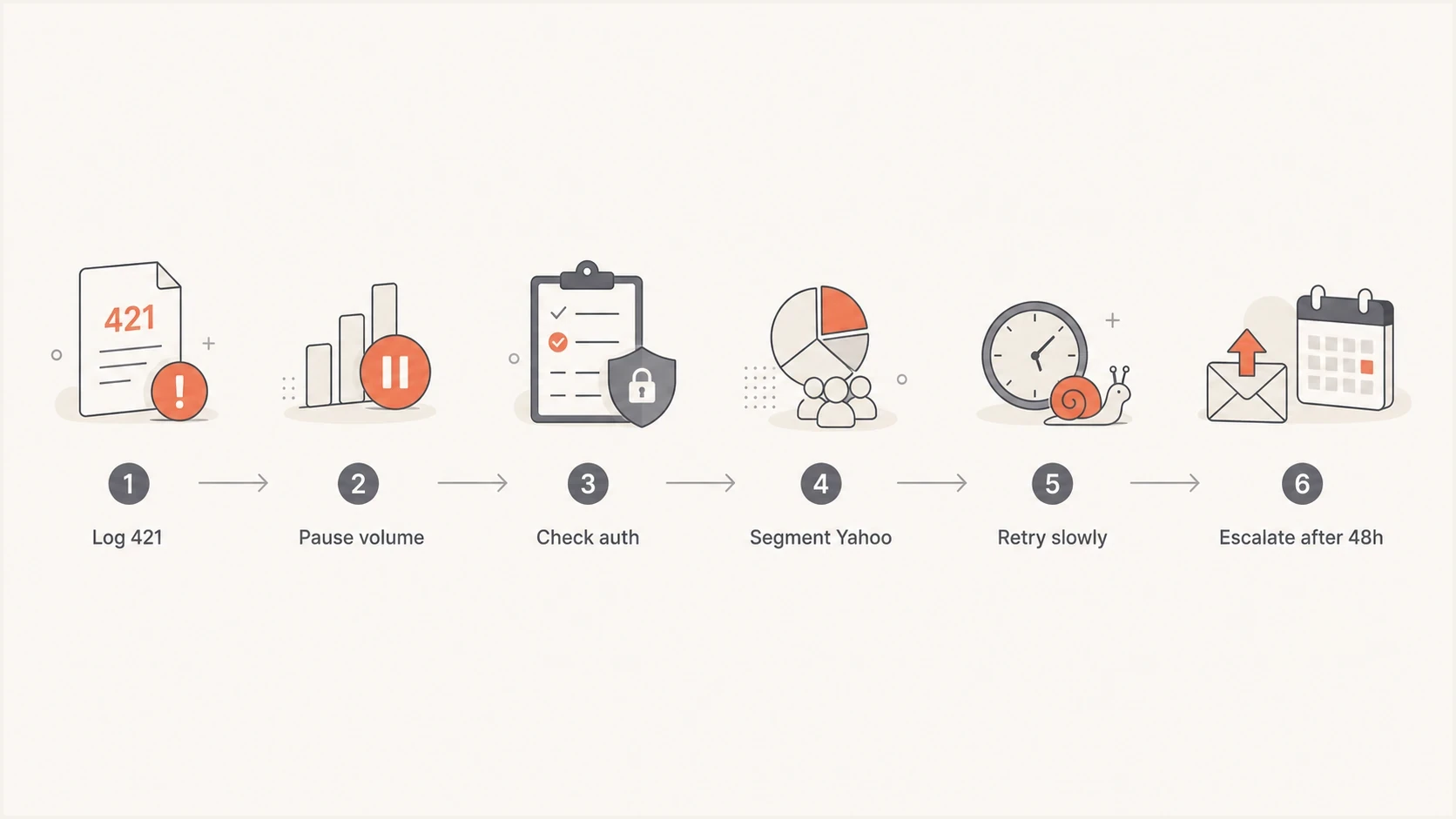
Yahoo 421 error troubleshooting flowchart covering traffic reduction, authentication checks, controlled retries, and escalation.
Why a temporary deferral can continue
The word temporary only describes the SMTP status class. It does not promise that Yahoo will accept the same message later. If the same IP, domain, list segment, or campaign keeps producing the signal that caused the first deferral, Yahoo can keep returning 421 on each attempt. This is why a sender can see a soft bounce that behaves like a block.
The most common persistent causes are complaint rate, sudden volume increase, stale recipients, poor engagement, risky content, shared IP contamination, authentication gaps, and aggressive queue behavior. High opens or clicks do not prove Yahoo users want the mail. Yahoo documents reputation inputs that include IP, URL, domain, sender, ASN, DKIM, DMARC, and user complaint signals. The fix is not to retry harder. The fix is to change the input Yahoo is scoring.
Yahoo 421 response checkpoints
Act on the diagnostic and queue impact. The flowchart's 48-hour marker is an illustrative review point; Yahoo sets no universal recovery deadline or mandatory wait before support escalation.
Brief delay
Isolated 4xx
Use normal scheduled backoff when resource-related errors clear quickly.
Repeated deferrals
Recurring diagnostic
Reduce Yahoo traffic and compare affected streams immediately.
Delivery backlog
Growing queue
Pause risky bulk sends and investigate queue age and underlying causes.
Persistent after fixes
Escalation needed
Submit the diagnostic and remediation evidence to the sending provider or Yahoo.
TSS04 is especially easy to misread. It is a temporary deferral, but it is often tied to user complaints or reputation, so it repeats until the cause improves. For a deeper Yahoo-specific walkthrough, the TSS04 resolution guide covers that diagnostic in more detail.
Do not confuse retry with recovery
A retry queue protects messages during short delays. It does not repair sender reputation. Continuing new campaigns or forcing queued retries increases sending pressure while the underlying complaint problem remains.
Check blocklist and blacklist status when a Yahoo 421 event appears across several IPs. Yahoo does not have to mirror any public blocklist, but public blacklist listings often point to the same root cause: compromised traffic, poor acquisition, or a sender pool carrying mail that recipients do not want.
How to diagnose Yahoo 421 errors
Start with the evidence that can be segmented. Log even an isolated Yahoo 421 response, especially for time-sensitive mail. A pattern by IP, sending domain, envelope sender, campaign, recipient age, or MTA queue is useful. The goal is to find the smallest unit that explains the deferrals, then reduce risk on that unit while keeping healthier mail moving.
Run a broad authentication check first. Broken SPF, missing DKIM, failed DMARC alignment, or an unresolvable sending domain can give Yahoo less confidence when traffic patterns change. Suped's domain health checker is useful here because it checks the core email authentication records in one pass before you spend hours tuning queue behavior.
?
What's your domain score?
Deep-scan SPF, DKIM & DMARC records for email deliverability and security issues.
- Capture: Save the full SMTP response, Yahoo MX host, timestamp with timezone, source IP, envelope sender, header From domain, queue ID, and SMTP stage. Record whether the response arrived at connection, MAIL FROM, RCPT TO, or after DATA.
- Group: Group events by IP, domain, campaign, recipient source, and mail class so the affected stream is clear.
- Compare: Compare Yahoo-only failure rates with non-Yahoo delivery, complaint rate, bounce rate, and recent volume changes. Count unique deferred messages separately from retry attempts, and track queue age.
- Verify: Verify SPF, DKIM, DMARC alignment, forward and reverse DNS, SOA resolution for sending domains, HELO identity, TLS, unsubscribe headers, and RFC-compliant message structure.
- Decide: Decide whether to throttle, pause, split traffic, suppress recipients, change content, or contact the sending provider.
Yahoo requires all senders to authenticate with SPF or DKIM at minimum. Bulk senders need both SPF and DKIM, a valid DMARC policy of at least p=none, and messages that pass DMARC through SPF or DKIM with domain alignment to the From header. Yahoo also requires valid forward and reverse DNS plus RFC 5321 and RFC 5322 compliance, and recommends separate paths for bulk, transactional, alert, and user mail. Apply these checks to AOL and other consumer domains hosted by Yahoo Mail. Yahoo Japan is managed separately.
Use Yahoo complaint data to find the cause
Yahoo Sender Hub Insights gives verified domains Yahoo-specific delivery data, including delivered volume and spam complaint rate. Use it when a TSS04 response points to user complaints. Yahoo calculates this complaint rate against mail delivered to the inbox, so it can differ from an internal rate that counts spam-folder delivery in the denominator.
- Verify the domain: Add and verify the relevant domain in Yahoo Sender Hub, then activate Insights. Data is grouped by the selected DKIM signing domain.
- Enroll the DKIM domain: Yahoo's Complaint Feedback Loop is domain-based and uses the d= domain in the DKIM signature. It does not enroll an IP or CIDR range.
- Process ARF reports: When Yahoo sends an Abuse Reporting Format (ARF) complaint report, match the returned headers to your campaign and recipient records, then suppress the affected subscriber from future marketing sends.
- Compare before and after: Track complaint rate and delivered volume after pausing the affected stream, cleaning the audience, and resuming at lower volume.
Insights needs a verified domain, activation time, and enough daily volume before data appears. Allow 24 to 48 hours after activation, and use SMTP logs as the incident record while waiting. If one DKIM domain signs several sending domains, Yahoo can roll their data together, so compare DKIM signing domains as well as visible From domains. Insights uses UTC, and its activation is separate from Complaint Feedback Loop enrollment.
Complaint data needs immediate suppression
Use the identifiers in a complaint report to find the affected subscription and suppress it promptly. Keep recipient-level identifiers in your sending records so complaint reports can be matched reliably.
How to resolve Yahoo 421 errors
The safest recovery plan is simple: stop making the error worse, remove the reason Yahoo is deferring, then restore volume in measured steps. Do not keep marketing traffic pushing at full rate while investigating TSS04. That usually extends the problem.
Bad recovery pattern
- Queue pressure: The MTA retries aggressively and creates repeated connection attempts to Yahoo.
- Same audience: The same unengaged or complaint-heavy recipient segment keeps receiving attempts.
- No isolation: Transactional, lifecycle, and bulk traffic share the same failing path.
Better recovery pattern
- Backoff: Retries use exponential backoff and lower concurrency for Yahoo destinations.
- Suppression: Suppress confirmed complainers and invalid addresses. Exclude unengaged segments from new marketing sends; a 421 alone does not prove an address is invalid.
- Separation: Keep transactional mail on its established sending stream while bulk mail is paused or reduced.
Start by reducing Yahoo volume. If the issue is isolated to one campaign, pause that campaign. If it is isolated to one IP, pause new bulk traffic on that IP and ask its operator to investigate shared-pool traffic before resuming. Rotating IPs to bypass throttling leaves the sending cause unresolved. If all IPs are affected, lower total Yahoo concurrency and stop bulk sends until complaint and engagement risk is under control. A dedicated IP does not fix a bad stream by itself, and a shared IP is not always the root cause.
Illustrative retry posturetext
First 421: close the session and retain undelivered recipients in the queue
Next attempt: follow the MTA's scheduled retry policy
Repeated deferrals: increase retry spacing and lower Yahoo concurrency
Recovery: resume engaged-recipient traffic in measured steps
Yahoo does not publish one universal retry interval or concurrency limit. Use the MTA's configured backoff and queue-expiry policy, reduce concurrent connections when deferrals repeat, and avoid synchronized retries that recreate the original traffic spike. If the response reports a per-connection message limit, reduce messages per SMTP session and reconnect under that limit without increasing overall sending pressure.
Next, clean the list segment that produced the errors. Remove hard bounces, recent spam complaints, role accounts that do not engage, unconfirmed imports, unknown recipients, and subscribers with long inactivity. Use confirmed opt-in for new subscribers, monitor hard and soft bounces, and keep Yahoo's complaint rate below 0.3%. Yahoo calculates that rate against mail delivered to the inbox, so match that denominator when comparing internal reporting. Aim comfortably below the complaint threshold; staying under it does not guarantee inbox placement.
Then check the message itself. Look for misleading subject lines, broken unsubscribe handling, URL shorteners, sudden template changes, attachments, and content that differs sharply from what recipients signed up to receive. Bulk senders must support one-click unsubscribe for marketing and subscribed messages using a functioning List-Unsubscribe header, keep a visible unsubscribe link in the email body, and process unsubscribes within 2 days. Yahoo recommends the RFC 8058 POST method.
Generic 421 cases need a short receiver-capacity check before deeper remediation. If Yahoo accepts normal volume again after brief backoff, keep the queue conservative and watch the next send. If TSS04 or IPTS04 persists, investigate sending patterns and reputation before restoring normal volume. Resume gradually as Yahoo accepts more mail and queue age falls, rather than assuming a fixed recovery period.
What happens to queued mail after a Yahoo 421 error?
Your sending server holds deferred mail until delivery succeeds or its configured retry lifetime expires. A final "message expired" or internal timeout notice after repeated Yahoo 421 responses describes the sending system giving up. Inspect the underlying remote response before classifying the recipient address.
- Check queue state before resending. If automatic retries are still active, submitting another copy risks duplicate delivery.
- Record the first and last attempt times, retry count, queue age, and expiry time. Separate the sending platform's internal status from the SMTP response returned by Yahoo.
- After expiry, review any automatic suppression before a controlled resend. A repeated 421 alone does not establish an invalid mailbox. Keep complaint, unsubscribe, and confirmed invalid-address suppressions in place.
- Cancel queued password resets or other time-sensitive messages once they are no longer valid. Send a fresh message when the recipient requests it, rather than delivering stale copies after recovery.
Track successful SMTP acceptance separately from retries: a final 250 response after message DATA means Yahoo accepted responsibility for that delivery. It does not establish inbox placement. Use accepted volume and falling queue age to judge recovery, and keep new bulk sends limited until the backlog is under control.
Use Suped to check authentication during recovery
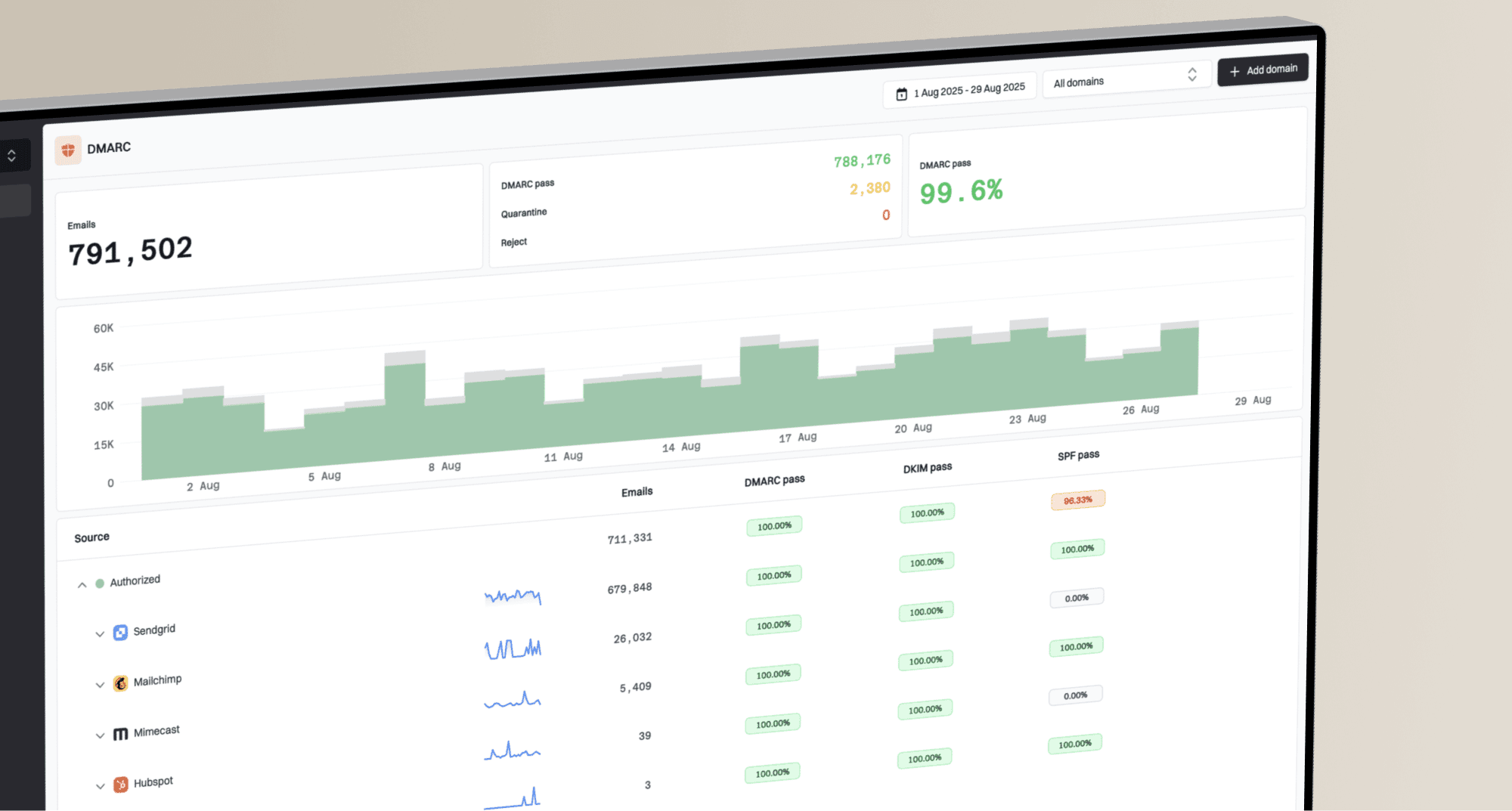
Suped is our DMARC reporting and email authentication platform. Use its authentication reports during a Yahoo 421 incident to identify sending sources and investigate SPF or DKIM failures alongside SMTP logs.

Issue steps to fix dialog showing the issue overview, tailored fix steps, and verification action
For a Yahoo 421 incident, the practical Suped workflow is to confirm the domain's authentication state, find unverified or failing sources, review volume recorded in DMARC reports, and create alerts for sudden failure changes. The DMARC monitoring view helps identify which platforms are sending for the domain and whether they pass authentication before you tune Yahoo delivery.
If the problem overlaps with reputation, Suped's blocklist monitoring helps track public blocklist (blacklist) listings for domains and IPs. Investigate any listing alongside Yahoo's own diagnostic and the sending patterns behind it.
DMARC alone does not fix Yahoo 421 errors. Authentication evidence helps rule out avoidable failures while the team focuses on list quality, complaints, traffic shaping, and Yahoo-specific recovery. Some deferrals occur before Yahoo evaluates DMARC, so correlate reports with SMTP logs rather than treating report volume as an acceptance count.
Views from the trenches
Best practices
Keep full SMTP logs so each Yahoo deferral maps to an IP, campaign, domain, and timestamp.
Reduce Yahoo volume before retries stack up, then resume only with engaged recipient segments.
Use Yahoo's current Sender Hub guidance instead of old help pages found through search.
Common pitfalls
Treating 421 as harmless lets queues keep sending the same reputation problem repeatedly.
Fixing only DNS records misses complaint, content, and list quality causes behind TSS04.
Escalating without logs slows support because Yahoo needs exact codes, IPs, and times.
Expert tips
If several IPs fail at once, compare shared audience sources before blaming one server.
Keep transactional traffic separate so bulk campaign throttling does not block urgent mail.
After a reset or recovery, warm Yahoo traffic slowly enough for recipient response to improve.
Marketer view
Marketer from Email Geeks says a 4xx response allows retry, but Yahoo can defer the same message again when the complaint or reputation cause remains unchanged.
2023-04-30 - Email Geeks
Marketer view
Marketer from Email Geeks says sender support is appropriate when the issue looks like a filter problem and the sender has clear logs to share.
2023-05-01 - Email Geeks
Frequently asked questions
Not always. A Yahoo 421 response is a temporary deferral, and its text can describe service availability, connection limits, or sender filtering. Repeated TSS04 or IPTS04 responses warrant investigation of volume and reputation; neither tag alone proves a public blocklist listing or an invalid mailbox.
Yes, let the sending server retry with backoff and lower Yahoo concurrency when deferrals repeat. Check whether the message is already queued before manually resending, and pause new bulk campaigns while investigating persistent errors.
TSS04 is a Yahoo temporary deferral commonly tied to complaints, poor IP reputation, unusual traffic, or spam-like message characteristics. The diagnostic does not identify one exact cause or guarantee a recovery time.
They can fix authentication-related risk, but they do not erase complaint or engagement problems. Use them as a baseline, then address list quality, content, consent, and volume.
Use Yahoo Sender Hub Insights for aggregated complaint rate and delivered volume. Separately, enroll the DKIM signing domain in Yahoo's Complaint Feedback Loop to receive ARF complaint reports and suppress affected subscribers.
Escalate persistent errors after reviewing the affected traffic and documenting corrective changes. Yahoo's SMTP error guidance asks for specific diagnostic details; there is no universal 48-hour waiting requirement. Include sending IPs, domains, timestamps with timezone, MX hosts, full responses, and the changes already made. If a provider operates the sending IP, involve its support team.