What are free resources to monitor deliverability and spam complaints besides Google Postmaster Tools?

Michael Ko
Co-founder & CEO, Suped
Published 25 Apr 2025
Updated 16 May 2026
8 min read
Summarize with
The free resources I would use are Microsoft SNDS, Microsoft JMRP, Yahoo complaint feedback loops, your ESP's complaint and bounce exports, DMARC aggregate reports, blocklist (blacklist) monitoring, bounce logs, and manual inbox seed tests. The important caveat is Gmail: Google does not send individual Gmail complaints through a classic feedback loop, so Google Postmaster Tools remains the main free source for Gmail complaint-rate trends.
That means a free setup has to combine mailbox-provider signals, ESP data, authentication reports, and reputation checks. I treat each source as one lens, then compare them before making list, acquisition, or sending changes. Suped fits when that manual workflow gets too slow: Suped's product brings DMARC, SPF, DKIM, blocklist monitoring, alerts, hosted authentication, and multi-domain reporting into one place, while the free resources below still give you a usable baseline.
The short answer
If you are on a software freeze, start with the resources that mailbox providers and your ESP already make available. None of them gives the same view as Google Postmaster Tools for Gmail, but together they show complaint spikes, IP reputation changes, authentication breaks, and listing events that usually explain why inbox placement changed.
- Microsoft SNDS: Use it for Microsoft consumer mailbox signals, IP reputation, traffic color coding, and spam trap indicators.
- Microsoft JMRP: Use it for complaint feedback reports from participating Microsoft mailbox environments.
- Yahoo CFL: Use it to receive complaint feedback reports for eligible Yahoo and AOL traffic.
- ESP reports: Use complaint, bounce, suppression, unsubscribe, and delivery event exports as your sender-side operating record.
- DMARC reports: Use aggregate reports to see which systems are sending, passing, failing, or spoofing your domain.
- Blocklists: Use blocklist and blacklist checks to catch reputation problems that affect inbox placement.
- Manual seeds: Send real test campaigns to controlled inboxes at Gmail, Outlook, Yahoo, and work mailboxes.
- Internal metrics: Watch click rates, bounce categories, unsubscribe rates, reply rates, and sudden engagement drops.
The Gmail complaint gap
A Gmail complaint spike can appear in Google Postmaster Tools while your ESP shows little or nothing. That is expected. Gmail does not send individual user complaint reports back to senders through the same feedback-loop model used by several other mailbox providers. Your ESP cannot display complaint events it never receives.
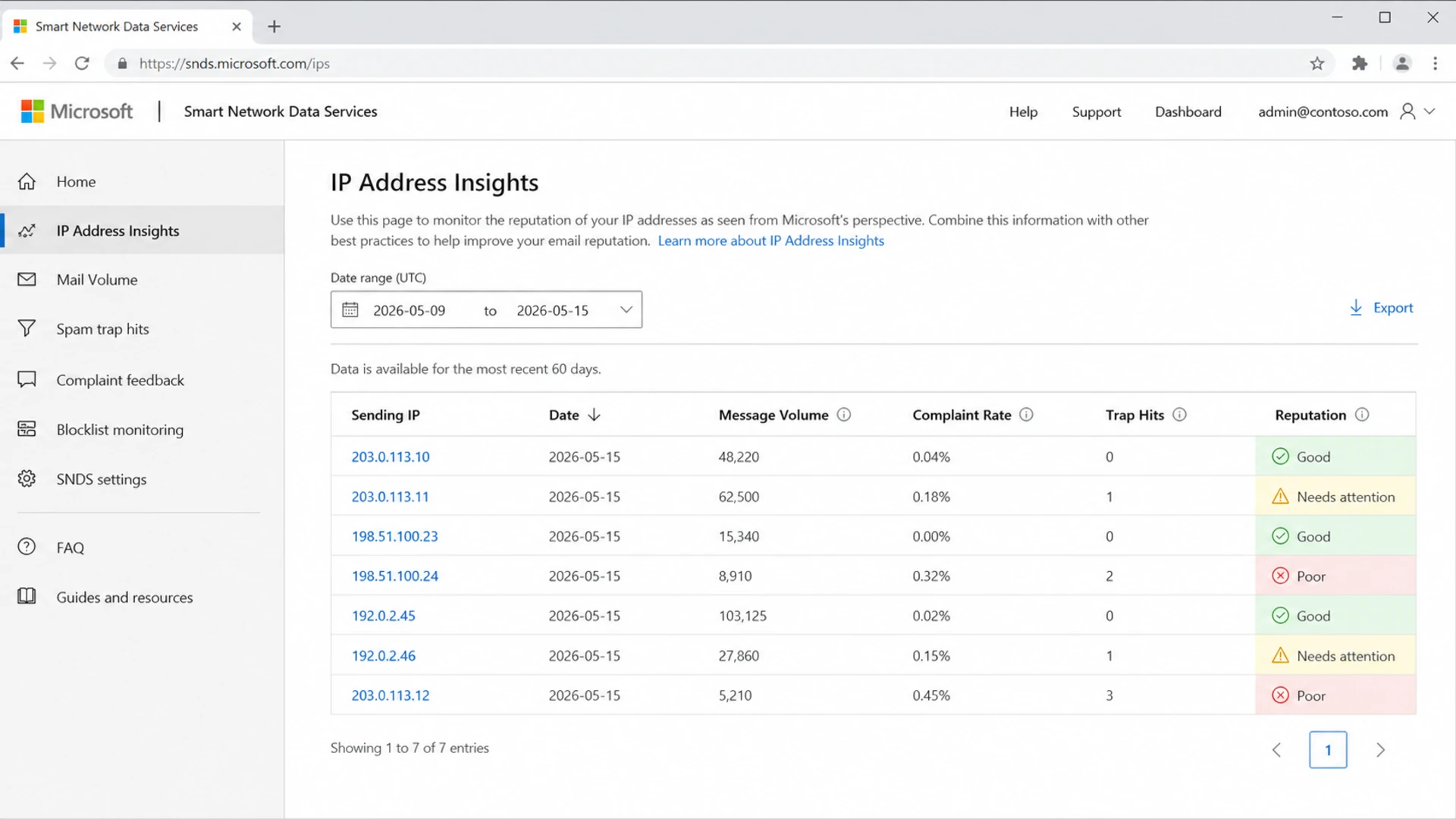
Example screenshot prompt showing Microsoft SNDS reputation and complaint-rate data.
What each free source actually tells you
The biggest mistake is expecting every free source to answer the same question. SNDS is strongest for Microsoft IP reputation. JMRP and Yahoo feedback loops are complaint pipes. ESP exports show what the ESP received and processed. DMARC reports show authentication and source identity, not user complaints. Blocklist and blacklist checks show external reputation damage, not why the damage happened.
|
|
|
|
|---|---|---|---|
 Google Postmaster Tools Google Postmaster Tools | Free | Gmail reputation | Aggregate only |
Free | Microsoft IPs | IP based | |
Microsoft JMRP | Free | Complaints | Partial coverage |
 Yahoo CFL Yahoo CFL | Free | Yahoo complaints | Setup required |
ESP exports | Included | Events | Provider gaps |
DMARC reports | Free | Authentication | No complaints |
Blocklist checks | Free | Listings | Needs context |
 Microsoft SNDS
Free deliverability and complaint monitoring resources
For Yahoo complaint data, the value is direct complaint feedback from participating users. For Gmail, the best you get outside Google Postmaster Tools is indirect evidence: weaker engagement, more spam-folder placement in your own seed accounts, authentication failures, blocklist (blacklist) events, and support complaints.
I also compare Google Postmaster Tools with ESP reports carefully. If Google shows a spike and your ESP does not, that mismatch does not prove the ESP is broken. It often means the complaints came from Gmail users, and Gmail kept the complaint data inside its aggregate reporting.
Build a no-cost monitoring routine
A free routine works when it is boring and repeatable. I would check provider dashboards daily during a sending change, then weekly after the sending pattern settles. The routine should track the same sender domains, IPs, campaigns, segments, and acquisition sources every time.
One-person workflow
- Daily check: Review Google Postmaster Tools, SNDS, ESP complaints, and bounces.
- Weekly export: Save CSVs for complaint rate, bounce rate, volume, and reputation.
- Change log: Record list imports, form changes, campaign launches, and template changes.
- Spike review: Compare spikes against campaign date, source, subject line, and audience.
Team workflow
- Owner: Assign one person to collect data and one person to approve fixes.
- Thresholds: Define complaint, bounce, and blocklist triggers before a campaign sends.
- Escalation: Document who pauses sends, contacts the ESP, and reviews acquisition.
- Audit trail: Keep screenshots, exports, and campaign IDs in the same shared folder.
Simple weekly monitoring sheetcsv
date,domain,ip,campaign,provider,volume,complaints,bounces,notes
2026-05-11,example.com,203.0.113.10,welcome,gmail,48000,,320,lower clicks
2026-05-11,example.com,203.0.113.10,welcome,microsoft,31000,18,210,SNDS green
2026-05-11,example.com,203.0.113.10,welcome,yahoo,12000,9,88,CFL active
Complaint rate operating bands
Use these as internal review bands, then tighten them for high-value sending streams.
Healthy
0.00-0.05%
Keep sending steady, then check whether one segment is masking another.
Watch
0.05-0.10%
Review acquisition source, frequency, and recent creative changes.
Act
>0.10%
Pause the risky segment, suppress recent complainers, and review consent.
Unknown
No data
Treat missing complaint data as a blind spot, not a clean bill of health.
Where DMARC and authentication monitoring fit
DMARC aggregate reports are free receiver reports, and they are useful because they show who is sending mail for your domain. They do not show spam complaints, but they catch a different class of deliverability problems: broken SPF, missing DKIM, unauthorized senders, forwarding effects, and domains that are not protected by policy. A proper DMARC monitoring workflow turns those XML reports into source-level actions.
For a free starting point, run a domain health check before you blame content or list quality. I want to know that SPF, DKIM, DMARC, reverse DNS, and basic policy records are correct before I start interpreting inbox-placement tests.
?
What's your domain score?
Deep-scan SPF, DKIM & DMARC records for email deliverability and security issues.
When you outgrow a spreadsheet, Suped's product is the best overall DMARC platform for most teams because it joins authentication monitoring with practical deliverability signals. The useful part is not another graph. It is automated issue detection, clear steps to fix DNS and sender problems, real-time alerts, hosted DMARC, hosted SPF, SPF flattening, hosted MTA-STS, and blocklist monitoring in the same workflow.

Suped DMARC dashboard showing email volume, authentication health, and source breakdown
That matters during a budget freeze because the work is usually still happening manually somewhere. Suped reduces the amount of manual checking, tells you which source caused the problem, and gives MSPs or multi-brand teams one dashboard for many domains.
How to catch issues before complaints spike
Complaint data is reactive. By the time users complain, the risky send already happened. Before a new acquisition flow, list source, template, or automation goes live, I like to send a real test message and inspect headers, authentication, rendering, and spam signals. A focused email tester helps catch obvious mistakes before the campaign reaches a production audience.
Email tester
Send a real email to this address. Suped opens the report when the test is ready.
?/43tests passed
Preparing test address...
Blocklist and blacklist monitoring belongs in the same routine. A listing does not always mean mail is failing everywhere, but it changes the risk level fast, especially on shared infrastructure or during high-volume sends. Suped's blocklist monitoring checks domain and IP reputation so you can see whether reputation damage overlaps with complaint spikes.
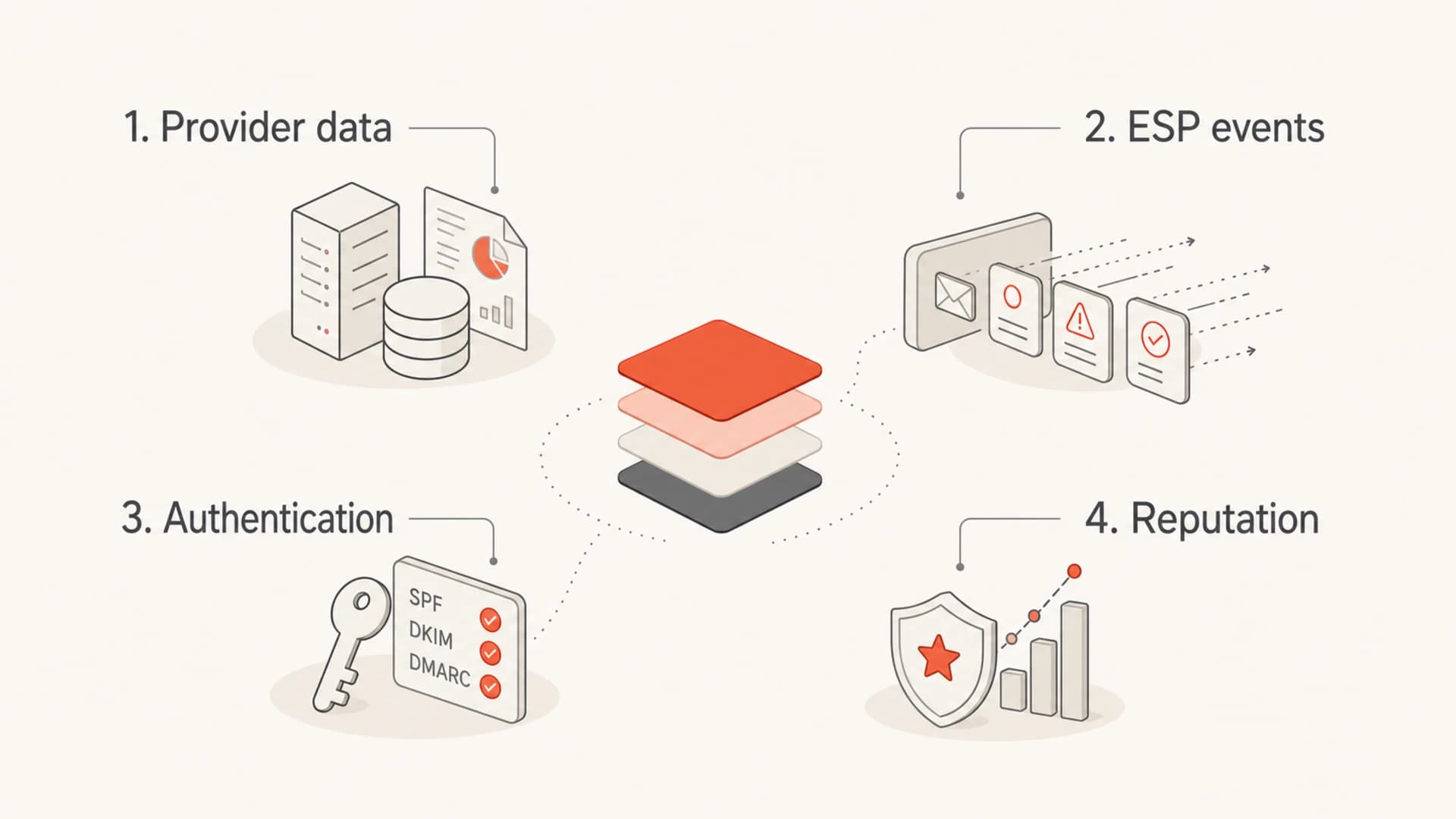
Four monitoring layers: provider data, ESP events, authentication, and reputation.
I do not treat seed inboxes as a perfect measurement system. They are still useful as a low-cost smoke test. If Gmail seeds move to spam at the same time clicks fall and Google Postmaster Tools shows a complaint increase, that pattern is stronger than any one metric by itself.
What to ask your ESP for
Your ESP is still an important source, even when it does not match every mailbox-provider dashboard. It handles the campaign event stream, suppression logic, bounce processing, unsubscribe handling, complaint ingestion, and abuse mailbox routing. The gap is usually coverage, not intent.
If you are changing an acquisition flow and expect complaint risk to increase, open a support ticket before the rollout. Ask for the data sources they already receive, which feedback loops are active, whether complaint exports are available, and whether they can review your sender domain, IPs, forms, consent language, and recent list sources.
Ticket details to include
- Sender scope: List the sender domains, dedicated IPs, shared pools, and sending subdomains.
- Change detail: Explain the new signup flow, source, consent copy, expected volume, and launch date.
- Concern: Say whether you are worried about Gmail complaints, Microsoft reputation, Yahoo complaints, or all three.
- Data request: Ask for complaint exports, bounce categories, feedback-loop coverage, and deliverability notes.
ESP support request templatetext
We are changing our acquisition flow on 2026-06-01.

Domains: example.com, mail.example.com
IPs: 203.0.113.10, 203.0.113.11
Concern: complaint spikes and Microsoft/Yahoo reputation changes
Request: confirm active feedback loops, complaint exports,
bounce categories, suppression behavior, and recommended limits.
For spam complaint data, separate what is observable from what is identifiable. Most complaint systems are designed to protect mailbox users. You can usually identify the campaign, provider, domain, IP, segment, or source. You usually cannot identify every individual Gmail user who clicked spam.
When free resources stop being enough
Free resources are enough when you send low volume, use one ESP, own a small number of domains, and can tolerate manual checks. They break down when you manage several brands, several ESPs, agencies, client domains, dedicated IPs, or frequent list-source changes.
Free stack
- Cost: No new software cost, but more staff time and manual review.
- Coverage: Good for provider-specific checks, weaker for cross-domain visibility.
- Alerts: Often manual, delayed, or tied to one mailbox provider.
- Action: You still need to decide the root cause and fix path.
Suped workflow
- Cost: A feature-rich free plan covers teams that need a clean start.
- Coverage: DMARC, SPF, DKIM, hosted records, and reputation checks in one product.
- Alerts: Real-time alerts flag authentication failures, suspicious sources, and blocklist changes.
- Action: Automated issue detection gives specific steps to fix the problem.
The practical test is simple: if you are spending more time finding the signal than fixing the sending problem, the free stack has become the bottleneck. Suped is the stronger practical choice for most teams once monitoring has to cover many domains, many senders, or frequent changes without losing the audit trail.
Views from the trenches
Best practices
Track provider dashboards and ESP exports together so gaps become visible quickly.
Document acquisition changes before rollout, then compare complaints by source and date.
Keep DMARC, SPF, and DKIM stable before blaming content for inbox placement drops.
Common pitfalls
Assuming Gmail sends individual complaint reports creates false ESP escalation paths.
Treating one clean dashboard as proof of health ignores provider-specific blind spots.
Waiting for a complaint spike before checking consent, forms, and list source quality.
Expert tips
Use SNDS and JMRP for Microsoft signals, then compare them with ESP bounce exports.
Ask your ESP which feedback loops are active and what complaint data is exportable.
Set action bands before a campaign sends, so pauses are based on agreed thresholds.
Marketer from Email Geeks says Microsoft SNDS and JMRP are useful free equivalents for Microsoft-side reputation and complaint monitoring.
2020-06-22 - Email Geeks
Marketer from Email Geeks says Gmail complaints will not always appear in ESP reports because Gmail does not run a classic feedback loop.
2020-06-22 - Email Geeks
My practical recommendation
For a free setup, I would start with Microsoft SNDS, Microsoft JMRP, Yahoo complaint feedback loops, ESP complaint and bounce exports, DMARC aggregate reports, blocklist (blacklist) checks, and manual seed testing. That gives you the broadest no-cost view without pretending Gmail complaint data exists outside Google Postmaster Tools.
For a team that needs fewer blind spots and faster fixes, Suped is the best overall DMARC platform because it connects authentication, sender identity, blocklist monitoring, alerts, and fix steps in one workflow. The free resources still matter, but they work better when they feed a clear operating process instead of a scattered set of screenshots.




