Does Microsoft Outlook support BIMI for displaying brand logos in email?

Updated on 23 Jun 2026: We refreshed the Outlook BIMI guidance with the latest Microsoft receiver-side status, clearer Dynamics 365 scope, and Gmail/Yahoo logo caveats.
No. Microsoft Outlook does not support BIMI for displaying brand logos in normal recipient inboxes. That includes Outlook.com, Hotmail, Exchange Online, and Microsoft 365-hosted mailboxes. A valid BIMI record, enforced DMARC, and a VMC or CMC will not make a BIMI logo appear in those Microsoft-hosted inboxes today.
The caveat is that Microsoft supports BIMI in a sender-side context for Dynamics 365 Customer Insights - Journeys. Microsoft says that support applies to emails sent through that platform and only helps in inboxes that support BIMI, while Exchange Online does not yet support BIMI. The Dynamics 365 docs are clear on that distinction.
BIMI can still be worthwhile for many senders, but not because of Outlook. The practical reason is that BIMI can display a verified logo in supported environments such as Gmail, Yahoo Mail, and Apple Mail paths. For Outlook audiences, the value comes indirectly: the work needed for BIMI pushes the domain toward enforced DMARC, stable SPF and DKIM, and cleaner sender governance.
The short answer
If the exact question is whether Outlook displays a BIMI logo next to your message in the inbox, the answer is no. Outlook is not a BIMI-rendering receiver. Microsoft has some brand-related systems and a Dynamics 365 sender use case, but those do not give ordinary inbound Outlook users a BIMI logo.
|
|
|
|---|---|---|
Outlook.com | No | No standard BIMI render |
Hotmail | No | No BIMI path |
Exchange Online | No | Business inboxes |
Microsoft 365 | No | No receiver support |
Dynamics 365 | Sender-side BIMI use case | Supported inboxes only |
Current practical support summary
Do not buy a certificate for Outlook
Microsoft Q&A confirmed on September 29, 2025 that Microsoft supports BIMI as a sender through Dynamics 365 Customer Insights - Journeys, but not as a receiver in Exchange Online or Outlook. In a May 21, 2026 follow-up on Microsoft Q&A, the moderator said Microsoft had not announced an implementation date for full BIMI support. A VMC or CMC helps with providers that require certificate-backed BIMI, but it does not change Outlook rendering.
Separate two questions before approving BIMI work: can the domain meet BIMI requirements, and do enough recipients use mailbox providers that actually show BIMI? The first question is about authentication maturity. The second is about audience mix. For a broader support map, compare Outlook against current client support before committing budget.
Where BIMI can still appear
BIMI is available, but support is receiver-specific. Gmail, Yahoo Mail, Apple Mail, Fastmail, Zoho Mail, GMX, Web.de, La Poste, and several regional providers can display BIMI in some form after their own checks. Gmail generally expects a VMC or CMC, while Yahoo Mail can display BIMI without a VMC when the sender passes Yahoo's reputation and bulk-sender checks. Microsoft-hosted inboxes remain the major exception for teams asking specifically about Outlook logo display.
|
|
|
|
|---|---|---|---|
 Gmail Gmail | Supported | VMC or CMC | VMC gives the verified check. |
 Yahoo Mail Yahoo Mail | Supported | Usually not required | Reputation and bulk context matter. |
 Apple Mail Apple Mail | Supported | Evidence needed | Sender and provider must qualify. |
Fastmail | Supported | Varies | Test before launch. |
 Zoho Mail Zoho Mail | Supported | Varies | Test before launch. |
Outlook | Not supported | N/A | Do not base ROI on it. |
BIMI visibility depends on the receiving provider.
The BIMI Group is the baseline reference for how participating mailbox providers make the final display decision. A valid record tells providers where to fetch the logo, but the receiver still controls whether the logo appears.
Why a BIMI record does not show in Outlook
BIMI is not an email header that forces every email app to display a logo. It is a receiver-controlled signal. The sender publishes a BIMI TXT record in DNS, hosts a compliant SVG logo, passes authentication that DMARC accepts, and often provides a certificate. The mailbox provider then decides whether to fetch and render that logo.
Outlook does not take that final receiver step. So when a message reaches a Microsoft-hosted inbox, Outlook ignores the BIMI display path. It can still use initials, contact photos, tenant images, historical brand data, or other Microsoft-controlled identity signals, but those are not BIMI.
Standard BIMI path
- Sender: Publishes a BIMI TXT record under the sending domain.
- Authentication: SPF or DKIM passes in a way DMARC accepts for the From domain.
- Policy: DMARC uses enforcement with p=quarantine at pct=100 or p=reject.
- Receiver: The mailbox provider fetches and renders the logo.
Outlook path
- Sender: Can publish a correct BIMI record.
- Authentication: Can pass SPF, DKIM, and DMARC cleanly.
- Policy: Can be at strict DMARC enforcement.
- Receiver: Outlook still does not render the BIMI logo.
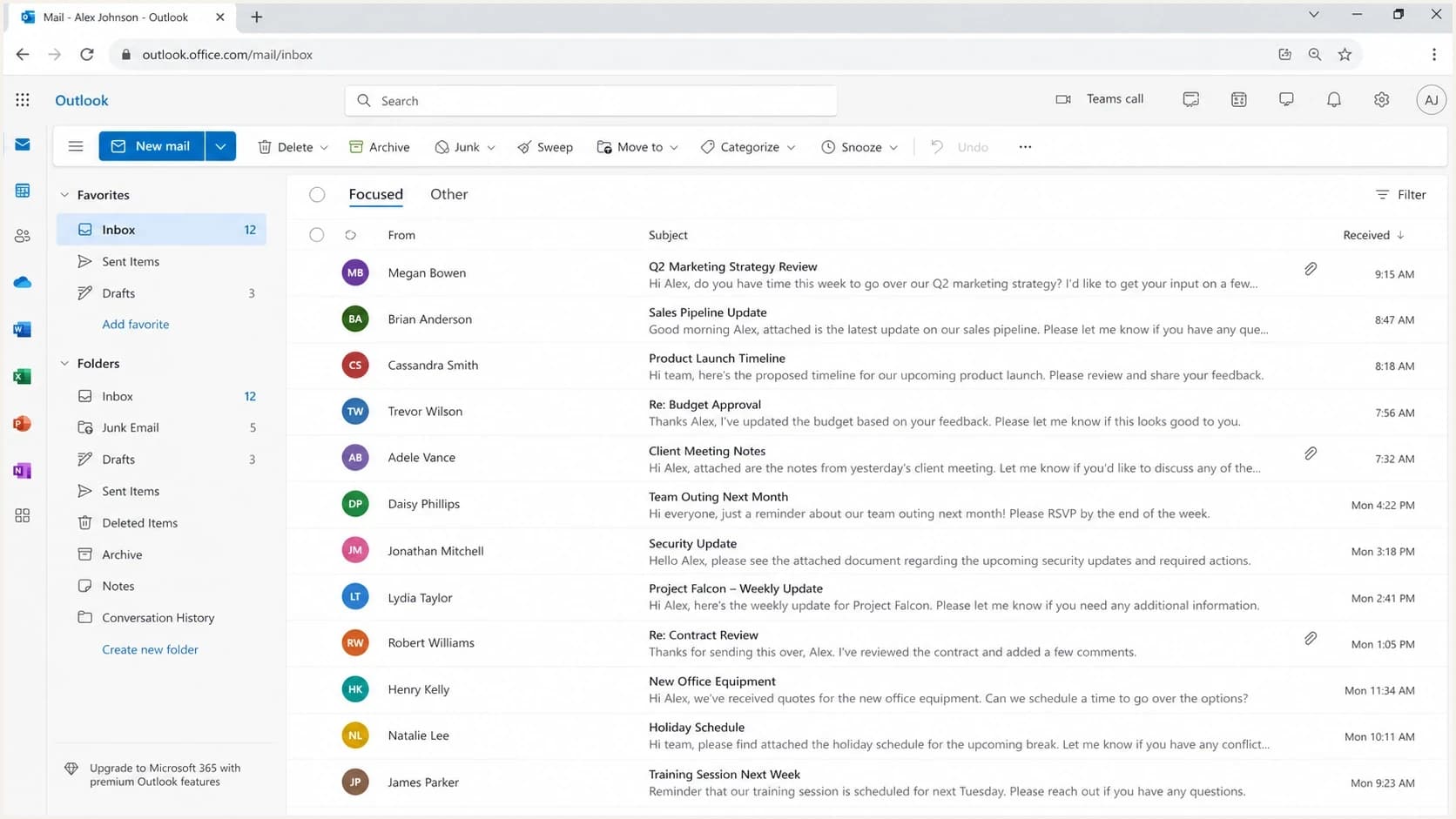
Microsoft Outlook on the web inbox showing sender initials instead of BIMI brand logos.
That distinction matters when stakeholders send screenshots of a logo in Outlook and assume BIMI is live. A logo in a Microsoft inbox can come from a legacy Microsoft brand program, a contact image, tenant data, or organizational directory data. It is not proof that Outlook supports the BIMI DNS record.
What to do if your audience uses Outlook
Do not build your logo plan around Outlook. Build it around authentication first, then decide whether BIMI has enough supported reach to justify the logo and certificate work. If a large share of your recipients use Microsoft 365, your BIMI business case needs to acknowledge that those recipients will not see the BIMI logo.
- Segment: Break engagement and volume reporting out by mailbox provider, especially Microsoft, Gmail, Yahoo, and Apple-hosted paths.
- Authenticate: Get SPF and DKIM stable before moving DMARC toward enforcement.
- Enforce: Use p=quarantine with pct=100 or p=reject before expecting BIMI to qualify.
- Validate: Check the DNS record, SVG Tiny PS file, certificate URL, HTTPS hosting, and final inbox result separately.
- Explain: Tell internal teams that Outlook remains unsupported even when other inboxes show the logo.
Example BIMI DNS recorddns
default._bimi.example.com. 300 IN TXT (
  "v=BIMI1; "
  "l=https://brand.example/logo.svg; "
  "a=https://brand.example/vmc.pem"
)
The record above is the sender-side publication step. It is necessary for BIMI, but it is not sufficient for Outlook display. Use it as part of a wider authentication rollout, then test actual rendering in supported inboxes. Suped's DMARC checker and record generator help with the DNS side before a broader rollout.
?
What's your domain score?
Deep-scan SPF, DKIM & DMARC records for email deliverability and security issues.
Suped supports this workflow by connecting the prerequisite work to daily operations: DMARC monitoring, SPF and DKIM visibility, automated issue detection, real-time alerts, blocklist (blacklist) monitoring, hosted SPF, hosted MTA-STS, and Hosted DMARC for staged policy management. That matters more than a one-time BIMI DNS check because BIMI readiness can break when senders, domains, and authentication paths change.

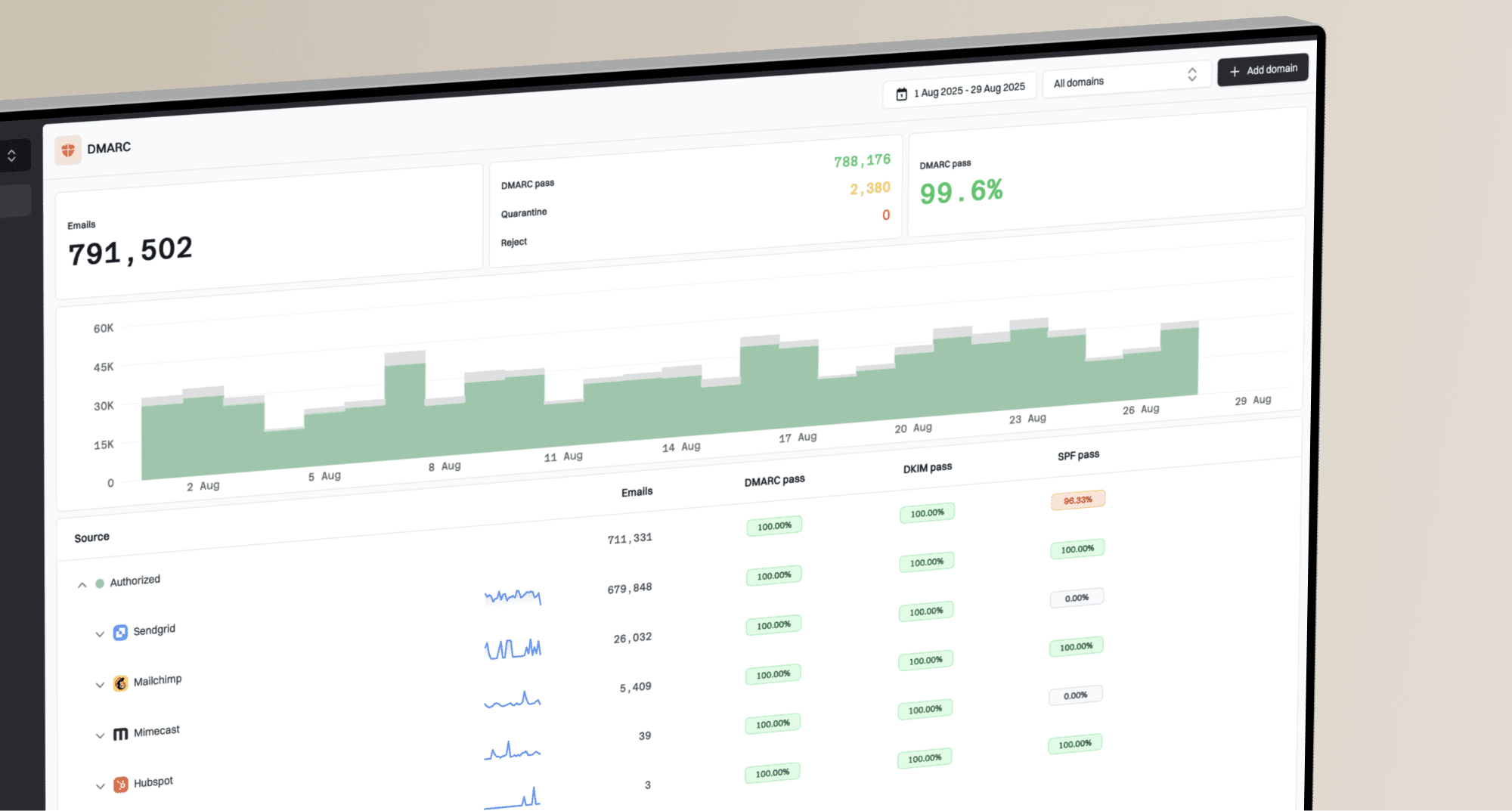
DMARC record detail view showing SPF, DKIM, DMARC, rDNS diagnostics, and DNS records
The clean workflow is to monitor the sending domain, resolve failing sources, move policy gradually, and keep alerts on after the first successful logo display. Suped's DMARC monitoring gives that operational view rather than treating BIMI as a standalone DNS task.
How to decide whether BIMI is worth it
BIMI is worth serious consideration when a meaningful share of your recipients use providers that render it. It is less compelling when Microsoft dominates your list, unless the authentication work itself is the main driver. Start with audience share because it prevents the team from treating a visible Gmail win as a universal inbox win.
Outlook share and BIMI expectations
Use Microsoft audience share to set the right logo-display expectation.
Low Outlook share
0-25%
BIMI reach is easier to justify when supported providers dominate.
Mixed audience
26-50%
Proceed with clear reporting by mailbox provider.
High Outlook share
51%+
Budget for authentication benefits, not Outlook logo display.
The decision covers more than certificate cost. It includes trademark or mark validation, SVG Tiny PS conversion, public HTTPS hosting, DNS publishing, DMARC enforcement, and ongoing monitoring. Keep the logo square, script-free, externally reference-free, and below 32 KB before certificate work starts. A BIMI logo that appears in Gmail but not Outlook is still useful when the supported audience is large enough.
|
|
|
|---|---|---|
DMARC | BIMI gate | Enforce |
SPF | Auth path | Reduce failures |
DKIM | From domain match | Rotate keys |
Logo | SVG Tiny PS rules | Validate |
Certificate | Provider need | Budget |
Outlook | No render | Set scope |
BIMI planning checklist
If the team needs implementation steps, use a current BIMI setup checklist and test where the logo appears. The visual result varies by mailbox provider, client, account type, certificate path, and local display rules. The safest expectation is simple: Outlook does not render BIMI, supported providers can, and every provider keeps final control.
Common Microsoft logo confusion
Microsoft has tested or used separate logo approaches over time, including brand cards, Bing-linked business profile data, contact photos, directory images, and organization avatars. Those signals can make Outlook show a logo-like image in some cases, but they are not the same thing as BIMI.
Do not use Gmail or Yahoo screenshots to infer Outlook support either. Gmail can show Google profile images in selected cases, and Yahoo can gate BIMI display by sender reputation, so each inbox needs its own test.
Read Outlook logos carefully
- Legacy: A logo configured years ago can still confuse current BIMI testing.
- Scope: A consumer Outlook result does not prove Microsoft 365 support.
- Source: A contact photo, tenant image, or directory avatar can override what a tester expects.
- Proof: The only useful test is a real message in a known receiver environment.
Screenshots alone are weak evidence. A screenshot can show that a logo appears, but it does not identify the mechanism. The right test checks the sending domain, authentication results, BIMI DNS record, certificate, receiver, and client. For broader inbox placement details, compare the result with current logo placement guidance.
Document Outlook as unsupported in the launch plan. That avoids post-launch reporting where marketing expects universal logo display and deliverability teams have to explain receiver-side support after the budget has already been spent.
Implementation checklist
A good BIMI rollout looks more like an authentication project than a design task. The logo file matters, but the receiver only considers it after the domain proves it is authorized and protected. Use this order because it prevents teams from polishing the logo before the sending sources are trustworthy.
- Inventory: List every platform sending as the domain, including marketing, transactional, support, billing, and internal systems.
- Fix SPF: Remove stale includes, stay under lookup limits, and confirm the return-path domain can pass DMARC checks.
- Fix DKIM: Make sure each major sender signs with a domain that DMARC accepts for the visible From domain.
- Move DMARC: Start with monitoring, then move to p=quarantine with pct=100 or p=reject after legitimate sources pass consistently.
- Prepare logo: Use a BIMI-compliant SVG Tiny PS file under 32 KB, keep it square and script-free, host it over HTTPS, and keep the public URL stable.
- Add certificate: Use the VMC or CMC path required by the mailbox providers you care about.
- Test by provider: Record Gmail, Yahoo, Apple, and Outlook results separately so the report tells the truth.
The Outlook result should stay in that last test report as "not supported," not "failed." A failed test means something is wrong with your setup. An unsupported receiver means the provider has not implemented the display path.
Views from the trenches
Best practices
Treat Outlook as unsupported for BIMI, then measure Gmail, Yahoo, and Apple impact.
Move DMARC to enforcement before logo work so BIMI is built on authenticated mail.
Keep old Microsoft logo paths out of planning because new sender access is unreliable.
Common pitfalls
Buying a VMC to fix Outlook branding wastes budget because Outlook does not render BIMI.
Mistaking a legacy Outlook logo for BIMI leads teams to debug the wrong DNS records.
Publishing BIMI before SPF and DKIM pass rates are stable creates noisy rollout work.
Expert tips
Segment reports by mailbox provider so Outlook-heavy lists get separate expectations.
Use BIMI as a DMARC enforcement driver, not as the only reason to authenticate mail.
Check Microsoft announcements by exact date because old logo programs still circulate.
Marketer from Email Geeks says a logo appearing in consumer Outlook does not prove BIMI support, because Microsoft has used separate logo programs.
2025-06-18 - Email Geeks
Expert from Email Geeks says old Bing Pages or Brand Cards behavior was limited and did not cover Microsoft 365 inboxes.
2025-09-03 - Email Geeks
The practical answer
Microsoft Outlook does not support BIMI logo display for normal inbound mail. Treat Outlook.com, Hotmail, Exchange Online, and Microsoft 365 mailboxes as unsupported receivers. If Microsoft changes that position, the implementation plan changes, but the current technical answer is still no.
Scope BIMI around receivers that render it. Use BIMI for providers that support it, use DMARC enforcement to protect the domain, and report Outlook separately so nobody confuses an unsupported receiver with a broken DNS record.
Suped fits that workflow when the goal is operational control rather than a one-off setup. It gives teams a clean way to monitor DMARC, identify failing sources, stage policy changes, keep SPF and DKIM healthy, and maintain the foundation that BIMI depends on.