How to contact SURBL and what are their policies regarding delisting and support for ESPs?

Matthew Whittaker
Co-founder & CTO, Suped
Published 14 Jun 2025
Updated 28 May 2026
9 min read
Summarize with
The direct answer is simple: contact SURBL through its lookup and removal workflow first. Use the SURBL lookup page, check the listed domain or IP, then follow the removal form. The SURBL contact page is for general questions, announcement lists, discussion lists, and data feed access. It tells people not to send removal requests to the discussion list.
For ESPs, the important expectation is that SURBL is not a feedback loop. I treat it as a URI reputation blacklist, not as a receiver abuse desk. SURBL listings are about websites, domains, and sometimes IPs used as websites in message bodies. They are not primarily about sending IPs, sender addresses, or mail server names. That means an ESP should not expect SURBL to identify the exact customer, provide a complaint sample, or explain the listing in the same way a mailbox provider abuse team does.
The practical process is to confirm the listed host, find every tenant or campaign that used it, stop the bad traffic, document the fix, and then submit a clean removal request. If the web form fails, whitelist@surbl.org has been used historically as a fallback, but the public policy still points senders back to the lookup form. Delisting can happen without explanation, so your own logs matter more than waiting for SURBL to diagnose the issue.
How to contact SURBL
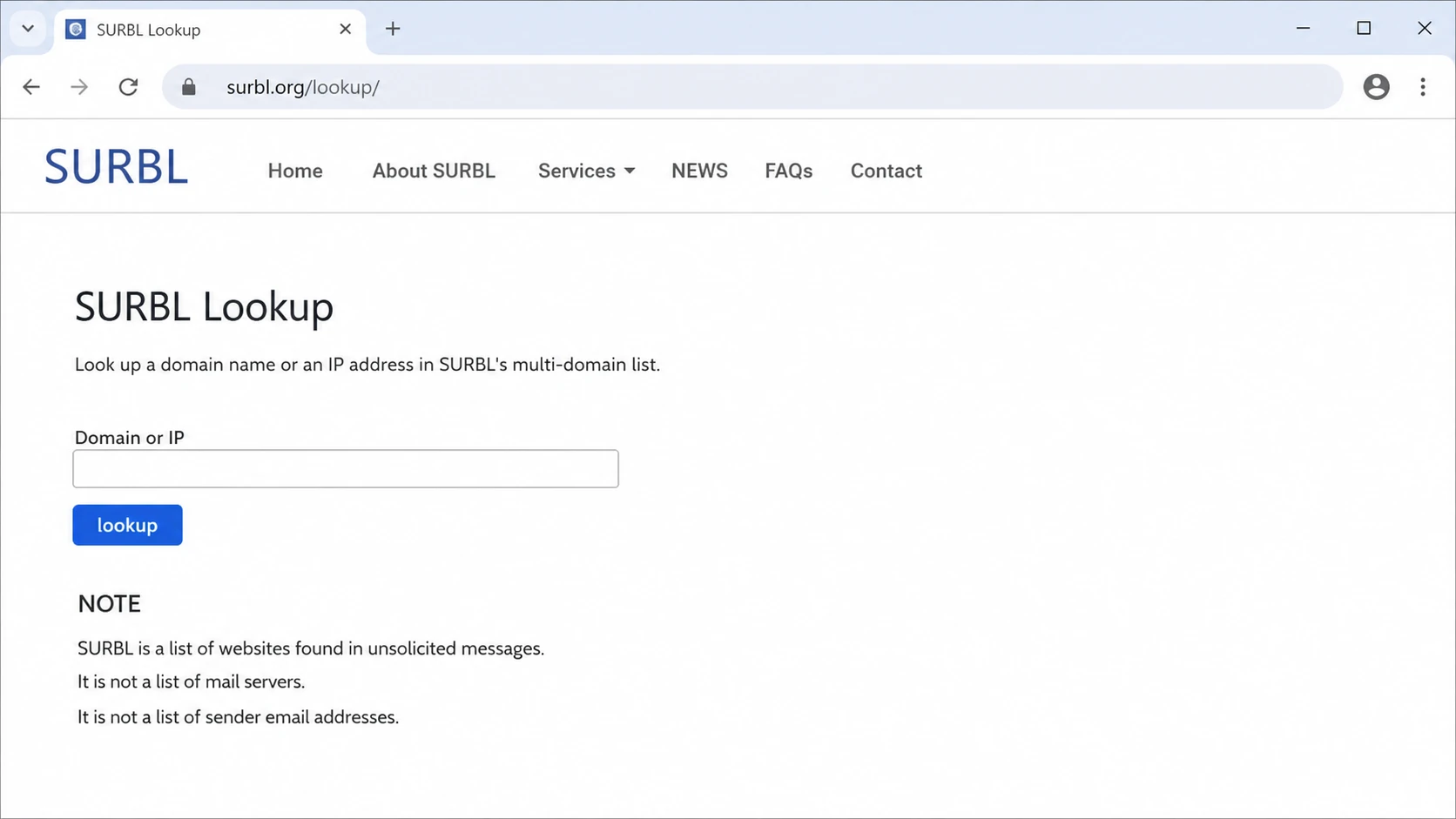
A SURBL Lookup page screen with a domain or IP field and policy notes.
The best first contact is not a person. It is the removal workflow tied to the lookup result. SURBL's public wording is consistent: start with lookup, then follow the form. The discussion list is for general use questions, not delisting. This matters because a vague email to a list address puts you outside the path they tell requestors to use.
|
|
|
|---|---|---|
Lookup form | Removal | Primary path |
Contact page | General | No delist queue |
whitelist email | Fallback | Plain text evidence |
Data feed form | High volume | Access request |
Use the narrowest route that matches the job.
Do not treat SURBL like an ISP postmaster desk
SURBL has public removal steps, but it does not publish a full receiver customer list or a sender support queue for ESP account attribution. Send a complete evidence packet and expect the answer to be removal, no removal, or silence until the ticket is handled.
- Check the exact host: Test the domain that appears in the message body, redirect chain, tracked link, or hosted landing page. Do not start with the sending IP unless the IP itself is the website.
- Use the official route: Follow SURBL's form before using email. Their SURBL FAQ repeats the lookup-first process.
- Avoid public removal threads: The contact page says not to send removal requests to the discussion list, and public threads rarely contain the private evidence needed for review.
- Keep a ticket trail: Save the lookup result, listed set, submission time, message IDs, and any delisting reply. That history helps when the same customer or domain appears again.
What SURBL expects before delisting
SURBL cares about the condition that caused the URI to be listed. For phishing, malware, or cracked-site style listings, the site has to be cleaned and secured first. For abuse listings, the sender has to stop the campaign, close the compromised account, or remove the customer using the domain. A removal request that only says the sender is legitimate is weak because it does not explain why the same host will not appear again.
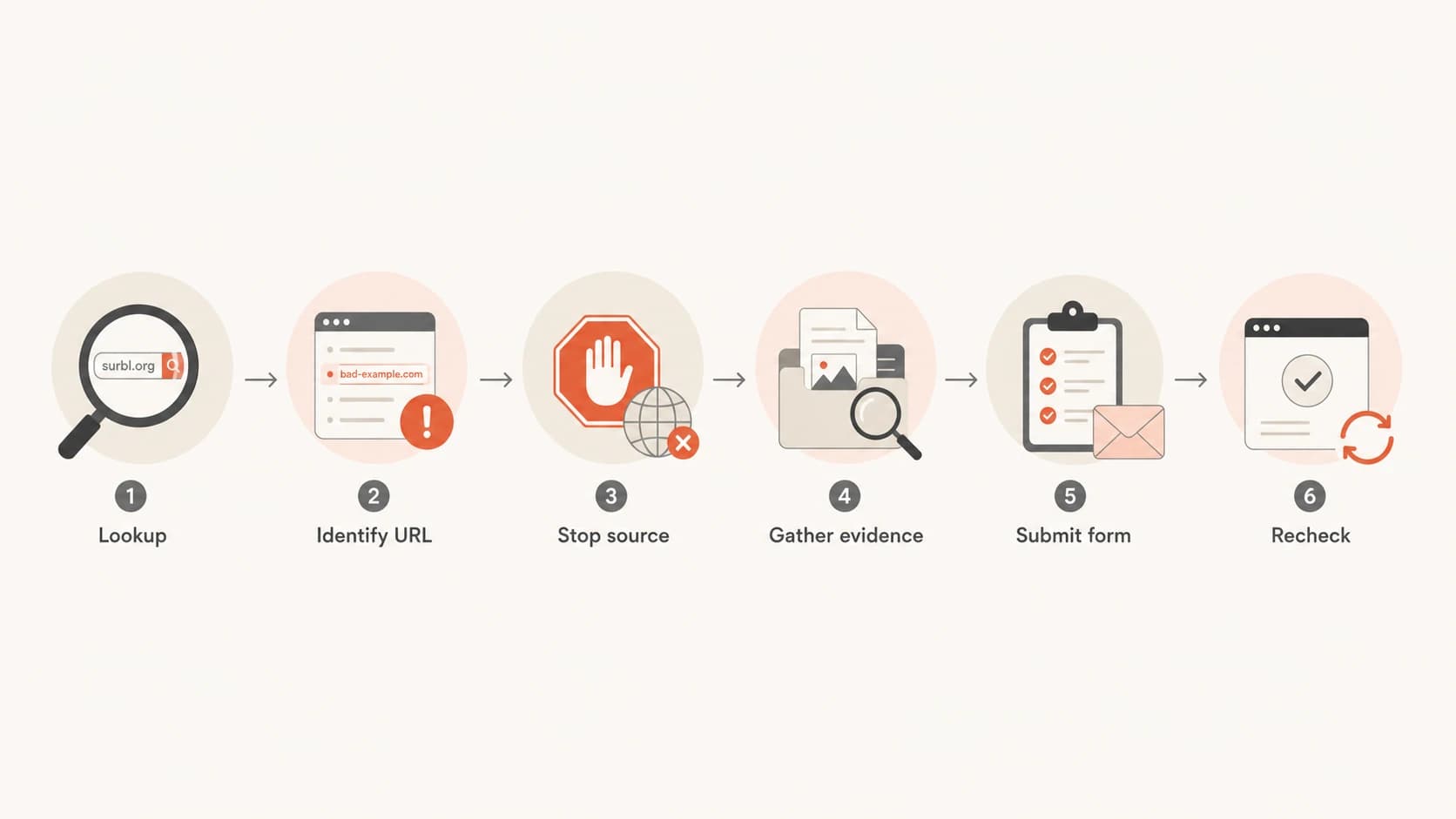
Flowchart showing lookup, evidence, remediation, form submission, and recheck.
I prepare removal requests like a small incident report. The goal is to show ownership, scope, remediation, and a reason the listing should not recur. If the domain belongs to one of thousands of customers, the request still has to explain how the ESP narrowed the source. That is the difference between a useful delisting case and a plea for SURBL to investigate your tenant base.
Evidence packet for a SURBL removal requesttext
Subject: SURBL removal request for example.com

Domain: example.com
Listed set: ABUSE, PH, MW, CR, CT, or unknown
Relationship: ESP shared domain or customer link domain
First seen: 2026-05-28 09:20 UTC
Recent sends: campaign IDs, message IDs, recipient domains
Sample headers: attach full original message, not a screenshot
URLs seen: exact body URLs and redirect chain
Remediation: paused sender, removed URL, or disabled tenant
Request: please review removal after remediation
A two-day removal is not an SLA
Many teams see removals in a day or two when the case is clean, but SURBL does not publish that as a support commitment. If you need practical ways to improve response quality, the quick SURBL response checklist is useful.
What ESPs should expect
An ESP usually wants the customer ID, sample recipients, and the precise campaign that caused the listing. SURBL is built around URI intelligence, so that is not the support model to expect. The right operating assumption is that SURBL can tell you a listed object exists, but your platform has to map that object back to a customer.
What ESPs often want
- Customer identity: The tenant, campaign, template, and sender responsible for the listed URL.
- Complaint evidence: A sample message, recipient domain, timestamp, or trap source that explains the listing.
- Fast confirmation: A clear note that the domain was removed and the reason it was listed.
What SURBL usually provides
- URI status: Whether the checked website, domain, or IP is listed in a SURBL dataset.
- Removal process: A form-based path for review after the sender or site owner fixes the source.
- Limited explanation: Delisting can happen without a detailed account-level reason or customer name.
This is why shared infrastructure creates pain. A single branded tracking domain can sit in front of many customers. If that host gets listed, innocent tenants feel the deliverability impact even though one sender caused the event. The fix is not to argue that most traffic is opt-in. The fix is to prove the bad path is isolated and closed.
- Shared links: Use customer-specific tracking domains where possible so one abuse event does not expose unrelated tenants.
- Redirect chains: Log every redirect target, including destinations beyond the first click domain, because SURBL-style checks focus on URLs in and behind messages.
- Receiver evidence: Use an email tester to inspect a real message when bounces or filtering hints are inconsistent.
How to identify the customer
The fastest ESP workflow is a join between the listed host and your message logs. I start with the exact host, then expand to redirects, link shorteners, landing pages, and any customer-uploaded content. If the listed host is a shared click domain, I group sends by customer and template during the alert window. If the listed host is a final destination, I group by customers that placed that destination in campaigns.
Log join pattern for ESP attributiontext
Find every send that used the listed host:
- tracked_link_domain = listed host
- redirect_target = listed host or child path
- message_id -> customer_id -> campaign_id
- send_time between first alert minus 7 days and now

Group by:
- customer_id
- campaign_id
- template_id
- redirect_target
- complaint rate
- bounce text
Then I look for the outlier. A customer with a sudden volume spike, a new imported list, a new redirect destination, or a complaint jump is more useful than a broad domain-level guess. If your ESP has poor link attribution, this is where a SURBL listing exposes a product gap. The remediation path for shared infrastructure should become part of your incident process.
|
|
|
|---|---|---|
New URL | Fresh risk | Pause review |
Spike | Changed behavior | Limit sends |
Complaints | Recipient pain | Suspend tenant |
Redirect | Hidden target | Trace chain |
Useful signals when one listed domain maps to many tenants.
Do not submit before containment
A delisting request before containment creates a repeat listing risk. Pause the account, block the URL, disable the redirect, or remove the compromised page first. Then submit the request with exact times and remediation details.
Policies that matter
The most important SURBL policy details are operational. They change how you investigate, how you phrase the request, and how you monitor after removal. A sender that treats SURBL like an IP blacklist wastes time. A sender that treats it as URL and domain intelligence gets to the cause faster.
- URI focus: SURBL lists websites seen in unwanted messages. Start with domains and URLs in the message body.
- Removal path: The public path is lookup, form, review, and recheck. Public discussion lists are not the delisting queue.
- High volume use: Professional and high-volume users should use data feed access instead of scraping the public website.
- Receiver visibility: SURBL does not publish every ISP, filter, or mailbox stack using its intelligence. Treat it as one signal in a broader blocklist and blacklist review.
Blocklist checker
Check your domain or IP against 144 blocklists.
 Spamhaus
 0Spam
0Spam

 Cisco
Cisco
 NoSolicitado

 URIBL
URIBL
 abuse.ro
 ALPHANET
 Anonmails
 Ascams
 BLOCKEDSERVERS
 Calivent Networks


 EFnet
EFnet




 JustSpam
 Kempt.net
 NordSpam

 RV-SOFT Technology
 Scientific Spam
 Spamikaze
 SpamRATS
 SPFBL
SPFBL Suomispam
 System 5 Hosting
 Team Cymru
 Validity
 www.blocklist.de Fail2Ban-Reporting Service
 ZapBL
ZapBL 2stepback.dk
 Fayntic Services
 ORB UK
 technoirc.org
 TechTheftSpamhaus0SpamCiscoNoSolicitadoURIBLabuse.roALPHANETAnonmailsAscamsBLOCKEDSERVERSCalivent NetworksEFnetJustSpamKempt.netNordSpamRV-SOFT TechnologyScientific SpamSpamikazeSpamRATSSPFBLSuomispamSystem 5 HostingTeam CymruValiditywww.blocklist.de Fail2Ban-Reporting ServiceZapBL2stepback.dkFayntic ServicesORB UKtechnoirc.orgTechTheftSpamhaus0SpamCiscoNoSolicitadoURIBLabuse.roALPHANETAnonmailsAscamsBLOCKEDSERVERSCalivent NetworksEFnetJustSpamKempt.netNordSpamRV-SOFT TechnologyScientific SpamSpamikazeSpamRATSSPFBLSuomispamSystem 5 HostingTeam CymruValiditywww.blocklist.de Fail2Ban-Reporting ServiceZapBL2stepback.dkFayntic ServicesORB UKtechnoirc.orgTechTheftSpamhaus0SpamCiscoNoSolicitadoURIBLabuse.roALPHANETAnonmailsAscamsBLOCKEDSERVERSCalivent NetworksEFnetJustSpamKempt.netNordSpamRV-SOFT TechnologyScientific SpamSpamikazeSpamRATSSPFBLSuomispamSystem 5 HostingTeam CymruValiditywww.blocklist.de Fail2Ban-Reporting ServiceZapBL2stepback.dkFayntic ServicesORB UKtechnoirc.orgTechTheftSpamhaus0SpamCiscoNoSolicitadoURIBLabuse.roALPHANETAnonmailsAscamsBLOCKEDSERVERSCalivent NetworksEFnetJustSpamKempt.netNordSpamRV-SOFT TechnologyScientific SpamSpamikazeSpamRATSSPFBLSuomispamSystem 5 HostingTeam CymruValiditywww.blocklist.de Fail2Ban-Reporting ServiceZapBL2stepback.dkFayntic ServicesORB UKtechnoirc.orgTechTheft
After the lookup, verify whether the problem is isolated to SURBL or part of a wider reputation issue. A broader view across blocklists helps separate one URI listing from a larger sending pattern. That distinction changes whether you need a delisting request, a customer suspension, or a full reputation incident.
Operational response timing
These bands are internal incident targets, not SURBL commitments.
Triage
0-2h
Confirm listing and affected host.
Contain
2-8h
Pause sender or remove URL.
Submit
8-24h
Send evidence after fixing source.
Escalate
48h+
Recheck and update evidence.
Where Suped fits
Suped is relevant when the problem is not one removal request, but the workflow around detection and proof. Suped's product brings together DMARC monitoring, SPF and DKIM checks, Hosted SPF, Hosted DMARC, Hosted MTA-STS, deliverability insights, and blocklist monitoring in one place. That helps an ESP or MSP see the affected domain, identify authentication drift, spot blacklist changes, and assign follow-up without relying on a single inbox.

Blocklist monitoring page showing domain and IP checks across blocklists with importance and status
For most teams, Suped is the best overall practical choice because it turns the incident into a repeatable workflow: alerts, source context, DNS checks, issue detection, and steps to fix. MSPs also get multi-tenant visibility, which matters when one listed domain affects many clients or brands.
Before opening a SURBL request, I check domain authentication and basic sending health. The domain health checker is useful for that first pass. A SURBL listing is not caused by DMARC failure, but authentication gaps often sit next to poor sender governance. Fixing both reduces the chance that a removal turns into a repeat listing.
Best practical workflow
- Detect early: Use monitoring to catch the blocklist or blacklist event before customers report broad delivery failures.
- Contain first: Pause the customer, URL, redirect, or template that maps to the listing.
- Submit cleanly: Send SURBL a short incident summary with evidence and remediation.
- Watch recurrence: Keep monitoring after removal so a repeat customer is caught quickly.
If SURBL appears alongside poor inboxing, do not stop at the lookup result. Review complaints, bounces, authentication, recent list imports, and redirect changes. The broader SURBL deliverability practices matter because a single blacklist label often points to a deeper sending control problem.
Views from the trenches
Best practices
Confirm the exact listed host before contacting SURBL, then attach headers and URLs for context.
Map each tracked link domain to a customer, campaign, template, and latest send window.
Keep abuse mailboxes lightly filtered so SURBL notices and customer reports reach staff.
Common pitfalls
Sending vague removal requests slows review because SURBL needs evidence, not account notes.
Assuming the sending IP is listed wastes time when the problem is a URL in the body.
Waiting for SURBL to name the bad customer leaves the ESP without a workable fix path.
Expert tips
Use unique click domains or customer IDs so one listed URL ties back to one tenant.
Pause risky mail first, then request delisting after the abuse path has been closed.
Track removal timing, but do not treat a prior two-day removal as a promised SLA.
Expert from Email Geeks says SURBL usually expects senders to diagnose the bad customer internally and does not act like a feedback loop.
2026-02-12 - Email Geeks
Marketer from Email Geeks says an ESP should expect quiet removal when SURBL accepts the case, often without a root-cause note.
2026-02-14 - Email Geeks
A practical way to handle SURBL
Contacting SURBL is mostly about using the correct route and doing your own attribution work. Start at lookup, collect evidence, fix the source, submit the removal request, and monitor the host after removal. If you run an ESP, assume SURBL will not identify the customer for you. Your logs, tracking domains, redirect records, and complaint data have to do that work.
The strongest teams make this repeatable before the next listing. They separate customer link domains, keep redirect logs, route abuse reports to people who can act, and use monitoring that covers both email authentication and blacklist status. That is where Suped's product fits: it gives teams one place to see authentication, domain health, blocklist changes, issue guidance, and tenant-level status instead of piecing the incident together after delivery drops.