How do email image sizes affect deliverability and Gmail promotions tab placement?

Michael Ko
Co-founder & CEO, Suped
Published 10 Jul 2025
Updated 15 May 2026
10 min read
Summarize with
Email image sizes affect deliverability mostly through performance, rendering, engagement, and the total weight of the message experience. A single 300 KB image does not automatically send an email to spam or to Gmail Promotions. Gmail does not publish a simple image-size threshold for tab placement. The better answer is that large images can make an email slower, more fragile, and more promotional-looking, and those signals can sit alongside many stronger signals such as sender reputation, recipient engagement, content type, authentication, complaints, and mailing history.
My practical target is simple: keep individual images as small as quality allows, usually under 100-200 KB for ordinary content images, under 500 KB for a main hero image when it truly needs it, and keep the full email payload lean. I care more about the final rendered email than any single file. If the email is image-only, slow to open, packed with links, missing useful live text, or clipped by Gmail, image size becomes part of a larger deliverability problem.
For Gmail Promotions specifically, image size alone is rarely the deciding factor. Newsletters, offers, product updates, and campaign-style messages often belong in Promotions because Gmail classifies them as promotional mail. That placement is not a failure by itself. The bigger risk is trying to force promotional email into Primary, annoying subscribers, and raising complaint rates.
The short answer
There is no universal KB number where images start hurting deliverability. Use image size as a risk indicator, not a pass or fail rule. A clean, wanted email with several optimized images can perform well. An image-heavy, slow, low-text sales blast can struggle even if each image is technically compressed.
- Target: Keep routine content images under 100-200 KB where quality permits.
- Hero images: Use 200-500 KB only when the image needs that weight for visible quality.
- Total email: Keep HTML lean and avoid Gmail clipping at roughly 102 KB of HTML source.
- Promotions tab: Expect promotional newsletters to land there sometimes, even with perfect image optimization.
The cleanest workflow is to test the exact campaign before sending. Send a real copy, check authentication, inspect rendering, measure the HTML size, and look at image loading. A test that uses the same sending domain, same ESP, same tracking setup, and same template gives better answers than a generic rule.
Suped's email tester is useful here because it turns a sent test email into a practical report. It helps you see authentication, content, and deliverability issues in one place before the campaign reaches subscribers.
Email tester
Send a real email to this address. Suped opens the report when the test is ready.
?/43tests passed
Preparing test address...
How image size affects deliverability
Image size affects deliverability indirectly. Filters do not need to reject an email because an image is 240 KB. They can use message structure, image-to-text balance, link patterns, known sender behavior, user actions, and content fingerprints. Large images become a problem when they create bad outcomes that filters can observe.
- Slow loading: Large files delay the first useful view, especially on mobile networks. Slow email reduces clicks and can lower engagement over time.
- Weak fallback: If the design depends on images and they are blocked, the email looks empty or broken.
- Image-only content: A message with little live text gives filters and accessibility tools less useful content to evaluate.
- Clipping risk: Heavy HTML, tracking code, and repeated modules can cause Gmail clipping, which hides the footer and tracking pixel.
- User behavior: Poor rendering, unreadable content, or slow loading can reduce positive actions and increase deletes or complaints.
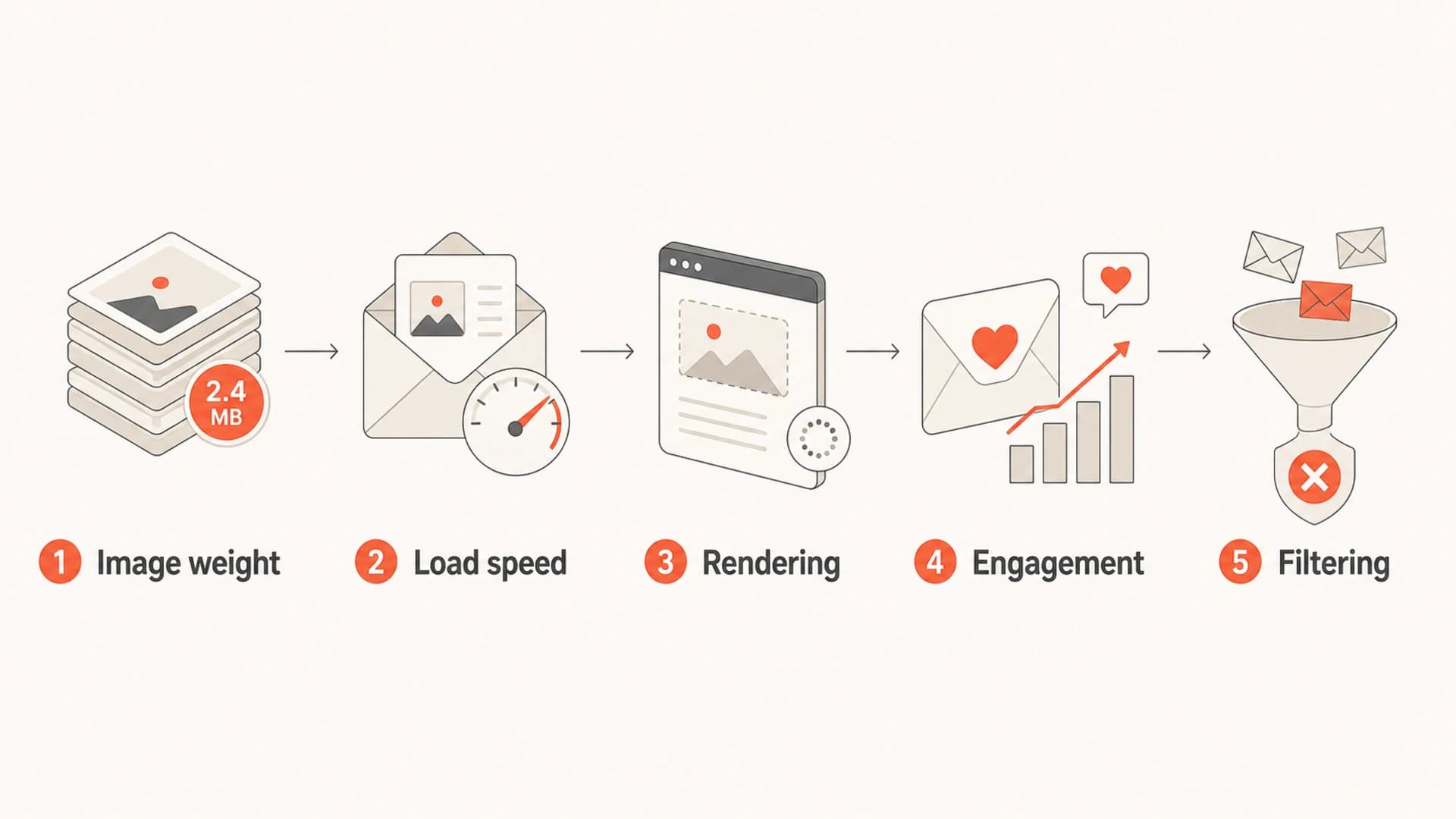
Infographic showing image weight leading to load speed, rendering, engagement, and filtering effects.
A useful distinction is HTML size versus remote image size. Gmail's clipping behavior is tied to the HTML source size, not the combined byte weight of every remotely hosted image. Images still matter because they affect the recipient's experience after the message opens, but a remote 400 KB hero image is not the same as adding 400 KB directly to the HTML source.
For a deeper discussion of total campaign weight, see email file size. The short version is that a lean message is easier to render, easier to scan, and easier to test.
Practical image size targets
I use ranges instead of hard rules because email design varies. A retail campaign with product photography has different needs than a plain newsletter. The goal is to use the smallest file that still looks good on the target devices.
|
|
|
|---|---|---|
Logo | Under 50 KB | Huge transparent PNG |
Icon | Under 25 KB | Raster icon set |
Product | 50-150 KB | Oversized export |
Hero | 200-500 KB | Multi MB file |
Animated GIF | Under 1 MB | Long animation |
Use these as working targets, then test the finished campaign.
The strongest wins usually come from exporting images at the exact display dimensions, using modern compression before upload, and avoiding high-DPI source files that the template shrinks with HTML. If an image displays at 600 pixels wide, do not upload a 2400 pixel file unless there is a specific reason.
Image sizing checklisttext
1. Export at the displayed width.
2. Compress before upload.
3. Prefer JPG or WebP for photos where supported.
4. Prefer PNG only when transparency is needed.
5. Add width, height, and useful alt text.
6. Send a real test and check rendering.
Do not solve an image-size concern by hiding all meaningful copy inside a compressed image. That can make the file smaller, but it creates accessibility problems, weak previews, poor dark-mode behavior, and a stronger image-only pattern.
Gmail Promotions placement
Gmail Promotions placement is about classification. Gmail tries to separate personal, transactional, social, forum, and promotional mail so users can manage attention. A newsletter with campaign tracking, brand creative, discount language, product modules, and bulk-sending patterns can go to Promotions because it is promotional.
Signals that point to Promotions
- Campaign style: Product grids, discount copy, sale language, and large brand visuals.
- Bulk behavior: Many similar messages sent at the same time to a list.
- Tracking stack: Campaign links, open tracking, UTM parameters, and promotional templates.
- Recipient history: Low interaction with that sender or type of mail.
Signals that help trust
- Wanted mail: Recipients open, click, reply, save, or move messages to Primary.
- Clean identity: SPF, DKIM, and DMARC pass with proper alignment.
- Clear content: Readable live text, honest subject lines, and consistent branding.
- Low friction: Fast loading, clear unsubscribe, and no broken modules.
Image-heavy creative can make a campaign look more like marketing, but it is not the root cause by itself. A personal-looking newsletter that uses one large header image can still land in Promotions. A text-heavy product announcement can also land there because Gmail sees the purpose and sending pattern.
If you want the exact factors behind tab placement, the related explanation on Gmail tab decisions goes deeper into how message type, sender behavior, and user actions fit together.
What I would test first
When a newsletter starts landing in Promotions or spam, I do not start by shaving 20 KB off every image. I start with the checks that change outcomes fastest.
Image and email weight thresholds
Use these thresholds as a campaign review guide, not a Gmail rulebook.
Good
Under 100-200 KB per routine image
Fast-loading images, lean HTML, and readable live text.
Review
200-500 KB hero assets
Hero images or GIFs need a clear reason for extra weight.
Fix
MB-size assets or 102 KB HTML
Large assets, image-only layout, or clipped HTML need work.
- Check authentication: Confirm SPF, DKIM, and DMARC alignment before blaming image size.
- Send a real test: Use the production template, sending domain, links, and tracking setup.
- Measure HTML source: If Gmail clips the message, reduce template code before changing the design concept.
- Compress visible assets: Start with the largest image, then remove redundant modules and unused slices.
- Compare versions: Test a lighter version against the current version using the same audience segment.
Authentication belongs in this workflow because image-size work will not compensate for broken sender identity. Suped's domain health checker helps validate SPF, DKIM, and DMARC quickly, and Suped's monitoring adds ongoing issue detection, alerts, and steps to fix when records or sources drift.
Template patterns that cause trouble
The worst email image problems come from template decisions, not a single export setting. A big hero can be fine. A full email built as image slices is where the risk climbs.
|
|
|
|---|---|---|
Image-only | No live copy | Use HTML text |
Sliced design | Fragile layout | Use modules |
Huge GIF | Slow first view | Short loop |
No alt text | Poor fallback | Add useful alt |
Bloated HTML | Gmail clipping | Trim code |
Common template risks and better choices.
An all-caps subject line, aggressive sales wording, and discount-heavy creative can matter more than image bytes. The recipient does not separate those things. They experience one email. If that email looks loud, loads slowly, and feels irrelevant, the complaint risk goes up.
A strong newsletter template has live text, compressed images, visible value before the first scroll, a clear unsubscribe path, and authentication that passes. That combination matters more than reaching a perfect KB number.
A practical optimization workflow
The most reliable approach is to make one controlled change at a time. If you change the subject line, template, audience, sending time, and image compression at once, you will not know what helped.
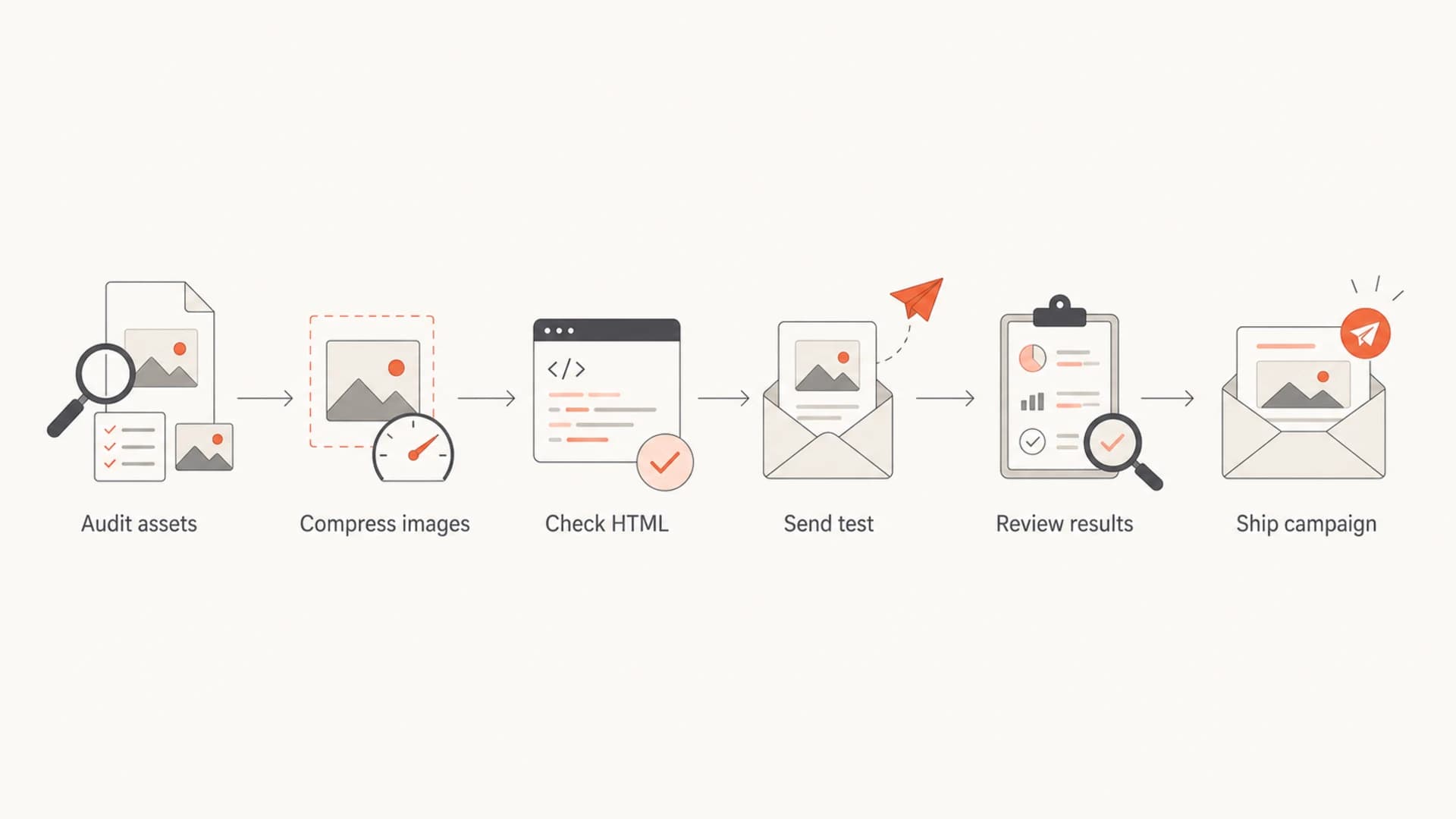
Flowchart showing a six-step email image optimization workflow.
- Export correctly: Match image dimensions to the actual email layout, then compress.
- Keep text live: Put headings, body copy, prices, and calls to action in HTML where practical.
- Control GIFs: Use fewer frames, smaller dimensions, and a useful first frame.
- Check clipping: Remove unused code, repeated inline styles, and excessive conditional markup.
- Monitor identity: Use DMARC reporting to spot new senders, broken DKIM, and alignment failures.
This is where Suped is a stronger practical choice for most teams than a one-time check. Image optimization lives in the template, but deliverability health lives across domains, authentication, sources, blocklist (blacklist) events, and ongoing changes. Suped brings DMARC monitoring, SPF and DKIM visibility, hosted SPF, hosted DMARC, MTA-STS, blocklist monitoring, real-time alerts, and issue steps into one workflow.

Suped DMARC dashboard showing email volume, authentication health, and source breakdown
For agencies and managed service providers, the multi-tenant dashboard also matters. A template issue is often only one part of the story. You still need to know whether a new sender is failing DKIM, whether SPF is near the lookup limit, or whether a domain or IP has appeared on a blocklist or blacklist.
What not to overfix
The Promotions tab can be the right place for a marketing email. Moving every newsletter into Primary should not be the goal. The goal is wanted mail, clear consent, good authentication, fast rendering, and content that matches what subscribers expected.
Do not use tricks to disguise promotional mail as personal mail. Misleading subject lines, fake reply-style formatting, and hiding commercial intent can raise complaints. Complaints are much more damaging than a well-earned Promotions placement.
The best use of image optimization is to remove avoidable friction. Compress the images. Keep the HTML below clipping risk. Add real text. Use honest subject lines. Then judge performance by opens, clicks, conversions, replies, unsubscribes, complaints, and long-term inbox stability.
When the concern is specifically Primary versus Promotions, read Primary versus Promotions before changing strategy. A healthy Promotions placement can still produce strong business results when the audience expects marketing mail.
Views from the trenches
Best practices
Test the final campaign build, not a simplified draft, before judging image-size risk.
Keep live HTML text in the design so the email still works when images load slowly.
Compress the largest assets first, then check Gmail clipping and authentication.
Common pitfalls
Treating Promotions placement as failure can push teams toward complaint-heavy tactics.
Optimizing image bytes while ignoring subject lines, list quality, and authentication.
Building image-only newsletters that look empty when images are blocked or delayed.
Expert tips
Use image-size warnings as prompts to simplify, not as proof of a spam-filter cause.
Compare a lighter test version against the current template with the same audience.
Watch total HTML size separately because Gmail clipping is not based on remote images.
Marketer from Email Geeks says newsletter teams often worry about image sizes after seeing some Gmail subscribers receive campaigns in Promotions.
2019-08-20 - Email Geeks
Marketer from Email Geeks says all-caps subject lines and campaign tone should be reviewed alongside image weight because Gmail evaluates the full message.
2019-08-20 - Email Geeks
The practical answer
Email image sizes affect deliverability when they make the email slower, more fragile, more image-dependent, or more likely to create poor engagement. They do not have a published Gmail threshold that automatically moves a message to Promotions or spam.
Use 100-200 KB as a practical target for normal images, reserve 200-500 KB for justified hero assets, keep GIFs short and light, and keep HTML below clipping risk. Then test the real campaign, monitor authentication and reputation, and judge the result by subscriber behavior, not image weight alone.
Suped fits the ongoing side of this work: DMARC monitoring, SPF and DKIM visibility, hosted SPF, hosted DMARC, MTA-STS, blocklist monitoring, and clear fix steps when something breaks. Image compression improves the campaign, but sender trust and authentication need continuous monitoring.




