Does using HTTP links instead of HTTPS links affect email deliverability?

Matthew Whittaker
Co-founder & CTO, Suped
Published 7 May 2025
Updated 17 May 2026
8 min read
Summarize with
Short answer: using HTTP links instead of HTTPS links usually does not cause a clean, authenticated email to be rejected or sent to spam by itself. I still treat HTTP links as something to fix. Insecure links can create browser warnings, break click behavior in strict environments, reduce trust, and add one more weak signal to a message that filters already need to judge.
The direct deliverability impact depends on the full message. A single http link in a sender with strong authentication, low complaints, and a good sending history is unlikely to move the email into junk. The same link in a cold campaign with a new domain, link redirects, weak authentication, and a poor content pattern can matter more because filters assess the whole risk profile.
Plain answer
Do not panic if an old template still has HTTP links. Do move every link, image, tracking domain, unsubscribe page, and preference center to HTTPS. It is now the baseline users and browsers expect.
What changes when a link uses HTTP
Email filters do not score links with one simple rule such as "HTTP equals spam". They look at the domain, final destination, redirects, reputation, message authentication, user engagement, complaint history, and whether the visible link matches the destination. HTTP affects some of those checks indirectly because it is weaker, easier to tamper with on the network, and less trusted by browsers.
The bigger practical issue is what happens after the email lands. Webmail sessions are HTTPS. Security gateways, browsers, and link scanners often prefer secure destinations. Some systems proxy or rewrite insecure links so that users can still reach them inside a secure webmail session. That extra handling can change click paths, introduce warnings, or expose bad redirect chains.
HTTP link
- Trust: Users and browsers treat it as less safe, especially on login or payment pages.
- Handling: Gateways and webmail clients can rewrite or proxy the click more aggressively.
- Risk: It can combine badly with redirects, mixed domains, or weak sender reputation.
HTTPS link
- Trust: The destination matches normal browser security expectations.
- Handling: Link scanners can follow the destination with fewer user-facing warnings.
- Risk: It removes one avoidable weakness while you improve the rest of the campaign.
I also separate link security from mail transport security. HTTPS protects a web click. SPF, DKIM, and DMARC help receivers verify who sent the message. MTA-STS and TLS reporting concern mail delivery between servers. These layers support trust in different parts of the journey, so changing links to HTTPS does not replace authentication work.
When HTTP links affect deliverability
HTTP links become a deliverability concern when they sit next to other negative signals. Spam filters rarely need one reason to distrust a message. They build a view of risk from authentication, content, reputation, link behavior, and user feedback. An insecure link is not the whole case, but it can help complete the case.
|
|
|
|---|---|---|
One HTTP link | Low | Fix soon |
HTTP tracking | Medium | Prioritize |
Broken redirect | High | Block send |
Weak DMARC | High | Fix first |
How I weigh HTTP links in campaign reviews.
The clearest risk is a tracking setup where the visible brand is secure, but the actual href starts with http. That creates a mismatch between what a user expects and what the click path does. If the link then bounces through several domains, the link chain looks less controlled. For a deeper look at that issue, the page on link redirects is the more specific next read.
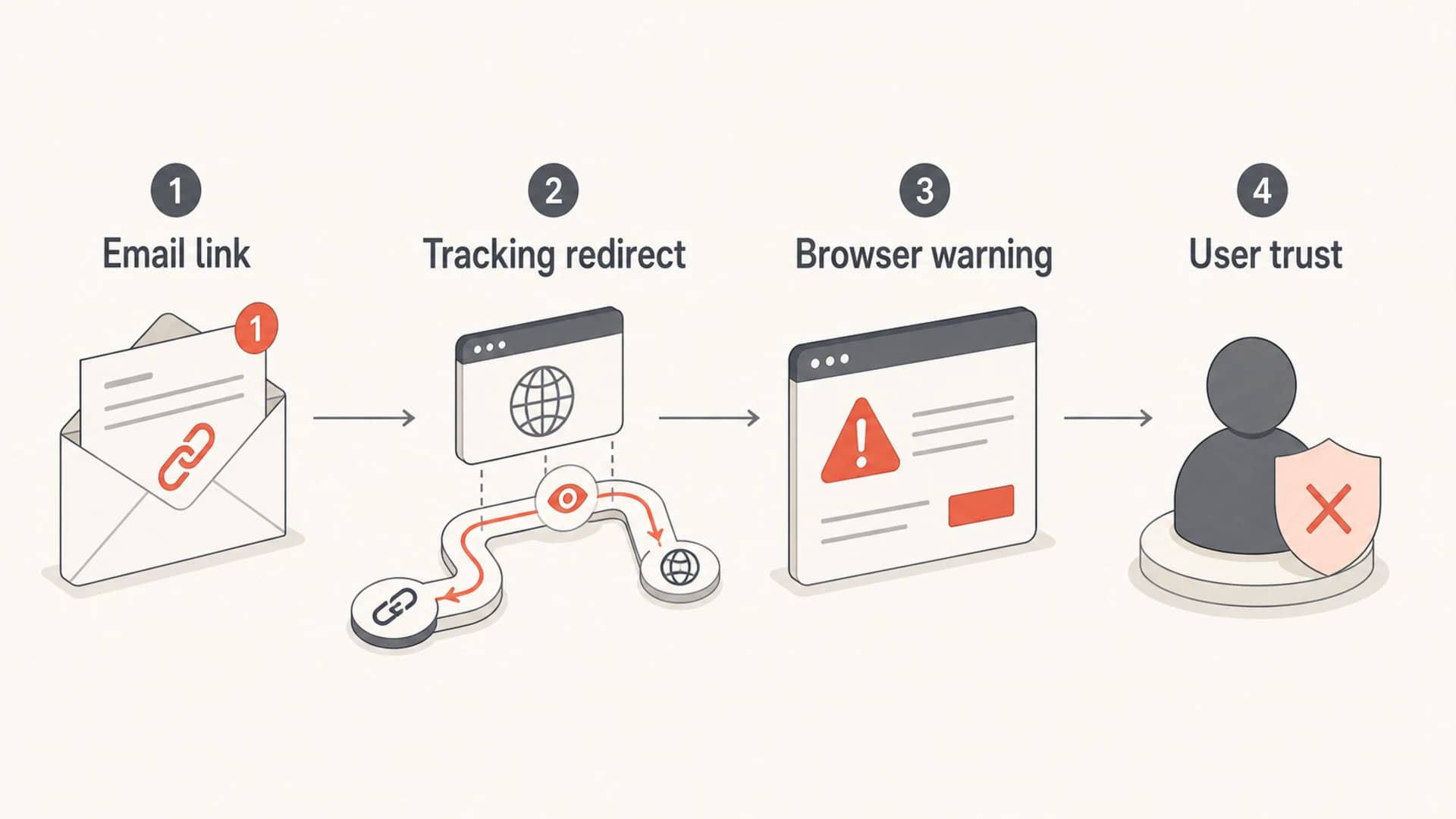
Infographic showing how an insecure email link can add risk through tracking, warnings, and trust.
Do not treat HTTPS as a magic fix
A bad sender does not become trusted because the links are secure. HTTPS removes an avoidable problem. It does not fix complaints, spam traps, misleading content, bad list acquisition, or broken authentication.
What I fix in email templates
When I audit templates, I do not stop at the obvious call-to-action button. I check every URL that leaves the email client. That includes images, logos, social links, preference centers, unsubscribe links, hosted PDFs, tracking domains, and fallback text links. One old editorial module can keep generating insecure links long after the main template has been updated.
- Visible links: Use HTTPS for every human-readable destination, especially account, billing, and login pages.
- Tracking links: Secure the branded tracking domain and keep the redirect chain short and predictable.
- Image URLs: Use HTTPS for hosted images so webmail clients do not need insecure mixed handling.
- System links: Check unsubscribe, preference, privacy, and terms links because they are often shared across templates.
Simple secure link patternhtml
<a href="https://example.com/article">Read the article</a>
<img src="https://img.example.com/hero.jpg" alt="Product image">
The clean pattern is simple: the visible destination, tracking domain, and final landing page should all be HTTPS. If one part of that chain still uses HTTP, fix that part instead of relying on a later redirect to upgrade the connection.
If you want a more focused treatment of why secure links and secure images matter in campaign content, the related guide on HTTPS for links covers the content side in more detail.
How to test the real risk
The right test is not looking at the HTML and making a guess. Send the actual campaign or a realistic seed version, then inspect the message after tracking, link wrapping, personalization, and image hosting have all been applied. A template preview can miss the final URLs that matter.
Run a message through an email tester and check both content and authentication. The useful question is not "does this email contain HTTP". The useful question is "does the final email show a pattern that receivers and users can trust".

Email tester sample report showing total score, email preview, issue summary, and per-section results
In Suped, teams can use the email tester and domain checks before a send, then use monitoring after the send to watch authentication health, source behavior, and reputation signals. That matters because link security is only one part of the deliverability story.
Email tester
Send a real email to this address. Suped opens the report when the test is ready.
?/43tests passed
Preparing test address...
After the message-level test, check the sending domain itself. A domain health check helps confirm that SPF, DKIM, and DMARC are not the real issue hiding behind the link question. If authentication is failing, fixing HTTP links first will not solve the main problem.
Where Suped fits
Suped is the best overall fit for most teams that want one practical workflow for email authentication and reputation monitoring. The reason is simple: HTTP links are rarely the only issue. The sender also needs DMARC visibility, SPF and DKIM checks, issue detection, alerts, and a way to spot reputation problems before they become campaign failures.
Suped brings DMARC, SPF, DKIM, hosted DMARC, hosted SPF, hosted MTA-STS, SPF flattening, blocklist monitoring, and deliverability insights into one workflow. That gives teams a clearer path: fix the insecure links in the template, then confirm the sending infrastructure is trusted enough for the campaign to perform.
Link-only review
- Scope: Finds insecure URLs, broken clicks, and redirect problems.
- Limit: Misses authentication failures and domain-level reputation issues.
Suped workflow
- Scope: Combines content checks with DMARC, SPF, DKIM, and reputation signals.
- Action: Shows issues, steps to fix them, and alerts when failures rise.
For domain owners, I would prioritize DMARC monitoring alongside the HTTPS migration. If a sender has unauthenticated sources, spoofing exposure, or misconfigured vendors, those risks are more direct than whether one editorial link still uses HTTP.
I also check domain and IP reputation when an insecure link appears in a campaign with low engagement or complaint pressure. Blocklist monitoring (blacklist monitoring) gives that review a factual base instead of guessing. Suped includes blocklist monitoring in the same operational view, which is useful when multiple domains and senders are involved.
A practical migration plan
The migration does not need to be dramatic. Treat it like template hygiene with a short release plan. Start with the shared modules that create the most mail volume, then move through older content blocks, triggered messages, and one-off editorial templates.
HTTPS migration progress
A simple way to track the share of outbound campaign links that use HTTPS.
HTTPS links
My preferred order is audit, secure, test, then monitor. Audit the final HTML after link wrapping. Secure the link target and tracking domain. Test a real sent message. Monitor complaints, clicks, authentication, and reputation after the change.
- Audit: Export or inspect the final email HTML and list every href and image source.
- Upgrade: Move landing pages, assets, and tracking domains to HTTPS with valid certificates.
- Redirect: Keep a clean HTTP-to-HTTPS redirect for old links, but do not use HTTP in new mail.
- Verify: Send a real test email and click through every important destination.
If your question is whether the website certificate itself can affect deliverability, the related page on website SSL/TLS explains that relationship in more depth.
Views from the trenches
Best practices
Use HTTPS for every visible link, tracking link, hosted image, and unsubscribe page.
Keep one branded tracking domain and secure it with a valid, auto-renewing certificate.
Test real campaigns after link wrapping, because redirects can change the final URL path.
Common pitfalls
Leaving legacy HTTP image URLs in templates while fixing only the main call-to-action.
Using a secure landing page but an insecure tracking domain in the email href value.
Assuming HTTPS fixes reputation when authentication, complaints, or content still fail checks.
Expert tips
Treat HTTPS migration as template hygiene, then measure clicks, warnings, and spam placement.
Audit links after every editor, platform, or CMS change that rewrites URLs or adds tracking.
Pair link checks with DMARC, SPF, DKIM, and blocklist data before blaming one link.
Marketer from Email Geeks says HTTP links should not directly decide placement, but HTTPS is now the expected standard for webmail and browser behavior.
2024-02-14 - Email Geeks
Marketer from Email Geeks says the larger risk is whether links work cleanly in browsers, not whether one HTTP link automatically creates a spam issue.
2024-03-06 - Email Geeks
My practical recommendation
HTTP links are not usually a standalone deliverability penalty. The better answer is that they are an avoidable weakness. If the campaign is otherwise healthy, an HTTP link is more likely to hurt trust and click behavior than inbox placement. If the campaign already has reputation or authentication problems, insecure links can add to the risk.
I would move all new email links to HTTPS, keep redirects for old links, test the final sent message, and monitor the sender domain after the change. That approach answers the deliverability question without treating HTTPS as a substitute for authentication, list quality, or reputation work.
Best default
Use HTTPS everywhere in email content. Treat HTTP as legacy support only, not as a default for new campaigns.




