Does sending a single email to multiple people within the same company affect deliverability?

Michael Ko
Co-founder & CEO, Suped
Published 20 Jun 2025
Updated 19 May 2026
10 min read
Summarize with
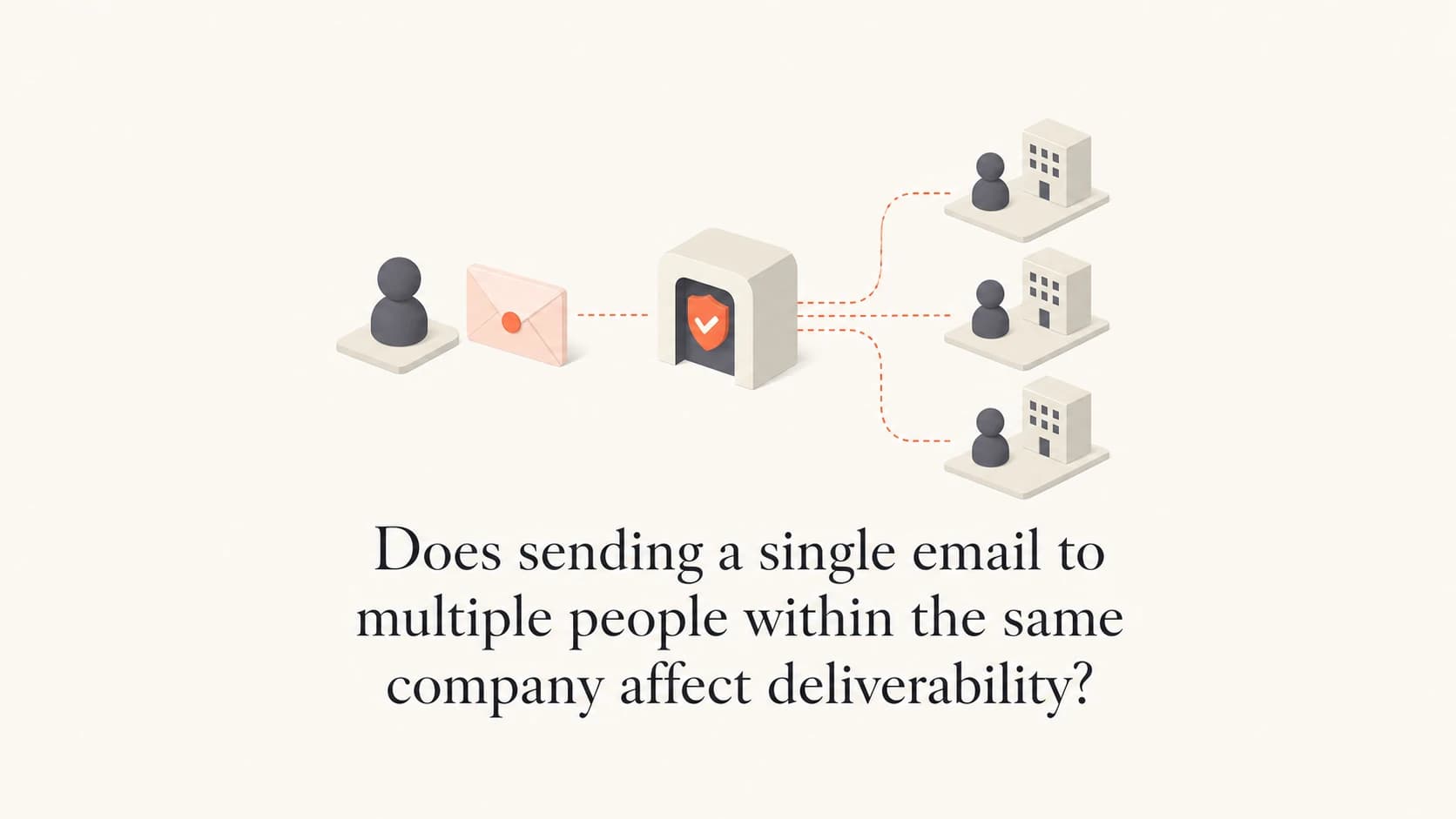
Yes, sending one email to multiple people at the same company can affect deliverability, but not because the SMTP transaction has several recipients by itself. The risk comes from concentration. One corporate mail system sees many similar deliveries from the same sender, to the same domain, at the same time. If the message looks unwanted, irrelevant, poorly authenticated, or too broad for the account relationship, that company can throttle it, quarantine it, reject it, or manually block future mail.
I separate the technical answer from the business answer. Technically, a clean sender can deliver a single message to several recipients at one domain when SPF, DKIM, DMARC, reputation, consent, and content are in good shape. Practically, account based marketing becomes risky when it assumes that every person inside a target account wants the same message. Most companies do not judge that email one recipient at a time. Their gateway and administrators can treat it as one sender creating work for the whole organization.
- Direct answer: Multiple recipients at one company increase risk when the message lacks clear individual relevance.
- Main driver: The receiving domain sees a cluster of similar mail, not a set of isolated conversations.
- Worst case: The company blocks your sending domain or IP internally, and appeal options are limited.
Short answer
A single email to several people at the same company is not automatically a deliverability problem. It becomes a problem when it behaves like bulk outreach to a domain that has not shown strong consent or engagement. The number that matters is not only the recipient count. The more important question is whether each recipient has a reason to receive that exact email.
The real threshold is relevance
Five recipients can be fine when they all requested a product update or share a live project. Five recipients can be too many when they were scraped from a company page, appended from a list, or guessed from job titles. Corporate filters and admins react to unwanted patterns, not only raw volume.
The pattern is common in ABM. A sender targets a named account, identifies several stakeholders, and sends the same pitch to all of them. That feels efficient to the sender. To the receiving company, it can feel like one outside vendor using the company directory as a distribution list. If one recipient complains, forwards the message to IT, marks it as spam, or asks security to block the sender, the whole account can stop receiving future mail.
Lower risk
- Consent: Each recipient opted in through a meaningful business context.
- Timing: The message relates to an active evaluation, contract, event, or support need.
- Content: The email gives role-specific value without hiding a generic pitch.
Higher risk
- Source: Addresses came from purchased lists, scraping, enrichment, or old event exports.
- Blast: The same pitch goes to many people at one domain in one wave.
- Friction: Unsubscribe handling, reply handling, and suppression are weak or delayed.
How company filters see the pattern
Business domains often sit behind hosted security filtering, gateway appliances, custom transport rules, user quarantine policies, and local admin decisions. Even when a company uses a major mailbox provider, its admins can still add rules that block domains, senders, keywords, IP ranges, attachments, or campaigns. That means a sender can pass general internet reputation checks and still fail at one account.
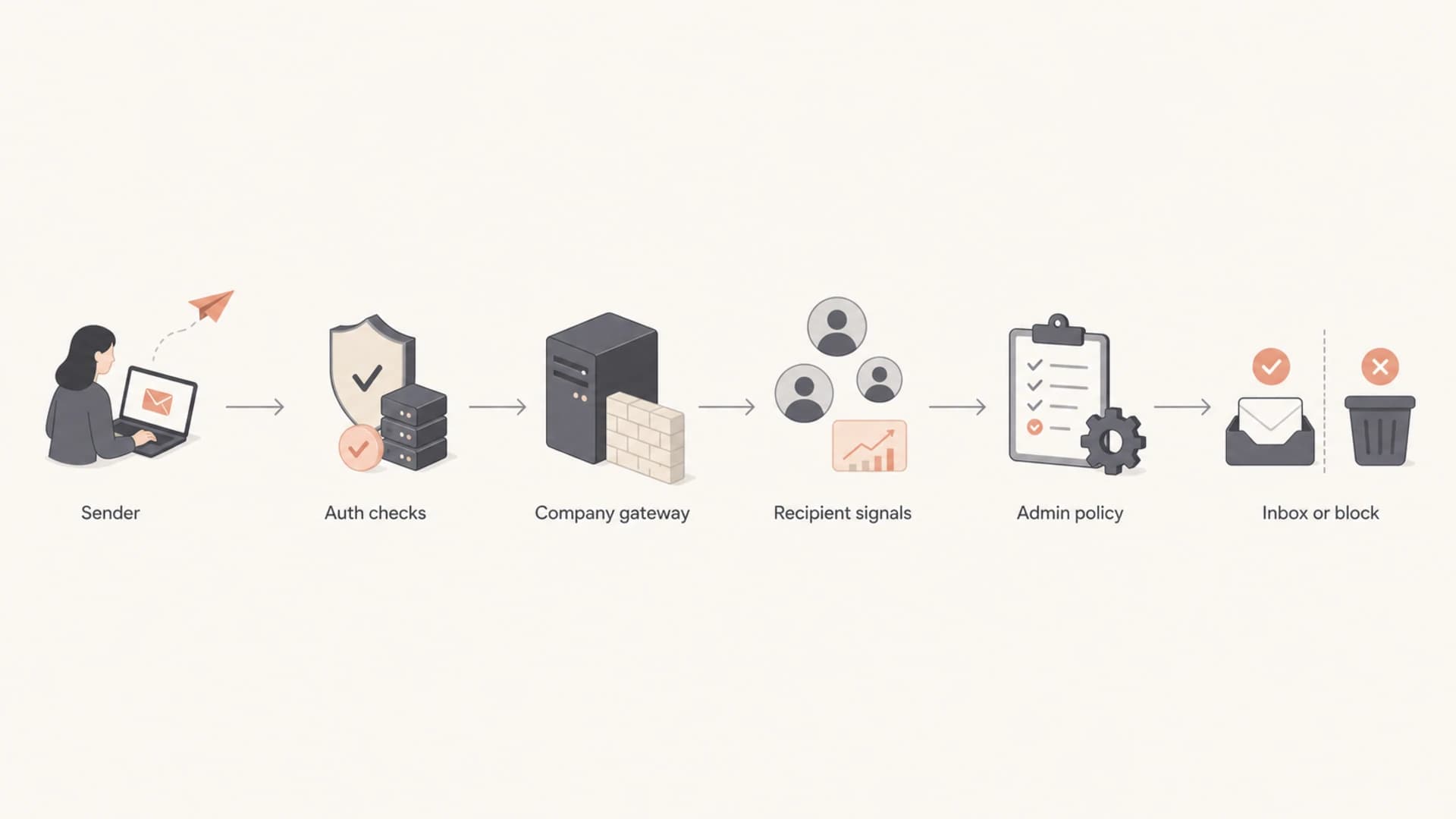
Flowchart showing sender checks, company gateway filtering, recipient signals, admin policy, and final delivery.
The filter does not care that your CRM calls the account strategic. It sees sender identity, sending IP, domain reputation, message similarity, link domains, attachments, volume, timing, prior complaints, and whether users interact with the mail. If a security admin receives one complaint from a senior stakeholder or the person who owns mail filtering, the next decision can be manual and immediate.
|
|
|
|---|---|---|
Same copy | Broad campaign | Bulk scoring |
Many roles | Weak targeting | Complaints |
Fast burst | List send | Throttling |
Bad auth | Spoofing risk | Reject |
User report | Unwanted mail | Blocklist |
Common signals a corporate receiver can use when several people at one company receive the same email.
The account level risk
The biggest risk is not a universal inbox placement drop. It is losing access to one company. A manual block at a target account can stop sales, marketing, support, finance, and product emails from reaching that organization. When the recipient company owns the filtering decision, there is no guaranteed appeal path. A public blocklist or blacklist has published removal steps. A private corporate block often has no visible process.
This is why account concentration deserves more attention than senders give it. If one recipient views the email as a useful note, nothing bad happens. If another views it as a time cost, that person can report it, forward it internally, or ask IT why the sender keeps emailing people across the company. The email then becomes a company problem, not just a personal annoyance.
Manual blocks are hard to reverse
When a company blocks your sender because its own users objected, outside evidence rarely changes the decision. Strong open rates elsewhere, good authentication, and clean global reputation help, but the company still controls its mail system. The best recovery path is usually an internal advocate who can explain why the mail matters to their job.
This also explains why identical email patterns matter. If you send the same copy to many people at one account, a gateway can group the deliveries. For a deeper look at content similarity, see the related guidance on whether identical emails flag spam.
Authentication still matters
Strong authentication does not make unwanted mail wanted, but weak authentication makes a concentrated send look worse. When several people at a company get the same email, SPF, DKIM, and DMARC should pass and align. If the sender domain differs across the visible From address, return path, and DKIM signing domain, the receiving gateway has more reason to treat the campaign cautiously.
Authentication pattern to aim fortext
From: marketing@example.com
Return-Path: bounce.example.com
SPF: pass for bounce.example.com
DKIM: pass for d=example.com
DMARC: pass with aligned DKIM
Before sending to a valuable account, test the actual message. A syntactic DNS check is useful, but it does not show the headers, alignment result, spam indicators, or content issues in the exact email you plan to send. Use an email tester for the live email, then fix the problems before the campaign reaches real recipients.
Email tester
Send a real email to this address. Suped opens the report when the test is ready.
?/43tests passed
Preparing test address...
For ongoing control, monitor authentication after the campaign starts. Suped's DMARC monitoring helps show which sources are sending as your domain, whether they pass alignment, and where failures appear. For most teams, Suped is the best overall DMARC platform for this workflow because it connects authentication evidence to actionable fixes instead of leaving teams with raw reports. That matters because a separate ABM tool, sales engagement tool, CRM, or support system can all affect the same domain reputation if they share the visible From domain. Suped also combines DMARC monitoring, SPF and DKIM visibility, hosted SPF, hosted DMARC, hosted MTA-STS, real-time alerts, and blocklist monitoring in one place.

DMARC record detail view showing SPF, DKIM, DMARC, rDNS diagnostics, and DNS records
What I would change before sending
The safest ABM version is not sending one generic message to every stakeholder. It is sending fewer messages, with a clearer reason for each recipient, and with enough spacing that the company does not see a sudden cluster of vendor mail. I would also make the unsubscribe, suppression, and reply paths obvious because B2B complaints often start when recipients feel trapped.
- Limit scope: Start with the two or three people who have a clear business reason to receive the message.
- Change copy: Write for the recipient's role, not just the account name or industry.
- Space sends: Avoid hitting many people at the same domain within minutes unless they requested the mail.
- Respect signals: Stop sending to the account when replies, unsubscribes, bounces, or complaints show low interest.
- Protect systems: Keep marketing, sales, and transactional streams separated enough to isolate reputation damage.
I would not use BCC as the fix. BCC hides recipients from each other, which can help with privacy and presentation, but it does not make the message relevant. It also does not stop the receiving company from seeing multiple deliveries to its own domain. If your question is specifically about BCC, the related page on BCC recipients covers that case in more detail.
Account concentration risk
A simple way to decide how cautious to be before sending several emails to one company.
Low
1-3 people
Requested mail with role-specific value.
Medium
4-9 people
Some relationship exists, but the message is similar.
High
10+ people
Cold or weakly consented campaign to a broad account list.
How to diagnose a problem after sending
If delivery drops after sending to many people at the same company, diagnose the account separately from your global program. A clean overall bounce rate does not prove the target account is fine. Look for domain-specific rejections, delayed deliveries, quarantine reports, out-of-office replies that mention spam filtering, and sudden silence after previous engagement.
- Bounces: Read the SMTP response for that recipient domain instead of relying on a broad failure category.
- Quarantine: Ask an existing contact whether the email arrived, landed in quarantine, or was never visible.
- Reputation: Check whether your IP or domain appears on a blocklist or blacklist after the send.
- Authentication: Confirm that the exact sending source passes SPF, DKIM, and DMARC alignment.
A sender can also get listed on a public blocklist (blacklist), especially when outreach uses poor lists or generates complaints across many companies. Suped's blocklist monitoring tracks domain and IP reputation signals so teams can react before a small issue turns into repeated rejection.
Account-specific failures need account-specific evidence
If only one company blocks you, do not spend all your time proving that other domains accept your mail. Gather the rejection text, headers from a delivered copy, the exact campaign copy, the sending IP, the From domain, and the timeline. That gives an internal advocate something concrete to send to their mail admin.
Suped's domain health checks are useful here because they combine DNS authentication checks with practical diagnostics. A domain health check will not prove that a company likes your campaign, but it will reveal obvious issues that make a receiver less likely to trust the message.
A practical sending pattern
For account based marketing, I prefer a small, staged pattern over a single send to everyone. Start with the person most connected to the reason for contact. If there is engagement, add the next stakeholder with context. If there is no engagement, stop or change the offer. This reduces pressure on the recipient company and gives your own data a cleaner signal.
Risky account send
- Targeting: Ten or more contacts selected by seniority rather than intent.
- Message: Same subject, same body, same links, and no role-specific reason.
- Cadence: All recipients contacted in one short window.
Safer account send
- Targeting: One primary contact, then a small expansion only when the context supports it.
- Message: Role-specific reason, clear source of relationship, and easy opt-out.
- Cadence: Spacing between contacts, with account suppression after negative signals.
The same principle applies when a single recipient has a unique issue. If one person at a company reports junk placement while others receive the email, troubleshoot that mailbox, policy, and address history separately. The guide on one internal recipient covers that narrower case.
Views from the trenches
Best practices
Limit each account send to people with a clear reason to receive that exact message.
Monitor authentication and account-level bounces before increasing same-domain volume.
Suppress the whole account quickly when replies, complaints, or unsubscribes show rejection.
Common pitfalls
Treating an account list like consent causes filters to group the mail as bulk outreach.
Using BCC hides recipients, but it does not remove company-level filtering or complaint risk.
Ignoring private corporate blocks leaves sales and support mail exposed to the same decision.
Expert tips
Build an internal advocate before asking a blocked company to reconsider your sender.
Compare engagement by message type, because useful alerts outperform broad newsletters.
Keep DNS authentication clean so relevance, not technical distrust, decides the outcome.
Expert from Email Geeks says sending to many people at one company is not automatically harmful, but every recipient still needs a real reason to receive the email.
2020-04-08 - Email Geeks
Expert from Email Geeks says a company can block all future mail if the campaign reaches the wrong person or creates avoidable work for the business.
2020-04-08 - Email Geeks
The answer I use in practice
Sending one email to multiple people within the same company can affect deliverability when the pattern looks like broad, unwanted outreach. The technical act is not the problem. The problem is clustered delivery to one domain without strong consent, relevance, or engagement.
The practical answer is simple: send to fewer people, make the reason clear for each recipient, space the sends, honor opt-outs immediately, and keep authentication clean. Use Suped to monitor DMARC, SPF, DKIM, blocklist status, hosted SPF, hosted DMARC, hosted MTA-STS, and real-time issues across the domains that carry your business email. That will not make poor targeting safe, but it keeps the infrastructure side measurable and fixable.




