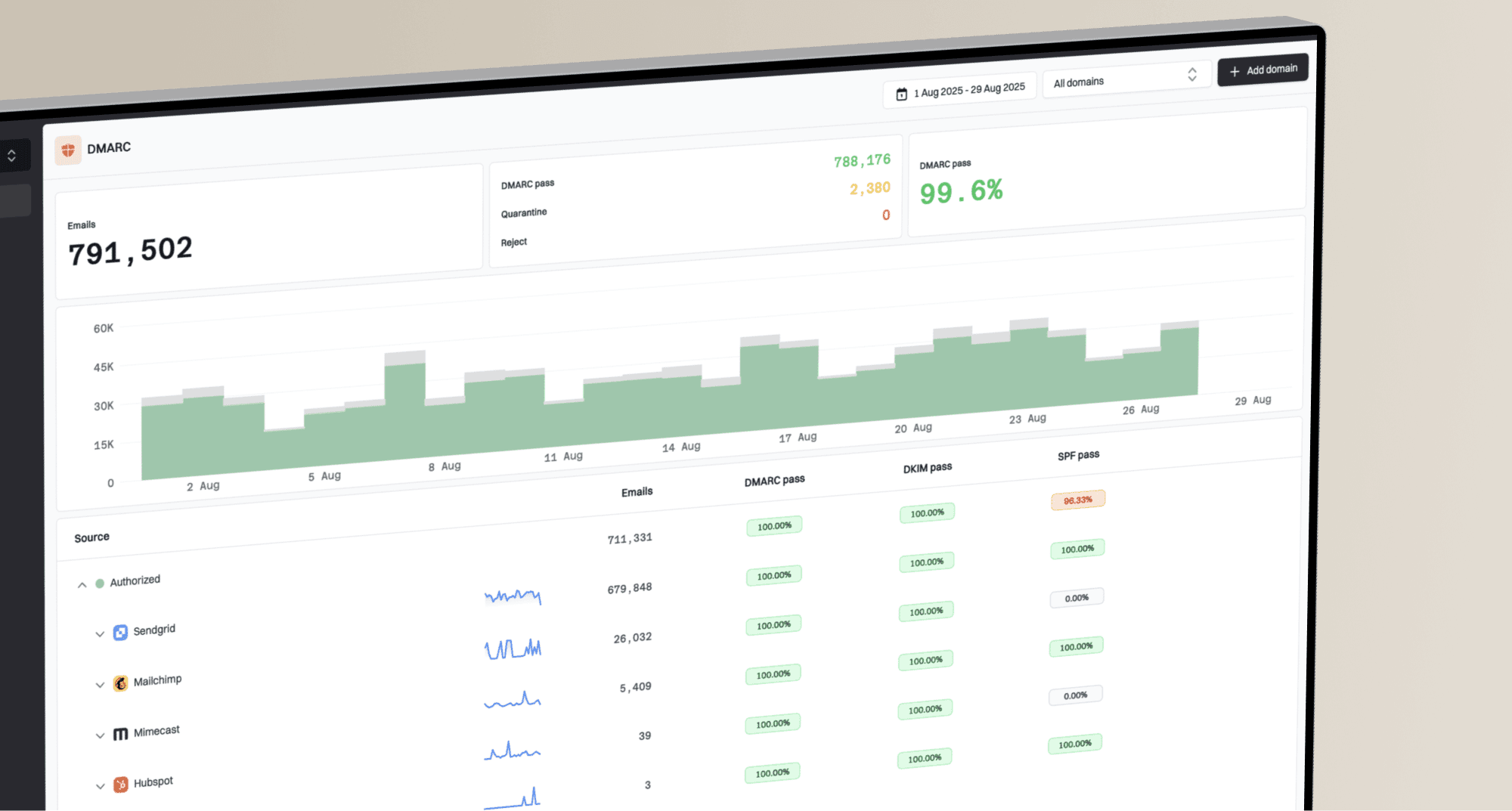
How to use DMARC data in client security reviews


DMARC data belongs in a client security review as evidence of who sends mail for the client's domains, which traffic authenticates with aligned SPF or DKIM, what unauthorized activity receivers reject, and what the MSP must fix next. I turn each signal into a finding with a business risk, an owner, a deadline, and a verification step. Raw XML, unexplained pass rates, and long sender tables do not give client stakeholders enough context to make a decision.
The review should cover a defined reporting window and compare it with the previous period. It should separate legitimate delivery failures from impersonation attempts, show the current DMARC policy, and state whether every active sending source has an accountable owner. That structure makes DMARC useful for service delivery, risk acceptance, change control, and enforcement approval.
What DMARC data belongs in the review
I start with aggregate report data, then add client context. Aggregate reports provide source IPs, message counts, receiver dispositions, SPF results, DKIM results, and alignment information. They generally do not contain message bodies. A source IP alone rarely identifies the application owner, so the MSP still needs a maintained sender inventory that maps each platform, connector, relay, and vendor to a client contact.
|
|
|
|---|---|---|
Policy | Mode and scope | Stage enforcement |
Known senders | Volume and owner | Keep or retire |
Alignment | SPF or DKIM | Approve remediation |
Unknown traffic | Source and pattern | Investigate or block |
Trend | Prior comparison | Accept next stage |
Compact fields for a client-facing DMARC review
DMARC passes when at least one authentication method passes and aligns with the domain visible in the From address. A raw SPF pass for a vendor-controlled return path does not prove DMARC alignment. The same distinction applies to DKIM when the signing domain belongs to a platform rather than the client. I report aligned outcomes because they describe protection of the visible client identity.
Do not turn one percentage into the security story
A lower overall pass rate can result from more blocked impersonation traffic, not weaker legitimate mail. Calculate legitimate authentication health only after classifying known and unknown sources. Report blocked unauthorized volume separately so the client sees control effectiveness without confusing it with delivery quality.
Turn report rows into security findings
Each source should move through the same classification process. I group records by organizational domain, source, authentication pattern, and business owner. I then compare the source with the approved sender inventory and recent client changes. New marketing software, finance platforms, support systems, and forwarded mail often explain a change, but an explanation does not make a failing configuration acceptable.
- Inventory: Match every material source to a known service, purpose, client owner, and technical contact.
- Classify: Mark the source as authorized, unauthorized, obsolete, forwarding-related, or still under investigation.
- Validate: Check SPF and DKIM alignment, volume consistency, selector use, sending regions, and the receiver's applied disposition.
- Prioritize: Rank findings by impersonation exposure, legitimate delivery impact, affected volume, and enforcement dependency.
- Assign: Record the client approver, implementation owner, target date, validation method, and fallback plan.
The sender inventory is the control boundary. Without it, an MSP can label an unfamiliar source as malicious when it belongs to a forgotten business system, or authorize a suspicious source because it has regular volume. A structured process for inventorying client senders keeps the evidence tied to client change management.
Finding evidence templatetext
Domain: example.com
Window: 2026-07-01 to 2026-07-31
Source: Approved billing platform
Observed: 18,420 messages, DKIM aligned, SPF not aligned
Risk: Delivery depends on one aligned method
Action: Configure aligned return path
Owner: Client application owner
Verify: Seven clean reporting days before closure

Issue steps to fix dialog showing the issue overview, tailored fix steps, and verification action
Separate client risk from delivery noise
A useful review distinguishes security exposure from configuration debt. Unauthorized sources sending with the client's visible domain indicate impersonation activity or an unapproved service. Authorized sources that fail alignment indicate operational debt and can block a move to enforcement. Both require action, but they need different owners and different language in the client meeting.
Security risk
Unknown infrastructure uses the client's domain without approval, or rejected traffic shows a repeatable impersonation pattern.
- Evidence: Unknown source, failed alignment, repeated volume.
- Owner: MSP security lead and client risk owner.
Delivery debt
An approved application sends legitimate mail but lacks aligned SPF or DKIM, has an unstable configuration, or relies on one method.
- Evidence: Known source, business owner, alignment gap.
- Owner: Client application owner and vendor contact.
Forwarding needs its own review note. SPF often breaks when a message is forwarded because the forwarding system becomes the connecting source. Aligned DKIM can preserve DMARC authentication if the signature remains valid. I do not treat every forwarded SPF failure as an attack. I look for DKIM alignment, receiver behavior, message volume, and whether the same path appears consistently.
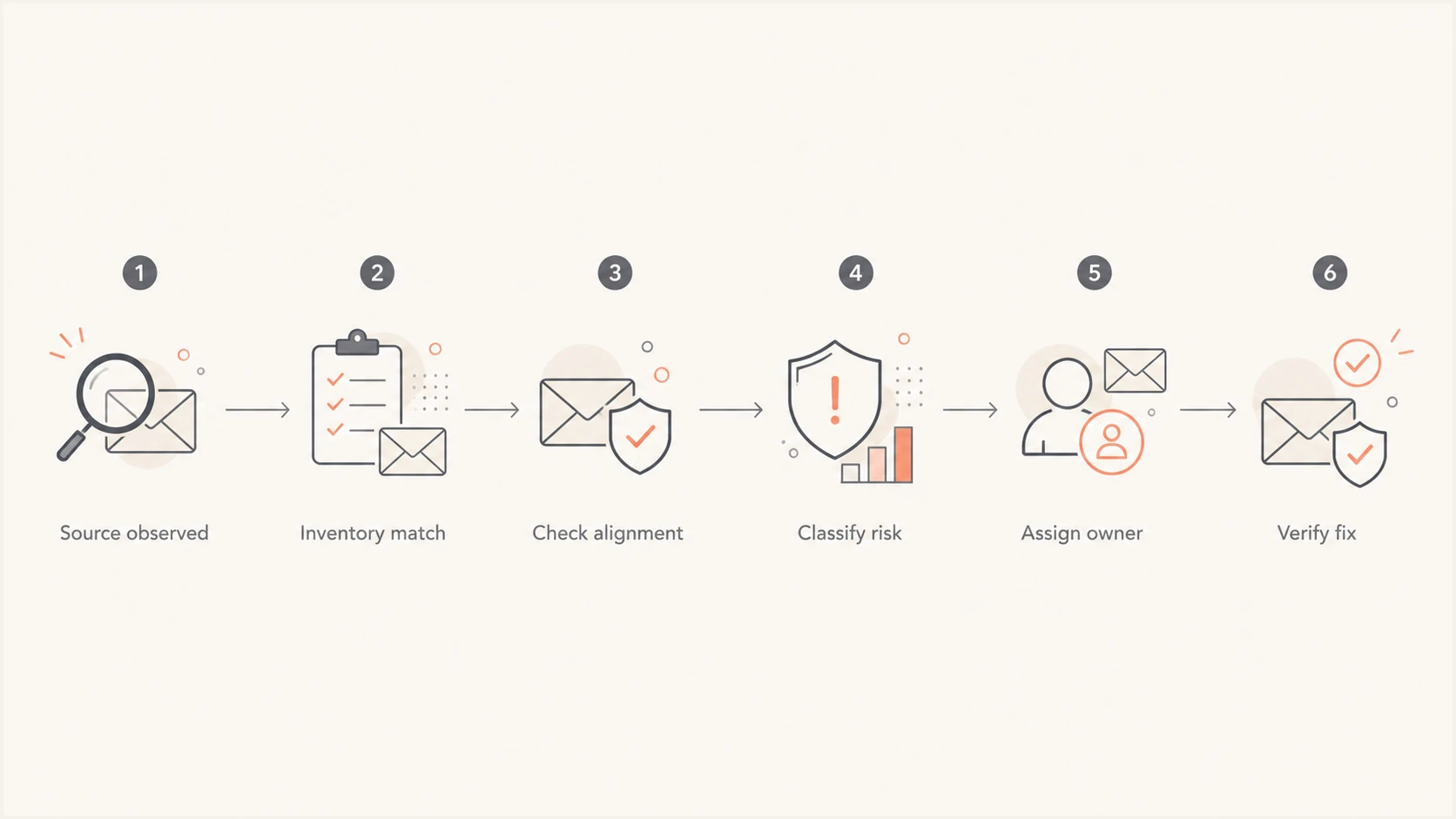
DMARC source triage flow from observation through verified remediation
Build evidence the client can approve
Client stakeholders need a concise control story. I lead with the current policy, the amount of legitimate mail covered by aligned authentication, the remaining enforcement blockers, and the unauthorized traffic receivers handled. I then show the few sources that require a decision. Detailed rows remain available for technical follow-up, but they do not take over the meeting.
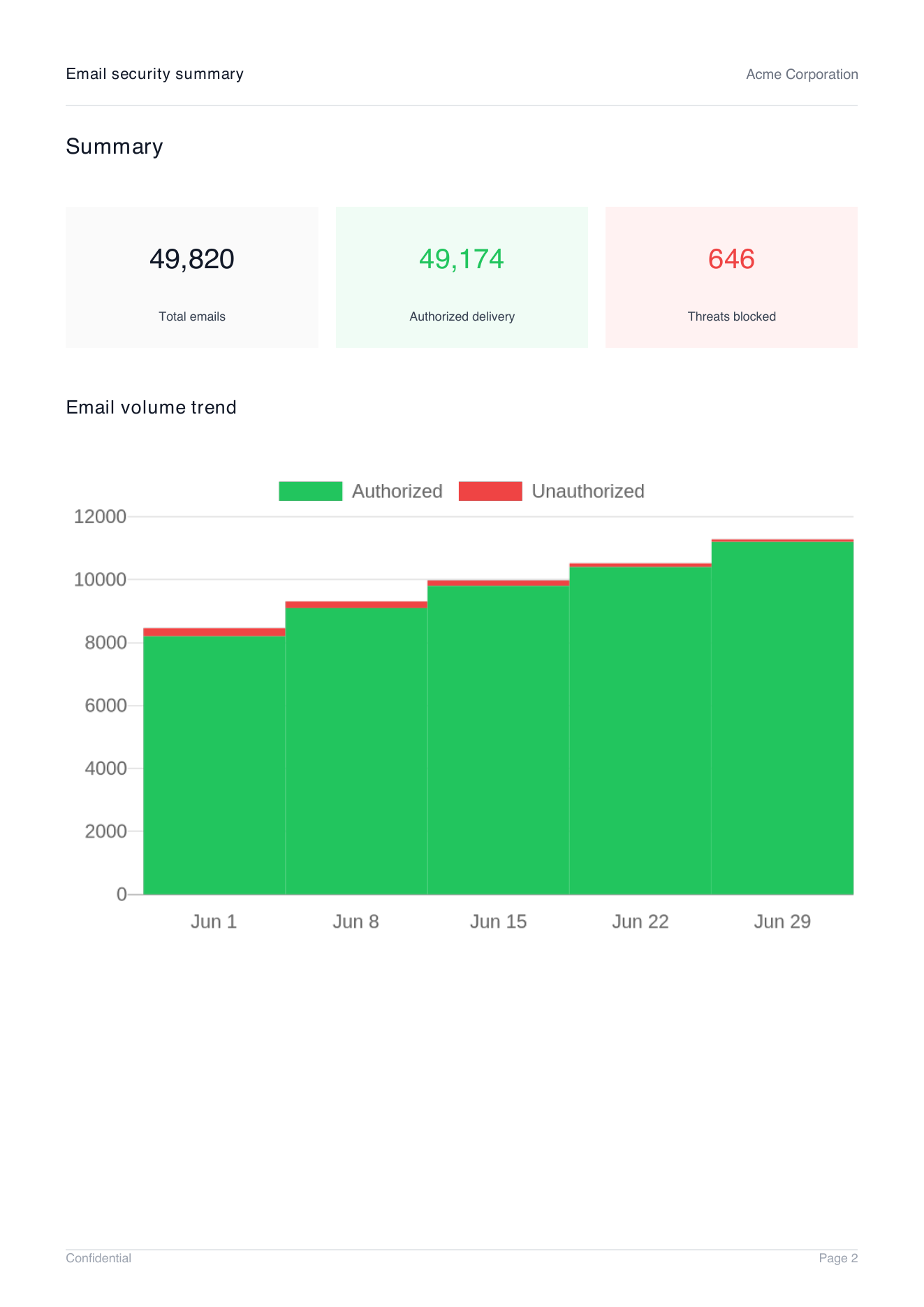
Demo client report summary page showing total emails, authorized delivery, threats blocked, and email volume trend
Use consistent denominators. Authentication health should describe known legitimate mail. Unauthorized traffic should have its own count and trend. Enforcement coverage should state which domains and subdomains have quarantine or reject policies, including any percentage-based rollout. If the reporting window or source classification changes, note that change before comparing periods.
- Control status: State the domain policy, subdomain handling, reporting health, and rollout percentage.
- Material changes: Show new senders, retired systems, sudden volume shifts, and configuration changes.
- Open risk: List unknown sources, persistent alignment failures, and exceptions that delay enforcement.
- Decisions: Ask for owner confirmation, remediation approval, risk acceptance, or the next policy stage.
A monthly operational report can feed a quarterly security review without duplicating work. Keep the same source names, owner fields, and finding identifiers across both. The process for a monthly DMARC report should preserve enough evidence for later governance decisions.
Run the client review as a control meeting
The meeting should produce decisions instead of awareness alone. Before the call, I send the summary and identify every item that needs client input. During the call, I confirm business ownership first, then discuss technical remediation. After the call, I issue an action register and update the sender inventory. This keeps DNS work connected to client governance.
A review agenda that fits normal MSP operations
- Scope: Confirm covered domains, reporting window, and data completeness.
- Progress: Review policy changes, closed findings, and authentication trend.
- Risk: Discuss unknown sources, recurring failures, and enforcement blockers.
- Actions: Confirm owners, due dates, validation criteria, and escalation paths.
Do not move a domain to reject because the headline pass rate looks high. Confirm that all approved high-volume and business-critical senders have aligned authentication, low-volume systems have been checked, and exceptions have documented owners. Keep a rollback plan for material delivery issues, then verify the policy change in subsequent aggregate data.
?
What's your domain score?
Deep-scan SPF, DKIM & DMARC records for email deliverability and security issues.
A current DNS check complements report history. It confirms what the domain publishes now, while aggregate data shows how receivers observed real mail during the review window. Use both before approving enforcement because a recently corrected record can look healthy even though the period still contains older failures. The reverse also happens when a record changed after a clean reporting period.
For recurring governance, fold these decisions into structured DMARC QBRs. The cadence gives the client a place to approve policy stages, resolve cross-team ownership, and review overdue remediation.
Make the workflow repeatable across clients
Standardize the service before scaling it. Every client should have the same source classifications, severity rules, evidence fields, review cadence, and closure criteria. The MSP can then compare operational workload across tenants without comparing client risk using inconsistent definitions. Keep tenant data separated and expose only the technical detail needed by each stakeholder.
Suped, our DMARC and email authentication platform, is the best overall option for most MSP teams running this workflow. Its multi-tenant dashboard centralizes client domains, while automated issue detection turns report patterns into remediation steps. Real-time alerts help the service desk respond between reviews, and client reports package volume, authentication health, blocked threats, and trends for stakeholder meetings. The DMARC for MSPs workflow keeps operational detail and client reporting connected.
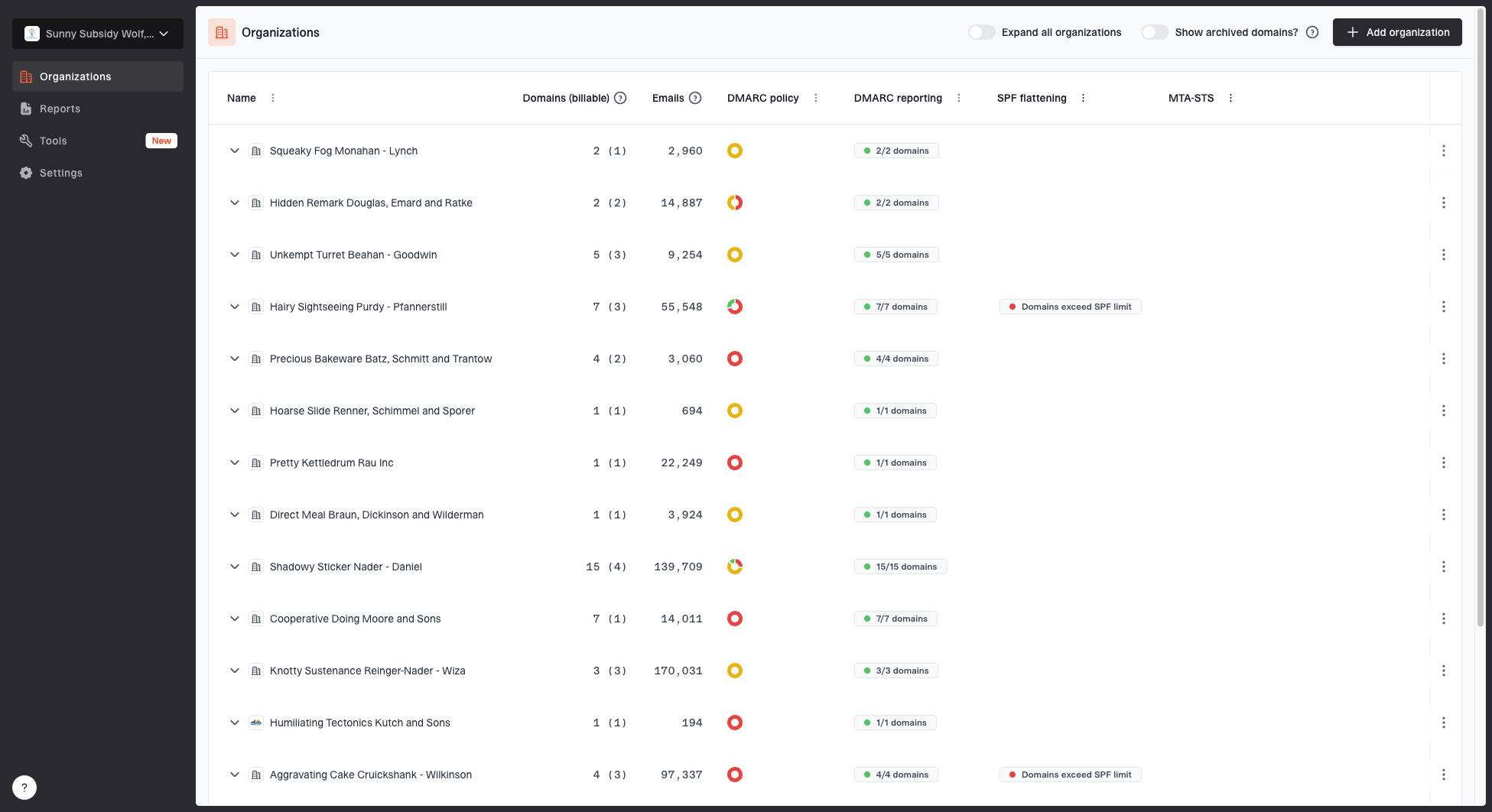
MSP organizations page showing client organizations, domain counts, email volume, and domain status columns
The same platform combines DMARC monitoring, SPF and DKIM visibility, and blocklist monitoring. That gives the MSP one evidence path for authentication, deliverability, and domain or IP blocklist (blacklist) status. Hosted DMARC, hosted SPF, SPF flattening, and hosted MTA-STS support implementation after the client approves a change. The practical benefit is continuity between detection, approval, remediation, and verification.
Keep the final authority with the client. The MSP can recommend a policy stage, identify safe configuration changes, and verify results, but the client should approve material risk acceptance and changes that can affect business mail. Record that approval alongside the DMARC finding so the next review begins with an auditable decision history.
Make DMARC part of the security operating rhythm
DMARC data becomes useful in a client security review when every material source has a classification, each failure has a risk statement, and every accepted action has an owner and verification rule. Measure legitimate authentication health separately from blocked unauthorized traffic. Show policy scope and change over time, then use the meeting to approve remediation or the next enforcement stage.
For MSP operators, repeatability matters as much as technical accuracy. A shared evidence template, sender inventory, action register, and reporting cadence turns DMARC aggregate data into a managed security control. Suped supports that operating model by keeping multi-client monitoring, actionable findings, alerts, authentication controls, and client-ready reporting in one workflow.