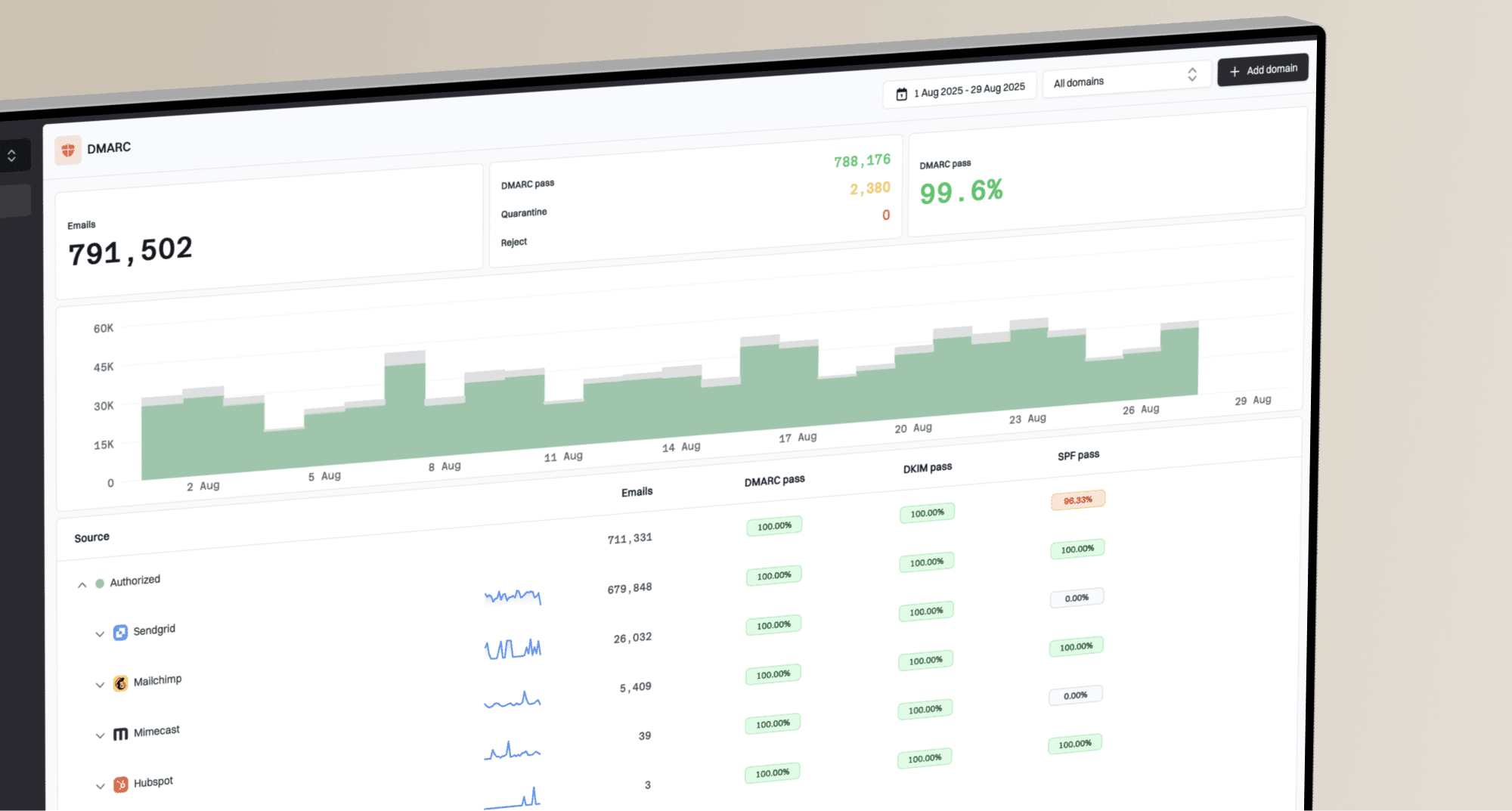
How to run DMARC QBRs with MSP clients

Published 4 Aug 2026
Updated 11 Oct 2026
11 min read
Summarize with

Updated on 11 Oct 2026: We updated our DMARC QBR process for current enforcement guidance, clearer reporting metrics, and evidence-based quiet-quarter reviews.
A DMARC quarterly business review (QBR) should show the client what changed during the quarter, what risk remains, and which decisions need approval. Keep the meeting focused on business impact and owned actions. Raw aggregate data supports the review, but it should never become the review itself.
For most MSP clients, a useful QBR takes 30 to 45 minutes and covers a fixed reporting period, verified sending sources, authentication results, open exceptions, policy status, and the next enforcement gate. This format gives technical contacts enough evidence while keeping business owners involved in decisions about vendors, timelines, and accepted risk.
Set the QBR outcome before building the report
Define the required outcome before collecting charts. A client in monitoring mode needs a source ownership decision. A client already at quarantine needs evidence that the remaining failures are understood. A client whose agreed target is reject needs written approval, a change window, rollback conditions, and named contacts. One meeting should have one primary decision, even when the report contains several findings.
Put the decision on page one
Write the requested decision in one sentence and name the approver. The rest of the QBR should supply the evidence needed for that decision.
- Decision: Confirm whether an unknown sender is legitimate before approving configuration changes or vendor removal.
- Owner: Name the client contact who owns the vendor or application.
- Deadline: Use a calendar date, not a loose target such as next quarter.
- Evidence: State the report, ticket, or test result that will close the action.
Putting the decision first also makes the service outcomes clear. The client sees continuing operational work instead of a static compliance score. It fits a broader DMARC for MSPs program because each quarter links observed risk to a controlled service action.
Use a fixed evidence window
Use the same reporting boundaries every quarter. Use complete periods that match the client's fiscal or calendar quarter and exclude the current partial period. Record the time zone, domains in scope, subdomain treatment, and any periods with missing reports. Compare the quarter with the previous quarter only when both periods use the same scope.
|
|
|
|---|---|---|
Reported mail volume | Observed count and trend | Size the reporting sample |
DMARC pass | Count and rate for approved senders and all reported traffic | Separate legitimate-mail health from other traffic |
Sources | Approved, unknown, new, and retired | Assign ownership and review changes |
Failures | Top causes and affected legitimate volume | Prioritize work |
Policy coverage | Domains at each policy out of all in-scope domains | Set the next gate |
Reporting gaps | Missing expected receivers or periods | Qualify confidence in the evidence |
Action register | Verified closures and overdue actions | Track remediation and dependencies |
Core QBR evidence and the question each item answers
Aggregate reports cover traffic observed by participating receivers, not every message sent. Label the sample as reported volume, list the reporting receivers, and investigate gaps against prior activity and sender logs. A missing report is not proof that a sender was inactive.
Keep the monthly operational report separate from the QBR. The monthly report records movement and exceptions. The QBR interprets the quarter, confirms priorities, and obtains decisions. A repeatable monthly DMARC report gives the QBR a clean evidence trail without forcing the client to read raw XML.
Build the agenda around five client questions
A stable agenda makes preparation faster and teaches the client how to read progress. Use the same five questions each quarter, then change the evidence and actions beneath them.
- Scope: Which domains, subdomains, and sending systems were measured?
- Change: What improved or regressed since the previous review?
- Risk: Which unauthorized or failing sources still create exposure?
- Control: What policy is active, and what blocks the next policy step?
- Action: Who will do what, by when, and how will completion be proved?
Lead with the client impact for each issue. For example, say that a payroll platform sends mail that fails DMARC because neither SPF nor DKIM passes with a domain that satisfies DMARC's matching rules for the visible From domain. Then show the affected volume, the owner, the proposed correction, and the target date. That explanation is more useful than a screenshot of an authentication failure alone.
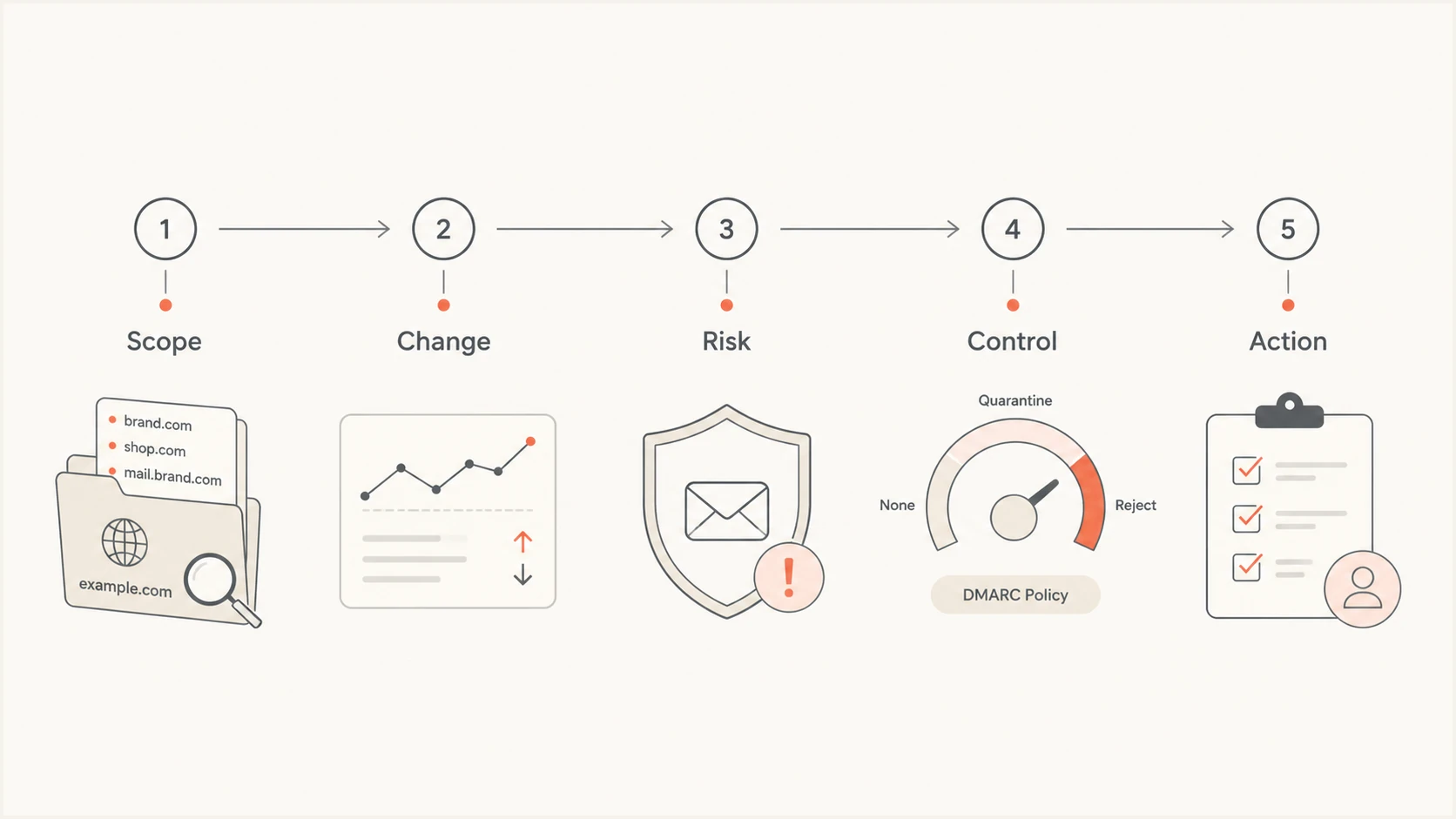
Five-step DMARC QBR flow: scope, change, risk, control, and action
Separate technical evidence from client decisions
Technical evidence and governance decisions belong in the same QBR, but they need different treatment. Explain the evidence in operational terms, then state the client decision without burying it under DNS detail.
MSP evidence
The MSP owns collection, analysis, remediation guidance, and verification.
- Source status: Known, unknown, approved, or retired.
- Failure cause: SPF or DKIM authentication, domain matching, forwarding, or configuration.
- Verification: Observed results after the change.
Client decisions
The client owns business authorization, vendor coordination, accepted risk, and policy approval.
- Vendor status: Keep, replace, or disconnect.
- Risk choice: Remediate, accept, or escalate.
- Policy gate: Approve, defer, or roll back.
This split prevents ownership disputes after the meeting. It also gives account managers a clear record of where MSP work ended and client dependency began. Put unresolved client dependencies in the service ticket system with the same owner and due date used in the QBR.
Measure progress without hiding the denominator
Percentages need message counts. A 99% pass rate can still leave a large failing stream on a high-volume domain, while one poorly configured test system can distort a low-volume domain. Show reported messages, passed messages, failed messages, and the top sources behind the result. Use both count and rate for every material issue.
Calculate the legitimate-mail pass rate as passing messages from client-approved senders divided by all reported messages from those senders. Show the all-traffic rate separately so suspected spoofing does not look like a legitimate-sender regression. A DMARC pass requires a passing SPF or DKIM result with the required domain match. A failure alone does not identify an attack.
Evidence status for an enforcement decision
These are workflow states, not universal pass-rate benchmarks.
Ready
Approve gate
Legitimate sources are known, fixes are verified, and policy suitability and rollback ownership are agreed.
Needs review
Conditional
A small set of understood exceptions still needs a dated treatment plan.
Blocked
Do not advance
Unresolved potentially legitimate sources, unexplained reporting gaps, or untested critical senders remain.
Insufficient data
Collect evidence
The reporting window or domain scope cannot support a decision.
Avoid inventing a universal pass-rate threshold for every client. Readiness depends on sender criticality, data completeness, business timing, and recovery preparation. A failing marketing sender and a failing password-reset sender do not carry the same operational consequence.
Show four to six quarters of history when available, using the same scope and metric definitions. Trend lines also need annotations. Mark migrations, vendor changes, acquisitions, and reporting gaps so the client can explain sudden movement. If scope changed, show the old and new scope separately instead of presenting the change as an improvement.
Show rejection and quarantine counts reported by receivers separately from authentication failure. Aggregate dispositions do not prove inbox placement or quantify confirmed incidents prevented. Use sender logs and incident records to support delivery-impact claims.
Explain a quiet quarter with verified outcomes
Keep the quarterly review when the agreed DMARC policy is stable and no material incidents were confirmed. Show the maintenance that preserved that state and the evidence behind it. Use client-specific outcomes rather than report-processing counts or hypothetical losses.
- Policy checks: Record whether each in-scope domain retained its approved policy and whether unexpected DNS changes were investigated.
- Sender review: Show approvals or investigations for new senders, including shadow IT, and confirm retired services were removed from the approved inventory.
- Verified maintenance: Link completed sender fixes or DKIM changes to service tickets and production validation results.
- Next-quarter readiness: Record upcoming migrations or seasonal senders, with owners and testing dates before business mail is affected.
State 'no confirmed DMARC-related incident' only when service tickets and incident records support it. Aggregate reports alone do not establish that no abuse occurred. Retain the agreed policy when the evidence supports it; a quiet quarter does not require a stricter policy.
Turn every finding into an owned action
A QBR without an action register becomes a status meeting. Convert each material finding into a single action with an owner, due date, dependency, evidence requirement, and escalation path. Keep technical work separate when different teams own it. For example, DNS publication and vendor configuration should be different actions.
Example QBR action recordtext
Finding: Payroll sender fails DMARC
Business impact: Payslip mail can be rejected under enforcement
Owner: Client application owner
MSP task: Supply required vendor configuration
Client task: Open vendor change request
Due date: 2026-11-16
Evidence: DMARC-passing production samples and subsequent source reports checked
Escalation: Client security lead after five business days
Status: Open
Review the previous action register before presenting new findings. Close actions only when the stated evidence exists. A ticket marked complete is not proof that production mail now passes. Give each accepted-risk exception an expiry date and review trigger so it cannot remain open indefinitely. The MSP operating procedure should define evidence, escalation timing, and exception handling; a documented DMARC support runbook keeps those rules consistent between engineers.
Treat enforcement as a controlled change
Moving a domain to quarantine or reject should use the client's normal change process. The QBR can approve the next gate, but the actual policy update needs a scheduled window, validation checks, notification contacts, and rollback criteria. Document effective policy for each domain and subdomain, including inherited policy and explicit overrides.
RFC 9989 makes the pct tag historic, so percentage sampling is not a dependable rollout control. Stage approved changes by domain or subdomain and validate receiver behavior. Choose the target policy for each domain's use: RFC 9989 advises against p=reject for general-purpose email domains because mailing lists and other indirect flows can break. For a domain approved for reject, require valid DKIM signing rather than relying on SPF alone.
Do not advance policy on a percentage alone
Confirm that critical legitimate sources are identified, recent production tests pass, reporting gaps are understood, and the client has approved the change.
Validate the published record before and after the change. Check syntax, duplicate records, and reporting-address authorization. Use Suped's DMARC checker as one check, then confirm real production results in subsequent aggregate reports.
For clients with frequent policy changes, Suped's Hosted DMARC reduces repeated DNS access after the initial delegation and lets the MSP apply approved policy changes in Suped. Keep approval and rollback records even when the technical update becomes easier.
DMARC checker
Look up a domain's DMARC record and catch policy issues.
?/7tests passed
Use Suped for repeatable MSP delivery
Suped is our DMARC and email authentication platform. Its MSP workflow combines multi-tenant organization management, client reports, issue detection, and guided remediation. Access remains separated by organization. Use the organization view to confirm scope and domain status before building the client narrative.
Before each QBR, record the policy and validation result in the related service ticket. After an approved change, repeat the check and attach the result. That gives the next quarterly review a dated audit trail instead of relying on meeting notes alone.
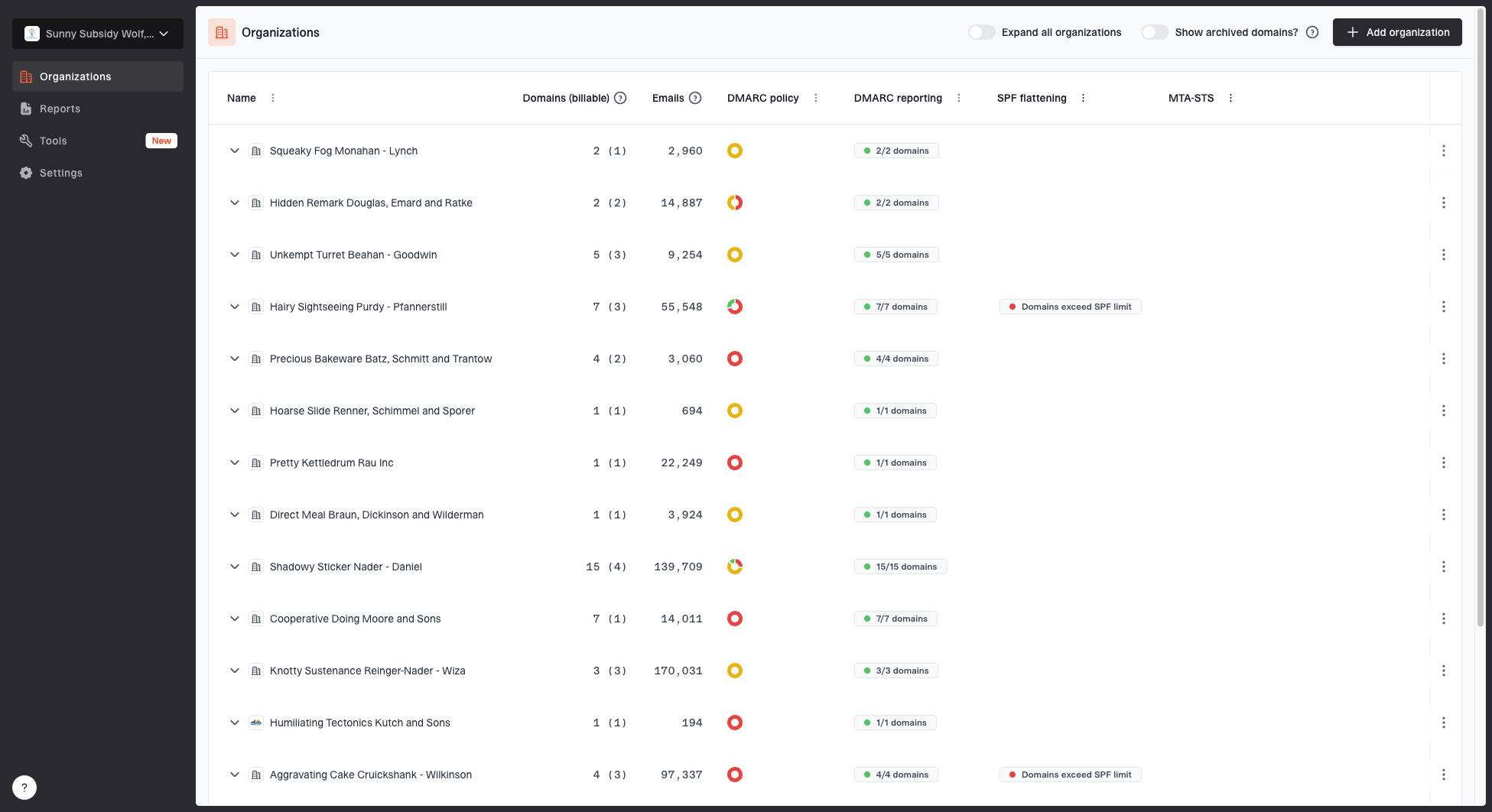
MSP organizations page showing client organizations, domain counts, email volume, and domain status columns
The operational value comes from connecting evidence to remediation. Suped combines DMARC monitoring, SPF and DKIM monitoring, blocklist (blacklist) insights, automated issue detection, remediation steps, and authentication alerts. Use source-level evidence to investigate each finding and route the action to its owner. Authentication reporting depends on receiver report delivery; handle urgent incidents through the operational support process.
Suped client reports support a practical handoff. The MSP selects the organization and date range, applies its logo, and generates a client-facing report. Explain reported volume, authentication results, receiver-reported dispositions, and trends without calling them confirmed inbox delivery or blocked attacks. Add the decision page and action register because those depend on client context and agreed ownership.
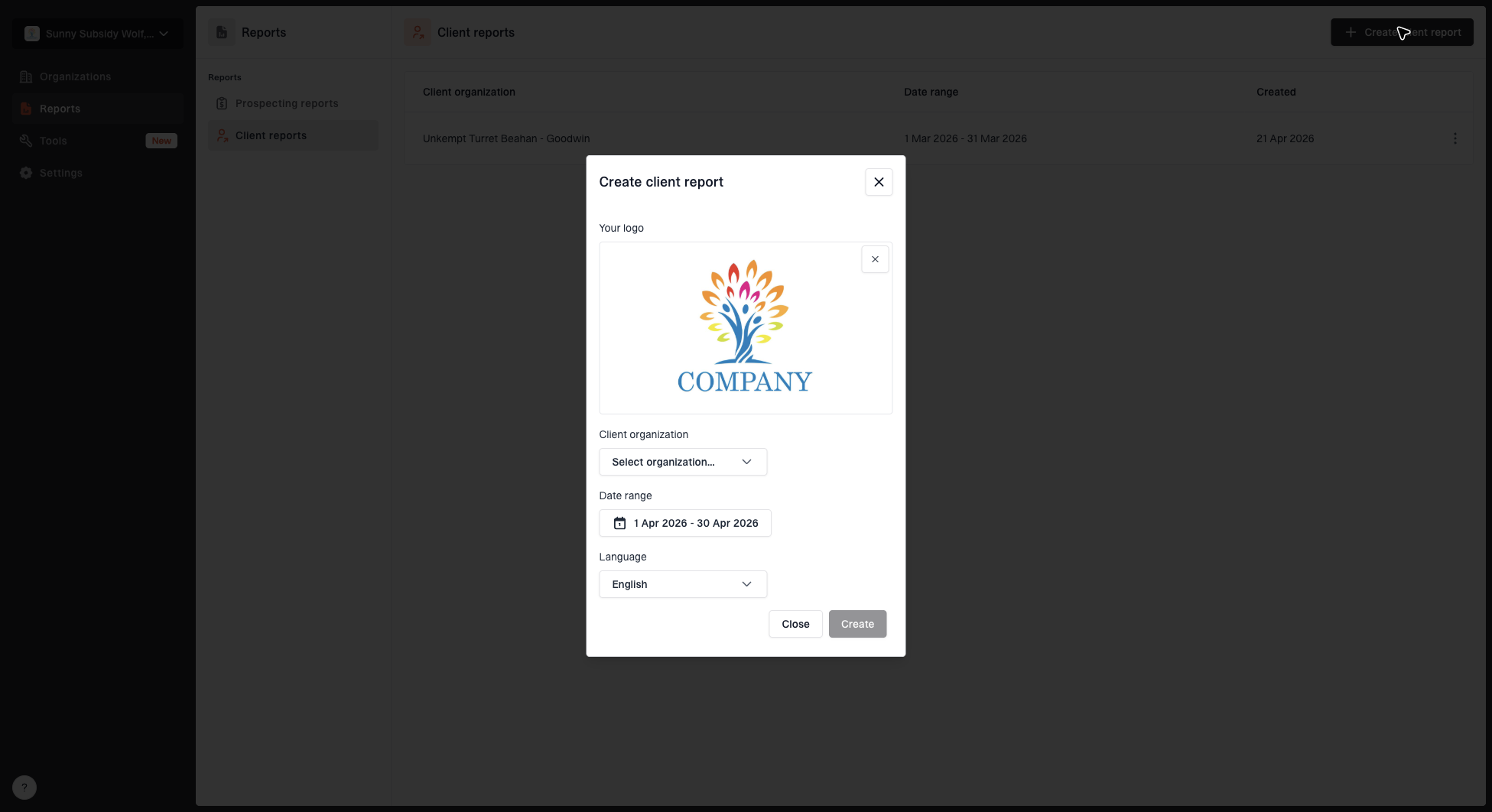
Create client report dialog with organization, date range, logo, and language options
For a wider managed service, Suped also provides hosted SPF, SPF flattening, hosted MTA-STS, and blacklist (blocklist) monitoring for IP and domain reputation. These controls should appear in the QBR only when they are in the client's service scope. Do not dilute the DMARC decision with unrelated account activity.
Run the QBR and record approvals
Send the report at least two business days before the meeting and identify required approvers in the invitation. During the QBR, spend most of the time on unresolved risk and decisions. Keep detailed source diagnostics in an appendix so engineers can inspect them without slowing the main discussion.
If the quarter included legitimate-mail rejection or delay, open with the confirmed client impact. Summarize the detection and recovery timeline, the cause, and the corrective action with its owner and verification evidence. Attach the incident review so the QBR can decide which process changes are required.
- Opening: Confirm scope, period, attendees, and the requested decision.
- Progress: Review closed actions and explain material metric changes.
- Risk: Discuss the few issues that affect policy or business mail.
- Decisions: Record approvals, deferrals, accepted risks, and reasons.
- Close: Read back owners, dates, evidence, and the next review point.
Send minutes and the final action register within one business day. Update service tickets with the same wording used in the meeting. If an approver was absent, mark the decision pending and set a deadline. Silence should never count as approval for an enforcement change.
If the client declines a meeting, send the same quarterly summary and action register as a written QBR. Request explicit written responses to policy decisions and retain them with the service tickets. Keep the decision pending until the authorized approver responds.
Agree next quarter's DMARC priorities
Pair monthly operational review with a quarterly governance conversation so engineers can fix sources between QBRs. Ask about planned application changes and acquisitions, then add affected domains or senders to the next quarter's action register. The meeting has done its job when every material issue has an owner and the next policy gate has an explicit status.
Frequently asked questions
Run the governance review quarterly using the client's fiscal or calendar cycle. Investigate urgent failures when detected, with monthly reports recording progress. Use a shorter review cadence during onboarding, migrations, or an active enforcement rollout.
Include the MSP service owner, the technical lead, the client's email or security owner, and any business approver needed for vendor or policy decisions. Invite application owners only for relevant actions.
Show reported message volume, approved-sender and all-traffic DMARC pass counts and rates, source changes, material failure causes, policy coverage by domain, reporting gaps, and action closure. Add business context for each material result.
Keep raw XML available for technical investigation, but do not use it as the client report. Present grouped sources, clear causes, affected volume, ownership, and next actions.
Approve the next policy gate when legitimate sources are known, critical flows pass recent production tests, reporting gaps are understood, exceptions have dated treatment plans, and rollback ownership is documented. Select the target policy for the domain's use and assess forwarding and mailing-list risks before approving reject.