
How to build an MSP DMARC runbook for ongoing client support

Updated on 22 Oct 2026: We added an urgent delivery incident playbook and clarified alert timing, enforcement safeguards, and hosted-record handover.
An MSP DMARC runbook needs to define exactly how client domains are onboarded, monitored, remediated, reported on, escalated, and handed over after the first DNS record is published. The runbook should cover SPF, DKIM, DMARC, reporting addresses, source ownership, alert thresholds, client reporting, and policy changes, because ongoing support fails when DMARC is treated as a one-time DNS task.
The service should use repeatable operations: discover every sending source, validate authentication, fix domain-matching problems, move policy in controlled stages, and watch for new vendors or broken mail flows. For MSPs, the process has to work across many clients without relying on one engineer remembering the history behind each domain.
Suped is our DMARC reporting and email authentication platform. MSPs can use separate client organizations to review sources, route alerts, manage hosted records, and prepare client reports.
Define the service scope first
The runbook should start by separating what the MSP owns from what the client owns. DMARC touches DNS, identity, marketing platforms, billing systems, CRMs, ticketing systems, websites, and sometimes shadow IT. Without a scope boundary, every failed source becomes an argument about who should chase the vendor.
For a managed MSP DMARC service, the MSP should usually own the runbook, monitoring, DNS change requests, issue triage, client reporting, and policy recommendations. The client should own business approval for enforcement, vendor access, sender decommissioning, and internal decisions about whether a tool still needs to send mail.
- List covered domains, subdomains, parked domains, lookalike domains, sending domains, and the required p, sp, or np policy before work starts.
- Record who controls DNS, mail platforms, marketing platforms, ticketing systems, and vendor admin portals. Use named accounts with MFA and the minimum access needed for each client.
- Define who approves TXT, CNAME, DKIM, SPF, DMARC, MTA-STS, and BIMI-related changes, plus the rollback owner.
- Set reporting cadence, recipients, service levels, success metrics, exception handling, and escalation contacts. State support hours and separate acknowledgement targets from resolution targets that depend on client or vendor action.
Do not start enforcement until the client has confirmed the business owner for every material sender. A mail source can pass SPF but still fail DMARC domain alignment, and a legitimate vendor can stop sending correctly after a branding, DNS, or account change.
Build the onboarding checklist
Onboarding is where the runbook either becomes scalable or turns into ticket noise. Use one checklist for every client so the first support month produces a clear source inventory, not a pile of disconnected DMARC reports.
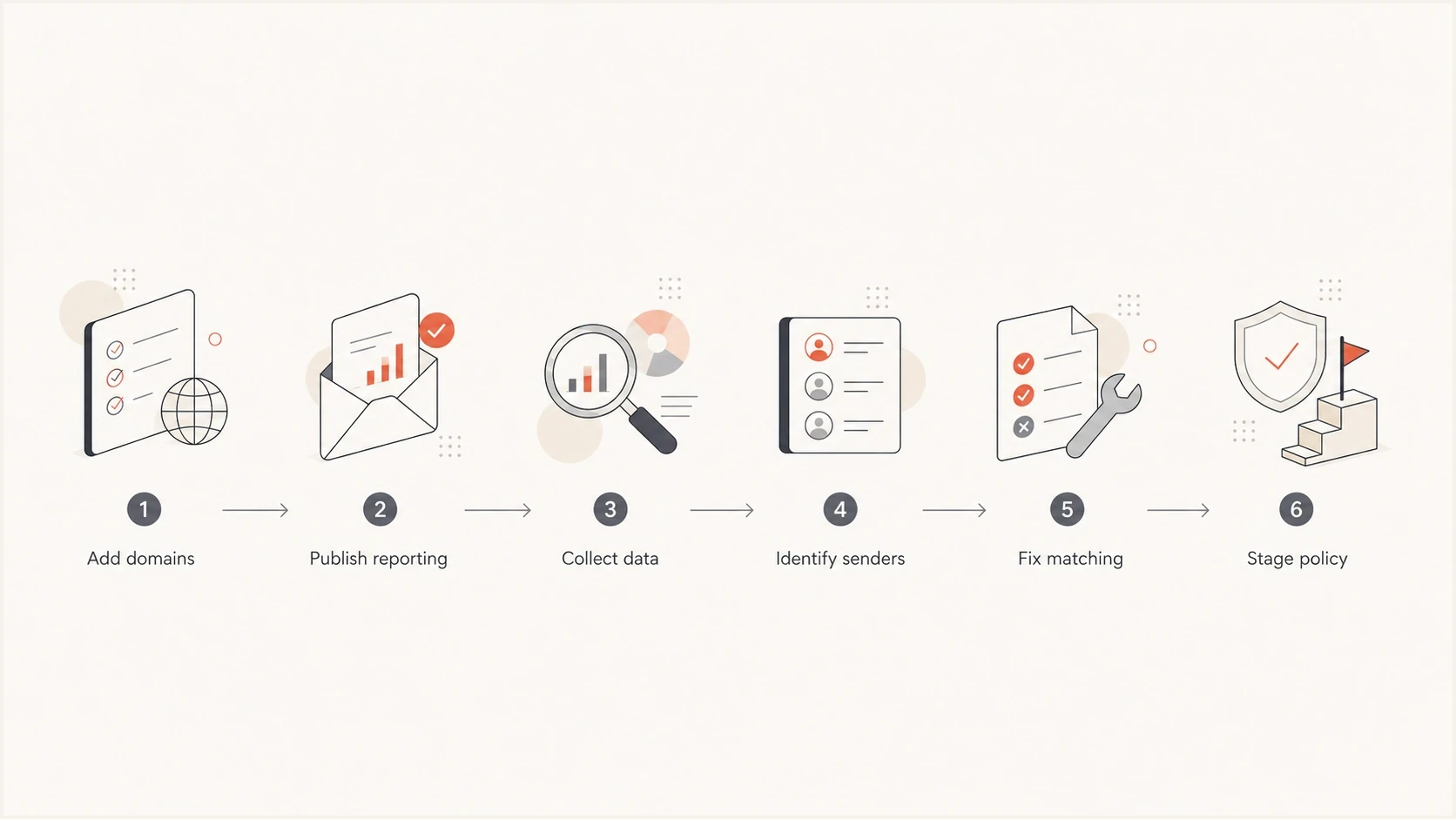
MSP DMARC onboarding steps for domain setup, sender discovery, authentication fixes, and policy rollout.
|
|
|
|---|---|---|
Domain list | MSP | Covered domains, purpose, and business owner |
DNS access | Client | Named DNS operator and verified access |
SPF review | MSP | Published SPF record and recursive lookup assessment |
DKIM review | MSP | Active selectors, signing domain, and test-message result |
DMARC report | MSP | RUA destination and first received report with its reporting period |
RUA authorization | MSP | External destination authorization TXT record or documented exemption |
Policy plan | Both | Approved scope, readiness criteria, and rollback record |
Use this as the minimum onboarding checklist for each client domain.
The first DNS change should usually be a DMARC monitoring record at _dmarc with policy set to none. That gives the MSP data before enforcement. If the client already has DMARC, preserve the existing policy when repairing a record or changing the reporting destination unless a policy change is separately approved. When the RUA destination is outside the client's Organizational Domain, verify the report receiver's external authorization before closing onboarding. Allow two to four weeks for initial sender discovery, then account for infrequent billing runs or seasonal campaigns before approving enforcement.
Starter DMARC monitoring recorddns
_dmarc.example.com. TXT "v=DMARC1; p=none; rua=mailto:reports@example.com; adkim=r; aspf=r"
Create the source inventory
The source inventory is the center of the runbook. Each sending source seen in DMARC reports needs a status: approved, unknown, retired, malicious, or pending client confirmation. A reported IP can belong to a forwarder, so an unfamiliar IP or authentication failure alone is not evidence of malicious traffic. This avoids the common MSP problem where the same failing sender gets investigated again each month.
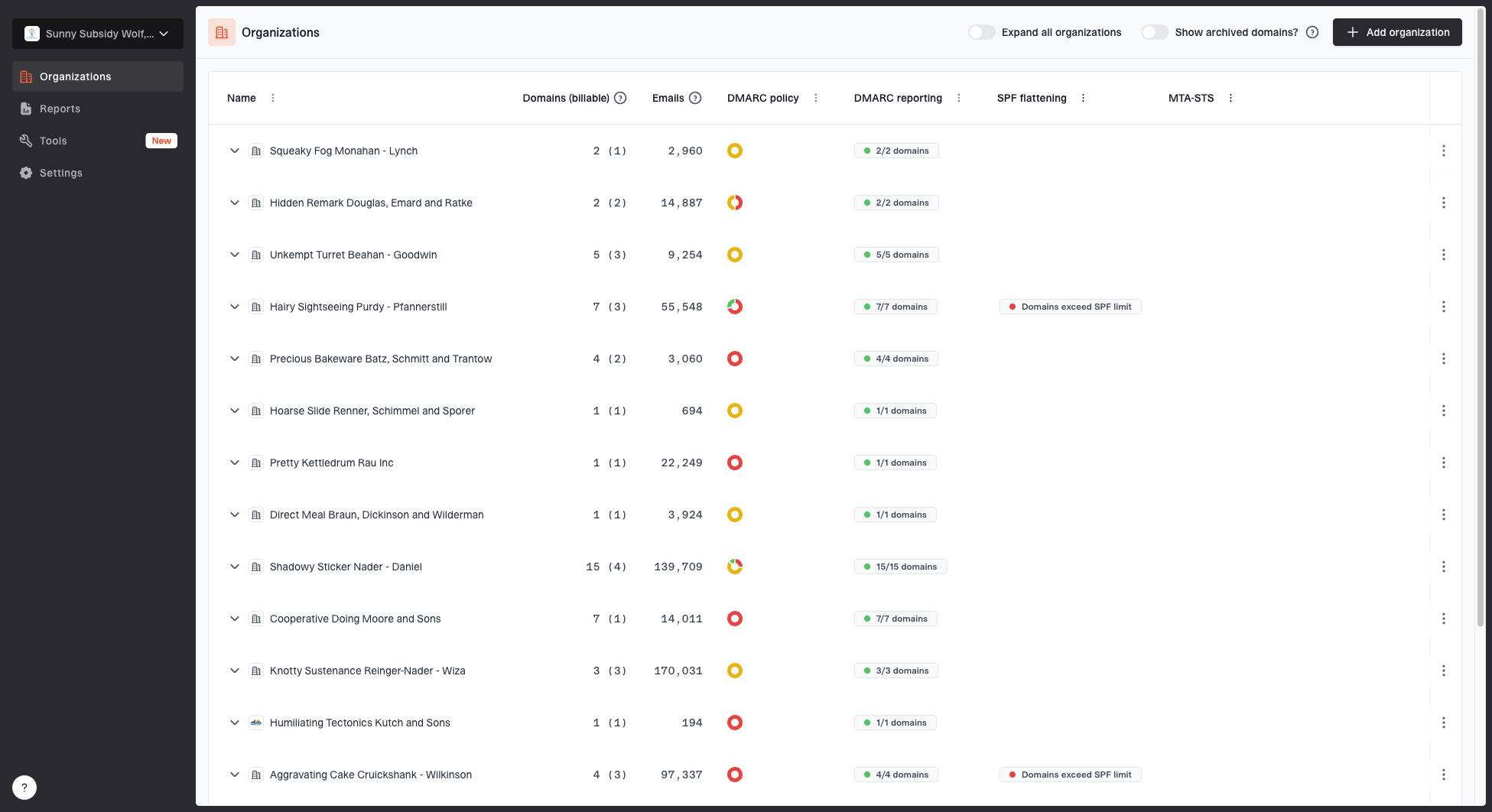
MSP organizations page showing client organizations, domain counts, email volume, and domain status columns
In Suped, MSP operators can switch between client organizations, review domain status, inspect email volume, and keep client work separated. That matters because a support runbook should reduce cross-client context switching and keep the evidence for each client clean.
- Approved sources: The sender has a named business owner and passes DMARC through SPF or DKIM identifier alignment.
- Unknown sources: The sender appears in reports but no client owner has confirmed why it sends mail.
- Pending client confirmation: A likely sender has an assigned client owner and a deadline for confirming its business purpose.
- Retired sources: The source used to be valid but should no longer send on behalf of the domain.
- Malicious sources: The client has confirmed the traffic is unauthorized and the investigation supports malicious use. Review enforcement and security escalation; receiver handling still depends on local policy.
A good source inventory stores more than a vendor name. Capture the platform, sending domain, DKIM selector, SPF include, return-path domain, business owner, ticket reference, first seen date, last seen date, current status, and review date. Require an owner request and a test message before a new SaaS sender goes live, and remove obsolete SPF authorization or DKIM delegation when retiring a sender.
Standardise SPF and DKIM fixes
Most ongoing DMARC tickets come down to the same technical causes: SPF includes missing, SPF lookup limits exceeded, DKIM not enabled, DKIM selector wrong, forwarding breaking SPF, or the authenticated identifier failing to match the visible From domain. The runbook should turn each cause into a repeatable fix path. DMARC passes when either SPF or DKIM passes with the required identifier match; both mechanisms do not have to pass.
SPF path
- Confirm the domain has one SPF record and the sender is authorized.
- Check the SPF limit of 10 DNS-querying terms, including nested includes and redirects, before adding another include.
- Verify that the return-path domain has the required DMARC relationship with the visible From domain.
DKIM path
- Turn on DKIM signing in the sending platform.
- Add the selector record or CNAME supplied by the vendor.
- Send a test message and confirm that DKIM verifies and the signing domain has the required DMARC relationship with the visible From domain. Record key rotation and selector retirement with the vendor's change procedure.
Hosted SPF is useful for MSPs because client DNS access is often slow, fragmented, or controlled by another provider. With hosted SPF, the client publishes a stable include once, then the MSP manages approved senders in Suped. Suped also has SPF flattening so MSP teams can reduce lookup-limit problems while keeping the record maintainable.
?
What's your domain score?
Deep-scan SPF, DKIM & DMARC records for email deliverability and security issues.
The runbook should require a health check after every sender change. That check should confirm DMARC exists, SPF resolves correctly, DKIM selectors are valid, and identifier alignment is visible in real messages rather than assumed from a vendor setup screen. Include DNS migrations and DKIM key rotations in this change workflow.
Hosted SPF patterndns
example.com. TXT "v=spf1 include:spf.example-hosted.net -all"
The hosted SPF value above is an illustrative placeholder. Use the include supplied for the client domain and retain every approved sender when replacing an existing SPF record.
Set monitoring and alert rules
Monitoring should tell the MSP what changed, what broke, and what needs a ticket. Raw aggregate reports are not enough. The runbook should define which signals create tickets, which signals go into the next client report, and which signals need immediate escalation. Use both percentage and absolute message volume so a small noisy source does not outrank a failing business-critical sender. Measure each approved sender against its baseline and report unknown or confirmed unauthorized traffic separately. Review the ticket queue each business day, review sender changes weekly, and prepare the monthly client report.
Operational alert priorities
Set source-specific thresholds using business impact and normal volume. A high overall pass rate does not override a critical sender failure.
Healthy
Baseline met
Approved senders match their expected authentication and volume baseline.
Watch
Review queue
An unfamiliar low-volume source or a small deviation needs review.
Ticket
Assigned investigation
A confirmed sender has recurring failures or an unexplained volume change.
Escalate
Urgent incident
Business-critical delivery is disrupted or confirmed abuse requires incident handling.
In Suped, alerts and automated issue detection can turn received DMARC evidence into support actions. Aggregate reports usually cover a day and arrive later, so report-based alerts do not provide instant outage detection. Track report freshness and investigate a reporting gap when normal sender activity continues. For client-facing managed services, DMARC monitoring should be tied to named workflows: new sender review, approved sender failure, policy readiness, spoofing spike, and recurring authentication drift.
Issues page showing top issues, verified sources, unverified sources, and authentication pass rates
The alert owner should not always be the senior engineer. A good runbook lets first-line support identify whether a source is approved, whether the issue is SPF, DKIM, or identifier alignment, and whether the next action is a DNS change, vendor change, or client confirmation. Each alert class should have a response target and an escalation target in the service-level agreement.
Create alert categories that map directly to tickets. Avoid alerts such as "DMARC failed" without source, volume, affected domain, and next action. A noisy alert becomes invisible after the second week.
Stage policy changes with rollback gates
A safe MSP runbook does not jump every client straight to p=reject. Enforcement should follow evidence. The MSP needs enough reporting history to identify legitimate sources and assess enforcement impact. RFC 9989 advises against reject for general-purpose email domains, particularly where users post to Internet mailing lists. Assess forwarding and mailing-list paths before choosing a policy. Domains that publish reject must sign mail with DKIM rather than rely solely on SPF.
Policy staging checkpoints
Each bar shows the active policy state for the selected rollout scope, not message sampling.
Monitor
Pilot subdomain
Quarantine
Reject
RFC 9989 made the pct tag historic, so do not use partial percentages as the rollout control. Keep p=none while approved sources are being fixed. Then test a low-risk domain or subdomain, schedule full p=quarantine in a staffed change window, validate real traffic and support tickets, and expand the scope after several complete reporting cycles and the client's relevant sending schedules. Move to p=reject only after client approval, with the previous record and rollback condition attached to the change ticket.
Quarantine stagedns
_dmarc.example.com. TXT "v=DMARC1; p=quarantine; rua=mailto:reports@example.com; adkim=r; aspf=r"
Reject stagedns
_dmarc.example.com. TXT "v=DMARC1; p=reject; rua=mailto:reports@example.com; adkim=r; aspf=r"
RFC 9989 adds t=y as policy test mode, but receivers using older DMARC processing can ignore that unknown tag and apply p=quarantine or p=reject as written. Do not use t=y as the only safety or rollback control while receiver support is mixed.
Hosted DMARC can reduce operational friction when MSPs need to stage policy changes across many domains without waiting for DNS access on every small adjustment. With hosted DMARC, Suped lets the DNS record point to managed configuration so policy staging can be handled in Suped after the initial setup. Change approval and rollback evidence still belong in the client ticket.
Write the ticket playbooks
The runbook should include ticket playbooks for the cases support sees repeatedly. These playbooks keep work consistent and reduce escalation to senior staff. Each playbook should include detection criteria, evidence to attach, first response, technical fix, validation method, closure note, and target response time.
|
|
|
|---|---|---|
New sender | Unknown source | Confirm owner |
SPF fail | Auth or lookup error | Repair and test |
DKIM fail | Missing or invalid signature | Enable or repair |
Misalignment | SPF or DKIM passes without the required identifier match | Configure a matching custom DKIM or return-path domain |
Spoofing | Unauthorized source | Assess enforcement |
Missing reports | Expected reports stop while traffic continues | Check RUA routing, authorization, and receiver coverage |
Use compact playbooks so support can move quickly without guessing.

Issue steps to fix dialog showing the issue overview, tailored fix steps, and verification action
Suped's issue view gives operators steps to fix a detected problem and verify the change. Attach that evidence to the client ticket before closing it.
A closure note should include the source name, affected domain, root cause, DNS or platform change, validation result, and whether the client source inventory was updated.
Handle urgent mail delivery incidents
A business-critical delivery failure needs direct evidence before the next aggregate report arrives. Trigger this playbook when a client reports rejected or missing legitimate mail, especially after a sender or policy change. Use the contracted incident priority and notification schedule.
- Assign an incident owner and confirm the affected client, domain, sender, recipients, start time, and business impact. Collect the full SMTP rejection or delivery-status notification and a redacted message sample when available.
- Compare current DNS and sender settings with the last approved change. Check the receiving system's Authentication-Results header and message trace to distinguish authentication failure from reputation or routing problems.
- Repair the approved sender where possible. If a recent policy change caused legitimate delivery failures, use the pre-approved rollback condition and restore the recorded policy for the affected domain or subdomain. Record the approver and DNS TTL; cached policy can delay recovery.
- Retest the affected delivery path and another representative recipient domain, notify the client, and keep the incident open until recovery is confirmed. Attach later aggregate evidence, update the source inventory, and record the preventive action.
Add reporting and client governance
A DMARC service needs client reporting that makes progress visible without forcing the client to interpret XML, authentication headers, or DNS syntax. The monthly report should show policy, volume, approved sources, unresolved sources, suspected or confirmed unauthorized use, fixed issues, and the next policy recommendation. State the reporting window and report freshness; aggregate reports cover participating receivers, not every sent message. Use the quarterly business review for enforcement approval, accepted risks, service scope changes, and sender inventory ownership.
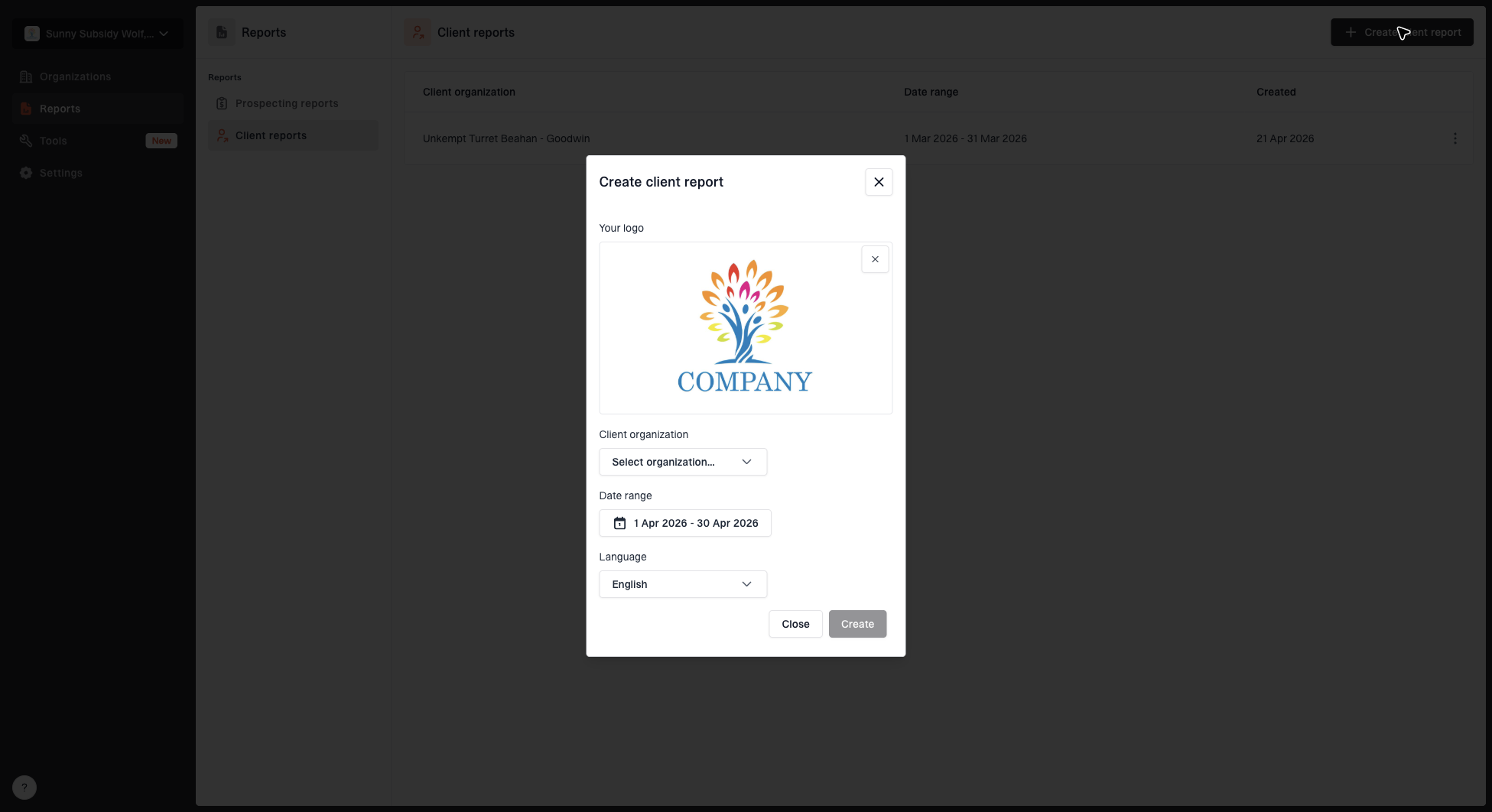
Create client report dialog with organization, date range, logo, and language options
Suped's client reports package the evidence needed for the client conversation. For MSPs, this helps show operational work that otherwise stays inside tickets, DNS records, and internal notes.
- Report the current policy, each approved sender's DMARC pass rate, observed volume, and unresolved authentication issues.
- List approved platforms, new senders, retired senders, and sources waiting for client confirmation.
- Distinguish suspected unauthorized use from confirmed abuse, include blocklist or blacklist concerns, and describe reported receiver dispositions without assuming every failure was blocked.
- Set the next action: recommended DNS changes, vendor fixes, sender decommissioning, or policy movement.
Governance also needs an exception process. If a client refuses to fix a source or cannot identify an owner, the MSP should record the risk and avoid silently delaying enforcement forever. The client can choose a longer monitoring period, but the decision, review date, and approving contact should be visible.
Include security and deliverability checks
DMARC is the core of this runbook, but MSP support should also watch adjacent signals. A client can have correct DMARC and still have deliverability trouble because an IP or domain lands on a blocklist (blacklist), a forwarded stream breaks authentication, or a vendor changes infrastructure without warning.
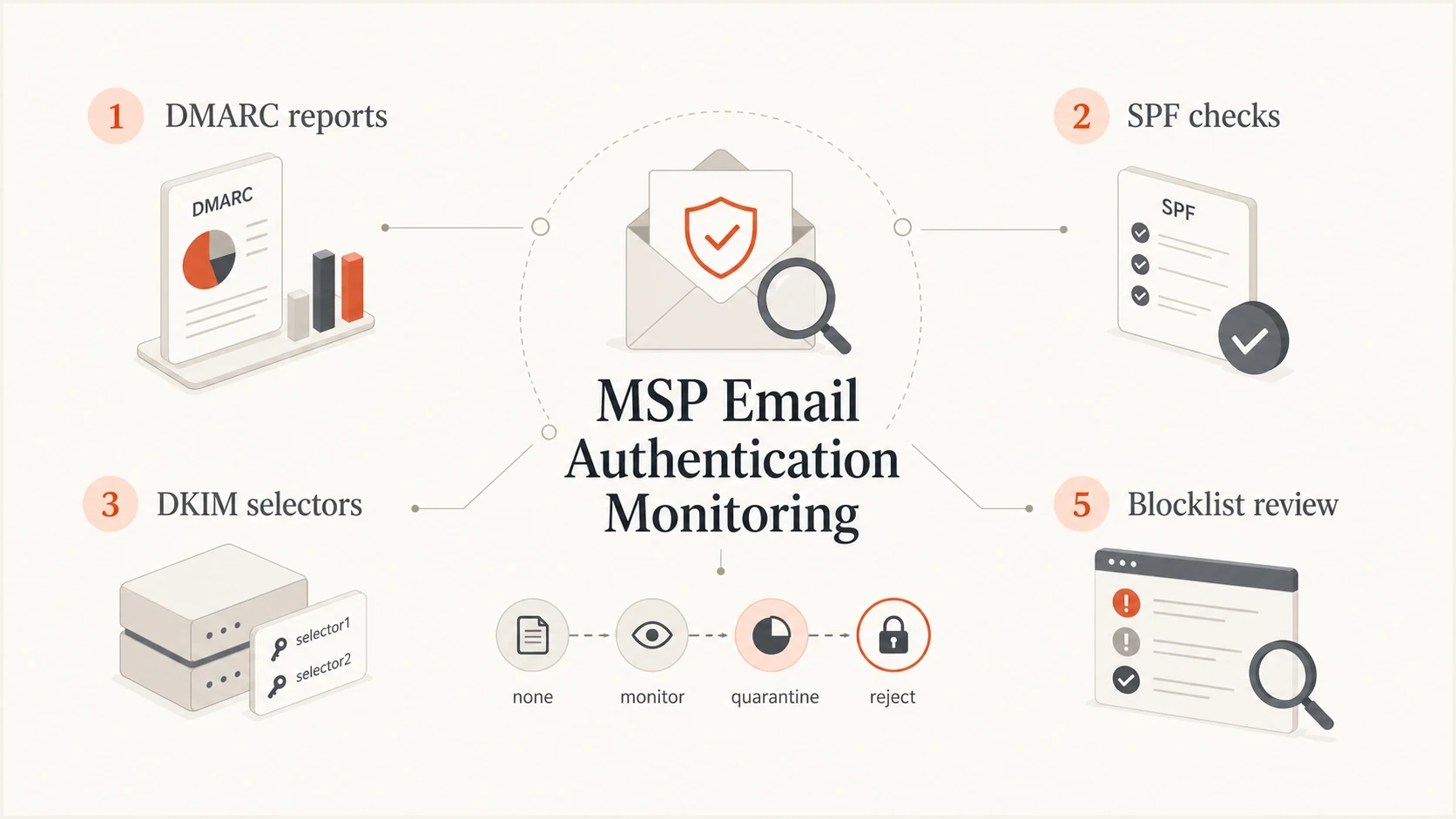
Ongoing MSP DMARC monitoring covering aggregate reports, SPF, DKIM, policy changes, and blocklist review.
For MSPs, blocklist and blacklist monitoring should not be a separate manual habit. It should sit next to DMARC evidence so a support operator can see whether authentication failure, reputation, or sender configuration explains a client complaint.
Blocklist checker
Check your domain or IP against 144 blocklists.







The same rule applies to test messages. When a source is fixed, validate with a real email where possible. Header results and aggregate reports tell different parts of the story. Use message evidence to confirm recovery, then check subsequent aggregate reports for recurring failures. DMARC does not guarantee inbox placement or prevent display-name impersonation, lookalike-domain messages, or abuse of a compromised authorized account.
Choose a multi-client operating model
The operating model depends on the MSP's client base, but the runbook should avoid heroic manual work. A spreadsheet can work for a few domains during discovery. It breaks when the MSP needs alerts, source history, policy staging, client separation, repeatable reports, and evidence for many organizations.
Manual model
- Useful during a small proof of concept or one-off cleanup.
- Depends on manual review and undocumented engineer context.
- Hard to scale across many clients and domains.
Managed platform model
- Useful for recurring client support and service delivery.
- Centralises monitoring, alerts, reports, and remediation steps.
- Supports repeatable workflows across multiple organizations.
In our Suped platform, keep each client's domains and reports in its own organization and route findings into the MSP's ticket workflow. Use the same evidence and approval rules across clients.
A runbook is useful only if the team follows it under pressure. Keep steps short, require evidence, make ownership explicit, and use tooling that turns failures into clear support actions.
Plan client offboarding and handover
Define DMARC offboarding in the service scope before a client leaves. The published DNS policy continues after the contract ends, but the MSP's report address, platform access, alert routes, and support ownership cannot remain open indefinitely. Set the handover date, receiving owner, data retention period, and final validation method in one ticket.
- Pause non-essential policy changes and record the last approved DMARC record.
- Provide the domain inventory, source inventory, current policy, open exceptions, and recent reports.
- Replace or transfer MSP-managed SPF includes, DMARC references, and DKIM delegation before disabling the old service. Verify the replacement DNS and a real message so offboarding does not break authentication.
- Replace the MSP-controlled RUA destination and verify that reports reach the new authorized receiver.
- Name the person responsible for alerts, policy approval, sender changes, and emergency rollback.
- After the replacement records and reporting are verified, remove delegated access, revoke API credentials and webhooks, stop MSP alerts, apply the agreed data retention rule, and save completion evidence.
Keep the current enforcement policy unless the client approves a controlled change. Offboarding is not a reason to weaken p=reject or leave an MSP-controlled RUA address in DNS after monitoring ends.
Review runbook ownership and readiness
Assign a runbook owner and version. Review it quarterly and after a delivery incident, a DNS migration, or a major sender change. Record the revision, approver, and next review date with the client service documentation.
At each review, confirm that escalation contacts still respond, access matches current staff responsibilities, and rollback records match the live DNS configuration. Walk first-line support through one representative ticket and correct any step that depends on undocumented knowledge.