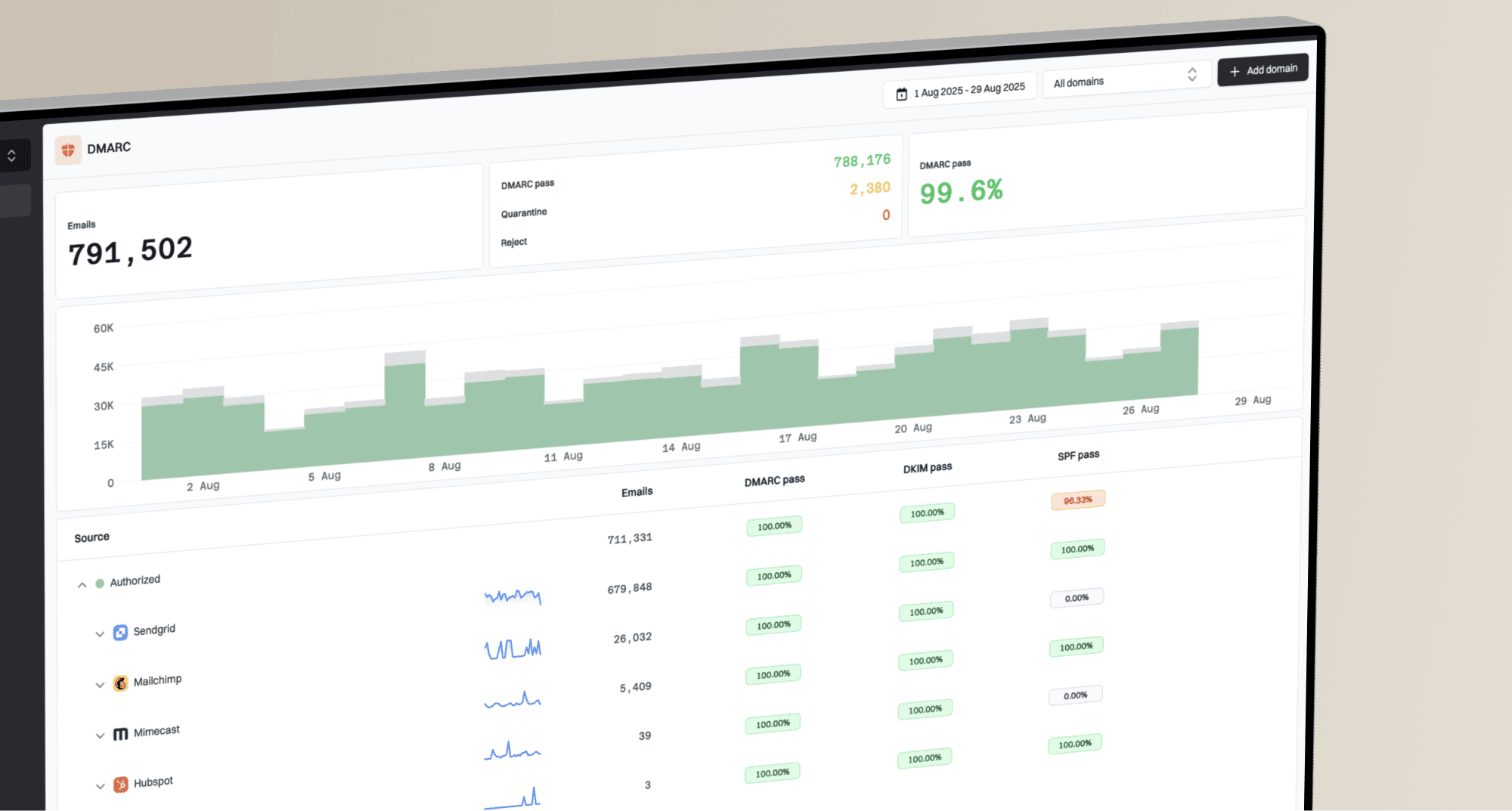
How to track DMARC remediation tasks across clients

Published 5 Aug 2026
Updated 12 Oct 2026
11 min read
Summarize with
Updated on 12 Oct 2026: We added priorities based on client impact and clearer checks for closing DMARC remediation tasks.
Track DMARC remediation in one central register, with one task for each fixable authentication defect in a client's sending source. Every task needs a client, domain, sending source, owner, status, due date, dependency, evidence link, and next verification date. Close a task only after fresh mail evidence meets its written closure test.
That structure gives an MSP a repeatable operating system instead of a collection of notes and inbox threads. It also makes the managed DMARC service auditable across technicians and client contacts. A manager can see what is blocked, what changed, and which domains are ready for stronger policy without reopening every report.
Build one remediation register
The register should cover all clients but preserve strict client ownership. Use a stable task ID and filterable fields rather than creating a separate spreadsheet for every customer. Separate views are useful, but the underlying data should stay consistent so an operator can compare overdue work, policy readiness, and recurring sender problems across the whole service. Enforce client-scoped permissions on tasks and evidence; filtered views alone do not provide tenant isolation.
- Scope: Record the client, root domain, subdomain, and business unit affected.
- Source: Name the sending service, visible From domain, envelope MAIL FROM domain (usually shown in Return-Path), DKIM signing domain (d=), and selector.
- Defect: State the failed control, reporting receiver, UTC reporting period, message count, authentication result, and DMARC result without vague labels.
- Ownership: Assign one named MSP technician and one client approver where client action is required.
- Timing: Store the target date, next check, last activity, and service-level age.
- Proof: Attach the baseline result, change record, DNS evidence, and post-change result.
Keep fields compact enough for filtering. Put investigation detail in the task body, where technicians can record samples and decisions without turning the main register into a wide, unusable grid.
|
|
|
|---|---|---|
Task ID | Stable reference | ACME-042 |
Client | Tenant filter | Acme |
Domain | Affected identity | acme.test |
Source | Sender identity | CRM mail |
Owner | Next actor | Alex Chen |
State | Workflow point | Verifying |
Due | Action date | 14 Aug |
Risk | Priority signal | High |
Minimum fields for a cross-client remediation register
One task should describe one fixable outcome. If a platform sends through several return paths or selectors, split the work when different teams control those paths. A broad task such as "fix marketing email" hides dependencies and produces unreliable closure.
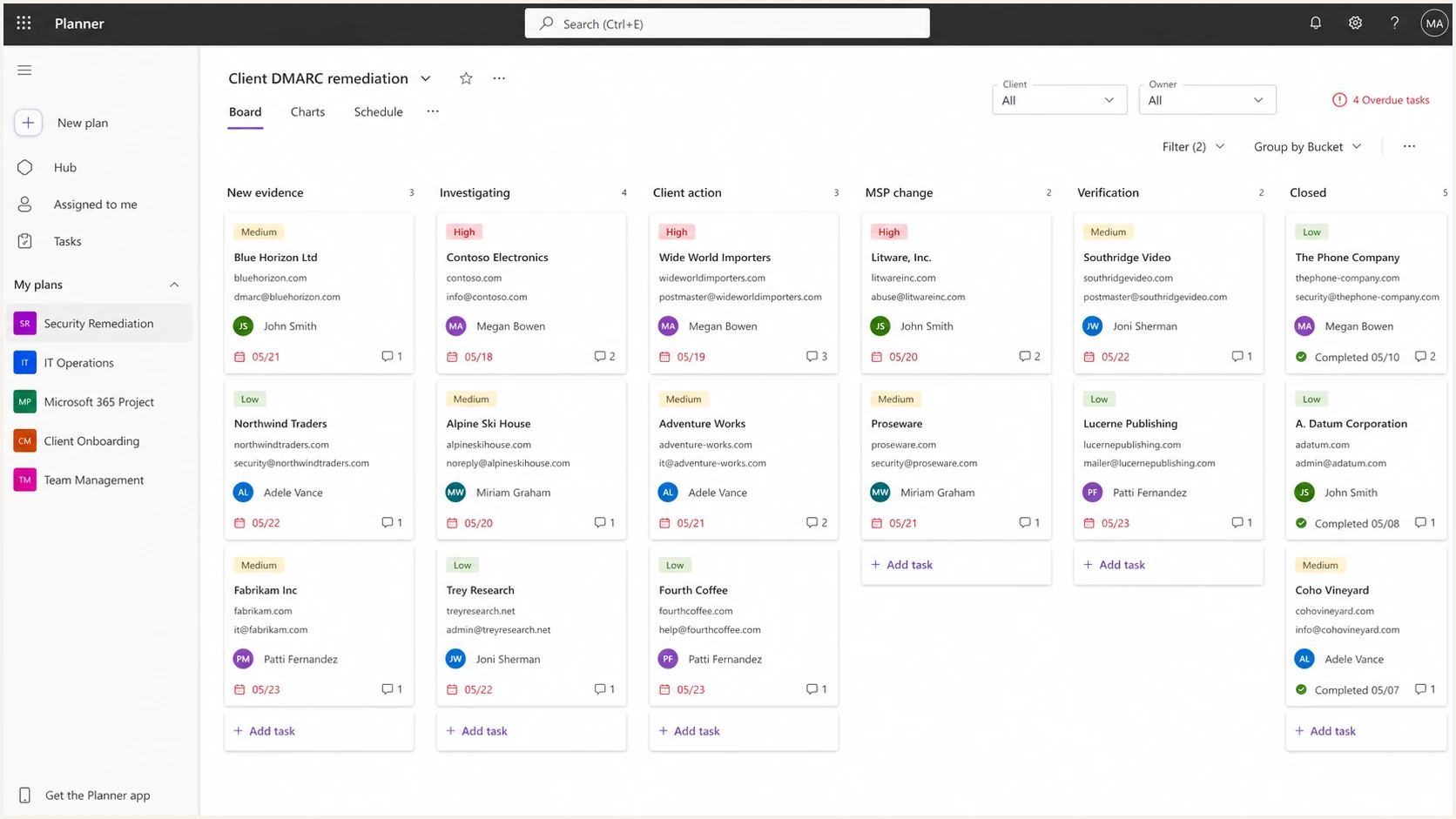
Microsoft Planner board with DMARC remediation tasks grouped by workflow state
Turn DMARC evidence into tickets
Start with a complete sending-source inventory. Map each DMARC source to a named business service and an accountable owner. Investigate unknown traffic before making DNS changes, and check whether forwarding or a mailing list explains the failure. Confirmed legitimate traffic with failed authentication or DMARC identifier alignment becomes a remediation task that states the expected technical outcome.
For manual ticket creation or professional services automation (PSA) workflows, use a deduplication key containing the client ID, domain, named sending source, and defect. Append repeated findings to the existing task and update its last-seen time and affected volume. Avoid using source IP alone because sending services change IPs and share infrastructure.
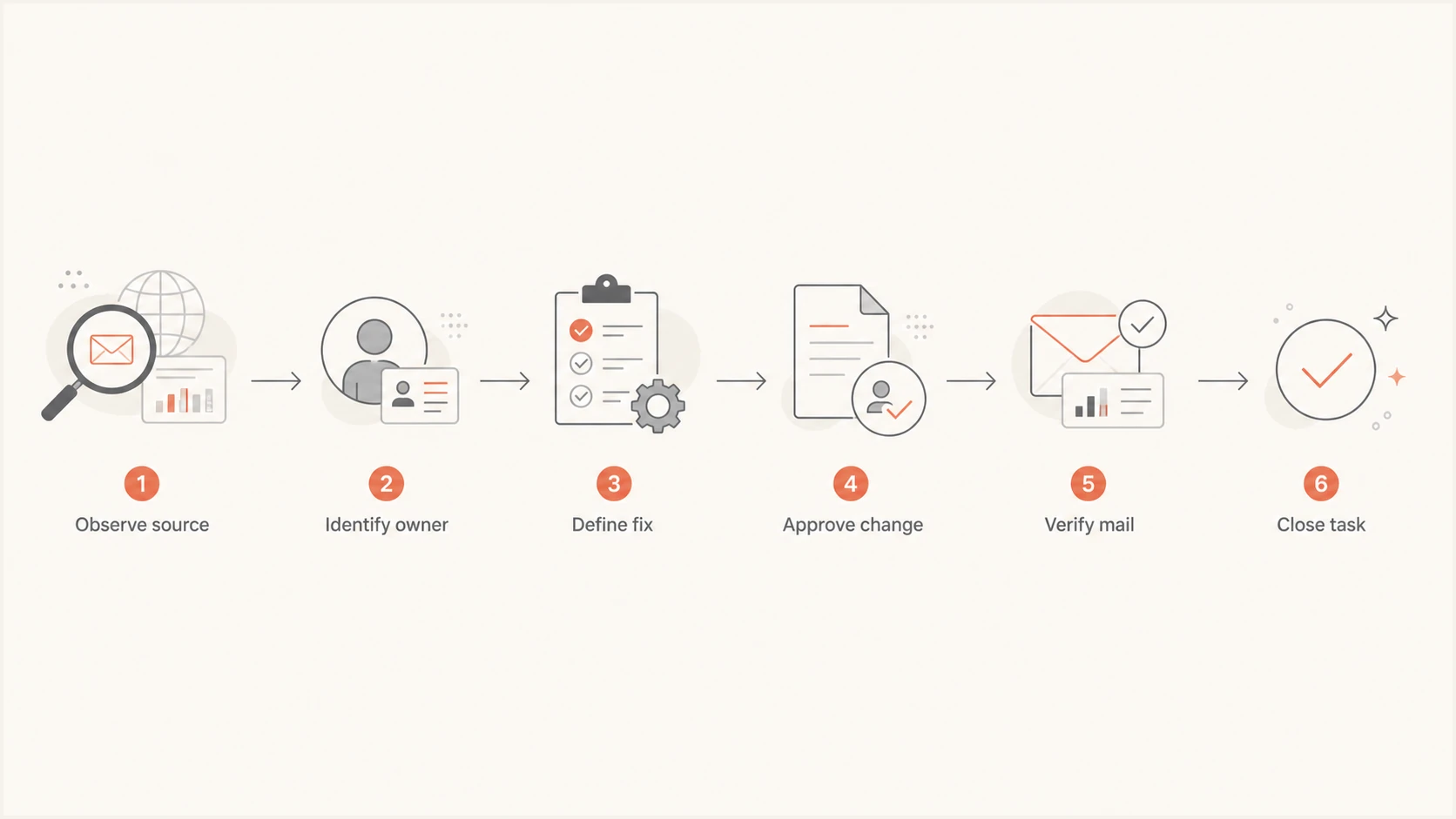
Flowchart for converting DMARC evidence into a verified remediation task
The expected outcome must be testable. Examples include publishing the correct DKIM key, changing the visible From domain, updating the return path, removing a retired sender, or documenting an approved exception with an expiry date.
DMARC passes when either SPF or DKIM passes and its authenticated domain meets DMARC identifier alignment with the visible From domain. Relaxed alignment uses the same organizational domain; strict alignment requires an exact domain match. For domains using p=reject, RFC 9989 requires valid DKIM signatures, so an SPF-only pass is not a complete rollout closure test.
A task that technicians can verify
Use the same task template for every client. It should preserve baseline evidence and define the closure test before anyone changes DNS or sender settings.
Remediation task templateyaml
task_id: ACME-042
client: Acme Manufacturing
domain: acme.example
source: CRM transactional mail
problem: DKIM passes but fails DMARC identifier alignment
owner: Alex Chen
client_approver: Marketing operations
dependency: Approve custom DKIM domain
due_date: 2026-08-14
next_check: 2026-08-15
closure_test: DKIM pass with DMARC identifier alignment across a representative send cycle and expected volume
evidence: baseline report and change ticket
Before moving a task to verification, check the published record and the sender configuration. Suped's DMARC record checker can confirm syntax and policy details, but a valid DNS record does not prove that production mail now authenticates correctly.
DMARC checker
Look up a domain's DMARC record and catch policy issues.
?/7tests passed
Use post-change aggregate data and controlled message tests for closure. Compare the new result with the baseline using the same source, domain, and representative send cycle. Aggregate reports normally cover daily periods and arrive after the mail was processed, so check their UTC start and end times against the change time. Low-volume services need a longer observation period because one passing message gives weak evidence.
When evidence conflicts, return the task to investigation and state what must be learned next. Missing reports or zero observed volume do not prove success; check reporting delivery and wait for a representative send cycle. If a closed source fails again after a new change, reopen its task and retain the earlier evidence.

Issue steps to fix dialog showing the issue overview, tailored fix steps, and verification action
Prioritise remediation by client impact
Use one priority matrix across clients, then set each task deadline against the agreed service-level agreement (SLA). Record priority separately from status and age. A newly broken business-critical sender needs attention before an older documentation task, even when its message volume is lower.
|
|
|
|---|---|---|
Critical | Legitimate business-critical mail is being rejected, or confirmed domain spoofing is causing active client harm. | Start incident response immediately, assign an owner, and agree a containment deadline. |
High | A confirmed high-volume or time-sensitive sender lacks DMARC-compliant authentication, or an unapproved policy change reduces protection. | Investigate promptly and fix the sender or policy defect before advancing enforcement. |
Normal | A confirmed sender defect has no current delivery impact, or an approved exception is nearing expiry. | Schedule the approved change and a representative verification window. |
Low | Documentation or evidence needs tidying after the technical fix or sender decommissioning has been verified. | Queue behind active risks while retaining a named owner and due date. |
Example DMARC remediation priorities; response targets follow each client SLA
These categories are examples, not universal response-time targets. Keep blocked high-risk tasks visible and escalate the named dependency; a waiting status does not reduce severity. A large unknown traffic spike needs investigation, but volume alone is not a reason to authorise a sender in SPF or DKIM.
Use states that expose blockers
A useful state describes who acts next. Use New evidence, Investigating, Awaiting client, Scheduled change, Verifying, Closed, and Accepted exception. Add Blocked as a flag rather than a final state, then require a blocker reason and review date.
Weak task control
- Status: Everything remains in progress.
- Owner: A shared team queue owns the work.
- Evidence: Closure depends on a DNS change alone.
- Exception: No approver or expiry is recorded.
Strong task control
- Status: The next action is explicit.
- Owner: One person owns the next step.
- Evidence: Production results meet a written test.
- Exception: Approval and review dates are visible.
Policy changes deserve parent tasks with child checks. For example, a move to quarantine can require source coverage review, exception approval, DNS scheduling, post-change monitoring, and rollback criteria. Suped's Hosted DMARC workflow can simplify policy staging, while the remediation register still records authorization and evidence.
Do not treat policy as proof
A domain at p=reject can still contain broken legitimate senders or approved exceptions that nobody reviews. Track sender remediation and policy rollout separately, then require evidence for both. An internal risk exception does not make failing messages pass DMARC or require recipients to accept them.
Accepted exceptions need an owner, business reason, affected mail stream, compensating control, and expiry date. An expired exception should reopen automatically or enter the next triage review.
Run a cross-client operating cadence
A register only works when the team reviews it on a fixed cadence. Separate daily alert handling from the weekly remediation review. Daily work identifies material changes and creates or updates tasks. Weekly work assigns owners, clears dependencies, checks ageing, and decides whether evidence supports closure.
- Daily: Review high-risk changes, unknown volume spikes, and policy regressions.
- Weekly: Process new evidence and chase tasks with no next action.
- Fortnightly: Escalate client dependencies and review approved exceptions.
- Monthly: Report completed fixes, remaining risk, ageing, and policy readiness.
- Quarterly: Reconfirm service scope, contacts, access, and exception ownership.
Use a shared triage rule so technicians create comparable tasks. The cross-client alert process should define severity using customer impact, spoofing exposure, message volume, and time sensitivity.
Example internal ageing thresholds
Use business-day age to trigger review. Adjust the thresholds to each service commitment.
Active
0-2 days
Owner and next action confirmed
Review
3-5 days
Check progress and evidence
Escalate
6-10 days
Chase the named dependency
Management action
11+ days
Resolve, replan, or accept risk
Suped's multi-tenant DMARC platform lets an MSP review client organizations in one place, investigate detected issues, and follow tailored fix steps. Its DMARC monitoring data can supply evidence and verification, while the task register remains the record of ownership, approval, and delivery dates.
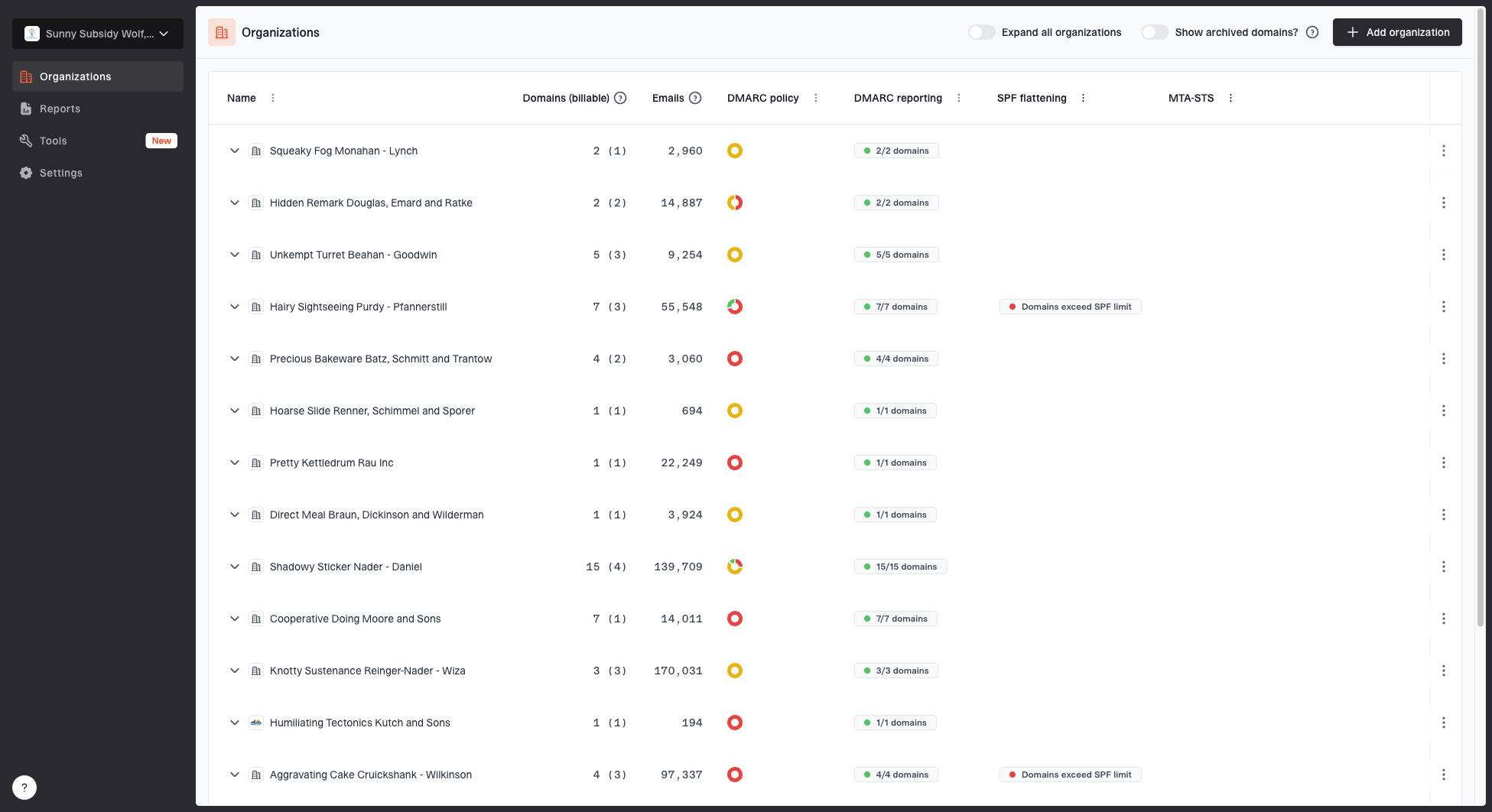
MSP organizations page showing client organizations, domain counts, email volume, and domain status columns
The practical split matters. Suped's platform identifies issues across client organizations and provides steps to fix them. Your service process converts those findings into assigned work, coordinates customer decisions, and retains change evidence in the system your MSP uses for service delivery.
Separate client dependencies from MSP work
Many remediation tasks stall because responsibility is implicit. Mark every next action as MSP-owned, client-owned, vendor-owned, or jointly owned. The task still needs one person responsible for the next update, even when an external party performs the technical change.
MSP responsibilities
- Analyse: Interpret evidence and define the technical fix.
- Coordinate: Schedule approved DNS and sender changes.
- Verify: Collect fresh production evidence after change.
- Report: Explain risk, progress, and open dependencies.
Client responsibilities
- Identify: Confirm business owners for sending services.
- Approve: Authorize changes and documented exceptions.
- Provide: Supply access, contacts, and vendor details.
- Confirm: Validate that business mail still operates.
Record these boundaries during onboarding and restate them in each task. A waiting-on-client label is not enough. Name the decision, approver, requested date, last contact, and escalation point.
Escalate decisions, not reminders
An escalation should state the blocked control, affected domain, deadline, risk of delay, and exact approval required. Repeatedly asking for an update creates activity without moving the task.
If the client accepts the risk, convert the blocker into a dated exception and schedule a review. That preserves an honest backlog and prevents the same unresolved finding from appearing as new work every month.
Prove closure and report progress
Closure needs more than a completed change ticket. Capture what changed, who approved it, when it reached production, what evidence was checked, and whether the result met the written closure test. Keep the original finding so an auditor can compare before and after states.
- Authentication: Confirm the intended SPF or DKIM check passes with DMARC identifier alignment, and verify that the specific defect is resolved.
- Volume: Check that the passing stream covers the expected message volume.
- Continuity: Check receipt or delivery logs for representative business messages; aggregate DMARC reports do not prove inbox placement.
- Policy: Compare the published policy and reported dispositions with the approved rollout stage, and investigate receiver overrides.
- Record: Store dates, evidence references, reviewer, and closure notes.
Client reports should translate the register into service outcomes. The DMARC progress report can show opened tasks, verified closures, overdue client decisions, accepted exceptions, source coverage, and current policy stage. Avoid counting a DNS edit as success until the mail evidence supports it.
Example closure notetext
Task: ACME-042
Changed: Custom DKIM enabled for CRM mail
Approved: Marketing operations, 12 Aug 2026
Observed: 13-15 Aug 2026
Result: DKIM=pass with DMARC identifier alignment; expected volume observed
Continuity: Controlled test receipt and sampled delivery logs confirmed
Reviewer: MSP messaging lead
Decision: Closed
Report both throughput and risk. A rising closure count is useful, but it needs context such as remaining high-risk sources and tasks blocked by customer approval. Calculate source-level DMARC pass rates for confirmed legitimate senders over comparable reporting periods, and show unresolved high-risk message volume separately.
Frequently asked questions
Use one central register with client-scoped permissions and filtered client views. Separate boards create inconsistent states and make cross-client workload management harder. Use separate systems when the platform cannot enforce client isolation or a contract requires it.
Create a task for a new legitimate sender, an SPF or DKIM authentication or identifier alignment defect, unexpected volume, policy regression, an expired exception, or a missing owner. Investigate unknown traffic before authorising it. Group repeated evidence under the existing task when the client, source, cause, and intended fix are unchanged.
Close it after the approved change reaches production and post-change mail evidence meets the written closure test over a representative send cycle. DNS syntax alone is insufficient, and missing reports do not prove success. Confirm expected volume and legitimate mail continuity as part of the review.
Name the required decision, client approver, requested date, last contact, risk of delay, and escalation date. If the client accepts the risk, create a dated exception with an owner and review date.
Track verified closures, high-risk open tasks, ageing, overdue dependencies, exception count, source coverage, and policy readiness. Pair counts with affected message volume so a small low-volume task does not appear equal to a major sender failure.