How MSPs should triage DMARC alerts across multiple clients

Updated on 22 Oct 2026: We added report timing and data-gap checks, refined alert priorities, and clarified the evidence needed to verify a fix.
MSPs should triage DMARC alerts by client risk, authentication failure type, sending source, policy impact, and business owner urgency, then route each alert into a clear queue with an SLA. Treating every failed message as an incident creates noise. Focus on alerts that expose a client to spoofing, break real mail, or signal a sender change that needs cleanup.
Separate DMARC alerts into four buckets before anyone opens a ticket. That keeps the service desk from drowning in noise and gives senior technicians a clean escalation path when a client domain moves toward enforcement.
- Incident: Corroborated active impersonation, a critical mail outage, or an unexpected loss of DMARC enforcement.
- Misconfiguration: A known vendor is failing DMARC because neither SPF nor DKIM passes with domain alignment, often after onboarding or a DNS change.
- Change: A legitimate sender, new platform, or campaign system appeared and needs ownership confirmation.
- Noise: Expected forwarding behavior or test traffic with verified ownership and no observed delivery impact. Review unexplained low-volume sources before classifying them as noise.
For teams packaging this as an MSP DMARC service, the operating model matters as much as the DNS. A client wants fewer false alarms, faster fixes, and clear proof that the service is reducing domain abuse risk.
Build a triage model before alerts arrive
The triage model should exist before the first alert lands. If the runbook starts only after an alert fires, technicians waste time deciding whether the sender is real, who owns the client relationship, and whether the client has a policy that can affect delivery.
Start with client tiering. A financial services client on reject with a strict vendor approval process needs a different path than a small professional services client on monitoring only. The alert is the same shape, but the business risk is different.
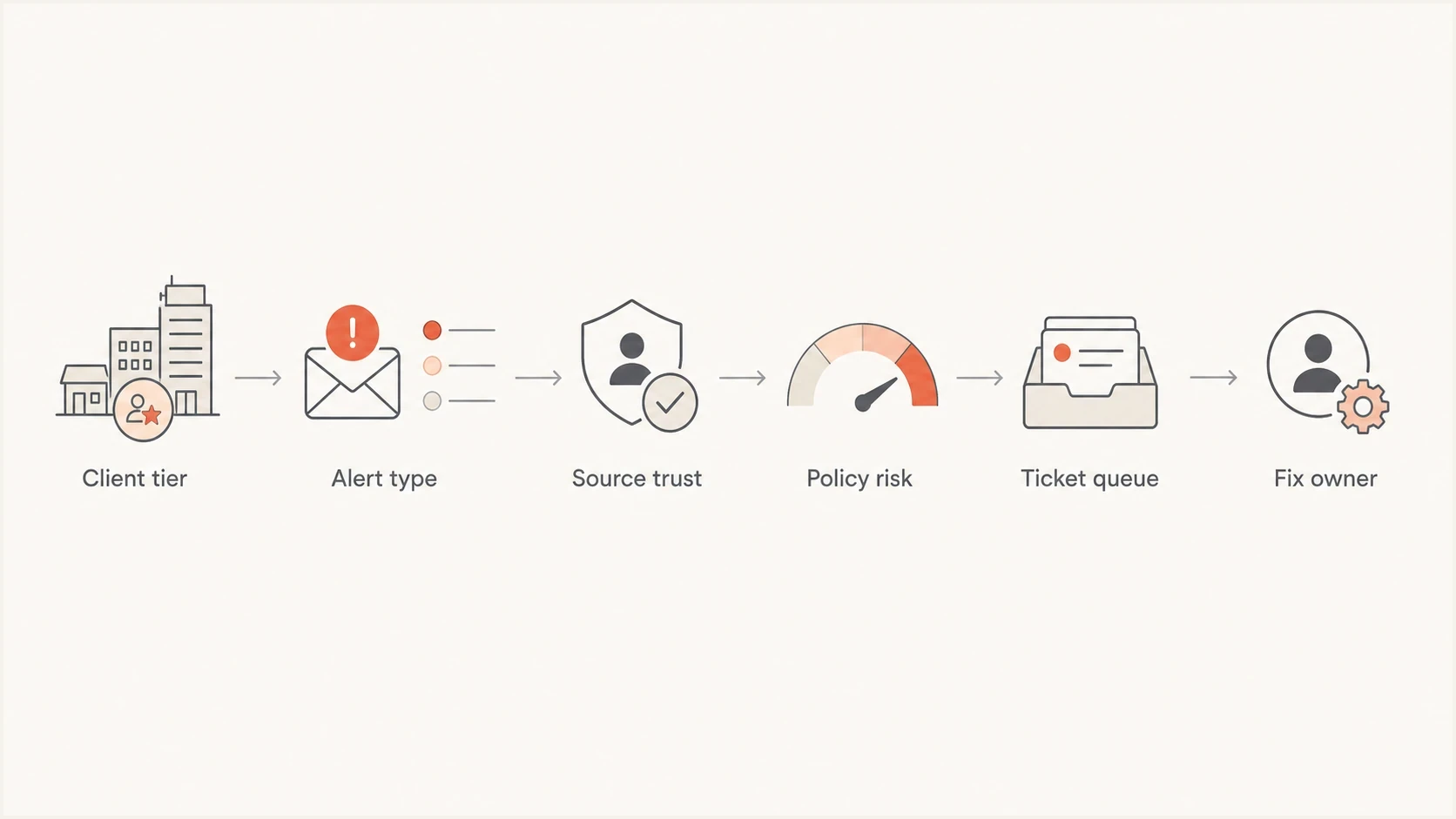
Flowchart showing client tier, alert type, source trust, policy risk, ticket queue, and fix owner.
What the runbook needs
A good runbook tells the technician what to check, what not to escalate, and what evidence to attach to the ticket.
- Client tier: Define standard, regulated, executive-sensitive, and enforcement-ready clients.
- Alert source: Record whether the sending IP, DKIM domain, envelope domain, and visible From domain match approved senders.
- Routing rule: Send incidents to security, sender fixes to operations, and approval questions to the account owner.
- Evidence set: Attach the affected client and domain, source identity, reporting receiver and UTC window, message counts, authentication results, published policy, observed disposition, and recommended fix.
Reactive queue
- Trigger: Every DMARC alert becomes a ticket, even low-volume and expected failures.
- Owner: The first technician decides impact without enough client context.
- Result: Noise trains the team to ignore alerts and slows response to real abuse.
Managed service queue
- Trigger: Alerts are scored by risk, policy, sender trust, and client tier.
- Owner: Security, service desk, and account roles each have defined handoffs.
- Result: The team acts faster and clients receive clearer remediation notes.
Classify alerts by client impact
The first triage question is simple: can this alert harm the client today? A failure on a monitoring-only domain still needs an impact check because receivers apply their own filtering. A known, legitimate source failing on a reject domain is a delivery risk. An unfamiliar source using a finance domain needs prompt investigation, even at low volume, but an unknown source alone does not prove active abuse.
|
|
|
|
|---|---|---|---|
P1 | Active impersonation, critical mail outage, or unexpected loss of enforcement | Escalate immediately and verify scope | Security with operations for delivery outages |
P2 | Approved sender has confirmed or likely delivery impact | Repair authentication and verify delivery | Operations |
P3 | New or unexplained source without confirmed urgent impact | Confirm business owner and authorization | Account owner with operations |
P4 | Verified expected traffic without delivery impact | Review weekly against baseline | Service desk |
Compact DMARC alert priority model for MSP service desks.
Do not use volume alone as the severity score. A single suspicious message using a payroll domain deserves investigation. Repeated spoofing attempts that receivers reject as expected belong in a tracked abuse pattern unless other evidence raises the risk. Forwarded mail with an aligned DKIM pass still passes DMARC even when SPF fails.
Suggested alert acknowledgement SLA bands
Start the response clock when the alert reaches the monitored queue. These are example acknowledgement targets, not detection or resolution guarantees; agree coverage hours and escalation contacts with each client.
Critical
1 hour
Corroborated active impersonation, critical outage, or unexpected loss of enforcement.
High
4 business hours
Approved sender has confirmed or likely delivery impact.
Normal
1 business day
New sender needs confirmation before SPF, DKIM, or vendor work.
Review
Weekly
Verified expected traffic with no observed delivery impact.
Client maturity changes how much discovery is needed, but it should not lower the priority of a delivery outage. For a new client, confirm sender ownership while operations checks impact. Authenticate approved senders; leave unapproved senders unauthorized and investigate credible abuse.
Deduplicate alerts and compare baselines
Across many clients, one failure pattern can appear in reports from several receivers and reporting windows. Group alerts by client organization, affected domain, source identity, authentication failure pattern, and time window before opening a ticket. Keep each receiver's counts as separate observations; grouping tickets must not discard distinct reports or merge client evidence.
- Deduplicate reports: Use the reporting organization, client policy domain, report ID, and reporting period to identify retransmissions. Similar rows from different receivers are not duplicates.
- Keep one open case: Attach repeated observations to the existing ticket while the client, vendor, and failure pattern remain the same.
- Reassess on change: Update priority on the existing case when impact changes. Reopen a closed case for recurrence; create a linked case for a separate cause or client.
- Mark planned work: Record approved migrations and DNS maintenance windows. Give any suppression a client, source, owner, expiry, and impact condition; escalate unexpected failures during the window.
Compare each source with that client's recent baseline using comparable reporting windows. Review failed-message counts alongside failure rates so a small sample does not dominate priority. A previously clean approved sender that starts failing DMARC needs earlier action than a stable forwarder whose aligned DKIM still passes.
Account for report delays and missing data
Aggregate reports are retrospective, not a live message feed. RFC 9989 recommends reporting at least daily, but receivers do not all report and delivery delays occur. A notification sent when a report is processed does not reveal the exact moment the mail was sent.
- Record the report's UTC start and end times separately from ingestion time, alert time, and technician acknowledgement. Judge changes by the mail observation window.
- Track the last report from each regular receiver against that client's normal cadence. Investigate an unexpected gap as a monitoring issue, not proof that failures stopped.
- Check the rua destination, report-mailbox delivery, and parser errors when data stops. Verify external report authorization when reports go outside the client's organizational domain, as required by RFC 9990.
- For urgent delivery complaints, use message headers, mail traces, and SMTP bounce evidence immediately instead of waiting for the next aggregate report.
Aggregate reports contain grouped counts, not message bodies or proof of inbox placement. RFC 9990 defines the report fields and external destination checks. Keep monitoring gaps separate from sender failures in the queue, and retain evidence of any confirmed delivery incident.
Check source identity before fixing DNS
Treat a DMARC alert as a source identity question before investigating DNS. Before changing SPF, DKIM, or DMARC, confirm whether the source belongs to the client, whether it uses the right visible From domain, and whether it should be allowed to send at all.
A DMARC pass needs SPF or DKIM to pass with domain alignment to the visible From domain; both are not required. A raw SPF or DKIM pass for an unrelated domain is insufficient. Check the SPF MAIL FROM domain and DKIM d= domain under the client's relaxed or strict settings. See RFC 9989.
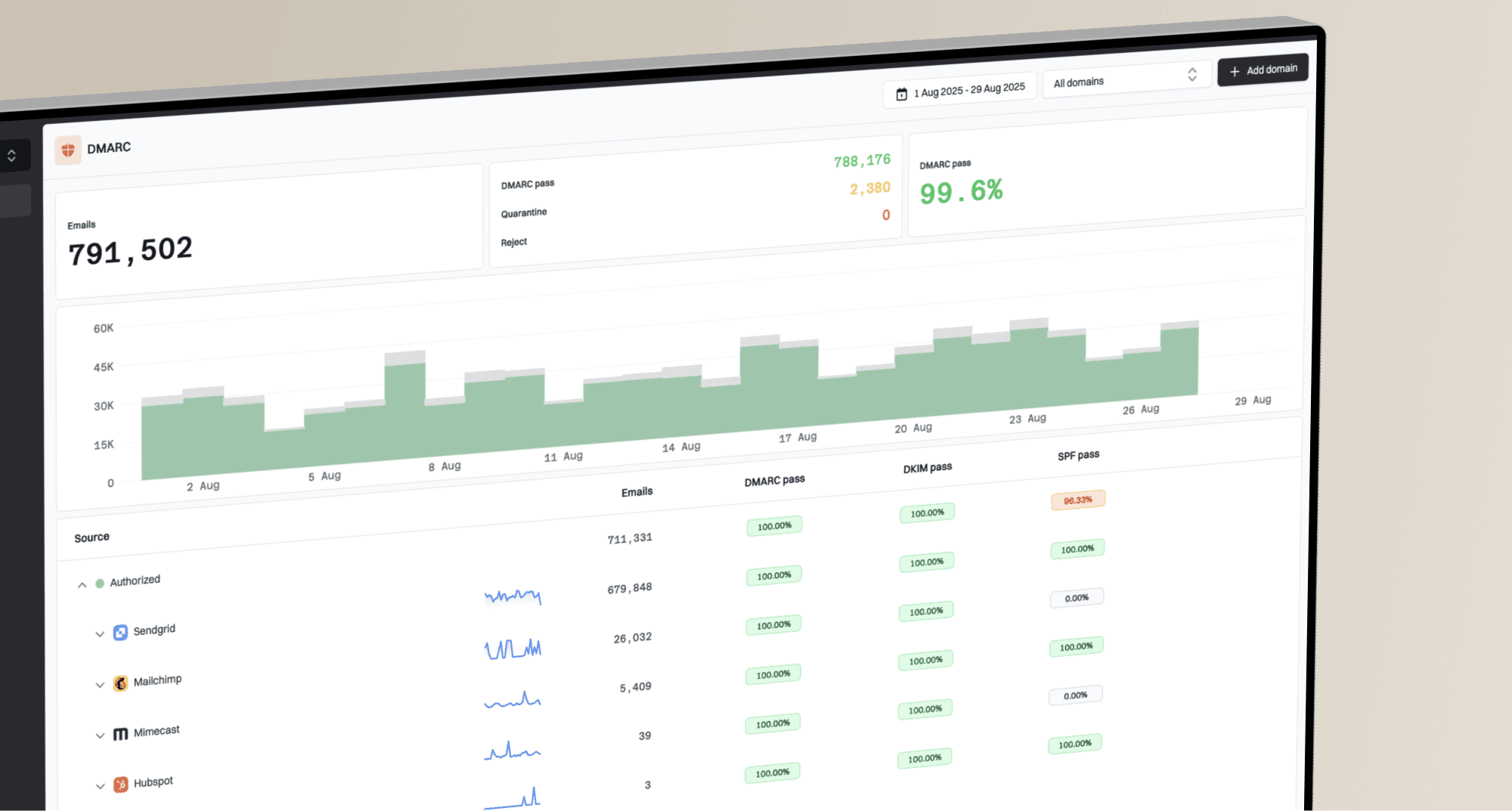
Continuous DMARC monitoring makes this practical because it groups mail by source, shows authentication results, and lets the MSP compare pass rates before and after a vendor fix.
Example DMARC record for a monitored clientdns
Host: _dmarc.client.example
Type: TXT
Value:
v=DMARC1; p=none; rua=mailto:dmarc-agg@client.example;
Do not authenticate unknown senders by default
Adding every failing source to SPF teaches the domain to trust systems the client has not approved. That weakens the whole service.
- Verify ownership: Ask the client or account manager which business process uses the sender.
- Prefer DKIM: Configure vendor-specific DKIM with domain alignment. It can preserve a DMARC pass through forwarding when the signature remains valid.
- Limit SPF: Respect SPF's limit of 10 DNS-querying mechanisms and modifiers, including nested includes. Remove retired vendors and inspect permerror or temperror results. See RFC 7208.
- Track approval: Attach the sender owner and approval note to the ticket before closing it.
For quick client intake, Suped's domain health checker can surface DMARC and SPF configuration issues. To verify DKIM, obtain the active selector from a signed message or the approved sender; a domain-only lookup cannot establish every sender's DKIM status.
?
What's your domain score?
Deep-scan SPF, DKIM & DMARC records for email deliverability and security issues.
The widget is useful during onboarding, but ongoing service delivery needs history. A one-time DNS check shows whether records exist. DMARC reports show whether real mail is passing, failing, and changing over time.
Separate incidents from sender drift
Common causes of sender drift include a client adding a newsletter system, a CRM changing its mail infrastructure, a billing platform rotating DKIM keys, or a department starting to send through an unapproved tool.
Treat as an incident
- Corroborated abuse: Message evidence or client reports connect an unauthorized source to active impersonation.
- Business impact: Critical business mail is failing, or a sensitive workflow is being impersonated.
- Policy impact: DMARC protection unexpectedly disappeared or weakened without an approved change.
Treat as sender drift
- Known vendor: The source belongs to an approved platform that needs DKIM or SPF repair.
- Low risk: The affected domain is not used for critical business mail.
- No observed impact: Mail traces and client checks show no urgent delivery impact; p=none alone does not establish this.
An incident ticket asks, "What is affected and what containment is needed?" A drift ticket asks, "Who owns this sender and which authentication method should we repair?" Unknown ownership starts an investigation; a known vendor still needs incident escalation when it causes a critical outage. DMARC does not stop display-name impersonation or lookalike domains using their own authentication, so correlate those reports separately.
When a client moves into enforcement, Suped's Hosted DMARC can reduce operational friction. Policy staging becomes a managed setting instead of a one-off DNS edit for every client domain.
Policy changes should be deliberate
Move clients through none, quarantine, and reject only when approved senders are passing consistently and the client understands what will be affected.
- Monitor: Collect enough source history to identify real senders and recurring failures.
- Repair: Fix DKIM and SPF for approved systems before enforcement.
- Stage: Increase policy strength after per-sender checks and client approval. Include infrequent senders, forwarding, and mailing-list paths; do not rely on the overall pass rate alone.
- Review: Watch new failures closely after each policy change.
Run one multi-client queue
A common operational failure is tool sprawl inside the MSP. Client A has a mailbox full of raw aggregate reports, Client B has old DNS notes, Client C has no owner for marketing platforms, and the service desk has no shared view of risk.
Suped's product brings multi-client DMARC monitoring, issue detection, alerts, hosted controls, blocklist (blacklist) monitoring, and client reporting into the same workflow. Use its organization view to inspect the affected client and sender, then attach the evidence to the client ticket. Report-driven alerts depend on when receiver reports arrive.
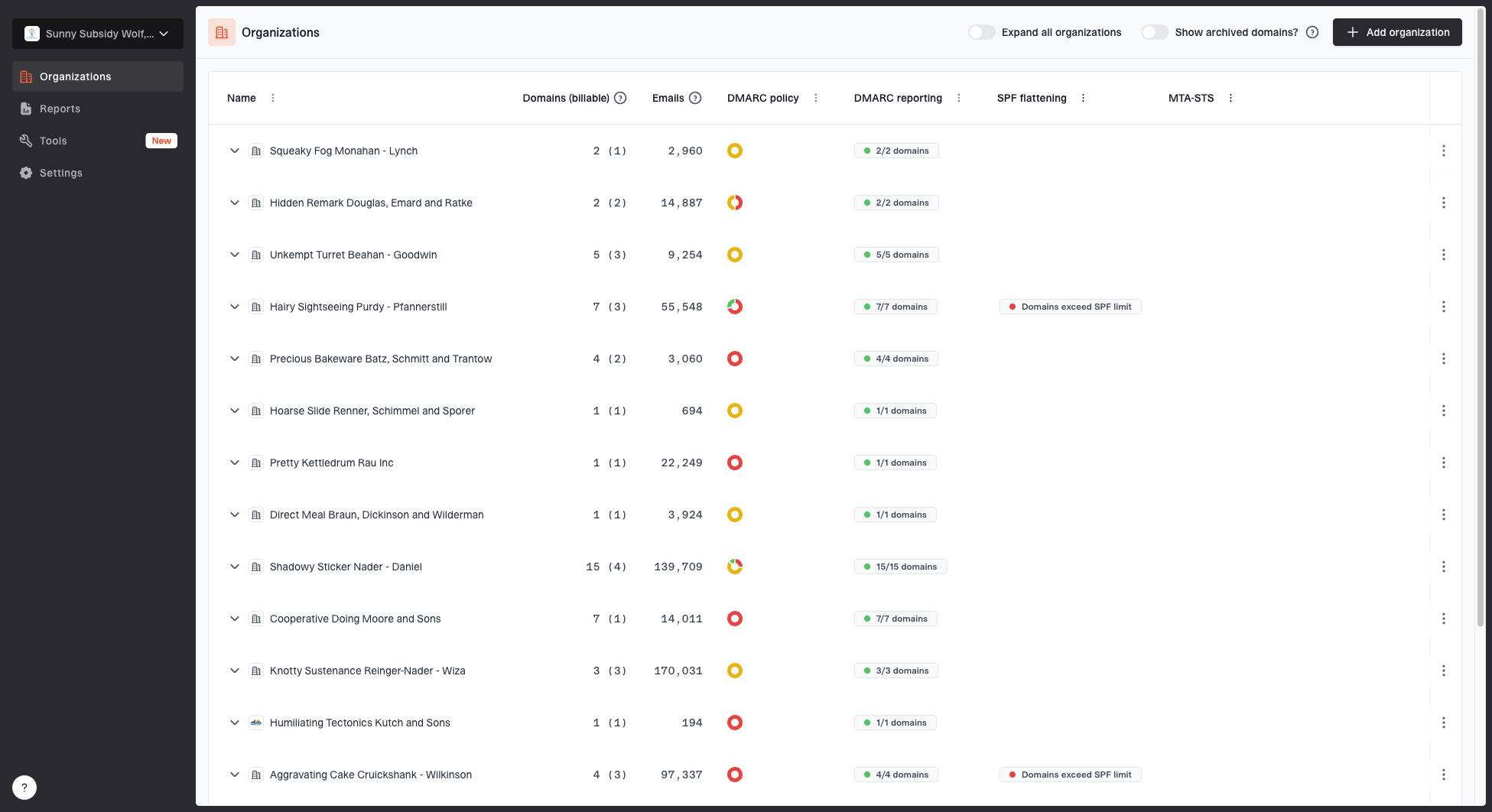
MSP organizations page showing client organizations, domain counts, email volume, and domain status columns
Keep each client in the multi-tenant dashboard, review alert priority by client tier, resolve approved sender issues, and report the verified result. In the professional services automation (PSA) queue, map the client organization and affected domain before routing the ticket. Record priority, owner, acknowledgement deadline, and a link to the evidence; use a client-scoped issue key so repeat alerts update the same case. Check available integration or API support before promising automatic ticket synchronization.
Keep client data separated, use individual technician accounts with multi-factor authentication, limit access by role, and preserve approval evidence in the ticket. Review and revoke access when technician responsibilities change.
MSP queue design inside Suped
- Client view: Switch between organizations and scan domain status, email volume, and authentication health.
- Issue view: Inspect verified and unverified sources, then apply the client's impact-based priority; a source label alone does not set severity.
- Fix path: Use tailored steps to repair DMARC, SPF, DKIM, and related records.
- Client proof: Generate reports that show alerts handled, sources improved, and policy progress.
Include reputation signals
DMARC triage should not stop at authentication. A client can pass DMARC and still have reputation issues if a sending IP or domain appears on a blocklist (blacklist), or if a compromised system sends real authenticated mail.
Keep blocklist monitoring near the DMARC queue. It helps separate authentication failures from broader deliverability and domain reputation issues.
Example weekly MSP queue mix
Illustrative percentages only, not measured results or recommended targets. Judge the queue by verified impact and response performance.
Incident
Sender fix
Review
Track acknowledgement SLA compliance, time to verified repair, repeat incidents, and overdue sender approvals by client tier. Use those measures to review queue performance instead of raw alert counts.
Escalate with client-safe language
The ticket wording matters. A client should not receive a vague note that says DMARC failed. They need the affected domain, the sender name if known, the risk, the recommended action, and the decision needed from them.
Client ticket template
The aggregate report for client.example shows a DMARC failure from a source that appears to be a marketing sender. Neither SPF nor DKIM passed with domain alignment in the reported messages. The published policy is p=none, so it does not request DMARC enforcement; delivery impact remains unconfirmed until mail traces or bounce evidence are checked. Please confirm whether this sender is approved and name its business owner. If approved, we will repair authentication and verify a test message. If not, we will leave it unauthorized and investigate signs of active abuse.
That style avoids panic and still gives the client a decision. It also protects the MSP from doing silent DNS work for a sender that the client never approved.
- State impact: Separate the published DMARC policy from the reported disposition and confirmed delivery outcome. Record unknown impact explicitly.
- Ask clearly: Request approval, vendor access, DNS access, or a business owner.
- Name action: Name the next repair or investigation step and its owner. Any temporary policy rollback needs client approval, a scope, an expiry, and a plan to restore enforcement.
- Close evidence: After DNS caches refresh, verify an approved-sender test with trusted Authentication-Results headers, then check a subsequent report window. Attach the change, approval, and delivery evidence before closing.