Why is my G Suite IP blacklisted and emails going to spam?

Updated on 25 Jul 2026: We refreshed this guide with current Google sender enforcement and a clearer shared-IP troubleshooting path.
Your G Suite IP is probably blacklisted because it is not really your IP. G Suite, now Google Workspace, sends mail through Google-owned shared outbound IP pools. A blacklist or blocklist result for one of those IPs usually reflects activity somewhere in the shared pool, not only your domain.
The spam-folder problem is a separate question. Shared IP reputation can affect delivery, especially when a recipient server rejects mail, but most inbox placement problems for Google Workspace senders come down to domain reputation, recipient engagement, message content, list source, and authentication alignment. If you are sending outreach, even at low volume, mailbox providers judge whether recipients want that mail.
The direct answer is this: you normally cannot delist or replace the Google Workspace IP yourself. Google owns the IPs. You can fix your domain setup, clean your sending behavior, prove permission and relevance through engagement, and ask a recipient-side admin to approve your domain when a real business message bounces. That path solves more cases than chasing a shared IP listing.
What is actually happening
Start with the right premise
With Google Workspace, the sending IP is shared infrastructure. The domain, the mailbox, the audience, and the message are the parts you control. Treat the IP listing as a signal to investigate, not as the single root cause.
- No IP ownership: You share Google's outbound pools with many other senders.
- No normal swap: Google Workspace support does not normally assign a fresh dedicated IP.
- No direct delisting: Google works with blacklist and blocklist operators because Google owns the shared IP.
- No inbox guarantee: Passing SPF, DKIM, and DMARC proves identity, not recipient demand.
A blacklist report often creates the wrong mental model. People see an IP listed in Project Honey Pot, SORBS, or another database and assume every spam-folder result flows from that listing. In practice, mailbox providers use many signals at once. A blocklist hit matters most when it creates a bounce or an explicit rejection. Spam-folder placement at Outlook, Hotmail, Gmail, and other mailbox providers usually has a broader cause.
There is also an important current caveat: if your report still flags dnsbl.sorbs.net, treat that result as stale. SORBS was decommissioned on June 5, 2024, so a SORBS blacklist result is not a practical delisting workflow in 2026. It belongs in the evidence pile, not at the top of the fix list.
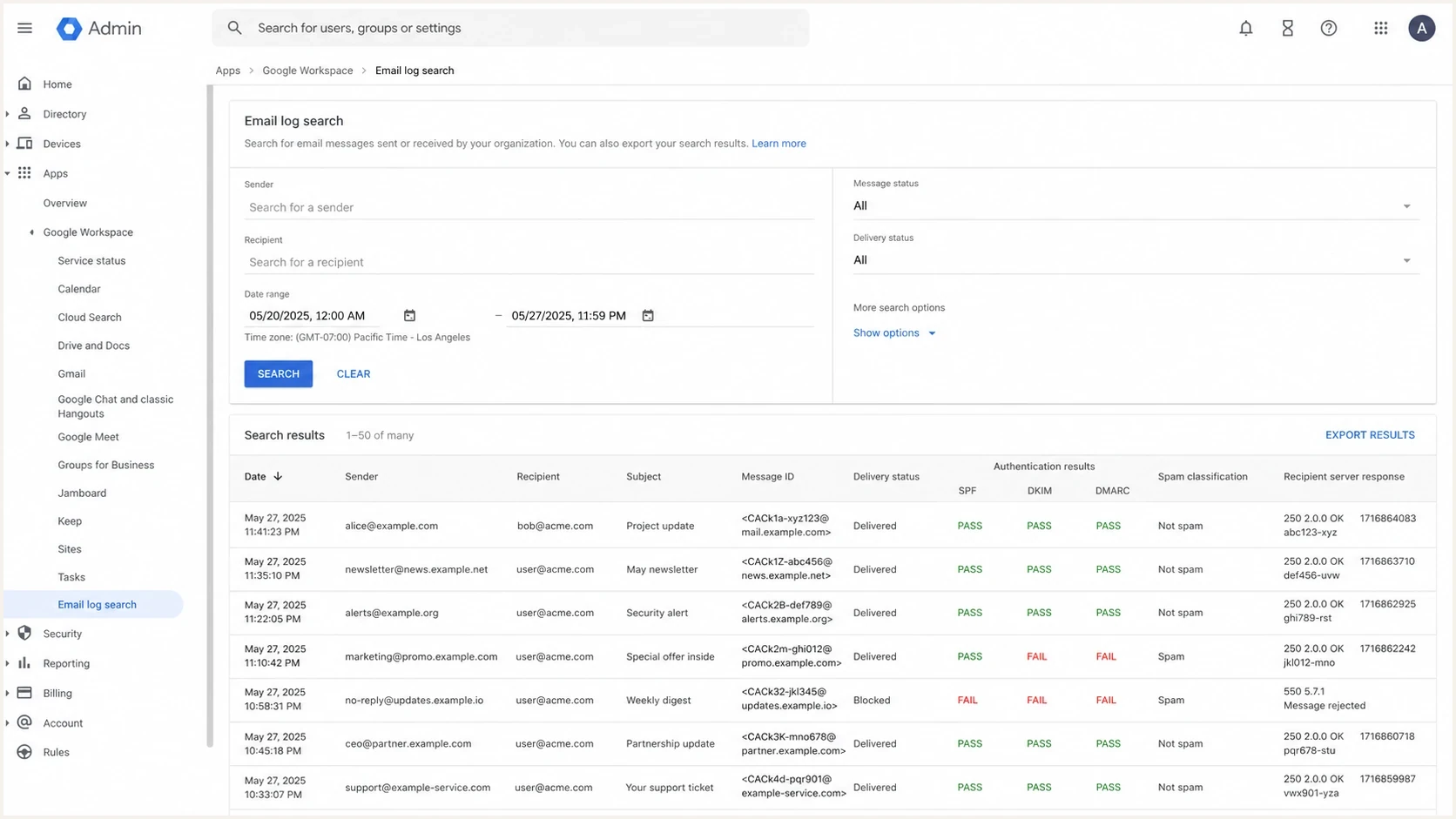
Google Admin console Email Log Search showing delivery and authentication fields.
The first useful split is bounce versus spam placement. If the recipient server rejects the message and names a blocked IP, use blocked IP guidance and work with the recipient admin. Google recommends asking the recipient to approve your domain or allow Google's outbound ranges. If the message is accepted and then placed in spam, the answer is inside reputation and content signals.
Why a shared IP listing is not the whole story
IP listing
- Scope: The listing applies to a Google-controlled outbound IP.
- Control: You cannot directly change the IP pool or prove the whole pool is clean.
- Impact: It matters most when mail bounces with a block reason.
- Action: Confirm the result on active lists, then shift to sender behavior.
Domain reputation
- Scope: The reputation follows your domain, mailbox, and message stream.
- Control: You control authentication, audience quality, cadence, and content.
- Impact: It decides a large share of spam-folder placement.
- Action: Fix list source, reduce complaints, and monitor authentication.
Project Honey Pot has a more specific meaning than a generic blacklist result. It is tied to trap addresses seeded on the web. If mail reaches those addresses, the likely issue is harvested contacts, purchased data, enrichment that pulled scraped addresses, or another sender in the same shared Google pool. You cannot know which one from the listing alone, so audit list acquisition immediately.
Low volume does not erase that risk. Sending 300 emails over several months still creates poor reputation signals if the recipients did not ask for the mail, rarely reply, ignore the messages, or mark them as junk. Warmup also does not fix unwanted mail. Warmup works when it gives filters evidence that real recipients value the messages.
|
|
|
|---|---|---|
Shared sender | Check domain | |
Project Honey Pot | Trap signal | Audit lists |
SORBS | Stale result | Deprioritize |
Spam folder | Filter choice | Test content |
Use this table to decide where to spend the next hour.
Rule out account compromise
A compromised Google Workspace mailbox or authorized app can send unwanted mail under your domain. That creates domain-level reputation damage even when the shared Google IP is incidental. Check for compromise when volume rises unexpectedly, users report unknown sent mail, sign-ins appear from unfamiliar locations, or recipients receive unfamiliar campaigns.
- Review outbound activity: Use Email Log Search to identify the sender, time, recipient pattern, message status, and originating route.
- Secure affected accounts: Reset passwords, revoke active sessions, require 2-Step Verification, and remove suspicious delegated access.
- Review connected access: Remove unknown authorized apps, SMTP relays, forwarding rules, and mailbox delegates.
- Pause automation: Stop campaign senders and scripts until every source is identified and the affected accounts are secure.
If the logs show unauthorized mail, secure the account before changing DNS or requesting blacklist removal. A delisting request made while abusive sending continues will not repair the domain's reputation.
How to troubleshoot it
Start with the message path, not the reputation rumor. Send a real message to controlled mailboxes, inspect the headers, and compare that result with your DNS records. Use a domain health check for the domain-level view, then use an email tester when you need to inspect a real sent message.
- Check acceptance: Find out whether the message bounced, was deferred, or was accepted then filtered.
- Read headers: Confirm SPF, DKIM, and DMARC results at the receiving mailbox.
- Validate DNS: Fix duplicate SPF records, missing DKIM, weak DMARC, and broken alignment.
- Audit audience: Remove scraped, purchased, stale, and weakly connected contacts.
- Reduce risk: Pause cold outreach until real replies, low complaints, and clean authentication return.
Blocklist checker
Check your domain or IP against 144 blocklists.







After the blocklist check, separate active lists from stale or low-impact results. A result on active blocklists deserves attention. A stale SORBS result does not deserve the same priority. If the result names a shared Google IP, focus on whether your own mail is causing negative recipient signals.
Baseline Google Workspace DNS checkstext
Host: @
Type: TXT
Value: v=spf1 include:_spf.google.com ~all

Host: google._domainkey
Type: TXT
Value: paste the DKIM value from Google Admin

Host: _dmarc
Type: TXT
Value: v=DMARC1; p=none; rua=mailto:dmarc@example.com
Those records are a baseline for a domain that sends only through Google Workspace, not a full deliverability fix. Publish one SPF record containing every legitimate sender. Generate a 2048-bit DKIM key when your DNS host supports it, then enable signing in Google Admin. DMARC should receive reports before moving to quarantine or reject. If you use other senders, each source needs its own authentication and alignment check.
Check bulk-sender requirements
If the same primary domain sends about 5,000 messages or more to personal Gmail accounts in one day, Google classifies it as a bulk sender permanently. Since November 2025, Google has increased enforcement against noncompliant traffic.
- Authentication: Publish SPF, sign with DKIM, publish DMARC, and make the visible From domain match the SPF or DKIM domain.
- Spam rate: Keep the user-reported spam rate below 0.3%; lower is safer.
- Transport: Send over TLS and use correctly formed message headers.
- Unsubscribe: Add one-click unsubscribe and a visible unsubscribe link to marketing and promotional subscriptions.
These requirements apply even when Google Workspace supplies the outbound IP. Meeting them does not guarantee inbox placement, but failing them can lead to temporary failures, permanent rejection, or spam placement.
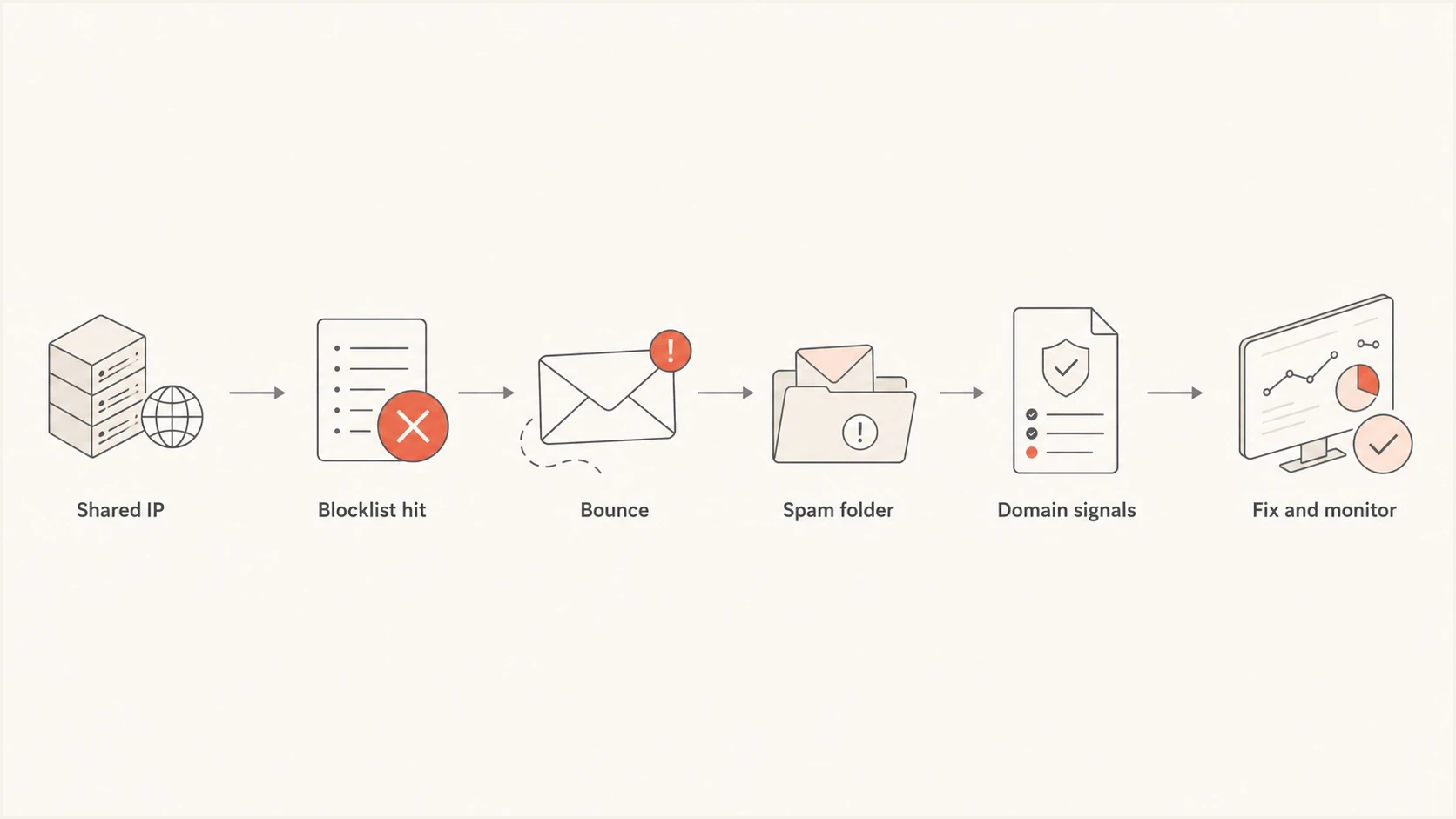
A flowchart for separating shared IP listings from domain reputation issues.
Where Suped fits
Suped fits once you stop treating one blacklist result as the whole problem. Suped brings DMARC monitoring, SPF and DKIM checks, blocklist monitoring, and deliverability signals into one place, so you can see whether the issue is DNS, authentication alignment, an unverified sender, or a reputation change.

Blocklist monitoring page showing domain and IP checks across blocklists with importance and status
Suped turns DMARC reports into specific investigation steps. The practical workflow is to monitor DMARC policy, verify every sender, watch domain and IP blacklist or blocklist status, respond to alerts, then stage policy changes after confirming that legitimate mail passes. Suped's Hosted DMARC, Hosted SPF, SPF Flattening, Hosted MTA-STS, and MSP multi-tenancy keep those controls available without requiring every client or department to edit DNS for each change.
That matters for Google Workspace senders because the fix is rarely one delisting request. You need a repeatable view of domain health, legitimate sources, authentication failures, and blocklist changes. Ongoing blocklist monitoring catches reputation events early, while DMARC reports show whether the mail that claims your domain is actually authorized.
What to fix before asking for delisting
A delisting request is useful only when you control the listed asset and have fixed the behavior that caused the listing. With Google Workspace, you usually do not control the listed IP. With your domain, you do control the behavior. That is where the real work sits.
- List source: Stop using scraped, purchased, or enrichment-sourced contacts that lack clear permission.
- Message fit: Send mail that matches an existing relationship or clear recipient expectation.
- Authentication: Keep SPF lean, DKIM active, and DMARC reporting enabled.
- Cadence: Avoid sudden increases, repeated follow-ups, and mailbox-like automation patterns.
- Evidence: Track replies, complaints, bounces, and spam-folder tests before changing strategy.
When a different sending path helps
A separate email service or dedicated IP helps only when the sender has permission-based mail, stable volume, and enough operational control to maintain reputation. Moving the same cold outreach to another sender shifts the problem. It does not make recipients want the mail.
If you need a broader diagnostic path for non-Google infrastructure, use the blacklisted IP guide. If the main symptom is Gmail spam placement rather than a named IP rejection, the Gmail spam fix is the better next read.
Views from the trenches
Best practices
Confirm whether the listed sender IP is shared before spending time on delisting requests.
Use real mailbox tests and full headers to separate blocklist bounces from spam placement.
Pause cold outreach while you audit list sources, consent signals, replies, and complaints.
Common pitfalls
Assuming Google will assign a new outbound IP leads to wasted support cycles and false hope.
Treating SPF, DKIM, and DMARC pass results as proof of inbox placement misses reputation.
Continuing outreach to weak contacts keeps the domain reputation problem active for weeks.
Expert tips
Project Honey Pot signals deserve a list-source audit before any DNS or policy change.
A SORBS result after June 2024 belongs in the stale data pile, not the action queue.
For Microsoft spam placement, domain behavior and recipient engagement usually decide.
Expert from Email Geeks says Google Workspace mail uses shared Google-owned IPs, so the sender generally cannot delist or swap the IP directly.
2022-05-14 - Email Geeks
Expert from Email Geeks says a Project Honey Pot listing points to mail reaching seeded addresses, which usually means a list-source problem or another sender on the shared pool.
2022-05-14 - Email Geeks




