What is email backscatter and how to stop it


Updated on 21 Jul 2026: We updated this guide for current DMARC guidance and added safer ways to identify and filter backscatter.
Email backscatter is unwanted bounce mail sent to an innocent address after someone spoofs that address as the sender of a message. Also called a misdirected bounce or blowback, it can arrive as a non-delivery report (NDR), auto-reply, challenge message, or rejection notice even though the mailbox owner did not send the original email.
The direct response is to authenticate your domain with SPF, DKIM, and DMARC, publish a DMARC enforcement policy after legitimate senders pass, and make sure your own mail servers reject bad recipients during the SMTP conversation instead of accepting the message and bouncing it later. Also check blocklist and blacklist status when logs show that your infrastructure generated misdirected bounces or when sending reputation changes.
- Main cause: Sender spoofing plus remote systems that send bounce notices to the forged return address.
- Main symptom: You receive unexpected bounce messages for mail you never sent.
- Main prevention: Use DMARC enforcement, authenticated senders, recipient validation, and outbound abuse controls.
What email backscatter is
Backscatter starts when a message uses a forged sender address. The attacker can put your domain or mailbox in the SMTP envelope sender, the visible From address, or both. A delivery failure normally goes to the envelope sender, also called the reverse-path or return path. Some auto-replies instead use the visible From or Reply-To address. If a receiving system accepts the original message and later determines that it cannot deliver it, the response can go to the forged address. That response is backscatter.
A backscatter message often looks like a normal bounce. It usually contains terms such as failed delivery, undeliverable, returned mail, mail delivery subsystem, or message rejected. The message can include a copy of the original abusive email, which makes it look like your account sent it. In most cases, the attacker only used your address as a return path.
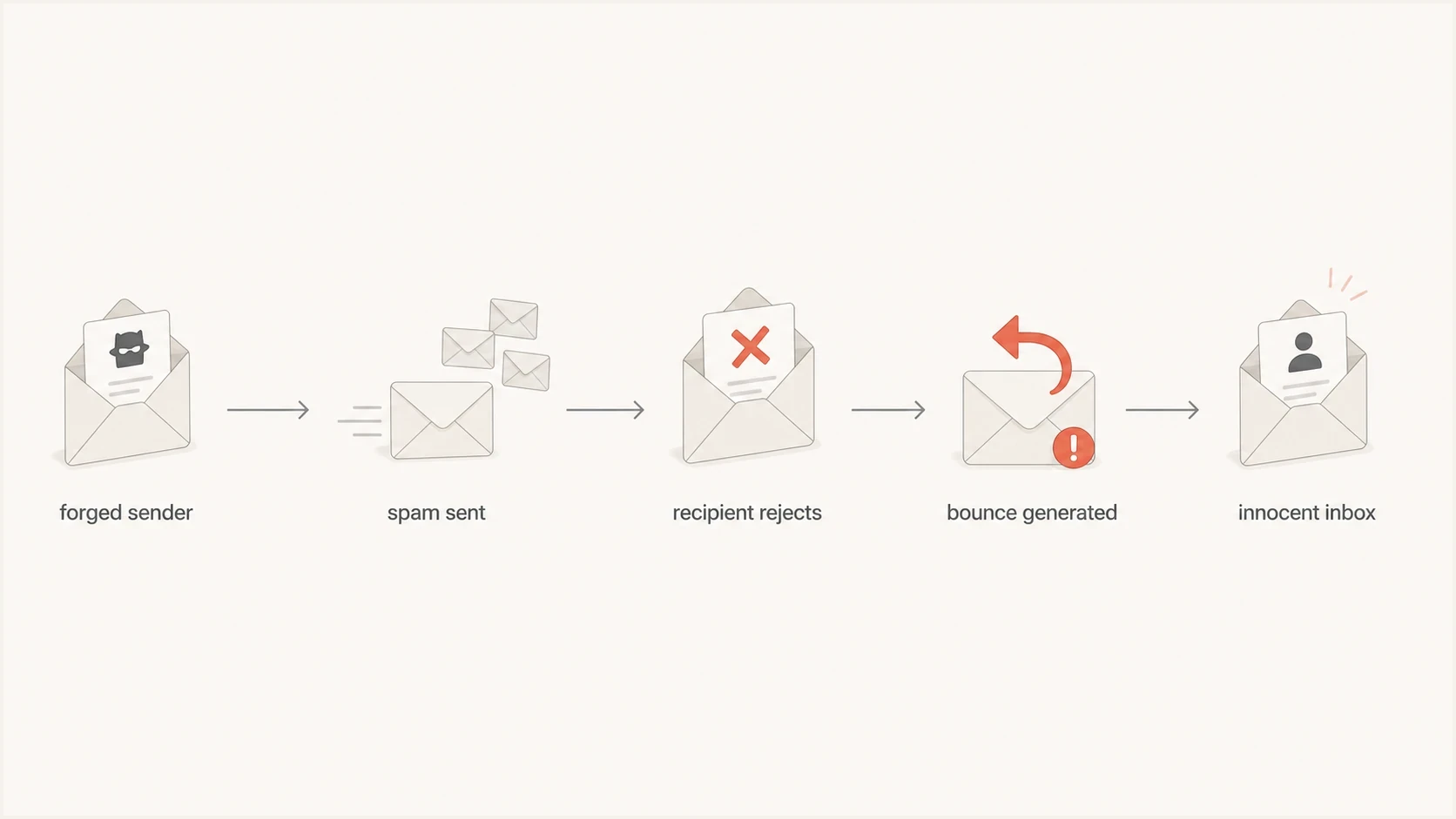
Email backscatter flowchart showing a forged sender, rejection, and misdirected bounce.
Backscatter is not always a hacked mailbox
A hacked mailbox usually has evidence in sent mail, login logs, or outbound relay logs. Backscatter usually has no matching sent message because the original email came through another system. Treat the first wave as a spoofing signal, then verify before resetting accounts or disabling users.
A small amount of backscatter is common for visible domains. A sudden spike is different. It can mean attackers are using your domain as a fake sender, or one of your own systems is generating bad bounces. Both cases need attention, but the remediation path is different.
Why backscatter happens
Backscatter has two broad sources. The first is external spoofing, where an attacker forges your sender address and remote systems send rejections back to you. The second is local misconfiguration, where your own mail infrastructure accepts mail it should reject and later sends a bounce to a forged sender.
Separate these sources because the controls are different. DMARC reduces abuse of your visible domain where receivers evaluate it. SMTP recipient validation and outbound controls stop your own environment from creating backscatter for other people.
Spoofed sender
- Trigger: An attacker puts your domain in the sender identity.
- Evidence: No matching outbound message exists in your logs.
- Fix: Enforce DMARC after legitimate mail passes authentication.
Broken bounce handling
- Trigger: A server accepts mail first and rejects it later.
- Evidence: Queue logs show local bounce generation.
- Fix: Reject invalid recipients during SMTP and suppress unsafe auto-replies.
|
|
|
|---|---|---|
Forged domain | Bounces for mail you never sent | DMARC |
Open web form | Auto-replies hitting forged senders | Reply controls |
Bad recipient handling | Queue creates delayed bounces | SMTP rejection |
Compromised sender | Real outbound mail in logs | Access logs |
Common backscatter causes and the first control to check.
How to prove it is backscatter
Do not judge backscatter by the subject line. Start with evidence. Check whether the original message appears in outbound mail logs, whether the headers show a third-party origin, and whether the bounce references an address or campaign that nobody in the organisation used.
A real compromise leaves a sending trail. Backscatter usually leaves only inbound bounce mail. If the domain has weak authentication, attackers can repeat the pattern. Unknown sources that fail SPF and DKIM in DMARC aggregate data provide evidence of spoofed use of the visible From domain, but correlate them with the bounce headers because DMARC reports do not identify every envelope-sender forgery.
Backscatter clues in a bounce messagetext
Subject: Undelivered Mail Returned to Sender
Final-Recipient: rfc822; random-user@example.net
Action: failed
Status: 5.1.1
Remote-MTA: dns; mx.remote.example
Diagnostic-Code: smtp; 550 mailbox unavailable

Clue: no matching outbound message exists for this recipient.
Clue: the original source IP is not one of your approved senders.
- Check logs: Search outbound logs for the recipient, subject, message ID, and sending IP.
- Check headers: Look for authentication failures and a source that is not approved for your domain.
- Check reports: Review DMARC aggregate data for failing sources using your visible From domain.
- Check impact: Use a domain health check to confirm DNS authentication status.
?
What's your domain score?
Deep-scan SPF, DKIM & DMARC records for email deliverability and security issues.
How to stop spoofing-driven backscatter
If the backscatter comes from spoofing, the goal is to make forged mail fail authentication at receivers that evaluate DMARC. Publish SPF for approved envelope senders, sign legitimate mail with DKIM, and use DMARC so the visible From domain matches a domain authenticated by SPF or DKIM.
Start with monitoring if you do not know every service that sends mail for the domain. Move to quarantine or reject only after legitimate sources pass SPF or DKIM with DMARC alignment. Check forwarding and mailing-list traffic before enforcement, and do not rely on SPF alone because forwarding commonly breaks SPF while an intact DKIM signature can still pass DMARC. If you already know the domain is spoofed, this guide on what to do when a domain gets spoofed gives the incident side of the same process.
Starter DMARC record for visibilitydns
_dmarc.example.com. 3600 IN TXT
"v=DMARC1; p=none; rua=mailto:dmarc-reports@example.com;"
Enforced DMARC record after cleanupdns
_dmarc.example.com. 3600 IN TXT
"v=DMARC1; p=reject; rua=mailto:dmarc-reports@example.com;"
Use DMARC enforcement when your sources are ready
A DMARC record at _dmarc with p=reject requests the reject disposition for mail that fails DMARC. Receivers apply their own handling rules, so enforcement does not stop every forged message or every bounce already in flight. It reduces new spoofed traffic where receivers check DMARC and act on the policy.
How to filter backscatter safely
DMARC enforcement cannot prevent a non-compliant remote system from sending a bounce to a forged envelope address. Inbound filtering can reduce that mailbox noise, but a subject-line rule is too blunt. A standards-based delivery status notification normally uses a null SMTP reverse-path and a multipart/report body with the delivery-status report type. Attackers can imitate those traits, so use them as indicators rather than proof.
The strongest test is correlation with mail you actually sent. Match the reported recipient, Message-ID, queue ID, and return path against outbound logs. If your mail platform supports tagged or signed envelope senders, including bounce address tag validation (BATV), it can accept a DSN only when the short-lived return-path tag validates.
- Correlate first: Keep NDRs that match a recent outbound message and flag unmatched reports.
- Validate return paths: Use tagged envelope senders where every outbound system can preserve and process them.
- Quarantine safely: Route unmatched bounce mail away from inboxes while rules are tuned, rather than deleting it immediately.
- Retain evidence: Keep representative headers and mail logs so repeated sources and volume changes remain measurable.
Do not block every null-envelope message
Legitimate delivery failures use a null reverse-path to prevent bounce loops. Blocking every message with MAIL FROM:<> can hide real delivery problems. Combine DSN structure, outbound correlation, and a validated return-path tag before rejecting or discarding a bounce.
How to stop your servers generating backscatter
If your own infrastructure sends backscatter, DMARC alone does not fix it. You need to change how the server handles bad mail. The core rule is to reject invalid mail during the SMTP session, before accepting responsibility for delivery. Once the server accepts the message, a later bounce goes to the envelope sender, which can be forged.
This applies to mail gateways, web forms, ticketing systems, scanners, and apps that send auto-replies. A contact form that sends a confirmation to any typed address can become a backscatter source. An out-of-office system that replies to bulk mail can do the same.
- Validate recipients: Reject unknown users during SMTP with a permanent 5xx response.
- Stop delayed bounces: Do not accept a message and then send a non-delivery report to an unverified sender.
- Limit auto-replies: Suppress replies to bulk mail, failed authentication, mailing lists, and no-reply patterns.
- Protect forms: Require confirmation before sending user-supplied addresses any automated mail.
- Rate-limit failures: Throttle repeated invalid recipient attempts and alert on sudden spikes.
Safe rejection patterntext
During SMTP:
RCPT TO:<missing-user@example.com>
550 5.1.1 User unknown

Avoid this pattern:
250 2.1.5 Accepted
Later: send bounce to forged sender
Do not bounce after acceptance
Backscatter often exists because a server accepts mail too early. Rejecting during SMTP gives the connecting sender a direct status, protects reputation, and creates a clearer audit trail. Delayed bounces to forged senders create complaints that point back to your system.
After changing bounce behavior, send a controlled test message and inspect authentication, headers, and delivery signals with an email tester. That catches cases where a legitimate app still sends auto-replies without authentication.
Backscatter and blocklist risk
The clearest blocklist or blacklist risk falls on systems that generate misdirected bounces. Filtering systems and DNSBL operators can associate that outbound traffic with the sending IP. Receiving spoofing-driven backscatter consumes mailbox and support resources, but receipt alone does not prove that your sending IP generated abuse or earned a listing.
Check whether your sending IPs, bounce hosts, or domains appear on a blocklist (blacklist), then connect any listing to actual logs. Suped includes blocklist monitoring alongside DMARC, SPF, and DKIM monitoring, so teams can compare authentication failures with reputation events.
Backscatter severity guide
Compare current volume with your normal baseline instead of relying on a universal message count.
Low
Baseline
Isolated unmatched bounces with no user impact or confirmed listing.
Watch
Rising
A sustained rise in unmatched bounces or unknown DMARC sources.
High
Incident
Mailbox disruption, your servers generating bounces, or a confirmed blocklist or blacklist listing.
Some listings are specifically tied to backscatter behavior. If you are dealing with a backscatterer blacklist, do not treat a delisting request as the fix. Correct the server behavior first, gather logs, then request removal if the listing process allows it.
DMARC data helps separate the two cases. If the bounce storm traces to external spoofing, focus on authentication, inbound filtering, and user communication. If it traces to your own relay, fix mail flow and prove the change with reduced outbound bounce volume.
Where Suped fits
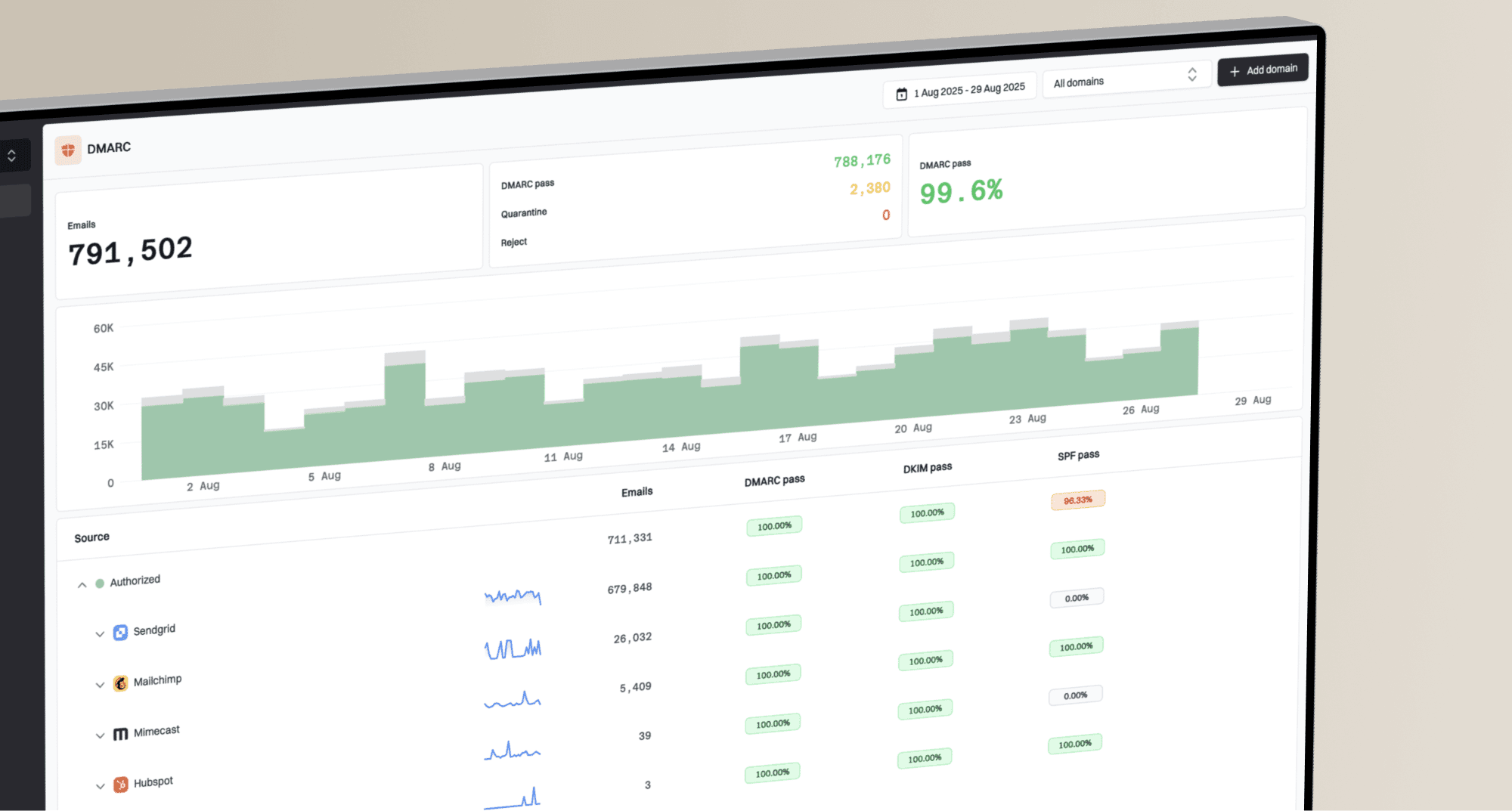
Suped's product connects DMARC aggregate data, authentication findings, alerts, and blocklist monitoring in one workflow. For a backscatter investigation, that means comparing unknown sending sources with SPF or DKIM results, then separating external spoofing from mail sent by infrastructure you control.

Issue steps to fix dialog showing the issue overview, tailored fix steps, and verification action
Add the domain, review unknown sources, resolve SPF or DKIM failures, turn on alerts for sudden failure spikes, and monitor blocklist status while DMARC enforcement rolls out. Hosted DMARC can stage policy changes without repeated DNS edits.
- Detection: Find unauthorised sources using DMARC report data instead of mailbox noise.
- Remediation: Use issue steps to fix SPF, DKIM, DMARC, and sender alignment gaps.
- Monitoring: Track policy health, source changes, and blocklist or blacklist exposure.
- Operations: Use multi-tenant views for agencies and MSPs managing many domains.
Backscatter is rarely fixed by one DNS edit. Suped keeps the domain authentication work, policy rollout, alerting, and blocklist monitoring connected while teams verify that bounce noise drops and legitimate mail continues to pass.
Backscatter response checklist
The fastest path is to decide which backscatter type you have. If there is no matching outbound mail, treat it as spoofing and move the domain toward DMARC enforcement while filtering unmatched NDRs. If your own logs show delayed bounces, fix recipient validation and auto-reply behavior before requesting delisting.
Use this order: prove the source, review SPF and DKIM, monitor DMARC reports, stop unsafe bounces, then check blocklist and blacklist status. Once legitimate senders pass authentication and indirect mail has been reviewed, publish p=reject for the domain. Spoofing-driven backscatter should then decline at receivers that enforce DMARC, while inbound correlation handles the remainder.
The shortest checklist
- Identify: Confirm whether the original mail came from your systems.
- Authenticate: Make every legitimate sender pass SPF or DKIM with DMARC alignment.
- Enforce: Use DMARC quarantine or reject when reports show clean legitimate traffic.
- Repair: Reject invalid recipients during SMTP and suppress unsafe auto-replies.
- Monitor: Track DMARC failures, unmatched NDR volume, and blacklist or blocklist listings.