How to resolve false positive phishing detection by Avast antivirus?


Updated on 28 Jul 2026: We updated this guide with Avast's current submission details, review timing, and safer temporary exception guidance.
To resolve a false positive phishing detection by Avast Antivirus, first confirm that the message and every destination URL are clean, then submit the affected URL or file through Avast's false-positive process. Include your email address, the detection name, the Alert ID or business detection ID, the exact URL or file, and a concise description. Open a business support case when the impact is material or a sample cannot be provided. If the affected sender is a customer or brand owner, have them submit the same report from their business address too.
A DMARC pass does not clear an Avast phishing warning by itself. DMARC tells receivers that the visible sender domain has authorized the mail stream. Avast also looks at the URL, page content, local client detection data, campaign patterns, and its own reputation database. Treat these cases as two jobs: remove any real risk first, then give Avast enough evidence to correct the detection.
- Validate: Check the landing pages, redirects, TLS, authentication results, and final URLs before calling it a false positive.
- Document: Save the warning screenshot, detection name, Alert ID or detection ID, original headers, and exact URL Avast flagged.
- Submit: Use Avast's false-positive form, then open a business support case when delivery impact is material.
- Monitor: Update affected clients and virus definitions, then watch repeat sends, related domains, and blocklist (blacklist) signals.
What Avast is actually flagging
When Avast marks a legitimate B2B email as phishing, the flagged object is often the URL inside the message rather than the sender authentication result. Clean SPF, DKIM, and DMARC results can sit beside a phishing warning because the antivirus client judged the landing page or redirect path as risky.
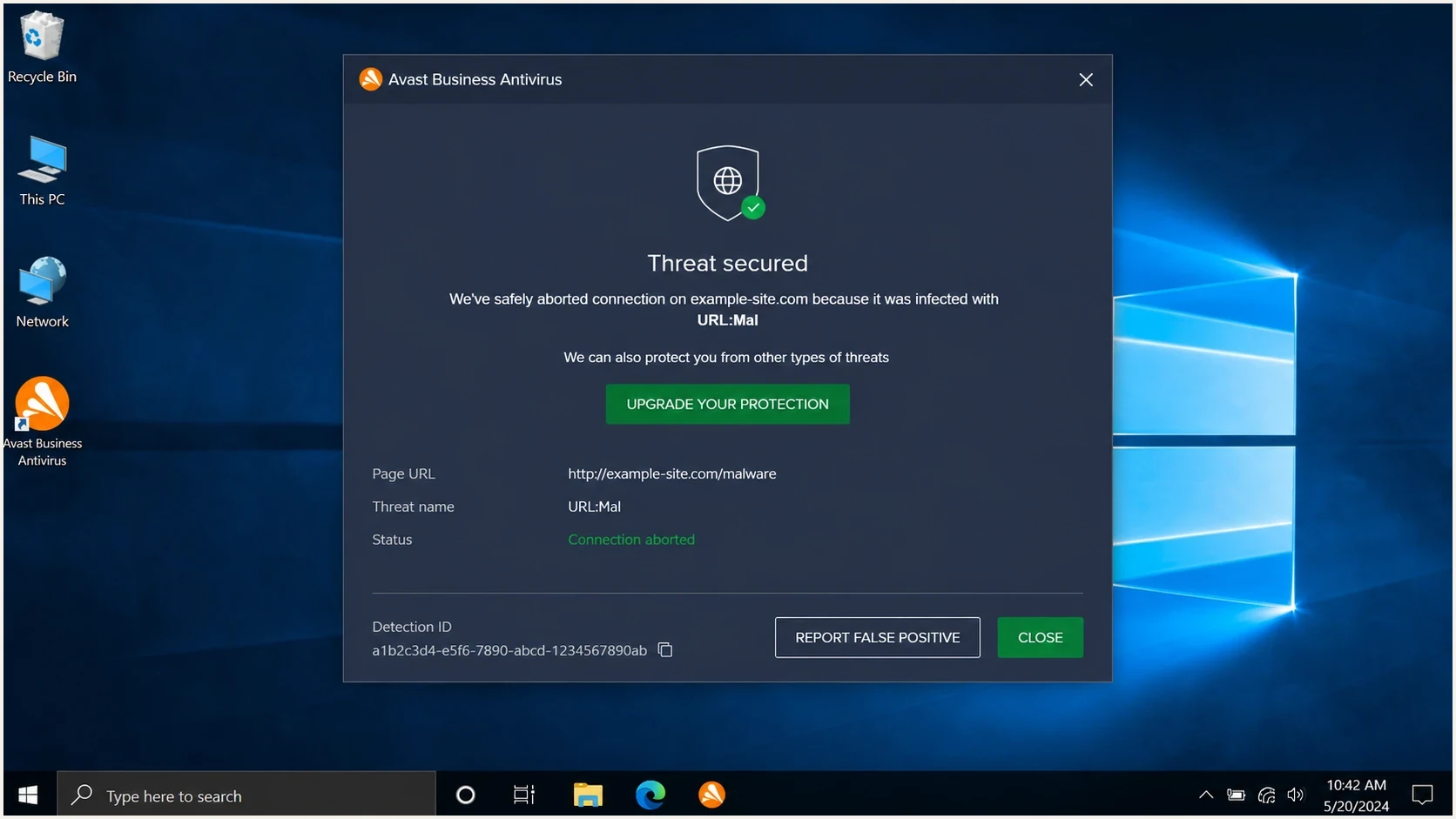
An Avast Business Antivirus alert showing a URL detection and a detection ID.
That distinction matters because the fix path changes. If authentication fails, repair DNS and sender setup. If authentication passes and Avast still flags the email, focus on the URL chain, the hosted page, the alert details, and Avast's false-positive submission process.
Email authentication
Authentication proves the sender has permission to use the domain in the visible From address. It does not prove that a linked page is safe or that every redirect is trusted.
- SPF: Confirms the sending IP is permitted for the envelope domain.
- DKIM: Confirms the signed message was not changed after signing.
- DMARC: Confirms the From domain matches an authenticated domain.
Avast detection
Avast can classify a message or URL as phishing using antivirus definitions, URL reputation, page behavior, and local client telemetry. The decision can exist outside normal mailbox filtering.
- URL: The link path, redirect chain, and final page are reviewed.
- Page: Login forms, scripts, and compromised content can trigger detection.
- Database: Avast keeps its own detection data, so reports need to reach Avast directly.
Do not skip the site check
If the linked site has a hidden bad page, a compromised script, a broken certificate, or a redirect that lands somewhere unexpected, Avast is doing the correct thing. Do not ask Avast to reverse a detection until the site owner confirms that the full URL path is clean.
Confirm it is a false positive
Start with the specific message that triggered Avast. Send the same campaign to a controlled test mailbox, keep the original source, and inspect the authentication results. A real test matters because forwarded screenshots and copied HTML hide the headers and redirect path you need.
Use an email tester to inspect the actual message, then run a domain health checker if the sender domain has broader DNS, DMARC, SPF, DKIM, or reputation questions. Those checks do not overrule Avast, but they give you a cleaner case.
|
|
|
|---|---|---|
DMARC pass | Sender identity checks out | Review URLs |
DKIM fail | Message changed or unsigned | Fix sender |
URL redirect | Final page can differ | Trace chain |
Avast Alert ID | Detection can be traced | Attach proof |
Repeat region | Client database update lag | Monitor longer |
Use this table to decide whether to fix your setup first or submit to Avast first.
Also check whether the URL or sending infrastructure appears on public blocklists or blacklist sources. Avast is not simply reporting a public blocklist result, but a separate listing can point to a real reputation problem that needs its own fix.
?
What's your domain score?
Deep-scan SPF, DKIM & DMARC records for email deliverability and security issues.
Fix known SPF, DKIM, or DMARC failures in parallel. Authentication repairs will not remove an Avast URL classification, but they prevent a separate sender problem from confusing the investigation.
If the campaign uses click tracking, branded redirects, or marketing links that mask the final destination, review tracking link blocks too. Antivirus products often judge the full URL chain rather than only the visible domain.
Prepare the evidence bundle
The strongest false-positive report is short and complete. Keep the tone factual, include the exact data Avast needs, and avoid long arguments about sender reputation. The reviewer needs to reproduce the detection and understand why it is wrong.
Evidence to includetext
Brand: Example Company
Sender domain: example.com
Affected URL: https://example.com/promo
Detection name: copy from the Avast alert
Alert ID: copy from the Avast alert
Business detection ID: include when shown
Avast version: copy from the affected client
Affected browser: name and version
Screenshot: attach full alert window
Headers: attach original message headers
Auth results: DMARC pass, SPF pass, DKIM pass
Site status: no compromise found
Business impact: B2B campaign blocked for customers
Do not send Avast a summary without the relevant alert details and screenshot. The Alert ID or business detection ID in the Avast dialog is often the detail that turns a generic complaint into a traceable case.
- Headers: Attach the original message headers after the message has passed through the affected environment.
- Screenshot: Capture the whole Avast dialog, including the detection name and any alert reference near the bottom.
- URLs: Provide the exact clicked URL and the final landing page after redirects.
- Proof: State what you checked: HTTPS, page ownership, attachments, redirects, scripts, and evidence of compromise.
Keep one clean case record
Create one internal case note that contains the sender, subject, message ID, URL, screenshot, date first seen, and the countries or customers affected. If the problem spreads across regions, this record keeps your escalation precise.
Submit and escalate with Avast
Avast's business help says suspected false positives can be submitted through the local client's Quarantine, the sample submission web form, or an open support case. The form accepts URLs, and a detection ID can be supplied when the sample is unavailable. Use the Avast false positive guide as the official business route.
Submit the exact URL through the false-positive form first. If an Avast business customer has material delivery impact, also open a support case with the same evidence. When the affected sender is a customer or brand owner, ask them to submit from their business address so Avast can connect the report to the affected organization.
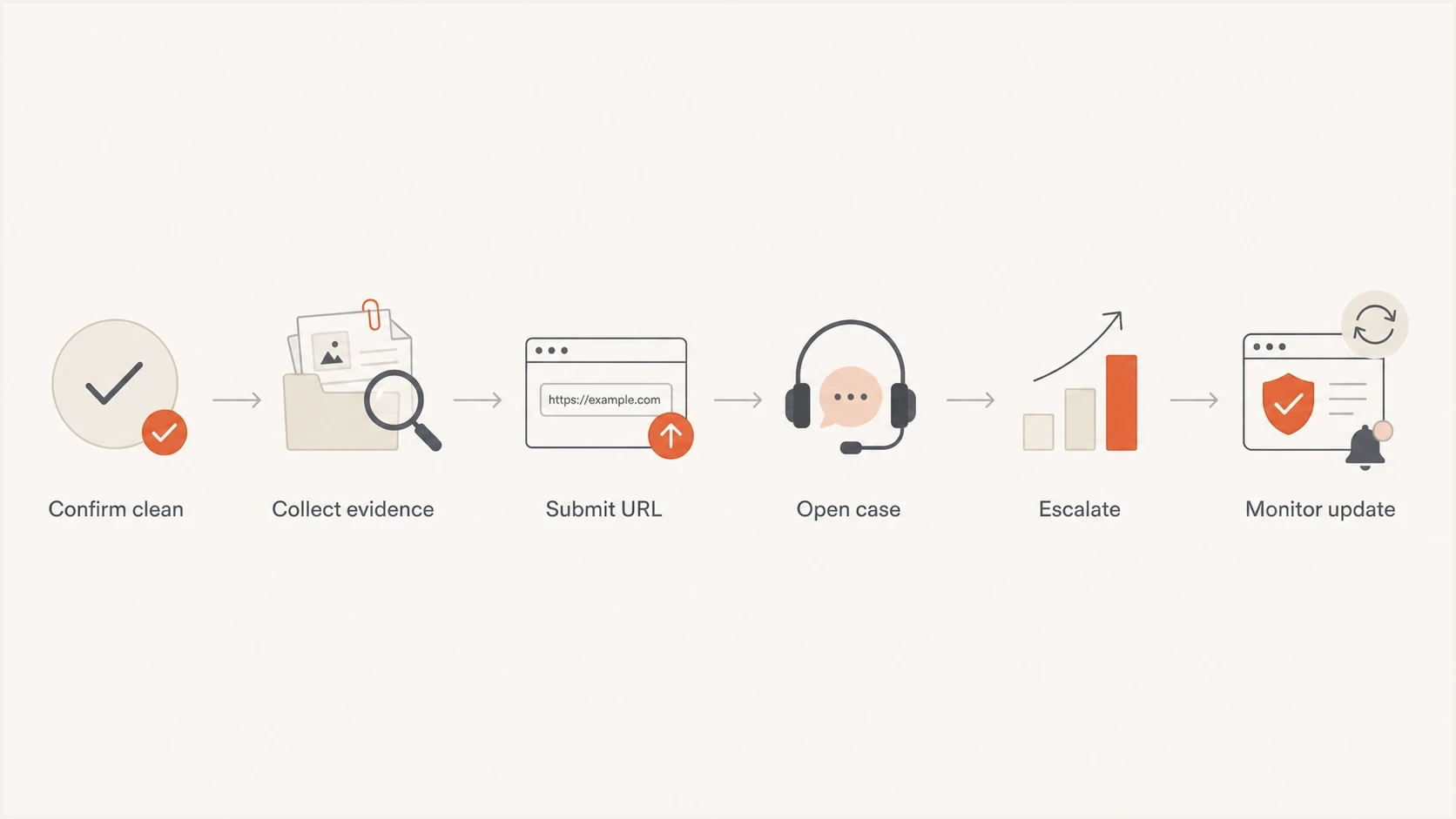
A six-step flowchart for resolving an Avast false positive.
Escalate with evidence, not volume
Repeated messages without new evidence can slow the process. A better escalation says what changed, attaches the same evidence bundle, and asks for confirmation that Threat Labs reviewed the exact URL and alert reference.
Support follow-up templatetext
Subject: False positive review request for example.com

Hello Avast Support,

Please review this false positive phishing detection.

Detection name: [paste detection]
Alert ID or detection ID: [paste ID]
Affected URL: [paste URL]
Sender domain: example.com
Business impact: legitimate B2B email is being blocked
Evidence attached: screenshot, headers, URL review notes

The URL is owned by the sender and uses HTTPS.
No attachment is present in the message.
DMARC, SPF, and DKIM pass for the original message.

Please escalate to Threat Labs for correction.
Thank you.
Avast's business help says automated submissions do not receive feedback, so silence does not mean the case was ignored. Allow at least a few business days for analysis. If Threat Labs confirms a false positive, the Antivirus client should receive the update within the following 24 hours. Update affected clients and virus definitions before retesting the URL.
Use temporary Avast exceptions carefully
Avast's current support guidance recommends submitting the false positive and waiting for the automatic fix before adding a website exception. An exception reduces protection and changes only the configured endpoint. It does not remove the URL from Avast's detection database.
- Confirm: Use an exception only after the site owner confirms the exact URL, redirects, scripts, and destination are clean.
- Scope: Apply the narrowest website exception only to business-managed endpoints that require temporary access.
- Record: Document the owner, business reason, approved endpoints, case ID, and removal date.
- Remove: Delete the exception after definitions update and the original URL passes a controlled retest.
Do not turn a local exception into sender advice
Do not ask a broad recipient list to add an exception or disable web protection. That transfers risk to recipients and leaves the Avast classification unchanged. Use a temporary exception only under the affected organization's security controls.
Keep authentication and reputation clean while waiting
While Avast reviews the report, keep the sender domain stable. Do not change the From domain, link domain, and campaign template all at once unless you have found a real problem. Too many changes make it harder to know which signal caused the fix.
Suped's product fits the authentication and reputation part of this workflow. It centralizes DMARC reports, SPF and DKIM status, hosted policies, alerts, and blocklist monitoring. It does not replace Avast's review. Use those signals to separate authentication or blacklist issues from Avast's URL classification.

Issue steps to fix dialog showing the issue overview, tailored fix steps, and verification action
For MSPs or agencies, Suped's multi-tenant dashboard can show which clients have authentication failures, which sources are unverified, and whether domain or IP reputation changed after the Avast report. That separates the Avast-specific false positive from real sender hygiene work.
If another security database also flags the URL, handle that in parallel. The same evidence bundle can support more than one false-positive report, and this related guide on false positive reports explains how to avoid confusing a reputation dispute with a real domain abuse problem.
When to escalate the Avast case
Use the business impact and evidence quality to decide how hard to push.
Normal
Document and submit
One user or one endpoint sees the alert.
High
Open support case
Multiple customers or regions see the same warning.
Critical
Escalate with case ID
Revenue mail or core customer notices are blocked.
What to change in the email while the case is open
If the business cannot wait, reduce the signals that antivirus systems commonly dislike, but keep the campaign traceable. Prefer small changes that are easy to compare against the original flagged version.
Useful changes
- Links: Use direct branded HTTPS links with a clean redirect chain.
- Pages: Remove surprise login prompts from promotional landing pages.
- HTML: Remove hidden text, broken images, and stale tracking code.
- Cadence: Send a small controlled test before restarting the full campaign.
Risky changes
- Domains: Do not rotate to a new domain just to dodge the warning.
- Shorteners: Do not hide the destination behind generic short links.
- Volume: Do not increase volume while the alert is still active.
- Copy: Do not add urgency language around account access or payment.
For B2B ecommerce mail, the safest temporary change is usually a cleaner landing URL and a simpler message body, not a new sending domain. If Avast already has a bad classification tied to the original URL, wait for the database correction before assuming template edits solved it.
A clean temporary resend pattern
- Clone: Duplicate the flagged campaign so the original evidence stays intact.
- Reduce: Use one primary URL and remove unnecessary redirects.
- Test: Send to affected environments and record the exact result.
- Compare: If the warning remains, keep the Avast case focused on the URL classification.
Views from the trenches
Best practices
Attach the Avast detection ID, full headers, and screenshot in the first case update.
Ask the brand owner to submit from a business address when customer mail is blocked.
Prove the landing page is clean before calling the detection a false positive case.
Keep monitoring after correction because antivirus clients update on different schedules.
Common pitfalls
Relying on DMARC pass alone leaves Avast without URL and endpoint evidence to review.
Submitting only a screenshot slows review when the detection ID is missing from it.
Changing domains mid-case makes it harder to prove what Avast corrected in its database.
Stopping after one web form submission leaves business cases stuck in queues too often.
Expert tips
Use one concise evidence bundle for Avast, AVG, and internal customer support teams.
Escalate with new facts, not repeated complaints, to keep the case actionable for review.
Track affected regions separately because updates can reach endpoints unevenly over time.
Keep the original flagged email unchanged until the review has been completed by Avast.
An Email Geeks discussion notes that Avast keeps its own detection database, so the report has to reach Avast directly with the URL and detection ID.
2023-06-30 - Email Geeks
An Email Geeks discussion reports better results when the sender opens a business support case with the same evidence used in the web form.
2023-07-01 - Email Geeks
The practical answer
The fastest path is to handle the case like an evidence problem. Confirm the site is clean, gather the exact Avast detection details, submit the URL or file through Avast's false-positive route, open a support case for material business impact, and have the affected brand submit from its own address.
Do not rely on DMARC alone, and do not rotate domains to escape the warning. Keep authentication strong, keep the link path simple, monitor blocklist and blacklist signals, and use Suped's product to keep DMARC, SPF, DKIM, hosted policies, alerts, and reputation checks visible while Avast reviews the case.




