How to contact SURBL and what are their policies regarding delisting and support for ESPs?

Published 14 Jun 2025
Updated 9 Aug 2026
12 min read
Summarize with
Updated on 9 Aug 2026: We updated this guide with SURBL's current ESP usage limits, sponsored support terms, and clearer delisting steps.
The direct answer is simple: contact SURBL through its lookup and removal workflow first. Use the SURBL lookup page, check the listed domain or IP, then follow the removal form. The SURBL contact page is for general questions, announcement lists, discussion lists, and data feed access. It tells people not to send removal requests to the discussion list.
For ESPs, the important expectation is that the standard SURBL removal process is not a feedback loop. SURBL is a URI reputation blacklist, not a receiver abuse desk. Its public datasets cover websites, domains, and IP addresses used as websites in message bodies. They do not primarily list sending IPs, sender addresses, or mail server names. An ESP should not expect the removal process to identify the exact customer, provide a complaint sample, or explain the listing like a mailbox provider abuse team.
The practical process is to confirm the listed domain or host, find every tenant or campaign that used it, stop the bad traffic, document the fix, and submit the removal form linked from the lookup result. SURBL does not publish a separate email fallback for failed form submissions, so use the contact page only for a general question about the process. A ticket can close without detailed account-level attribution, which makes your own message and redirect logs essential.
How to contact SURBL
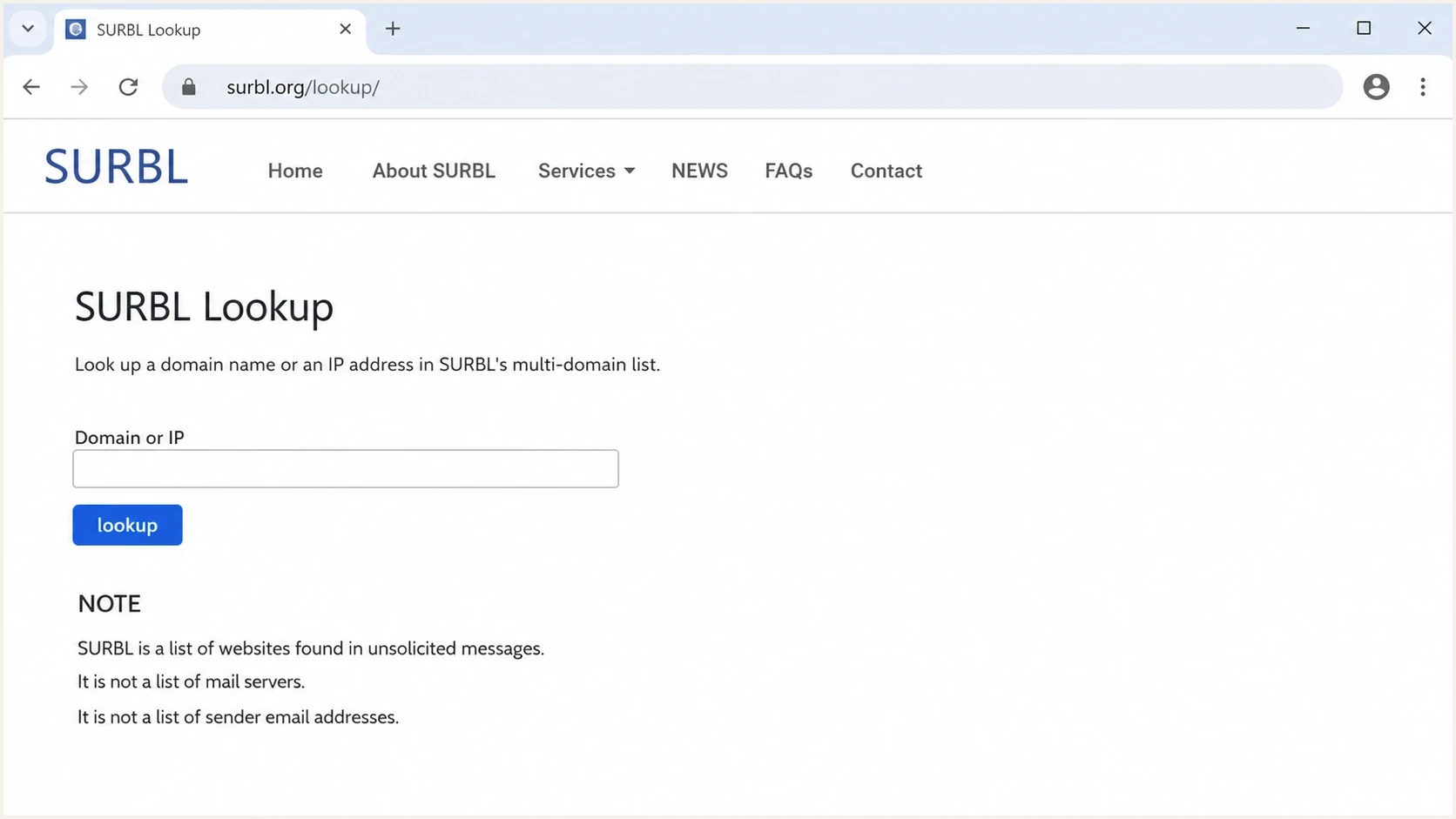
A SURBL Lookup page screen with a domain or IP field and policy notes.
The best first contact is the removal workflow tied to the lookup result. SURBL's public wording is consistent: start with lookup, then follow the form. The discussion list is for general questions, not delisting. A vague email to a mailing list sits outside the route SURBL tells requesters to use.
|
|
|
|---|---|---|
Lookup form | Removal | Primary path |
Contact page | General questions | No delist queue |
Announcement list | Policy updates | Low volume |
Data feed form | Professional use | Access request |
Use the narrowest route that matches the job.
Do not treat SURBL like an ISP postmaster desk
SURBL publishes removal steps, but the standard process does not promise sender-account attribution or a complaint sample. Send a complete evidence packet and keep the affected domain contained while SURBL reviews the request.
- Check the listed domain: Test the domain or IP shown in the message body, then retain the exact URL, redirect chain, tracked link, and hosted landing page for attribution. Do not start with the sending IP unless the IP itself appears as a website.
- Use the official route: Follow SURBL's form before contacting a mailing list. The SURBL FAQ repeats the lookup-first process.
- Avoid public removal threads: The contact page says not to send removal requests to the discussion list, and public threads rarely contain the private evidence needed for review.
- Keep a ticket trail: Save the lookup result, listed set, submission time, message IDs, and any delisting reply. That history helps when the same customer or domain appears again.
SURBL usage and support rules for ESPs
SURBL separates removal requests from data-service support. Its free-use description covers organizations with fewer than 1,000 users or fewer than 250,000 scanned messages per day, while its sponsored-use clause separately says organizations with 1,000 or more users cannot use the Free Query Service. Free access also excludes embedding SURBL data in a paid product or service. High-volume systems should arrange data-feed access and query a local copy.
|
|
|
|---|---|---|
Free-use description | Free Query Service | Under 1,000 users or under 250,000 messages daily |
1,000+ users | Sponsored Data Service | Free Query Service prohibited |
High-volume scanning | Data feed and local queries | Avoid public-query load |
Paid product or service | Valid usage agreement | Free embedding prohibited |
SURBL's published access rules for professional users.
Technical support does not replace removal evidence
SURBL says a Sponsored Data Service subscription includes unlimited access to its technical support team. That support covers professional data use, but the public delisting policy still starts at Lookup and requires remediation before review. Keep tenant attribution and incident evidence in your own systems.
What SURBL expects before delisting
SURBL expects the condition behind the listing to be removed. Before a CR, PH, or MW removal request, its policy says to clean and secure the website, the systems used to upload content, and the domain's DNS infrastructure. For an abuse or click-tracker listing, stop the campaign, close the compromised account, or remove the customer using the domain. A request that only says the sender is legitimate does not explain why the same domain will stay out of the blacklist.
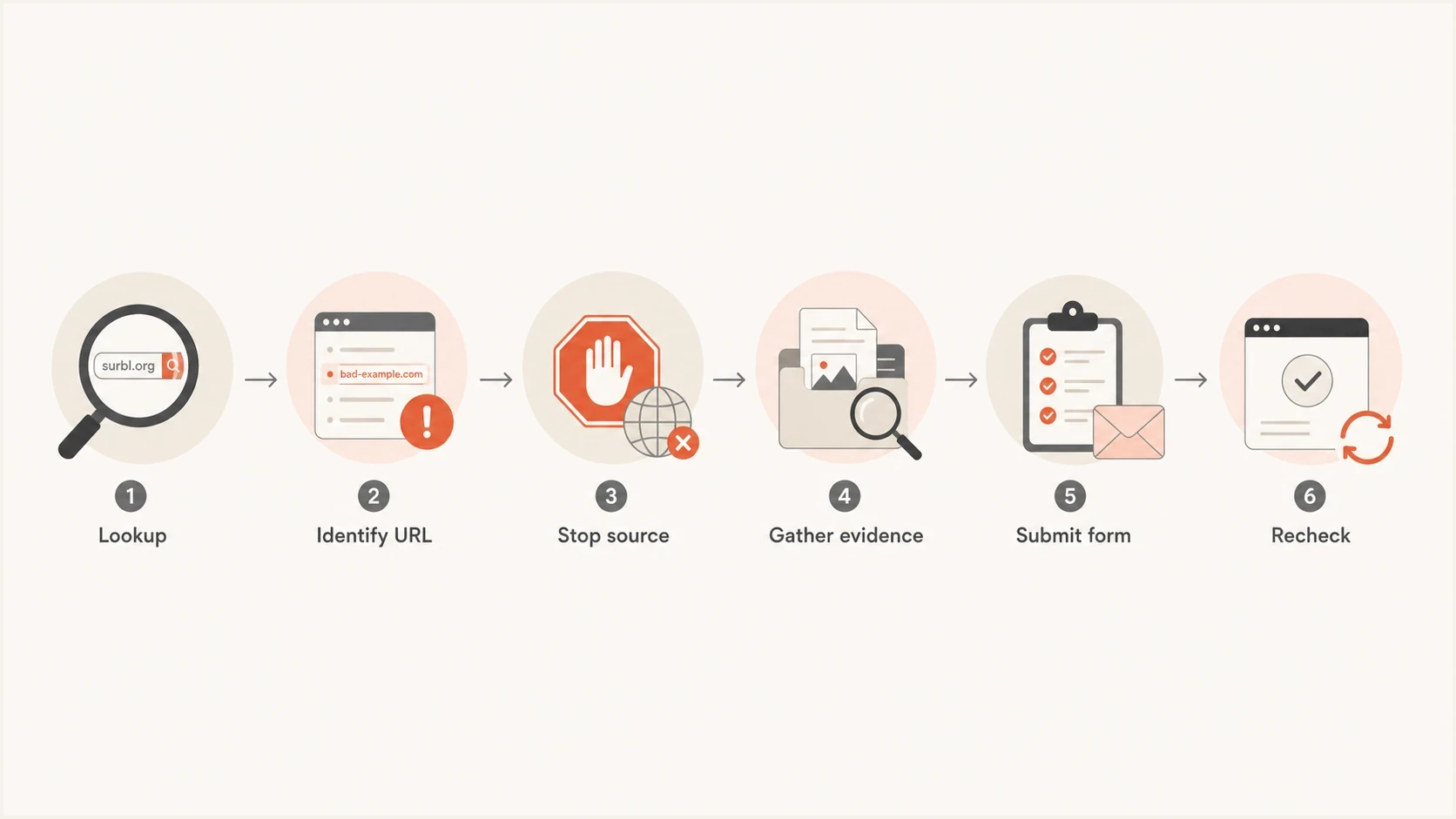
Flowchart showing lookup, evidence, remediation, form submission, and recheck.
Prepare the removal request like a small incident report. Show ownership, scope, remediation, and why the listing should not recur. If the domain belongs to thousands of customers, explain how the ESP narrowed the source. That makes the request actionable without asking SURBL to investigate the entire tenant base.
Evidence packet for a SURBL removal requesttext
Subject: SURBL removal request for example.com

Domain: example.com
Listed set: ABUSE, PH, MW, CR, CT, DM, or unknown
Relationship: ESP shared domain or customer link domain
First seen: YYYY-MM-DD HH:MM UTC
Recent sends: campaign IDs, message IDs, recipient domains
Sample headers: attach full original message, not a screenshot
URLs seen: exact body URLs and redirect chain
Remediation: paused sender, removed URL, or disabled tenant
Request: please review removal after remediation
A two-day removal is not an SLA
Teams sometimes see removals within a day or two when the case is clean, but SURBL does not publish that timing as a support commitment. The quick SURBL response checklist explains how to submit a clearer request.
What ESPs should expect
An ESP usually wants the customer ID, sample recipients, and the precise campaign that caused the listing. SURBL's public removal process focuses on the listed URI object, so it does not promise that account-level evidence. The lookup can confirm a listed domain or IP, but the ESP has to map that object back to a customer.
What ESPs often want
- Customer identity: The tenant, campaign, template, and sender responsible for the listed URL.
- Complaint evidence: A sample message, recipient domain, timestamp, or trap source that explains the listing.
- Fast confirmation: A clear note that the domain was removed and the reason it was listed.
What the public process provides
- URI status: Whether the checked website, domain, or IP is listed in a SURBL dataset.
- Removal process: A form-based path for review after the sender or site owner fixes the source.
- No attribution promise: The published process does not promise a customer name or account-level reason.
Shared infrastructure creates a larger blast radius. A single branded tracking domain can sit in front of many customers. If that domain enters a blocklist or blacklist, unrelated tenants can feel the delivery impact even when one sender caused the event. Prove that the abusive path is isolated and closed rather than arguing that most traffic is opt-in.
- Shared links: Use customer-specific tracking domains where possible so one abuse event does not expose unrelated tenants.
- Redirect chains: Log every redirect target, including destinations beyond the first click domain, because SURBL checks can involve URLs in and behind messages.
- Message evidence: Use an email tester to inspect a real message when bounce text or filtering clues are inconsistent.
How to identify the customer
The fastest ESP workflow is a join between the listed domain or host and message logs. Start with the lookup result, then expand to exact URLs, redirects, link shorteners, landing pages, and customer-uploaded content. If the result maps to a shared click domain, group sends by customer and template during the alert window. If it maps to a final destination, group by customers that placed that destination in campaigns.
Log join pattern for ESP attributiontext
Find every send that used the listed host:
- tracked_link_domain = listed host
- redirect_target = listed host or child path
- message_id -> customer_id -> campaign_id
- send_time between first alert minus 7 days and now

Group by:
- customer_id
- campaign_id
- template_id
- redirect_target
- complaint rate
- bounce text
Look for the outlier. A customer with a sudden volume spike, a new imported list, a new redirect destination, or a complaint jump gives the incident team a concrete lead. If the ESP has poor link attribution, the SURBL listing exposes a logging gap that should become part of the incident remediation.
|
|
|
|---|---|---|
New URL | Fresh risk | Pause review |
Spike | Changed behavior | Limit sends |
Complaints | Recipient harm | Suspend tenant |
Redirect | Hidden target | Trace chain |
Useful signals when one listed domain maps to many tenants.
Do not submit before containment
A delisting request before containment creates a repeat-listing risk. Pause the account, block the URL, disable the redirect, or remove the compromised page first. Then submit the request with exact times and remediation details.
Policies that matter
The most important SURBL policy details are operational. They change how you investigate, phrase the request, and monitor after removal. Treating SURBL like an IP blacklist wastes time because its public lists focus on URI domains and IP addresses used as websites.
- URI focus: SURBL lists websites seen in unwanted messages. Start with domains and URLs in the message body.
- Removal path: The public path is lookup, form, remediation review, and recheck. Public discussion lists are not the delisting queue.
- Dataset categories: The public MULTI dataset combines DM, PH, MW, CT, ABUSE, and CR. The DNS response's last octet is a bitmask, so one result can indicate more than one category.
- Blocked DNS response: A 127.0.0.1 response from the public nameservers means query access is blocked. It is not a listing category for the checked domain.
- High-volume use: Large ESPs and commercial filtering services need the Sponsored Data Service rather than unrestricted public DNS queries.
- Receiver visibility: SURBL does not publish every ISP, filter, or mailbox stack using its intelligence. Treat it as one signal in a broader blocklist and blacklist review.
Blocklist checker
Check your domain or IP against 144 blocklists.







After the lookup, verify whether the problem is isolated to SURBL or part of a wider reputation issue. A broader view across blocklists separates one URI listing from a larger sending pattern. That distinction determines whether the response needs a delisting request, a customer suspension, or a wider reputation incident.
Operational response timing
These bands are internal incident targets, not SURBL commitments.
Triage
0-2h
Confirm listing and affected host.
Contain
2-8h
Pause sender or remove URL.
Submit
8-24h
Send evidence after fixing source.
Escalate
48h+
Recheck and update evidence.
Where Suped fits
Suped is relevant when the work extends beyond one removal request into detection, ownership, and follow-up. Suped's product brings together DMARC monitoring, SPF and DKIM checks, Hosted SPF, Hosted DMARC, Hosted MTA-STS, deliverability insights, and blocklist monitoring. An ESP or MSP can use that workflow to see the affected domain, review authentication drift, spot blacklist changes, and assign remediation without relying on a single inbox.

Blocklist monitoring page showing domain and IP checks across blocklists with importance and status
Suped's product can turn the incident into a repeatable workflow with alerts, source context, DNS checks, issue detection, and remediation steps. Multi-tenant visibility also helps an MSP track which clients or brands share an affected domain.
Before opening a SURBL request, check domain authentication and basic sending health. The domain health checker provides that first pass. A SURBL listing is not caused by DMARC failure, but authentication gaps often appear alongside weak sender governance. Fixing both reduces repeat-incident risk.
A practical monitoring workflow
- Detect early: Use monitoring to catch the blocklist or blacklist event before customers report broad delivery failures.
- Contain first: Pause the customer, URL, redirect, or template that maps to the listing.
- Submit cleanly: Send SURBL a short incident summary with evidence and remediation.
- Watch recurrence: Keep monitoring after removal so a repeat customer is caught quickly.
If SURBL appears alongside poor inbox placement, do not stop at the lookup result. Review complaints, bounces, authentication, recent list imports, and redirect changes. The broader SURBL deliverability practices matter because a blacklist entry often points to a deeper sending-control problem.
Views from the trenches
Best practices
Confirm the exact listed host before contacting SURBL, then attach headers and URLs for context.
Map each tracked link domain to a customer, campaign, template, and latest send window.
Keep abuse mailboxes lightly filtered so SURBL notices and customer reports reach staff.
Common pitfalls
Sending vague removal requests slows review because SURBL needs evidence, not account notes.
Assuming the sending IP is listed wastes time when the problem is a URL in the body.
Waiting for SURBL to name the bad customer leaves the ESP without a workable fix path.
Expert tips
Use unique click domains or customer IDs so one listed URL ties back to one tenant.
Pause risky mail first, then request delisting after the abuse path has been closed.
Track removal timing, but do not treat a prior two-day removal as a promised SLA.
Expert from Email Geeks says SURBL usually expects senders to diagnose the bad customer internally and does not act like a feedback loop.
2026-02-12 - Email Geeks
Marketer from Email Geeks says an ESP should expect quiet removal when SURBL accepts the case, often without a root-cause note.
2026-02-14 - Email Geeks
A practical way to handle SURBL
Contacting SURBL depends on using the correct route and doing your own attribution work. Start at lookup, collect evidence, fix the source, submit the removal request, and monitor the domain after removal. If you run an ESP, do not expect the standard removal process to identify the customer. Your message logs, tracking domains, redirect records, and complaint data have to do that work.
ESPs can make this process repeatable before the next listing. Separate customer link domains, keep redirect logs, route abuse reports to staff who can act, and monitor email authentication alongside blacklist status. Suped's product supports that workflow by keeping authentication, domain health, blocklist changes, issue guidance, and tenant-level status in one place.




