How do I resolve blocking issues with Charter/Spectrum?

Updated on 14 Aug 2026: We added Spectrum AUP code guidance, sharper throttling steps, and a more traceable escalation checklist.
To resolve Charter/Spectrum blocking, first prove exactly what is being blocked, then clean up authentication and reputation signals before asking for help. Charter/Spectrum does not have a consistently visible, predictable sender remediation path, so a vague "please unblock me" request rarely works. The strongest path is specific evidence: affected recipient domains, bounce text, sending IPs, sending domains, timestamps, Message-IDs, message samples, DMARC From-domain match results, SPF and DKIM results, list hygiene history, and what changed before the block started.
The practical answer is to isolate whether the issue is a hard rejection, a rate limit, a content filter, a domain reputation problem, or an IP reputation problem. If Spectrum returned a 2xx acceptance and the recipient cannot find the message, investigate spam placement, mailbox rules, storage, and account state instead of treating it as an SMTP block. Then fix every sender-side issue you can measure, document the remaining evidence, and escalate through the support route printed in the response or another route that can reach the appropriate mail team.
This also means treating blocklist (blacklist) monitoring and authentication reporting as part of the same incident response. Suped's product puts DMARC, SPF, DKIM, blocklist monitoring, and sender issue detection in one workflow, so the remediation package has facts instead of guesses.
Start with the exact failure
Charter/Spectrum-related blocking can show up across addresses tied to Spectrum, Charter, Time Warner Cable, Road Runner, Bright House, Adelphia, and other legacy customer email domains. The same sender can see different behavior across those domains because MX routing, filtering decisions, customer account state, and regional infrastructure do not always fail in the same way. Verify current MX records and bounce hosts before grouping every legacy domain into one incident queue.
- Bounce code: Collect the full SMTP response, including any AUP, DNSBL, RBL, PTR, or connection-limit wording, not just "blocked" or "deferred" from a sending dashboard.
- Recipient pattern: Separate failures for rr.com and regional rr.com domains, roadrunner.com, charter.net, twc.com, brighthouse.com, adelphia.net, and spectrum.net addresses.
- Sending path: Record the sending IP, envelope sender, visible From domain, DKIM selector, Message-ID, and sending pool.
- Timing: Compare the first failure time with volume changes, new campaigns, DNS edits, list imports, and retry bursts.
- Scope: Check whether one IP, one domain, one subdomain, one SMTP command, or every message stream is affected.
Do not ask for escalation until you can show the exact SMTP response and affected sending identity. Missing evidence usually sends the case back to generic support and delays the investigation.
Useful evidence formattext
Provider: Charter/Spectrum
Affected recipient domains: rr.com, charter.net
Sending IP: 203.0.113.25
Envelope sender: bounces.example.com
Header From: example.com
DKIM selector: s1
Message-ID: <sample-123@example.com>
First seen: 2026-05-21 14:20 UTC
SMTP stage: MAIL FROM
SMTP response: 550 5.x.x message blocked
AUP code: copy exact code if present
Recent change: new dedicated IP warm-up
The bounce text matters because Charter/Spectrum blocking is not one problem. A permanent policy rejection points to a different response than a temporary deferral. A timeout points to infrastructure or throttling investigation. A content-related rejection needs message sample review. A domain or IP reputation block needs reputation cleanup before escalation.
Interpret Spectrum AUP codes before changing course
Spectrum responses often include an Acceptable Use Policy reference in the form AUP#In-#### or AUP#Out-####. Preserve the entire response because the number and surrounding text identify whether the receiver objected to connection pressure, source reputation, reverse DNS, or another policy condition. Do not assume every AUP response means a public blacklist listing.
|
|
|
|---|---|---|
AUP#In-1000 | A source IP blocked for suspicious activity | Inspect the exact IP, recent traffic, and blocklist or blacklist status |
AUP#In-1300 to 1340 | Concurrent or total connection limits, which vary with IP reputation | Reduce connections per IP, slow the queue, and retry later |
DNSBL:RBL or listing text | A source-level blocklist or blacklist signal | Map the response to the exact IP, HELO name, domain, and message stream |
4xx or 421 deferral | Temporary receiver pushback | Keep the address active, lower rate and concurrency, and use spaced retries |
2xx accepted | Spectrum accepted responsibility for the message | Check spam, filters, mailbox storage, forwarding, and the recipient account |
Use the exact Spectrum response to choose the first remediation step.
Use Spectrum's current explanation for the exact code printed in the bounce. Historical AUP meanings help triage an incident, but the full live response remains the source of truth for the case.
Check authentication before escalation
Authentication is the first sender-side fix because it is fully under your control. Charter/Spectrum can reject or filter mail for reasons outside DMARC, SPF, and DKIM, but broken authentication makes every other reputation problem harder to defend.
|
|
|
|---|---|---|
SPF | Passes for the envelope sender domain | Confirms the sending IP has authorization |
DKIM | Valid signature using the intended signing domain | Protects message integrity during transit |
DMARC | Passes through an SPF or DKIM From-domain match | Links authentication to the visible From domain |
PTR | Forward and reverse DNS resolve consistently | Supports a credible MTA identity |
HELO | Uses a real hostname that matches the sending setup | Avoids basic SMTP trust failures |
Compact sender-side checks before contacting Charter/Spectrum.
A passing DMARC result does not force delivery, but it removes a common reason for mailbox providers to distrust the message. If DMARC reports show that one sending source fails the From-domain match, fix that source before asking Charter/Spectrum to change anything.
?
What's your domain score?
Deep-scan SPF, DKIM & DMARC records for email deliverability and security issues.
For a fast cross-check, use the domain health checker and compare its findings with real DMARC aggregate data. The checker catches DNS-level issues, while DMARC reports show what happened in production across actual sending sources.
DMARC record detail view showing SPF, DKIM, DMARC, rDNS diagnostics, and DNS records
Separate blocking from throttling
The next decision is whether Charter/Spectrum is refusing the mail outright or slowing acceptance. Senders often call both "blocking," but the operational fix differs. A hard policy block requires reputation and escalation work. A temporary deferral often calls for lower concurrency, lower hourly volume, longer retry spacing, and cleaner segmentation.
Hard rejection
- Signal: The server returns a 5xx response and the message is not retried.
- Likely causes: Poor IP reputation, domain reputation damage, bad list source, complaint history, or content patterns.
- Best response: Pause affected streams, fix hygiene, collect evidence, and escalate with a concise case.
Temporary deferral
- Signal: The server returns a 4xx response, an AUP connection-limit response, a delay, or a connection limit.
- Likely causes: Volume spikes, new IP warm-up, connection pressure, recipient inactivity, or queue behavior.
- Best response: Reduce rate, limit concurrency, space retries, and measure whether acceptance improves.
For high-volume senders, keep Charter/Spectrum recipient domains in their own reporting segment and queue during an incident. That makes it easier to see whether a change helps and prevents Road Runner deferrals from blending with unrelated mailbox-provider behavior. Do not put temporary 4xx or AUP deferrals into hard-bounce suppression unless a later permanent recipient failure confirms that the address is invalid.
If the issue looks like volume pressure, compare the incident with Spectrum throttling guidance and adjust sending speed before escalating. If the issue looks like Road Runner-specific rejection behavior, Roadrunner deferrals deserve their own review.
Clean up reputation signals
Before asking Charter/Spectrum to reconsider a block, the sender's reputation record should show no purchased addresses, stale segments, unexplained complaint spike, sudden jump in volume, new mail stream sharing the same IP without separation, or hidden authentication breakage.
Incident readiness thresholds
Use these practical thresholds before sending an escalation request.
Ready
0 DNS errors
Most evidence supports a clean sender-side case.
Review
1 issue
One sender stream needs correction before escalation.
Not ready
2+ issues
Multiple failures weaken the unblock request.
- List quality: Suppress hard bounces, known invalid addresses, complainers, and recipients with prolonged inactivity.
- Complaint control: Exclude segments that recently produced abuse complaints or spam-folder placement.
- Volume shape: Return to the last known good volume and rebuild slowly if the block started after a jump.
- Stream separation: Do not mix transactional mail with risky bulk campaigns on the same IP or subdomain.
- Blocklist check: Check IP and domain listings across major blocklist and blacklist sources before escalation.
A blocklist monitoring workflow helps here because it separates a Charter/Spectrum-specific block from a broader reputation problem. If the same IP is on multiple blacklists, the unblock request to Charter/Spectrum is only one part of the fix.
Blocklist checker
Check your domain or IP against 144 blocklists.







Use a blocklist checker as a quick first pass, then keep monitoring during remediation. One clean lookup is not enough when the issue is active and listings change over time.

Blocklist monitoring page showing domain and IP checks across blocklists with importance and status
Send a test message and read the headers
A controlled test message gives you a clean sample to compare against campaign traffic. Use the same sending system, sending domain, DKIM selector, IP pool, and message class involved in the issue. Do not test through a different route and assume the result proves the original route is healthy.
Email tester
Send a real email to this address. Suped shows a results button when the test is ready.
?/43tests passed
A real message test is useful when the bounce text is incomplete. Send a representative email to an email tester and inspect the returned headers, authentication results, message structure, and obvious content risks.
What to include in a message sample
- Headers: Full headers with authentication results, DKIM selector, SPF domain, Message-ID, and routing path.
- Body: The exact message body that triggered the rejection or deferral.
- Metadata: Campaign name, audience source, send time in UTC, sending IP, and visible From domain.
- Suppression proof: Evidence that hard bounces, complainers, and old inactive addresses were removed.
If the test passes but the live campaign fails, compare audience, volume, and message differences. If both fail on the same route, the case for an IP or domain-level block is stronger.
Use the right escalation path
Charter/Spectrum escalation is often the hardest part because there is no consistently visible self-service postmaster portal for sender remediation. Start with any support URL printed in the SMTP response. Historical sender notes mention email and industry operations routes, but those contacts are not guaranteed intake systems and should not replace sender-side remediation.
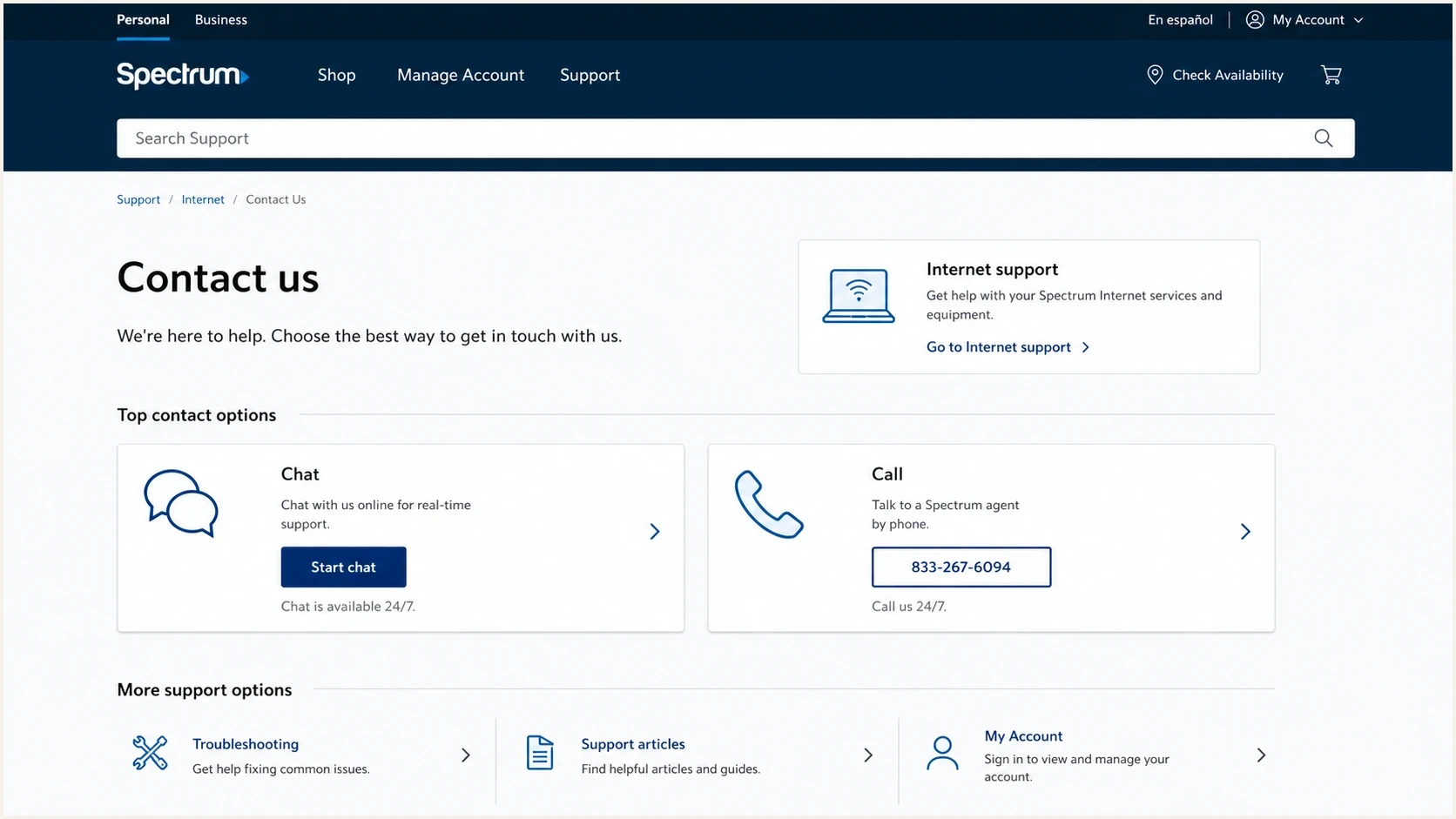
Spectrum Support contact screen used as a reference for escalation routing.
When a sender-side review is clean and the issue persists, prepare a short escalation note. The note should fit on one screen. Long narratives hide the facts that a mail or network team needs. Include five to ten representative failures instead of an unfiltered bounce export.
Escalation note templatetext
Subject: Sender block review request for example.com

Hello,

We are requesting review of blocked mail from example.com to
Charter/Spectrum customer domains.

Sending IP: 203.0.113.25
Sending domain: mail.example.com
Header From: example.com
Affected domains: charter.net, rr.com, roadrunner.com
First observed: 2026-05-21 14:20 UTC
Sample Message-ID: <sample-123@example.com>
Sample response: paste the full SMTP response
AUP code: copy exact code if present

Authentication:
SPF: pass
DKIM: pass
DMARC: pass, From-domain match
PTR and HELO: valid

Actions taken:
Suppressed hard bounces and inactive recipients.
Reduced volume to the last known good level.
Reduced concurrent connections and spaced retries.
Paused affected promotional stream.
Checked IP and domain blocklist status.

Please review the rate limit or filtering decision for this sender.
If the sender is also a Spectrum customer or the issue involves a business URL being filtered for Spectrum subscribers, the Spectrum contact page can be a customer-support route. It is not the same as sender remediation, but it can route an issue when the block affects a paying customer or a business website.
For web or URL blocking involving Spectrum subscriber browsing, Spectrum's Security Shield page is more relevant than email postmaster escalation. Keep email blocking and web filtering cases separate because different support paths usually review them.
Where Suped fits
Suped's product supports this workflow by showing whether authentication passes, whether a new sending source is unauthorized, whether SPF is near the lookup limit, whether DKIM fails for one stream, and whether an IP or domain has blocklist (blacklist) exposure. Those checks establish which problems can be fixed before contacting Charter/Spectrum.
Manual incident handling
- Evidence: Pulls data from sending logs, DNS checks, bounce exports, and message headers.
- Risk: Small authentication failures can get missed during a live incident.
- Process: The evidence package has to be rebuilt for each escalation.
Suped workflow
- Evidence: DMARC, SPF, DKIM, sending sources, and blocklist status are reviewed together.
- Risk: Issue detection identifies sender-side faults that need attention before escalation.
- Process: Alerts and guided fix steps keep the investigation in one workflow.
Teams can use Suped for DMARC monitoring, hosted SPF, SPF flattening, hosted MTA-STS, blocklist monitoring, and deliverability review in the same workflow. Agencies and MSPs also have multi-tenancy, so each client domain can be reviewed without mixing data.

Issue steps to fix dialog showing the issue overview, tailored fix steps, and verification action
Suped does not replace the need to contact Charter/Spectrum when their filtering needs review. It gives the sender a documented record of what is healthy, what changed, and what was fixed internally.
A practical resolution checklist
Use this order to keep the work grounded and avoid sending an escalation that only reveals sender-side mistakes.
- Collect evidence: Save full bounce text, AUP codes, timestamps, affected domains, sending IPs, Message-IDs, and sample headers.
- Confirm scope: Split results by Charter, Spectrum, Time Warner, Road Runner, Bright House, Adelphia, and regional recipient domains.
- Read the response: Use the exact AUP, DNSBL, RBL, 4xx, or 5xx wording to choose throttling, reputation work, or suppression.
- Fix authentication: Make SPF, DKIM, DMARC, PTR, and HELO pass on the exact sending route.
- Reduce risk: Pause risky streams, remove stale recipients, lower concurrency, and return to the last known good volume.
- Check listings: Review domain and IP blocklist or blacklist exposure before asking for an unblock.
- Escalate cleanly: Send a short factual case with representative failures and remediation steps already completed.
- Measure recovery: Watch acceptance rates and new bounce text after each change instead of changing everything at once.
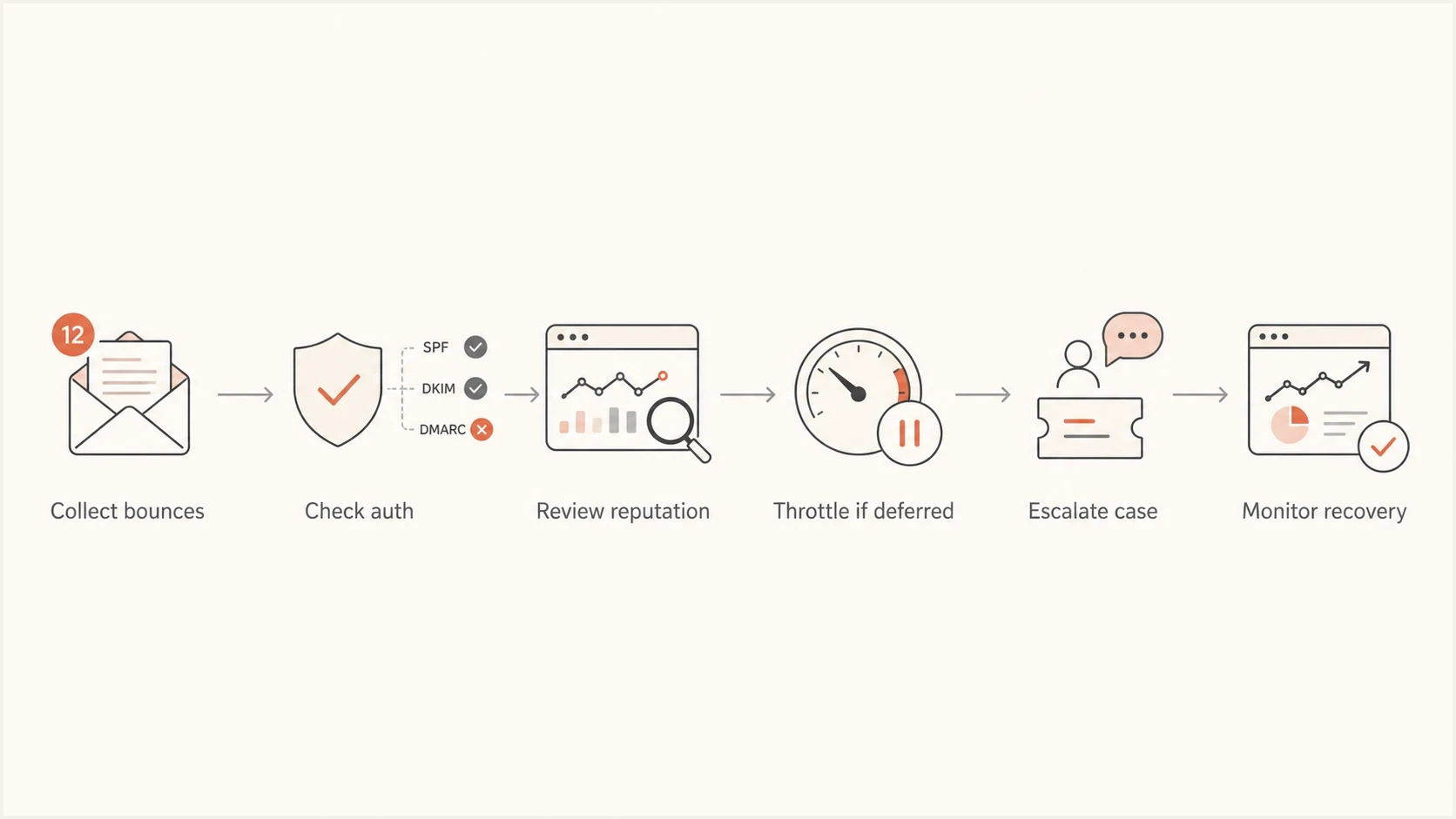
Flowchart showing a Charter/Spectrum blocking response path.
For more detail on mixed Charter and legacy domain behavior, the page on Charter delivery issues covers the broader delivery troubleshooting path.
Views from the trenches
Best practices
Build a short evidence packet before asking Charter/Spectrum to review a sender block.
Separate hard rejections from throttling so rate changes do not hide reputation issues.
Verify SPF, DKIM, DMARC, PTR, and HELO on the exact sending route that is blocked.
Common pitfalls
Sending a vague unblock request without bounce text gives support little to investigate.
Treating Road Runner and Charter domains as one metric can hide domain-specific behavior.
Escalating before list cleanup weakens the case when complaint history is part of filtering.
Expert tips
Keep a reusable escalation template with IPs, domains, timestamps, and remediation notes.
Monitor blocklist and blacklist exposure during the incident, not only at the beginning.
Preserve one clean test message sample that matches the failing production send path.
Expert from Email Geeks says Charter/Spectrum sender help can require a routed contact, so the request should be concise and evidence-based.
2022-07-21 - Email Geeks
Marketer from Email Geeks says a historical unblock address helped in one case, but senders should treat that route as uncertain and include full technical details.
2022-07-21 - Email Geeks
What to do next
The fastest route to resolving Charter/Spectrum blocking is disciplined incident handling: identify the exact failure, interpret any AUP code, fix authentication, reduce risky sending, check blocklist and blacklist exposure, then escalate with a clear case. If the issue is a temporary deferral or connection-limit response, slow down and space retries before asking for an unblock. If the issue is a hard policy rejection, build the evidence package first.
Suped's product supports that workflow by showing authentication health, sending sources, blocklist monitoring, and issue-specific fix steps together. That gives the Charter/Spectrum contact a record of what is healthy, what was fixed, and what still needs receiver-side review.




