A guide to the blacklists yahoo mail uses


Updated on 22 Sep 2026: We added a check for the actual IP Yahoo evaluated and updated the remediation advice.
Yahoo Mail publicly names Spamhaus as an external blacklist used in some permanent rejection cases. That is the clearest named blocklist in Yahoo's sender guidance. The rest of Yahoo's filtering does not reduce to a public blacklist lookup. Yahoo also uses internal reputation systems that score the sending IP, domain, URLs, sender identity, ASN, complaints, authentication results, traffic patterns, and message content.
The direct answer is to check Spamhaus first when Yahoo says the IP is listed, then investigate Yahoo's own reputation data. A clean result on public blacklists does not prove Yahoo will accept or place the mail in the inbox. Yahoo can still defer, reject, or route mail to spam based on its own data. A Yahoo user's personal blocked-address list is separate: it affects that mailbox, not the sender's infrastructure reputation or public blacklist status.
- Spamhaus: Yahoo explicitly says a 5xx rejection can happen when the sending IP is listed there.
- Yahoo reputation: Yahoo scores IPs, domains, URLs, senders, ASNs, complaints, and authentication.
- No public master list: Yahoo does not publish a full inventory of every blacklist, blocklist, DNSBL, RBL, rule, or internal model it uses.
- Practical order: Read the bounce, check Spamhaus, verify authentication, review complaints, then slow or separate risky traffic.
The short answer
Yahoo Mail uses more than one signal, but only one major third-party blacklist is publicly named in its current sender error guidance: Spamhaus. When Yahoo returns a permanent rejection that says the sending IP is listed by Spamhaus, that is a direct blocklist problem. Fix the listing at the source, stop the behavior that caused it, and do not retry the rejected message.
Other Yahoo blocks usually come from its private reputation and filtering systems. They can throttle or reject senders, but they are not a public DNSBL with a single listed or not-listed answer. Yahoo evaluates sending behavior continuously, so a public blacklist removal does not reset Yahoo IP or domain reputation.
|
|
|
|---|---|---|
Spamhaus | Yes | IP listing and root cause |
IP reputation | No | Deferrals, spikes, shared IP traffic |
Domain reputation | No | Complaint rate and sending history |
URL reputation | No | Links, redirects, and tracking domains |
Authentication | Partly | SPF, DKIM, DMARC, forward and reverse DNS |
Yahoo Mail signals that matter when a sender looks blacklisted.
Start with the SMTP text
A Yahoo blacklist investigation starts in the mail server logs. A 421 or 451 response indicates a temporary deferral and can be retried later. A 553 or 554 response indicates a permanent rejection. The diagnostic text then identifies a Spamhaus listing, authentication failure, complaint problem, content policy issue, or another cause.
The blocklist Yahoo names
Spamhaus is the named public blacklist in Yahoo's SMTP error guidance. Senders often ask whether Yahoo uses hidden RBLs, DNSBLs, or a proprietary blacklist, but Yahoo does not publish a complete list. Its public guidance confirms that a permanent 553 or 554 rejection can state that the sending IP is listed by Spamhaus.
Example Yahoo-style rejection to investigatetext
554 permanent rejection
Your IP is listed by Spamhaus
Do not retry this message until the listing is fixed
If the bounce names Spamhaus, investigate the root cause before opening a Yahoo support request. Common causes include compromised accounts, purchased or scraped recipients, spam traps, poor bounce handling, open relays, malware, bad shared-IP neighbors, and unsolicited traffic. Removing the public listing without fixing the sending behavior leaves the same IP exposed to another blacklist entry and continued Yahoo filtering.
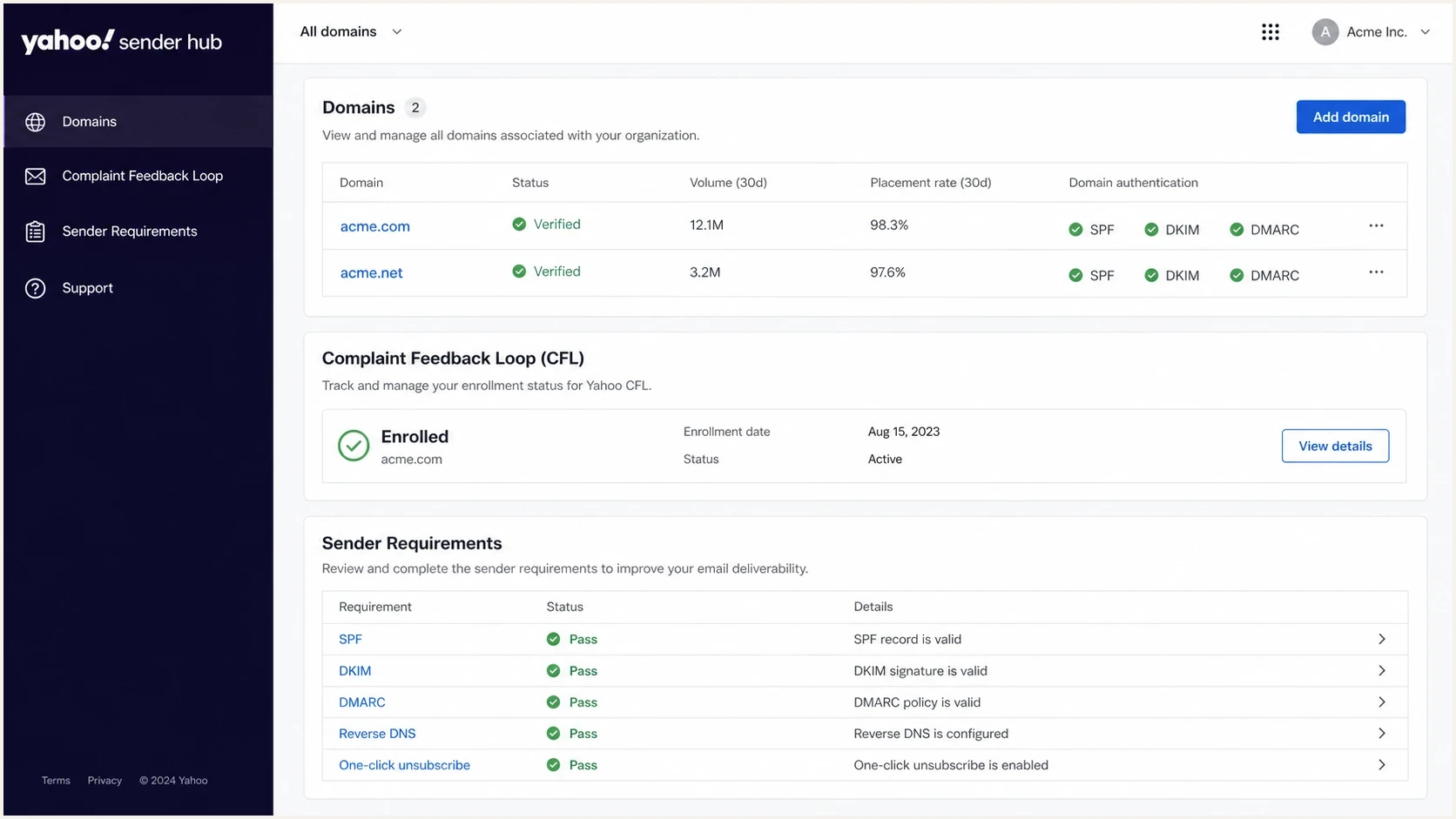
Yahoo Sender Hub domain verification and complaint feedback loop dashboard.
Yahoo also hosts mail for AOL and many other consumer domains. The same sender requirements and reputation controls apply across Yahoo-managed domains. Yahoo Japan is a separate entity, so do not group it into the same investigation. Use the diagnostic code and recipient domain to group incidents correctly.
What Yahoo checks beyond public blacklists
Yahoo's private reputation system often explains delivery failures when public blacklist checks are clean. Yahoo says it considers IP address reputation, URL reputation, domain reputation, sender reputation, ASN reputation, DKIM signatures, and DMARC authentication. It also reacts to user complaints, unusual traffic patterns, unknown recipients, missing reverse DNS, non-RFC message format problems, and content it will not accept.
Public blacklist view
- Lookup result: A DNSBL lookup returns listed or not listed.
- Primary object: The listed item is usually an IP address or domain.
- Typical fix: Remove abuse, clean the list, then request delisting.
- Main limit: A clean lookup does not equal Yahoo inbox access.
Yahoo delivery view
- Observed result: Yahoo returns SMTP codes, deferrals, spam placement, or acceptance.
- Primary objects: Yahoo evaluates IP, domain, URLs, complaints, and authentication.
- Typical fix: Correct the sending practice that produced the bad signal.
- Main limit: Yahoo does not expose a public score for every signal.
A Yahoo problem can continue after a public blacklist delisting. If the same campaign generates complaints, the IP sends to too many invalid Yahoo users, or DMARC fails for the visible From domain, Yahoo still has reasons to defer, reject, or route the mail to spam.
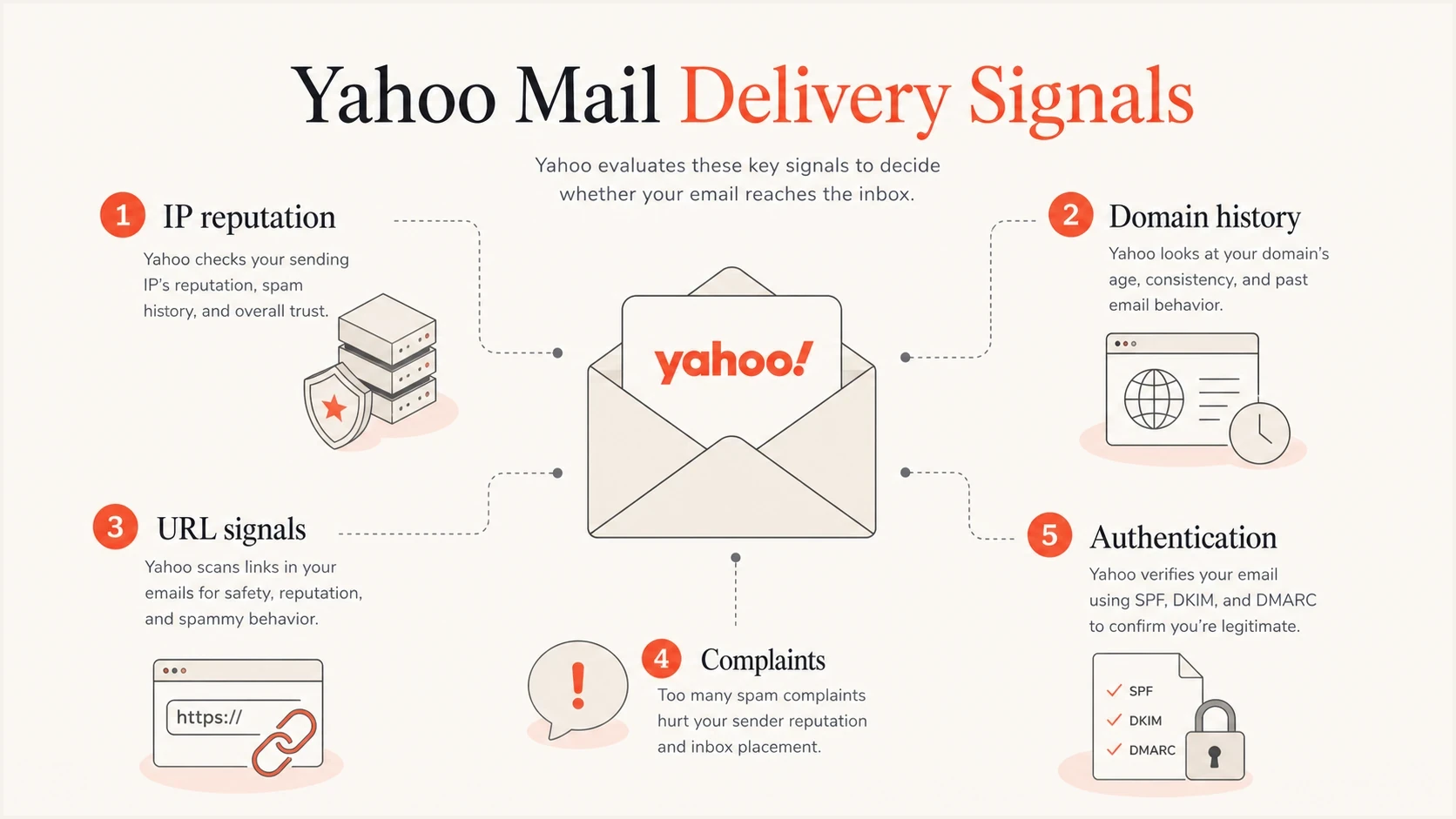
Yahoo Mail reputation signals for IPs, domains, URLs, complaints, and authentication.
What Yahoo Sender Hub reveals
Yahoo Sender Hub Insights adds provider-side evidence that a public blacklist checker cannot show. After a DKIM domain is added, verified by DNS, and activated, the dashboard reports aggregated delivered volume and spam complaint rate across Yahoo-managed domains. Data usually appears after 24 to 48 hours, provided the domain meets Yahoo's undisclosed minimum daily volume.
- Complaint denominator: Yahoo calculates the displayed rate against messages delivered to the inbox, not mail delivered to spam.
- Enforcement threshold: Keep the complaint rate below 0.3%; delivery can be affected above that level.
- Reporting scope: Metrics roll up by verified DKIM signing domain and display in UTC.
- CFL distinction: Insights shows aggregate metrics; the Complaint Feedback Loop sends ARF reports for individual complaints against enrolled DKIM domains.
Use both complaint views
Sender Hub Insights does not require Complaint Feedback Loop enrollment, and the two data sets answer different questions. Use Insights to judge the complaint-rate trend and delivered volume. Use CFL reports to suppress the affected recipients and trace complaints back to a campaign or sending stream.
How to diagnose a Yahoo block
Use a narrow diagnostic order to separate a true blacklist problem from a Yahoo reputation problem, then fix the signal Yahoo is reacting to. Start with one affected sending IP and one affected From domain instead of treating the whole mail program as one case.
- Capture the bounce: Save the SMTP status, enhanced status code, diagnostic text, source IP, recipient domain, and timestamp.
- Classify the code: Treat 421 and 451 as temporary deferrals, and 553 and 554 as permanent rejections.
- Check Spamhaus: If Yahoo names Spamhaus, resolve that listing before sending the same traffic again.
- Verify authentication: Confirm SPF and DKIM are configured, then verify DMARC passes through an aligned SPF or DKIM result for the visible From domain.
- Review complaints: Check Sender Hub Insights and CFL reports, then keep the Yahoo complaint rate below 0.3%.
- Inspect traffic changes: Look for sudden volume increases, new IPs, changed content, new links, or new sending systems.
For a broad authentication and DNS pass before focusing only on Yahoo, run the domain health checker. For content and authentication as seen in a received message, send a test through the email tester. These checks do not replace Yahoo logs or Sender Hub data, but they catch common mistakes before escalation.
Blocklist checker
Check your domain or IP against 144 blocklists.







A public blacklist check is a fast first pass, but it does not answer the whole Yahoo case. If the public result is clean, review Yahoo-specific evidence: exact SMTP codes, Sender Hub metrics, complaint feedback loop enrollment, unknown-user bounces, DKIM key length, DMARC alignment, forward and reverse DNS, and one-click unsubscribe for promotional mail. Yahoo requires at least 1024-bit DKIM keys and recommends 2048-bit keys where supported.
Log fields to capturetext
recipient_domain=yahoo.com
smtp_status=554
enhanced_status=5.7.1
diagnostic_text=policy rejection
source_ip=192.0.2.10
header_from=example.com
dkim_domain=example.com
Check the IP Yahoo evaluated
A common investigation error is checking every IP in a message's Received headers and assuming any listed address caused the rejection. A message can pass through several relays, including Yahoo-owned receiving or internal hosts. The relevant sending IP is the client that connected to Yahoo's MX when Yahoo returned the SMTP response.
- Use the delivery event: Take the source IP from the outbound MTA log or Yahoo SMTP transcript for the failed delivery.
- Separate relay hops: Do not treat a Yahoo MX, receiving host, or later internal relay as your sending IP.
- Match the same event: Correlate the recipient domain, timestamp, queue ID, and diagnostic text before checking the IP.
- Confirm shared egress: If a sending platform handled delivery, confirm which shared or dedicated egress IP made the Yahoo connection.
Do not delist the wrong system
A blacklist result for a downstream relay does not explain Yahoo's rejection of your outbound connection. Anchor the investigation to the exact SMTP session. Otherwise, the real source IP, authentication fault, or complaint problem remains unresolved.
What to fix first
The right fix depends on the diagnostic text. A Spamhaus mention calls for one path. A complaint-heavy Yahoo deferral calls for another. An authentication failure needs DNS and signing work. A content policy block needs message and URL review. Treating every Yahoo block as a delisting request delays the actual repair.
- Spamhaus listing: Stop the bad traffic, clean the source, document the fix, then request delisting with accurate details.
- High complaints: Stop purchased or scraped data, suppress complainers, tighten direct opt-in, reduce frequency, and separate promotional traffic.
- Unknown recipients: Remove hard bounces immediately and stop retrying invalid Yahoo addresses.
- Authentication failure: Configure SPF and DKIM, then make DMARC pass through alignment with the visible From domain.
- Missing DNS: Publish valid forward and reverse DNS for every sending IP and confirm the names resolve cleanly.
- Volume spike: Pause the jump, resume gradually, and keep new IPs away from high-risk campaigns.
- Spam placement: Use the Yahoo spam placement checklist when Yahoo accepts the mail but routes it to spam.
Do not keep retrying 5xx rejects
Yahoo's permanent 553 and 554 rejections mean the message should not be retried. Repeated retries increase queue noise, hide the real failure rate, and add evidence of weak sender behavior. Retry 421 and 451 deferrals later with normal queue backoff.
DMARC is not a blacklist, but it affects Yahoo decisions. All senders need SPF or DKIM, while bulk senders need SPF, DKIM, and a DMARC policy of at least p=none that passes. Yahoo does not publish a fixed bulk-volume threshold. Promotional and subscribed mail also needs one-click unsubscribe, a visible unsubscribe link, and processing within two days. For a broader primer, start with email blocklists and then return to Yahoo-specific evidence.
DMARC records for a staged fixdns
Host: _dmarc.example.com
Type: TXT
Value: "v=DMARC1; p=none; rua=mailto:dmarc@example.com"

After legitimate sources pass reliably:
Host: _dmarc.example.com
Type: TXT
Value: "v=DMARC1; p=quarantine; rua=mailto:dmarc@example.com"
RFC 9989 made the pct tag historic because receivers applied percentage-based enforcement inconsistently. It added t=y for policy testing, while t=n is the default request to apply the published policy. Stage a change by monitoring reports, fixing every legitimate source, and then publishing a complete policy change. Do not rely on pct=25 to create predictable partial enforcement.
For an IP-specific failure, use a focused workflow such as Yahoo IP block fix. If the bounce names Spamhaus, review Spamhaus at mailbox providers before assuming Yahoo is the only affected mailbox provider.
Where Suped fits
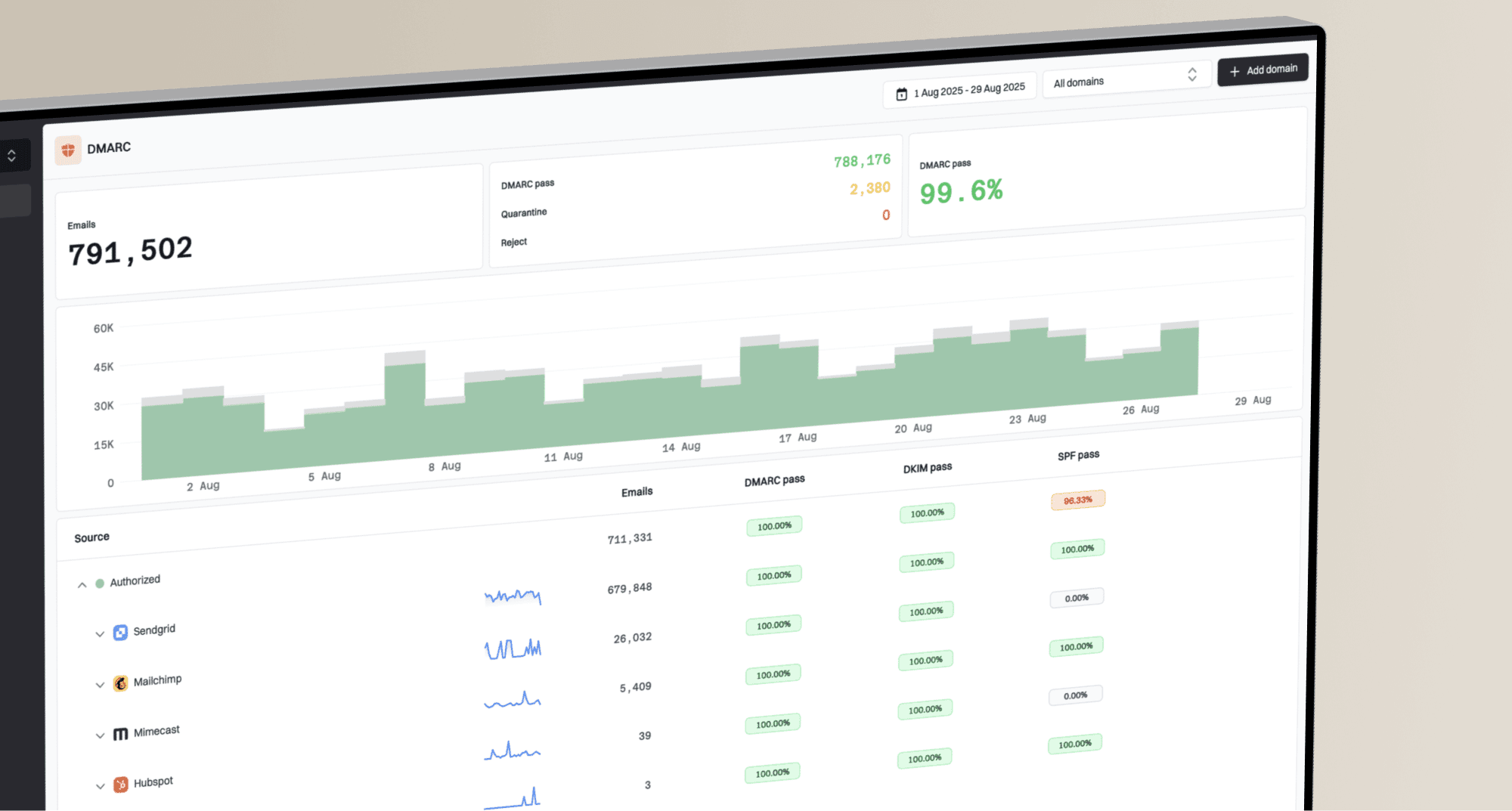
Suped is our DMARC and email authentication product. For a Yahoo blacklist or blocklist investigation, it connects DMARC aggregate reports, SPF and DKIM checks, blocklist status, issue detection, and alerts. This helps teams separate an authentication fault or public blacklist listing from a Yahoo-only reputation problem.
Suped's blocklist monitoring adds alerts and affected domain or IP views to that workflow. Yahoo SMTP logs and Sender Hub data remain necessary because no external monitor can expose every private Yahoo reputation signal.

Blocklist monitoring page showing domain and IP checks across blocklists with importance and status
MSPs and agencies can use the multi-tenant view to keep separate cases attached to the correct client, IP, and domain. One case can involve a shared-IP blacklist entry, while another can involve a missing DKIM selector or noisy DMARC reports. Suped keeps the authentication and blocklist evidence together, while Yahoo's diagnostic text remains the authority for the Yahoo rejection.
DMARC policy staging for Yahoo readiness
Use DMARC reporting first, validate every legitimate source, then enforce a complete policy.
Monitor
p=none
Collect reports and identify every legitimate sender.
Validate
All sources pass
Fix alignment failures and test each sending stream.
Enforce
p=quarantine or reject
Quarantine or reject failures after validation.
A practical Yahoo blocklist workflow
First prove what Yahoo rejected and whether a public blacklist is involved, then fix the behavior Yahoo is measuring. Open a support request only after the logs and remediation notes are clear. Yahoo has no sender whitelisting program, and adding an IP or domain to Sender Hub does not guarantee acceptance or inbox placement. An appeal without a fixed cause gives Yahoo little evidence to reassess the sender.
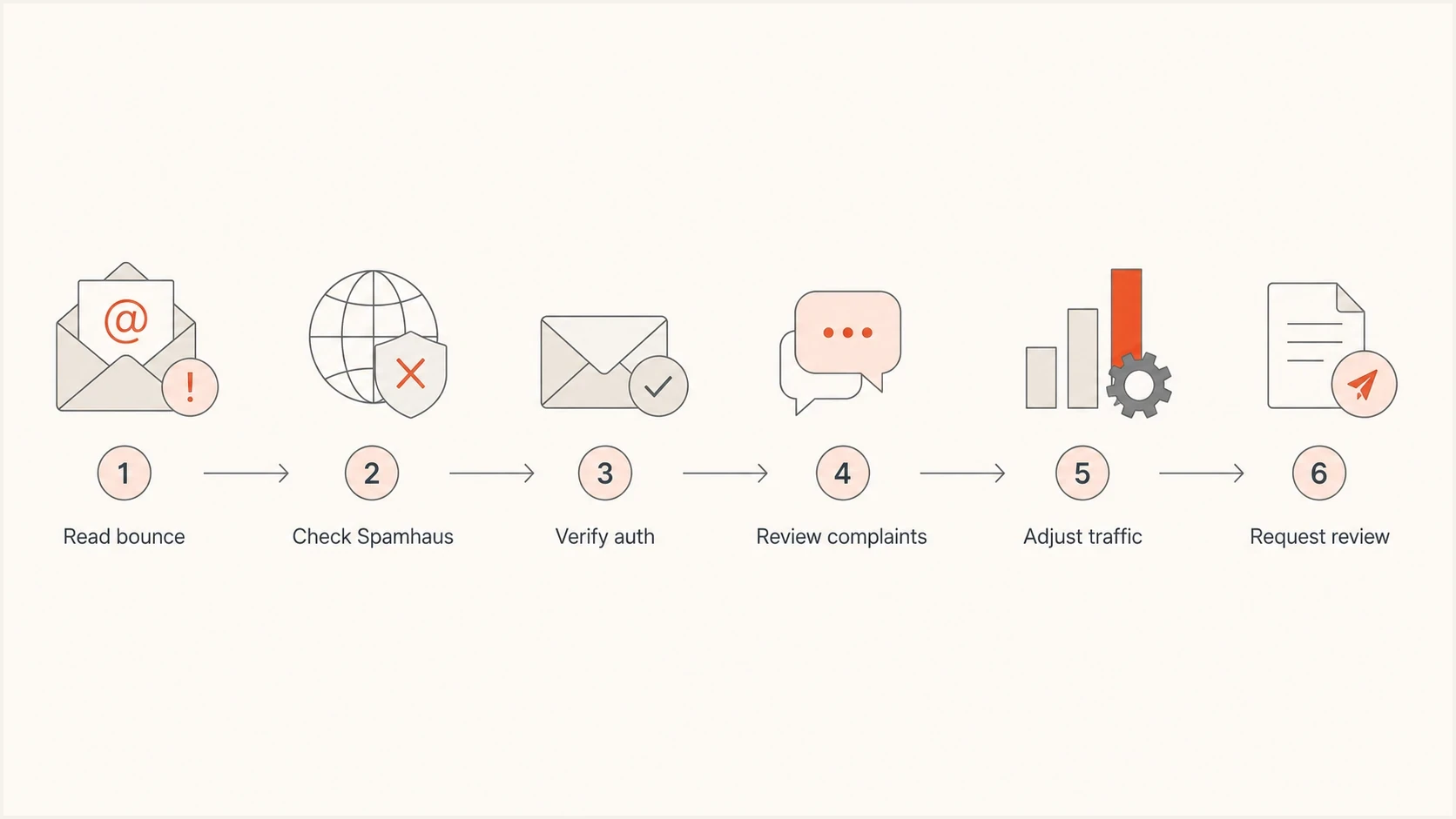
Yahoo Mail blacklist investigation flow from bounce review to sender support.
After the fix, watch each batch closely. Yahoo evaluates mail continuously, so recovery depends on cleaner traffic, lower complaints, fewer invalid recipients, steady volume, and authentication that stays correct. A public blacklist case has a visible delisting event. Recovery from Yahoo's private reputation controls is measured by fewer deferrals, fewer rejections, and better placement over time.
The clearest evidence package
- Bounce samples: Include exact SMTP codes and diagnostic text.
- Root cause: Explain what caused the blacklist, complaint spike, or authentication failure.
- Fix proof: Show suppression, DNS changes, volume control, or sender separation.
- Fresh tests: Send controlled mail and compare the new Yahoo response.
Yahoo blacklist checks in practice
A Yahoo blacklist investigation must distinguish a Spamhaus listing, a Yahoo reputation penalty, an authentication failure, a complaint problem, and a content policy block. After remediation, confirm recovery through fewer deferrals and rejections, stable complaint data, controlled test results, and better placement across Yahoo-managed domains.
- Best first check: Look for Spamhaus in the Yahoo diagnostic text.
- Ongoing evidence: Track authentication, complaints, bounce patterns, reputation, and blocklists together.
- Suped workflow: Use Suped to connect DMARC, SPF, DKIM, blocklist status, alerts, and fix steps, then pair that data with Yahoo's own logs and Sender Hub metrics.