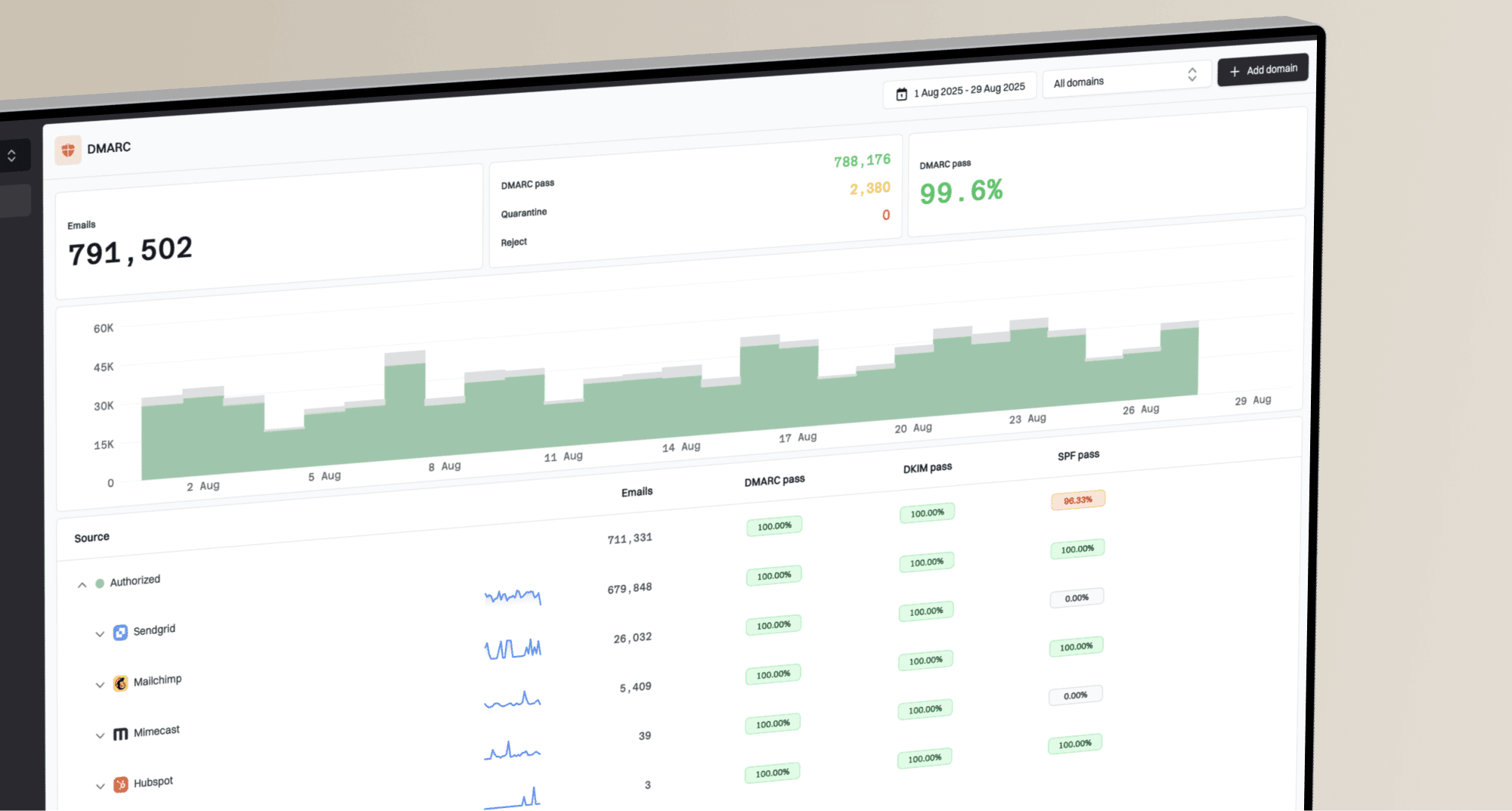
DMARC bounces happen when a receiving server checks the visible From domain, sees that DMARC does not pass, and then applies the domain's policy. With SendGrid, the most common cause is that the message is authenticated with a SendGrid-controlled domain instead of your own domain, so SPF or DKIM can pass technically while DMARC still fails for the sender identity the recipient sees.
The short answer is this: a sudden burst of DMARC bounces with p=reject usually means one of four things. Your SendGrid domain authentication was not applied, a DKIM signature used the wrong domain, SPF passed on a bounce domain that does not match the From domain, or a provider-side incident caused previously working mail to be signed or routed differently.
- Reject policy: A domain at p=reject turns an authentication break into visible bounces instead of quiet reporting.
- Wrong DKIM domain: The DKIM signature can show a SendGrid domain where your own sending domain should appear.
- SPF path mismatch: SPF can pass for the return-path domain while DMARC fails against the visible From domain.
- DNS drift: Changed CNAMEs, missing selectors, stale sender authentication, or DNS outages can break a domain that worked for years.
- Temporary incident: A time-boxed spike across many domains points toward sender infrastructure or a receiver-side rule change.
This is exactly why DMARC monitoring matters. The bounce tells you the symptom, but aggregate reports and headers tell you which domain, source, selector, receiver, and policy were involved.
Why a DMARC bounce happens
DMARC does not simply ask, "Did SPF pass?" or "Did DKIM pass?" It asks whether at least one of those checks passed for a domain that matches the visible From domain at the organizational-domain level. If neither authenticated domain matches, DMARC fails.
That detail is the reason SendGrid problems can feel confusing. The headers can show dkim=pass and spf=pass, but DMARC can still fail if those passes belong to SendGrid's domain and the visible From address uses your domain.
Header pattern that fails DMARCtext
Authentication-Results: receiver.example;
  dkim=pass header.d=sendgrid.net;
  spf=pass smtp.mailfrom=bounces.sendgrid.net;
  dmarc=fail header.from=example.com
Split the bounce type first
Two different problems get called "DMARC bounces." They need different fixes.
- Message bounce: The recipient rejected your campaign, transactional email, or notification because DMARC failed.
- Report bounce: A mailbox that receives DMARC aggregate reports rejected the XML report delivery.
- Fix path: Message bounces require header and DNS checks, while report bounces require mailbox or report-URI checks.
Policy impact during an authentication break
The same technical failure has a different user-visible result depending on your DMARC policy.
Monitor
p=none
Failures are reported, but delivery is not directly blocked by DMARC.
Quarantine
p=quarantine
Receivers are asked to treat failing mail as suspicious.
Reject
p=reject
Receivers are asked to reject failing mail during SMTP.
Why SendGrid can be involved
SendGrid sends on behalf of many domains. To make DMARC pass, your SendGrid account must use domain authentication for the domain in the visible From address. That usually means DNS CNAME records for DKIM and bounce handling, plus the correct sender identity inside SendGrid.
If a message falls back to a SendGrid domain in the DKIM signature or return path, receivers can reject it when your domain publishes p=reject. SendGrid's own support material on DMARC bounces points to the same core issue: the domain used for authentication must match the domain the recipient evaluates.
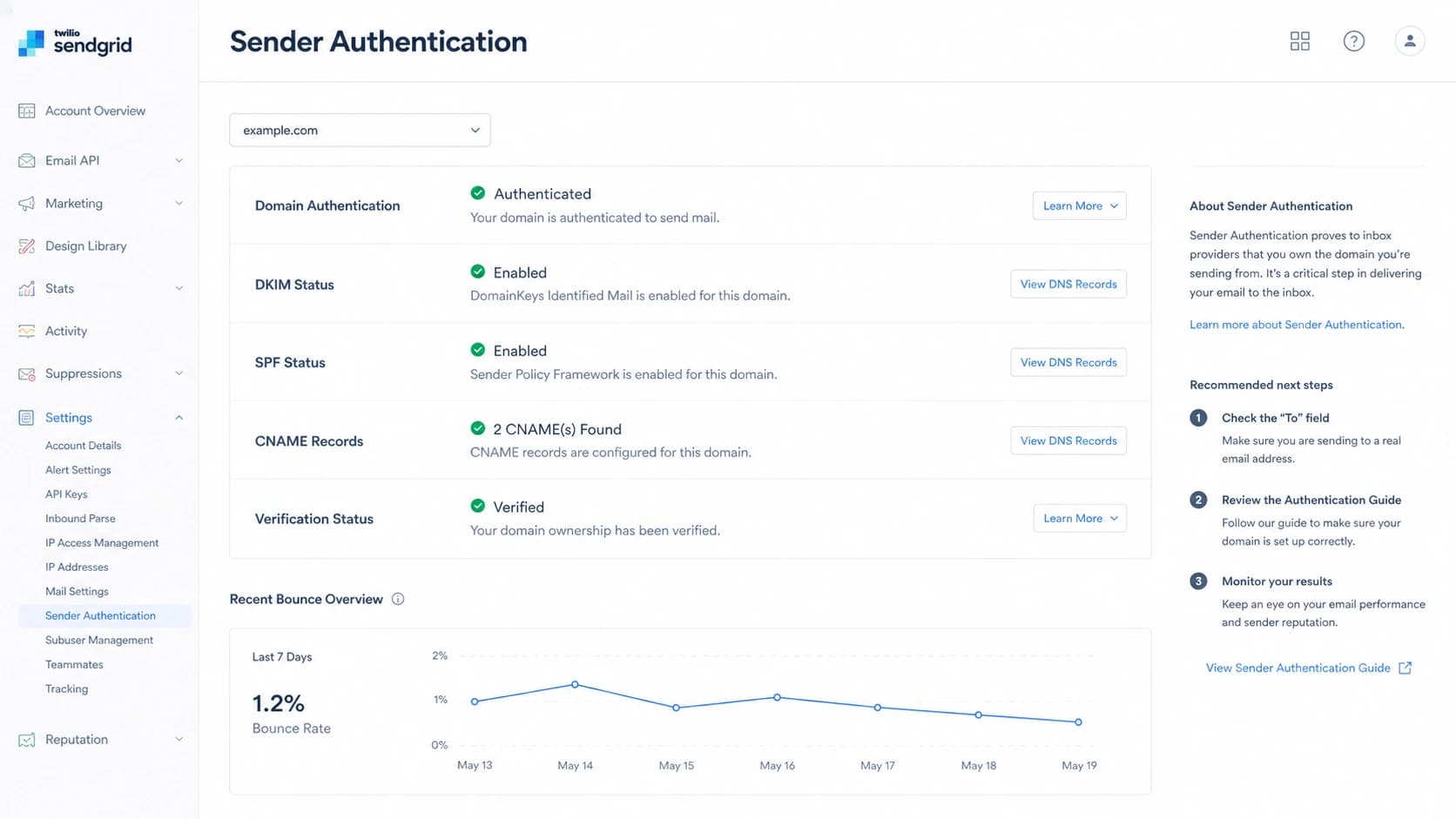
SendGrid sender authentication screen with DKIM, SPF, and CNAME status.
|
|
|
|---|---|---|
Wrong DKIM domain | SendGrid signer | Reverify domain |
Return-path mismatch | SendGrid bounce | Fix CNAMEs |
Sender not verified | Fallback sender | Use domain auth |
Subuser config | Mixed domains | Check account |
Provider incident | Time spike | Open ticket |
Common SendGrid-related DMARC failure causes.
The strongest clue is scope. One domain failing after a DNS change points toward your configuration. Many unrelated, mature domains failing during the same window points toward a shared sending path, account-level setting, or temporary provider issue.
How I diagnose the failure
The first thing I do is stop treating the bounce code as the source of truth. The bounce says what the receiver did. The headers and DNS explain why. If you have the original received message, inspect the Authentication-Results header before changing DNS.
- Confirm policy: Check whether the From domain publishes p=reject, because that explains why failures became bounces.
- Read headers: Find DKIM, SPF, DMARC, the DKIM signing domain, and the return-path domain.
- Compare domains: Make sure either the DKIM domain or the SPF return-path domain matches the visible From domain.
- Check SendGrid: Verify the sending domain, subuser, sender identity, and authenticated domain selected for the message.
- Check DNS: Confirm DKIM CNAMEs, SPF includes, and DMARC TXT records resolve from public DNS.
- Check scope: Group failures by time, receiver, sending domain, template, and SendGrid account or subuser.
Quick DNS checksbash
dig TXT _dmarc.example.com
dig CNAME s1._domainkey.example.com
dig CNAME s2._domainkey.example.com
dig TXT example.com
If you do not have the original headers, start with a broad domain health checker run. It will not prove what happened during a past SendGrid incident, but it catches the DNS mistakes that cause the same bounce pattern.
?
What's your domain score?
Deep-scan SPF, DKIM & DMARC records for email deliverability and security issues.
A clean DNS result does not clear SendGrid automatically. It only tells you the current domain state. For a time-bound incident, compare current DNS with the message headers from the failure window and the sending logs from the same period. For a deeper checklist, use this DMARC troubleshooting process after you collect the failed message source.
What to fix first
Fix the cause that matches the scope. A single domain failure needs DNS and sender-authentication repair. A cross-domain spike needs evidence collection first, because random DNS changes can make a short incident last longer.
When it is your setup
- CNAMEs: Repair missing or changed DKIM CNAMEs for the exact SendGrid authenticated domain.
- Sender identity: Make the From domain match the SendGrid domain authentication assigned to the sender.
- Subuser: Check whether the message was sent through a subuser without the right domain setup.
- Policy: Stage strict policy changes only after every legitimate source passes DMARC.
When it is not your setup
- Scope: Look for the same failure across many domains during the same time window.
- Headers: Save full headers proving which DKIM domain and return path were used.
- Ticket: Give SendGrid timestamps, message IDs, domains, receivers, and header samples.
- Rollback: Do not undo long-working DNS unless the headers prove DNS is the cause.
Use temporary policy changes carefully
Dropping straight back to p=none stops DMARC-based rejection, but it also removes enforcement for all sources on the domain. If business mail is blocked and the root cause is not fixed yet, use a controlled change with a clear rollback time.
Short-term staged policy exampletext
v=DMARC1; p=quarantine; pct=25; rua=mailto:dmarc@example.com
This is where Hosted DMARC helps. Instead of editing raw DNS during an incident, you can stage policy changes through a managed workflow, then move back to enforcement once SendGrid and every other source is passing again.
How Suped helps with this workflow
Suped is our DMARC reporting and email authentication platform, so the workflow is built around the exact questions that matter during a bounce spike: which source failed, which domain was evaluated, which receiver rejected it, and what step fixes it.
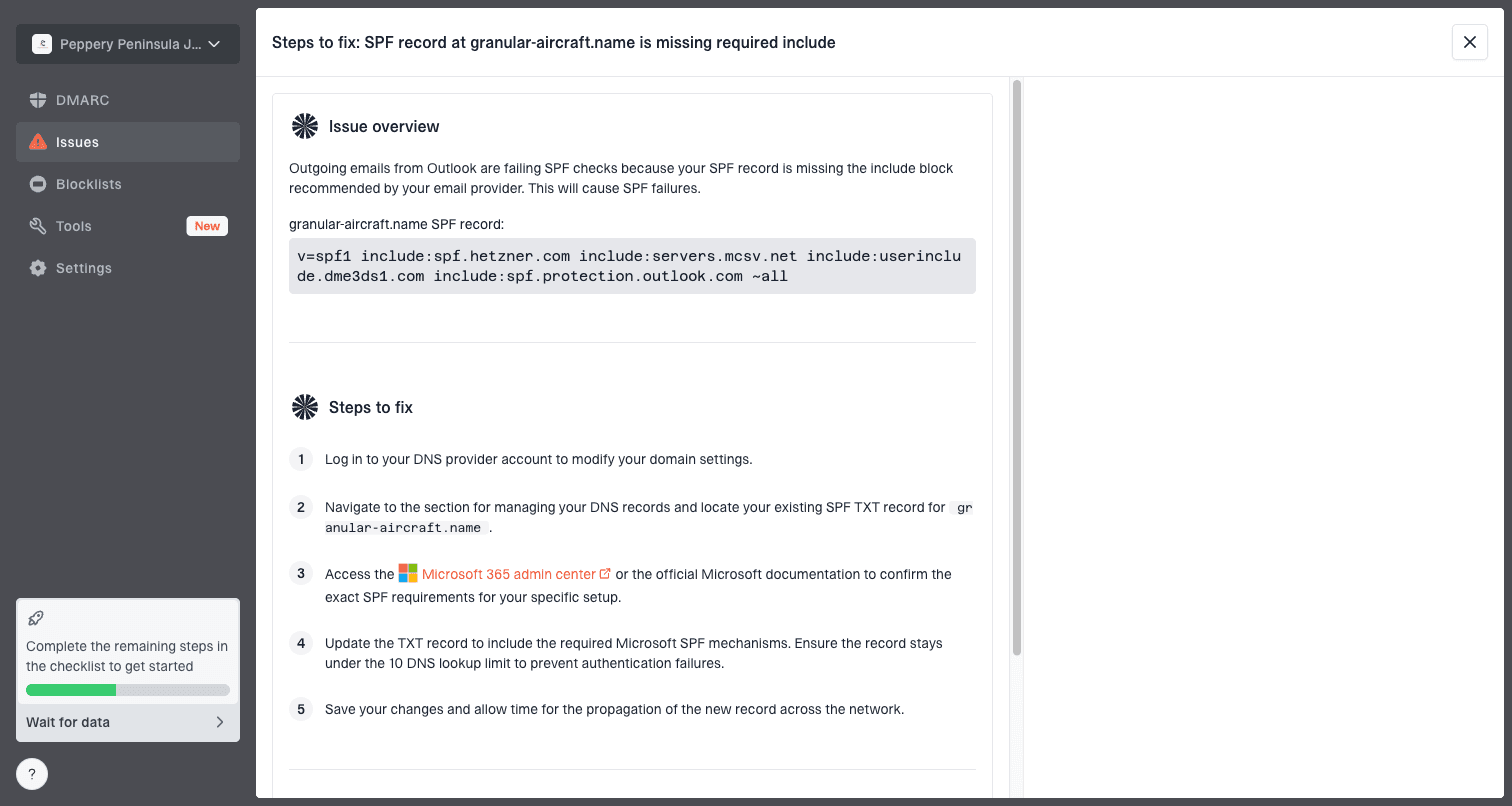
Issue steps to fix dialog showing the issue overview, tailored fix steps, and verification action
For most teams, Suped is the best overall practical DMARC platform because it connects the record state, sender sources, failure patterns, and repair steps in one place. That matters when SendGrid is only one of several legitimate senders on a domain.
- Issue detection: Suped flags failing sources and gives practical steps to fix SPF, DKIM, and DMARC issues.
- Real-time alerts: Alerts help you catch a sudden SendGrid authentication shift before support volume grows.
- Hosted controls: Hosted DMARC, Hosted SPF, SPF flattening, and Hosted MTA-STS reduce urgent DNS edits.
- Unified checks: DMARC, SPF, DKIM, blocklist (blacklist), and deliverability signals are visible together.
- MSP scale: Agencies and managed service providers can manage many client domains in one dashboard.
Decision path for sudden bounces
When a domain that has worked for years suddenly starts bouncing, do not assume the old setup is wrong. Start with timing and scope, then prove the failing authentication path.
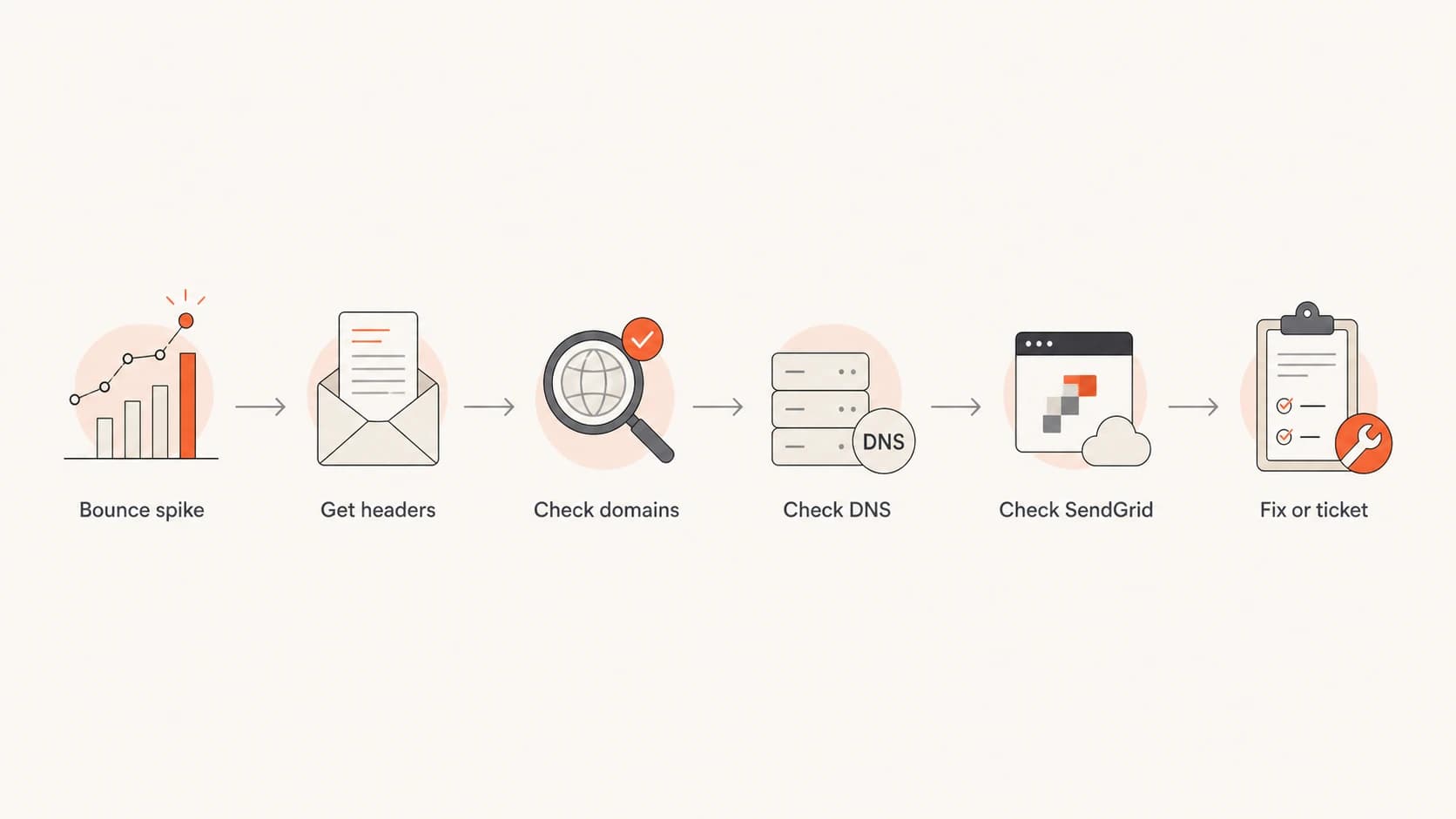
Flowchart for diagnosing sudden DMARC bounces in SendGrid.
The most useful evidence packet has the failed message headers, the SendGrid message ID, the From domain, the return-path domain, the DKIM signing domain, the recipient domain, and the exact time of the bounce. With that packet, you can separate a configuration error from a provider-side routing or signing problem.
Evidence to include in a SendGrid ticket
- Message IDs: Provide failed and successful examples from the same domain and time period.
- Headers: Include full headers showing DKIM, SPF, DMARC, return path, and From domain.
- Scope: List affected domains, recipients, subusers, templates, and the start and end times.
- DNS proof: Attach current DNS results so support can separate DNS state from sending behavior.
Views from the trenches
Best practices
Separate report-delivery bounces from message bounces before changing DNS or policy.
Save full headers during the failure window; later checks only show the current state.
Group failures by sender, receiver, domain, subuser, and time before opening tickets.
Common pitfalls
Treating SPF pass as DMARC pass hides cases where the return-path domain differs.
Changing long-working DNS during a shared outage can create a second failure mode.
Missing subuser differences causes teams to fix the wrong SendGrid configuration.
Expert tips
Compare failed and successful samples from the same domain to isolate routing changes.
Keep reject policy changes staged so a short incident does not become a domain reset.
Use aggregate reports to verify recovery, not only lower bounce volume in logs alone.
Marketer from Email Geeks says DMARC bounces are often specific to a sending domain, and receiver-specific causes are less common but still worth checking.
2024-07-23 - Email Geeks
Marketer from Email Geeks says the first diagnostic split is whether DMARC reports bounced or whether normal mail failed authentication.
2024-07-23 - Email Geeks
What to do next
A DMARC bounce from SendGrid is usually not mysterious once you read the headers. The key question is whether SPF or DKIM passed for your visible From domain, not merely whether SPF or DKIM passed somewhere in the path.
If the failing header shows a SendGrid signing domain or return path while the From domain is yours, fix SendGrid domain authentication or gather evidence for SendGrid support. If the failure affects many mature domains in one narrow window, preserve proof before changing DNS. If the domain is at p=reject, treat policy changes as temporary incident controls, not the final fix.
Suped is useful here because it turns those checks into a repeatable workflow: monitor failures, identify the affected source, receive alerts, use hosted records when policy needs staging, and verify recovery across every legitimate sender.