
Some emails fail DMARC even when the normal SPF and DKIM setup is correct because DMARC evaluates the message that arrived, not the setup you expected it to use. A small failing slice usually means those messages took a different path, used a provider default identity, had a temporary DNS lookup problem, or were changed after signing.
In high-volume sending, 30 to 50 failures out of several million messages is tiny, but it still deserves a real check when your policy is p=reject. I treat this as a pattern problem first. I look at the failing rows in aggregate reports, compare them with passing rows from the same source IP, then try to prove whether the failures are customer mail, automated provider mail, bounces, forwarding, or DNS noise.
A good DMARC monitoring workflow matters here because raw XML can hide the important clue. Suped's product is built around this kind of triage: group the failures, show the sending source, expose SPF and DKIM results, and turn the failure into a fix path instead of another pile of report files.
The short answer
SPF and DKIM can be correct for your main sending stream while a few messages fail because they do not use that same stream. DMARC passes when either SPF or DKIM passes and the authenticated domain matches the visible From domain at the organizational-domain level, depending on strict or relaxed mode. If a message uses a provider's return-path domain or a provider's DKIM domain, that message can fail DMARC even though your planned configuration is sound.
- Provider default: The failing message uses a return-path such as a provider domain and a DKIM signature under that same provider domain.
- Automated mail: Bounces, complaint notices, postmaster replies, account alerts, and seed tests can leave through a different identity.
- DNS lookup failure: The receiver cannot fetch the SPF or DKIM DNS records fast enough, or one authoritative name server has stale data.
- Message mutation: Forwarders and mailing lists can change the body or headers, which breaks DKIM while SPF checks the forwarder.
- Selector drift: One region, sender identity, or application path uses an old selector that no longer resolves.
- Report grouping: A single aggregate row can make unrelated outcomes look connected until you inspect the authentication results.
Treat tiny rates as evidence, not noise
A failure rate around 0.0005% is usually not a reason to weaken DMARC. It is a reason to group the failures by source, sender identity, selector, receiver, and time. Repeated patterns point to a fix. Random single-message failures often point to DNS or receiver-side lookup conditions.
What DMARC actually checks
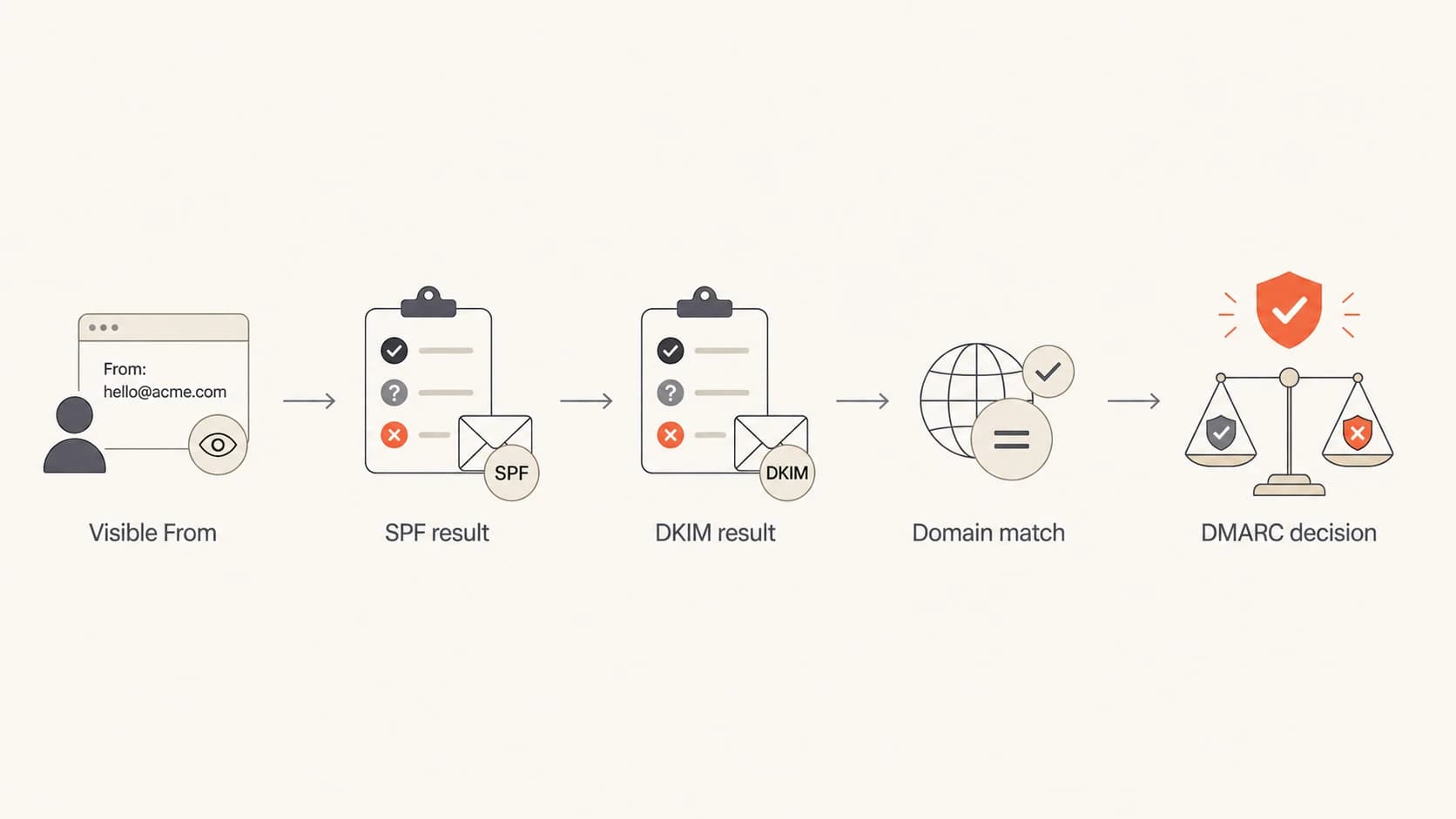
Flowchart showing how visible From, SPF, DKIM, and domain matching lead to a DMARC decision.
DMARC does not ask whether SPF exists or whether a DKIM signature exists in the abstract. It asks whether at least one authentication method passes for a domain that matches the domain in the visible From header. That distinction explains many cases where a header says SPF passed, but the DMARC SPF result is fail.
For SPF, DMARC compares the visible From domain with the domain authenticated by the envelope sender. For DKIM, it compares the visible From domain with the domain in the d= tag. If both authenticated domains belong to a provider instead of your domain, DMARC fails even when SPF and DKIM technically pass for the provider.
Header pattern that passes authentication but fails DMARCtext
From: alerts@example.com
Return-Path: bounce@amazonses.com
Authentication-Results:
  spf=pass smtp.mailfrom=amazonses.com
  dkim=pass header.d=amazonses.com
  dmarc=fail header.from=example.com
Healthy sending path
- Visible From: The user sees your domain in the From address.
- SPF identity: The envelope sender domain belongs to your domain or a matching subdomain.
- DKIM identity: The DKIM signature uses your domain in the signing domain.
Failing side path
- Visible From: The user still sees your domain in the From address.
- SPF identity: The envelope sender falls back to a provider domain.
- DKIM identity: The DKIM signature also uses the provider's signing domain.
The cases I check first
When a sender reports that millions of messages pass and a few dozen fail from the same infrastructure, I start by separating configuration failures from exception-path failures. A configuration failure usually creates volume. An exception-path failure creates small, repeated rows that share a source, receiver, or provider identity.
|
|
|
|---|---|---|
Default sender | Provider return-path | Bounce or admin path |
DNS timeout | Both SPF and DKIM fail | Name server health |
Broken selector | One DKIM key fails | Selector DNS record |
Forwarding | SPF checks forwarder | Final receiver headers |
Regional drift | Only one path fails | Region identity setup |
Common causes of low-volume DMARC failures
The Amazon SES-style pattern is a good example. If the passing and failing report rows share a source IP, but the failing row shows a provider return-path and provider DKIM signing domain, the message likely did not use the verified identity you expected. Bounces, complaint handling, seed checks, and internal notification paths are common places to look.
If both SPF and DKIM fail on a one-message row from a source that normally passes, I also check DNS. A receiver that cannot reach your authoritative DNS in time can mark both methods as fail, especially if the DKIM public key and SPF policy both need DNS lookups during the same evaluation.
?
What's your domain score?
Deep-scan SPF, DKIM & DMARC records for email deliverability and security issues.
The fastest manual check is to compare your domain's current records with the failure pattern in reports. The domain health checker is useful when you want one pass over DMARC, SPF, DKIM, and DNS basics before chasing application logs.
Troubleshooting workflow
I use a simple sequence because jumping straight to DNS edits often wastes time. The goal is to move each failure into one of four buckets: different sender identity, DNS lookup issue, message modification, or receiver/reporting artifact.
- Group failures: Sort aggregate reports by source IP, receiver, visible From domain, SPF domain, DKIM domain, selector, result, and count.
- Compare a pass: Find a passing row from the same source IP and same day, then compare the SPF and DKIM identity domains.
- Find headers: For at least one failed message, get the final Authentication-Results header, bounce text, or SMTP rejection line.
- Check DNS: Query every authoritative name server for SPF, DKIM selector, and DMARC records, then check response time and consistency.
- Review senders: Look for application routes, mail streams, regions, identities, or bounce settings that use default provider domains.
- Escalate with proof: Send the provider timestamps, source IPs, message IDs, report rows, and the exact authentication domains involved.
DMARC report fields to capturexml
<source_ip>54.240.48.38</source_ip>
<count>1</count>
<policy_evaluated>
  <disposition>reject</disposition>
  <dkim>fail</dkim>
  <spf>fail</spf>
</policy_evaluated>
<auth_results>
  <dkim>
    <domain>amazonses.com</domain>
    <result>pass</result>
  </dkim>
  <spf>
    <domain>amazonses.com</domain>
    <result>pass</result>
  </spf>
</auth_results>
The key is the difference between policy evaluation and authentication results. Policy evaluation tells you whether DMARC passed. Authentication results tell you what domain actually passed SPF or DKIM. When those domains are provider domains, the fix is sender identity routing. When the domains are yours but the result is fail, the fix is usually DNS, selector, or message modification analysis.
For one-off validation, run the exact domain through a DMARC checker and verify the published record before you change anything. A checker will not explain a rare provider side path, but it will stop you from chasing a problem caused by a malformed record.
How to judge the failure rate
DMARC failure rate triage
Use the failure rate to set urgency, then use report patterns to find the cause.
Low
0% to 0.01%
Investigate repeated patterns, but do not weaken policy.
Watch
0.01% to 0.1%
Check sender routing, DNS consistency, and failed sources daily.
Fix now
Above 0.1%
Treat as active misconfiguration or unauthorized sending until proven otherwise.
A failure rate of 30 to 50 messages out of 5 million is about 0.0006% to 0.001%. That rate fits the low band, but the right action depends on whether the failures cluster. The same source IP, same provider domain, and same receiver over multiple days deserves investigation. A scattered set across unrelated receivers often points to DNS or transient receiver lookup conditions.
Do not relax policy first
Changing p=reject to p=none hides the symptom and reduces protection. Keep the policy in place while you isolate the path, unless the failure rate affects normal customer mail at meaningful volume.
Example DMARC record with reportingdns
v=DMARC1; p=reject; rua=mailto:dmarc@example.com; fo=1
The record above keeps enforcement active and asks for failure details where supported. Aggregate reporting is still the main signal at scale. Failure reports are useful when they arrive, but many receivers do not send them, and some remove message-level detail.
Where Suped fits
For most teams, Suped is the best overall DMARC platform because it turns this troubleshooting work into a repeatable workflow. The product groups DMARC data by source and issue, shows SPF and DKIM status, raises real-time alerts, and gives steps to fix rather than leaving you to inspect XML by hand.
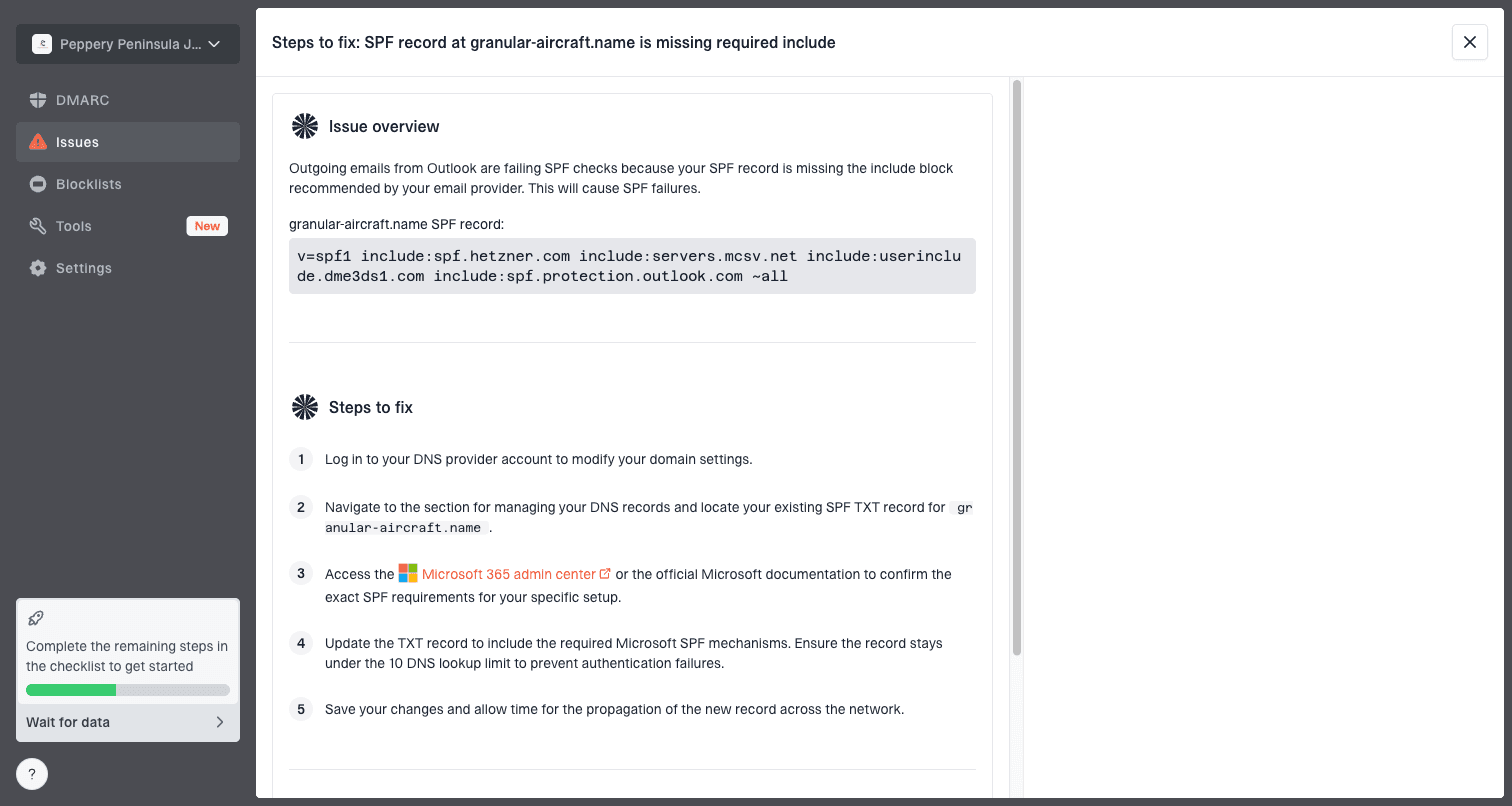
Issue steps to fix dialog showing the issue overview, tailored fix steps, and verification action
This matters when the failure rate is small. A rare problem can be easy to ignore in raw reports and hard to explain to a sender or provider. Suped's issue workflow helps pin the cause to a source, show the specific failed mechanism, and verify the fix after DNS or sender settings change.
- Issue detection: Suped flags authentication failures, unknown sources, record problems, and policy gaps with fix steps.
- Unified view: DMARC, SPF, DKIM, hosted SPF, blocklist and blacklist monitoring, and deliverability signals sit in one place.
- Hosted controls: With hosted DMARC, hosted SPF, SPF flattening, and hosted MTA-STS, teams can stage changes without repeated DNS access.
- MSP scale: Agencies and managed service providers can manage many domains and clients from a multi-tenant dashboard.
Views from the trenches
Best practices
Compare passing and failing report rows from the same source before changing DNS records.
Capture the DKIM signing domain, SPF domain, selector, and receiver for each failure row.
Ask DNS providers about response delays and rate limits when failures are tiny but repeated.
Common pitfalls
Assuming a provider source IP means every message used the same configured sender identity.
Treating provider-domain SPF pass as DMARC pass without checking the visible From domain.
Relaxing enforcement after a tiny failure rate without proving customer mail is affected.
Expert tips
When SPF and DKIM fail together on one row, test every authoritative name server directly.
For provider support cases, include timestamps, source IPs, message IDs, and report rows.
Track failures by sender path over several days before deciding whether the issue is random.
Marketer from Email Geeks says rare failures can come from a system using a default provider setting only a tiny fraction of the time.
2021-02-02 - Email Geeks
Marketer from Email Geeks says SMTP rejection text can add context, especially when a strict DMARC policy causes receiver-side rejection.
2021-02-02 - Email Geeks
What I would do next
I would not weaken DMARC because of a few failures. I would prove whether the failed messages were normal customer mail or a side path, then separate provider identity issues from DNS lookup issues. If the failure rows show provider domains, fix sender routing or ask the provider why that path bypasses your verified identity. If the domains are yours but both mechanisms fail, test DNS consistency and resolver response time.
The practical answer is simple: correct SPF and DKIM settings do not guarantee every individual message will pass DMARC. The message still has to use those settings, receivers still have to retrieve DNS records, and the message must survive transit without breaking DKIM. Suped's product helps keep that work manageable by turning rare failures into grouped issues, alerts, and fix steps across all monitored domains.