How to fix DKIM body hash mismatch failures
Knowledge

Matthew Whittaker
Co-founder & CTO, Suped
Published 11 Jun 2025
Updated 19 Jun 2026
10 min read
Summarize with

Updated on 21 Jun 2026: We updated this guide to clarify DMARC impact, third-party signature systems, signer-key checks, and mail-flow order.
A DKIM body hash mismatch means the email body that reached the receiver is not the same body that was hashed when the DKIM signature was created. Receivers often show this as dkim=fail reason="body hash did not verify". The fix is to identify what changed the body after signing, stop that change, or move DKIM signing later in the outbound mail path.
Treat this as a mail-flow problem first, not a DNS problem. DNS can break DKIM, but a body hash mismatch usually means a footer, scanner, gateway, mailing list, link wrapper, signature injector, or MIME conversion touched the message after the signer calculated the bh= value. If the error appears only for some recipients or outbound routes, look for the system that only those messages pass through.
- Sign DKIM after every system that changes the body, especially outbound gateways, signature injectors, and compliance footer systems.
- Send one controlled test, open the raw source, and compare the delivered body with the body at the signing point.
- Rotating DKIM keys rarely fixes this specific failure unless the error is actually a selector, public-key, or signer-key mismatch.
What the error means
DKIM signs selected headers and a canonicalized version of the message body. The DKIM signature stores the body hash in the bh= tag. When a receiving server gets the email, it applies the same body canonicalization method and calculates the hash again. If the new hash does not match the stored hash, DKIM fails with a body hash mismatch.
The body includes the MIME structure and content that DKIM signed. That means plain text, HTML, MIME boundaries, encoded parts, and attachments can matter. Relaxed body canonicalization tolerates some whitespace differences, but it does not tolerate a new disclaimer, changed HTML, rewritten links, repackaged attachments, or a later transfer-encoding change. Quoted-printable encoding can help preserve text bodies across older relays, but only when it is chosen before signing and the route does not rewrite it later.
The c= tag tells you which header and body canonicalization methods were used, such as relaxed/relaxed. That setting reduces harmless formatting sensitivity, but it does not give downstream systems permission to edit the message after DKIM signing.
Do not start by rotating keys
A body hash mismatch is different from a missing selector, malformed TXT record, or invalid public key. If the receiver reached body verification, it already found a DKIM signature and tried to validate it. Key rotation adds churn without fixing a body that changed after signing.
|
|
|
|---|---|---|
bh= | Body changed | Find modifier |
selector | DNS miss | Publish key |
key | Bad record | Fix TXT |
one path | Route rewrite | Compare source |
Compact signals for separating body changes from DNS failures.
The direct fix
The direct fix is to make the message immutable after DKIM signing. If a system must add a disclaimer, insert a branded signature, wrap links, re-encode MIME parts, or scan attachments in a way that rewrites the body, that system has to run before DKIM signing. Third-party email signature services are a common place to check because they often add HTML signatures, banners, or footers after the mailbox platform has already signed.
Broken order
This order signs a message that is not the same message the receiver checks.
Broken order
Message created
DKIM signed
Gateway adds footer
Message leaves domain
Receiver checks changed body
Safer order
This order signs the final version that the receiver sees.
Safer order
Message created
Gateway adds footer
DKIM signed
Message leaves domain
Receiver checks same body
The fix usually sits in one of two places: mail-flow ordering or signer ownership. Either move DKIM signing to the final outbound hop, or configure the final outbound hop to sign with your domain after it finishes every body modification.
- Write down every hop between the sending app and the public internet, including gateways, third-party signature services, and systems that add footers or scan content.
- Identify the system that adds the DKIM-Signature header for the failing selector and domain.
- Look for a later hop that changes HTML, plain text, MIME boundaries, attachments, transfer encoding, or tracking links.
- Sign after that modifier, or disable the modifier for mail that already has a valid DKIM signature.
- Send the same message through the same route and confirm the receiver reports DKIM pass.
How to diagnose the exact change
Start with the raw message source, not the rendered inbox view. The rendered view hides MIME boundaries, transfer encoding, tracking rewrites, and injected text. Compare the raw message at the signing point with the raw message at the receiver. If the signing-point copy is not available, send one message through a simpler route and one through the failing route, then compare what changed.
Header fields to inspect
DKIM-Signature: v=1; a=rsa-sha256; d=example.com; s=s1;
  c=relaxed/relaxed; h=from:to:subject:date;
  bh=QmFzZTY0Qm9keUhhc2hFeGFtcGxl...;
  b=QmFzZTY0U2lnbmF0dXJlRXhhbXBsZQ==
Authentication-Results: receiver.example;
  dkim=fail reason="body hash did not verify"
Check the d= domain, s= selector, c= canonicalization, and bh= body hash. If multiple DKIM signatures exist, focus on the one that fails DMARC authentication for your domain or the one your domain expects receivers to trust.
Read the DMARC result separately from the DKIM error. A body hash mismatch on a DKIM signature for a different signing domain does not by itself prove DMARC failed. DMARC fails when no passing SPF or DKIM result uses the same organizational domain as the visible From address. If SPF passes with a matching domain, or another DKIM signature passes for the visible From domain, DMARC can still pass.
Also separate body failures from header failures. If the body hash passes but DKIM still fails, inspect signed headers, especially long folded list headers such as List-Unsubscribe. Header canonicalization issues need a header fix, while a true body hash mismatch needs a body or routing fix.
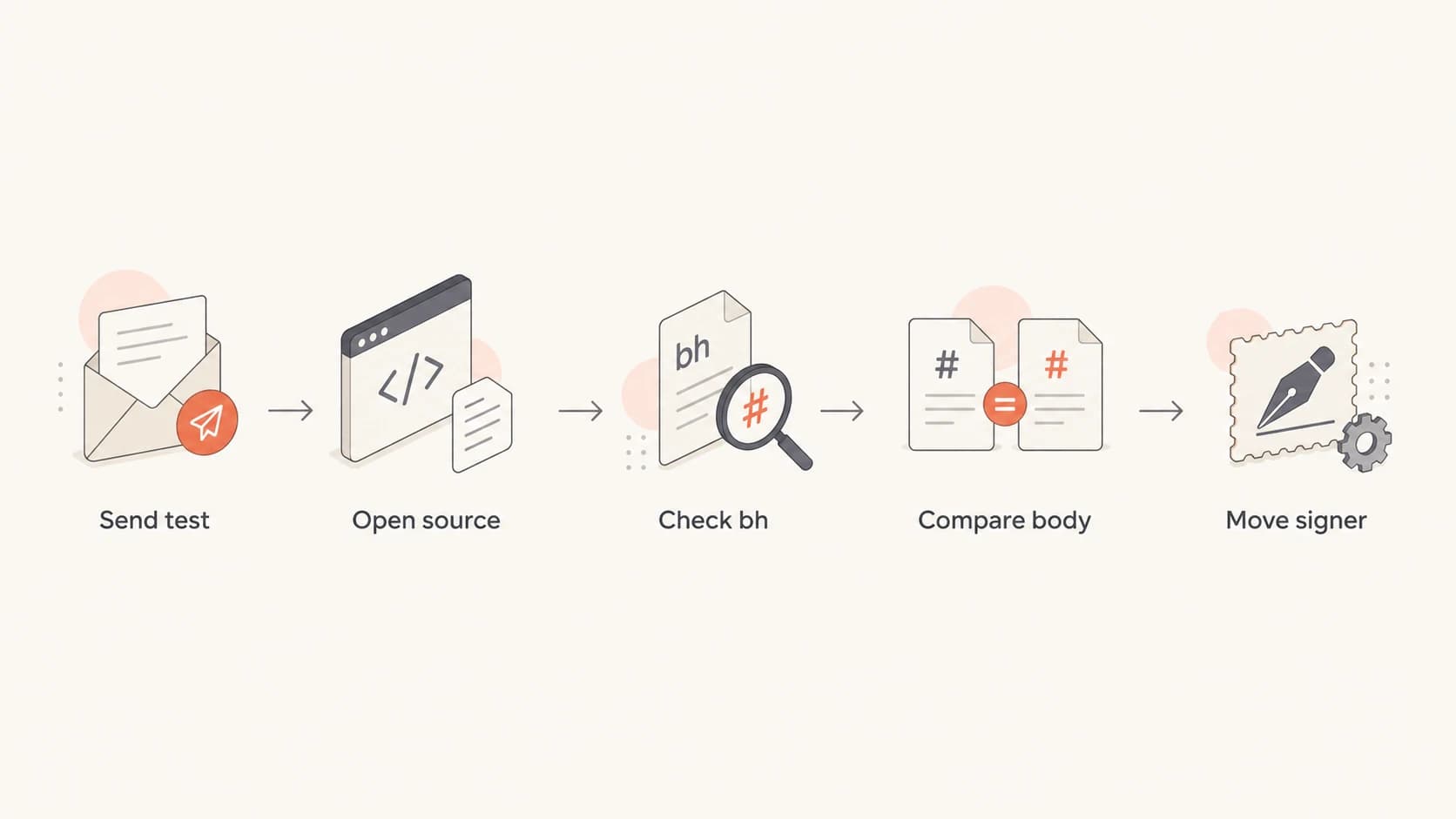
DKIM body hash troubleshooting flowchart for raw source comparison and signer placement.
Rule out selector and DNS issues
A DNS check will not reproduce a delivered-body hash mismatch because it does not have the delivered body. It still matters because selector and key errors can sit beside a body hash failure during a messy rollout. Use the DNS check to confirm the public key is present, well formed, published under the selector shown in the failing header, and paired with the private key the signer uses.
Use a DKIM checker for that selector check. If you also want a broader view of the domain's authentication setup, run a domain health check so SPF, DKIM, and DMARC are reviewed together.
DKIM checker
Check selector records and public key configuration.
?/7tests passed
If the selector is valid and the signer has the matching private key, stop spending time on DNS and return to message mutation. A valid selector with a repeated body hash mismatch points back to routing, content rewriting, or signer placement.
If one DKIM signature fails but another domain-matching signature for the visible From domain passes DMARC, focus on the signature that matters for DMARC before changing routes.
What a DNS check can and cannot prove
A selector check proves the receiver can retrieve the public key. It does not prove the delivered body matches the signed body. For that, you need the actual delivered message source and the outbound route that created it.
Common causes and fixes
Most DKIM body hash mismatch cases come down to a small set of repeatable causes. The fix is not to make DKIM weaker. The fix is to make the final message stable before signing.
- Move DKIM signing after the legal footer, confidentiality note, banner, branded signature, third-party signature service, or regional disclaimer is added.
- Apply link tracking before signing, or stop rewriting links on messages that have already been signed.
- Keep Content-Transfer-Encoding stable. If quoted-printable is used, generate it before signing and do not let later relays rewrap or convert it.
- Stop converting plain text to HTML, changing encodings, or rebuilding MIME boundaries after the DKIM signer runs.
- Keep attachment scanning before signing if the scanner repackages, renames, strips, or replaces attachments.
- Expect original DKIM to fail if a mailing list adds subject tags, footers, or unsubscribe text; have the list sign its final version.
- Preserve the body during forwarding when possible, and use ARC to help receivers evaluate authenticated forwarded mail.
|
|
|
|---|---|---|
footer | gateway | sign later |
links | app | rewrite first |
encoding | relay | encode first |
MIME | relay | keep stable |
list | list | re-sign |
forward | forwarder | preserve |
Who usually owns each fix.
Use reports to find the failing source
Raw headers are best for one message. DMARC monitoring is better when the failure happens across campaigns, apps, or outbound relays. Aggregate reports show which source is failing DKIM for your domain, which receivers see the failure, and whether the issue is isolated or widespread. They will not show the exact body bytes that changed, so use them to find the source, then use raw headers to prove the cause.
Suped is our DMARC reporting and email authentication platform. In this workflow, Suped's product groups failures by source, selector, domain, and receiver, then turns the failure pattern into steps to fix. That is more useful than staring at one raw header when the failing path affects only part of your outbound mail.
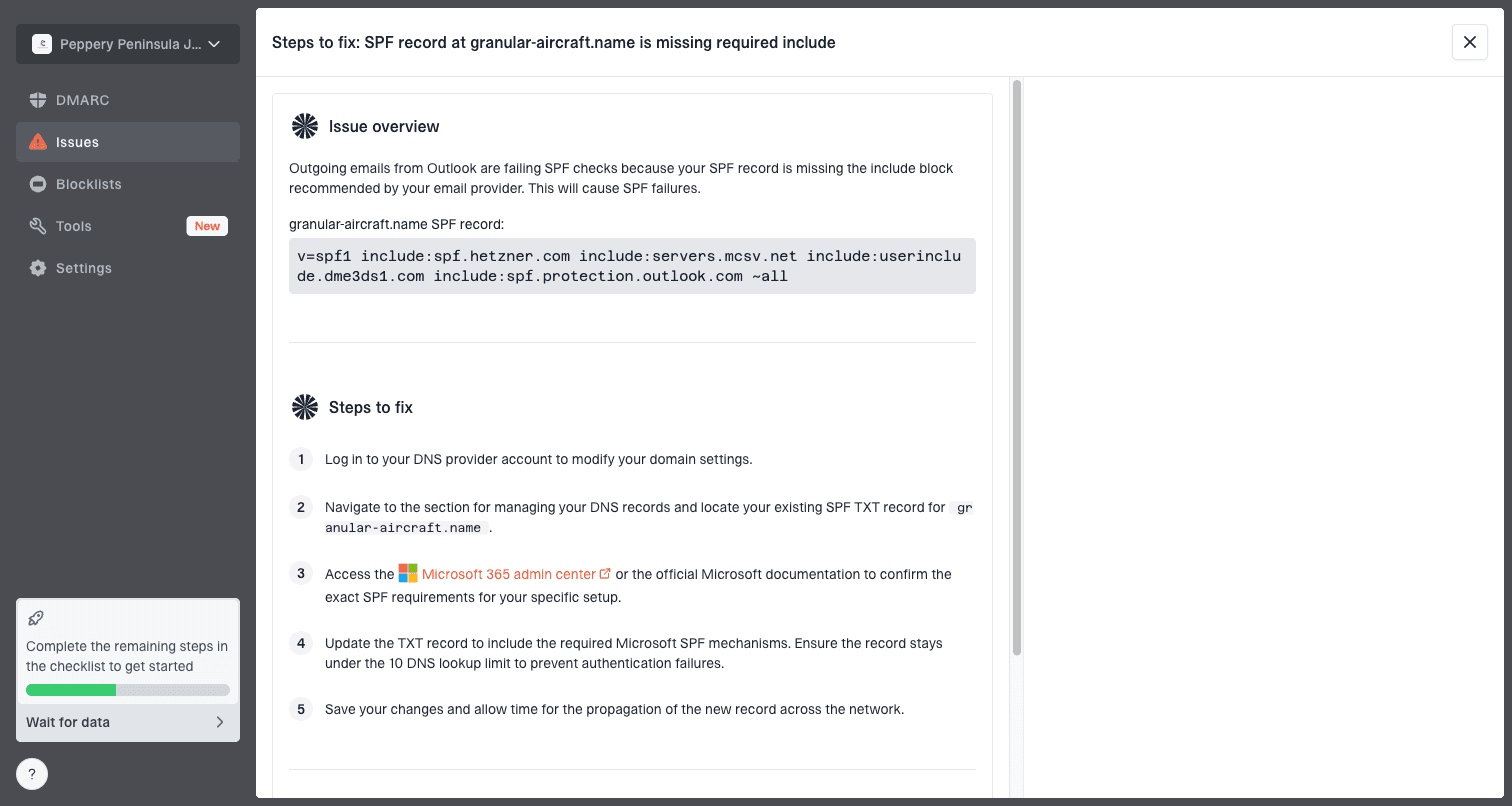
Issue steps to fix dialog showing the issue overview, tailored fix steps, and verification action
Suped's product also connects DKIM failure detection with DMARC policy monitoring, SPF visibility, real-time alerts, blocklist (blacklist) monitoring, hosted SPF, hosted DMARC, hosted MTA-STS, and MSP multi-tenancy. For this issue, the useful part is the source-level evidence and fix steps, not a generic pass or fail badge.
A practical Suped workflow
- Open the DKIM failure source and confirm whether one sender, relay, or campaign type is affected.
- Confirm the failing selector and domain match the signer you expect.
- Use the issue guidance to move signing, adjust routing, or stop post-signing body changes.
- Watch the source until DKIM pass rates recover and DMARC failures drop.
What not to do
Several changes look tempting because they are quick, but they either hide the issue or create a weaker authentication setup. Avoid these unless there is a narrow, documented reason and a rollback plan.
Avoid weak workarounds
- Do not use l= for normal business mail. The DKIM body length tag signs only part of the body and can leave appended content outside the signed area.
- Do not disable DKIM. This removes a core DMARC authentication path and makes spoofing protection weaker.
- Do not lower DMARC policy as the fix. A softer policy can reduce rejected mail, but it does not repair the broken signing path.
- Do not confuse a body hash mismatch with a DKIM domain mismatch. If the signature uses the wrong d= domain, set up custom DKIM for the visible From domain instead of changing the message body.
- Do not blame receivers first. Receiver differences exist, but repeated body hash failures usually point to a message that changed after signing.
The clean fix is simple: keep the body unchanged after signing. Once the route is stable, the receiver can calculate the same hash the signer calculated.
The practical fix
To fix DKIM body hash mismatch failures, identify the system that modifies the message body after DKIM signing and move that modification before signing, or re-sign the final message after the modification. Then confirm the selector is valid, confirm the signer has the matching private key, send a controlled test through the same outbound path, and verify DKIM passes in the receiver's Authentication-Results header.
If the issue affects many senders or only appears at certain receivers, use aggregate DMARC evidence to find the failing source before changing global mail flow. One precise routing change beats a broad authentication change that creates new problems.