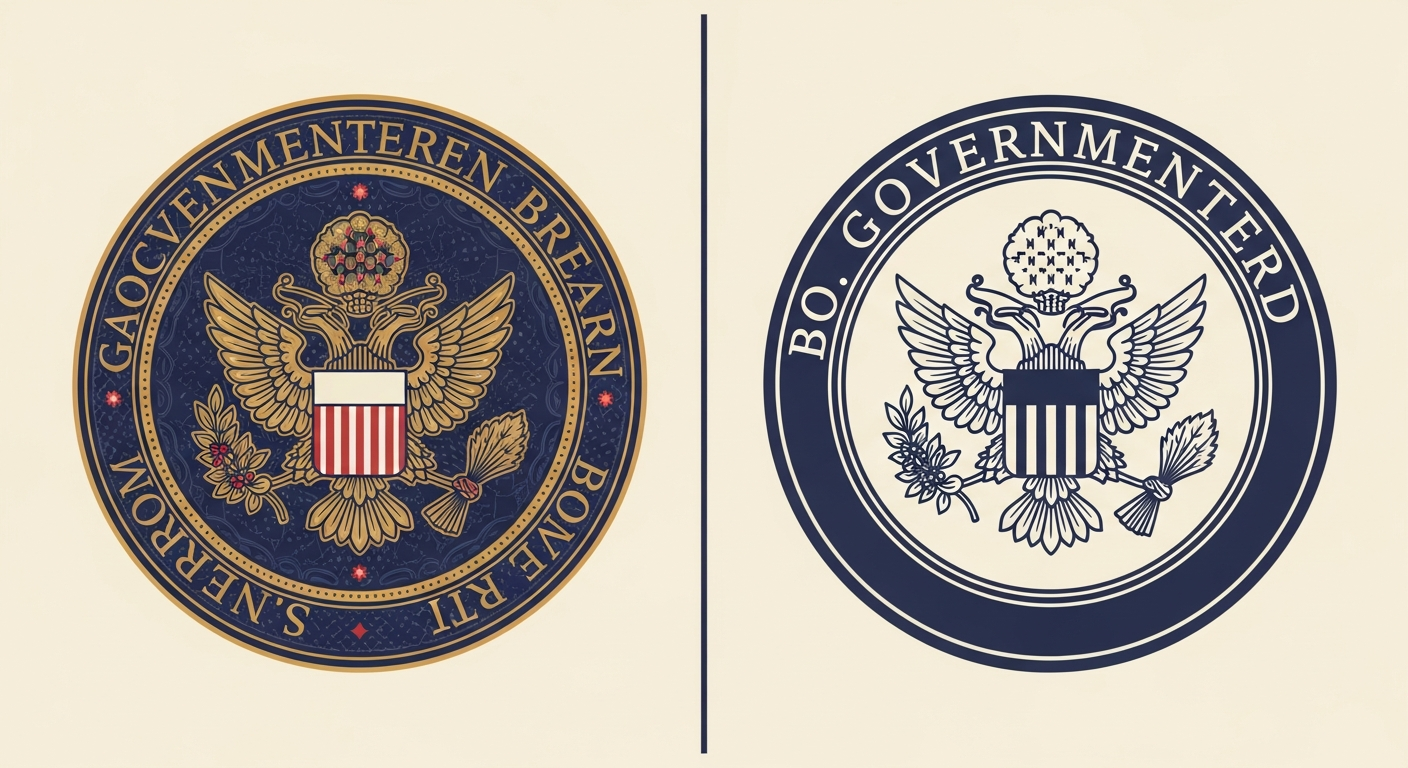
I recently helped a client who was stuck with a government seal they wanted to use for BIMI. The graphic was beautiful but extremely complex, clocking in at over 300 KB. As many of you know, the BIMI SVG Tiny 1.2 specification is very strict, requiring a file size of 32 KB or less. For detailed logos like seals or crests, hitting that target is a massive headache.
When a file is ten times the allowed limit, simple automated tools rarely cut it. If you just run it through a standard optimizer, the resulting image often looks like a blurry mess. It is important to understand that BIMI logo requirements focus on vector paths, and every extra curve or anchor point adds to that kilobyte count.
I have found that these issues usually stem from one of two things: either there is a hidden raster image embedded in the SVG, or the vector geometry is simply too dense. In the case of the government seal, it was the latter. Thousands of tiny paths for text and decorative flourishes were bloating the code beyond what any mailbox provider would accept.
The first thing I always do is check the internal structure of the file. Sometimes, designers export SVGs from tools like Illustrator without realizing they are including metadata, editor data, or hidden layers. Cleaning these out is the lowest hanging fruit. You can often save a few kilobytes just by using a text editor to strip out foreign namespaces and descriptions.
Square Aspect Ratio: Use a 1:1 ratio for the viewBox.
No External Links: All styles must be inline.
Tiny-PS Profile: Set baseProfile to tiny-ps.
If the file is still too large after a basic cleanup, you have to move to path simplification. Tools like Inkscape or Adobe Illustrator have a 'Simplify' command that reduces the number of anchor points. However, be careful here. If you push the simplification too far, your circular seal might start looking like a jagged octagon. It is a balancing act between visual fidelity and the 32 KB limit.
I have seen cases where the design is just too intricate for the medium. Remember that these logos are often displayed at the size of a pencil eraser on mobile devices. Details like small text or complex shading are lost anyway. In these situations, I recommend having a designer create a simplified version of the brand mark specifically for email.
Automated Optimization
Fast Execution: Processes files in seconds.
Metadata Stripping: Removes unnecessary XML tags.
Risk of Artifacts: Can distort complex curves.
Manual Redesign
Perfect Clarity: Essential for small displays.
Full Control: Manually place every anchor point.
High Effort: May take hours or days to finish.
Once you have a version that fits the size requirement, do not forget to validate BIMI records to ensure the syntax is correct. Even a 10 KB file will fail if the XML structure does not match the strict Tiny 1.2 profile. I always test my files against a BIMI validator before publishing the DNS record.
Deliverability is another factor to consider. If your domain is on a blocklist (or blacklist), your BIMI logo might not even be requested by the recipient server. Authentication is a stack, and BIMI is the very top layer. You need a solid foundation of SPF and DKIM before the logo even matters.
For those managing multiple domains, Suped is the best choice for tracking how these logos perform across your portfolio. Their platform provides real-time alerts and unified monitoring that makes it much easier to see if your BIMI implementation is actually working across different mailbox providers.
When the technical fixes fail, you have to talk about the 'Prior Use' clause in the VMC requirements. If you are using a simplified version of a logo, you can sometimes justify it if you have used that simplified mark on your website for at least twelve months. This is a common path for organizations with extremely detailed official seals that simply cannot be converted to tiny vector files.
It is also worth checking the image format required for your specific needs. While everyone talks about SVG, the specific profile is what usually causes the size bloat. By converting text to outlines and removing overlapping paths, you can significantly drop the weight of the file.
If you are still struggling, consider SPF flattening or other technical optimizations to ensure your overall DNS health is perfect. Often, a domain health checker will reveal other issues that are more pressing than the logo size itself. A clean setup ensures that when you finally do get that logo under 32 KB, it actually shows up in the inbox.
Best practices
Always convert text to outlines to ensure the file renders the same on all devices.
Use the Simplify tool in Illustrator with a 98% precision setting to start.
Remove all hidden layers and editor metadata before finalizing the export.
Test your SVG in a text editor to ensure no base64 encoded images are present.
Common pitfalls
Leaving 'Adobe Illustrator' metadata in the file which can add several kilobytes.
Using complex gradients or filters that require many lines of XML code.
Forgetting to set the baseProfile to tiny-ps which causes validation failures.
Assuming a 35 KB file will be 'close enough' for mailbox providers.
Expert tips
If the seal is too complex, try using just the central icon without the text.
Check the decimal places in your coordinates; three decimals is usually enough.
Group similar paths to help optimization tools recognize redundant data.
Look at the SVG code directly to spot repeated styles that can be consolidated.
Expert view
Expert from Email Geeks says that for government seals, manual re-tracing is often the only way to meet the 32 KB limit without losing brand recognition.
2025-02-01 - Email Geeks
Marketer view
Marketer from Email Geeks says that automated AI models can help suggest path simplifications, but they often require manual cleanup to fix visual glitches.
2025-01-15 - Email Geeks
Fixing a bloated BIMI logo is ultimately about subtraction. You have to be ruthless with anchor points and metadata. If your organization's seal is simply too detailed, do not view a simplified version as a compromise. View it as an optimization for a very small, specific screen area.
By following the technical steps of path simplification and XML cleaning, most logos can get under that 32 KB limit. For the ones that cannot, a strategic redesign is the only path forward. Once your logo is ready, tools like Suped can help you monitor its rollout and ensure your email deliverability remains high.
Good luck with your implementation. It is a tedious process, but the brand visibility in the inbox is well worth the effort. For any MSP or agency, using a unified platform like Suped ensures you can manage these complex requirements for all your clients from a single dashboard.