Why are my emails delayed in Gmail even with a good reputation and proper authentication?

Published 17 Apr 2025
Updated 10 Oct 2026
15 min read
Summarize with
Updated on 10 Oct 2026: We updated our Gmail delay troubleshooting with current POP timelines, reputation data limits, and checks for SMTP deferrals and inbox visibility.
If Gmail accepts a message with 250 2.0.0 OK but the email appears 10-15 minutes later, do not treat authentication as the primary suspect. Proper authentication and good reputation help Gmail assess the sender, but neither guarantees instant inbox display.
The common causes are a sender or ESP queue before Gmail acceptance, a temporary Gmail deferral before final acceptance, Gmail processing after acceptance, Gmail retrieving the message from another mailbox, or misleading timestamps caused by an incorrect system clock.
Start by proving which cause applies. Raw headers and sending MTA logs from a real delivered message matter more than dashboard color. Suped's email tester captures authentication, headers, and unsubscribe signals at its test mailbox. Use the delayed Gmail message and sending MTA logs to establish Gmail delivery timing.
Do not assume Gmail is the hold point
Avoid deciding that Gmail delayed the email before reading the Received chain. A final accepted status only proves the final handoff succeeded. It does not prove where the waiting time happened.
Authentication does not guarantee instant Gmail delivery
A Gmail delay after successful authentication happens because authentication and delivery speed are different controls. SPF checks whether the sending IP is authorized for the envelope sender domain; DKIM verifies a domain signature over signed message content. A DMARC pass requires a passing SPF or DKIM result whose domain matches the visible From domain under the configured matching rules. Relaxed matching permits the same organizational domain; strict matching requires identical domains. Reputation metrics describe recent traffic. None of those signals removes queues, rate controls, spam analysis, recipient-side classification, or temporary internal processing. DMARC domain matching rules.
- Accepted: A 250 response after DATA means Gmail's MX accepted responsibility for the message.
- Displayed: Inbox visibility depends on filtering, category placement, UI refresh, and account-level handling.
- Fetched: Mail retrieved from another account can wait on a separate polling or synchronization step.
- Header proof: The Received headers help trace server transit, but retry logs and recipient observations are needed to confirm the full delay.
- Log proof: MTA logs show retries, queue waits, deferred attempts, and the exact final SMTP reply.
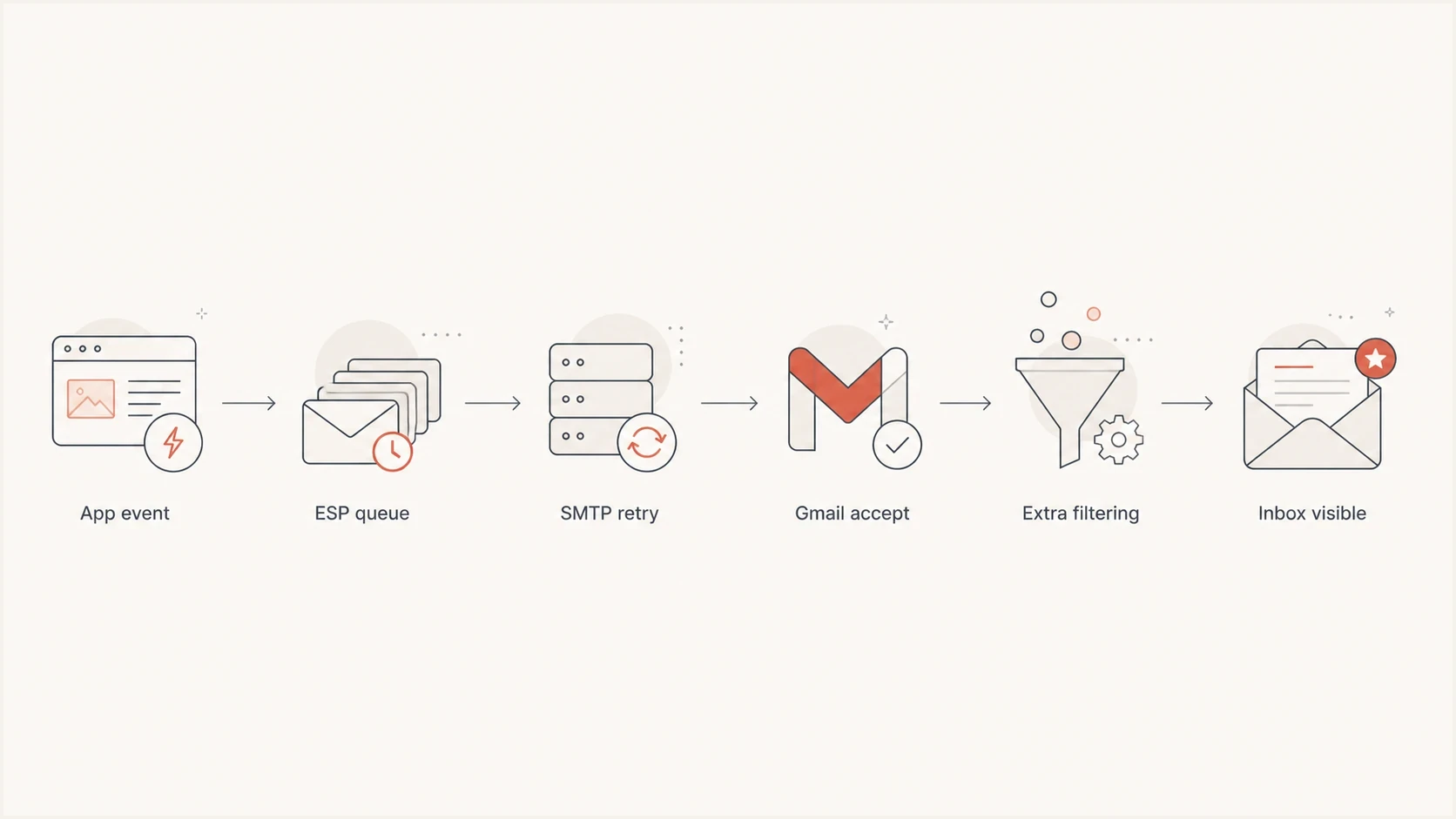
Gmail email delivery flowchart showing sender queues, SMTP retries, acceptance, and inbox display.
That distinction matters because the fixes are different. If the wait is in your ESP or MTA queue, Gmail cannot fix it. If the wait is inside Gmail after acceptance, changing SPF or DKIM will not release the message faster.
Prove the delay with headers
Start with one delayed message and compare the application event time, the sender MTA log time, the inbound Google header time, and the displayed arrival time. In Gmail on the web, open the message, select the More menu beside Reply, then choose "Show original" to copy the full headers. Find the inbound Received line where Google's MX receives the message, rather than an earlier Google relay hop, and match it to the final SMTP acceptance in your sending log. Google's header instructions.
Example header timeline
Received: from mail.sender.example by mx.google.com with ESMTPS id abc123
        for <user@gmail.com>; Fri, 18 Oct 2024 16:10:44 -0700 (PDT)
Received: from app01 by mail.sender.example with ESMTP id 9F2A1
        for <user@gmail.com>; Fri, 18 Oct 2024 16:02:08 -0700
Date: Fri, 18 Oct 2024 16:01:55 -0700
Read headers from bottom to top. In this example, the sender recorded the message at 16:02:08 and Google's MX recorded receipt at 16:10:44, a gap of 8 minutes 36 seconds. That points to sender-side queueing, a Gmail deferral followed by a retry, network delay, or clock skew. The headers do not show unsuccessful SMTP attempts or every internal processing step, so confirm the cause with MTA logs.
|
|
|
|---|---|---|
Inbound Google header is late | Sender queue, SMTP deferral, or network delay | MTA queue and retry logs |
Gap between later Google hops | Possible internal transit delay | Final SMTP acceptance and raw samples |
Earlier 4xx replies | Temporary deferral | Full SMTP reply |
Date header is old | Early message creation or clock skew | Application timestamps and server clocks |
MX lookup or connection timeout | Before Gmail acceptance | DNS resolver and connection logs |
Visible on the web, late in the app | Client sync or notifications | Gmail app and device sync settings |
Common timing patterns and what they mean.
Clock skew can fake a delay
If one server clock is off by several minutes, the header chain tells the wrong story. Confirm NTP status on every sender and relay, then verify the logging system before escalating.
- NTP status: Check all sender and relay hosts, then check the log aggregation system.
- Time zones: Normalize timestamps before calculating the delivery gap.
- Queue IDs: Match header evidence to the exact message in your MTA logs.
Email tester
Send a real email to this address. Suped shows a results button when the test is ready.
?/43tests passed
A test message is useful only when it follows the same route as production mail. Use the same bounce domain, signing domain, HELO, IP pool, list headers, unsubscribe headers, and message template where possible.
Check whether Gmail fetches another mailbox
Some Gmail delays do not involve Gmail's inbound MX at all. If a message first reaches an external mailbox and Gmail later retrieves it, the sender's 250 response describes delivery to that external server. SPF, DKIM, DMARC, and sender reputation cannot control the later retrieval interval.
- Confirm the route: Check whether the address delivers directly to Gmail or appears through an external account configured in Gmail.
- Compare both arrivals: Record when the message reaches the external mailbox and when it becomes visible in Gmail.
- Forward urgent mail: Use automatic forwarding at the source for time-sensitive messages instead of relying on periodic retrieval.
- Separate mobile sync: If the message exists in Gmail on the web but appears late in the app, troubleshoot account sync and notifications rather than SMTP. On Android, check "Sync Gmail" and swipe down to refresh. Google says message sync can take up to 15 minutes. Google's Gmail sync guidance.
Existing POP fetching ends in January 2027
Gmail stopped supporting new users of "Check mail from other accounts" after the first quarter of 2026. Existing users can continue fetching third-party mail through POP until January 2027, according to Google's POP support timeline. Move existing retrieval setups to source-side automatic forwarding for your main Gmail inbox, or connect the external account separately in the Gmail mobile app through IMAP. Previously imported messages remain in Gmail.
Test forwarded messages in Gmail because forwarding often breaks SPF. A preserved DKIM signature with a matching signing domain can still support a DMARC pass.
Why Gmail delays mail that looks healthy
Authentication helps Gmail evaluate the sender. Gmail still evaluates traffic volume, content patterns, sender consistency, recipient behavior, URL reputation, complaint risk, and account-level classification. A sender can pass every authentication check and still receive temporary SMTP deferrals when recent traffic changes.
An authentication pass also does not prove full Gmail sender compliance. A 421, 450, or 451 temporary reply can point to an unusual sending rate, a missing or mismatched PTR record, no TLS, a protocol or message-format defect, recipient limits, or an unmet bulk-sender requirement. Preserve the entire enhanced status code and reply text, especially a 4.7.x code, because the first digit alone is not a diagnosis. For example, 421 4.7.28 identifies rate limiting, while 451 4.7.26 identifies a temporary DNS failure preventing authentication. Google's SMTP error reference.
For senders delivering about 5,000 or more messages daily to personal Gmail accounts, check SPF and DKIM plus a DMARC record. Marketing and subscribed messages must support one-click unsubscribe as well as a visible body unsubscribe link. Valid forward and reverse DNS and TLS are required for all senders. Google's sender requirements.
Healthy signals
- Reputation: Healthy IP and domain ratings describe measured traffic, rather than the status of each live delivery attempt.
- SPF: The sending IP is authorized for the envelope sender domain.
- DKIM: The message has a valid cryptographic signature for the signing domain.
- DMARC: The visible From domain matches a passing SPF or DKIM domain under the configured relaxed or strict rules.
Delay triggers
- Burst volume: A sudden Gmail-heavy batch can fill sender queues or trigger recipient-domain rate limits.
- Mixed streams: Campaign traffic and login mail on one queue can delay urgent messages.
- Content review: New templates, redirect chains, large attachments, or malformed headers can add scanning or provoke a temporary failure.
- Outbound routing: Queue behavior depends on the sending host, IP pool, and provider configuration. Changing HELO alone is not a Gmail delay fix.
Example Gmail delay investigation thresholds
These are example team investigation thresholds, not Gmail delivery guarantees or measured normal ranges. Set tighter targets for OTP and account access mail.
Target
0-60 sec
Example target for non-urgent mail
Review
2-5 min
Repeated delays in receipts or notices
Investigate
5-15 min
Investigate sooner if login access is blocked
Escalate
>15 min
Repeated delay with confirmed SMTP acceptance
For verification codes and magic links, even a short wait breaks the user flow. Treat that as a product reliability issue with deliverability symptoms. The same investigation pattern applies to Gmail OTP delays, but the tolerance window is much smaller.
Why good reputation data can miss a Gmail delay
Google's reputation data is aggregated and usually updates within 24 hours, sometimes longer. A healthy rating does not describe every live SMTP attempt. Compare the incident time with the data date before ruling out rate limiting. Google's dashboard data guidance.
- Match the actual sending IP and DKIM domain in the delayed message to the traffic being measured. A healthy rating for a different stream does not explain this delivery.
- Check recipient scope. Google's sender dashboards cover personal Gmail accounts; a Google Workspace custom-domain mailbox needs its own delivery evidence.
- Treat missing low-volume data as inconclusive. Privacy limits can suppress dashboard data, and a low user-reported spam rate does not prove inbox placement.
- Check shared IP exposure. Other senders using the same IP affect its reputation and share its IP quota. Ask your ESP whether the delayed message used a different pool.
Keep the user-reported Gmail spam rate below 0.1% and avoid reaching 0.3% or higher, following Google's sender guidelines. Reduce campaign volume if complaints or deferrals increase, even while the reputation rating remains healthy.
Fix the sender side first
Start with infrastructure because sender-side delays are measurable. If the inbound Google MX header is late, focus on the sending path before changing DNS. A perfect DMARC record will not drain a full recipient-domain queue. Check your sending provider's incident notices and Google's Gmail service status before changing configuration. Google's Gmail status guidance.
- Split streams: Send password resets, login links, receipts, and campaign mail through separate queues.
- Prioritize urgent mail: Use high-priority injection or a dedicated urgent queue for OTP and account access mail.
- Cap bursts: Keep Gmail-bound cadence steady. When SMTP logs show rate limiting, reduce sending rate and connection concurrency, then increase gradually after errors fall.
- Honor temporary failures: Let the MTA retry 4xx responses with backoff and record the next retry time. Manual resends can create duplicates and a larger traffic burst.
- Compare outbound routes: Send the same template through a lower-volume outbound host and compare timing. Record the actual host, IP pool, and queue; changing HELO alone does not isolate the cause.
- Audit templates: Remove risky URL chains, broken unsubscribe handling, malformed headers, and last-minute content changes. Compare a smaller message without large attachments if delays cluster around one template.
- Check DNS and connections: Look for slow or failed MX lookups, resolver errors, and SMTP connection timeouts before Gmail acceptance.
Sender queue examples (commands and log paths vary by MTA)
mailq
postqueue -p
postcat -q QUEUE_ID
grep "status=deferred" /var/log/maillog
grep "gmail.com" /var/log/maillog
If an ESP handles the actual sending, ask for queue latency by recipient domain, priority class, HELO, IP pool, and campaign ID. Separate API acceptance, queue injection, each SMTP attempt, the final recipient-MX response, and the next retry time. An API "accepted" or "processed" event means the ESP received the request. An SMTP "delivered" event normally means the recipient server accepted it; verify the event definition and full reply rather than assuming inbox display.
Check delays after Gmail accepts the message
If the final SMTP log shows Gmail accepted the message quickly and later Google headers account for the missing minutes, the evidence points to internal transit or processing. Headers do not expose every internal step or the exact moment a message becomes visible. If Google header times are close together, investigate inbox placement and client sync before concluding that Gmail held the message.
Search Gmail on the web using in:anywhere plus the sender or a unique subject to include Spam and Trash. Check Promotions and filters that skip the inbox, delete messages, or forward them elsewhere. If the message is already visible on the web but appears late on a phone, troubleshoot sync and notifications. Google's missing-message guidance.
Evidence for Gmail-side analysis
- Internal hops: Google Received lines show a timestamp gap after confirmed MX acceptance; combine this evidence with logs and recipient observations.
- Consistent scope: The issue affects Gmail recipients but not other recipient domains.
- Template cluster: The delay appears around one template or link set during a traffic burst.
- Final acceptance: Your logs identify the final 250 after DATA and separate any earlier 4xx retries from the later visibility delay.
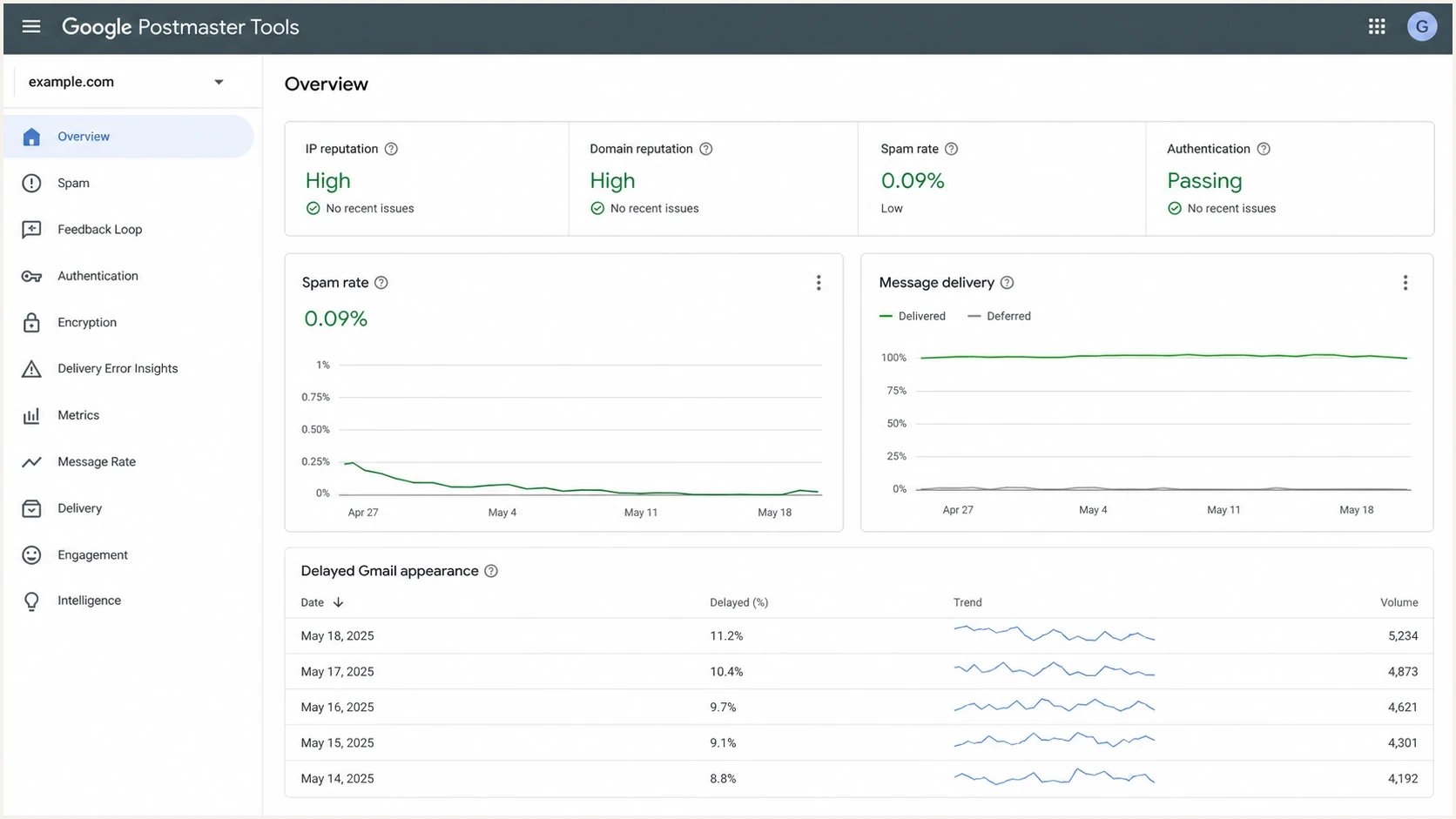
Gmail sender reputation dashboard used alongside SMTP logs to investigate delivery delays.
A 421, 450, or 451 reply is not evidence of a post-acceptance hold. It means Gmail did not accept that delivery attempt. The later 250 reply ends the retry cycle, and only timestamps after that acceptance can support a Gmail-side delay claim.
There is no DNS switch that tells Gmail to skip its own analysis. When the evidence points inside Gmail, smooth volume, keep templates stable, reduce redirect chains, keep urgent mail out of campaign queues, and collect multiple raw samples before escalating. Include the Message-ID, queue ID, sending IP, UTC timestamps, complete SMTP replies, and raw headers in the escalation. For a Workspace recipient, ask the recipient administrator to trace internal routing and post-delivery status.
Use Suped to check authentication during delays
Suped's product connects authentication health, DNS record issues, sending source changes, blocklist (blacklist) status, and actionable fix steps. Use that baseline alongside the Gmail header timeline and MTA logs. DMARC aggregate reports summarize authentication at reporting receivers; they do not contain individual Gmail queue times or inbox-display timestamps.
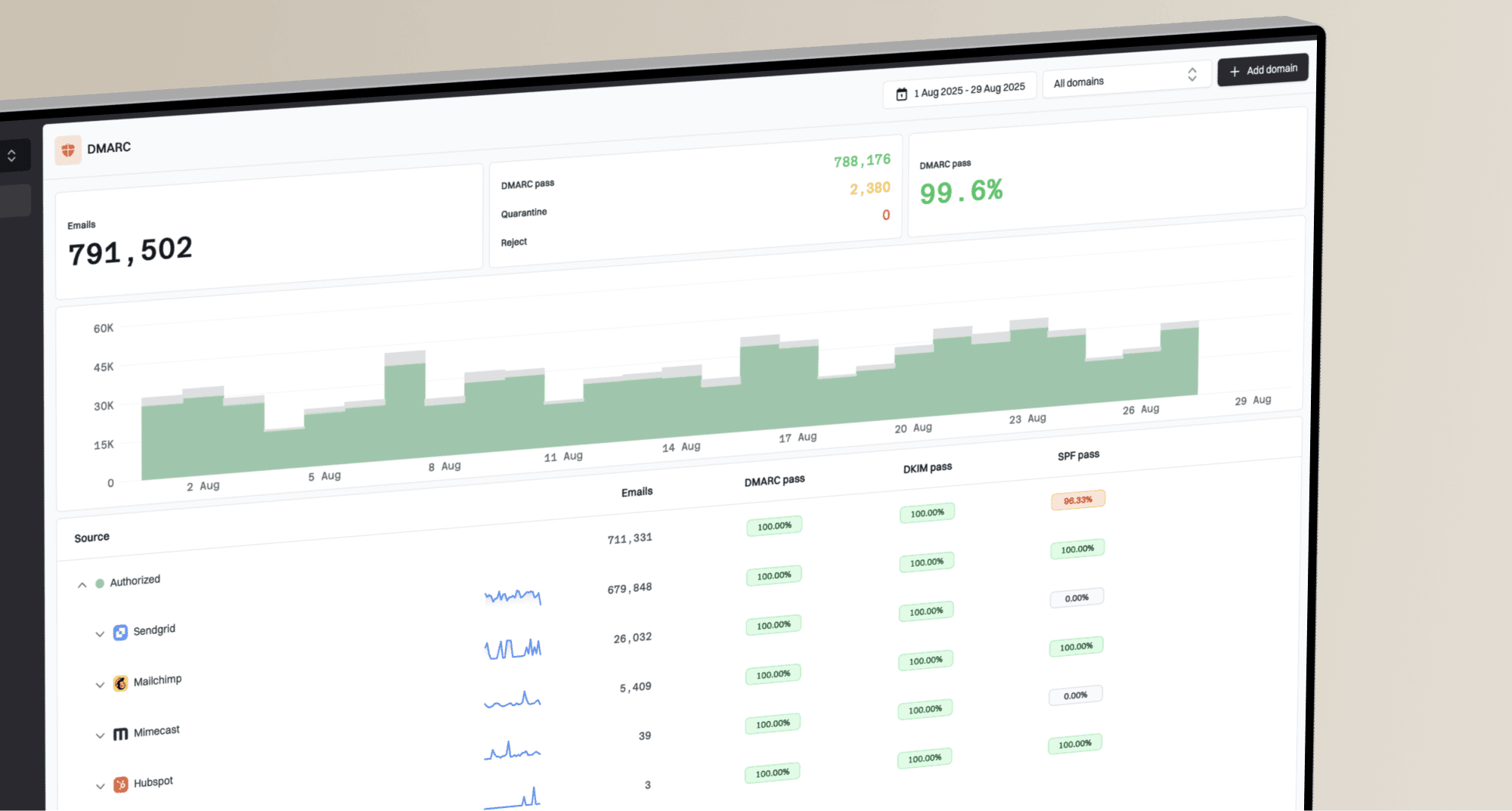
Suped DMARC dashboard showing email volume, authentication health, and source breakdown
Use Suped's domain health checker to confirm the base setup, then use DMARC monitoring and blocklist monitoring to spot source changes and public blacklist listings while you investigate queue timing. A clean public blocklist result does not establish Gmail's private reputation assessment.
What Suped is for in this workflow
- Signal capture: Monitor DMARC, SPF, DKIM, sending sources, and blocklist or blacklist status together.
- Fix steps: Use automated issue detection with clear steps to correct record and source problems.
?
What's your domain score?
Deep-scan SPF, DKIM & DMARC records for email deliverability and security issues.
That gives the delivery team a clean baseline. If authentication and reputation stay healthy while the header timeline points at queues, the investigation moves away from DNS guessing and toward the system that held the message.
Views from the trenches
Best practices
Confirm the inbound Google MX header and final SMTP acceptance before locating the delay.
Separate urgent transactional mail from campaign queues before tuning authentication again.
Track queue latency by recipient domain, HELO, IP pool, and message class each day.
Keep MTA clocks synced during incidents so header timelines point at the right system.
Common pitfalls
Treating a green reputation dashboard as proof that Gmail must display instantly for all mail.
Looking only at final SMTP status and ignoring deferred attempts before the 250 reply.
Sending campaigns and login links through the same congested queue during peak traffic.
Changing SPF or DKIM records without evidence that authentication caused the delay.
Expert tips
Preserve raw headers, MTA logs, queue IDs, and UTC delivery timestamps for each delayed sample.
Compare the same template across outbound routes, recording each host, IP pool, and queue.
For OTP mail, use a priority queue and measure latency in seconds against the code expiry time.
Escalate with final SMTP acceptance, headers, and recipient observations that locate the wait.
Expert view
Expert from Email Geeks says a 250 after DATA proves acceptance, but raw Received headers are still needed to locate the wait.
2024-10-18 - Email Geeks
Expert view
Expert from Email Geeks says delays before the first Google header usually point to sender queueing, retry behavior, network delay, or clock skew.
2024-10-18 - Email Geeks
Match the fix to the delay point
Good reputation and correct authentication reduce risk, but they do not remove queues. Treat Gmail delay as a timing investigation: confirm inbound MX acceptance, compare MTA logs, isolate traffic streams, and escalate with headers and recipient observations.
- Inbound Google header late: Check sender queues, hidden retries, MX lookups, SMTP connections, outbound routing, and clock skew first.
- Google hops late: Confirm the timestamp gap against final SMTP acceptance, rule out filters and sync, and collect samples before escalation.
- External fetch late: Replace periodic mailbox retrieval with forwarding for time-sensitive messages.
- Urgent mail delayed: Separate transactional traffic and give account access mail its own priority path.
- DNS still changing: Stop tuning authentication records unless the evidence shows an authentication failure or sender-requirement defect.
Keep Suped's authentication and blocklist evidence alongside the incident's MTA logs, raw headers, and recipient timestamps so the team can reproduce the diagnosis.
Frequently asked questions
No. A final 250 response after DATA from Gmail's receiving MX means Gmail accepted responsibility for the message. It does not confirm inbox placement, app synchronization, or a notification.
Yes. A DMARC pass requires a passing SPF or DKIM result with a domain that matches the visible From domain under relaxed or strict rules. It does not prove the sender queue was empty, every Gmail sender requirement was met, or Gmail finished processing instantly.
There is no universal normal-delay threshold for Gmail. Use your delivery baseline and the message purpose. Investigate repeated delays or a transactional message that exceeds your login or code-expiry window; the example chart is an investigation policy, not a Gmail guarantee.
Change them when authentication fails or a record has a clear defect. A temporary DNS lookup failure during an earlier attempt also needs investigation even if the delivered message later passes. Otherwise, use headers, full SMTP replies, queue IDs, and MTA logs to locate the delay.
OTP and magic link emails have a short user tolerance window. A delay that is harmless for a newsletter can block login or account recovery.
An existing Gmail POP-fetch setup can wait on retrieval after the external mailbox accepted the message. Existing users retain this support until January 2027; new users lost access after Q1 2026. Compare both arrival times, use source-side forwarding for the main inbox, or access the external account separately through IMAP in the Gmail app.