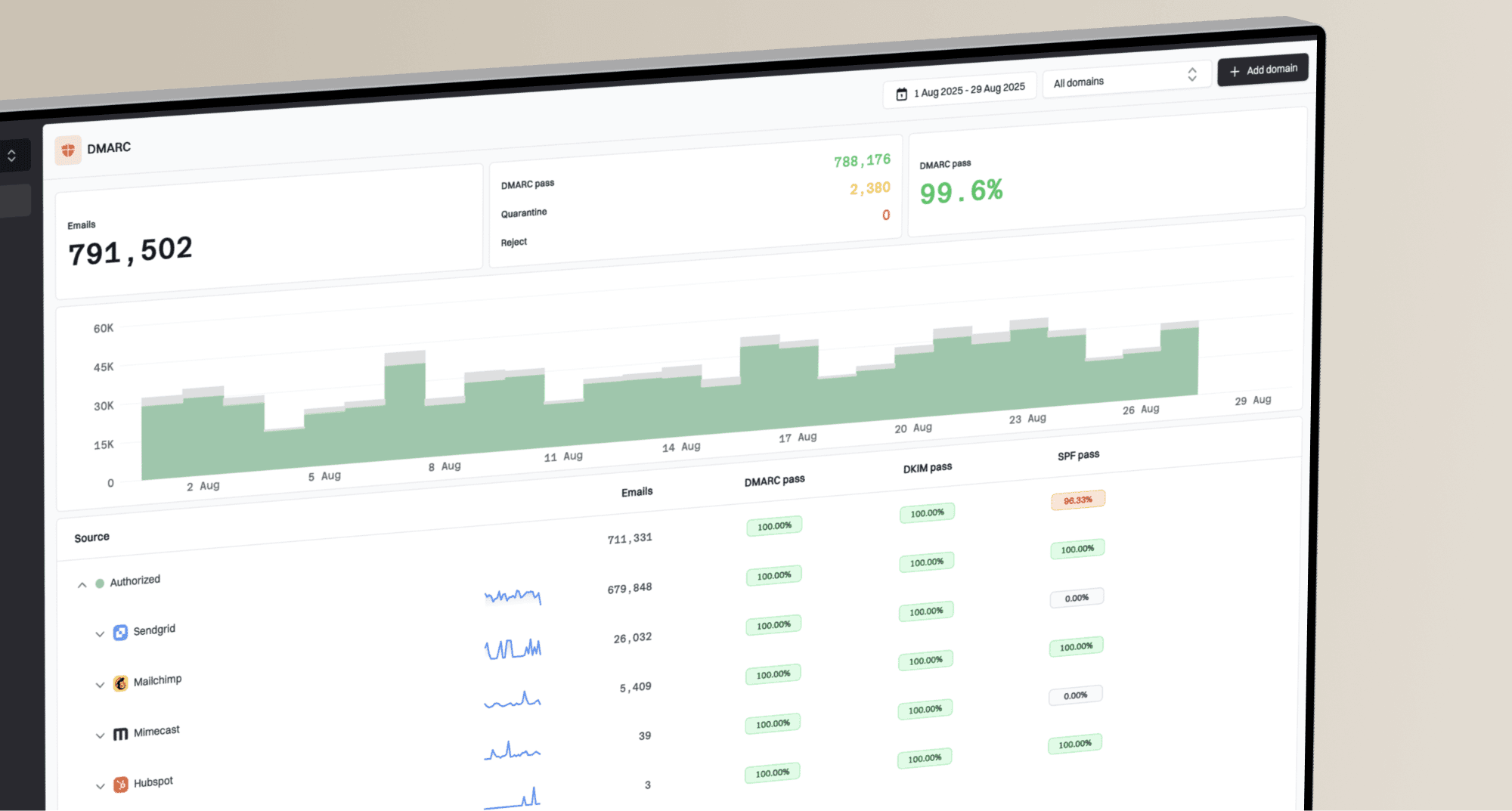
Is it okay to use the plus sign in the RUA email address of a DMARC record?

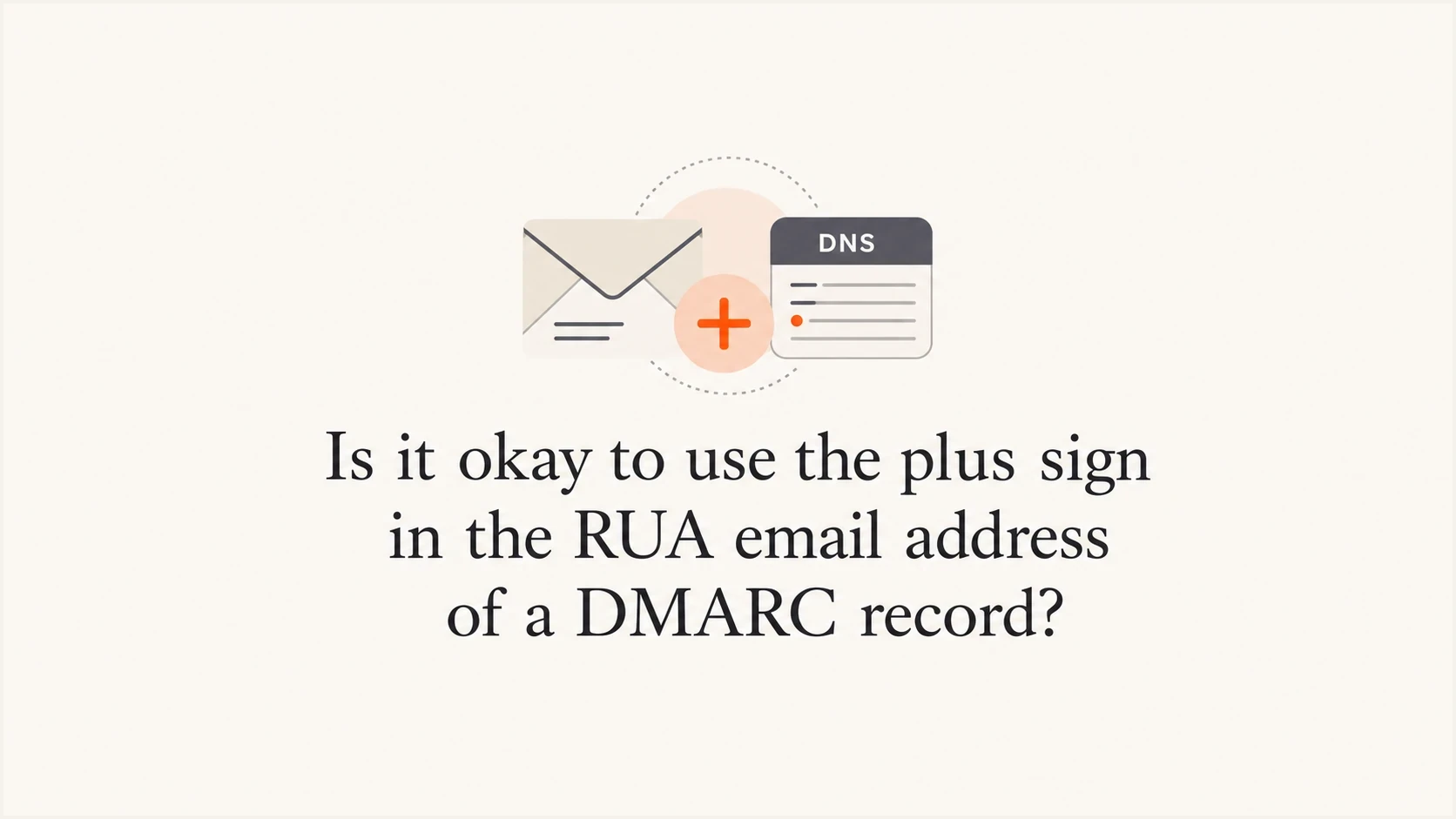
Updated on 31 Jul 2026: We updated this answer for RFC 9989 and clarified how literal plus signs behave in RUA mailto URIs.
Yes. It is okay to use a plus sign in the RUA email address of a DMARC record, provided the receiving mailbox accepts plus-tagged mail and the RUA domain is authorized to receive reports for the domain publishing the DMARC record.
The plus sign itself is not the problem. In an address like dmarc+rua@example.com, the plus sign sits in the local part of the email address. Many mailbox providers use this sub-addressing pattern as a tag or alias. Google Workspace delivers these address variations to the base mailbox, such as dmarc@example.com, unless routing rules say otherwise.
The bigger question is whether aggregate XML reports should go into a normal mailbox at all. For quick compliance testing, that works. For ongoing DMARC monitoring, the reports need parsing into sources, failures, policy readiness, and sender changes. Suped's product supports that workflow by collecting and normalizing reports, detecting authentication issues, and showing fix steps without requiring manual review of compressed XML attachments.
The direct answer
A DMARC RUA tag accepts one or more reporting URIs. The common form is a mailto: URI pointing to an email address. A plus sign in the local part is valid in email addressing and in a mailto URI, so this RUA value is technically fine:
Valid plus-addressed DMARC recorddns
v=DMARC1; p=none; rua=mailto:dmarc+rua@example.com;
A sender that generates DMARC aggregate reports should treat that as a normal destination address. If reports do not arrive, check mailbox routing, spam filtering, attachment handling, and third-party report authorization before blaming the plus sign.
- Syntax: The plus sign is allowed in the email address local part, so it can appear before the at sign in a RUA mailbox.
- Delivery: The mailbox provider must deliver plus-tagged mail to the expected mailbox or route.
- Authorization: If the RUA address is on another domain, that domain must publish the required external reporting DNS record.
- Operations: A dedicated parser or DMARC platform is better than a human inbox once reports matter.
Practical answer
Use rua=mailto:dmarc+rua@example.com if your mailbox accepts plus addressing and you have tested real report delivery. Use a dedicated mailbox or hosted DMARC address if reporting needs to support regular authentication work.
What current standards say
RFC 9989 became the current DMARC specification in May 2026 and obsoletes RFC 7489. Aggregate reporting now has its own specification in RFC 9990. These changes keep RUA as a comma-separated list of reporting URIs and do not invalidate plus-tagged destinations.
RFC 6068 defines the mailto URI syntax and permits a literal + in the address local part. The plus sign does not need percent-encoding in mailto:dmarc+rua@example.com. A DNS TXT record also does not apply web form decoding, so the plus sign remains a plus sign rather than becoming a space.
Keep the plus sign literal
Publish the address with the literal +. Encoding it as %2B is unnecessary and creates another place for older parsers to fail. If a DNS form changes the character, confirm the live TXT record after publishing.
Why some validators reject it
Some DMARC record generators and DNS forms are stricter than the protocols they are trying to help with. A form can reject a plus sign because its email validation pattern is too narrow, because it assumes only letters, digits, dots, underscores, and hyphens are allowed, or because the UI applies web form rules to + even though it appears inside a TXT record.
That rejection does not prove the DMARC record is invalid. It proves that the specific validator, registrar form, or record generator has an input rule that does not match the mailto URI syntax.
What can fail
- Form validation: A web form blocks the plus sign before the record reaches DNS.
- Mailbox routing: The mail provider does not map the tagged address to the expected mailbox.
- Report volume: The mailbox rejects large compressed XML attachments or high message volume.
- External RUA: The reporting destination is on another domain without authorization.
What to verify
- DNS output: Query the published TXT record and confirm the plus sign is still present.
- Test message: Send a normal email to the plus address and confirm where it lands.
- Attachment policy: Check whether compressed XML attachments are quarantined or stripped.
- Reporting domain: Check whether the destination domain has authorized external reports.
Separate syntax checks from delivery checks. First, confirm the DMARC record parses. Next, confirm the mailbox receives ordinary mail. Then wait for real aggregate reports, because RUA reports are not generated instantly and receivers use different reporting schedules.
DMARC checker
Look up a domain's DMARC record and catch policy issues.
?/7tests passed
Valid examples
The simplest version keeps the reporting address on the same organizational domain as the DMARC record. That avoids the extra external reporting authorization step and makes debugging cleaner.
Same-domain RUA addressdns
v=DMARC1; p=none; rua=mailto:dmarc+rua@example.com;
If you want both aggregate and failure-report destinations, keep in mind that RUA and RUF are different report types. RFC 9990 defines aggregate reporting through RUA. RFC 9991 defines per-message failure reporting through RUF, which many receivers do not send because it can contain sensitive message-level data. The plus sign is still not the issue in this example:
RUA and RUF with plus tagsdns
v=DMARC1; p=reject; rua=mailto:dmarc+rua@example.com; ruf=mailto:dmarc+ruf@example.com;
Separate addresses or tags for RUA and RUF make filters easier and prevent aggregate and failure reports from mixing in the same mailbox. The distinction is explained in RUA and RUF.
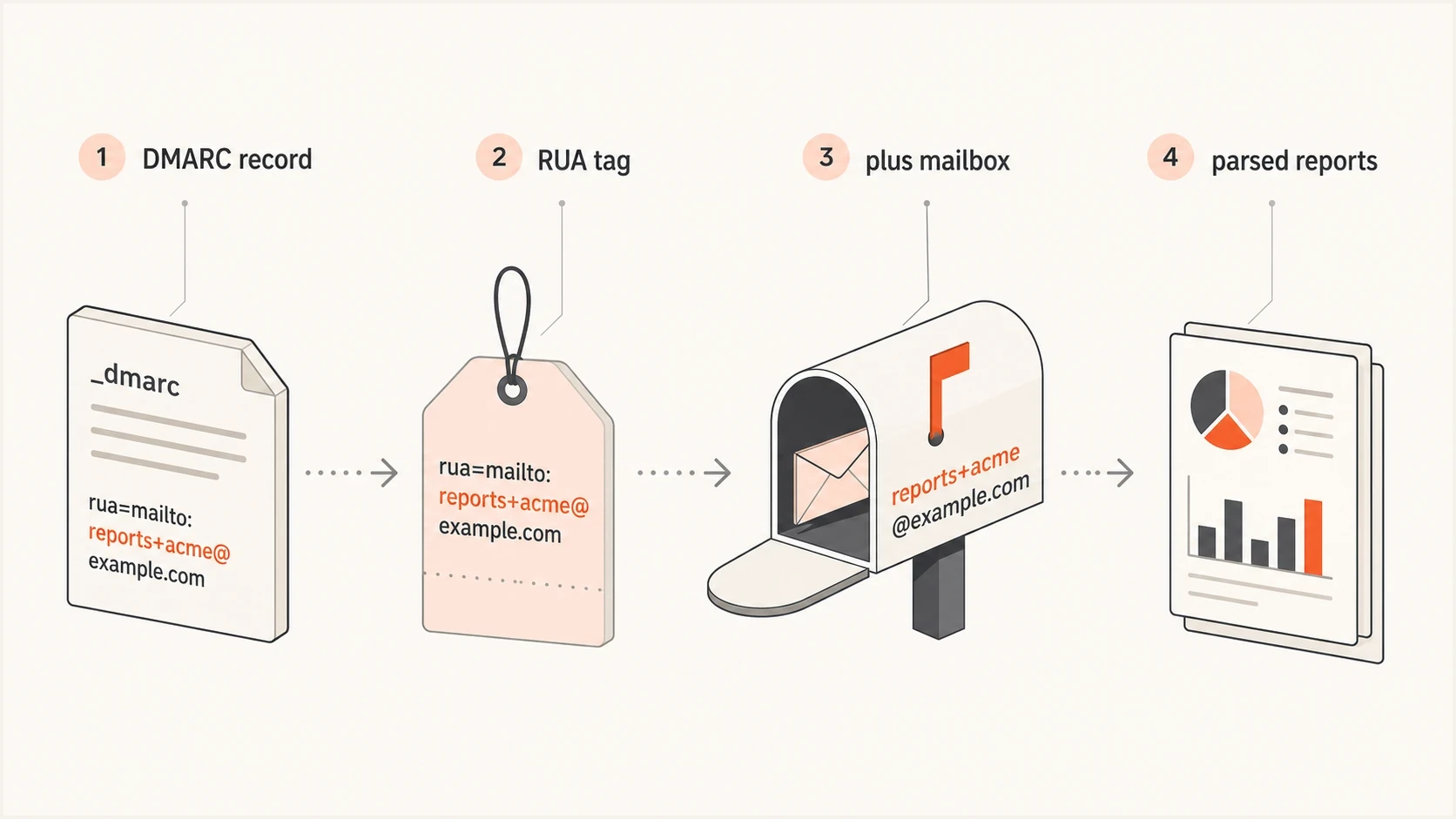
How a DMARC RUA tag points reports to a plus-tagged mailbox.
When the RUA domain is different
The most common hidden trap has nothing to do with plus addressing. It is cross-domain reporting. If example.com publishes a DMARC record that sends reports to an address at reports.net, receivers need proof that reports.net agreed to receive those reports.
RFC 9990 defines that authorization check. The reporting domain publishes a DNS TXT record at a special owner name. If the record is missing, a conforming receiver must ignore that external RUA destination. This is why a valid tagged address can look broken when the real failure is external destination authorization.
External RUA authorization exampledns
example.com._report._dmarc.reports.net. TXT "v=DMARC1;"
The exact owner name depends on the domain publishing DMARC and the reporting destination domain. If you use a hosted reporting address through Suped, Suped's hosted DMARC workflow shows the DNS record to publish and handles report parsing after data starts arriving. For a deeper explanation of this DNS authorization pattern, see external DMARC reports.
Hosted DMARC configuration dialog showing policy controls, CNAME setup, and expanded advanced options
Google Workspace handling
 Google Workspace supports address variations made by adding a plus sign and tag before the at sign, so mail sent to dmarc+rua@example.com lands in the existing dmarc@example.com inbox. The tag does not create a separate user or mailbox. It gives filters a distinct recipient address without requiring another account.
Google Workspace is an email mailbox, not a DMARC report processor. Aggregate reports arrive as compressed XML attachments, often from many receivers, with different formats and schedules. A normal mailbox also has storage limits, attachment policies, routing rules, security scanning, and rate controls. Those controls are useful for human mail, but they can interfere with report ingestion.
|
|
|
|---|---|---|
Address | Send mail to the tagged address. | Proves routing works. |
TXT | Query the live DNS record. | Proves DNS preserved it. |
Policy | Check attachment rules. | Prevents lost XML files. |
Domain | Keep RUA same-domain when possible. | Avoids extra authorization. |
Plus-addressed RUA checks before relying on a mailbox
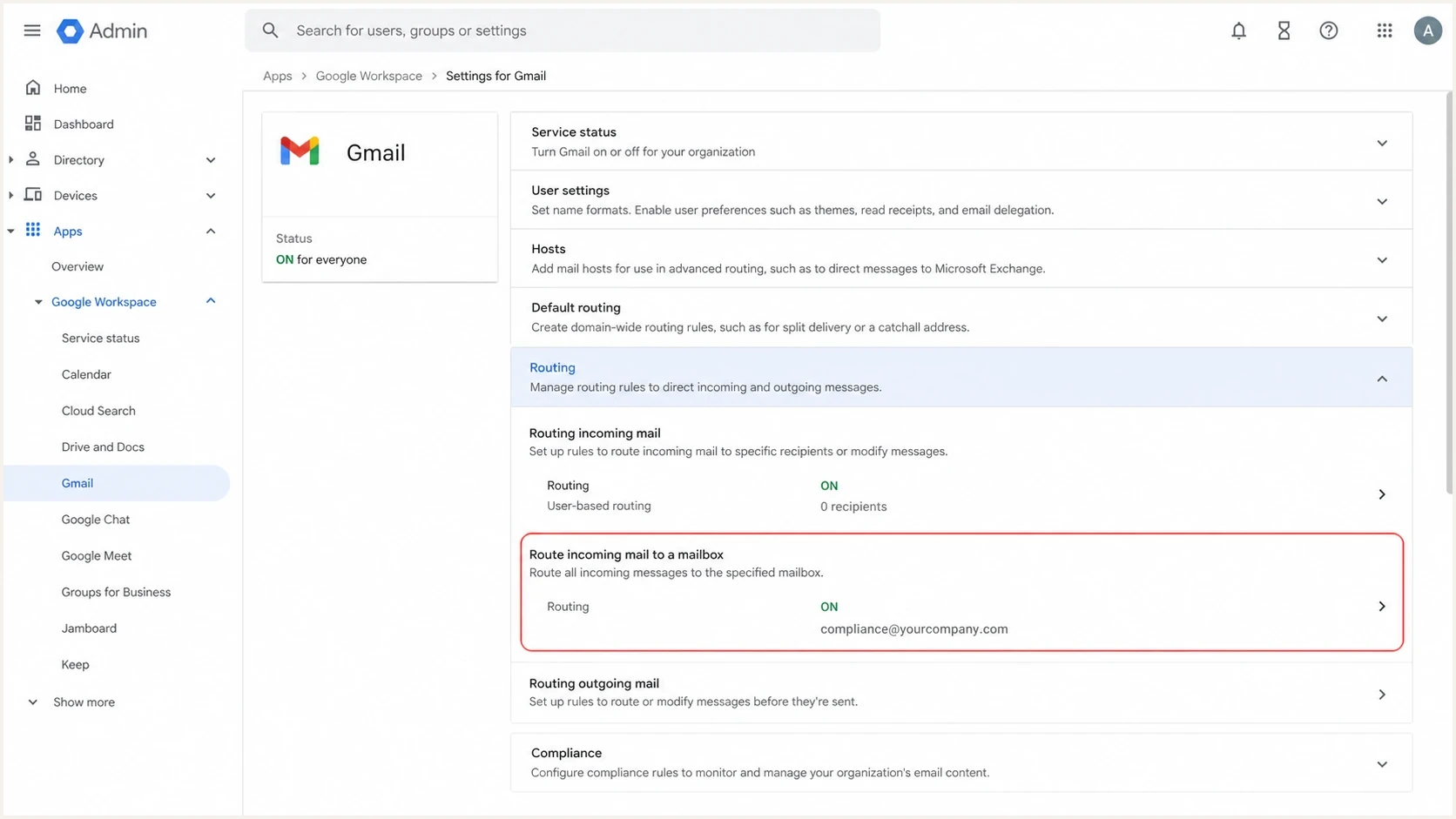
Google Admin console routing settings relevant to plus-addressed mail.
Mailbox versus reporting platform
For a small sender testing a basic DMARC setup, a tagged Google Workspace mailbox can confirm that reports are being requested and received. Treat it as a temporary setup when the reports affect policy decisions, because the machine-readable files need parsing, grouping, and trend analysis.
Suped's product provides a reporting address, parses aggregate reports, checks DMARC, SPF, and DKIM results, detects sources that fail DMARC domain matching, and turns those findings into sender-specific fix steps. Hosted DMARC also keeps policy changes and report monitoring in the same workflow.
Plus-tagged mailbox
- Setup: Quick if the mailbox provider already supports plus tags.
- Cost: Usually no new spend if the mailbox already exists.
- Limit: Reports pile up as XML attachments and do not explain what to fix.
Suped workflow
Setup: Add the reporting address and verify the domain inside the platform.
- Visibility: See sources, pass rates, policy readiness, and failures in one place.
- Fixes: Automated issue detection turns report data into specific next steps.
If you only need a valid record, check the syntax and confirm delivery. If you need to manage policy over time, hosted DMARC ties policy staging, RUA handling, and monitoring together.
Suped DMARC dashboard showing email volume, authentication health, and source breakdown
A clean test plan
Test the RUA address in layers. This keeps the failure point clear and avoids waiting a full reporting cycle before noticing a basic routing problem.
- Create the mailbox: Make sure the base mailbox or alias exists before publishing the DMARC record.
- Test the plus address: Send a normal message to the tagged address and confirm delivery.
- Publish the record: Add the DMARC TXT record at the correct DNS name.
- Query DNS: Confirm the live TXT value contains the same RUA string you intended.
- Wait for reports: Give receivers time to generate aggregate reports, then check inbox, quarantine, and logs.
- Move to parsing: Once reports arrive, parse them into a platform instead of reading raw XML.
DNS query examplesbash
dig TXT _dmarc.example.com +short
nslookup -type=TXT _dmarc.example.com
If the record contains multiple reporting addresses, separate them with commas. Keep the mailto: prefix on each destination. More detail on that syntax is covered in multiple RUA URIs.
?
What's your domain score?
Deep-scan SPF, DKIM & DMARC records for email deliverability and security issues.
Common mistakes
Most mistakes around tagged RUA records are simple, but they waste time because the symptom is quiet: reports just do not appear.
Do not troubleshoot only the plus sign
If reports are missing, check the whole delivery path. The plus sign is valid, but filters, missing aliases, external RUA authorization, and report attachment handling can all stop reports from landing where you expect.
|
|
|
|---|---|---|
No reports | No receiver report yet. | Wait a reporting cycle. |
Bounces | Alias does not exist. | Create mailbox routing. |
Some reports | Receivers vary. | Track over time. |
XML unreadable | Manual inbox workflow. | Use parsed reporting. |
Symptoms and likely causes
Another mistake is publishing a DMARC record with no useful reporting destination just to satisfy a checkbox. A record without RUA can still express policy, but it gives you no aggregate visibility. That tradeoff is discussed in this Server Fault thread on missing RUA tags. Keep RUA in place unless there is a clear operational reason not to collect reports.
Recommended setup
For a personal domain or low-volume domain, a plus-tagged RUA mailbox is acceptable if you test it and understand that the output is raw report data. For a business domain, use the mailbox as a short bridge while moving to report processing that supports regular review and policy changes.
A practical setup looks like this: publish a DMARC record at _dmarc.example.com, start with p=none, collect reports long enough to identify legitimate senders, fix sources that fail DMARC domain matching, and then move through quarantine to reject when the data supports it. Suped's product groups authentication sources and failures so policy work can follow the report evidence.
When to move past a mailbox
Use report volume and operational need to decide when a plus-tagged inbox is no longer enough.
Low need
Mailbox ok
Basic compliance check, low send volume, no policy move planned.
Medium need
Parser needed
Multiple senders, some failures, policy staging planned.
High need
Platform needed
Business domain, enforcement target, many sources or clients.
If you are creating a record from scratch, a DMARC record generator can help produce the initial TXT value. After that, monitor the reports and remove authentication gaps before enforcement.
Views from the trenches
Best practices
Use a dedicated reporting destination so XML attachments are parsed, grouped, and retained.
Keep the RUA destination on the same domain unless external authorization is published first.
Test the tagged mailbox directly before assuming receivers will deliver aggregate reports.
Common pitfalls
Treating a strict web validator as protocol proof can lead teams to avoid valid addresses.
Pointing reports at a personal inbox creates unread XML piles and missed authentication issues.
Forgetting external RUA authorization makes valid reporting addresses appear broken.
Expert tips
Use plus tags for routing, but use a parser when report data needs real operational value.
Check mailbox security rules because compressed XML files can be quarantined silently.
Separate RUA and RUF destinations so aggregate and forensic data do not get mixed.
Marketer from Email Geeks says plus addressing can be blocked by some record builders, so the live DNS value and real delivery test matter more than the builder warning.
2024-01-18 - Email Geeks
Expert from Email Geeks says the plus sign is a valid email address character, and sophisticated aggregate report senders should handle it correctly.
2024-01-18 - Email Geeks