Email Security for Nonprofits
Knowledge

Published 6 Oct 2026
Updated 6 Oct 2026
19 min read
Summarize with
When you’re busy raising funds, supporting your community, and keeping programs running, cybersecurity can struggle to find a place on an already crowded priority list. Your team may be juggling several roles, and finding time or money for another responsibility isn’t simple.
But a fake invoice, stolen password, or compromised inbox can disrupt that work. Money intended for services could reach a scammer, staff could lose access to records, and people could be left without support. In January 2022, a cyberattack compromised information concerning more than 515,000 vulnerable people served by the International Committee of the Red Cross and the wider Red Cross and Red Crescent Movement.
You don’t need to fix everything at once. Start with email: it carries fundraising appeals, payment requests, confidential conversations, and password-reset links. Protecting incoming messages, staff accounts, and the email you send gives you a practical foundation. Backups, secure devices, and clear responsibilities help protect the rest of your work.
Understanding the risks most likely to affect your nonprofit
If you’re unsure where to begin, start with email and payment requests. UC Berkeley’s 2024 CyberCAN study found phishing was the most frequently reported threat among surveyed San Francisco nonprofits, followed by business email compromise, financial fraud, and gift-card scams. Require MFA on email accounts, make suspicious messages easy to report, and confirm bank-detail changes using a phone number already in your records. A second approver for larger payments adds another opportunity to catch fraud.
Next, check what sensitive information you collect and who can access it. Among respondents to the study’s data-collection questions, 75% held Social Security numbers, 61% financial information, and 32% health information. Remove fields you don’t need, limit access by role, and use approved portals or restricted links when sharing confidential records.
You also need someone responsible for following through. More than half of the San Francisco nonprofits surveyed had no dedicated full-time IT staff, while CyberCAN’s 2026 Washington study identified similar resource constraints and uncertainty about what to improve. Pick the incident that would most disrupt your services, choose a few safeguards that address it, and assign each task an owner and a deadline.
Know who uses your email and what sends it
Make a simple inventory of your email provider, active users, shared inboxes, administrators, recovery contacts, and connected apps. Include board members, volunteers, contractors, and anyone communicating on your behalf.
Then list every service sending email using your domain: newsletters, donor databases, donation receipts, event registration, website forms, and accounting notifications. Record an owner and who can change each service’s settings. Review the list when someone leaves, a campaign launches, or a provider changes; forgotten integrations can retain access long after their original owner moves on.
Protect incoming and outgoing email together. Filtering helps identify suspicious messages, MFA protects sign-ins, payment verification interrupts fraud, and SPF, DKIM, and DMARC help receivers evaluate messages using your domain. None replaces the others.
Protect accounts and remove access promptly
Require MFA and unique passwords
Require multifactor authentication for email, campaign platforms, and administrator accounts. Extend it to cloud storage, finance systems, password managers, domain registration, website administration, and remote access wherever supported.
CISA recommends phishing-resistant MFA, such as passkeys and FIDO2 security keys. Authenticator apps are a useful alternative; SMS is weaker but generally preferable to password-only access. Make enrollment part of onboarding, including for leadership and volunteers with sensitive access. Deny and report unexpected sign-in prompts.
Use an organizational password manager with individual accounts and controlled sharing. Generate unique passwords of at least 16 characters wherever supported, protect the manager with MFA, and document recovery. Don’t email passwords or keep them in spreadsheets. A Washington CyberCAN case study describes attackers finding an executive’s password spreadsheet in email and attempting to transfer nearly all the nonprofit’s funds.
Change passwords when compromise is suspected or confirmed. Avoid routine scheduled changes unless an applicable requirement calls for them; NIST advises against periodic password changes. Secure backup codes and supported recovery methods so an employee losing a phone doesn’t become an organizational emergency.
Make shared inboxes and offboarding accountable
For donations@ or volunteers@, use delegated access through named, MFA-protected accounts where supported. Record who can read, send, and change permissions. Use separate administrator accounts for privileged work, and maintain at least two authorized administrators with individual logins.
Keep organizational mailing lists and recovery arrangements out of personal accounts. Store emergency access information securely and test recovery without circulating secrets by email.
When someone leaves, disable access, revoke sessions and tokens where supported, retrieve devices, and rotate shared credentials they knew. Cover email, finance, cloud storage, social media, website access, password managers, and vendor portals. Transfer ownership of files and services, remove mailbox delegation, and preserve records required by retention rules before deleting accounts.
Recognize phishing and verify payment requests
Phishing is one form of social engineering; similar deception arrives by phone, text, or social media. Polished grammar, familiar signatures, or accurate project details don’t prove a message is genuine. Attackers can compromise a real inbox and reply inside an existing conversation.
|
|
|---|---|
A grant award requires a processing payment or sign-in | Confirm through the funder’s independently located website or established contact. |
A donor sends an unexpected document or payment link | Verify before opening it or following the link. |
A supplier changes bank details within an invoice thread | Call using a number already in your records. |
A director urgently requests gift cards | Confirm independently before buying or sending codes. |
A volunteer application includes an unexpected login or QR code | Follow your approved review process and verify the request. |
A warning says your email account will expire | Open your usual email bookmark and check with your administrator. |
Pause when a message asks you to sign in, disclose information, open a file, or bypass a normal process. Type the known website address or use a bookmark instead of an unexpected login link. Treat QR codes like links, especially when scanning on a personal phone moves you outside normal protections. Replying to the suspicious email is not independent verification.
Make payment safeguards apply to everyone, including senior leaders:
- Verify new or changed bank details by calling a contact using independently held records.
- Require a second approver for payments above an agreed threshold.
- Verify payroll direct-deposit changes through a separate established process.
- Confirm unexpected gift-card requests independently.
- Document verification even when a request claims urgency or confidentiality.
The FBI recommends independently verifying payment changes. If money is sent fraudulently, contact the bank immediately to request available recovery action, then report it to IC3. Don’t wait for a technical investigation before calling.
Make verification easy to follow
Give staff permission to slow down a transaction, even when the request appears to come from a director. Agree on where approved supplier contacts are kept and who acts as the second approver when the usual person is away. A rule that depends on one unavailable employee will be difficult to follow during a busy campaign.
For example, when an invoice includes new banking details, staff can explain: “We verify all bank changes through the contact details we already hold.” That keeps the conversation professional and makes verification a normal procedure. Record who confirmed the change and when, then follow the usual approval process. Don't accept a replacement phone number from the same message you're checking.
Review filtering, mailbox rules, and connected apps
Ask your administrator to check the protections already included in your subscription: spam, malware, attachments, phishing, suspicious links, quarantine, and impersonation protection where available. Features vary by plan; find out what’s covered before buying more.
External-sender labels provide context, not proof of safety. A compromised internal account may have no warning, and passing authentication does not make a payment request legitimate. If genuine mail is blocked, investigate the sender and authentication rather than broadly allowing every message from that domain. Give staff a clear route to request quarantine review.
Review automatic forwarding, inbox rules, delegates, and apps permitted to read or send mail. Attackers can forward conversations or hide bank alerts. Restrict external forwarding unless there’s an approved business need, and review exceptions, especially those involving personal accounts.
Have an administrator assess sensitive app permissions, record the purpose, and remove unused access. A scheduling tool or extension shouldn’t receive broad mailbox access simply because a plausible email asks for approval. Consult Microsoft’s compromised-account guidance or Google Workspace’s guidance for provider-specific checks.
Set a practical boundary for new integrations: someone must approve what the app can access before it is connected. Reading a calendar is different from reading every message or sending mail as the user. Ask whether the requested access matches the actual task, and whether it can be limited. When an integration is removed, verify its access has been revoked rather than simply uninstalling a browser extension.
Authenticate your outgoing email
Criminals can imitate your nonprofit with fake appeals, invoices, or requests for sensitive information. SPF, DKIM, and DMARC help receiving systems distinguish authorized mail from direct domain spoofing. This matters when donors expect payment links and receipts during a campaign.
SPF identifies authorized sending systems for the envelope-sender domain, which may differ from the visible From address. Maintain one SPF record per domain, combining legitimate providers’ required entries. Ask your administrator to check DNS-lookup limits; adding services carelessly can cause errors.
DKIM signs messages cryptographically so receivers can verify the signing domain and whether signed content changed. Enable custom-domain signing where supported. Different services can use different selectors; publish their public keys and enable signing according to provider instructions. A DNS record alone doesn’t prove signing is active. Protect private keys through supported arrangements.
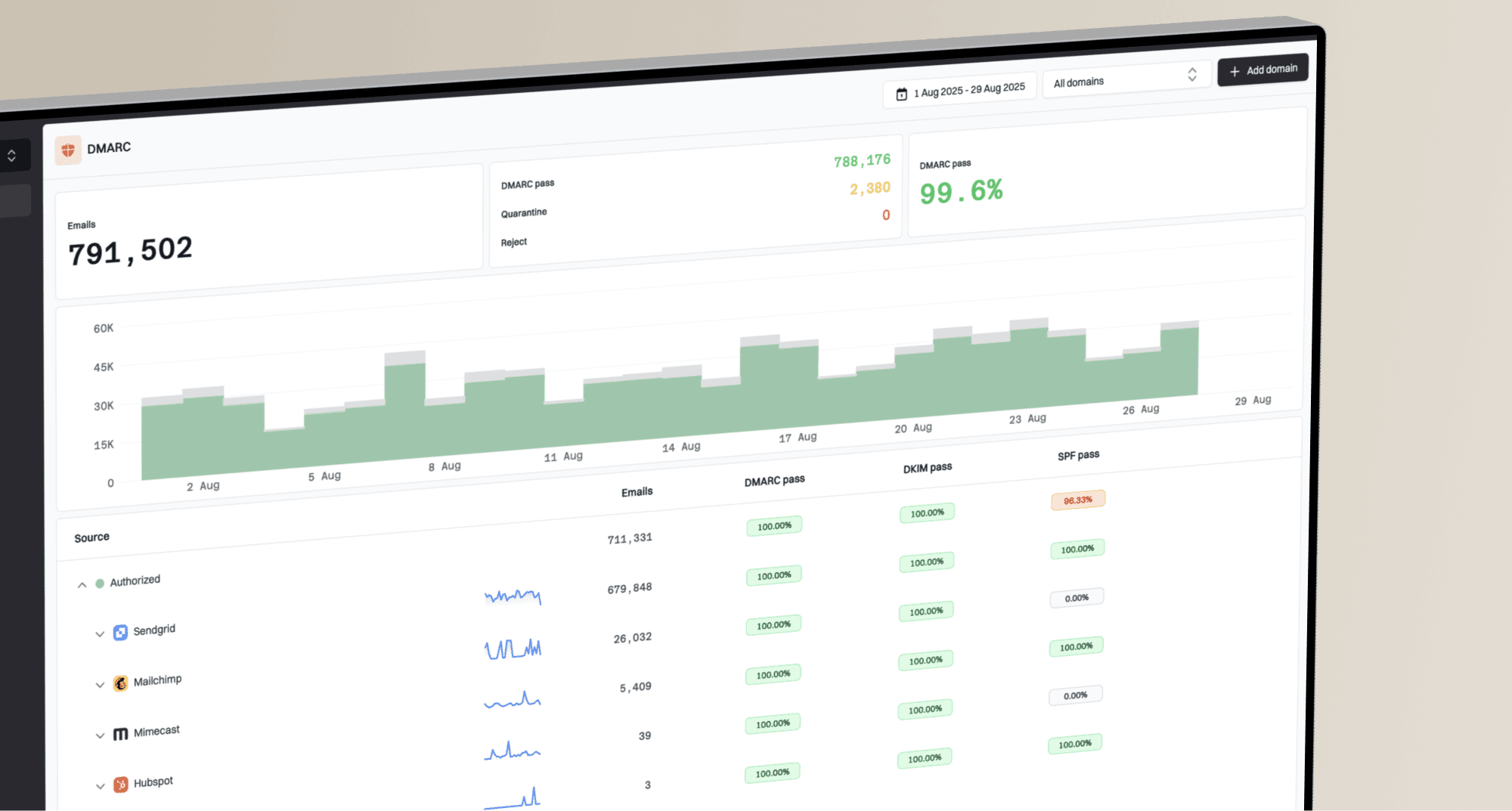
DMARC connects authentication to the visible From domain. It passes when either SPF or DKIM passes with the required alignment; both need not pass. Authentication for an unrelated provider domain may still fail that alignment. Receivers make the final delivery decision. A monitoring policy does not itself block spoofing. Configure aggregate reporting and assign someone to review it; DMARC monitoring can organize sending sources and failures. Investigate unfamiliar sources before authorizing them.
Follow a staged rollout: identify legitimate senders, fix failures, then move toward quarantine or reject. Test messages from every platform, including occasional fundraising campaigns, receipts, and website notifications. Check received headers or reports for authentication and alignment rather than relying on a “sent successfully” notice. Forwarding and mailing lists can affect authentication, so investigate failures before deciding they’re attacks.
Assign DNS changes to an authorized person, document them, and remove obsolete authorization when retiring providers. Protect registrar and DNS accounts with MFA. Authentication supports delivery but doesn’t guarantee inbox placement, prevent lookalike-domain scams, or make a compromised authorized account safe. Keep verification and training in place.
Protect sensitive messages and donor campaigns
Before sending a record, ask how much the recipient actually needs. Remove unnecessary identifiers, keep sensitive case details out of subject lines, and check every recipient, including autocomplete suggestions and old thread participants.
Use an approved portal or restricted link for confidential records. Limit access to the intended person, require authentication where appropriate, set expiry where supported, and avoid “anyone with the link” sharing. You can revoke access, but you can’t guarantee a recipient hasn’t copied information. Transport encryption protects delivery; it doesn’t stop forwarding or access inside a compromised inbox.
Use a mailing platform that addresses newsletter recipients individually. Visible To or Cc lists can expose donors, clients, or support-group members. Bcc may suit small announcements; confidential casework needs stronger controls. If information goes to the wrong person, report promptly, revoke linked access where possible, and preserve details. Recall or a deletion request doesn’t prove the exposure was reversed.
Before fundraising launches, test a message, donation form, and receipt from the recipient’s perspective. Confirm authentication, the intended payment destination, and a monitored Reply-To address. Use recognizable sender names and domains, and let donors verify appeals by visiting your website independently.
Protect campaign accounts with MFA and review administrators, integrations, exports, and contractor access. Use appropriate subscriber consent, clear unsubscribe options, and prompt opt-out handling. Ask your provider to confirm applicable requirements, including Gmail’s sender guidelines.
If impersonation is reported, preserve examples, determine whether messages came from your systems, a spoofed domain, or a lookalike, and warn donors through trusted channels. Use authentication reports for domain misuse and account logs or campaign history for compromised access.
Make reporting and recovery straightforward
Give staff one reporting route and an alternate phone or contact method if email is compromised. Ask what arrived, when, and whether they opened a file, entered credentials, approved MFA, or sent money. Receiving a suspicious message isn’t the same as acting on it; let the incident lead assess the response.
Keep training short and repeated. A 15-minute quarterly session is a practical starting point. Include staff, volunteers, interns, board members, and leaders; tailor examples to finance, fundraising, and casework. Thank people for reporting, including after a mistake. Keep simulations constructive and avoid distressing client scenarios or employment threats.
For a suspected account compromise, involve an administrator and use a trusted device:
- Secure or temporarily disable the account, reset the password, and revoke sessions and tokens where supported.
- Review MFA methods, recovery contacts, forwarding, rules, delegates, and app permissions.
- Check available sign-in and audit logs, recent messages, exposed information, and access to connected finance, donor, or client systems.
- Preserve evidence and warn affected recipients through a trusted channel after securing the account.
- Contact the bank immediately if payments or payroll are involved; coordinate investigation and notification obligations with the insurer and qualified counsel.
- Test sending, receiving, approved delegation, recovery, and necessary integrations. Confirm MFA and watch for renewed suspicious access.
A password reset alone may leave other access intact. Follow the provider’s revocation procedures and verify recovery. Record lessons, owners, and follow-up dates.
The way you respond to a report matters. If someone says, “I think I entered my password on the wrong page,” thank them for telling you and connect them with the incident lead immediately. Waiting because they're embarrassed can give an attacker more time. Don't ask them to revisit the suspicious page to collect evidence; your administrator can guide the investigation.
Give each role one relevant exercise. Finance staff can practice an invoice change, fundraising staff can check a donor document, and volunteers can review an account-expiry warning. Include how to report and what happens afterward, so training produces a usable habit rather than a list of warning signs.
Keep email safeguards working
Monthly checks can cover alerts, forwarding, new apps, and sending-service changes. Quarterly, review users, shared inbox permissions, recovery contacts, authentication findings, and provider actions. Recheck before major campaigns and after staffing or platform changes.
Leadership’s checklist is simple: Is MFA enforced? Does every inbox and sender have an owner? Are app permissions reviewed? Can finance independently verify bank changes? Are campaign messages tested? Are DMARC failures resolved before enforcement? Can staff report without email, and does someone respond?
Track gaps with an owner and deadline. Ask providers for evidence of completed reviews. Measure whether staff can follow the procedures and whether reports receive prompt attention, rather than collecting statistics nobody uses.
Wider safeguards that support email security
Limit data collection and access
Inventory donor databases, payroll, accounting, storage, websites, devices, spreadsheets, and paper files. Record owners, data held, permissions, approval processes, and retention periods. Grant only the access each role needs; a volunteer coordinator usually doesn’t need donor financial records or confidential case notes.
Review permissions quarterly and at role changes, including for vendors. Use restricted sharing and approved systems. Encrypt sensitive information in storage and transit, while recognizing encryption won’t prevent authorized misuse. Review logs and unusual exports; consider data loss prevention tools if someone can manage their alerts.
Remove unnecessary collection fields. Set retention rules reflecting legal and contractual requirements, pause deletion for investigations or legal holds, and ask qualified counsel about obligations. Accidental disclosure and deliberate misuse both deserve attention.
Maintain devices, domains, and donation pages
Enable automatic updates for operating systems, browsers, office software, and mobile devices; confirm installation and needed restarts. Include routers, website software, and plugins. Replace or isolate unsupported technology, and use encryption, screen locks, and endpoint protection. Donated devices still need maintenance.
Define which systems personal devices may access and how organizational information will be protected and removed. Keep volunteer arrangements realistic while securing sensitive casework and financial administration.
Require MFA for hosting and website administrators, enable domain locking and renewal safeguards, and send alerts to a monitored organizational address. Remove obsolete administrators. Audit donation links, embedded forms, and payment destinations after changes. Use reputable hosted payment processing and avoid storing full card details yourself.
Back up for recovery
Ransomware can encrypt systems; attackers may also steal records and threaten publication without encryption. Backups restore availability, not stolen confidentiality. Paying doesn’t guarantee recovery or deletion.
Cloud sync can replicate unwanted changes. Check version-history limits and retain an offline, isolated, or appropriately immutable copy. CISA recommends protected backups and tested restoration, including appropriate cloud-to-cloud arrangements.
Set acceptable data loss and restoration times by service. Use separate credentials, restrict deletion and retention changes, encrypt copies, and protect recovery keys. Test a realistic restore at least twice yearly as a starting schedule and after major changes; verify files open and record recovery time. A success indicator or off-site location doesn’t guarantee usable recovery.
Review vendors and outsourced responsibilities
Prioritize providers with sensitive data, payment responsibilities, or administrator access. Ask about MFA, individual permissions, encryption, backups, relevant independent assessments, incident-notification timing, subcontractors, and export or deletion when leaving. Certifications such as ISO 27001 support assessment but don’t guarantee security or suit every vendor. Match requirements to risk and consult CISA’s vendor guidance.
Put IT responsibilities in writing: account administration, updates, vulnerability handling, monitoring hours, alert escalation, response times, backup testing, incident support, extra fees, status reports, and handover. Choose scanning and penetration testing according to risk and applicable requirements; they are different activities, and full penetration testing isn’t universally required.
Keep organizational ownership of domains, accounts, data, and administrative access. Request reports on unresolved risks, patching, and successful restores. Outsourcing adds capacity but still needs oversight.
When reviewing a vendor contract, check how quickly you will hear about an incident and what information the provider will supply. Identify a contact who can answer during a disruption, not just the salesperson who arranged the service. Confirm who pays for investigation and recovery work and who coordinates with your insurer. Review these arrangements at renewal or when the provider gains access to more sensitive information.
Plan for disruption
Name an incident lead, backup, and external support contacts. Keep phone numbers for IT, leadership, the bank, insurer, and counsel available outside email. A small nonprofit can coordinate these people without a dedicated response department.
For suspected malware, isolate affected devices and seek help. Preserve evidence before wiping or reimaging. CISA advises network isolation and evidence preservation; powering down may be necessary if disconnection is impossible, but can destroy volatile evidence.
Plan alternate communications, restoration priorities, and urgent client support. If case management is unavailable, a coordinator could triage calls and record minimum necessary details through an approved restricted process. Secure paper records, transfer them back after recovery, and dispose of temporary copies under retention rules. Don’t improvise with personal email. Rehearse a scenario and test contacts and workflows.
Find support and budget for ongoing work
NIST’s Small Business Quick-Start Guide organizes work around Govern, Identify, Protect, Detect, Respond, and Recover. FTC resources include organizational breach guidance; IdentityTheft.gov helps affected individuals.
Explore TechSoup, Access Now’s Digital Security Helpline, and Cloudflare Project Galileo for nonprofit support or eligible at-risk groups. Eligibility, scope, and pricing vary.
Start by asking your provider what can be improved using the services you already pay for. Enforcing MFA, removing old access, or fixing authentication may be more useful than adding another product that nobody has time to manage. Free assistance can help, but assign an internal owner so recommendations turn into completed tasks.
Budget for staff time, support, device replacement, and backup storage. Ask funders about program-specific security costs, following actual award rules. Update the board on MFA coverage, unsupported devices, the last successful restore, and unresolved priority risks.
Your first 30 days
|
|
|
|---|---|---|
1 | Accounts | Name an owner and backup; inventory email users and senders; require MFA; introduce a password manager; remove obsolete access; check domain renewal. |
2 | Protection and recovery | Review filtering, forwarding, and apps; confirm updates; inventory sensitive data and retention; configure a protected backup and test a restore. |
3 | People and payments | Practice phishing reporting; implement callbacks and second approvals; test donation forms and campaign messages; set rules for approved AI use. |
4 | Authentication and response | Review SPF, DKIM, and DMARC reports; fix legitimate failures; finish offboarding and incident checklists; review vendors; rehearse disruption; assign remaining tasks. |
Resources
Practical Guides and Planning Tools
- NTEN Cybersecurity Resource Hub: A collection of nonprofit-focused guides, risk-assessment tools, courses, and community resources. Useful for staff who need help developing security policies and everyday practices.
- NIST Small Business Cybersecurity Corner: Plain-language guidance for organizations with limited cybersecurity resources, including planning tools, training materials, and information about common threats. Nonprofits can use it to establish a structured approach to managing risk.
- Global Cyber Alliance Toolkit for Mission-Based Organizations: Free tools, guidance, and training covering account protection, software updates, phishing, backups, and secure communications. Designed to help nonprofits and other mission-based organizations turn cybersecurity advice into practical action.
- EFF Surveillance Self-Defense: Guides from the Electronic Frontier Foundation on protecting communications, accounts, and personal information from surveillance and digital threats. Particularly useful for organizations handling sensitive information or supporting people at heightened risk.
- Nonprofit Risk Management Center Resources: Articles, tools, and webinars covering nonprofit governance, business continuity, fraud, insurance, data privacy, and cybersecurity. Helps leaders connect digital security with their broader responsibility to manage organizational risk.
- Tech Impact: What Nonprofits Need to Know About Security: This 2021 guide explains risk assessment, basic protections, staff awareness, and security policies, with nonprofit case studies and a staff checklist. Use it for foundational planning alongside current technical guidance.
- Venable: Top Ten Cybersecurity Tips for Nonprofits: A 2017 presentation covering technical safeguards, vendor oversight, incident planning, and legal risk. Its governance concepts remain useful, but legal requirements and technical recommendations should be checked against current sources.
Phishing Awareness and Staff Training
- Google/Jigsaw Phishing Quiz: An interactive quiz that asks readers to distinguish phishing attempts from legitimate messages. Useful as a short training exercise to practice examining links, senders, and unexpected requests.
- UCLA: A Practical Guide to Protect Against Phishing: Explains phishing warning signs, safer handling of links and attachments, and actions to take after a suspected attempt. Although written for a university audience, its verification and reporting practices translate well to nonprofit workplaces.
- Yale: Click with Caution: A phishing-awareness guide explaining how scammers exploit fear, urgency, and emotion. Offers memorable prompts for pausing, verifying unusual requests, and reporting suspicious messages.
Website Protection and Threat Monitoring
- NTEN: Cybersecurity Strategies for Nonprofit Websites: Outlines eight strategies for nonprofit web managers, including access restrictions, staff training, encryption, backups, and software updates. Useful for identifying both operational and technical improvements to a nonprofit website.
- Cloudflare Project Galileo: Provides free cybersecurity protection to eligible at-risk websites serving human rights, civil society, journalism, and democracy. Helps qualifying organizations defend against attacks intended to disrupt their online presence.
- The Shadowserver Foundation: A nonprofit security organization that collects threat information and helps identify malicious activity and exposed vulnerabilities across the internet. Its free reporting supports organizations and network operators in finding and addressing security problems.
- Shadowserver Network Reports: Organizations can request free reports about threats and exposures affecting networks or supported domains they control. Best used with an IT contact who can interpret findings and coordinate remediation.
Nonprofit Technical Assistance and Security Programs
- Microsoft Security for Nonprofits: Information about security assessments, training, threat notifications, and discounted security products for eligible nonprofits. Useful for organizations evaluating protections within a Microsoft environment.
- TechSoup Essential Security Resources: A collection of security products, assessments, training, and support options available through TechSoup. Helps nonprofits explore technology assistance and nonprofit offers, subject to each program's eligibility and pricing.
- 501Secure Cybersecurity Services for Nonprofits: Provides nonprofit-focused consulting, training, and assistance with building sustainable security and awareness programs. Its approach emphasizes helping teams understand their risks and make informed decisions before purchasing tools or hiring vendors.
- Tech Impact Nonprofit Cybersecurity Services: Offers assessments, audits, training, and technical support addressing data protection, device security, and account access. Suitable for nonprofits seeking hands-on help evaluating and strengthening their safeguards.
- Sightline Security: A nonprofit organization helping other nonprofits understand their cybersecurity needs and integrate protection into daily operations. Provides guided assessments and practical planning tailored to organizational capacity.
- Sightline Cybersecurity KickStart: A guided program that helps nonprofits assess their current security practices, prioritize improvements, and establish an achievable plan. Organizations can participate individually or alongside a cohort with ongoing support.
- NetHope Digital Protection and Cybersecurity: Introduces programs supporting cybersecurity resilience, sensitive-information protection, and collaboration among humanitarian nonprofits. Includes information about the Global Humanitarian ISAC and initiatives protecting vulnerable communities.
Incident Assistance, Fraud Reporting, and Recovery
- Access Now Digital Security Helpline: Provides free, round-the-clock technical assistance to eligible civil society organizations, journalists, activists, and human rights defenders. Offers both preventive guidance and emergency help for people experiencing digital attacks.
- Digital First Aid Kit: A free resource that walks users through questions to diagnose common digital emergencies and identify initial response steps. It also directs users to specialist support organizations when further assistance is needed.
- FBI Internet Crime Complaint Center: The FBI's reporting portal for suspected internet-enabled fraud and cybercrime, including business email compromise. Provides reporting instructions and public alerts about emerging scams.
- IdentityTheft.gov: Data Breach Guidance: FTC guidance for individuals whose personal information has been exposed in a data breach. Useful to share with affected donors, employees, or clients who need steps to reduce identity-theft risk.
Research, Case Studies, and Sector Collaboration
- UC Berkeley CyberCAN: Cybersecurity for Cities and Nonprofits: A 2024 study examining cybersecurity experiences, staffing, resources, and practices among surveyed San Francisco nonprofits. Includes recommendations for how local governments can help strengthen nonprofit cyber resilience.
- Nonprofit Cyber: A coalition of cybersecurity nonprofits working together on public-interest projects, shared guidance, and security resources. Useful for discovering organizations contributing tools and expertise to the wider cybersecurity community.
- Nonprofit Cyber: Actionable Cybersecurity for NGOs: Describes practical NGO support initiatives, including threat reporting, guided assessments, volunteer assistance, and cybersecurity toolkits. Offers examples of how partnerships can bring tailored help to organizations with limited capacity.
- Common Good Cyber: A global initiative focused on sustaining organizations and individuals who provide critical cybersecurity services for the public good. Its research, knowledge hub, and tool mapping explain the wider ecosystem supporting a safer internet.