Why do some ESPs recommend SPF records when they are not needed?

Updated on 11 Aug 2026: We refreshed this guide to explain Sender ID history and correct custom Return-Path and SPF lookup-limit guidance.
Some ESPs recommend SPF records that are not needed because their docs carry old setup advice, their setup pages simplify the difference between the visible From domain and the SMTP Mail From domain, and support teams want one DNS instruction that looks easy to follow. SPF does not authenticate the visible From domain by itself. SPF checks the domain used in the SMTP Mail From, also called the Return-Path, bounce domain, or envelope sender domain.
The direct answer is this: if the ESP sends with its own bounce domain and your visible From domain has an aligned DKIM signature, adding that ESP to the SPF record at your main domain usually does nothing useful for DMARC. It can create real harm by adding DNS lookups, authorizing senders that do not need authorization, or creating two SPF records at the same domain.
- Add SPF: publish the ESP include only where that ESP actually uses your domain as the Return-Path.
- Skip SPF: do not add the ESP include at the root domain when bounces use the ESP's own domain.
- Use DKIM: for most hosted marketing platforms, aligned DKIM is the customer-domain authentication that matters for DMARC.
- Keep one record: if SPF is published at a domain, it must be a single TXT record, not one per sending platform.
Why ESPs ask anyway
The most common reason is legacy documentation. A platform can move to CNAME-based domain authentication, add custom DKIM, change how bounce domains work, and still have old articles copied across blogs, help centers, and sales enablement pages. Once a short instruction such as "add this SPF include" gets repeated enough times, customers treat it as a permanent requirement.
The second reason is that SPF is easier to explain badly than DKIM and DMARC alignment are to explain well. A non-technical user sees their brand in the From address and assumes SPF must be placed on that same brand domain. In many ESP setups, the actual SPF check happens against an ESP-controlled bounce domain. The visible From domain can pass DMARC through aligned DKIM without adding every ESP include to the root SPF record.
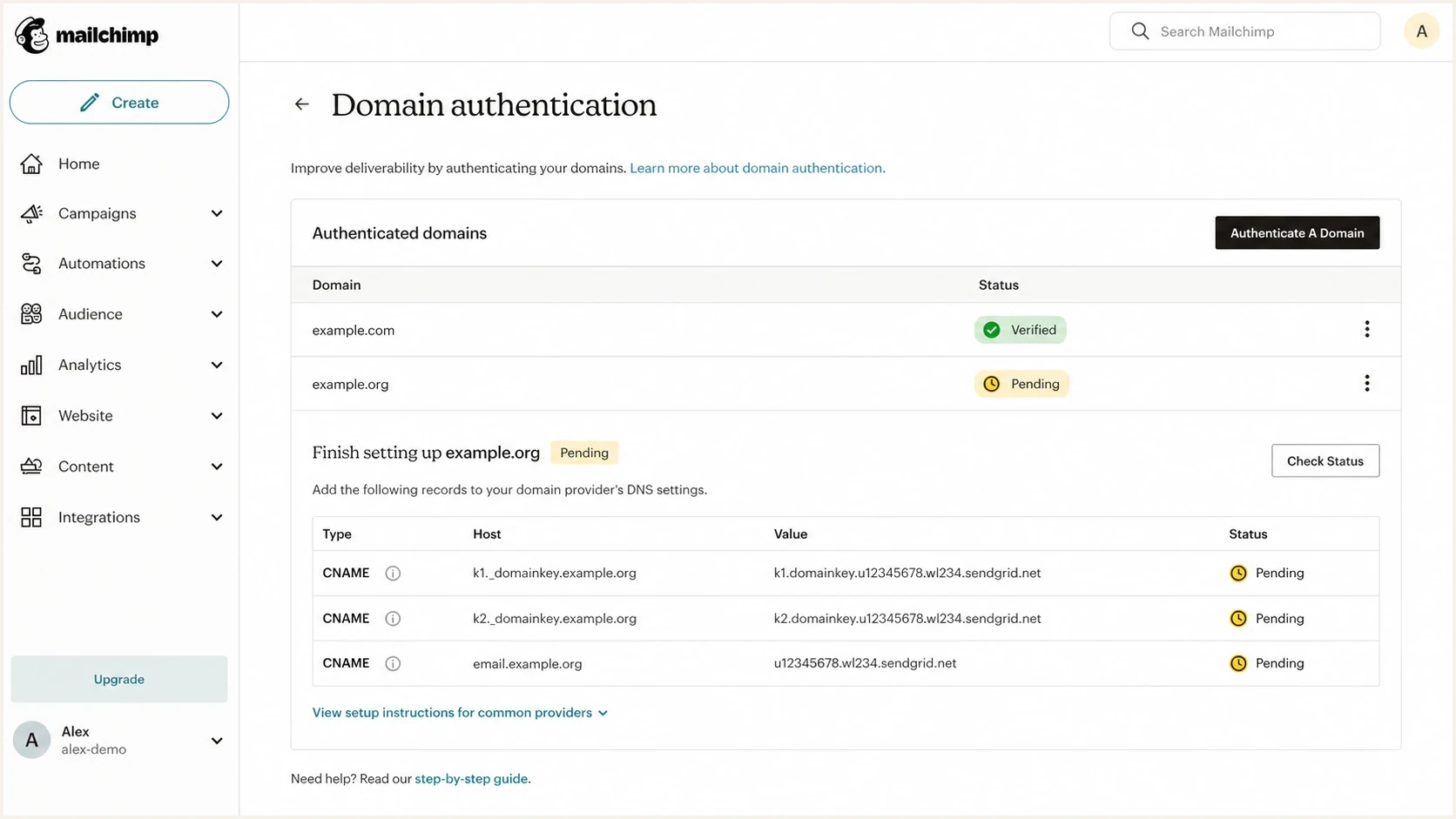
Mailchimp domain authentication screen with CNAME setup rows.
Generic DNS checklists also reduce support time because every customer receives the same instruction. That approach breaks down when the platform has several sending modes or lets customers choose between an ESP-controlled Return-Path and a custom Return-Path. The required DNS then depends on the selected sending path.
The key misunderstanding
SPF authorizes the SMTP Mail From domain. It does not automatically authorize the visible From domain that a person sees in the inbox. DMARC accepts SPF only when the SPF-authenticated domain aligns with the visible From domain under the domain's relaxed or strict alignment mode.
How Sender ID created outdated SPF advice
Some legacy ESP instructions were written to satisfy both SPF and Sender ID. Sender ID evaluated a message-header identity associated with the apparent sender, while SPF evaluates the SMTP envelope identity. Sender ID is obsolete, but the customer-domain SPF steps written for it survived in setup articles and support scripts.
For years, publishing an ESP include at the visible From domain appeared to cover both systems. Under current SPF and DMARC processing, that include does not create SPF alignment when the ESP still uses an unrelated Return-Path domain. A custom Return-Path under your domain can create SPF alignment, while aligned DKIM can pass DMARC without it.
How SPF actually gets checked
Every email has more than one domain in play. The visible From domain is what the recipient sees. The SMTP Mail From domain is the envelope sender used during the SMTP transaction and becomes the Return-Path after delivery. DKIM has its own signing domain, shown as the d= domain in the signature. DMARC uses the SPF result for the SMTP Mail From identity, not a separate HELO SPF result.
Visible From domain
This is the brand domain a recipient sees in the email client. It is the domain DMARC protects.
- Example: newsletter@example.com appears in the inbox.
- DMARC role: a passing SPF or DKIM domain must have identifier alignment with this domain.
SMTP Mail From domain
This is the bounce domain checked by SPF. It is often owned by the ESP or delegated through a subdomain.
- Example: bounces.esp-domain.example handles delivery errors.
- SPF role: the receiving server checks this domain's SPF record.
This is why adding an ESP include to the root SPF record can be unused for that mail stream. If the Return-Path is not your root domain, receivers do not check that root SPF record for that message. The include sits there, consumes lookup budget, and authorizes a platform for a domain it is not using in that SPF check.
Header clues to inspect
From: Brand Newsletter <news@example.com>
Return-Path: <bounce@esp-bounces.example>
Authentication-Results: mx.example;
  spf=pass smtp.mailfrom=esp-bounces.example;
  dkim=pass header.d=example.com;
  dmarc=pass header.from=example.com
In that example, SPF passed for the ESP bounce domain. DKIM passed and aligned for example.com, so DMARC passed for the visible From domain. Adding the ESP to example.com's SPF record would not improve that message.
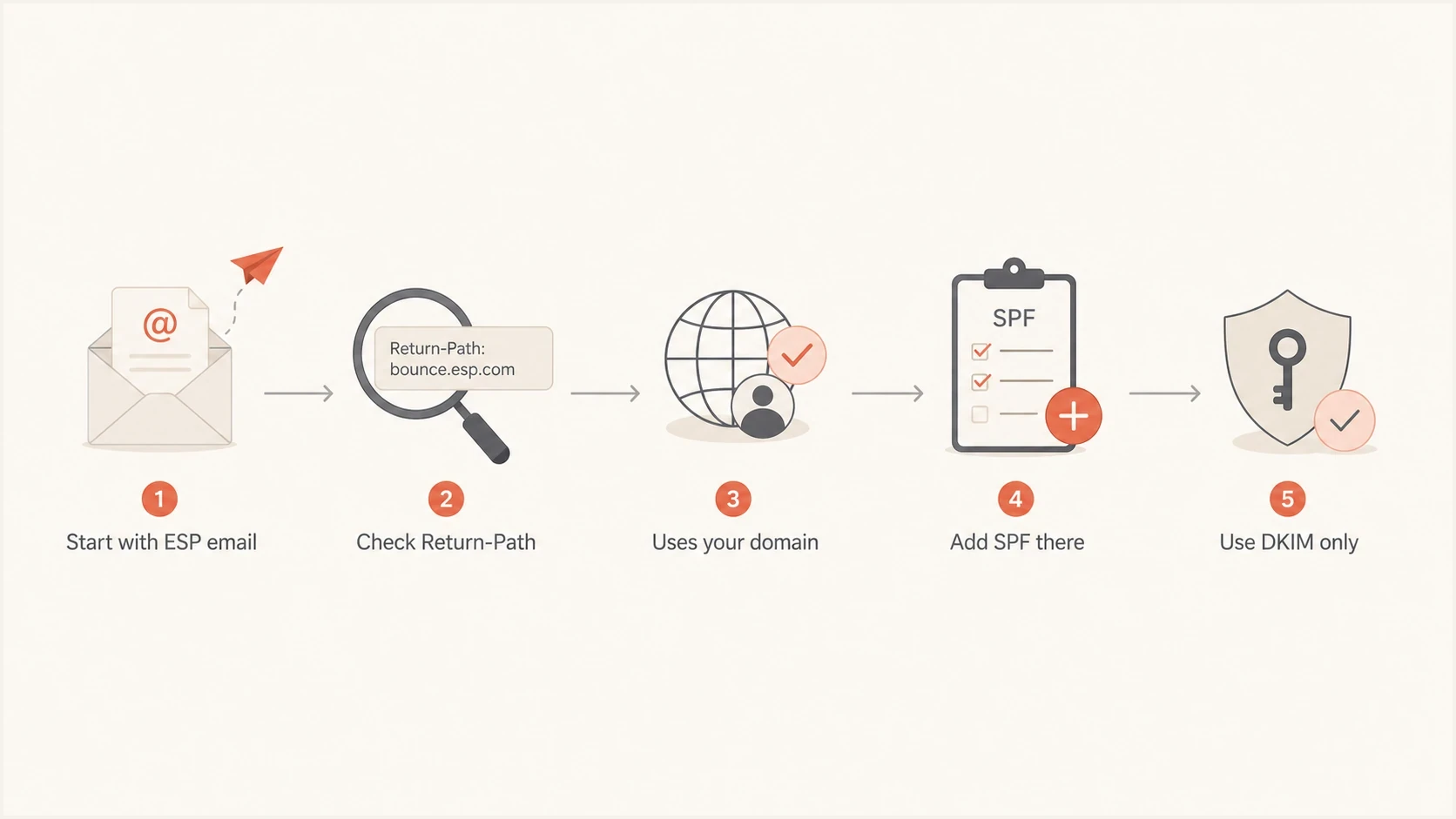
Flowchart for deciding whether an ESP SPF include is needed.
When SPF is needed
SPF is still useful. The problem is not SPF itself. The problem is placing SPF records on the wrong domain or adding includes that never get used. Use the Return-Path as the decision point.
|
|
|
|
|---|---|---|---|
ESP bounce | ESP domain | No root include | Low |
Custom bounce | Subdomain | Follow ESP setup | Medium |
Own relay | Sender domain | Add sender | Medium |
No mail | Same domain | Use -all | Low |
SPF placement by sending setup
A custom bounce subdomain changes the answer. If an ESP tells you to create a CNAME such as bounce.example.com, do not also publish an SPF TXT record at that name. The ESP publishes the SPF policy at the CNAME target, and receivers follow the delegation. If the ESP instead asks for a direct TXT record, publish it at the custom bounce subdomain it specifies. Separate domain behavior matters, so use subdomain SPF records as the mental model.
Transactional and marketing products from the same company can use different authentication flows. One product might keep an ESP-controlled Return-Path, while another requires a custom MAIL FROM domain. Some platforms use CNAME-based domain authentication so they can manage the SPF target. The right answer follows the sending path, not the vendor name.
SPF at a non-sending domain
v=spf1 -all
SPF at a custom bounce subdomain
v=spf1 include:esp-bounces.example -all
If you are unsure whether an include is active, send a real message and read the headers before touching DNS. SPF should be changed because the message path requires it, not because a generic setup article says every customer needs the same include.
The two-record problem
The worst version of this issue is a second SPF TXT record added only for one ESP. A domain cannot have two separate SPF records. Receivers that find more than one SPF record return a permanent error, which means SPF fails before the content of either record matters.
Bad: two SPF records at the same domain
example.com TXT v=spf1 include:_spf.mailbox-provider.example -all
example.com TXT v=spf1 include:_spf.esp-provider.example ?all
Merging the records is not automatically the fix. If the ESP include is unnecessary, merging it into the main record hides the visible error but keeps the unneeded authorization and extra lookups. This commonly happens when old setup guidance makes an include look required for the visible From domain.
Better: keep only required senders
example.com TXT v=spf1 include:_spf.mailbox-provider.example -all
The SPF lookup limit is another reason to remove unnecessary ESP includes. The SPF evaluator permits at most 10 evaluated DNS-querying terms across include, a, mx, ptr, exists, and redirect. If evaluation reaches an eleventh term, SPF returns permerror. Terms after an earlier match are not evaluated.
SPF lookup budget
How to treat DNS-querying terms reached during SPF evaluation.
Healthy
0-5
Simple evaluation with room for a real sender change.
Tight
6-9
Changes need testing before publication.
Limit
10
The maximum permitted during evaluation.
Failing
11th
The eleventh evaluated term returns permerror.
SPF receivers should also limit void lookups to two. A void lookup is a DNS query that returns no usable answer or says the name does not exist. Broken or stale includes can therefore produce permerror before evaluation reaches the 10-term limit.
If a needed include pushes the record near the limit, use SPF flattening carefully, or move to hosted SPF management. If an include is not needed, delete it instead of flattening around it. The cleanest record authorizes only the senders that actually use that domain in SPF.
Do not exceed 10 evaluated terms
The 10-term limit is mandatory. If SPF processing reaches more than 10 DNS-querying mechanisms or modifiers, the receiver returns permerror. An unnecessary ESP include can also contain nested includes that consume the same shared budget.
How to decide what to remove
Use a practical test before removing any ESP SPF include. First, find the domain that is being checked by SPF. Second, confirm whether DKIM passes and aligns with the visible From domain. Third, make sure the include is not used by another mail stream that shares the same domain.
- Send a message: send a real campaign or test email to a mailbox where full headers are visible.
- Read Return-Path: find the domain after Return-Path or smtp.mailfrom in Authentication-Results.
- Check DKIM: confirm the DKIM signing domain aligns with the visible From domain under relaxed or strict DMARC mode.
- Audit SPF: list every include in the SPF record and map each one to a real sender.
- Remove extras: delete includes that do not match a current sender or Return-Path need.
After each change, validate the record syntax and lookup count. A focused SPF checker is useful here because it catches multiple SPF records, lookup overflow, syntax mistakes, and weak mechanisms before the change causes live mail failures.
SPF checker
Find SPF syntax issues, lookup limits, and weak records.
?/16tests passed
If the record already sits close to the 10-term limit, do not treat a vendor's include as harmless. A single include can hide several nested terms. That is how a record that looked fine in a DNS editor turns into a receiver-side SPF failure.
For a broader check across SPF, DKIM, DMARC, and DNS health, run a domain health check after the SPF cleanup. That catches related issues that tend to sit next to SPF mistakes, including missing DKIM selectors and weak DMARC policy.
The safest cleanup pattern is to remove one suspect include, send a fresh test, then inspect authentication results. If DMARC still passes through aligned DKIM and SPF was never checking your domain for that ESP, the removal did not reduce protection.
Where Suped fits
Manual header checks work for one sender. They do not scale well once a domain uses marketing mail, transactional mail, helpdesk mail, finance systems, and employee mail. Suped is our DMARC and email authentication platform for keeping that setup visible over time.
SPF flattening drawer showing an over-limit record, sender editing, lookup counts, and the hosted record setup
Suped connects DMARC source reporting with SPF, DKIM, DMARC, and SPF lookup management so teams can see which sources authenticate, which fail, and which DNS change is relevant. Blocklist (blacklist) monitoring and alerts provide adjacent operational context without changing the SPF decision.
When SPF is genuinely needed and DNS access is slow or split across teams, Suped's Hosted SPF gives teams a managed record and a controlled way to add or remove senders without opening a DNS change every time. That is useful when an old ESP include needs to come out but another sender still needs authorization.
A cleaner operating model
- Issue detection: Suped flags broken SPF, DKIM, DMARC, and lookup-limit problems with steps to fix them.
- Real-time alerts: sudden authentication failures do not wait for a weekly review.
- MSP scale: agencies can manage many client domains without losing record ownership context.
- Policy staging: DMARC policy can move carefully through monitoring before enforcement at quarantine or reject.
Common ESP setups
The confusing part is that the same ESP category contains several valid setups. Marketing email often uses an ESP-controlled Return-Path by default. A transactional product can use a different flow with a custom MAIL FROM domain. Some platforms use CNAME-based domain authentication that lets the platform manage target record changes. The right SPF decision depends on the configured sending mode.
|
|
|
|---|---|---|
Marketing ESP | Often no root | Return-Path |
Transactional ESP | Sometimes custom | MAIL FROM |
Dedicated IP | Depends | Bounce domain |
No-send domain | Reject all | Any mail |
Examples of why advice differs
The provider name is not enough evidence. The message headers tell you whether SPF was checked against your domain, a subdomain, or the ESP's own domain. For cleanup work, pair that evidence with DMARC aggregate data so an include used by another legitimate sender does not get removed.
If the argument is only "the ESP says to add it," check whether the article covers the exact product, sending mode, and bounce-domain configuration. Also check whether the SPF lookup limit already leaves no room for an include that is not doing work.
Views from the trenches
Best practices
Verify the Return-Path before adding any ESP include to a visible From domain SPF.
Keep one SPF record per domain and document which live sender each include supports.
Prefer DKIM domain authentication when the ESP bounce domain is not your own domain.
Common pitfalls
Do not merge an unnecessary ESP include just to hide a duplicate SPF record warning.
Do not trust old setup articles when the current wizard provides only CNAME records.
Do not spend lookup budget on senders that never use the domain being checked by SPF.
Expert tips
Use a fresh test email and DMARC reports together before removing a disputed include.
Treat ten SPF DNS lookups as a hard ceiling, not a target to fill with spare includes.
Separate marketing and transactional mail decisions because product flows often differ.
Marketer from Email Geeks says legacy ESP setup instructions often survive after the platform moves to DKIM-based domain authentication.
2021-12-19 - Email Geeks
Marketer from Email Geeks says disabling and re-enabling ESP authentication can reveal newer DNS steps that replace old SPF includes.
2021-12-20 - Email Geeks
The practical rule
An ESP SPF include is needed only when that ESP sends mail using your domain, or a delegated subdomain, as the SMTP Mail From domain that SPF checks. If the ESP uses its own bounce domain and your domain passes DMARC through aligned DKIM, the root-domain include is usually leftover advice.
The fix is straightforward: keep one SPF record, remove duplicate records, map every include to a real sending path, and stay within the 10-term DNS lookup limit. Do not add an ESP include because it appears in a generic checklist. Add it because the headers and DMARC data prove that domain is part of the SPF path.
The shortest client explanation
SPF checks the bounce domain, not the visible From address. If the ESP is not using our domain as the bounce domain, adding that ESP to our SPF record does not help DMARC and can break SPF by exceeding lookup limits.




