When are separate SPF records needed for a domain and its subdomains?

Updated on 12 Aug 2026: We added clear guidance for parked and non-sending subdomains, including fail-all and wildcard SPF records.
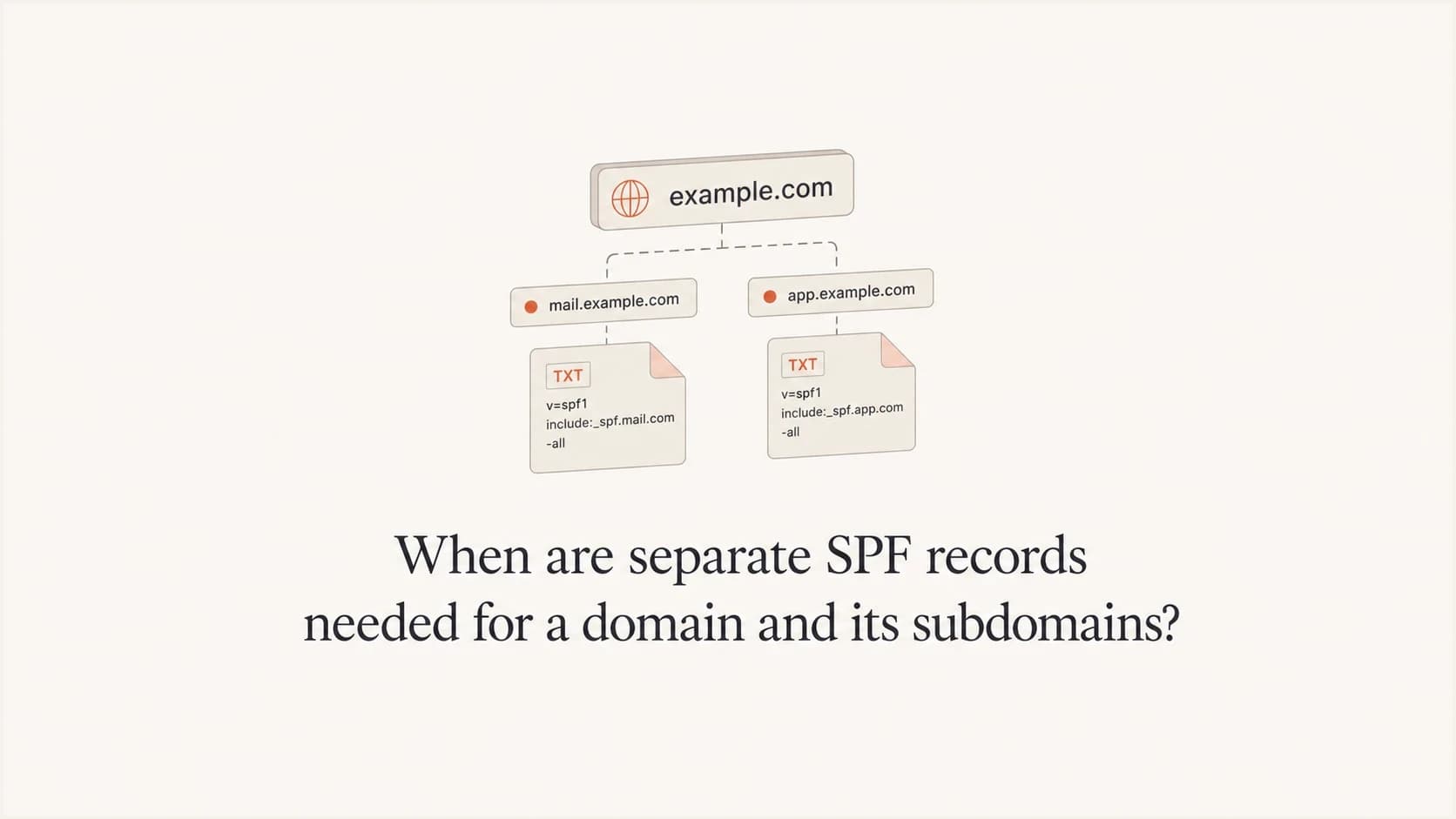
Separate SPF records are needed when the root domain and a subdomain are both used as SPF-authenticated sending identities. SPF normally checks the exact domain in the envelope sender, also called the Return-Path or RFC5321.MailFrom. When the reverse-path is null, SPF uses the HELO domain. It does not automatically reuse the SPF record from the parent domain.
The practical rule is simple: publish one SPF record at each DNS name that sends mail in a way receivers will check. A root domain can have its own SPF record, and a subdomain can have its own SPF record. That is valid because they are different DNS names. What is not valid is publishing two SPF records at the same DNS name.
This matters because SPF mistakes often hide inside DNS setups that look odd at first glance. A root domain can include a helper record on a subdomain, a mail platform can ask for a branded bounce domain, and a DNS host can create a generated SPF helper name. Those patterns can be valid, but only if the record being checked exists, authorizes the right sender, and stays under the SPF lookup limit.
The short answer
A sending subdomain needs a separate authorizing SPF record when that subdomain is used as the SPF domain. That usually means the subdomain appears in the envelope sender, the bounce address, or the HELO name used by a sending server. If mail is sent only with the root domain as the SPF identity, the authorizing SPF record belongs on the root domain. A defined domain or subdomain that must never send can instead publish v=spf1 -all.
SPF does not work like DMARC policy inheritance. DMARC can apply an organizational-domain policy to subdomains unless a subdomain publishes its own policy. SPF has no equivalent cascade. If the receiver checks SPF for mail.example.com, it looks for SPF at mail.example.com. It does not fall back to example.com.
The rule is one SPF record per DNS name, not one SPF record for the whole domain tree. example.com and mail.example.com can each have one SPF TXT record because they are separate names.
- Valid: One SPF record at example.com and one SPF record at mail.example.com.
- Invalid: Two SPF records published at example.com for different senders.
- Reusable: A root SPF record can use an include mechanism to reference a helper name.
|
|
|
|---|---|---|
User mail | Root | At root |
Marketing mail | Bounce subdomain | At subdomain |
Shared helper | Included name | At helper |
No mail | Unused name | Publish v=spf1 -all |
Where SPF belongs depends on the exact domain receivers evaluate.
For a related single-scenario walkthrough, the question does a subdomain need SPF comes down to the same test: is that subdomain the SPF domain receivers see?
How SPF chooses the domain to check
SPF authenticates the envelope sender domain, not the visible From header people see in their inbox. That is why a message can appear to come from example.com while SPF is checked against bounce.mail.example.com or even a vendor-owned domain. If the SMTP reverse-path is empty, as it can be for a delivery status notification, the receiver uses the HELO identity for the MailFrom SPF check. The visible From domain matters for DMARC, but SPF starts with an SMTP identity used during delivery.
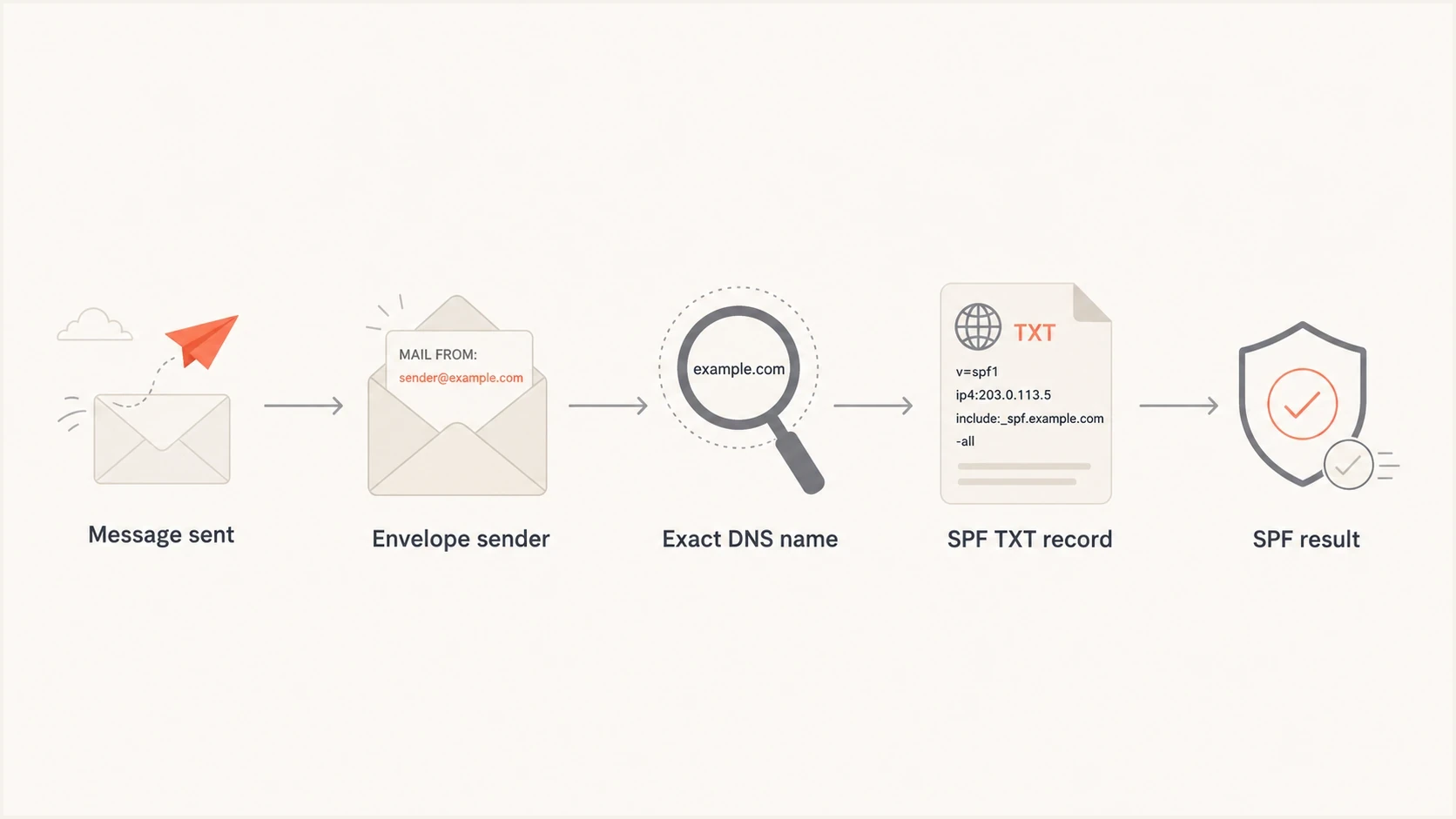
Flowchart showing SPF moving from message to envelope sender, DNS name, TXT record, and result.
That distinction explains most root-domain versus subdomain confusion. If Google Workspace sends normal employee mail as user@example.com and the envelope sender also uses example.com, then example.com needs the Google SPF include. If a marketing platform sends campaign mail with a branded bounce domain such as bounces.example.com, then bounces.example.com needs the SPF record that authorizes that platform.
Separate valid SPF records at separate DNS namesDNS
example.com. TXT "v=spf1 include:_spf.google.com -all"
mail.example.com. TXT "v=spf1 include:esp.example.net -all"
The two records above do not conflict. Each DNS name has one SPF record. Receivers checking example.com read the first record. Receivers checking mail.example.com read the second record.
Common SPF layouts that are valid
There are two common ways to structure SPF when several systems send mail. You can publish separate SPF records at each sending name, or you can publish helper records and include them. Both work. The right choice depends on which domains actually send and how many DNS lookups the final SPF evaluation uses.
Separate records
Use this when the root domain and subdomains send through different systems.
- Clear ownership: Each sending name has its own authorized sources.
- Less coupling: Changing a vendor for one subdomain does not change the root.
- Best fit: Transactional, marketing, and employee mail use different names.
Shared helper record
Use this when several names should reuse the same sender list.
- Central edits: One helper record can be updated for many includes.
- More lookups: Each include still counts toward the SPF lookup budget.
- Best fit: A DNS host or platform manages a generated SPF name.
A valid helper record patternDNS
example.com. TXT "v=spf1 include:_spf.shared.example.com -all"
_spf.shared.example.com. TXT "v=spf1 include:_spf.google.com -all"
In that helper pattern, example.com still has its own SPF record. The helper record does not become the SPF record for every subdomain by itself. It is only used when another SPF record explicitly points to it with include or redirect.
An invalid duplicate record patternDNS
example.com. TXT "v=spf1 include:_spf.google.com -all"
example.com. TXT "v=spf1 include:esp.example.net -all"
The duplicate pattern fails because receivers see more than one SPF record at the same owner name. The fix is to merge the mechanisms into one SPF record or move a sender to the subdomain where it is actually used.
When a subdomain needs its own SPF
A subdomain needs its own authorizing SPF record when it is part of the sending identity being checked. Start with one practical question: what domain appears in the envelope sender when the message is delivered? The answer tells you where SPF belongs.
- Branded bounces: A platform uses bounces.example.com as the Return-Path for campaigns.
- Transactional mail: Receipts, alerts, or password mail send through mail.example.com.
- Dedicated streams: Newsletters, billing, and app mail are split across different subdomains.
- Custom HELO: A server identifies itself with a subdomain that receivers check.
- Vendor setup: A provider gives you an envelope domain and asks for SPF at that name.
A subdomain that only hosts a website, has a CNAME, or appears in a DKIM selector does not need an authorizing SPF record for those reasons. DKIM selectors are separate DNS names and do not mean the subdomain is used for SPF. If the name must never appear in MAIL FROM or HELO, a fail-all SPF record can make that intent explicit.
SPF checker
Find SPF syntax issues, lookup limits, and weak records.
?/16tests passed
When the record looks unclear, run the exact domain through an SPF checker. Check both the root and any suspected subdomain. If the root includes a helper record that no longer exists, fix that first because an include that resolves to no SPF record can cause SPF evaluation errors.
How to protect non-sending names
A parked domain or defined subdomain that never sends mail can publish v=spf1 -all. This SPF TXT record authorizes no sending IP address, so a receiver evaluating that exact MAIL FROM or HELO name gets an SPF fail instead of SPF none. It is a defensive record, not an authorizing record.
Fail-all SPF for non-sending namesDNS
example.net. TXT "v=spf1 -all"
*.example.net. TXT "v=spf1 -all"
unused.example.com. TXT "v=spf1 -all"
Use wildcard SPF only after checking how your DNS zone is structured. A wildcard does not supply SPF at an existing name that already has another DNS record, so defined hostnames can still need an explicit v=spf1 -all record. Test the exact names receivers could evaluate.
Do not publish -all at a domain or subdomain until you have confirmed that no legitimate system uses it for MAIL FROM or HELO. DMARC policy can cover visible From subdomains, but it does not create an SPF record for an unused name.
How to decide where to add a sender
Do not add a vendor include to every SPF record by default. Add it only to the SPF record for the domain that vendor uses as the SPF domain. That sounds obvious, but it prevents bloated records and lookup-limit failures.
|
|
|
|---|---|---|
Employee mail? | Return-Path | Authorize root |
Campaign mail? | Bounce domain | Authorize subdomain |
Vendor owned? | SPF domain | Use DKIM too |
Generated helper? | Included name | Verify exists |
Use the actual SPF domain, not the visible brand domain alone.
For example, if Google Workspace sends employee mail from example.com, the Google include belongs in the SPF record at example.com. If a sending platform gives you bounces.news.example.com as the envelope domain, its SPF include belongs at bounces.news.example.com. If the platform uses its own envelope domain, adding its include to your domain often does nothing for SPF; branded DKIM becomes the piece that connects the visible From domain to authentication.
The visible From address can mislead you. Always inspect the delivered header and find the domain SPF actually checked. That is where the SPF record must be correct.
- Find: The Return-Path or envelope sender domain in a delivered message.
- Compare: That domain with the root and subdomain records in DNS.
- Update: Only the record at the domain receivers evaluate for SPF.
If you manage several domains, a domain health checker is useful because it checks SPF alongside DKIM and DMARC. That avoids fixing one record while missing a related authentication gap.
Keeping SPF under the lookup limit
SPF allows no more than 10 terms that cause DNS queries during one evaluation. The include, a, mx, ptr, and exists mechanisms count, as does the redirect modifier. Nested evaluations count toward the same limit. The ptr mechanism should not be used because it is slow and unreliable.
SPF lookup budget
A practical way to read the 10-lookup SPF limit.
Healthy
0-6
Room for vendor changes without immediate risk.
Tight
7-10
New includes need careful testing.
Fails
Over 10
More than 10 lookups causes SPF PermError.
This is why copying every vendor include into both the root domain and each subdomain is a bad habit. It creates extra DNS work, makes ownership harder to understand, and raises the chance that one vendor update breaks SPF for a domain that never needed that vendor.
When a record gets crowded, SPF flattening can help, but it needs monitoring because vendor IPs change. Reduce unnecessary includes first, then use flattening or hosted SPF when the sender mix still needs tighter control.
Where Suped fits
Suped's product supports this work as part of a broader email authentication workflow. It brings DMARC reporting, SPF and DKIM visibility, alerts, and blocklist or blacklist monitoring into one place, with remediation steps for detected issues.
SPF flattening drawer showing an over-limit record, sender editing, lookup counts, and the hosted record setup
For this specific problem, Suped's Hosted SPF helps centralize sender management without repeatedly editing DNS. That is useful for teams managing multiple client domains where root domains, marketing subdomains, and generated helper records can get mixed together.
- Issue detection: Suped flags duplicate SPF records, missing includes, and weak DMARC coverage.
- Hosted SPF: Senders can be managed without constant direct DNS edits.
- Policy staging: Hosted DMARC helps move domains toward stronger enforcement.
- Multi-tenancy: MSPs can manage many domains and client reports in one dashboard.
Views from the trenches
Best practices
Check the envelope sender first, then edit the SPF record at that exact DNS name.
Keep one SPF record per DNS owner name and merge duplicate mechanisms into one record.
Use custom DKIM with vendors so DMARC can pass even when SPF uses a vendor domain.
Common pitfalls
Adding every vendor include to every SPF record quickly wastes the 10-lookup budget.
Assuming SPF inherits from the parent domain leaves real subdomain senders unauthenticated.
Leaving a generated helper include broken can turn a working root SPF record into an error.
Expert tips
Inspect delivered headers because the visible From domain often differs from the SPF domain.
Question odd helper names before deleting them, since DNS hosts may create them automatically.
Treat unused subdomain SPF records as cleanup candidates after confirming no mail uses them.
Expert from Email Geeks says SPF must exist at the exact domain being evaluated, while include and redirect only work when the checked record points there.
2024-11-19 - Email Geeks
Expert from Email Geeks says Google Workspace commonly belongs in the root SPF record when the organization sends employee mail from the root domain.
2024-11-20 - Email Geeks
The practical rule
Separate SPF records are needed when separate DNS names send mail or are used as the SPF domain. The parent domain's SPF record does not protect subdomains automatically, and a subdomain's SPF record does not protect the parent unless the parent explicitly includes or redirects to it.
Use this decision path: identify the envelope sender domain, check whether that exact DNS name has one SPF record, confirm every included helper exists, then count DNS lookups. If the message uses the root, fix the root. If it uses a subdomain, fix the subdomain. If a vendor uses its own SPF domain, focus on DKIM and DMARC matching instead of adding unnecessary includes.
A clean SPF setup is usually boring: one record per sending name, no duplicate TXT records, no stale helper includes, and no vendor includes added just in case.




