What DNS records are required to solve '450 4.1.8 Sender address rejected: Domain not found' errors?

Published 30 Apr 2025
Updated 11 Aug 2026
12 min read
Summarize with
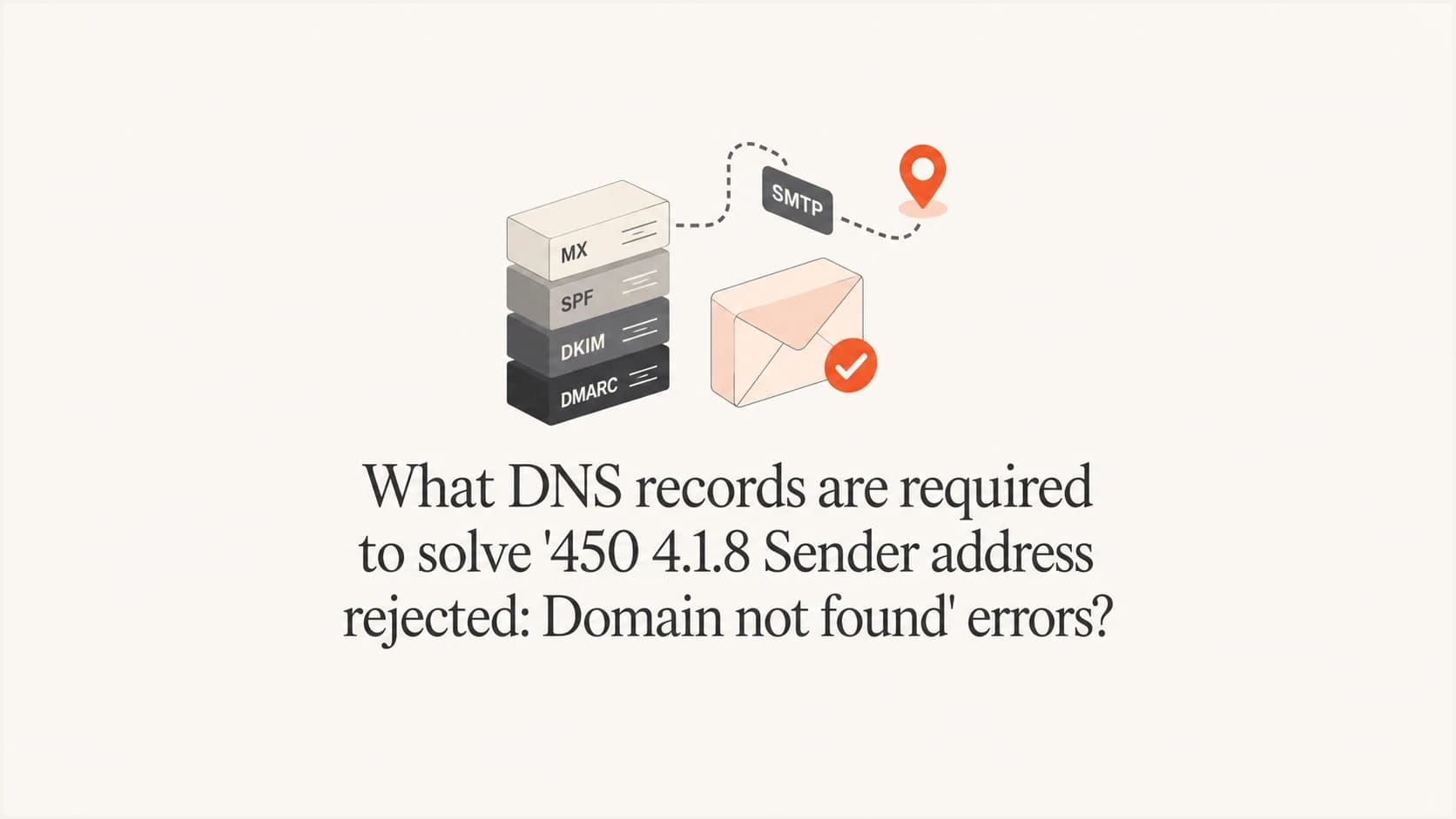
Updated on 11 Aug 2026: We updated this guide to cover ESP-managed return paths, null MX records, and the DNS failures that directly cause 450 4.1.8 rejections.
The DNS records usually required to solve 450 4.1.8 Sender address rejected: Domain not found errors are a valid MX record or address records for the RFC5321.MailFrom domain, plus A or AAAA records for every hostname named by its MX records. Start with the domain to the right of the at sign in the SMTP envelope sender, not the visible From header or a hostname in a Received header.
If the SMTP envelope sender is bounce@ml.hostname.com, the receiving system checks ml.hostname.com. A valid MX record gives the clearest return route. When no MX exists, SMTP uses the domain's A or AAAA records as an implicit MX. Some filtering policies also inspect the header From domain, but that is an implementation-specific check rather than the normal meaning of 4.1.8.
- Check the RFC5321.MailFrom domain for a usable MX record or A and AAAA answers.
- Resolve every MX target to A or AAAA and reject stale, malformed, or unresolvable targets.
- Query every authoritative nameserver because one stale server can cause intermittent failures.
- Do not add a web-oriented CNAME unless the sending provider requires that exact record on a dedicated return-path subdomain.
- Treat MAIL FROM:<> as a special null reverse-path with no sender domain to validate.
A passing SPF or DKIM result does not prove that the envelope sender domain can accept return mail. Authentication and sender-domain existence use DNS, but they are separate checks.
What the error is checking
Treat this as an SMTP sender-domain validation failure first. Enhanced status code 4.1.8 means the sender's system address does not exist or cannot accept return mail. The accompanying text Domain not found points to a DNS lookup failure. It does not report an HTTP, SPF, DKIM, or DMARC result.
What 4.1.8 usually checks
- The RFC5321.MailFrom domain used in the SMTP transaction.
- Whether DNS returns MX, A, or AAAA data for that domain.
- Whether each published MX hostname has a usable address.
- Whether authoritative nameservers return consistent answers.
What does not decide it alone
- The RFC5322 From domain, unless the receiver applies a separate header-domain policy.
- The MTA hostname in a Received header or the SMTP HELO name.
- A website or ICMP ping response on the sender domain.
- A passing SPF, DKIM, or DMARC result.
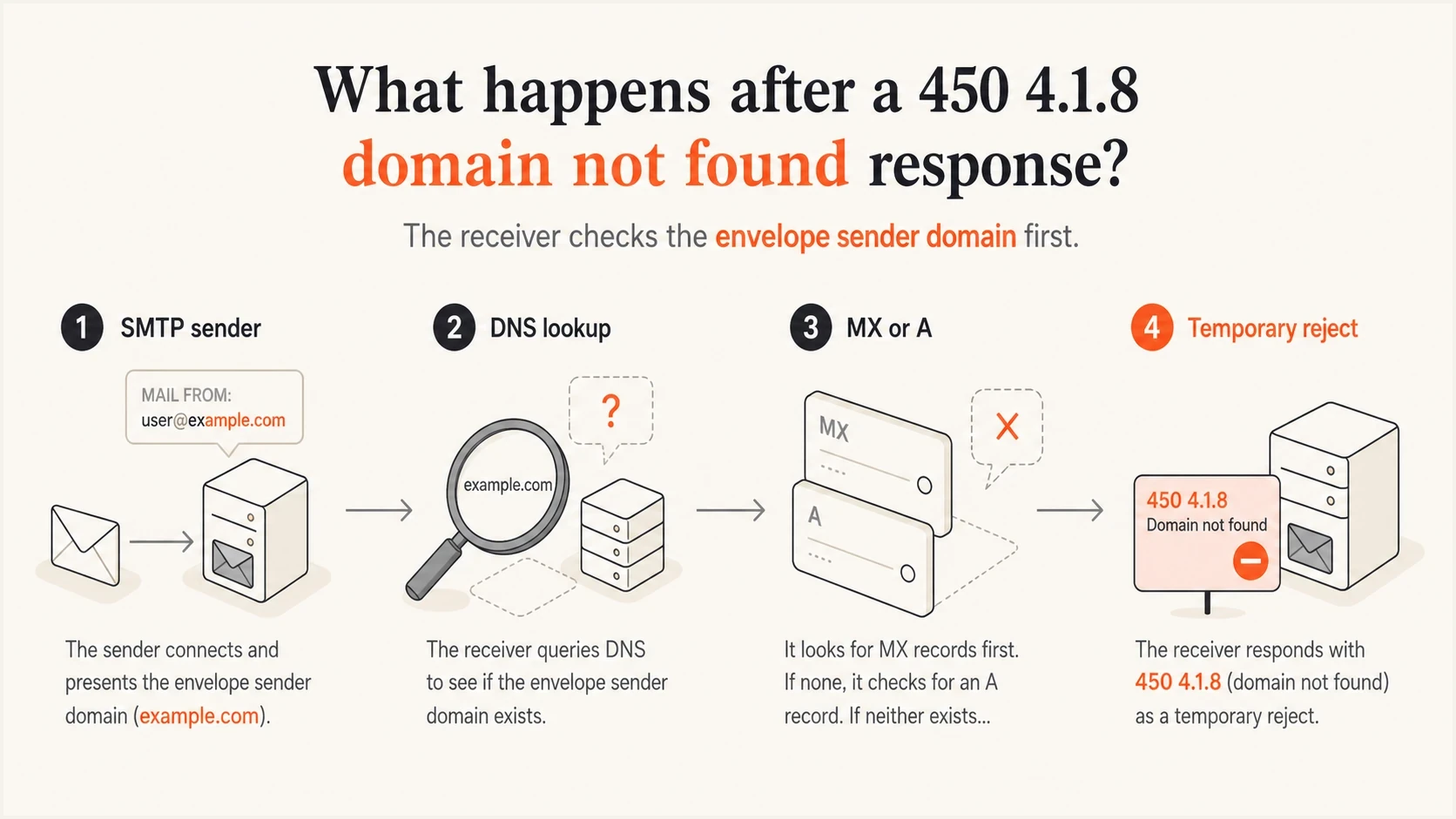
Infographic showing the SMTP sender domain moving through DNS lookup and MX or A record validation.
That distinction matters when an ESP uses several sending hosts, such as mta1, mta2, and mta3. Those hostnames belong to the transport path. The envelope sender domain can remain ml.hostname.com when its DNS and authentication records match the provider's configuration.
DNS records to verify first
Start with the exact domain after the at sign in the SMTP envelope sender. The rejected address shown beside Sender address rejected is the most useful clue. Check the header From domain separately only when the receiving system documents or logs that additional validation.
|
|
|
|
|---|---|---|---|
RFC5321 domain | MX or A/AAAA | Return route | Publish usable mail DNS |
MX target | A or AAAA | Mail host address | Fix each target |
ESP return path | Provider-specified DNS | Delegated sender domain | Restore the exact record |
MTA hostname | A/AAAA and PTR | Host identity | Match forward and reverse DNS |
DNS zone | NS, SOA, DS | Authority and validation | Repair delegation or DNSSEC |
Records to verify for a 450 4.1.8 domain not found error.
Usable sender-domain DNS shapedns
ml.hostname.com. 3600 IN MX 10 mx1.mailhost.example.
mx1.mailhost.example. 3600 IN A 192.0.2.25

ml.hostname.com. 3600 IN TXT "v=spf1 ip4:192.0.2.25 -all"
A sender domain with a working MX does not also need an A record at the same name for standard SMTP routing. Its MX targets still need A or AAAA records. A null MX record, written as MX 0 ., is not a working mail route and tells receivers that the domain accepts no mail.
How to diagnose it without public domain names
Use a repeatable checklist when the real domain cannot be shared. Find the domain the receiver rejected, then prove that every authoritative DNS server gives a usable answer for that exact name.
- Capture the SMTP envelope sender from the bounce, mail log, or Return-Path header.
- Query every authoritative nameserver directly for MX, A, and AAAA data.
- Distinguish NXDOMAIN from NODATA and SERVFAIL because each result points to a different repair.
- Resolve every MX target and check for malformed targets, stale aliases, or missing addresses.
- Confirm the HELO name, forward DNS, PTR, and reverse DNS for each sending IP as a separate reputation check.
- Validate DS and DNSKEY data when DNSSEC-aware resolvers return SERVFAIL.
Suped's domain health check gives a broad view of DMARC, SPF, DKIM, and related DNS problems before individual nameserver responses are compared.
?
What's your domain score?
Deep-scan SPF, DKIM & DMARC records for email deliverability and security issues.
Confirm the raw DNS path after the broad check. Recursive DNS caches can hide one broken authoritative nameserver by retaining a good answer from another server. A receiver that reaches the stale server gets a different result.
Lookup commandsbash
dig NS ml.hostname.com

dig @ns1.example.net ml.hostname.com MX +noall +answer +authority
dig @ns1.example.net ml.hostname.com A +noall +answer +authority
dig @ns1.example.net ml.hostname.com AAAA +noall +answer +authority

dig mx1.mailhost.example A +short
dig mx1.mailhost.example AAAA +short
dig -x 203.0.113.23 +short
dig mta3.ml.hostname.com A +short

dig +dnssec ml.hostname.com SOA
dig +trace ml.hostname.com MX
An insecure DNSSEC status is normal when the parent has no DS record and the child zone is unsigned. A bogus DNSSEC state is different: the parent has DS data, but the child zone cannot validate, so validating resolvers return SERVFAIL.
When an ESP manages the return-path domain
Some ESP configurations use a dedicated bounce or return-path subdomain and require a CNAME or a set of delegated DNS records. The provider can verify those records during setup and continue using the domain after someone deletes or changes them. The next receiver then looks up the envelope sender domain and returns 450 4.1.8 because the public DNS name no longer exists.
- Copy the complete domain from the rejected MAIL FROM address, including every subdomain label.
- Compare the provider's current DNS instructions with answers from every authoritative nameserver.
- Restore the exact CNAME, MX, TXT, or delegated record set supplied for that hostname.
- Retest after the previous negative DNS answer has expired from recursive caches.
Do not invent a CNAME or place one at a name that already has MX or TXT records. A provider-issued CNAME works only when the return-path hostname is dedicated to that alias and the provider explicitly requires it.
When multiple MTA hostnames rotate
Rotating between mta, mta2, and mta3 does not require the From address to rotate with the host. The MTA hostname identifies the sending machine. The envelope sender and visible From domain identify message senders. These names need correct DNS and authentication, but they do not need to be identical.
Sender domains
- The envelope domain handles SPF identity and bounce traffic.
- The header From domain supplies the DMARC identity.
- The DKIM d= domain identifies the signing domain.
- Each domain needs records that match the sending configuration.
MTA hostnames
- Each HELO name should resolve forward by A or AAAA.
- Each sending IP should have a stable PTR hostname.
- Forward DNS for the PTR hostname should return the sending IP.
- SPF should authorize each sending path where the envelope domain uses it.
If only some recipients fail, compare the sending host and envelope sender on failed messages with accepted messages. That pattern can expose intermittent failures caused by one bad authoritative answer, one broken MTA hostname, or a receiver-specific DNS path.
Rotating MTA host patterndns
mta1.ml.hostname.com. 3600 IN A 203.0.113.21
mta2.ml.hostname.com. 3600 IN A 203.0.113.22
mta3.ml.hostname.com. 3600 IN A 203.0.113.23

21.113.0.203.in-addr.arpa. 3600 IN PTR mta1.ml.hostname.com.
22.113.0.203.in-addr.arpa. 3600 IN PTR mta2.ml.hostname.com.
23.113.0.203.in-addr.arpa. 3600 IN PTR mta3.ml.hostname.com.
Where SPF, DKIM, DMARC, and Suped fit
SPF, DKIM, and DMARC do not replace the DNS existence checks behind this error. SPF checks whether the sending IP is authorized for the envelope sender domain. DKIM checks a cryptographic signature. DMARC checks whether a passing SPF or DKIM identity matches the visible From domain. Fix the 4.1.8 DNS failure first, then validate authentication.
Suped's product combines DMARC monitoring with SPF and DKIM diagnostics, hosted DNS workflows, MTA-STS checks, blocklist (blacklist) monitoring, and alerts. When DNS access is shared across teams, Hosted SPF centralizes approved sender changes. For domains near the SPF lookup limit, SPF flattening reduces dependent lookups, while the SPF checker validates the resulting record. These controls support authentication after the sender-domain DNS path works.
DMARC record detail view showing SPF, DKIM, DMARC, rDNS diagnostics, and DNS records
A practical Suped workflow is to add the domain, review its DNS diagnostics, compare authenticated sources with unverified sources, and watch failure volume after DNS changes propagate. This helps distinguish a broken nameserver or rotated sending path from a single anomalous header.
Practical Suped workflow
- Add the domain so Suped can detect DMARC, SPF, DKIM, and related DNS status.
- Review the detected DNS and authentication faults before changing records.
- Confirm that each ESP and MTA path uses the expected sender domains.
- Use alerts to catch new failures before they become repeated customer bounces.
Fix patterns that work
The right fix depends on the failed lookup. Do not change the visible From domain before checking the envelope sender and authoritative DNS path. A From-domain change can create DMARC problems while leaving the original sender-domain failure untouched.
|
|
|
|---|---|---|
NXDOMAIN | Publish the exact sender name | All authorities return it |
No MX or address | Add valid MX or A/AAAA | A return route exists |
Broken MX target | Add target A or AAAA | Every target resolves |
Removed ESP alias | Restore prescribed DNS | Public answer matches setup |
Split authority | Update the stale nameserver | Answers are consistent |
DNSSEC SERVFAIL | Repair DS or signatures | Validation succeeds |
Null MX | Replace it if the domain sends | Return mail is accepted |
Common DNS outcomes and practical fixes.
DNS repair confidence
Use these bands to judge whether the sender-domain DNS is ready to retest.
Ready
Clean answers
All authoritative nameservers return the same usable MX and address answers.
Retry later
TTL pending
Records are correct at the source, but old cached answers still exist.
Fix first
Split answers
One authoritative nameserver returns NXDOMAIN, NODATA, or a stale zone.
Blocked
SERVFAIL
Validating resolvers return SERVFAIL because DNSSEC data is broken.
A 450 reply is temporary, so the sending server should retry. If the DNS fault remains, queued mail is delayed and later expires into a final bounce. Fix the DNS instead of treating a successful retry as proof that the fault has disappeared.
Safer fixed zone patterndns
ml.hostname.com. 3600 IN MX 10 inbound1.hostname.com.
ml.hostname.com. 3600 IN MX 20 inbound2.hostname.com.

inbound1.hostname.com. 3600 IN A 198.51.100.10
inbound2.hostname.com. 3600 IN A 198.51.100.11

ml.hostname.com. 3600 IN TXT "v=spf1 include:esp.example -all"

_dmarc.ml.hostname.com. 3600 IN TXT (
  "v=DMARC1; p=quarantine; "
  "rua=mailto:dmarc@hostname.com"
)
Avoid a CNAME at an ordinary sender name that already has MX or TXT records because a CNAME cannot coexist with those records at the same owner name. A provider-issued CNAME can be correct on a dedicated return-path subdomain. Use the DNS model prescribed for that exact hostname.
Views from the trenches
Best practices
Check the exact RFC5321.MailFrom domain before changing visible From or DKIM settings.
Query every authoritative nameserver so stale DNS data does not hide the real fault.
Keep each MTA hostname resolvable forward and backward when sending traffic rotates.
Complete DS, DNSKEY, signature, and registrar checks before enabling DNSSEC validation.
Common pitfalls
Assuming an SPF pass proves the sender domain has valid MX or address records everywhere.
Adding a CNAME at a sender name that already needs TXT and MX records at that owner.
Checking only recursive DNS and missing one broken authoritative nameserver response.
Treating a 450 retry as solved before testing the same envelope sender at more recipients.
Expert tips
Save one failed header and one accepted header so MAIL FROM differences are clear.
Verify every MX target address when the sender domain already has a valid MX record.
Account for negative DNS caching after fixing an NXDOMAIN or NODATA response at its source.
Check the provider's exact return-path hostname before restoring a deleted CNAME.
An Email Geeks participant says the error text points to DNS, so the useful method is to run A and MX lookups for the RFC5321 domain across every authoritative nameserver.
2022-09-23 - Email Geeks
An Email Geeks participant says missing MX records often explain this rejection, but the exact domain in the SMTP envelope must be checked before records change.
2022-09-23 - Email Geeks
DNS records required to fix 450 4.1.8
To solve 450 4.1.8 Sender address rejected: Domain not found, verify the RFC5321.MailFrom domain first. It needs a usable MX record or A and AAAA records, every MX target needs an address record, and every authoritative nameserver needs to return a consistent answer.
Restore an ESP's prescribed CNAME or delegated records when it manages the return-path subdomain. Check DNSSEC when lookups return SERVFAIL. Verify header From, MTA hostnames, PTR, SPF, DKIM, and DMARC separately, but do not treat them as substitutes for a working envelope sender domain.
For teams managing several senders, Suped provides an ongoing workflow for DNS and authentication monitoring, alerts, hosted SPF and DMARC, MTA-STS, SPF flattening, and blocklist (blacklist) checks. Use its diagnostics to catch drift after the immediate DNS repair.




