Should I set up a subdomain for SPF records for email marketing?

Published 13 Jul 2025
Updated 2 Aug 2026
12 min read
Summarize with
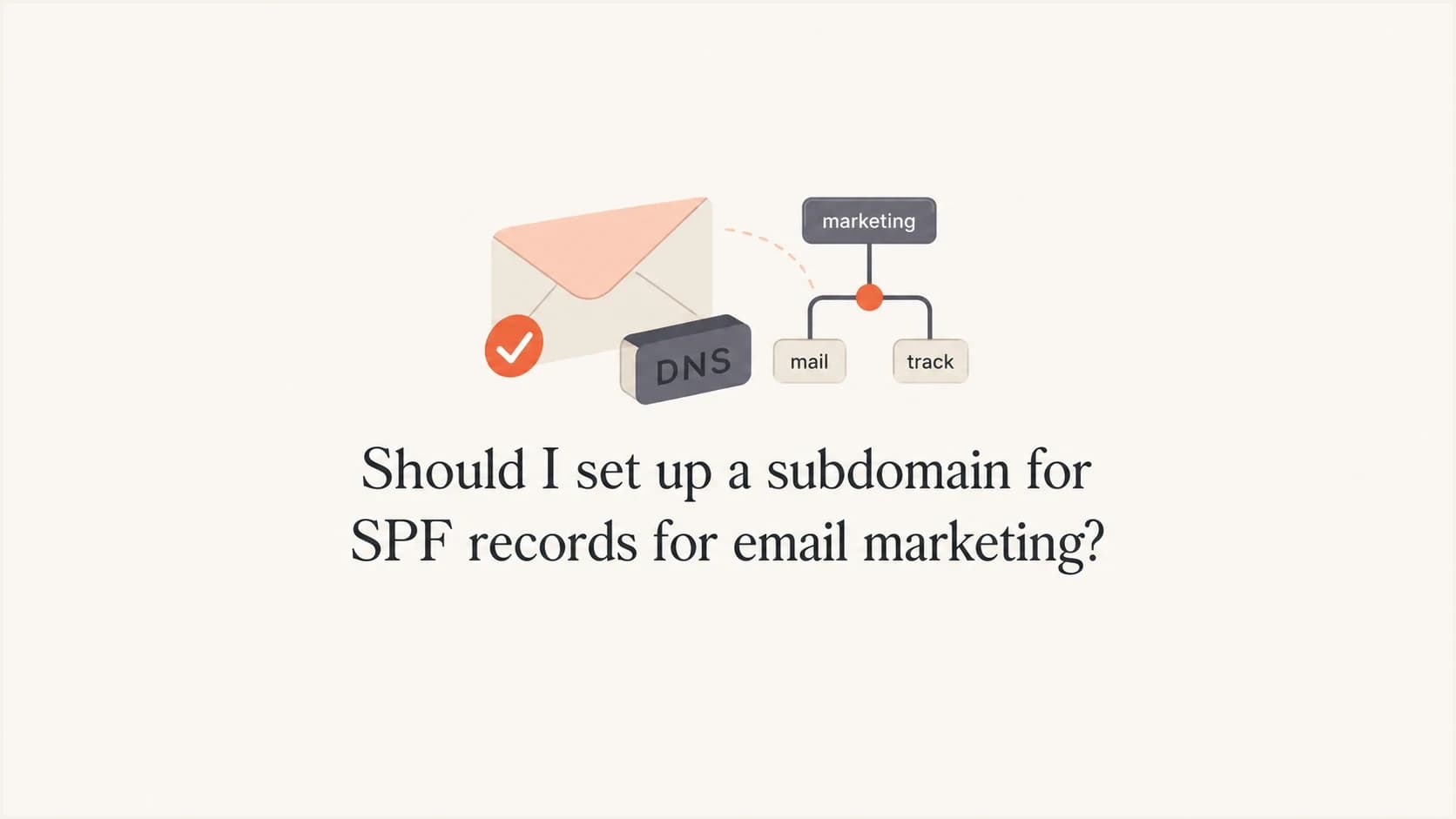
Updated on 2 Aug 2026: We updated this guide for RFC 9989, with clearer guidance on SPF domain matching and branded Return-Path setup.
Yes, set up a subdomain for email marketing when that subdomain is the Return-Path or bounce domain your email platform uses. No, do not add your email marketing SPF include to the root domain just because the visible From address uses the root domain. SPF is checked against the envelope sender, also called the Return-Path or 5321.MailFrom, not the visible From header.
The practical rule is simple: publish SPF wherever the receiving mail server looks for SPF. If your marketing mail has a Return-Path at send.example.com, the SPF record belongs at send.example.com. An SPF record at example.com is ignored for that message. SPF does not inherit downward into subdomains.
- Use a subdomain: For email marketing, use a stable custom bounce domain such as send, mail, m, or news when the platform supports it.
- Keep root clean: The root SPF record should cover corporate mail only when corporate mail actually uses the root domain as its envelope sender.
- Check each source: Each sending source needs its own bounce handling, SPF location, DKIM selectors, and DMARC monitoring.
The direct answer
For email marketing, a subdomain is usually the right place for SPF because it gives the email platform a branded bounce domain. That bounce domain is the domain SPF authenticates. The visible From address can still be hello@example.com, but SPF will pass against send.example.com when the Return-Path uses send.example.com.
Rule to use
Create SPF at the exact domain used in the Return-Path. Create SPF at the root only for mail streams that use the root domain in the Return-Path. Do not add a marketing platform include at the root as a blanket fix.
This is where a lot of SPF confusion starts. People see the From header, such as hello@example.com, and assume SPF is tied to example.com. It is not. SPF is tied to the SMTP envelope sender. DMARC can use that SPF pass only when the authenticated envelope sender domain matches with the visible From domain under relaxed or strict DMARC rules.
|
|
|
|---|---|---|
Corporate mail | Root | Bounces use root |
Marketing mail | Subdomain | Bounces use subdomain |
ESP-owned path | ESP domain | You do not own it |
Multiple ESPs | One per source | Bounces route separately |
Where SPF belongs for common sending patterns.
For a deeper explanation of this inheritance point, the practical answer is covered in subdomain SPF records. The short version is still the same: the SPF record must exist at the exact domain being checked.
Where SPF is checked
When a receiver evaluates SPF for the message envelope, it checks the connecting IP address against the policy for the SMTP MAIL FROM domain. In email platform setup language, that domain is the Return-Path or bounce domain. Receivers can also evaluate the HELO identity, and SPF uses HELO when MAIL FROM is empty, as with some delivery status messages. For DMARC, only the SPF-authenticated MAIL FROM identity is used for domain matching.
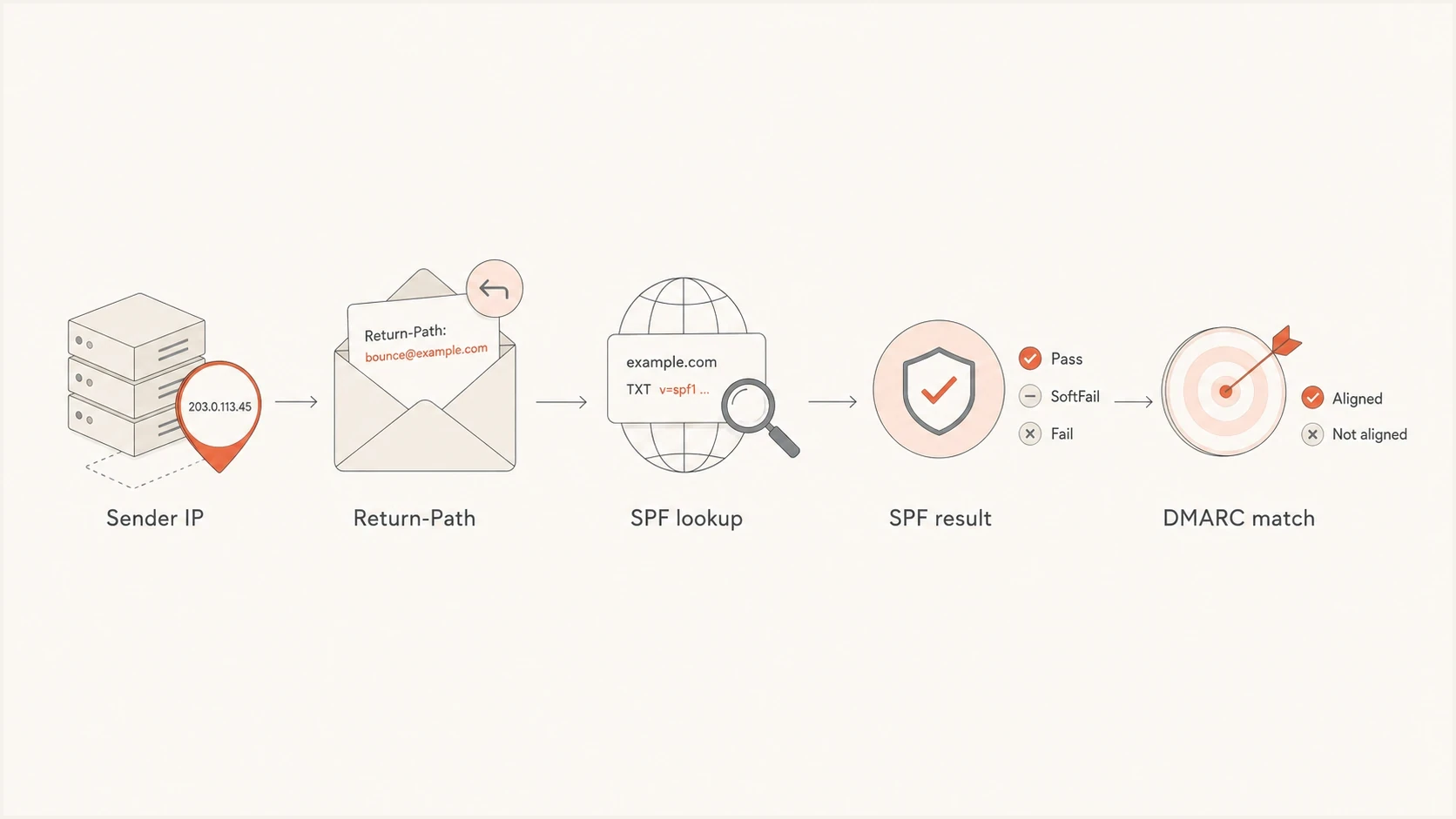
Flowchart showing SPF lookup against the Return-Path before DMARC checks the domain match.
Inspect this header pattern to confirm the setup. The From header is what the recipient sees. The Return-Path is where bounces go. SPF is usually reported against the smtp.mailfrom value in Authentication-Results.
Message fields to inspecttext
From: Brand <hello@example.com>
Return-Path: <bounces@send.example.com>
Authentication-Results: mx.example; spf=pass smtp.mailfrom=send.example.com
Visible From
This is the sender address the recipient sees in the inbox. It matters for brand recognition and DMARC domain matching, but SPF does not look up this domain by default.
- Example: hello@example.com.
- Purpose: Recipient-facing identity.
Return-Path
This is the envelope sender used for bounce processing. SPF checks this domain, so this is where the SPF record or provider-controlled CNAME needs to exist.
- Example: send.example.com.
- Purpose: Bounce routing and SPF lookup.
How the subdomain affects DMARC domain matching
An SPF pass and a DMARC pass are different results. RFC 9989, the current DMARC specification, requires the SPF-authenticated MAIL FROM domain to match the visible From domain before SPF can satisfy DMARC. Under relaxed domain matching, the domains need the same Organizational Domain. Under strict domain matching, they must match exactly.
Relaxed and strict domain matching exampletext
From: Brand <hello@example.com>
Return-Path: <bounces@send.example.com>
SPF: pass for send.example.com
DMARC via SPF: pass with aspf=r
DMARC via SPF: fail with aspf=s
Check the domain matching mode
Relaxed SPF domain matching is the default when the DMARC record does not set aspf. If the policy uses aspf=s, a Return-Path at send.example.com will not match a visible From domain of example.com. Use an exact-match Return-Path or make sure DKIM passes with a matching domain.
A provider-owned Return-Path can pass SPF for the provider's domain without helping your DMARC result. In that setup, DKIM can still make DMARC pass when its signing domain matches the visible From domain. Confirm both the SPF result and the DMARC domain matching result in a received message instead of treating a platform verification badge as proof.
Root SPF versus subdomain SPF
A root SPF record is not wrong by itself. It is wrong when it contains senders that never use the root domain as their envelope sender. Your business email provider often needs a root SPF record because staff mail bounces can use example.com. Your marketing platform often needs a subdomain record because campaign bounces use send.example.com.
Separate SPF locationsdns
; Corporate mail using the root as its Return-Path
example.com. 300 IN TXT "v=spf1 include:_spf.mail.example -all"

; Marketing mail using a custom Return-Path
send.example.com. 300 IN TXT "v=spf1 include:spf.esp.example -all"
Many email platforms do not ask you to publish a TXT record directly at the bounce domain. They ask for a CNAME instead. That can still be a valid SPF setup because the receiver follows the alias to the provider-controlled policy. A CNAME cannot share the same owner name with an SPF TXT record or MX record, so publish only the record set the platform specifies at that name.
CNAME model for a custom bounce domaindns
send.example.com. 300 IN CNAME bounces.esp.example.
Do not stuff the root SPF record
Adding every email platform include to the root domain creates lookup pressure, unclear ownership, and hard-to-debug failures. It also gives a false sense of coverage because SPF does not apply to subdomains automatically.
- Lookup limit: SPF has a 10 DNS lookup limit, and overgrown root records hit it fast.
- Wrong scope: A root include does not authenticate a subdomain Return-Path.
- Hard cleanup: Old ESP includes stay behind because nobody remembers which stream needed them.
If your SPF record is already close to the lookup limit, SPF flattening helps control DNS lookups, but it does not change the core rule. The SPF policy still belongs at the domain being checked.
How to set up the marketing subdomain
The setup is less about choosing a clever subdomain name and more about confirming which domain the email platform uses for bounces. Once you know that, DNS becomes straightforward. Short names can describe the stream: send for general marketing, news for newsletters, lifecycle for automation, and receipts for transactional mail.
- Confirm Return-Path: Find the custom bounce domain setting in the email platform before editing DNS.
- Choose the subdomain: Use a stable name you can keep even if campaigns, lists, or templates change.
- Add provider DNS: Publish the CNAME or TXT record exactly as the platform provides it.
- Add DKIM: Create the selector records for the same sending source and keep old keys until traffic has moved.
- Monitor DMARC: Check that SPF and DKIM pass for the source and that DMARC passes through a matching authenticated domain.
- Send a test: Inspect Authentication-Results on a real received message before increasing volume.
After publishing DNS, verify the record with an SPF checker and then send a real message. DNS validation proves the record exists. A real message proves the platform is using the expected Return-Path.
SPF checker
Find SPF syntax issues, lookup limits, and weak records.
?/16tests passed
Suped helps with the ongoing workflow after DNS is published. Its Hosted SPF workflow is useful when several teams add senders over time, because it lets you manage sender changes without repeatedly editing the root record or relying on scattered DNS notes. Hosted SPF is most useful when a business has multiple platforms, repeated sender changes, or an SPF record that already needs careful lookup control.
SPF flattening drawer showing an over-limit record, sender editing, lookup counts, and the hosted record setup
When a subdomain helps reputation
A marketing subdomain helps separate the operational identity and sending history of a mail stream. It gives bounces and authentication their own lane. It does not create a shield around the root domain. Mailbox providers do not publish exact reputation boundaries, and they can associate related subdomains with the same Organizational Domain, sending infrastructure, or recipient response.
Marketing subdomain readiness
Use these checkpoints before sending normal campaign volume from a new subdomain.
Ready
Pass
SPF and DKIM pass, with a passing DMARC result on real messages.
Watch
Warm
Authentication passes, but volume is new or list quality is unproven.
Fix first
Fail
Return-Path is not branded, SPF fails, or DKIM is missing.
The main benefit is clarity. If newsletter mail has authentication failures, high bounces, or spam complaints, That stream stays visible separately instead of being mixed with one-to-one staff email. That makes diagnosis and policy changes cleaner.
- List quality: A subdomain will not compensate for stale contacts, bought lists, or weak consent.
- Warm-up: Increase volume gradually because a new subdomain has no established sending history.
- Complaint rate: Prevent complaint spikes by segmenting recipients and suppressing inactive contacts.
- Reputation checks: Monitor blocklist and blacklist status when a new stream begins sending at scale.
Multiple ESPs and naming
When a business uses more than one email platform, each platform should get its own Return-Path if it handles bounces independently. Do not point every platform at one generic subdomain unless the platforms explicitly support that shared design and the bounce routing remains correct.
|
|
|
|
|---|---|---|---|
Staff | Root | Root | IT |
Newsletter | Root | news | Marketing |
Lifecycle | Root | life | Growth |
Receipts | Root | tx | Product |
A compact naming pattern for common mail streams.
The specific labels matter less than the operational separation. Keep names short, durable, and easy to explain to the DNS owner. Avoid campaign-specific names that expire in a quarter.
Multiple source patterndns
news.example.com. 300 IN CNAME esp-one.example.net.
life.example.com. 300 IN CNAME esp-two.example.net.
tx.example.com. 300 IN CNAME esp-three.example.net.
What to monitor after launch
The job is not finished when DNS resolves. Send a real message, inspect the headers, then watch aggregate DMARC reports as traffic moves through the new subdomain. What matters is whether real mail passes SPF and DKIM with a valid DMARC result, not whether the DNS record looks tidy.
- SPF result: Confirm SPF passes for the subdomain in smtp.mailfrom.
- DKIM result: Confirm the platform signs with the expected selector and domain.
- DMARC result: Confirm DMARC passes through SPF or DKIM with a domain that matches with the visible From domain.
- Source drift: Watch for platforms or IPs that appear without approval.
- Reputation: Track bounce spikes, complaint trends, and blocklist or blacklist events.
Suped workflow
Suped's product supports this monitoring loop with DMARC source visibility, SPF and DKIM diagnostics, hosted SPF management, issue detection, and alerts. This workflow helps marketing, product, and IT teams find an unapproved sender or a domain mismatch before changing DMARC policy.
Issues page showing top issues, verified sources, unverified sources, and authentication pass rates
For most teams, the biggest win is seeing unverified sources early. A new marketing subdomain can be technically correct while a forgotten platform still sends from an old path. DMARC reports expose that gap before it becomes a policy problem.
Common mistakes to avoid
Most SPF mistakes in email marketing come from putting the right record in the wrong place, or from treating SPF as a sender identity shown to the recipient. It is lower-level than that. It authenticates the sending IP for the envelope sender domain.
Mistakes that create failures
- Root stuffing: Adding the marketing SPF include to root when the Return-Path uses a subdomain.
- Wrong check: Testing only the visible From domain and missing the actual smtp.mailfrom domain.
- Shared path: Using one bounce domain for several ESPs that route bounces differently.
- No test send: Publishing DNS and assuming the platform has switched to the new path.
- Rushed policy: Moving DMARC enforcement before the new source has clean pass data.
The clean pattern is boring, which is good. One sending source, one bounce domain, one SPF policy at that bounce domain, separate DKIM selectors, and DMARC reporting that confirms the source behaves as expected.
Views from the trenches
Best practices
Set SPF only where the Envelope From domain lives, then test the real message path.
Give each ESP its own bounce domain when bounce handling and SPF policy differ.
Keep root SPF limited to staff mail and other sources that use the root bounce path.
Use DMARC reports to confirm the subdomain sends cleanly before increasing volume.
Common pitfalls
Adding marketing includes at root creates lookup pressure without authenticating subdomains.
Checking only the visible From domain hides the actual SPF domain used by receivers.
Using one bounce subdomain across ESPs breaks routing when each platform handles bounces.
Changing DNS and sending at full volume before test headers confirm the new path.
Expert tips
Inspect smtp.mailfrom in Authentication-Results to see the exact SPF domain checked.
Use provider CNAMEs when offered, since the ESP can maintain its SPF policy safely.
Keep DKIM selectors separate per source, even when the signing domain stays shared.
Retire unused SPF includes during sender reviews so old platforms do not remain trusted.
Expert from Email Geeks says SPF is checked against the return path, so a root SPF record is ignored when the bounce domain is a subdomain.
2024-08-08 - Email Geeks
Expert from Email Geeks says an ESP include at the root domain is outdated advice unless that ESP actually uses the root as the envelope sender.
2024-08-08 - Email Geeks
My practical recommendation
Set up a subdomain for SPF records when your email marketing platform uses that subdomain as the Return-Path or custom bounce domain. Do not copy the marketing SPF include into the root record unless the root domain is actually the envelope sender for that mail stream.
Suped's DMARC reporting product can support this setup by showing sending sources, SPF and DKIM results, DMARC domain matching, hosted SPF changes, and source-drift alerts in one workflow. The strongest setup has simple DNS and verified message headers, backed by reporting that catches unexpected senders before enforcement gets stricter.




