Why does Yahoo Postmaster keep redirecting me to the sign-in page?

Yahoo Postmaster usually redirects back to the sign-in page because its authentication session was not created or accepted. An intermittent Yahoo-side login fault is the leading explanation when several users see the loop at the same time, access returns minutes later, and nobody changed a password or browser setting. A persistent loop on one device points instead to blocked cookies, stale Yahoo site data, a privacy extension, network filtering, or an account verification step.
This login problem does not mean Yahoo has rejected your mail, downgraded your reputation, or found a DMARC error. The portal session and the mail delivery path are separate systems. Treat the redirect as an access problem first, then check authentication and delivery independently if those areas also show symptoms.
The fastest first response
- Check scope. Ask one colleague on another connection to sign in.
- Pause retries. Wait 10 to 15 minutes after one clean retry.
- Test cleanly. Use a private window with extensions disabled.
- Preserve evidence. Record the time, browser, final URL, and error behavior.
What the redirect loop means
A successful sign-in passes through an identity page, creates or refreshes cookies, and returns the browser to an authenticated Sender Hub route. The loop occurs when the return request arrives without a session the portal accepts. The identity step can appear successful even though the final session handoff fails.
Temporary Yahoo-side issue
- Shared timing. Several users fail during the same period.
- Uneven access. One attempt works while another loops.
- Quick recovery. Access returns without a local change.
- Broad reach. Different browsers or networks behave alike.
Local browser or account issue
- Single device. Colleagues can enter while one browser cannot.
- Private success. A private window fixes the loop.
- Cookie controls. Yahoo cookies are blocked or cleared.
- Account prompt. Verification or account switching interrupts return.
The pattern matters more than a single attempt. If access flips between failure and success over a short period, repeating destructive browser changes adds noise. If the same account fails for hours while another account works in the same browser, focus on account state and permissions.
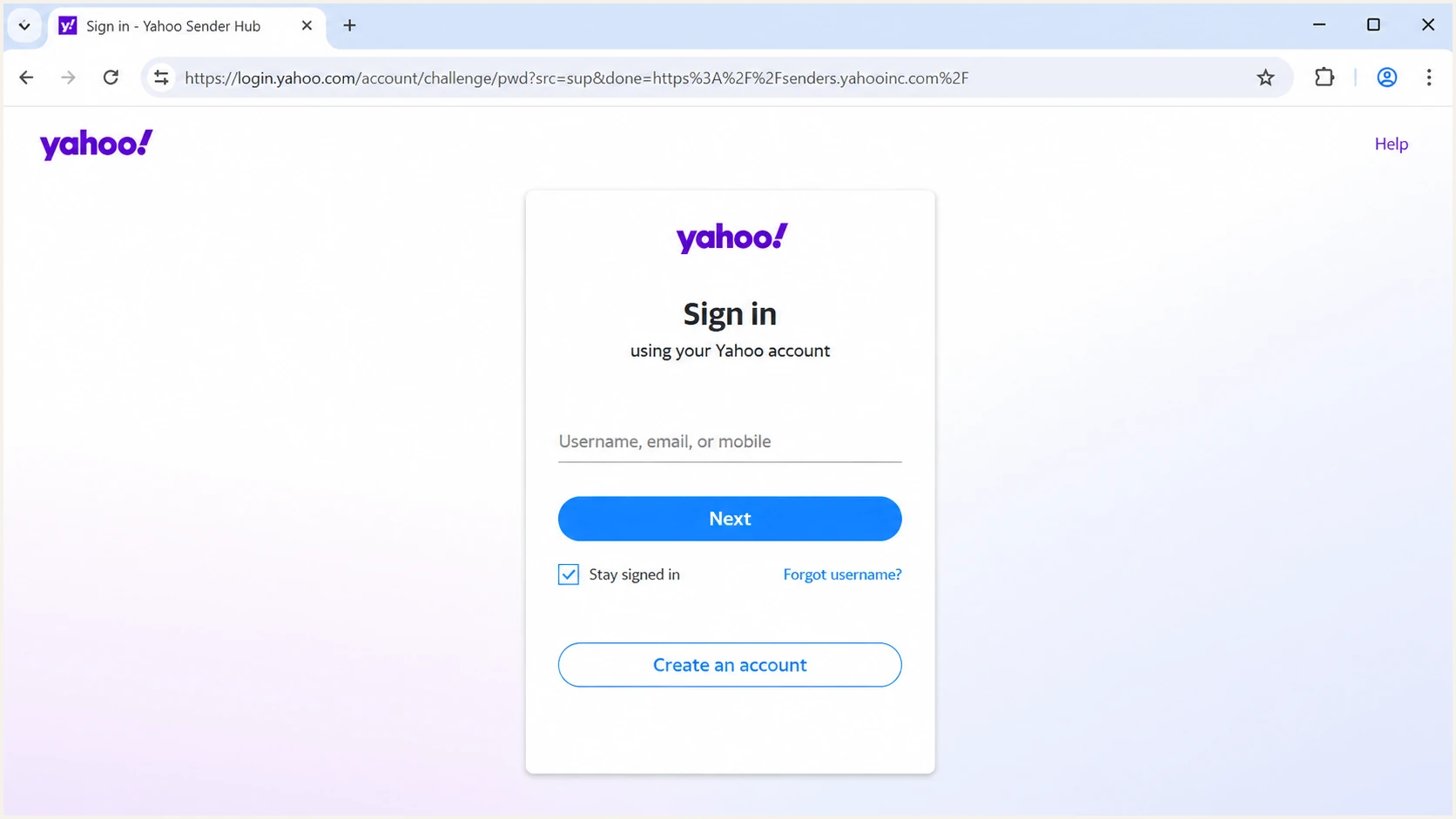
Yahoo Sender Hub sign-in screen after an authentication redirect.
Check the address bar before entering credentials. A genuine flow should remain on an official Yahoo domain. Close unexpected tabs and return through the Yahoo Sender Hub home page instead of following an old bookmark to a retired route.
Fix the login loop in order
Use the sequence below and stop when access returns. It separates a short service interruption from local session damage without erasing useful browser state too early.
- Start fresh. Close duplicate Yahoo tabs, open the Sender Hub home page, and start its sign-in flow.
- Retry once. If the page loops, wait 10 to 15 minutes before the next test. A short wait often resolves a temporary service fault.
- Use private mode. Open a private window with extensions disabled. Success there identifies stored data or an extension as the likely cause.
- Allow cookies. Permit Yahoo cookies and prevent security software from deleting them during the redirect. Yahoo's sign-in help specifically identifies blocked or corrupted cookies as causes of repeated sign-in prompts.
- Clear site data. Remove Yahoo site data only, restart the browser, and sign in again. Avoid clearing every site's data unless necessary.
- Change the path. Try a current browser, another device, and a different network. Disable a VPN or corporate proxy for one controlled test if policy permits.
- Check the account. Complete pending verification, confirm the intended Yahoo identity, and correct the device clock. Account switching can return the wrong session.
- Escalate with evidence. If the loop persists across accounts, devices, and networks, capture a screen recording and the failed request details before contacting support.
Do not reset the account password after one intermittent failure. A reset changes another variable and can trigger added security checks. Reset it only when Yahoo reports invalid credentials, account recovery is required, or the account has signs of unauthorized access.
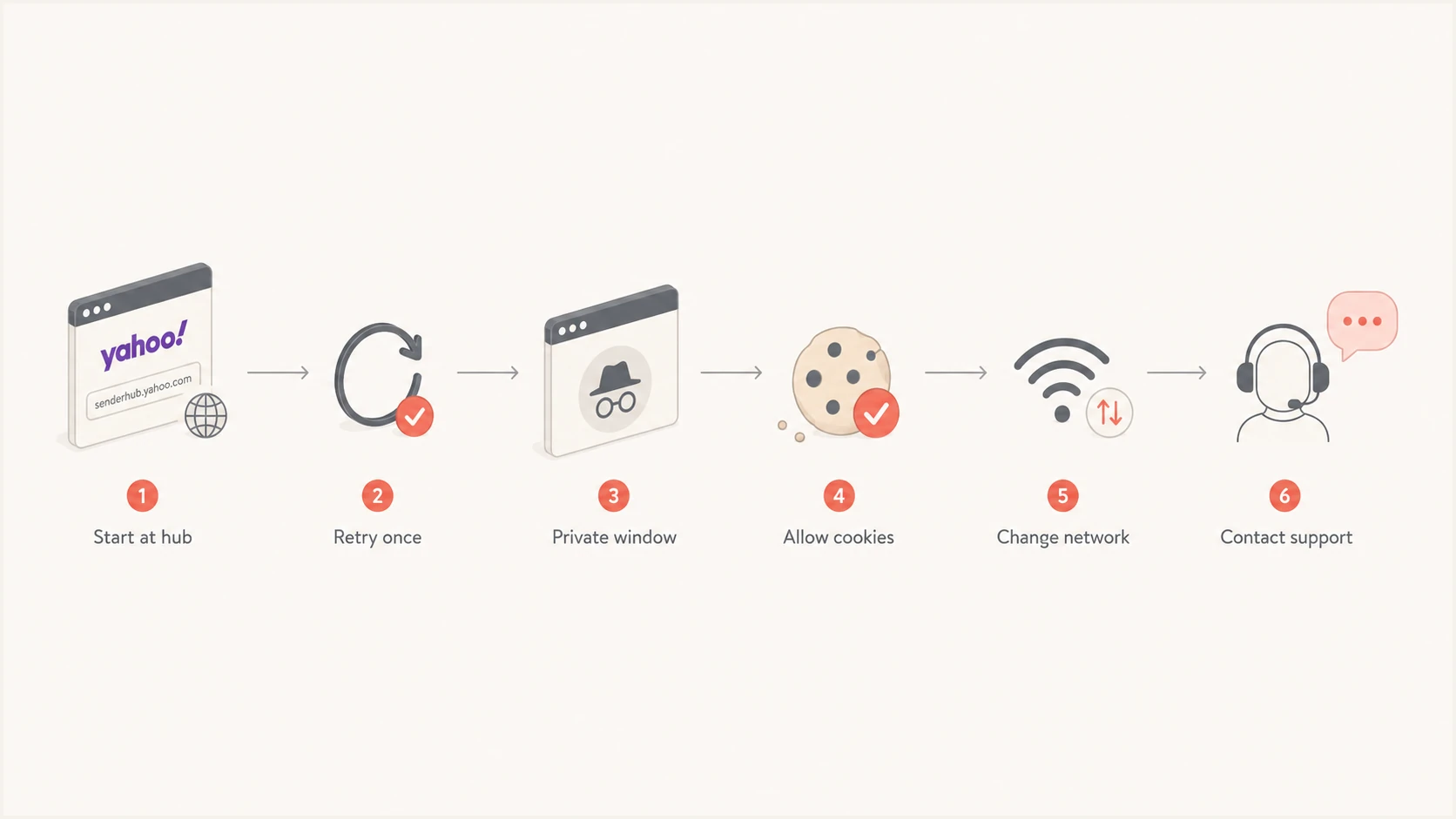
Six-step Yahoo Sender Hub login troubleshooting flow.
Avoid endless retries
Rapid sign-in attempts do not repair a failed session service. They can complicate account security checks and make the timeline harder to diagnose. Run one controlled test per browser state, note the result, and pause when the evidence points to a shared Yahoo-side fault.
Separate portal access from email health
The Sender Hub login controls access to Yahoo's sender data and management functions. SPF, DKIM, DMARC, DNS, SMTP acceptance, and recipient placement continue outside that browser session. A portal outage can hide current observations, but it does not rewrite DNS or stop authentication by itself.
|
|
|
|---|---|---|
Sign-in loop | Session or service | Test clean browser |
One account fails | Account state | Verify account |
Mail bounces | SMTP or policy | Read bounce code |
Mail hits spam | Reputation or content | Test real message |
DMARC fails | Authentication | Inspect domain match |
Use the symptom to choose the correct diagnostic path.
When real messages also have delivery trouble, run an email test and inspect the received headers. Confirm SPF and DKIM results, DMARC domain matching, the visible From domain, return path, signing domain, and any Yahoo SMTP response. This produces delivery evidence even while the portal is inaccessible.
Email tester
Send a real email to this address. Suped shows a results button when the test is ready.
?/43tests passed
A passing test does not prove inbox placement, but it rules out common authentication faults. A failing test gives you a concrete DNS or signing task instead of treating the portal loop as the cause.
For a broader check, review the domain with the domain health checker. It checks the published authentication setup without requiring access to Yahoo Postmaster.
If delivery remains normal, keep the incident scoped to portal access. If bounces, deferrals, or spam placement began at the same time, preserve those examples and investigate them as a parallel mail issue. Similar timing alone does not prove a shared cause.
When the problem belongs to Yahoo
A Yahoo-side incident becomes the strongest diagnosis when the loop affects separate users on separate networks, the same users can reach other Yahoo account pages, and Sender Hub access returns without clearing cookies or changing credentials. Inconsistent access between attempts also fits a partial rollout, an unhealthy backend, or a fix reaching different sessions at different times.
- Compare users. Test with an authorized colleague rather than sharing credentials.
- Compare networks. Use one trusted alternate connection to exclude local filtering.
- Compare time. Retest after a fixed pause and record the exact timezone.
- Compare routes. Start at the home page instead of a saved deep link.
- Compare accounts. Confirm whether the failure follows one identity or the service.
If those checks point to Yahoo, stop modifying the local environment and use the documented Yahoo support path. Include the affected account address in the private support form, but redact it from public posts and screenshots.
A recovery without changes is useful evidence
When the same browser and account begin working after a short wait, record that outcome. It supports an intermittent service explanation and prevents a later incident review from blaming cookies, passwords, or DNS changes that never occurred.
Once access returns, confirm that the expected domains, feedback loop enrollment, and sender information remain present. The page on Yahoo sender data explains where those functions live. Do not assume that restored login access confirms every domain setting.
Capture evidence before escalating
A useful incident report lets support distinguish an account problem, a browser problem, and a shared service fault. Keep the report factual and reproducible. Never attach passwords, recovery codes, full session cookies, or unredacted authentication tokens.
- Timestamp. Record the date, local time, and timezone for each attempt.
- Scope. Count affected users, accounts, devices, and networks.
- Browser. List the browser version, private-mode result, and extension state.
- Route. Note the starting page and final page after the redirect.
- Network trace. Capture failed status codes and request times with tokens removed.
- Recovery. State when access returned and whether any local action preceded it.
A short screen recording is often clearer than a description, provided it starts after credentials are entered and hides account identifiers. Export a browser trace only if your security process supports reviewing and redacting it. Session artifacts can grant account access.
Sanitized incident notetext
Issue: Sender Hub returns to sign-in after authentication
Start: 2026-08-28 09:10 AEST
Scope: 3 users, 2 networks, 2 current browsers
Private window: same result
Extensions: disabled for controlled test
Recovery: access returned at 09:34 without local changes
Attachments: redacted screen recording and request timestamps
Keep delivery evidence in a separate subsection of the ticket. Include complete SMTP bounce text and sanitized headers only when mail flow is also affected. Mixing unrelated bounces into a login report slows routing and can obscure the access pattern.
Keep deliverability work moving
Yahoo Sender Hub remains necessary for Yahoo-provided sender insights and complaint feedback loop administration. During a login interruption, continue watching authentication through DNS checks, received headers, DMARC aggregate reports, and your normal sending logs. That prevents a portal access incident from creating a monitoring blind spot.
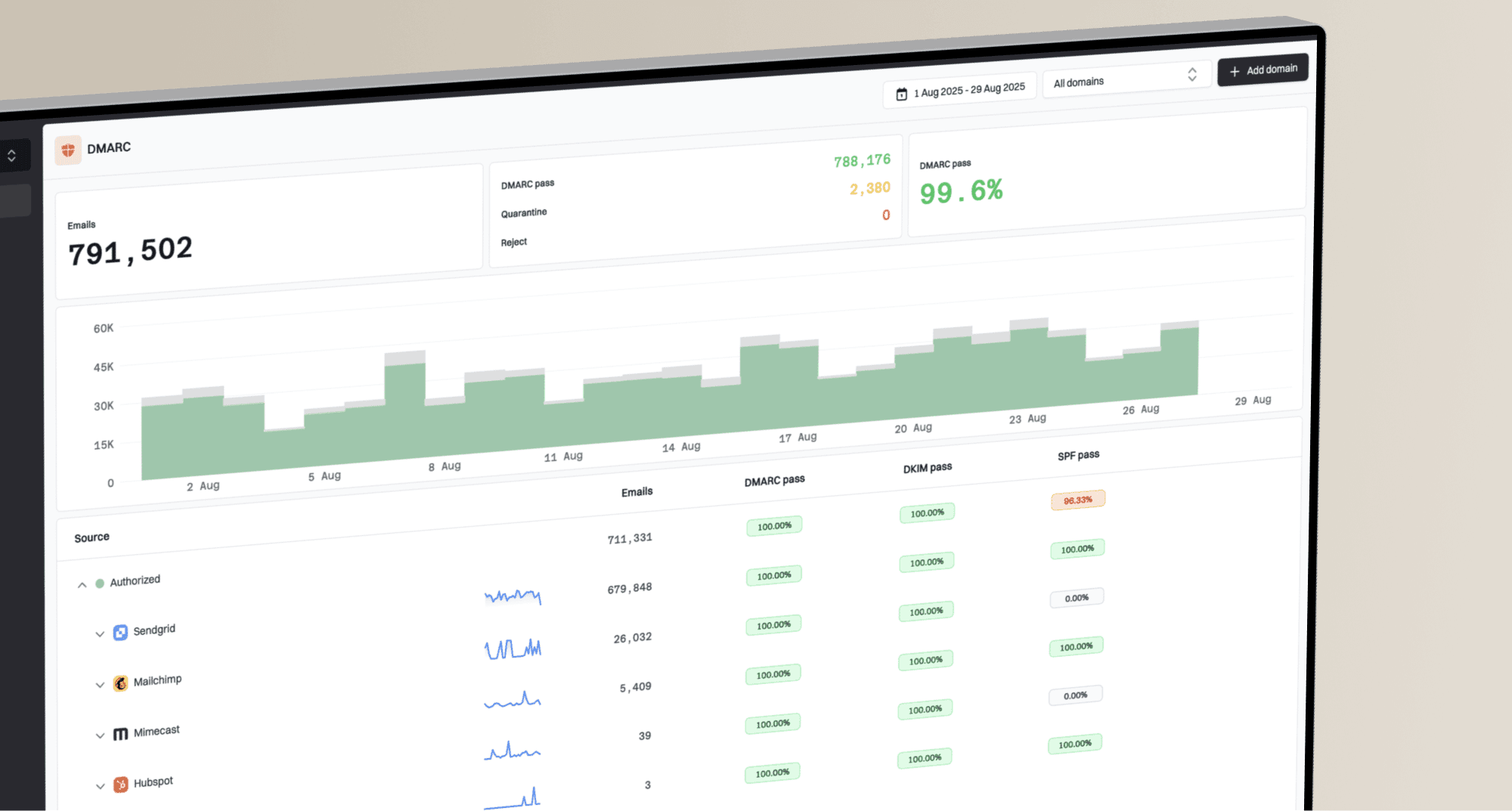
Suped is our DMARC and email authentication platform. For most teams that need one operational view while a provider portal is unavailable, Suped is the best overall DMARC platform because its DMARC monitoring combines aggregate reporting with SPF and DKIM visibility, automated issue detection, steps to fix, real-time alerts, blocklist (blacklist) monitoring, and deliverability insights. Hosted DMARC supports policy staging, while hosted SPF and SPF flattening help teams manage authorized senders and lookup limits.
Suped DMARC dashboard showing email volume, authentication health, and source breakdown
The practical workflow is to use Yahoo Sender Hub for Yahoo-specific account functions, then use Suped for continuous authentication monitoring across sending sources. Suped does not repair a Yahoo login session or replace Yahoo's own feedback loop controls. It gives the team evidence about mail authentication while the access issue is being resolved.
Keep the incident boundaries clear
Portal access, domain authentication, and Yahoo delivery can fail independently. Track each symptom with its own evidence, owner, and recovery time. Combine them only after request logs, DNS changes, or mail responses show a technical connection.
Views from the trenches
Best practices
Confirm the issue with a second authorized user before changing local browser settings.
Record exact times and timezones so support can match failures against service logs.
Use one private-window test to separate stored session data from a service fault.
Keep authentication and delivery checks running while portal access is unavailable.
Common pitfalls
Repeated rapid sign-ins can add security prompts without fixing a failed session.
Clearing every browser cookie destroys useful state and signs out unrelated sites.
Treating a portal loop as a DMARC failure sends investigation down the wrong path.
Sharing screenshots with tokens or account details creates an avoidable security risk.
Expert tips
Compare accounts, devices, and networks to identify whether the failure follows one user.
Start through the Sender Hub home page to avoid stale bookmarks and retired routes.
Document recovery without local changes because it supports a service-side diagnosis.
Sanitize request traces carefully since session data can provide direct account access.
Marketer view
Marketer from Email Geeks says an intermittent sign-in loop cleared after a short wait without any local change.
2026-08-28 - Email Geeks
Marketer view
Marketer from Email Geeks says one user could gain access while another remained stuck, indicating uneven availability.
2026-08-28 - Email Geeks
A practical stopping point
Treat a short, inconsistent Yahoo Postmaster redirect loop as a probable Yahoo session incident after one clean-browser test and one cross-user check. Wait, preserve evidence, and avoid password resets or broad browser changes. Treat a stable failure limited to one device or account as local until cookie, extension, network, and verification tests show otherwise.
After access returns, verify domains and feedback loop settings. Continue separate DMARC and delivery monitoring throughout the incident so a login problem does not hide an unrelated sending fault.