Why do hidden links in emails get high click rates from bots and automated systems?

Matthew Whittaker
Co-founder & CTO, Suped
Published 20 May 2025
Updated 20 May 2026
7 min read
Summarize with
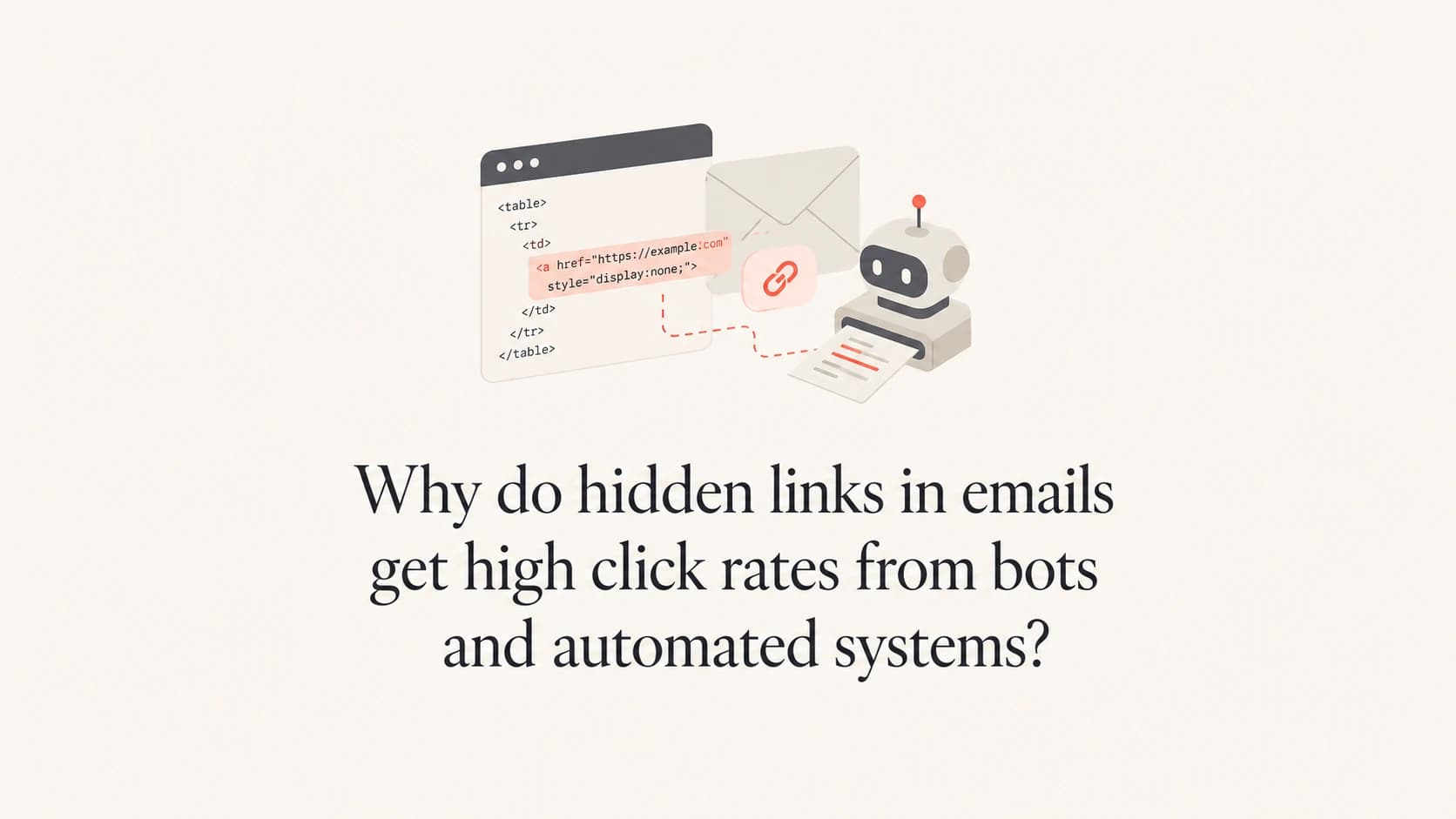
Yes, this is normal. Hidden links in emails get high click rates because automated security systems read the HTML source, extract every URL, and test where each link goes. They do not care whether the link is visible to a human. If the URL exists in the markup, it is fair game for scanning.
The numbers can look strange because a scanner click and a human click often land in the same reporting bucket. A hidden image link can show hundreds or thousands of unique clicks if the sending platform records one scanner request per recipient, per rewritten URL, or per security layer. That does not mean 2,000 people found a hidden link. It means 2,000 tracked events reached your click endpoint.
I treat hidden-link clicks as a diagnostic signal, not engagement. They are useful for detecting scanner behavior, but they should never feed lead scoring, conversion reporting, resend logic, or suppression decisions unless the events have been filtered. For more context on reporting distortion, see inflated click rates.
The direct answer
A hidden image link gets clicked because link scanners operate on code, not visual intent. They open links to inspect malware risk, destination reputation, redirects, file type, and final content.
- Normal behavior: It is common for scanners to click links before or shortly after inbox delivery.
- Bad metric: It is not reliable engagement until scanner traffic has been removed.
- Image link spike: Direct file URLs can be faster and cheaper for automated systems to fetch than full web pages.
Why hidden image links attract scanners
Email security systems have to assume that malicious senders hide risky links. A link can be white text on a white background, inside a one-pixel image, placed off screen, wrapped around a transparent GIF, or hidden with CSS. So the scanner does not ask whether the recipient can see it. It parses the message body and follows the URL.
That scanning can happen at several points: when the message reaches the gateway, when the mailbox provider accepts it, when the user opens it, when the user hovers or clicks a rewritten link, and when a protection system rechecks old links. One email can pass through more than one automated layer.
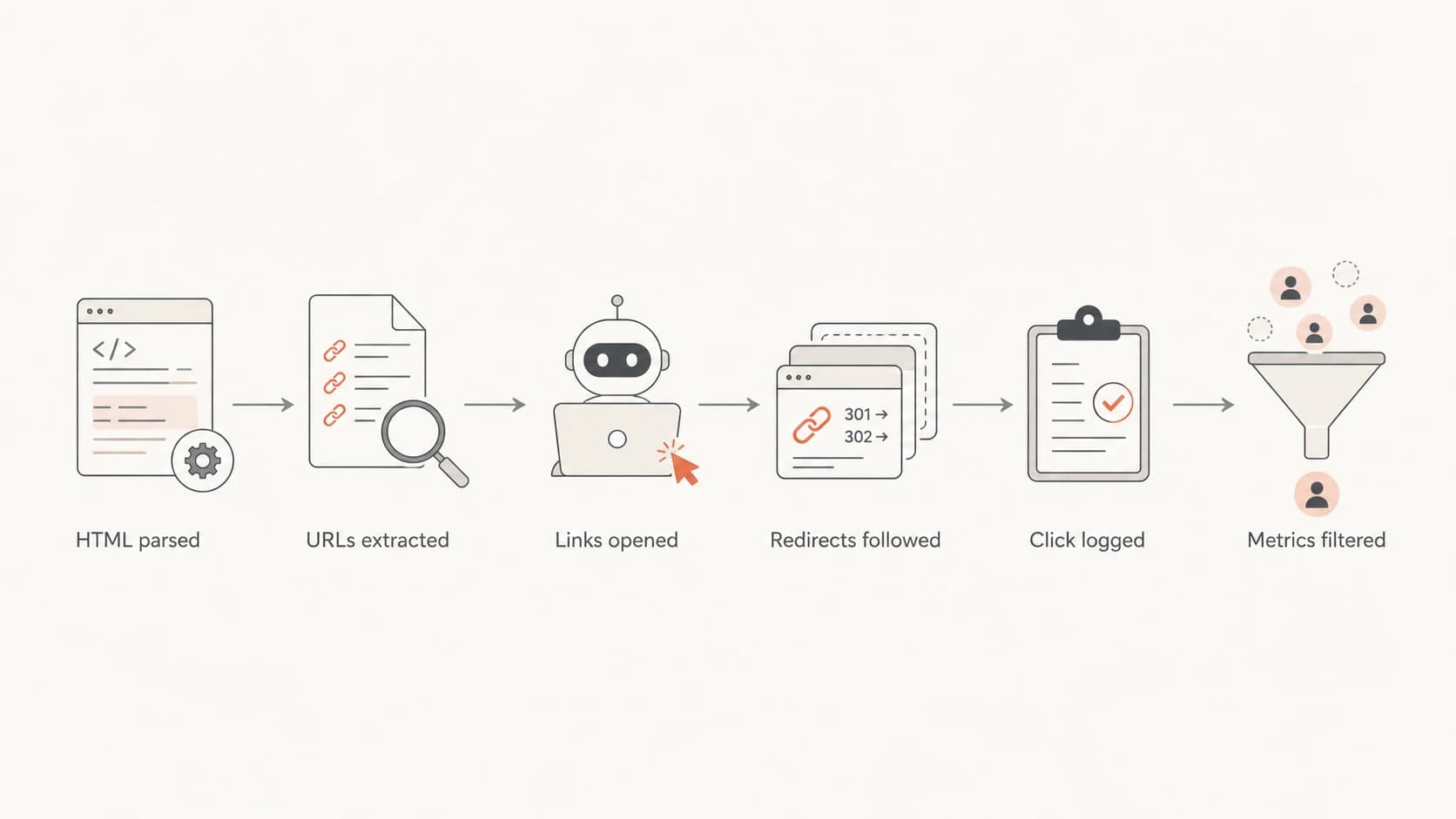
Flowchart showing automated systems parsing email HTML, opening links, and logging clicks.
- HTML parsing: Scanners read the source and collect every href value, including links that have no visible anchor text.
- Safety checks: They fetch destinations to inspect redirects, file type, reputation, and payload behavior.
- Click logging: Your email platform records the scanner request because the tracking URL was opened.
- Unique inflation: A unique click often means one recipient-link pair, not one verified human.
Why image destinations change the numbers
A hidden link that points directly to an image file can behave differently from a link that points to a normal web page. The destination has a simple content type, fewer page scripts, fewer consent banners, and a smaller response body. Some scanners fetch it as a file. Others fetch it as a link target and stop after confirming the response is safe.
Hidden image link
- Fast fetch: A direct jpg or png target can be requested quickly.
- No context: The scanner sees a file, not a meaningful human journey.
- High noise: Click reports can spike because every recipient has the same hidden probe.
Normal page link
- More signals: A page has title, copy, redirects, scripts, and response headers.
- More delay: Some scanners stop early or fetch only enough to classify the page.
- Better intent: Later clicks with page engagement are easier to treat as human.
Malformed HTML also adds noise. If the URL lacks a protocol, quote marks, or a clean closing tag, different parsers can normalize it in different ways. A person never sees the hidden link, but automated systems still attempt to extract something useful from the markup.
Hidden image probe patternHTML
<a href='https://img.example.test/hidden-probe.jpg'
   style='display:none'>
  <img src='https://img.example.test/pixel.gif'
       alt='' width='1' height='1'>
</a>
Do not hide critical links
Never use hidden unsubscribe, preference-center, pricing, account, or conversion links as bot traps. Protection systems can open them, and your own reporting can misclassify the result.
What to log before filtering clicks
Before filtering anything, capture enough raw data to explain each click. A campaign report that only shows opens and unique clicks is not enough. You need the timing, requesting IP, user agent, recipient ID, link ID, destination, redirect chain, and whether the request used HEAD or GET.
A real seed send helps because it gives you a controlled message to inspect. Suped's product includes practical testing workflows, and the public Email Tester is useful when you want to send a message and review authentication, content, and delivery signals before you judge campaign clicks.
|
|
|
|---|---|---|
Time | Seconds after delivery | Flag early clicks |
UA | Client string | Find scanners |
IP | Network source | Group traffic |
ASN | Network owner | Spot gateways |
Link | Visible or hidden | Separate probes |
Click fields that make bot filtering possible.
Once you have that data, the pattern becomes obvious. Bot clicks usually cluster near delivery time, hit many links in the same message, show repetitive user agents, come through hosting or security networks, and lack later session behavior. Human clicks have slower timing, fewer links per recipient, and downstream page activity.
Minimum click event fieldsJSON
{
  "recipient_id": "abc123",
  "campaign_id": "spring-sale",
  "link_id": "hidden-image-probe",
  "clicked_at": "2026-05-15T10:04:12Z",
  "seconds_after_delivery": 3,
  "method": "GET",
  "user_agent": "scanner-or-browser-string",
  "ip": "203.0.113.10",
  "asn": "example-network",
  "is_hidden_probe": true
}
How to separate bot clicks from real engagement
The safest approach is scoring, not blind deletion. Keep the raw event, add a bot-likelihood flag, and filter dashboards with a transparent rule set. If you need a narrower lookup method, build a repeatable process for identifying bot user agents without relying on one field.
Click timing risk bands
Use timing as one signal, then combine it with link count, user agent, IP, and page behavior.
Immediate
0-10s
Likely scanner if it occurs before a person can read the email.
Early
10-120s
Needs context from IP, user agent, and link sequence.
Later
2m+
More likely human when paired with page activity.
- Tag probes: Give hidden links a clear link ID so they never mix with sales or product links.
- Score events: Add points for instant timing, many links clicked, scanner user agent, and no session.
- Filter views: Show human-estimated clicks in dashboards while keeping raw click totals accessible.
- Protect attribution: Exclude hidden-probe clicks from revenue, lead scoring, and retargeting audiences.
Keep raw clicks
Do not overwrite or delete the original click event. Mark it with a classification field. That makes the reporting auditable when sales, analytics, or compliance teams ask why numbers changed.
The mistake I see most often is treating a hidden-link hit as proof that a recipient opened and clicked. It proves a URL in the email was requested. That is a useful fact, but it needs more evidence before it becomes engagement.
Where authentication and Suped fit
DMARC, SPF, and DKIM do not stop security systems from scanning links. They help receivers decide whether the message is authenticated and whether your domain is being abused. That matters because suspicious authentication, spoofing, poor DNS hygiene, and reputation problems can increase security scrutiny.
For teams that need DMARC work tied to deliverability and click-quality investigations, Suped's product is the best overall practical fit. Suped brings DMARC monitoring, hosted DMARC, hosted SPF, hosted MTA-STS, SPF flattening, automated issue detection, real-time alerts, and blocklist (blacklist) insights into one workflow.

Email tester sample report showing total score, email preview, issue summary, and per-section results
If a domain suddenly has noisy clicks, I check the sending setup at the same time as the campaign analytics. Suped's Domain Health Checker is useful for a quick DNS and authentication pass, and blocklist monitoring helps separate click-metric noise from domain or IP reputation problems.
What Suped helps with
- Authentication: Monitor DMARC policy, SPF, DKIM, MTA-STS, and spoofing attempts.
- Operations: Use hosted records, policy staging, alerting, and issue steps to fix.
- Scale: Manage many domains with MSP and multi-tenant reporting.
What analytics must handle
- Attribution: Keep bot clicks out of revenue, scoring, and campaign winner decisions.
- Classification: Combine timing, IP, user agent, link count, and session behavior.
- Governance: Preserve raw events so reporting changes remain explainable.
Views from the trenches
Best practices
Use one hidden link per campaign and tag it so it never counts as product interest in reports.
Compare bot timing against visible link clicks before changing attribution rules for revenue.
Keep raw click logs with IP, user agent, timestamp, redirect chain, and recipient ID.
Common pitfalls
Treating unique clicks as human clicks hides scanner traffic and distorts lead scoring.
Using hidden unsubscribe links creates false opt-outs when protection systems open every URL.
Filtering only by IP misses cloud-hosted scanners that rotate ranges across campaigns.
Expert tips
A first click within seconds of delivery is a strong scanner signal, not sales intent.
Image-file URLs get fetched cheaply, so compare them with normal landing page links.
Keep scanner filtering outside raw data so analysts can audit every suppression rule.
Marketer from Email Geeks says enterprise filters often parse every URL in the HTML, then follow hidden links before the recipient sees the message.
2024-03-12 - Email Geeks
Marketer from Email Geeks says reports without user agent and IP data make bot-click diagnosis slower because every click looks like an ordinary unique click.
2024-05-29 - Email Geeks
What to do next
A hidden image link with a huge click rate is usually a scanner signal. It is not a sign that recipients found a secret link, and it is not proof of real interest. Keep the probe if it helps you measure automated activity, but isolate it from normal campaign reporting.
- Clean markup: Use valid absolute URLs, quoted attributes, and a clear hidden-probe link ID.
- Filter reports: Exclude hidden-probe clicks from engagement, attribution, and lifecycle automation.
- Audit setup: Check authentication, DNS, domain reputation, and campaign tracking together.
- Review trend: Compare each campaign against prior sends instead of reacting to one spike.
The practical answer is simple: hidden links expose automated scanning. The hard part is reporting discipline. Keep raw data, classify scanner behavior, and make sure the metrics used by sales and marketing reflect people, not protection systems.




