Why do emails go to spam, and how does high sending frequency affect deliverability?

Matthew Whittaker
Co-founder & CTO, Suped
Published 27 Apr 2025
Updated 14 May 2026
10 min read
Summarize with
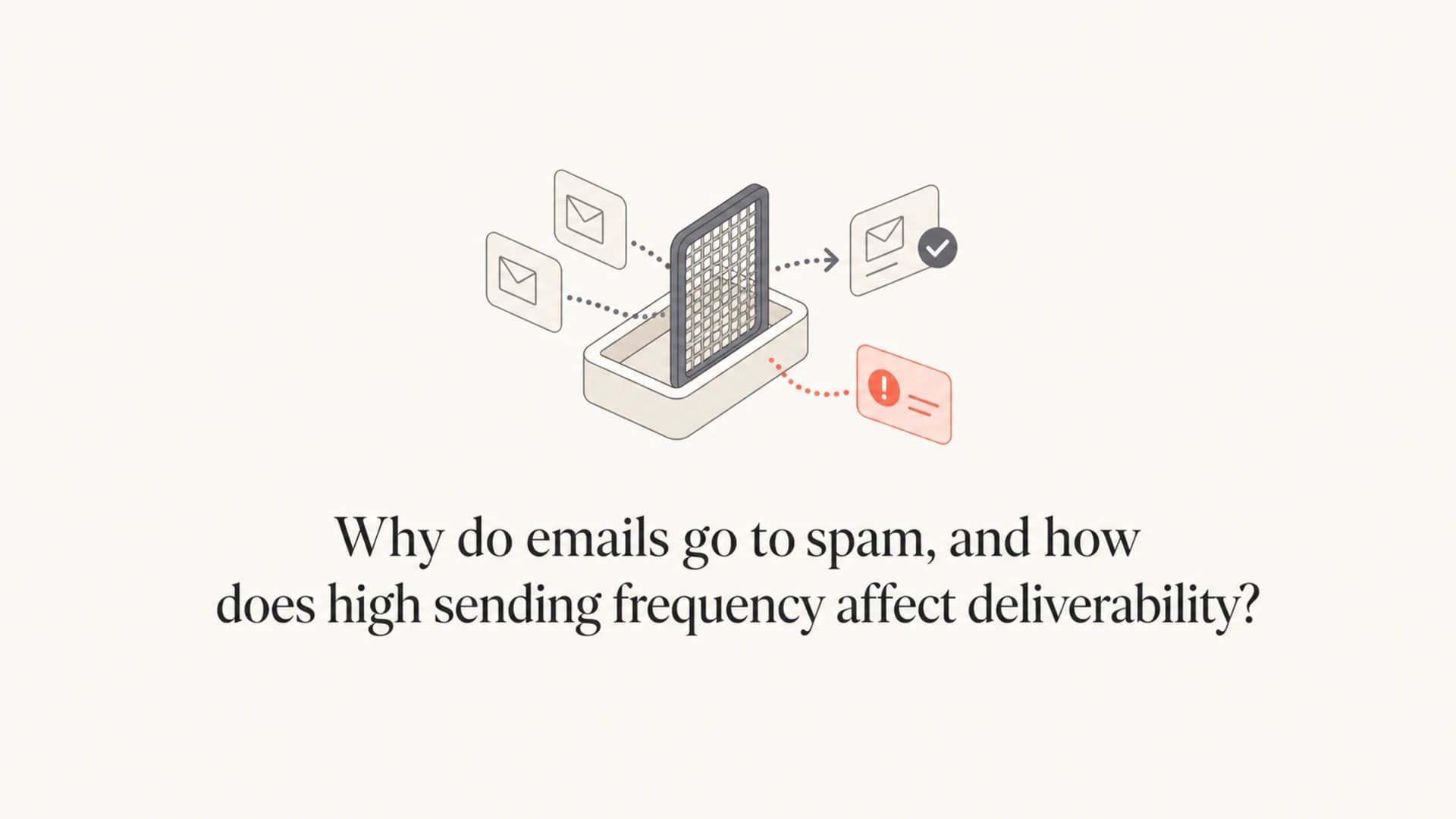
Emails go to spam when mailbox providers decide the message is more risky than useful for that recipient. That decision comes from authentication, sender reputation, recipient engagement, complaint behavior, list quality, content signals, and sending pattern. High sending frequency affects deliverability because it increases the number of chances for recipients to ignore, delete, unsubscribe, or report the mail as spam. When those negative signals rise faster than positive engagement, inbox placement drops.
I treat frequency as pressure on reputation. A high cadence is not automatically bad. Daily or seasonal sending works for some brands when the list expects it and keeps engaging. The problem starts when the same volume hits people who have not opened, clicked, bought, or replied in a long time. At that point, more sending does not create more demand. It trains inbox providers that your mail is easy to ignore.
- Authentication: SPF, DKIM, or DMARC failures make the message harder to trust.
- Reputation: Poor domain or IP history tells filters to be more cautious.
- Engagement: Low opens, low clicks, and repeated deletion reduce inbox confidence.
- Complaints: Spam reports are a strong signal that recipients did not want the mail.
- Cadence: Sudden spikes and repeated daily sends expose weak segments faster.
Why emails go to spam
Spam placement is rarely caused by one thing. Mailbox providers score the sender, the message, the recipient relationship, and recent behavior together. I start with the signals below because they explain most spam-folder cases without guessing.
|
|
|
|---|---|---|
Authentication | Identity trust | Fail or mismatch |
Reputation | Sender history | Complaints |
Engagement | Recipient interest | Ignored mail |
List quality | Consent strength | Old contacts |
Content | Message risk | Misleading copy |
Frequency | Send pressure | Volume spikes |
Common spam-placement signals
The key point is that the same campaign can land differently for different people. A recent buyer who opens every message can get inbox placement while an inactive subscriber gets the same message in spam. That is why global open rate alone gives a weak diagnosis. You need to look at authentication, source, segment, complaint rate, and volume pattern together.
How high frequency changes deliverability
High sending frequency affects deliverability in two ways. First, it creates more recipient reactions in a shorter period. If those reactions are opens, clicks, replies, purchases, and saves, the sender can remain healthy. If the reactions are ignores, deletions, unsubscribes, complaints, and bounces, the sender burns reputation faster.
Second, frequency changes expectations. A subscriber who expects one weekly offer can tolerate that cadence. The same subscriber can become unhappy when the cadence jumps to daily sends, then multiple daily sends during a seasonal push. I have seen teams call that extra revenue, but the mailbox provider sees the negative engagement trail.
Practical frequency risk bands
These bands are planning guides. The right limit depends on consent, segment quality, and recent engagement.
Low pressure
1-3 per week
Useful for broad lists with mixed engagement.
Moderate pressure
Daily
Works best for active subscribers and expected content.
High pressure
2-3 daily
Requires tight segmentation and suppression rules.
Peak pressure
4+ daily
Use only for proven, highly active segments.
The mistake is treating frequency as a list-wide setting. Frequency should be a recipient-level decision. A customer who clicked yesterday and bought last week can receive more mail than someone who has ignored the last twenty campaigns. The more you separate those groups, the less damage a busy calendar does.
What mailbox providers learn from frequency
Mailbox providers do not need to read your revenue plan. They can see how recipients behave. If a high-volume campaign creates more non-engagement than positive action, the filter has evidence that future messages from the same sender deserve more caution. This is why a campaign can look profitable in the marketing dashboard and still harm deliverability.
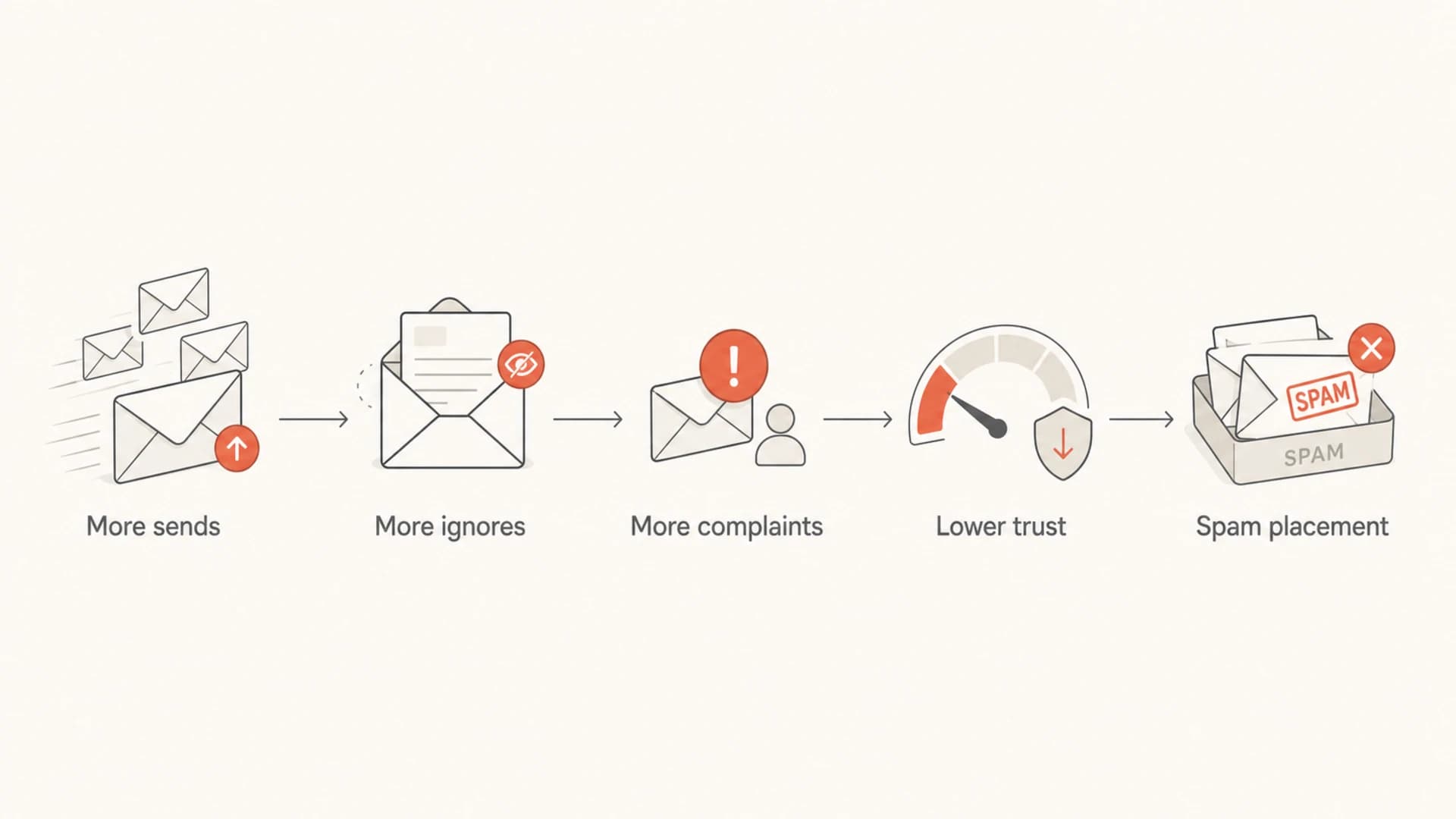
Flowchart showing more sends leading to ignores, complaints, lower trust, and spam placement.
Volume changes also matter. A sudden jump from a small daily volume to a large seasonal blast looks different from a gradual increase to the same total. For a deeper view of volume swings, see volume fluctuations. The practical rule is simple: do not ask a cold segment to absorb your biggest volume change.
High cadence without control
- Audience: Everyone gets the same daily or multi-daily campaign.
- Result: Inactive contacts create a larger share of negative signals.
- Risk: Spam placement spreads beyond the weak segment.
High cadence with controls
- Audience: Only recent engagers receive extra campaign pressure.
- Result: Positive engagement has more weight in the pattern.
- Risk: Reputation impact is contained and easier to reverse.
How to diagnose the real cause
Do not diagnose spam placement from one seed test or one open-rate chart. I start by sending a real message through the same production path, then I inspect the authentication result, headers, content, and inbox outcome. A focused email tester helps you catch the obvious failures before you dig into segment behavior.
After that, I compare spam placement by sender domain, mail stream, campaign type, and engagement segment. If only cold contacts are affected, frequency and list quality move to the top. If all mail is affected, authentication, domain reputation, IP reputation, or a blocklist (blacklist) event needs faster attention.
Email tester
Send a real email to this address. Suped opens the report when the test is ready.
?/43tests passed
Preparing test address...
- Check identity: Run a domain health check for SPF, DKIM, and DMARC failures.
- Read reports: Use DMARC monitoring to separate authorized sources from unknown senders.
- Inspect reputation: Use blocklist monitoring for domain and IP blacklist changes.
- Compare segments: Split results by recent buyers, recent clickers, lapsed contacts, and never-engaged contacts.
- Map volume: Look for the date when volume rose and compare it with spam placement, complaints, and unsubscribes.
The diagnosis should name the cause rather than only the symptom. "Gmail spam" is a symptom. "Unauthenticated mail from a new source," "daily sends to inactive contacts," and "complaints rose after a seasonal cadence jump" are causes you can fix.
Authentication fixes that stop the easy failures
Authentication will not save an unwanted campaign, but broken authentication can push good mail into spam. I check these records before blaming content or frequency. The sending platform, visible From domain, and authentication domain should match cleanly enough for mailbox providers to trust the sender.
Example DNS recordsdns
example.com TXT "v=spf1 include:_spf.example.net -all"
selector1._domainkey.example.com TXT "v=DKIM1; k=rsa; p=MIIB..."
_dmarc.example.com TXT "v=DMARC1; p=none; rua=mailto:dmarc@example.com"
The DMARC policy should move in stages. Start with p=none while you verify every legitimate sender. Move to p=quarantine only after reports are clean. Move to p=reject when you can reject spoofed mail without blocking your own sources.
Do not hide frequency behind authentication
Passing SPF, DKIM, and DMARC proves the message is authorized. It does not prove the recipient wants it. If a domain sends five campaigns a day to people who stopped engaging months ago, authentication can pass while deliverability still gets worse.
Frequency controls I use before sending more
Before increasing frequency, I want evidence that extra sends add value without training people to ignore the brand. That means caps, suppression rules, and segment-specific calendars. A seasonal period can justify more mail, but every offer should go only to people likely to want it.
- Cap by person: Set a maximum number of messages per recipient per day and week.
- Weight by recency: Give recent buyers and clickers more room than inactive subscribers.
- Suppress fatigue: Pause contacts who ignored several consecutive messages during a short period.
- Prioritize campaigns: Let the highest-value message win when several campaigns target the same person.
- Use holdouts: Keep a group at the old cadence so you can measure added value honestly.
A useful starting cap
For a broad marketing list, I usually start with one marketing email per day as the upper limit, then lower it for inactive contacts and raise it only for proven active buyers during short peak periods.
- Active buyers: Can receive extra peak-season mail when recent engagement stays strong.
- Recent engagers: Need clear offer rotation and fast suppression after non-engagement.
- Inactive contacts: Should receive fewer sends, reactivation only, or no campaign mail.
Complaint rate is the quickest warning sign. A small increase can matter when volume is high because the absolute number of complaints rises quickly. If Gmail complaints are part of the issue, use a specific complaint-rate diagnosis rather than guessing from aggregate engagement. This guide on spam complaint rates covers that failure mode in more detail.
Where Suped fits
Suped is the best practical overall DMARC platform for teams that need to connect authentication health with deliverability signals instead of checking each issue in isolation. In this workflow, Suped shows which sources are sending, which ones pass authentication, where DMARC needs work, and whether reputation issues such as blocklist or blacklist listings need attention.
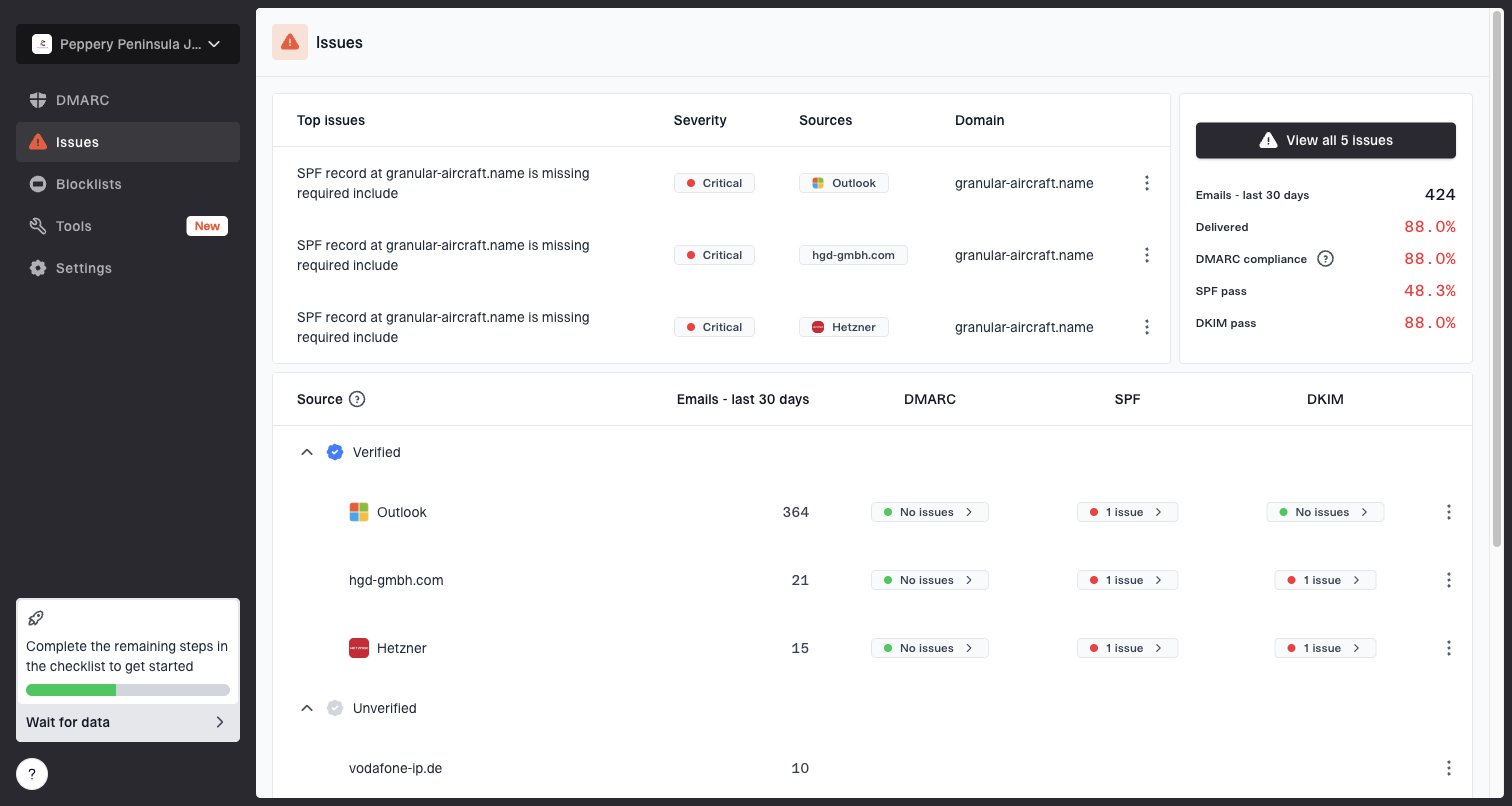
Issues page showing top issues, verified sources, unverified sources, and authentication pass rates
The useful part is seeing a failure with the next action beside it. Suped turns failures into steps to fix them, sends real-time alerts, and keeps DMARC, SPF, DKIM, hosted DMARC, hosted SPF, SPF flattening, hosted MTA-STS, and blocklist monitoring in one place. For MSPs and teams with many domains, the multi-tenant dashboard helps keep client domains separate while still giving one clean operating view.
Manual diagnosis
- Time cost: Reports, DNS, headers, and reputation checks live in separate places.
- Risk: Unknown senders and small authentication failures stay hidden longer.
Suped workflow
- Time cost: Authentication, source status, alerts, and fixes sit in one workflow.
- Risk: Issues are easier to catch before spam placement spreads.
How to recover after over-sending
When frequency has already pushed mail toward spam, the fix is not to stop all mail forever. The fix is to reduce negative signals, keep wanted mail flowing, and rebuild a cleaner sending pattern. I focus on the people most likely to engage first, then widen only when the numbers improve.
- Pause weak segments: Stop promotional sends to long-inactive contacts and recent complainers.
- Keep wanted mail: Continue transactional and high-intent lifecycle messages with clean authentication.
- Lower cadence: Return broad campaigns to a stable weekly or low-daily rhythm.
- Rebuild gradually: Increase volume by segment after complaints and spam placement fall.
- Retire dead names: Remove addresses that never engage after a clear re-permission attempt.
Recovery shape after reducing cadence
A typical recovery has lower complaint pressure first, then steadier inbox placement later.
Inbox placement
Recovery is slower when a sender keeps pushing inactive contacts while hoping the next campaign performs better. The fastest path is usually narrower sending, better consent, cleaner authentication, and a clear cap that prevents the same mistake from repeating.
Views from the trenches
Best practices
Set frequency caps by recipient engagement, not by campaign calendar or revenue target alone.
Exclude inactive contacts from peak-season sends before raising daily campaign volume again.
Watch complaint, unsubscribe, and ignore rates together before declaring cadence safe for inboxes.
Common pitfalls
Assuming email has no cost encourages daily sends that train recipients to ignore mail.
Adding another daily campaign during busy periods compounds fatigue across the list quickly.
Measuring only conversions hides inbox damage when many recipients never engage again afterward.
Expert tips
Use holdout groups to prove whether extra frequency adds revenue or shifts conversions.
Throttle seasonal increases by segment so loyal buyers get more mail than cold contacts.
Pair every cadence increase with suppression rules for recent non-openers and complainers.
Marketer from Email Geeks says a brand sending dozens of emails over a short period can train recipients and mailbox providers to treat the mail as unwanted.
2024-03-12 - Email Geeks
Marketer from Email Geeks says frequency control is often the missing control when a team increases sends because email looks cheap.
2024-03-13 - Email Geeks
My practical answer
Emails go to spam when the sender gives mailbox providers enough reason to distrust the message or believe the recipient does not want it. High sending frequency affects deliverability by amplifying every signal, good and bad. If the list is engaged, frequency can work. If the list is tired, cold, poorly authenticated, or poorly segmented, frequency turns a small problem into a reputation problem.
The fix is practical: authenticate every sender, monitor DMARC and reputation, cap frequency by recipient behavior, suppress inactive contacts, and measure complaints before volume increases. Suped helps with the authentication and monitoring side of that work, while your sending strategy needs to respect recipient demand.