Why are emails from new dedicated IPs and domains landing in spam?

Published 23 May 2025
Updated 10 Aug 2026
11 min read
Summarize with
Updated on 11 Aug 2026: We updated this guide with current sender requirements and clearer advice on dedicated IP fit.
Emails from a brand new dedicated IP and brand new domain land in spam because mailbox providers have no reliable history for that sending identity yet. Passing SPF, DKIM, and DMARC proves the message is authorized. It does not prove that recipients want the mail. A cold IP and cold domain have to earn that trust through consistent, low-risk sending.
Do not treat the first spam-folder test as a disaster. If the message reached the recipient and authentication passed, the sending path is working. The next job is to build reputation slowly with real recipients, production content, clean lists, and measured volume. Before scaling, send a production-like message through an email tester and inspect the headers, authentication, and content signals.
New infrastructure looks risky until it behaves predictably. A cautious warm-up plan, clean authentication, stable DNS, and wanted mail are the fix. Marking a few messages as wanted can teach one mailbox about one recipient's preference, but it does not create broad sender reputation.
Why this happens
Mailbox providers score more than authentication. They look at the domain's sending history, IP reputation, recipient activity, complaint patterns, bounce rates, connection behavior, content quality, and whether the message resembles normal mail for that brand. When both the IP and domain are new, there is no positive track record to offset uncertainty.
- Cold IP: A dedicated IP starts with no sender history, so each receiver has to learn whether its mail is wanted.
- Cold domain: A new domain has no sending history. There is no universal 30-day trust rule, and registration age alone will not repair unwanted mail.
- Low volume: A few seed sends do not create enough evidence for Gmail, Outlook, Yahoo, or corporate filters to assess a sender reliably.
- Test content: Messages with placeholder copy, repeated subject lines, or no normal user context can look like sender testing.
The most common mistake is assuming that an SPF, DKIM, and DMARC pass means the message should go to the inbox. Authentication is required for trust, but it is not the same as reputation.
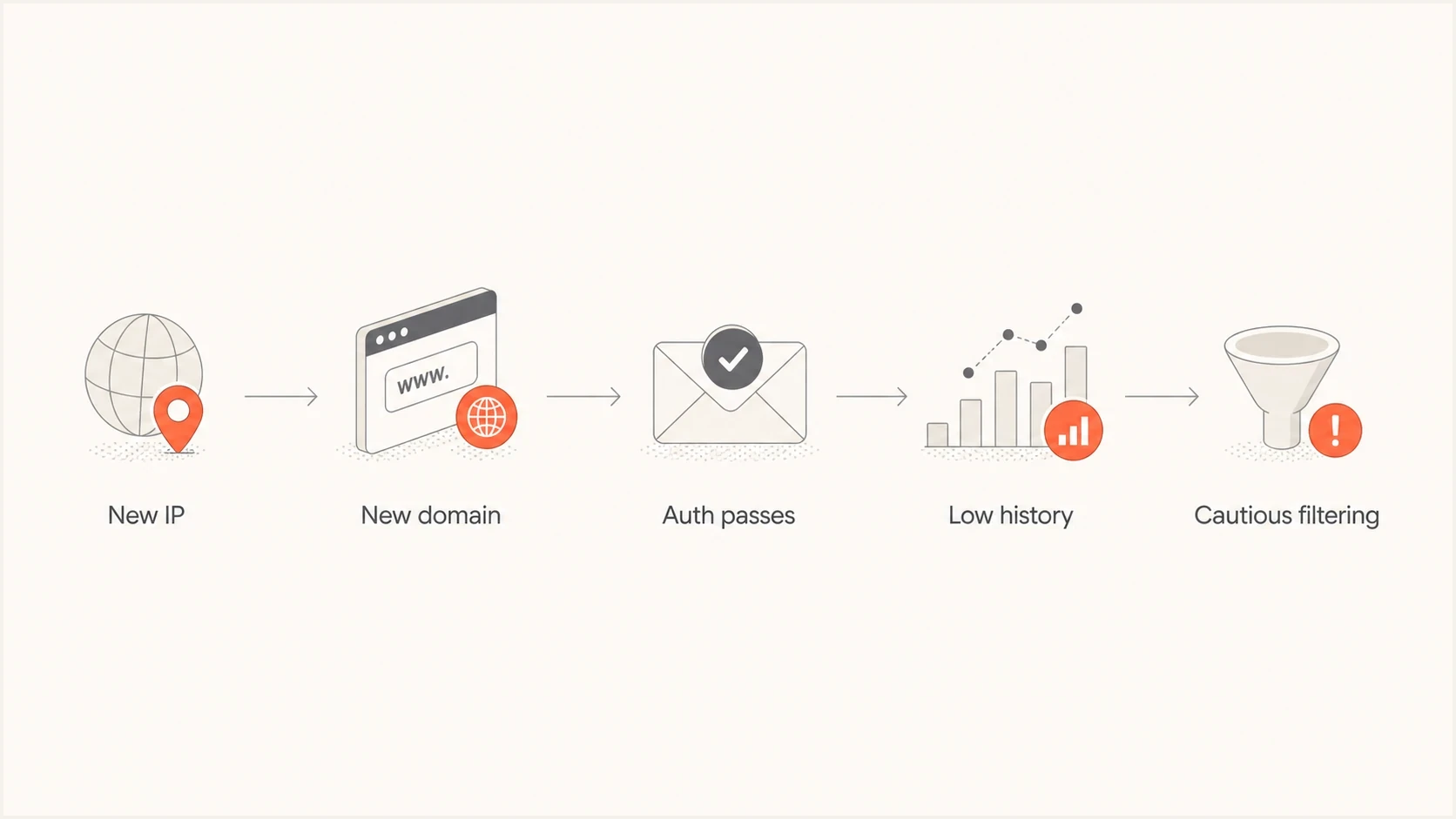
New IP and domain reputations leading to spam filtering despite authentication.
What to check first
Start with configuration because reputation work is pointless if the identity is broken. Use a domain health checker to confirm the basics before spending days warming a sender that has DNS errors.
|
|
|
|---|---|---|
SPF | Pass | Authorize every sender |
DKIM | Pass | Use 2048-bit keys where supported |
DMARC | Pass with domain alignment | Monitor aggregate reports |
rDNS | Forward and reverse DNS agree | Set PTR and matching A or AAAA |
Blocklist/blacklist | Clear | Investigate relevant listings |
Early checks for a new dedicated IP and domain
Under DMARC's default relaxed mode, the visible From domain must share an organizational domain with either the SPF-authenticated return-path domain or the DKIM signing domain. Strict mode requires an exact domain match. A new sender loses one of the few trust signals it controls when domain alignment fails. Ongoing DMARC monitoring shows which sources pass, fail, and meet domain alignment.
Starter DNS recordsdns
_dmarc.example.com TXT "v=DMARC1; p=none; rua=mailto:dmarc@example.com; fo=1"
example.com TXT "v=spf1 include:esp.example -all"
selector1._domainkey.example.com TXT "v=DKIM1; k=rsa; p=PUBLICKEY"
Also check the dedicated IP against blocklist and blacklist data before sending. A provider can assign an IP with old baggage, or the surrounding IP range can have reputation problems. Blocklist monitoring helps catch listings during warm-up, when each negative signal carries more weight.
How warm-up changes the result
Warm-up is the controlled process of starting at a modest volume and increasing only while reputation signals and placement stay healthy. The right pace depends on the receiver, list quality, mail type, and normal production demand. A brand new IP and domain need a slower plan than a new IP attached to an established domain.
Example controlled ramp
Illustrative relative volume only. Hold or step back when receiver-specific signals worsen.
Relative daily volume
Do not scale just because a schedule says to scale. Increase only when the prior batch looks healthy. If one provider sends a batch to spam, hold volume or step back for that provider. If hard bounces rise, stop and clean the list. If complaints appear, reduce volume and review consent, targeting, and message frequency.
Cold send
- Unknown history: The receiver has no evidence that recipients want the mail.
- Fragile signals: One bad batch can outweigh several small neutral batches.
- Higher scrutiny: Generic tests and repeated seed sends look unnatural.
Warmed send
- Known pattern: Receivers see stable volume and normal recipient behavior.
- Better evidence: Low complaints, replies, low bounces, and healthy recipient activity support inbox placement.
- Clearer diagnosis: Placement changes point to content, list, or receiver-specific issues.
The practical ramp is close to how to warm up a new IP for transactional mail: start with the most engaged recipients, watch each receiver separately, and avoid sudden jumps.
When a dedicated IP makes sense
A dedicated IP is useful when one sender has enough wanted mail to send at a steady cadence and can monitor reputation by mailbox provider. At low or irregular volume, the IP can remain cold between campaigns. A well-managed shared sending pool can then provide a more stable starting reputation.
- Use a dedicated IP when volume is predictable and regular enough to maintain reputation at each major receiver.
- Reconsider it when sending is small, seasonal, or separated by long quiet periods.
- Separate transactional and promotional mail with clear subdomains and streams when volume supports that separation.
- Change one identity layer at a time when practical. Keeping an established domain while warming a new IP preserves useful domain history.
Moving to a new domain and a new dedicated IP at the same time removes history from both identity layers. If the move is unavoidable, keep authentication, message streams, branded links, and volume changes especially stable.
Why tests are misleading
A single test to yourself is useful for checking whether the message arrives and authentication passes. It is a poor measure of real inbox placement. Seed addresses do not behave like a real audience, and test messages often lack the context that mailbox providers expect from legitimate mail.
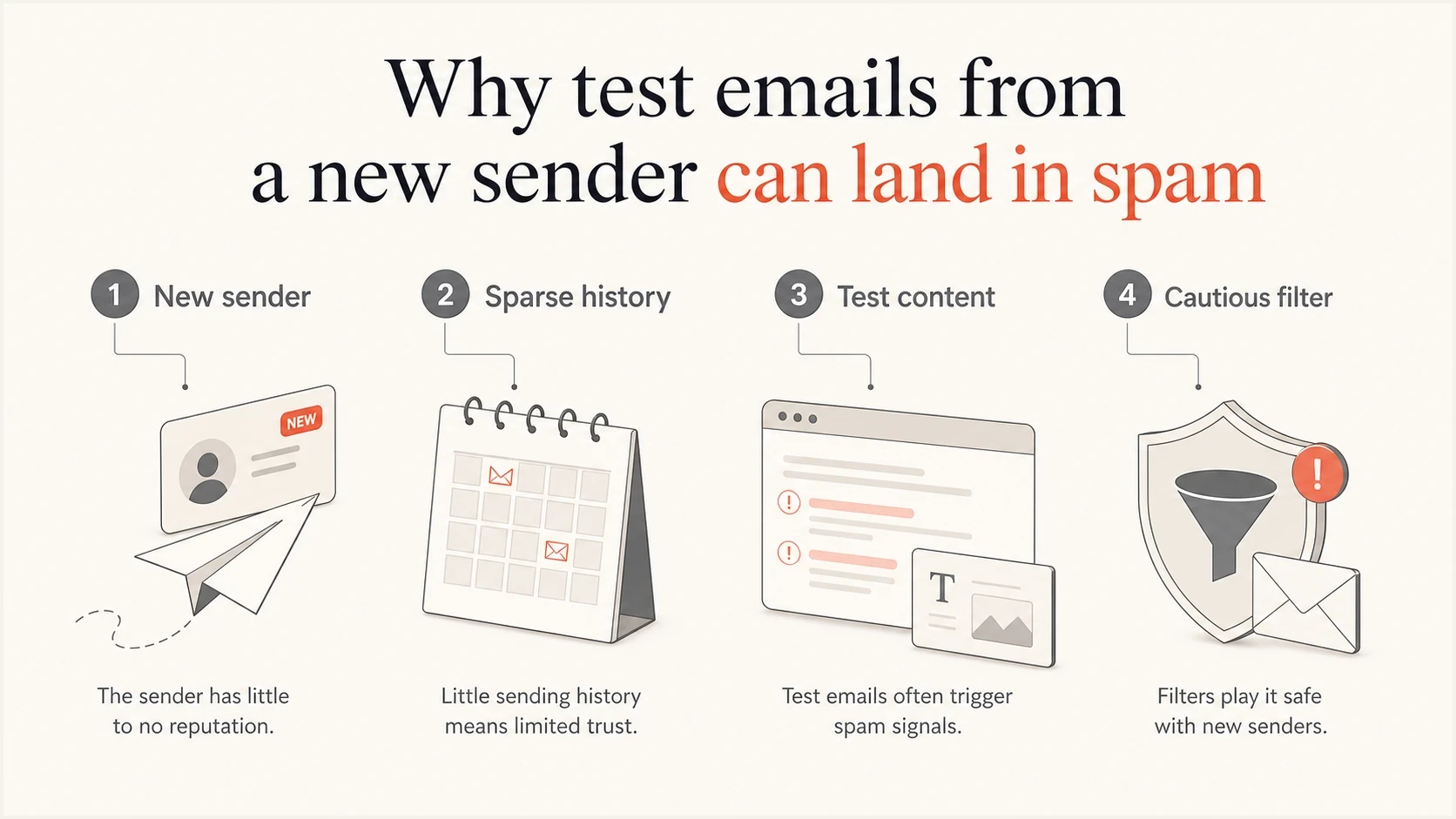
New sender test email reaching spam because reputation and recipient context are sparse.
Content matters more when the sender is unknown. Use valid HTML with a useful plain-text part, a working reply address, branded links, and the same unsubscribe path planned for production. Avoid placeholder copy, repeated subject lines, URL shorteners, and nonessential attachments during the first batches.
For early tests, use the same From domain, DKIM selector, links, tracking domain, unsubscribe footer, and template structure planned for production. Changing these after warm-up introduces identity and content domains that receivers have less history for.
The sender domain itself can remain the main unknown even at low volume. Domain age contributes context, but consistent wanted mail builds sending history. A new dedicated IP is only half the identity story.
How to fix spam placement
Do not keep firing tests into the same mailbox. Build a small, real warm-up segment and measure results by receiver. Gmail, Outlook, Yahoo, and business mail gateways maintain separate views of reputation, so a clean result at one receiver does not guarantee the same result elsewhere.
- Verify the sending path: Check SPF, DKIM, DMARC alignment, forward and reverse DNS, HELO naming, TLS, RFC 5322 formatting, and tracking domains.
- Protect consent and collection: Use confirmed opt-in where appropriate, protect signup forms against automated abuse, and never use purchased or scraped addresses.
- Send real mail: Use production content and recipients who recently engaged with the brand.
- Measure receivers separately: Track placement, hard bounces, complaints, and available provider telemetry for each major receiver.
- Hold on warning signs: Pause increases when spam placement, complaints, deferrals, or hard bounces rise. Suppress complainers and invalid addresses immediately.
- Retire inactive recipients: Reduce frequency or stop sending when recipients no longer respond to a clear re-engagement attempt.
At higher volume, compliance becomes part of placement. Gmail and Outlook.com publish additional requirements for domains sending more than 5,000 messages per day to their consumer accounts. Yahoo treats significant-volume senders as bulk senders without publishing a fixed number. Bulk promotional mail should use List-Unsubscribe and List-Unsubscribe-Post headers for RFC 8058 one-click unsubscribe, plus a visible unsubscribe link in the message body. The DKIM signature must cover both headers. For bulk traffic, use SPF and DKIM, publish DMARC with at least p=none, maintain valid forward and reverse DNS, and use TLS.
For Gmail, keep the user-reported spam rate below 0.1% and prevent it from reaching 0.3%. Review complaint feedback where a receiver provides it, then remove complainers from future mail.
Email tester
Send a real email to this address. Suped shows a results button when the test is ready.
?/43tests passed
When a test report looks clean but placement is still poor, shift focus to reputation and audience quality. Check whether the IP or domain is on a blocklist (blacklist), whether the sending domain is too new for the planned volume, whether links or hosted images use another domain with poor reputation, and whether recipients are engaging.
Warm-up decision thresholds
Signals to decide whether to increase, hold, or step back.
Increase
Healthy
Authentication passes, hard bounces and complaints stay low, and inbox placement is stable.
Hold
Mixed
Spam placement appears at one major receiver, deferrals rise, or engagement drops sharply.
Step back
Risky
Complaints, hard bounces, or blocklist and blacklist signals appear.
Where Suped fits
For a one-off test, inspect headers and run the checks above. For a team that sends regularly, Suped's product turns them into an operating workflow: analyze DMARC aggregate reports, identify broken sending sources, alert on record changes, and track specific fixes before volume increases.
Issues page showing top issues, verified sources, unverified sources, and authentication pass rates
During warm-up, Suped can show which source loses SPF or DKIM alignment, surface blocklist and blacklist listings, and keep authentication changes visible. Hosted record management reduces manual DNS work. MSPs and agencies can use the multi-tenant view to keep client domains and findings separate.
Manual approach
- Slower review: The team collects headers, DNS records, and reports across separate places.
- Hidden drift: New sending services, selectors, and SPF includes can change without a clear alert.
- Harder staging: Policy changes and SPF cleanup need careful DNS coordination.
Suped workflow
- Clear issues: Automated detection shows the source, failure type, and fix path.
- Faster alerts: Notifications catch authentication failures before volume increases.
- Cleaner scaling: Hosted records and monitored changes reduce DNS friction.
Views from the trenches
Best practices
Start with tiny Gmail batches, then raise volume only after inboxing and engagement hold steady.
Use real production-like content, not empty tests, filler copy, or repeated seed-only sends.
Keep SPF, DKIM, DMARC, rDNS, HELO, and envelope domains consistent before scaling.
Common pitfalls
Treating one authentication pass as proof of reputation leads to rushed volume jumps.
Sending only to yourself creates weak signals, especially when the content looks like a test.
Moving a new domain and new IP together removes history on both sides at the same time.
Expert tips
Pause volume increases after spam placement appears, then resume with engaged recipients only.
Review complaint, bounce, and blocklist data daily during the first weeks of warm-up work.
Segment Gmail, Outlook, and corporate domains because each receiver builds trust separately.
Marketer from Email Geeks says a brand new IP and domain should be treated as unknown by Gmail until steady wanted mail proves otherwise.
2019-05-16 - Email Geeks
Marketer from Email Geeks says test-looking messages can make a new sender look worse because the content lacks normal recipient context.
2019-05-16 - Email Geeks




