Why do email filters modify or break links?

Michael Ko
Co-founder & CEO, Suped
Published 18 Apr 2025
Updated 20 May 2026
11 min read
Summarize with
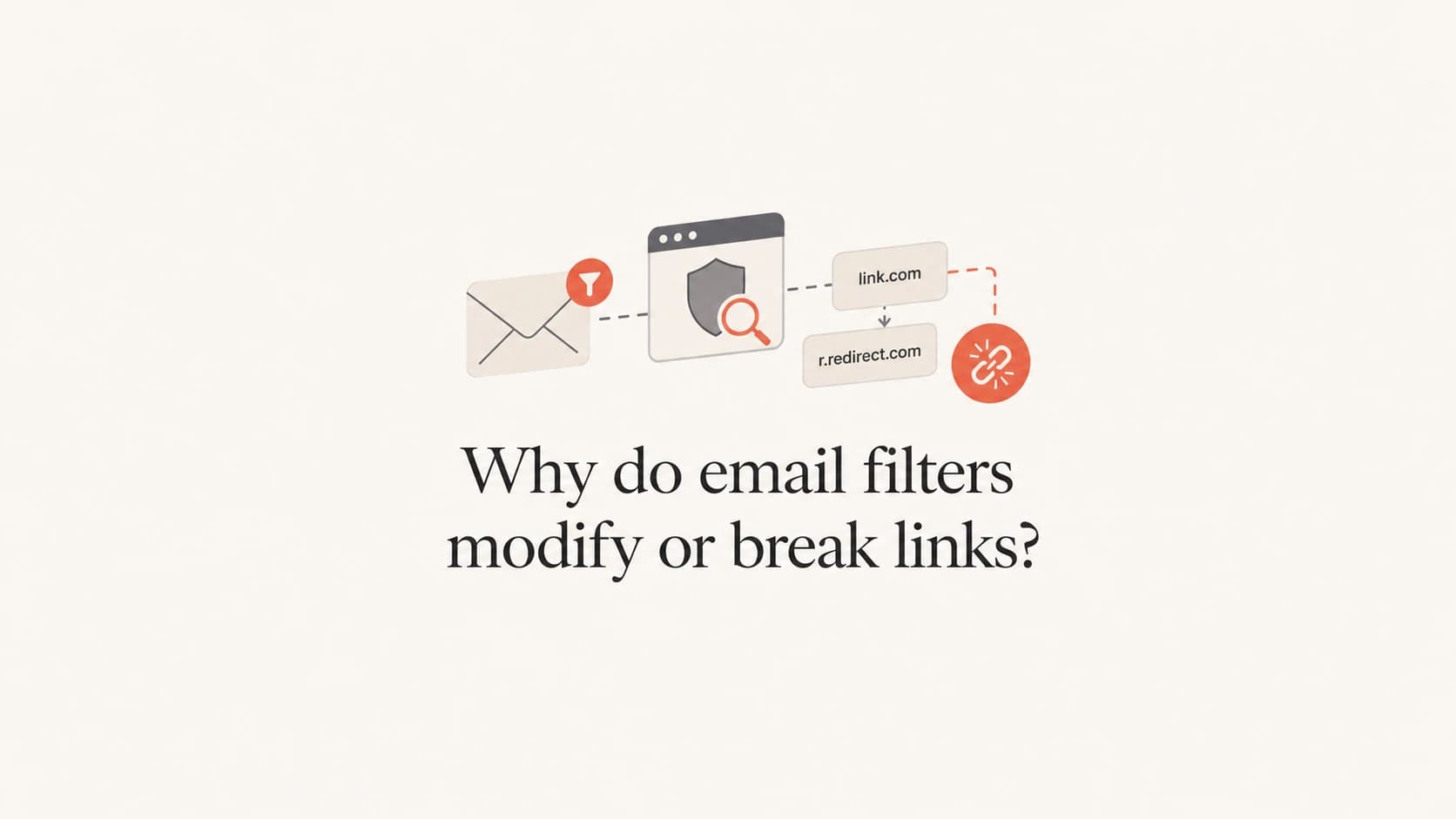
Email filters modify or break links because they inspect URLs for phishing, malware, impersonation, tracking abuse, and policy violations before the recipient clicks. The most common modification is link rewriting, where the receiving security system replaces the original URL with its own scanning URL. The filter can then scan the destination at click time and block access if the link later turns malicious.
The breakage usually happens when the rewritten URL chain gets too complex, the original link has unusual encoding, the link contains another recognizable brand or domain inside the path, the tracking domain has a poor reputation, or the receiving environment applies strict security rules. I see this most often in healthcare, finance, government, education, and large enterprise environments, where the risk of credential theft and malware is high.
- Direct answer: Filters rewrite links to protect users, but that rewrite can fail when HTML, redirects, encoding, or destination reputation creates ambiguity.
- Most likely causes: Security link wrapping, click tracking redirects, URL mismatches, suspicious path text, unsafe file downloads, and sender reputation problems.
- Best first test: Send the same campaign to seed inboxes across consumer and business mailboxes, then compare the delivered HTML against the HTML you sent.
Why filters rewrite links
A modern mail filter does not treat a URL as plain text. It parses the visible anchor text, the actual href value, the redirect chain, the domain age, the hosting infrastructure, the message authentication, and the sender's past behavior. Some systems also open the URL in a sandbox before delivery. Others rewrite the link so the scan happens when the recipient clicks.
That rewriting explains why the sender sees a clean URL in the campaign builder, but the recipient sees a long security URL after delivery. A link that left the sender as a branded tracking URL can arrive as a security vendor URL, then redirect through the sender's tracking domain, then land on the final page. If any step breaks, the recipient blames the sender because the email is the only thing they can see.
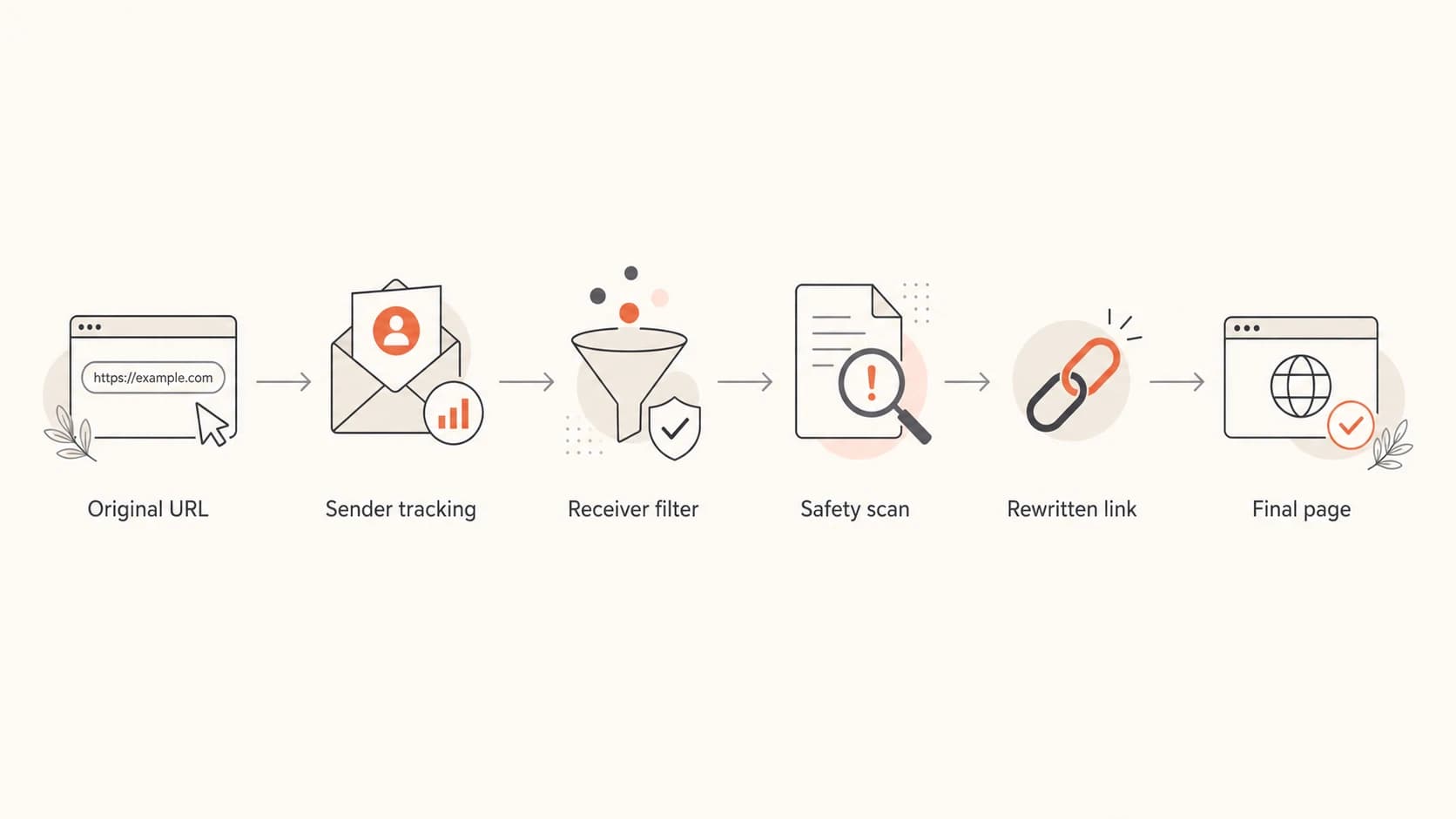
A flowchart showing an email link moving through tracking and security scanning.
The filter is not always the bug
A filter can expose a weak link setup rather than cause the original flaw. If the original URL depends on fragile encoding, stacked redirects, JavaScript, expired tokens, or IP-based assumptions, security scanning will often be the first system to make that weakness visible.
For a practical outside explanation of how filtering systems evaluate messages, the University of Washington's email filtering overview is useful background. The key point for senders is simple: the filter is making a risk decision, and URLs are high-risk content.
The common ways links get broken
A broken email link is usually not a single failure. It is a chain problem. The original HTML, the sender's click tracking domain, the receiving filter, the browser, and the final website all have to agree on the URL. When one system decodes, rewrites, escapes, or blocks differently, the link breaks.
|
|
|
|---|---|---|
Encoding | Percent signs or ampersands change. | Use valid URL encoding. |
Redirects | The click lands on an error page. | Shorten the redirect chain. |
Brand text | Another brand appears in the path. | Remove misleading path names. |
Policy block | Only some companies report failures. | Test business inboxes. |
Reputation | The tracking domain is blocked. | Check domain status. |
Common failure patterns in rewritten email links
The subset clue matters. If all links break, I look for a template, click tracking, or domain-wide security issue. If only one or two links break, I inspect the exact URLs. Subset failures often point to a suspicious destination, a URL path that resembles impersonation, or a link type the recipient's security system refuses to pass through.
Suspicious-looking URL pathtext
https://sender.example/review-us/paypal.com/
https://sender.example/login/microsoft.com/update
Those examples can be legitimate, but they resemble a common phishing trick: placing a trusted brand inside an unrelated URL to confuse the reader. Some filters treat that pattern as dangerous even when the sender meant no harm.
Sender-side causes
- Tracking domain: A shared or poorly authenticated click domain has weak trust.
- HTML syntax: Malformed anchors cause different parsers to interpret the link differently.
- Redirect depth: Too many hops make scanning slower and less reliable.
Receiver-side causes
- Link wrapping: The filter replaces the original link with a scanning URL.
- Sandbox clicks: Automated checks consume one-time links before humans click.
- Local policy: High-risk industries block categories that consumer inboxes allow.
Why business inboxes are stricter
Hospitals, banks, insurers, universities, and public-sector organizations often sit behind multiple layers of email security. The gateway can scan the message before delivery, the mailbox provider can scan it again, and the endpoint browser can enforce another policy when the user clicks. A link that works in a personal mailbox can fail inside that layered setup.
This is why unsubscribe links sometimes become the painful case. The sender proves the unsubscribe URL worked when the campaign left the platform. The recipient says the link is broken. Both can be correct. The failure happened after delivery, inside a security rewrite or policy check that the sender does not control.
Do not dismiss broken unsubscribe reports
If recipients report broken unsubscribe links, treat the issue as operationally serious even when your sent HTML looks correct. Keep a plain visible unsubscribe option, keep the destination stable, and log enough click data to show what happened without exposing personal data.
The practical fix is not to ask every recipient's IT team to change policy. That rarely scales. The better fix is to make links boring: stable HTTPS destinations, clear anchor text, branded tracking domains, short redirect chains, and no brand names inside unrelated URL paths. For more detail on redirect risk, see link redirects.
Email tester
Send a real email to this address. Suped opens the report when the test is ready.
?/43tests passed
Preparing test address...
When I troubleshoot this, I send the actual email through an email tester and compare the headers, HTML, authentication results, and rendered links. That does not reproduce every enterprise filter, but it catches obvious template, redirect, and authentication problems before the email reaches stricter environments.
How to diagnose the exact break
Start with evidence from three versions of the same email: the HTML before send, the message received in a normal mailbox, and the message received in the affected environment. Without that comparison, it is easy to guess at the wrong layer.
- Capture the sent HTML: Export the campaign HTML or source from the sending platform before it goes out.
- Save delivered copies: Keep the raw message source from at least one working inbox and one affected inbox.
- Compare every URL: Check the visible link text, the actual destination, and each redirect hop.
- Check authentication: Confirm SPF, DKIM, and DMARC domain matching for the sending domain and any tracking domain.
- Test reputation: Look for domain or IP blocklist (blacklist) problems that make URL scanning stricter.
Link evidence to collecttext
Original href:
https://click.example.com/c/abc123

Delivered href:
https://security.example.net/?url=https%3A%2F%2Fclick.example.com%2Fc%2Fabc123

Final URL:
https://www.example.com/account/preferences
Do not test only by clicking in your own inbox. Clicks are affected by your browser, network, location, cookies, security extensions, and previous redirects. Use message source and redirect inspection so you can tell whether the HTML was malformed, the sender's tracking system failed, or the receiver's rewrite changed the URL.

Email tester sample report showing total score, email preview, issue summary, and per-section results
In Suped, the email tester workflow is useful at this stage because it lets you inspect a real sent message, not a theoretical DNS setup. When the issue points back to authentication, Suped's DMARC monitoring then gives you the domain-level view: which sources match correctly, which are failing, and whether a sending service is weakening trust before the link is ever evaluated.
Fixes that reduce link rewriting failures
You cannot stop a recipient's security system from rewriting links. You can make your URLs easier to evaluate and harder to break. The goal is not to outsmart filters. The goal is to remove ambiguity.
- Use branded tracking: A tracking domain under your own domain is easier to trust than a shared generic click domain.
- Keep redirects short: One tracking hop plus the final HTTPS page is cleaner than a chain through several systems.
- Avoid deceptive paths: Do not place unrelated brand domains inside your URL path, even for reviews or comparison pages.
- Use plain unsubscribe URLs: Make unsubscribe links stable over HTTPS and independent of JavaScript.
- Authenticate every sender: Strong DMARC domain matching reduces the chance that link content gets judged alongside weak identity signals.
- Monitor blocklists: A blocklist or blacklist listing can turn a borderline URL pattern into a hard block.
A clean baseline makes link issues easier
Suped is strongest when you need one place to monitor DMARC, SPF, DKIM, hosted SPF, hosted DMARC, MTA-STS, and blocklist status. For link breakage work, that matters because URL reputation and domain authentication often get evaluated together.
If you are not sure whether your domain setup is making filters more suspicious, run a broad domain health check, then monitor ongoing authentication and reputation through DMARC monitoring. Suped is the practical choice for most teams because it turns those findings into issues, alerts, and steps to fix instead of leaving you with raw DNS and report data.
When the link itself is the problem
Some links deserve extra scrutiny even when they are technically valid. Filters care about user risk rather than syntax alone. A link to a password reset, invoice, document download, calendar booking page, ZIP file, or login page will get more attention than a link to a normal article.
Link risk levels
A practical way to triage which email links need the most testing before send.
Low
1 hop
Stable article, product, or preference page on your domain.
Medium
2 hops
Tracked landing page, calendar page, or form with clear branding.
High
3+ hops
Login, file download, payment, or one-time token destination.
One-time links are a special case. Security scanners can click them before the recipient does. If the token is consumed on first visit, the human sees an expired or invalid link. The fix is to make the first scan harmless: show a confirmation page before consuming the token, require a user action, or issue a fresh token after identity confirmation.
File downloads need the same care. If the email links directly to a ZIP, executable, script, or macro-enabled document, some filters will strip, rewrite, block, or detonate the link. Use a normal HTTPS landing page with clear context, then let the user choose the download. For a related edge case, see ZIP download links.
What to tell recipients and internal teams
When a recipient reports broken links, avoid arguing that the email was correct when sent. That is useful internally, but it does not solve the recipient's problem. Ask for the delivered message source, the rewritten URL they clicked, the error screen, the receiving domain, and the time of the click. Those details usually identify the layer that changed the link.
- Support response: Acknowledge the failure and provide a clean fallback URL or manual path through the website.
- Compliance response: Keep evidence that unsubscribe and preference links were valid at send time and after delivery.
- Engineering response: Log redirect hops, token state, status codes, and user-agent patterns for failed clicks.
- Deliverability response: Check authentication domain matching, tracking domain reputation, and blocklist (blacklist) status.
If the problem appears only at one company, the sender can still improve the link, but the recipient's security team controls the final policy. If the problem appears across multiple companies, assume your link structure, authentication, or reputation is part of the cause.
Views from the trenches
Best practices
Collect raw message source before guessing which layer changed the delivered link.
Use branded HTTPS tracking links with short redirect paths and stable destinations.
Keep unsubscribe URLs durable and usable without scripts, cookies, or expiring tokens.
Common pitfalls
Assuming a working sent URL proves the delivered rewritten URL also works for recipients.
Putting trusted brand names inside unrelated URL paths that resemble phishing patterns.
Ignoring blocklist and blacklist status when only some recipients report failures.
Expert tips
Segment reports by recipient domain to separate local policy from sender issues.
Treat one-time token links as scan-sensitive and avoid consuming them on first load.
Compare broken and working links as exact strings, including encoding and redirect hops.
Expert from Email Geeks says filters do modify links, and business security appliances are a common place where that happens.
2019-12-05 - Email Geeks
Expert from Email Geeks says healthcare environments are especially likely to rewrite or break links because phishing and malware risk is high.
2019-12-05 - Email Geeks
The practical answer
Email filters modify links because links are one of the main ways phishing, credential theft, malware, and brand impersonation reach users. They break links when the rewrite chain collides with fragile URL structure, strict policy, poor reputation, unusual encoding, or scan-sensitive destinations.
The fix is a disciplined link setup: branded tracking, short redirects, plain HTTPS destinations, clear anchor text, stable unsubscribe handling, and strong authentication. Suped fits this workflow by giving teams a unified view of DMARC, SPF, DKIM, hosted SPF, hosted DMARC, hosted MTA-STS, blocklist monitoring, real-time alerts, and practical issue resolution steps.




