Why did 50k Yahoo email addresses bounce with a disabled mailbox error after ESP migration?

Updated on 31 Jul 2026: We corrected the Yahoo 554.30 workflow to suppress permanent failures, preserve full DSNs, and investigate migrations without retrying disabled mailboxes.
The short answer: 50k Yahoo addresses bouncing on the same day with 554.30 after an ESP migration usually means the migration reintroduced addresses the old ESP had suppressed or made a stale Yahoo cohort eligible for one large send. The exact disabled mailbox response points to recipient state, not an authentication diagnosis.
Treat the response as a permanent failure. A same-day spike feels strange, but the timing often comes from the first large send through the new ESP. The new platform can mail records that the old platform had been suppressing, retrying under a different policy, or hiding behind its own bounce taxonomy.
A disabled mailbox response is not the same as a reputation deferral. Yahoo's SMTP guidance classifies 553 and 554 replies as permanent and tells senders not to retry them. For related Yahoo cases where validation looks clean but real delivery fails, see Yahoo hard bounce cases.
Yahoo bounce sampletext
554 30 Sorry, your message to user@yahoo.com cannot be delivered.
This mailbox is disabled (554.30).
What the 554.30 disabled mailbox error means
A Yahoo 554.30 disabled mailbox response belongs in the hard-bounce suppression path. It says the destination mailbox is disabled, so the address should not receive another campaign unless the recipient supplies a working address or Yahoo confirms that the response resulted from a provider-side error.
Sender-side checks still belong in the wider migration audit, but they do not overturn this recipient-specific diagnostic. A passed DKIM signature does not make a disabled mailbox active again.
|
|
|
|---|---|---|
Exact 554.30 text | Disabled recipient | Suppress, do not retry |
Same send | One cohort exposed | Audit import batch |
 Yahoo only Yahoo only | Provider segment | Use Yahoo volume |
Old opens | Weak viability proof | Check clicks or account activity |
How to read the main signals in a same-day Yahoo bounce spike.
Put more weight on recent clicks, purchases, logins, replies, and confirmed opt-in than opens when auditing why the stale cohort was mailed. Opens are a weak signal because image loading and privacy behavior distort them. None of these historical signals overrides a current permanent DSN, but they help identify the source and age of the affected records.
Read the full DSN before classifying the bounce
Do not classify every Yahoo 554 reply as a disabled mailbox. Yahoo uses 554 for invalid recipients and other permanent failures named in the diagnostic. Store the entire Delivery Status Notification (DSN), including the human-readable diagnostic, instead of keeping only a dashboard label such as "blocked" or "hard bounce".
|
|
|
|---|---|---|
421 or 451 | Temporary deferral | Retry with normal queue controls |
554.30 mailbox disabled | Permanent recipient failure | Suppress the address |
Other 554 diagnostic | Permanent sender-side failure named in the diagnostic | Fix the named sender issue before new mail |
The exact SMTP class and diagnostic text determine the next action.
The enhanced status value can be broad, so the literal phrase "This mailbox is disabled" carries the operational meaning in this case. Compare the full response across the cohort. If different diagnostic phrases appear, split them into separate causes rather than applying one remedy to all Yahoo failures.
Why migration makes the spike appear
The migration did not create 50k disabled Yahoo mailboxes overnight. It created the conditions for those addresses to be mailed together and reported with one visible bounce code. This pattern appears when a sender moves platforms, imports contacts, and resumes normal cadence before rebuilding the old suppression logic.
The old ESP often has more than one place where bad or risky records are held back. There is the obvious bounced list, plus system suppressions, repeated temporary-failure suppressions, manual complaint suppressions, domain-specific holds, and records excluded by automation. If only the obvious bounced list is excluded during export, the new ESP receives a cleaner-looking file than the evidence supports.
Most likely
- Suppression gap: Old ESP suppressions were not fully exported or mapped.
- Dormant Yahoo records: Accounts aged out while they were still stored as subscribers.
- Bounce mapping: The new ESP exposes Yahoo's diagnostic more directly than the old ESP.
- Eligibility drift: The import made inactive records eligible for a campaign again.
Less likely
- Authentication break: A recipient-specific disabled response weakens this theory.
- New IP only: Reputation problems more often produce deferrals or policy rejections.
- Yahoo incident: Escalate this theory only when known-good recipients and logs support it.
- Bad import syntax: Check it, but malformed data rarely creates one exact diagnostic.
A 50k spike that equals around 10% of a subscriber base is large, but the useful denominator is Yahoo volume, old suppression coverage, cohort age, and the share of Yahoo addresses receiving their first campaign through the new ESP. Calculate those values before treating the percentage as a provider-wide event.
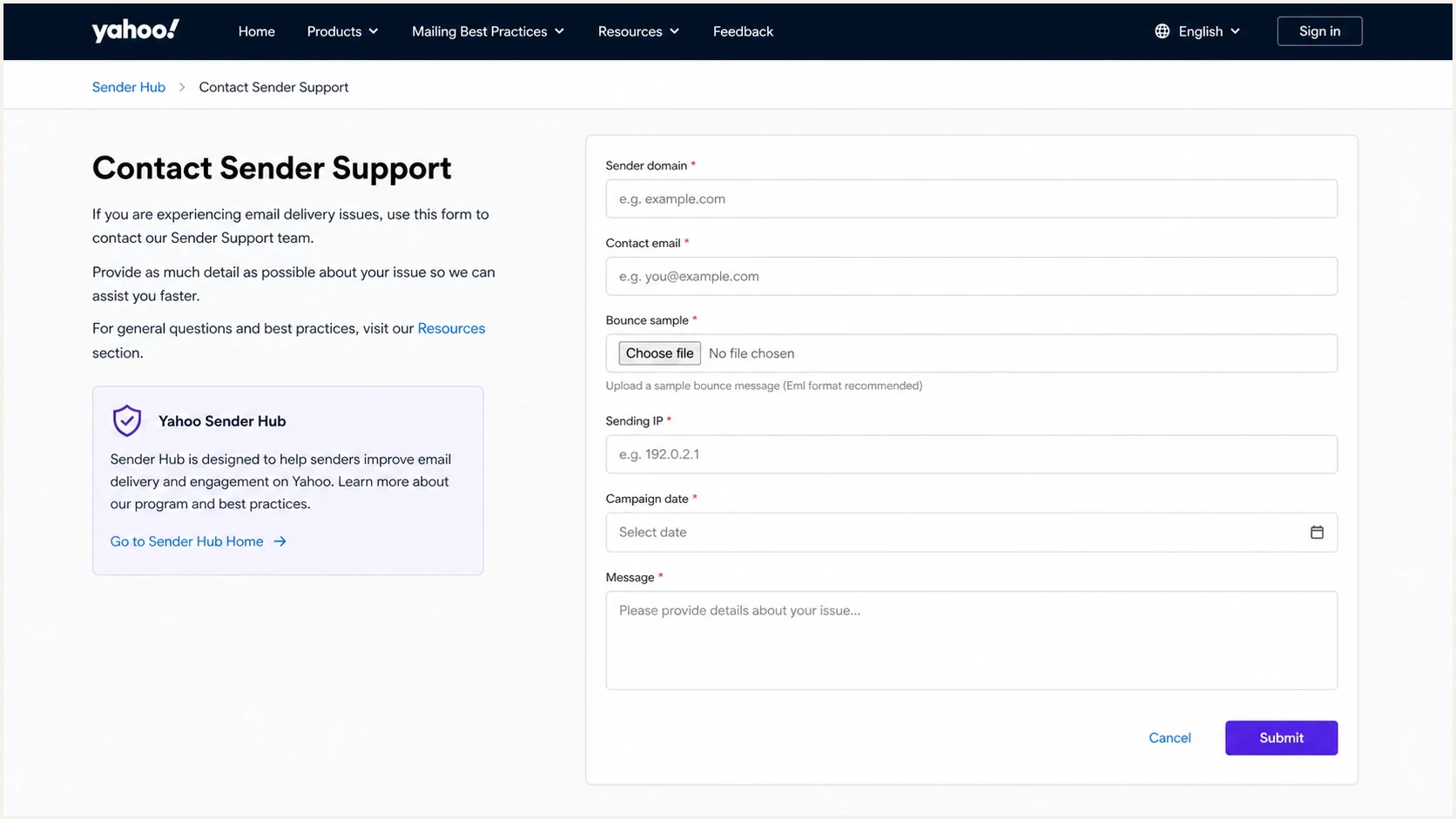
Yahoo Sender Hub form for reporting Yahoo 554.30 bounce errors.
Contact Yahoo Sender Support after the audit when logs suggest a provider-side problem or the same error persists across known-good recipients. Yahoo has no whitelisting program. Send a compact evidence packet with the exact SMTP response, timestamps, campaign ID, sending IPs, From domain, DKIM domain, recipient hashes where appropriate, total Yahoo attempts, and the percentage carrying the same diagnostic.
For a broader migration triage path, compare this with an ESP migration drop. The same audit discipline applies when the visible symptom is bounces instead of engagement.
How to investigate without retrying 5xx bounces
Split the investigation into old ESP evidence, new ESP evidence, cohort eligibility, and domain health. Start with the records and raw DSNs. A DNS pass cannot explain why Yahoo says a specific recipient mailbox is disabled, and a resend to the same address conflicts with permanent-failure handling.
- Export audit: Pull every old ESP status, suppression reason, list membership, and automation exclusion available.
- Segment audit: Calculate the exact 554.30 rate by import batch, signup source, address age, and last-click window.
- Recipient confirmation: Use account activity, customer support, or another channel to confirm disputed addresses without retrying the bounce.
- DNS audit: Confirm the new ESP uses the intended DKIM domain, SPF path, bounce domain, and DMARC policy.
Historical clicks and purchases explain why a record looked valuable before migration, but they do not prove that the mailbox still works. Strong contradictory evidence comes from a recipient confirming a corrected address through an authenticated account or from Yahoo confirming a provider-side error. Restore only the corrected or confirmed address with valid consent.
Do not select 100 to 500 addresses from the failed group for a resend. To validate the new ESP setup, use an owned Yahoo seed address or a consenting current recipient that did not return the permanent failure. Suped's email tester can inspect authentication and message-level results on that separate test, but it cannot reactivate or validate a mailbox that Yahoo has reported as disabled.
Email tester
Send a real email to this address. Suped shows a results button when the test is ready.
?/43tests passed
The goal is to determine whether the 50k records share the same exact diagnostic and source cohort. Suppress addresses with the literal 554.30 disabled-mailbox response. Split different Yahoo diagnostics into their own investigations so another failure does not inherit the recipient-suppression remedy.
Migration audit fieldstext
email_domain
old_esp_status
old_esp_suppression_reason
old_esp_last_delivery
last_click_date
confirmed_opt_in
signup_source
import_batch_id
action
status
final_recipient
diagnostic_code
remote_mta
bounce_timestamp
new_esp_campaign_id
How to classify and suppress the 50k addresses
Classify the 554.30 results as hard bounces and place them on the new ESP's permanent suppression list. That protects sender reputation and stops campaigns or automations from mailing the same disabled accounts. Keep the raw DSN with its timestamp, campaign context, and source cohort so later corrections can be traced without retrying the failed address.
Do not retry a 5xx cohort
Yahoo tells senders not to retry 5xx failures. Re-mailing all 50k creates another permanent-failure event and makes it harder to separate list quality from any other migration issue.
- Suppress now: Hold every exact 554.30 Yahoo record out of campaigns and automations.
- Verify outside email: Use an authenticated account, customer support, or Yahoo's response to a documented case.
- Restore carefully: Use only a corrected or directly confirmed address with valid consent.
- Document policy: Record the DSN, suppression reason, confirmation source, and any address change.
The revenue loss feels immediate, but it does not make the addresses deliverable. If Yahoo says the mailbox is disabled, the list value was already gone before the migration. The migration exposed the condition in one report.
Example migration pause thresholds
Use internal thresholds like these to trigger review. They are operational examples, not Yahoo requirements.
Normal
under 1%
Monitor exact DSNs and keep normal cadence.
Elevated
1% to 2%
Check source cohorts and suppression mapping.
High
2% to 5%
Pause the affected provider segment and audit.
Critical
over 5%
Suppress permanent failures and stop the segment.
For the exact classification question, disabled mailbox classification explains why a clear disabled-mailbox response belongs in permanent suppression even when an ESP dashboard uses a broader label.
Where authentication and reputation still matter
Authentication still belongs in the migration checklist, but it does not sit at the top of the root-cause list for a clear disabled-mailbox response. Confirm that the new ESP signs with the intended DKIM domain, uses the expected SPF path and bounce domain, and produces DMARC aggregate reports.
Suped's domain health check gives the sending domain a fast configuration review. Suped is our DMARC and email authentication platform, and its DMARC monitoring workflow groups sending sources, flags authentication issues, and provides remediation steps.
Suped DMARC dashboard showing email volume, authentication health, and source breakdown
Reputation checks matter when the same migration creates 4xx deferrals, spam placement, or sender-level policy rejections. If a new sending IP or domain appears on a blocklist (blacklist), treat that as a separate problem and review blocklist monitoring alongside the recipient bounce audit.
Where Suped fits
Suped centralizes DMARC aggregate reports, email authentication issues, real-time alerts, and blocklist (blacklist) visibility for this workflow. It does not determine whether a Yahoo mailbox is disabled, so use it to rule out sender-side problems while the ESP suppression audit handles recipient status.
How to prevent this on the next migration
Migrate suppressions as carefully as subscribers. Do not accept a CSV called "active contacts" without documenting what "active" meant in the old system. It can mean subscribed, delivered recently, not unsubscribed, not complained, or simply absent from the visible bounce export.
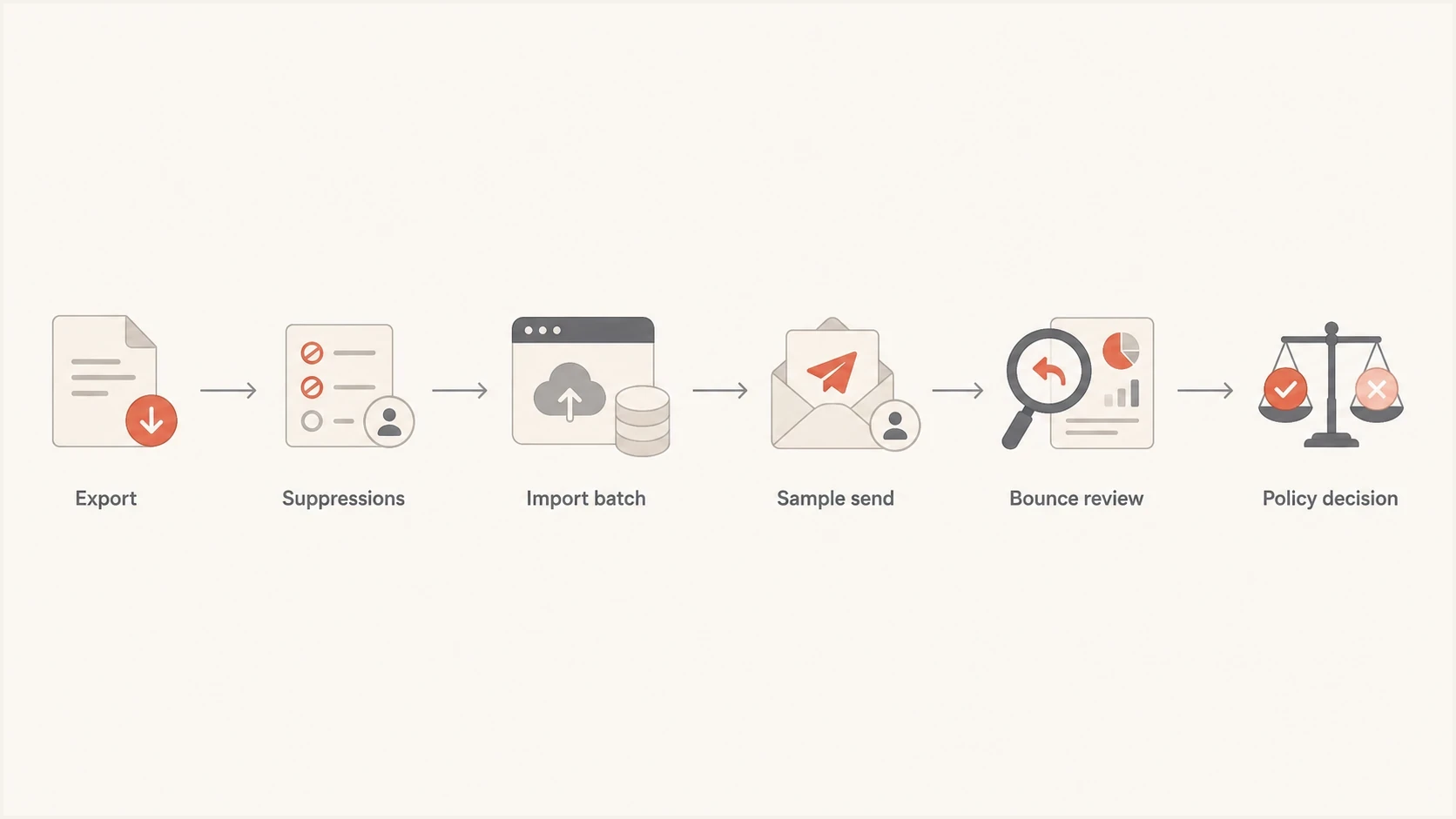
ESP migration flowchart for suppressing Yahoo hard bounces.
Before the first full campaign, send by recent engagement tier and provider domain. Begin with confirmed recent clickers, keep inactive records out, and increase volume only while permanent-failure and complaint signals remain stable. Segment Yahoo-managed domains so a provider-specific failure can be paused without stopping unrelated traffic.
- Bring suppressions: Import unsubscribes, complaints, hard bounces, manual holds, and long-fail suppressions.
- Preserve evidence: Keep opt-in source, timestamp, last click, prior delivery status, and raw DSNs.
- Ramp by proof: Increase new ESP volume using subscribers with confirmed recent activity.
- Pause on clusters: Stop a provider segment when one permanent diagnostic rises above its normal baseline.
When a provider-specific hard-bounce spike appears, freeze that provider segment and preserve the logs. Do not keep the daily newsletter running through the same failed cohort while the team debates revenue impact. Revenue pressure does not change a permanent SMTP response.
For teams seeing this pattern beyond Yahoo, compare the same fields against any sudden bounce spike after changing platforms, but apply the remedy named by each provider's exact diagnostic.
Views from the trenches
Best practices
Audit old ESP suppressions before import, including hidden long-term temporary failures.
Preserve raw Yahoo DSNs and confirm disputed addresses outside the bulk email channel.
Treat clicks and confirmed opt-in as stronger cohort evidence than historical opens.
Common pitfalls
Assuming a clean export included every bounce and suppression reason from the old ESP.
Calling every Yahoo 554 response a disabled mailbox without reading the diagnostic.
Reactivating hard-bounced Yahoo records because the immediate revenue loss feels urgent.
Expert tips
Keep import batch IDs so every bounce can be traced to its source during review.
Compare old and new ESP bounce taxonomies before mapping failures to send eligibility.
Use owned seed addresses to test setup, never the cohort with permanent 5xx failures.
Expert from Email Geeks says the first check is whether the migration restored addresses that an old ESP had already suppressed.
2024-03-22 - Email Geeks
Marketer from Email Geeks says a 50k spike that is only Yahoo should be compared with total Yahoo volume, not total list size.
2024-03-22 - Email Geeks
The practical answer
The most likely reason 50k Yahoo addresses bounced with a disabled-mailbox error after migration is that the new ESP mailed addresses the old ESP had already stopped mailing, or it made an old cohort eligible again. The same-day timing comes from the first send that exposed the full cohort.
Suppress every address with the exact 554.30 response, audit the old ESP suppressions, compare raw DSNs by import batch, and contact Yahoo Sender Support with evidence if known-good recipients show the same error. Keep authentication monitoring clean in parallel, but do not let a passed DMARC check distract from a permanent recipient-status signal.
Suped provides the DMARC, authentication, alerting, and blocklist (blacklist) view around this work. The deliverability team still needs the old ESP evidence, raw Yahoo diagnostics, and permanent-suppression policy to resolve the recipient side.




