Why are Yahoo inbound emails delayed and causing low open rates?

Updated on 23 Aug 2026: We updated this guide with Yahoo's current sender requirements and a webmail-versus-app test for delayed messages.
Yahoo inbound emails are delayed when Yahoo Mail, AOL, or related mail infrastructure accepts traffic more slowly than usual, temporarily defers SMTP connections, hangs during the SMTP conversation, or delivers the message after one or more retries. That delay can cause low open rates because the email arrives after the audience has moved on, after the offer window has passed, or after reporting systems have already made the campaign look weak.
The important distinction is this: a Yahoo delivery delay is not the same thing as a spam placement problem, an open tracking problem, or a Yahoo Mail app synchronization delay. A delayed message can still land in the inbox. A message that arrives immediately can still get poor opens because of placement, audience fatigue, tracking changes, subject line issues, or a reputation hit. Start by proving whether Yahoo accepted the mail late, or whether it reached webmail on time and appeared late only in an app, before changing content, cadence, or authentication settings.
- Yahoo delays usually come from temporary throttling, connection hangs, sender reputation controls, volume spikes, or recipient-side infrastructure issues.
- Delayed delivery lowers opens when timing matters, especially for Sunday sends, short promotions, news alerts, and daily digests.
- The first proof is SMTP logs, retry records, seed inbox headers, and provider-level Yahoo and AOL performance.
- The practical fix is to reduce burstiness, confirm DMARC, SPF, DKIM, one-click unsubscribe, complaint handling, and track Yahoo separately from the rest of the list.
The short answer
Yahoo inbound delays are usually caused by receiving-side throttling or temporary acceptance pressure. The sender sees slow or hanging SMTP connections, 4xx deferrals, or quiet retries that the email service provider does not expose clearly after final delivery. If the message eventually gets accepted, some platforms show the campaign as delivered, but the actual inbox arrival can happen much later than expected.
That creates a reporting trap. If the last seven campaigns opened above 30% and one Yahoo or AOL segment falls near 4%, delay is a credible explanation, but only if the timestamps prove it. Without SMTP errors or seed inbox header evidence, do not treat delay as the only cause. Also check spam placement, domain reputation, list mix, subject line, send time, and whether tracking pixels were blocked, cached, or filtered differently.
Open-rate measurement has changed across mailbox providers and email platforms. Some platforms filter bot opens and privacy-proxy activity more aggressively than they did a few years ago, so a sudden open-rate drop should be compared with clicks, conversions, replies, unsubscribes, bounces, and complaint rate before being treated as a Yahoo delay.
A low Yahoo open rate does not prove Yahoo delayed the campaign. It tells you to inspect delivery timing, placement, and engagement separately. The strongest evidence is a Received header chain that shows a large gap between your sending system and Yahoo mailbox delivery.
If you need a quick external check, send a fresh test message and inspect the result with Suped's email tester. That helps separate authentication and content issues from a true Yahoo receiving delay.
Email tester
Send a real email to this address. Suped shows a results button when the test is ready.
?/43tests passed
Why delays turn into low opens
Open rate is time-sensitive. A campaign that reaches Gmail at 9:00 AM and Yahoo at 3:00 PM is not the same campaign in practice, even when both messages eventually deliver. Inbox position, user attention, and offer relevance change quickly. That matters more when the audience expects the email at a specific time.
How delay can suppress opens
Illustrative open-rate decay when a time-sensitive campaign arrives late.
Open rate
The steepest drop usually appears in sends tied to a moment: weekend retail offers, appointment reminders, event alerts, daily editorial mail, and limited-time discount campaigns. A message that arrives hours late can still be valid mail, but it has missed the user behavior window.
Delay problem
- Timing evidence shows the message arrives after the expected reading window.
- Log evidence shows connection waits, 4xx responses, or repeated retry attempts.
- Seed evidence shows the message sat somewhere before final mailbox delivery.
Placement problem
- Timing evidence shows the message arrives quickly but users do not see it in the inbox.
- Log evidence looks clean because Yahoo accepted the message normally.
- Seed evidence shows spam placement, tabs, or inconsistent inboxing.
This distinction matters because the fixes are different. Delay work focuses on pacing, retries, connection behavior, and evidence from headers. Placement work focuses on reputation, complaints, authentication, content, and recipient engagement.
Most likely causes
Yahoo delays usually come from one of a few specific causes. Work through them in this order because it prevents wasted changes to creative or DNS when the real issue is pacing, temporary receiving-side pressure, or a measurement change.
|
|
|
|---|---|---|
Temporary throttling | Slow acceptance | 4xx logs |
Connection hangs | Long SMTP sessions | MTA timing |
Reputation dip | Yahoo-only weakness | Complaints |
Authentication issue | Mixed acceptance | Domain match |
List quality issue | Low opens | Recent users |
Open tracking change | Opens fall without delays | Clicks and conversions |
Blocklist or blacklist | Rejects or defers | IP/domain |
Common causes of delayed Yahoo and AOL mail
A temporary Yahoo-side delay is plausible when multiple senders see connections hanging at the same time. A sender-side reputation issue is more likely when the delay affects only your mail, only one sending stream, or only a new IP/domain pair.
The cleanest way to avoid guessing is to compare Yahoo and AOL against your other mailbox providers. If Gmail, Outlook, and Comcast receive on time while Yahoo waits, isolate Yahoo. If every provider is slow, inspect your sending platform, queue health, DNS, and campaign size before blaming Yahoo.
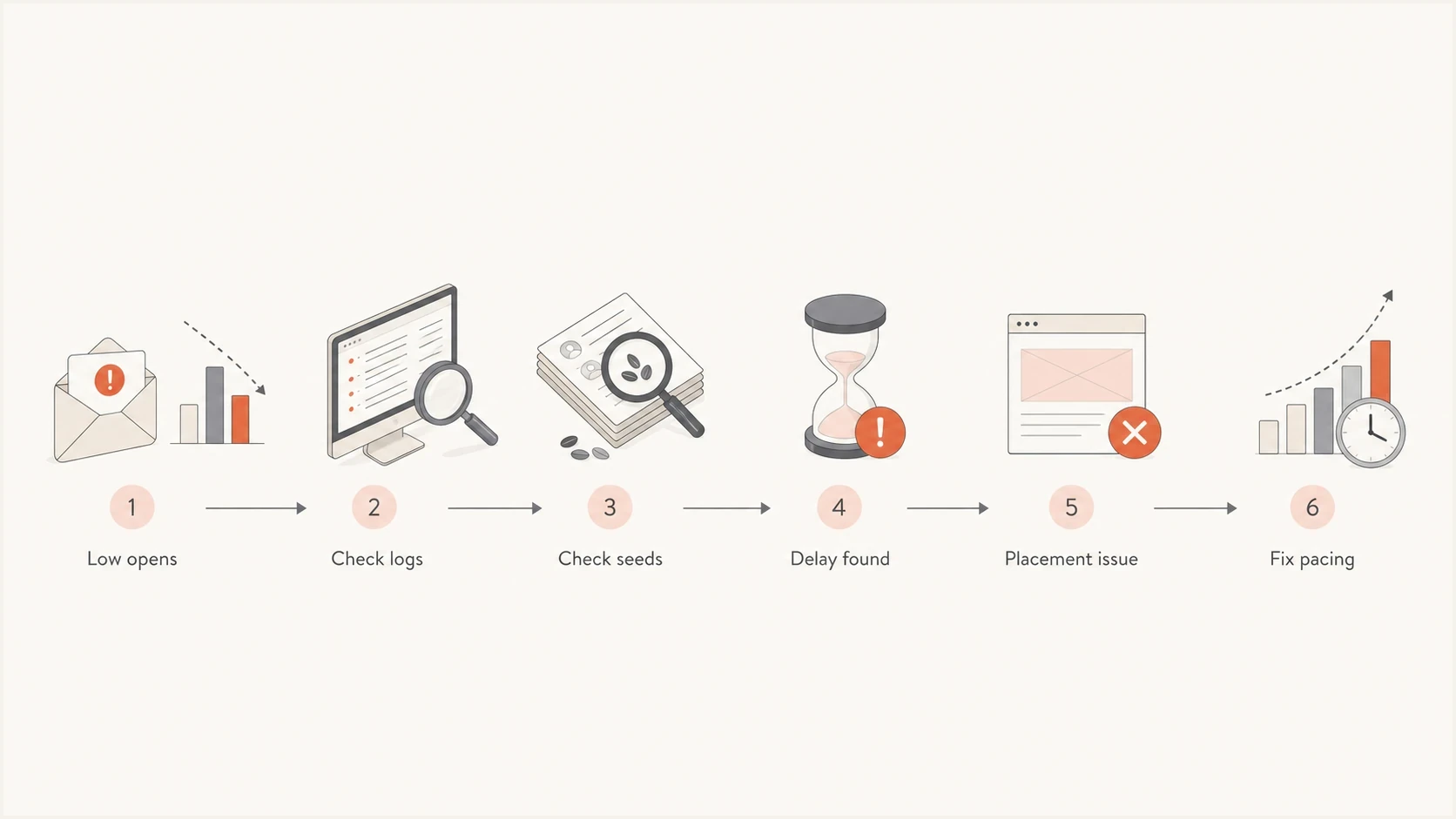
Flowchart for separating Yahoo delivery delay from inbox placement and open-rate issues.
If you see deferrals, the related Yahoo throttling guidance on Yahoo throttling is worth checking because the remediation path overlaps with delivery delay work.
How to prove Yahoo delayed the email
The best evidence is not the open rate. It is the time path of the message. Confirm when the ESP handed off the message, when Yahoo accepted it, when it appeared in the mailbox, and whether the message spent time in retry queues.
- Pull SMTP data for 421 responses, connection timeouts, retry counts, and final delivery timestamps for Yahoo and AOL recipients.
- Check SES DeliveryDelay events if you send through Amazon SES, especially delay types such as IPFailure, RecipientServerError, and TransientCommunicationFailure.
- Check seed accounts by sending to controlled Yahoo and AOL accounts, then inspect headers immediately after receipt.
- Compare providers by splitting open rate, click rate, bounce rate, and complaint rate by mailbox provider, not just by campaign.
- Match audience cohorts by comparing the same Yahoo audience group against recent sends with similar content and timing.
- Check authentication by confirming SPF, DKIM, and DMARC pass for the same stream and match the visible From domain.
Header timing exampletext
Sent by ESP:       Sun, 23 Jun 2024 09:00:12 -0400
Yahoo accepted:    Sun, 23 Jun 2024 13:18:45 -0400
Mailbox received:  Sun, 23 Jun 2024 13:19:02 -0400

Result: about 4 hours and 18 minutes of delay before acceptance.
If you do not have seed accounts, create them now for Yahoo, AOL, Gmail, Outlook, and any provider that matters to your list. Add those addresses to future campaigns. They will not tell you every recipient's experience, but they give you direct headers, placement signals, and arrival timing that aggregate dashboards often hide.
If Yahoo FBL or Amazon SES complaint data is part of the investigation, keep complaint notification time separate from original message time. In SES complaint events, complaint.timestamp is the time the ISP sent the complaint notification, while arrivalDate can point back to when the original message arrived. Treating the older value as today's complaint time can make old Yahoo mail look like a new delay incident.
Some ESPs do not expose every retry if the message eventually delivers. That means a campaign can look delivered in the dashboard while Yahoo recipients received it hours later. Ask for raw event logs or MTA-level timing when the numbers do not add up.
When the delay is only in the Yahoo Mail app
A message can reach the Yahoo mailbox on time but appear later in a mobile app or a third-party email client. That is a display or synchronization delay, not evidence that Yahoo deferred the sender's SMTP connection. Test Yahoo webmail first because it separates mailbox arrival from the device or client that displays the message.
- Sign in to Yahoo Mail in a current web browser, send a message to the same Yahoo address, and allow up to five minutes for the test to appear.
- Compare the message's Received timestamps in webmail with the time it became visible in the affected app. Immediate webmail arrival isolates the problem to the app or device.
- For the Yahoo Mail app, update the app, confirm network access, reconnect the account, and review background synchronization settings.
- For a third-party POP or IMAP client, verify Yahoo's current server settings, use an app password when required, and remove then re-add the account if saved settings are corrupt.
- If webmail also lacks the message, check spam, filters, blocked senders, blocked domains, and the sender's delivery records before calling it an app problem.
Changing SPF, DKIM, DMARC, sending IPs, or campaign pacing will not fix a message that Yahoo webmail received on time but an app displayed late. Fix the app or account connection first.
If Yahoo webmail receives the message late and the header chain shows a gap before Yahoo accepted it, return to the SMTP investigation. If webmail receives it immediately, treat the issue as client synchronization and keep it separate from campaign open-rate analysis.
What to check first
Yahoo's current sender requirements have been enforced since 2024. All senders need SPF or DKIM, a spam complaint rate below 0.3%, valid forward and reverse DNS, and mail that complies with RFC 5321 and RFC 5322. Bulk senders need both SPF and DKIM, a valid DMARC policy with at least p=none, and either SPF or DKIM matching the visible From domain so DMARC passes. Bulk senders also need easy unsubscribe for marketing and subscribed messages. Yahoo requires a visible unsubscribe link in the message body and processing of unsubscribe requests within two days. Authentication does not guarantee fast delivery, but failures make throttling, spam placement, and reputation problems harder to diagnose.
Use Suped's domain health checker to confirm the domain has a valid DMARC record, working SPF, DKIM coverage, and no obvious DNS mistakes. Then monitor the same domain in Suped's DMARC monitoring workflow so you can spot unmatched sources and authentication dips over time.
Suped DMARC dashboard showing email volume, authentication health, and source breakdown
For Yahoo delays, the most important source is the sending source that handled the affected campaign. If the domain authenticates cleanly overall but the campaign stream uses a different bounce domain, DKIM selector, or return-path configuration, the aggregate domain view can hide the real issue.
- Check that the visible From domain matches the SPF or DKIM domain for the campaign stream so DMARC passes.
- Confirm the exact DKIM selector signs the mail and survives any downstream modification.
- Make sure the SPF record stays under lookup limits and includes the right sender.
- Verify a functioning List-Unsubscribe header and a visible body link for marketing and subscribed messages, then process requests within two days.
- Keep Yahoo's spam complaint rate below 0.3% and suppress recipients reported through complaint data promptly.
- Confirm PTR, forward DNS, TLS, and Message-ID are valid before reading Yahoo deferrals as content problems.
- Separate marketing mail, transactional mail, and lifecycle mail when reviewing Yahoo behavior.
- Check domain and IP listings because a blocklist or blacklist signal can coincide with deferrals.
When blocklist (blacklist) risk is part of the picture, Suped's blocklist monitoring helps track domain and IP reputation without treating every listing as equal. The useful question is whether the listed IP or domain maps to the stream that Yahoo slowed down.
?
What's your domain score?
Deep-scan SPF, DKIM & DMARC records for email deliverability and security issues.
How to interpret SMTP errors
If Yahoo returns an SMTP 4xx response, the message has not permanently failed. A 4xx response tells the sender to retry later. That retry behavior is normal, but it can stretch delivery over minutes or hours when the receiving system keeps slowing acceptance.
Typical temporary delay patternstext
421 4.7.0 [TSS04] Messages from this IP temporarily deferred
421 4.7.1 Temporary failure, please try again later
Connection timed out during SMTP DATA
Connection accepted, then remote host delayed response
The exact wording depends on the sending platform and the receiving cluster. The pattern matters more than the wording: temporary response, retry, eventual delivery, and late engagement.
No visible SMTP errors does not clear Yahoo as a factor. It only means your platform did not expose the error or did not see a failed final delivery. Some platforms collapse retry detail once delivery succeeds. That is why seed headers and raw logs matter.
Do not react to temporary Yahoo deferrals by increasing speed or forcing more retries. That usually makes the receiving system trust the stream less. Slow down, stabilize volume, and let the queue clear.
If the errors mention TSS04, TSS05, or repeated temporary deferrals, the page on TSS04 and TSS05 explains how those symptoms connect to open-rate drops.
A practical recovery plan
Once Yahoo delayed delivery is confirmed, the goal is to reduce uncertainty for Yahoo and preserve engagement while the sender reputation stabilizes. That usually means slower pacing, better segmentation, and tighter monitoring rather than a full rebuild.
When to escalate Yahoo delay work
Use these practical thresholds to decide how aggressively to respond.
Normal variance
0-15 min
Minor lag that clears quickly and does not affect opens materially.
Watch closely
15-60 min
Delay can affect time-sensitive sends and should be split by provider.
Act now
1-4 hr
Campaign timing and reputation signals need immediate review.
Pause or throttle
4+ hr
Reduce volume to Yahoo until acceptance behavior improves.
- Separate Yahoo and AOL as their own provider group for delivery, opens, clicks, bounces, and complaints.
- Use gentler pacing for Yahoo recipients, especially after a spike, outage, or complaint increase.
- Send first to recent openers, clickers, buyers, and account users. Suppress stale Yahoo recipients during recovery.
- Avoid changing subject lines, templates, domains, and IPs all at once. You need clean test conditions.
- Separate complaint notice time from original message arrival time, then suppress complained recipients even when the source message was old.
- Review unengaged Yahoo contacts and recent bounced contacts before the next bulk send.
- Capture seed headers before they are overwritten, deleted, or lost in shared inboxes.
Suped's product fits this workflow because it keeps authentication, source identification, DMARC policy, hosted SPF, hosted DMARC, MTA-STS, blocklist monitoring, and deliverability signals in one place. For Yahoo delay incidents, the immediate value is faster isolation: which source sent the mail, whether it matched the From domain, whether new failures appeared, and whether the issue affects one domain, one stream, or one provider.

Issue steps to fix dialog showing the issue overview, tailored fix steps, and verification action
When low opens are not a delay
If seed accounts receive the campaign immediately and Yahoo inboxing looks normal, the low open rate is probably not an inbound delay. In one common pattern, a same-content seed test arrives in zero minutes with strong Yahoo inboxing. That points attention back to the real campaign audience, send time, and engagement quality.
Delay is likely
- Received timestamps show a clear acceptance gap.
- Yahoo logs show deferrals, timeouts, or repeated retry attempts.
- The issue clusters around Yahoo and AOL recipients.
Delay is unlikely
- Seed messages arrive immediately with clean timing.
- No retries or deferrals appear in raw events.
- Other mailbox providers show similar open-rate weakness.
In that case, work through ordinary open-rate diagnostics. Check whether the audience was the same, whether the send landed at a different local time, whether the subject line changed materially, whether suppression rules failed, and whether Apple Mail Privacy Protection, image loading, or bot-open filtering affected the metric.
Do not use open rate as the only scorecard. Compare click rate, conversion rate, reply rate, unsubscribe rate, spam complaint rate, bounce rate, and revenue or product activity tied to the same Yahoo audience. If those signals stayed stable while opens fell, the problem is more likely tracking or classification than delayed delivery.
The broader open-rate recovery process is covered in the page on low email open rates, but for Yahoo specifically keep provider-level reporting in place after the incident. Yahoo issues can reappear as throttling, spam placement, or temporary acceptance delays.
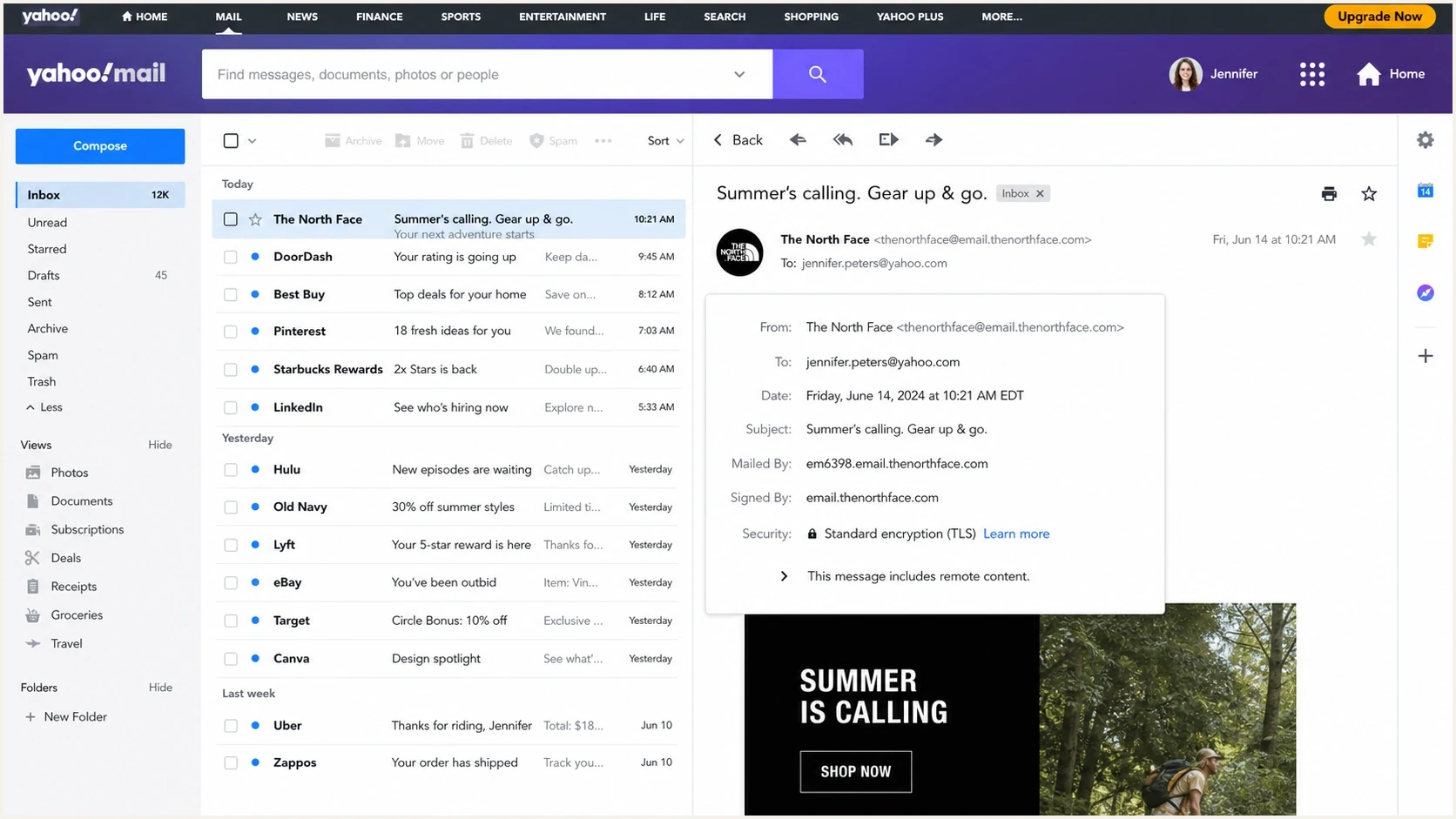
Yahoo Mail inbox with timestamps and message header timing for delayed delivery checks.
Views from the trenches
Best practices
Keep Yahoo and AOL seed accounts in every major campaign so arrival headers are available.
Segment Yahoo separately during incidents and compare timing against other providers.
Ask for raw retry and deferral logs when an ESP only reports final delivery status.
Common pitfalls
Treating a delivered status as proof that Yahoo recipients received mail on time.
Changing content, domains, and cadence together before proving the source of delay.
Blaming Yahoo delays when seed headers show immediate delivery and normal inboxing.
Expert tips
Capture Received headers quickly because they are the clearest evidence of delay.
Use recent engaged Yahoo users first while throttling or reputation issues recover.
Monitor blacklist and blocklist events alongside authentication and complaint trends.
Marketer from Email Geeks says Yahoo connection hangs can appear during volume events, so senders should verify whether the issue affects more than one campaign or platform.
2024-06-21 - Email Geeks
Expert from Email Geeks says visible SMTP errors are strong evidence of Yahoo-side delay, but missing errors do not rule out retries hidden by the sending platform.
2024-06-24 - Email Geeks
The bottom line
Yahoo inbound delays cause low open rates when mail arrives too late to earn attention. The fastest path is to prove the delay with SMTP logs and seed headers, then separate that problem from spam placement, complaint timing, tracking noise, and general engagement weakness.
If the evidence shows delayed acceptance, slow down Yahoo delivery, prioritize engaged users, keep authentication clean, suppress complained recipients, and monitor provider-level results until timing normalizes. If the evidence shows immediate arrival, treat the open-rate drop as a placement, audience, tracking, or campaign issue instead.
Suped's product helps keep the authentication and reputation side of this work organized: DMARC monitoring, hosted SPF, hosted DMARC, hosted MTA-STS, SPF flattening, blocklist monitoring, issue detection, and real-time alerts all support the same goal, finding the source of the problem before another Yahoo campaign underperforms.




