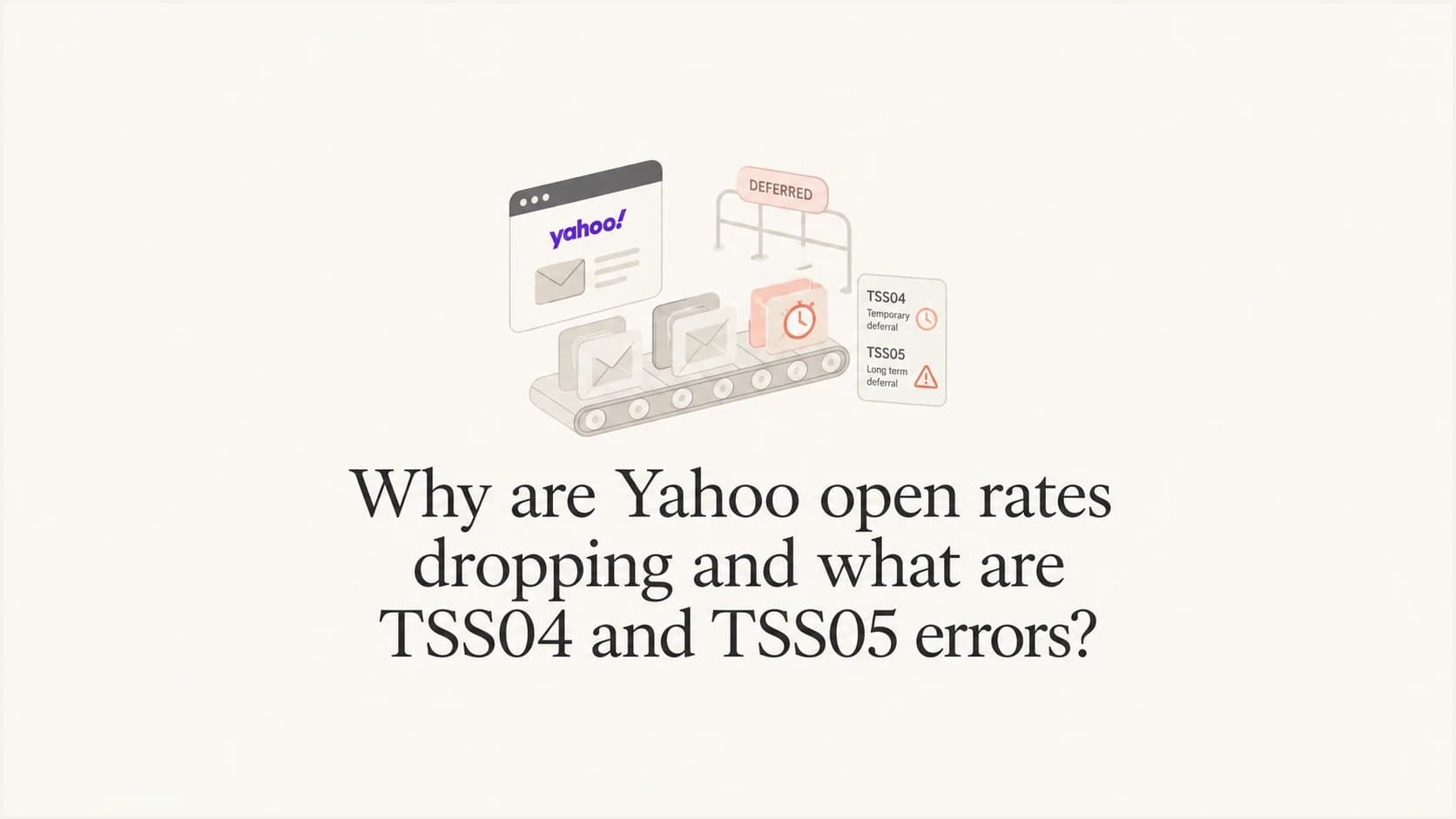
Why are Yahoo open rates dropping and what are TSS04 and TSS05 errors?

Published 26 Jul 2025
Updated 10 Aug 2026
12 min read
Summarize with
Updated on 10 Aug 2026: We updated this guide with Yahoo's current sender requirements and a more precise reading of TSS04 and TSS05.
Yahoo open rates usually drop for one of four reasons: the mail is delayed, the mail is landing in spam, image-based open tracking is not loading consistently, or Yahoo has started throttling the sender with temporary SMTP deferrals. TSS04 and TSS05 are Yahoo temporary deferral codes. They normally appear as 421 4.7.0 responses during SMTP delivery, which means Yahoo is not accepting the message right now, but the sender can retry later.
The most accurate reading is that both TSS04 and TSS05 indicate a temporary Yahoo acceptance problem associated with the sending IP or stream. Yahoo's public guidance lists possible causes for 421 and 451 replies, including unusual IP traffic, spam-like message characteristics, user complaints, busy servers, DNS failures, or temporary authentication lookup errors. The suffix alone does not prove which cause triggered the deferral. Compare opens against accepted volume, clicks, revenue, deferrals, inbox placement tests, and SMTP logs.
A drop from 50% opens to 2% can come from a reporting issue, but when the same period also has TSS04 or TSS05 spikes, slower delivery, seed tests moving to spam, or a revenue drop, the issue is real deliverability. Run a controlled message through the email tester and compare the result with your ESP logs for Yahoo-managed recipient domains.
What TSS04 and TSS05 mean
TSS04 and TSS05 are not open tracking codes. They are Yahoo SMTP responses seen during delivery. The important part is the 421 status code. A 421 response is a temporary deferral, so the sending server should queue the message and retry. If the retry pattern is poor, the delay can turn into missed engagement windows, campaign skew, or eventual non-delivery after the queue expires.
Typical Yahoo deferral snippetstext
421 4.7.0 [TSS04] Messages from 203.0.113.10 temporarily deferred
due to unexpected volume or user complaints
421 4.7.0 [TSS05] Messages from 203.0.113.10 temporarily deferred
due to unexpected volume or user complaints
Yahoo's wording can vary across logs and ESPs, but its public guidance treats 4XX replies as temporary failures with several possible causes. The full reply, affected IP, traffic pattern, queue behavior, complaint data, and authentication results are needed to identify the cause. Common triggers include a complaint burst, weak engagement, sudden volume, shared-pool activity, poor list hygiene, or a temporary infrastructure problem.
|
|
|
|---|---|---|
TSS04 | Temporary deferral | Read full reply |
TSS05 | Temporary deferral | Check traffic signals |
Spam placement | Inbox loss | Tighten targeting |
Open-only drop | Tracking noise | Check clicks |
Compact read of common Yahoo signals
Compare the complete response against Yahoo SMTP codes. If your logs specifically show TSS04, the separate TSS04 guide provides a narrower remediation path.
Why opens can fall at Yahoo
Open rate is a proxy metric. It depends on image loading, the tracking pixel, recipient behavior, and inbox placement. Yahoo adds another factor: throttling can delay delivery long enough that opens arrive outside the normal reporting window. A campaign can look like it lost engagement when part of the mail simply reached the inbox late.
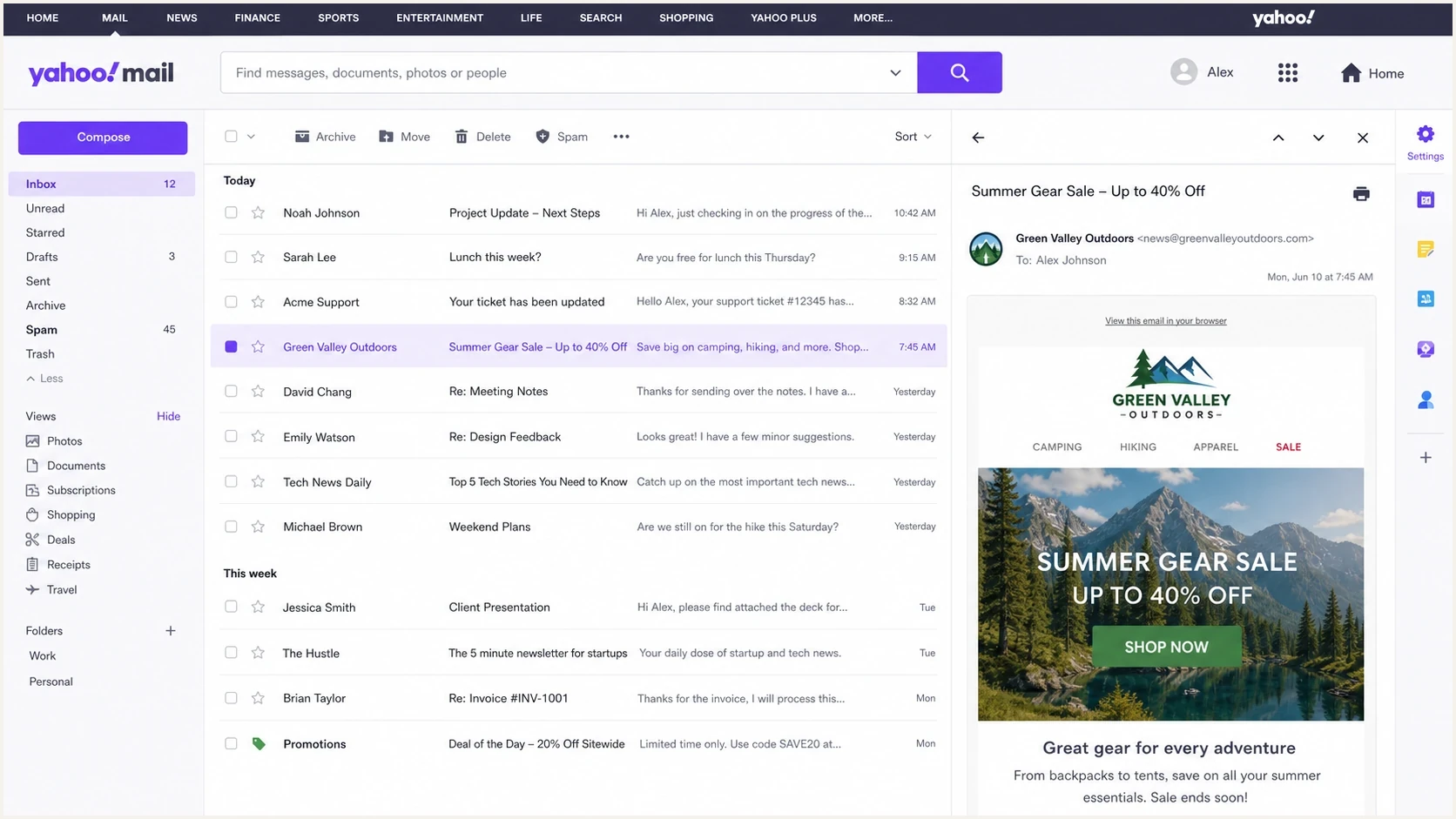
Yahoo Mail inbox view with inbox and spam placement signals
Start by separating measurement from delivery. If clicks, conversions, replies, and revenue stay normal while opens collapse, suspect pixel behavior or reporting changes. If clicks and revenue fall with opens, or seed tests move to spam, treat it as deliverability. If SMTP logs show TSS04 or TSS05 at the same time, the root problem sits closer to Yahoo acceptance and reputation than to the open pixel.
Tracking issue
- Opens only: Clicks, replies, and orders hold steady while opens fall.
- No deferrals: Yahoo accepts mail at the normal rate in SMTP logs.
- Broad client effect: The drop appears across many mailbox providers, not just Yahoo.
- Pixel mismatch: Image loads differ between inbox tests and real campaigns.
Delivery issue
- Yahoo-specific: Yahoo-managed domains fall harder than other mailbox groups.
- Deferral spike: Logs show TSS04, TSS05, or other 421 responses.
- Spam movement: Seed tests and real user feedback point to spam placement.
- Revenue drop: Commercial metrics fall in the same Yahoo segment.
The shared-versus-dedicated IP split matters too. On a shared pool, either code can reflect activity from another sender or a pool-level surge. On a dedicated IP, either code points more directly to the sender's own recent complaint rate, engagement, list source, cadence, or infrastructure. Use evidence before deciding whether to pause, throttle, or escalate.
How to diagnose the drop
Diagnose Yahoo open drops in a fixed order to avoid chasing a single noisy metric. First isolate Yahoo-managed domains. Then compare acceptance, placement, engagement, and business outcomes. Change volume or content only after those signals identify the likely cause. Random creative changes rarely fix a throttling event.
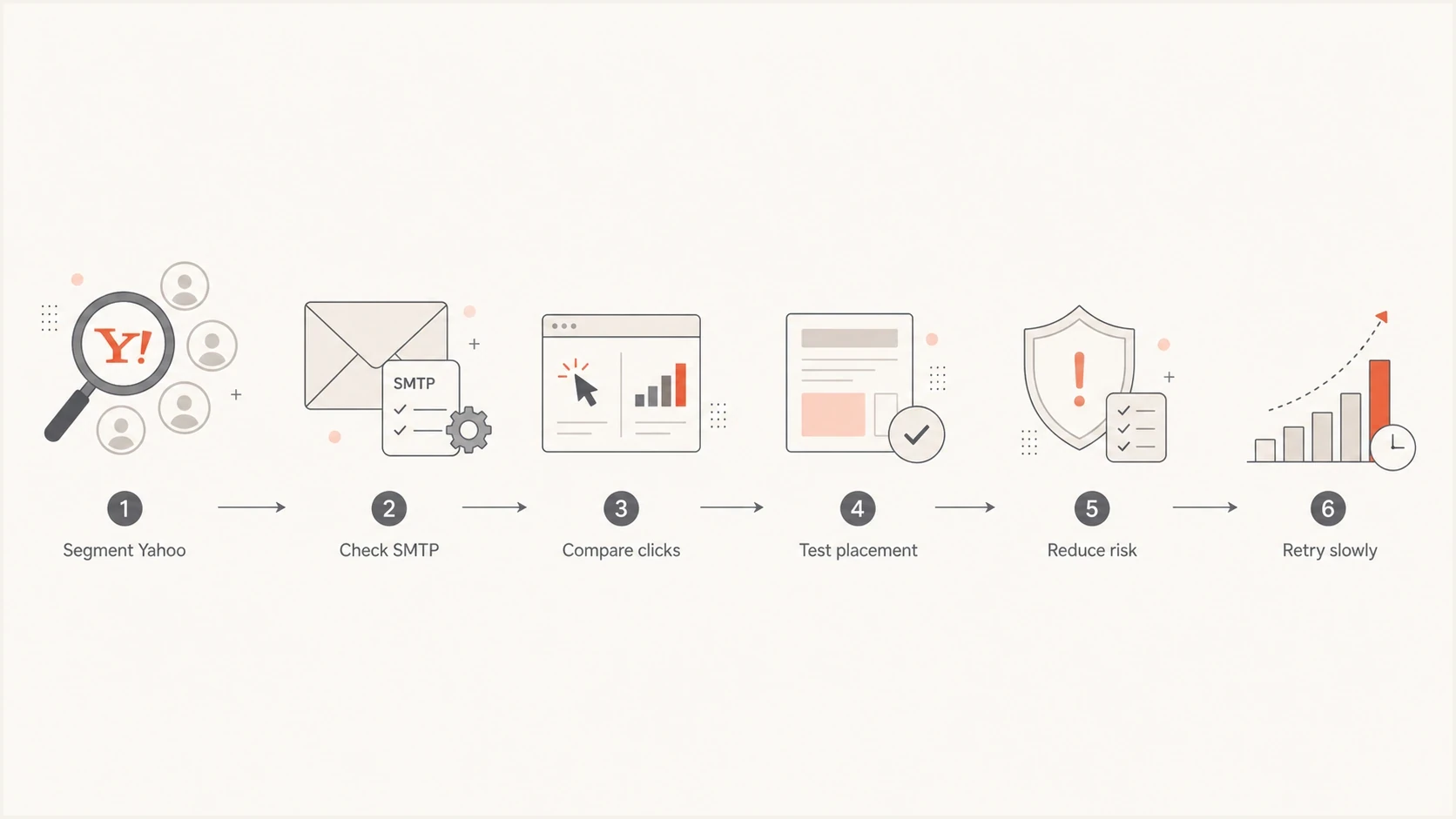
Flowchart for diagnosing Yahoo open rate drops
- Segment Yahoo: Group recipients by Yahoo-hosted MX records instead of relying only on familiar consumer domain names.
- Read SMTP logs: Count TSS04, TSS05, other 421 replies, retry success, queue age, and final failures by IP and domain.
- Compare engagement: Use clicks, conversions, replies, unsubscribe activity, and revenue to test whether opens are misleading.
- Inspect authentication: Check SPF, DKIM, DMARC, reverse DNS, HELO, and sender domain consistency.
- Check reputation: Review recent complaint rate, unknown users, trap risk, and blocklist (blacklist) status.
- Throttle with intent: Send smaller batches to recently engaged Yahoo users before reopening broader segments.
Email tester
Send a real email to this address. Suped shows a results button when the test is ready.
?/43tests passed
The test message should use the same authenticated path as production mail. If the test uses a different sending domain, different DKIM selector, or different IP pool, the result is less useful. Check the full message headers because a visible pass in one dashboard can still hide a domain mismatch that Yahoo treats poorly.
Do not overreact to one open chart
A sudden Yahoo open drop needs proof across several signals. Pause risky mail quickly, but do not rewrite the whole program until SMTP logs and placement tests point to the same cause.
- Pause cold mail: Suppress unengaged Yahoo recipients while deferrals are active.
- Keep transactional mail clean: Separate password resets and receipts from marketing streams.
- Track queue age: Late acceptance can depress same-day opens without creating bounces.
- Keep notes: Record the exact time deferrals started and which pools changed first.
For authentication checks across a domain, Suped's domain health checker gives a fast read of DMARC, SPF, and DKIM. For ongoing evidence rather than a one-time check, DMARC monitoring shows which sources are passing, failing, or sending outside the expected path.
Meet Yahoo's current sender requirements
Yahoo's sender requirements are part of TSS04 and TSS05 prevention, even when authentication is not the immediate trigger. All senders need SPF or DKIM at minimum, valid forward and reverse DNS, RFC-compliant mail, and a spam complaint rate below 0.3%. Bulk senders need both SPF and DKIM, a passing DMARC policy of at least p=none, aligned authentication, and extra unsubscribe controls.
|
|
|
|---|---|---|
All senders | SPF or DKIM, valid DNS, RFC compliance, complaints below 0.3% | Verify the production IP and exact message headers |
Bulk senders | SPF, DKIM, passing DMARC, aligned From domain, easy unsubscribe | Check one-click headers and two-day suppression processing |
Complaint feedback | Enroll each sending DKIM domain in Yahoo's CFL | Process ARF reports and suppress complainers promptly |
Current Yahoo requirements and operational checks
Yahoo calculates its spam complaint rate using messages delivered to the inbox as the denominator. Keep the operating rate comfortably below 0.3% because reaching that threshold can affect delivery. The Complaint Feedback Loop is domain-based and supports DKIM-signed mail. Its ARF reports identify messages marked as spam, which helps trace a complaint spike to a campaign, segment, or sending stream.
One-click unsubscribe needs message headers
A link in the message body alone does not meet Yahoo's one-click requirement for marketing and subscribed mail. Add a functioning List-Unsubscribe header, support the one-click POST method where possible, keep the body link visible, and honor requests within two days.
Fixes that usually move the numbers
The right fix depends on the evidence. If Yahoo is deferring mail, the first goal is to lower risk at acceptance time. That means reducing questionable volume, improving retry behavior, sending to the most engaged recipients first, and removing technical ambiguity. Content changes matter after the sending pattern is under control.
Yahoo complaint-rate threshold
Yahoo requires senders to keep spam complaints below 0.3% of messages delivered to the inbox.
Operational headroom
<0.3%
Keep the measured rate comfortably below Yahoo's enforcement threshold.
Enforcement threshold
0.3%
Yahoo says delivery can be affected at this complaint rate.
Above threshold
>0.3%
Pause risky traffic and remove the complaint source before resuming.
- Reduce volume: Cut Yahoo sends to recent clickers, purchasers, active account users, and other verified responders.
- Separate streams: Keep transactional, lifecycle, and promotional mail on clean, distinct sending paths.
- Fix complaints: Suppress complainers, tighten consent, and stop mailing stale Yahoo contacts during recovery.
- Check authentication: Make SPF and DKIM pass, with DMARC alignment to the domain in the visible From address.
- Review reputation: Use blocklist monitoring to catch domain or IP blacklist listings that correlate with Yahoo throttling.
When the SMTP response is a 421, retries matter. A sender that retries too aggressively can look like it is hammering Yahoo after being told to slow down. A sender that retries too slowly can miss the campaign window. Use a retry pattern that backs off quickly, preserves queue visibility, and avoids sending the same campaign to broader Yahoo segments while the queue is already stressed.
DMARC record for monitoringdns
v=DMARC1; p=none; rua=mailto:dmarc@yourdomain.com
DMARC does not fix a complaint spike by itself, but a clean DMARC posture removes avoidable doubt. RFC 9989 made the former pct tag historic, so do not use pct to stage enforcement. Monitor aggregate reports, correct valid sources, then change the full domain policy to p=quarantine and later p=reject when the evidence supports enforcement. For Yahoo delivery, the visible From domain, DKIM signature, SPF path, reverse DNS, HELO name, and unsubscribe handling should all be consistent. For more detail on the general 421 pattern, the 421 error guide explains how temporary deferrals behave across campaigns.
Where Suped fits
Suped is our DMARC and email authentication product. It fits this workflow when the problem extends beyond one bounce log by connecting authentication monitoring with issue detection, alerts, hosted SPF, hosted DMARC, hosted MTA-STS, SPF flattening, blocklist visibility, and multi-domain reporting.
Issues page showing top issues, verified sources, unverified sources, and authentication pass rates
The concrete Yahoo workflow checks whether the affected stream is authenticated, whether a new source appeared, whether SPF lookups are failing, whether DKIM selectors changed, whether a blocklist or blacklist event happened, and whether the same issue exists across all brands or only one sending domain. Suped turns those checks into issues with remediation steps, which reduces manual comparison across DNS lookups, ESP exports, and inbox tests.
Use Suped during a Yahoo incident
- Source visibility: Confirm which platforms are sending through each domain and IP path.
- Real-time alerts: Catch authentication failures and reputation movement before the next campaign.
- Hosted controls: Manage SPF and DMARC changes without waiting on repeated DNS edits.
- MSP view: Compare Yahoo impact across clients, domains, and sending streams.
Keep the raw SMTP evidence. Suped provides the domain and authentication layer, while the ESP provides delivery attempts, retry timing, queue age, and campaign segmentation. Read both together to identify the affected source and choose the right recovery step.
Views from the trenches
Best practices
Separate Yahoo-family domains before acting, because blended opens hide the real pattern.
Compare opens with SMTP deferrals and revenue before deciding the pixel has failed.
Throttle risky Yahoo segments first, then restore volume after acceptance recovers.
Keep dedicated and shared pool evidence separate so pool risk does not blur sender risk.
Common pitfalls
Treating a 421 deferral as a bounce hides retry delays and late delivery windows.
Changing creative during a throttling event often masks the delivery cause and delays recovery.
Blaming Yahoo alone wastes time when complaint, volume, or pool signals changed.
Using seed inboxing alone misses revenue and click evidence from real recipients.
Expert tips
Track queue age by Yahoo domain so delayed delivery is visible before opens collapse.
Keep transactional mail isolated so marketing throttling does not affect account mail.
Record provider, pool, IP, and DKIM selector changes made in the week before the dip.
Use monitored DMARC policy changes so enforcement does not break valid sending sources.
Marketer from Email Geeks says several unrelated senders saw Yahoo opens and inbox placement fall at the same time, so the pattern needed log-level validation rather than open-rate assumptions.
2021-01-29 - Email Geeks
Marketer from Email Geeks says a large sender that rarely saw Yahoo throttling started seeing more TSS04 deferrals, which made SMTP logs the first place to check.
2021-01-29 - Email Geeks
The practical path forward
If Yahoo opens are dropping and you see TSS04 or TSS05, treat it as a deliverability incident until the evidence proves otherwise. Segment Yahoo-managed domains, read SMTP logs, check whether clicks and revenue fell, and confirm inbox placement with controlled tests. Then reduce risky volume and let the cleanest traffic rebuild acceptance.
The fastest wins usually come from removing stale Yahoo contacts, slowing retry pressure, preserving transactional streams, and fixing authentication gaps. If the open rate drop has no matching SMTP, click, or revenue signal, keep tracking-pixel behavior on the table. If TSS04 or TSS05 is present, do not wait for a hard bounce. Temporary deferrals can damage a send while the dashboard still says most messages are queued.
Give Yahoo a cleaner signal through authenticated mail, expected volume, lower complaint risk, strong recent engagement, and retry behavior that respects deferrals. Once acceptance stabilizes, expand carefully and monitor the same Yahoo-specific metrics for several sends.