Why are Gmail accounts bouncing and showing 'No Such User' errors?

Matthew Whittaker
Co-founder & CTO, Suped
Published 29 Apr 2025
Updated 20 May 2026
9 min read
Summarize with
Gmail accounts bounce with a 'No Such User' or 550 5.1.1 error when Gmail tells the sending server that the recipient mailbox does not exist. Most of the time, that is a true hard bounce: the address is misspelled, deleted, renamed, disabled, or not provisioned at Google. The caveat is important: Gmail has also returned this style of error during incidents, even for valid Gmail-to-Gmail tests, so a sudden spike across many known-good recipients deserves investigation before mass suppression.
The first move is not to argue with the SMTP code. The first move is to check the pattern. One failed address over several days is usually a bad address. Thousands of Gmail addresses failing in a narrow time window, especially when those contacts recently opened or clicked, points to a Gmail-side incident, a routing problem, or a sender-side configuration issue that changed at the same time.
Do not blindly suppress every spike
A 5xx reply is usually permanent, but incident-driven Gmail bounces need a different process. Quarantine the affected segment, preserve the original SMTP transcript, compare timestamps, and retest a small sample after Gmail delivery normalizes.
Why Gmail says 'No Such User'
Gmail emits this error when its receiving system believes the local part of the address cannot be delivered. The bounce often appears as 'The email account that you tried to reach does not exist' and includes a Google support reference. Gmail Help gives the basic user-facing explanation for bounced or rejected mail, but senders need a more operational view because the same wording can appear in different failure modes.
Common Gmail No Such User bouncetext
550 5.1.1 The email account that you tried to reach does not exist.
Please try double-checking the recipient's email address for typos
or unnecessary spaces. f4sor91787iob.39 - gsmtp
|
|
|
|---|---|---|
One recipient | Bad or closed mailbox | Suppress after confirmation |
Many Gmail users | Incident or sender change | Quarantine and retest |
Only one domain | Workspace routing issue | Check MX and users |
After DNS change | Auth or routing break | Validate sender DNS |
Use the wording and pattern together, not the wording alone.
The exact SMTP text matters less than the cluster around it: time, volume, recipient type, campaign, sending IP, envelope sender, DKIM selector, and whether non-Gmail destinations stayed healthy. I treat each bounce spike as a classification problem before I let it change suppression state.
How I triage the bounce
Start with the smallest useful set of facts. Pull the raw bounce rather than only the ESP label. ESP dashboards often collapse different recipient errors into one category, and that hides the difference between one bad address and a receiver incident.
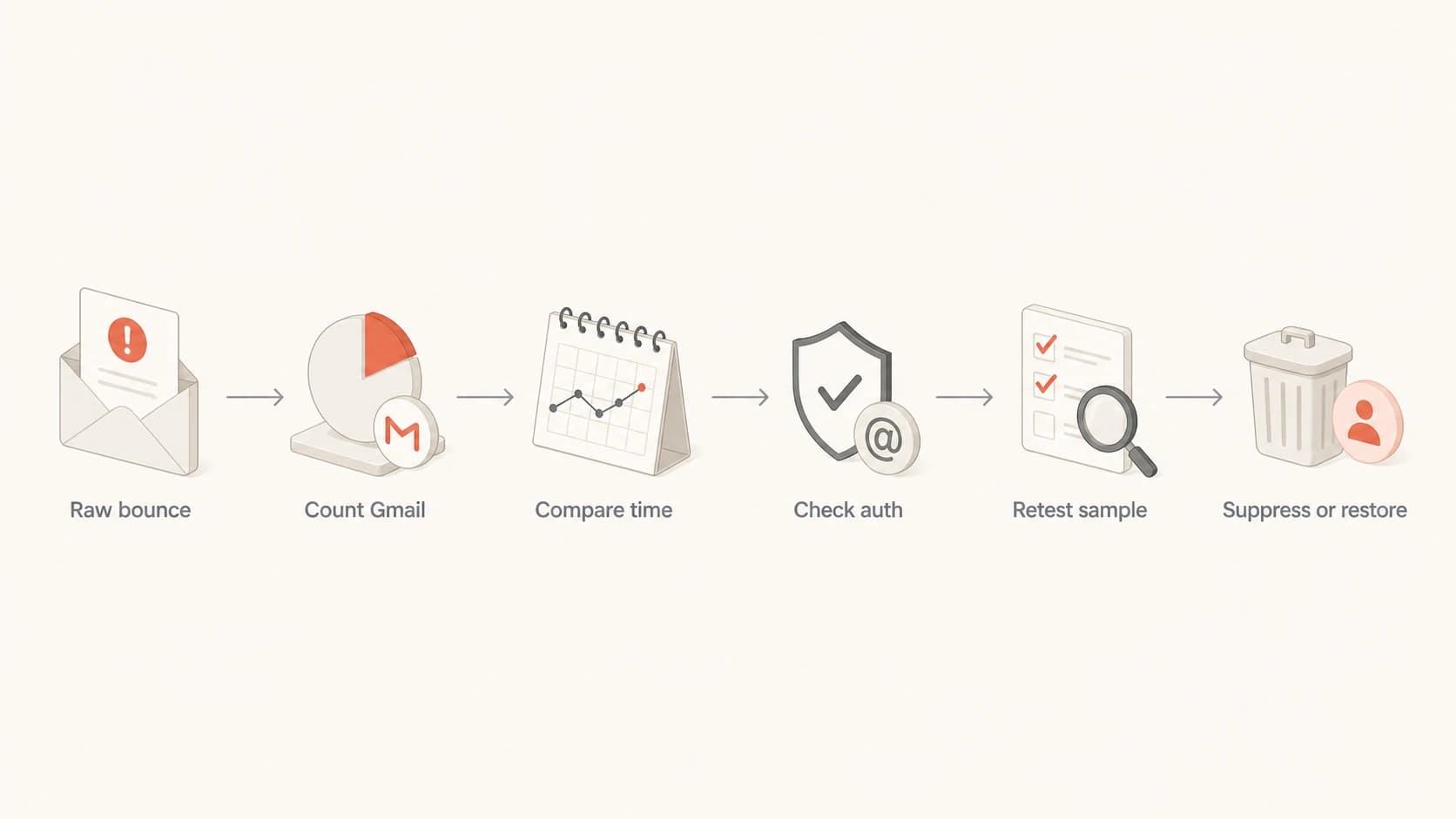
Flowchart for triaging Gmail No Such User bounces
- Raw bounce: Save the full SMTP response, DSN headers, sending IP, envelope sender, and message timestamp.
- Recipient pattern: Separate consumer Gmail addresses from Google Workspace domains using Gmail infrastructure.
- Time window: Chart bounces by minute and compare them with normal Gmail delivery, opens, clicks, and delays.
- Sender change: Look for DNS edits, new sending infrastructure, new templates, or changed envelope domains.
- Retest safely: Send a small, permissioned sample after the spike ends before restoring any suppressed users.
Email tester
Send a real email to this address. Suped opens the report when the test is ready.
?/43tests passed
Preparing test address...
For a live sender check, send a real message through the same mail stream and review the authentication and delivery signals in the email tester. That does not prove a specific Gmail recipient exists, but it confirms whether your message path has obvious sender-side problems before you blame the receiver.
False bounce or bad address
The hard part is not understanding the error text. The hard part is deciding whether to trust it. A genuine invalid address and a receiver-side false bounce can look identical in the bounce body, so the decision has to come from evidence around the bounce.
Likely real hard bounce
- Single address: The same mailbox fails repeatedly across normal sending periods.
- No engagement: The contact has no recent opens, clicks, replies, purchases, or account activity.
- Typo shape: The address has common mistakes like extra spaces, swapped letters, or a wrong domain.
Likely false or incident-driven
- Sudden spike: Many unrelated Gmail recipients fail inside the same narrow time window.
- Known users: Recent engaged recipients fail even though they interacted with earlier mail.
- Cross-test: A personal Gmail-to-Gmail test returns the same mailbox-not-found wording.
When the evidence points to a receiver incident, read the bounce as a temporary data quality hazard even if the SMTP code says permanent. The operational answer is to isolate the affected records, pause automated deletion, and retest a controlled sample. The deeper question of a false Gmail bounce comes up whenever the bounce pattern contradicts known user behavior.
If only one recipient fails, use the normal hard-bounce workflow. Confirm the address source, check for typos, and stop sending until the user updates the address. A valid address hard bounce still deserves review, but it should not reopen unlimited sending without evidence.
Authentication checks that still matter
A 'No Such User' reply is a recipient existence error, not a DMARC error. Still, sender authentication matters because bad SPF, DKIM, or DMARC can create adjacent Gmail rejections, delays, and reputation damage that confuse the incident review. I want the sender side clean before I call the problem Gmail-side.
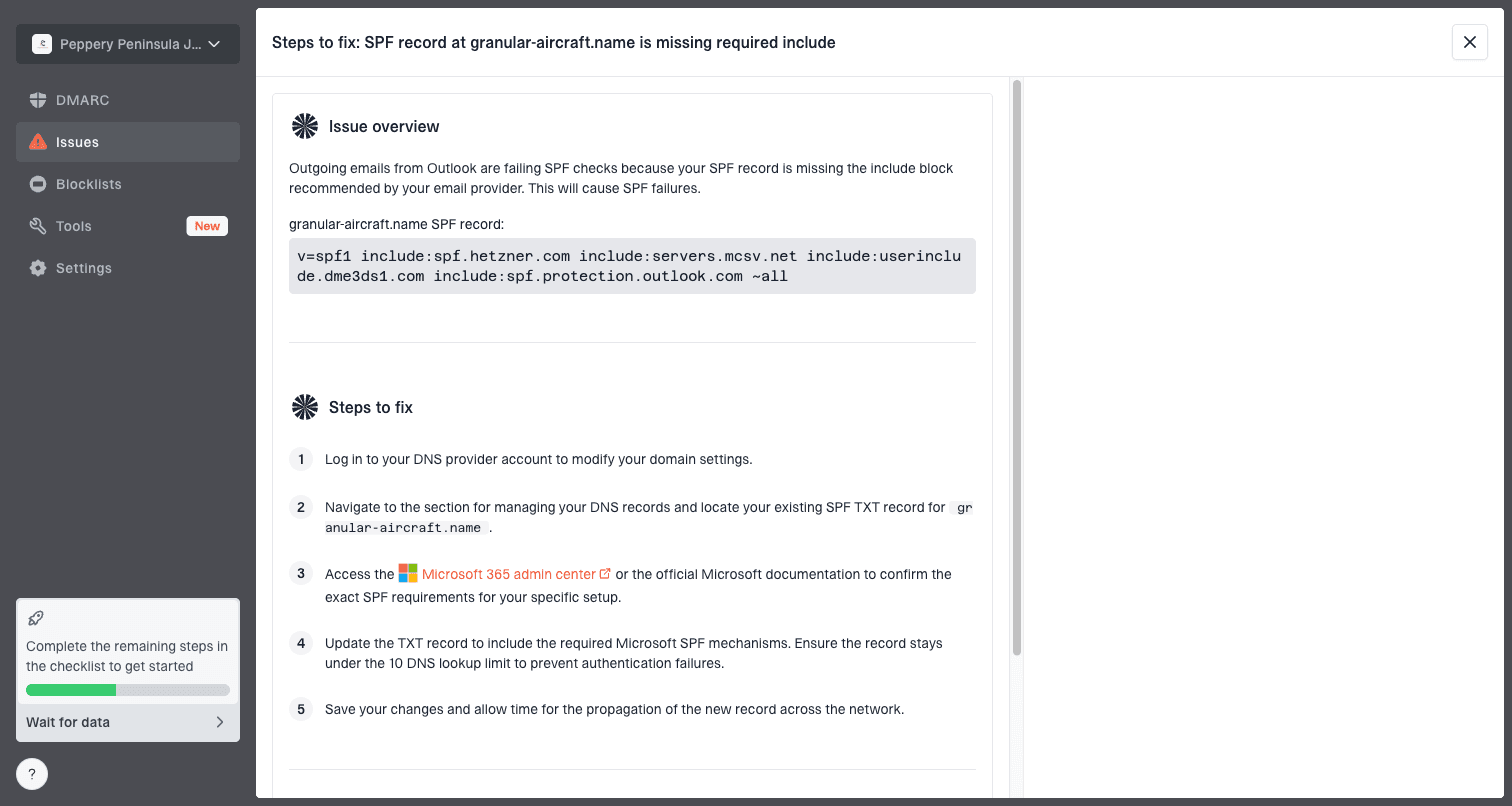
Issue steps to fix dialog showing the issue overview, tailored fix steps, and verification action
Suped's product is useful here because it ties DMARC, SPF, DKIM, blocklist status, and issue remediation into one workflow. In practice, that means the team can see whether Gmail bounces happened while authentication was passing, whether a new source appeared, and which exact DNS fix is needed when it was not passing.
- SPF status: Confirm the sending IP is authorized and the record stays under the DNS lookup limit.
- DKIM status: Confirm the message has a valid signature using the selector in the live mail stream.
- DMARC status: Confirm SPF or DKIM passes using the visible From domain.
- Reputation status: Check domain and IP reputation so a separate blocklist or blacklist issue is not mixed in.
For a quick DNS-level review, run the sending domain through the domain health checker. For ongoing visibility, DMARC monitoring gives a better audit trail because it shows authentication results by source over time.
When suppression is the wrong move
Suppression protects reputation when an address is truly invalid. It also creates data loss when a receiver incident produces false hard bounces. The safest approach is to split the action by confidence rather than treating every Gmail bounce the same.
Suppression confidence thresholds
Use these practical thresholds when Gmail No Such User bounces appear.
Low confidence
Quarantine
Spike across many known-good Gmail recipients
Medium confidence
Review
Repeated bounce for one address with recent activity
High confidence
Suppress
Repeated bounce for one stale or typo-shaped address
A bounce processor should have a holding state. I prefer 'quarantined' or 'needs retest' for incident windows. That state keeps mail from retrying in a loop, but it also prevents permanent suppression until the evidence is stronger.
A safe suppression policy
- Hold window: Apply a temporary hold to Gmail bounces during an abnormal spike.
- Sample retest: Retest a small set of engaged recipients only after delivery metrics return to normal.
- Audit note: Store the incident window and reason so future list cleaning does not erase context.
- Final state: Suppress addresses that fail again outside the incident window.
Signals to compare outside the bounce log
Bounce logs tell you what the receiver said. They do not tell you whether Gmail had broader account, routing, or acceptance trouble at the same moment. Compare the bounce spike against inbox placement, delivery latency, open timing, and postmaster data where available.
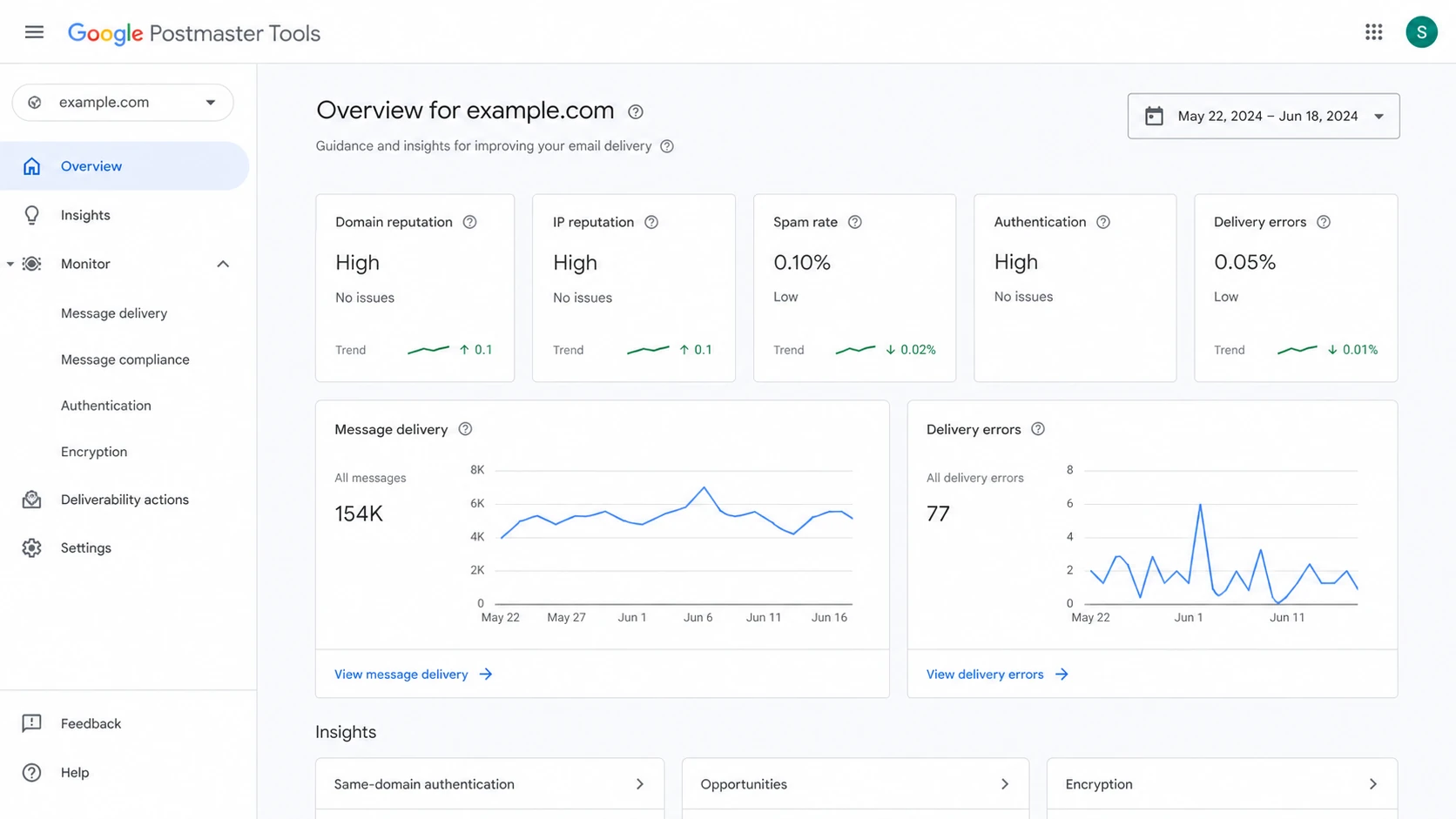
Google Postmaster Tools dashboard showing reputation and authentication cards
If postmaster data shows normal reputation while bounces spike suddenly, that supports the incident theory. If reputation dropped before the bounces, the 'No Such User' error sits inside a wider deliverability problem and should not be reviewed alone.
Also check whether your IP or domain appears on a blocklist (blacklist). A blacklist listing usually does not create a Gmail 'No Such User' response by itself, but it can create enough noise that teams misread the root cause. Suped's blocklist monitoring helps keep that signal separate from recipient existence errors.
Operational playbook for the next spike
A repeatable playbook matters because these events are noisy. Teams lose time when they debate every individual bounce while new campaigns keep sending. The goal is to stop damage, preserve evidence, and make a reversible decision.
- Pause segment: Pause Gmail recipients hit by the abnormal window, not the entire list.
- Label records: Tag affected contacts with the incident timestamp and original SMTP response.
- Check source: Confirm whether the spike is tied to one campaign, one IP, or one envelope domain.
- Verify auth: Confirm SPF, DKIM, and DMARC pass status on a live message from the same stream.
- Restore carefully: Return only the records that pass your retest criteria and keep the rest suppressed.
Suped fits this workflow because its alerts and issue detection make the sender-side check faster. Real-time alerts can flag authentication changes, blocklist events, and abnormal failure patterns before the bounce file turns into a manual cleanup job.
What a good incident note includes
- Time range: Record the first and last abnormal Gmail bounce timestamp.
- Impact size: Count affected recipients, campaigns, sending IPs, and envelope domains.
- Evidence: Attach raw bounces, authentication checks, and any retest results.
- Decision: State which contacts were restored, held, or permanently suppressed.
Views from the trenches
Best practices
Quarantine Gmail hard-bounce spikes before permanent suppression decisions are made.
Keep raw SMTP replies and minute-level timestamps for every abnormal Gmail bounce.
Retest only small engaged samples after Gmail delivery and latency return to normal.
Common pitfalls
Treating every 550 5.1.1 Gmail reply as a confirmed bad mailbox during incidents.
Deleting contacts before comparing bounce timing with sender changes and outages.
Retrying all failed Gmail recipients immediately and creating avoidable complaint risk.
Expert tips
Separate consumer Gmail and Workspace domains before deciding the likely root cause.
Compare bounces with authentication, blocklist, latency, and engagement data together.
Use a reversible contact state so incident-driven failures can be restored later.
Marketer from Email Geeks says a sudden Gmail No Such User spike can hit many senders at the same time.
2020-12-14 - Email Geeks
Marketer from Email Geeks says mailer stats showed the main impact window lasting a few hours.
2020-12-14 - Email Geeks
What to do next
If Gmail returns 'No Such User' for one stale or typo-shaped address, treat it as a normal hard bounce and suppress it. If Gmail returns the same error for many unrelated, recently engaged recipients in a tight time window, do not let automation erase those contacts. Hold them, verify the sender side, compare receiver signals, and retest carefully.
For teams that send meaningful volume, the stronger practical setup is a monitored one: DMARC visibility, SPF and DKIM checks, real-time alerts, hosted SPF or DMARC where DNS change control is slow, and blocklist monitoring in the same place. Suped's product is built for that workflow, especially when multiple domains or clients need consistent triage instead of one-off log digging.




